Page 5 of 296
Table of
ContentsIllustrated table of contents
Safety—Seats, seat belts and supplemental air bags
Instruments and controls
Pre-driving checks and adjustments
Heater, air conditioner and audio systems
Starting and driving
In case of emergency
Appearance and care
Maintenance and do-it-yourself
Technical and consumer information
Index
0
1
2
3
4
5
6
7
8
9
10
Page 12 of 296

1. Headlight/turn signal switch (P. 2-20)
2. Meters and gauges (P. 2-3)
3. Windshield wiper/washer switch
(P. 2-18)
4. Power outlet (P. 2-24)
5. Heater and air conditioner (P. 4-2)
6. Passenger air bag ON/OFF switch light
(if so equipped) (P. 1-16)
7. Passenger air bag ON/OFF switch
(if so equipped) (P. 1-16)
8. Front passenger supplemental air bag
(P. 1-7)
9. Glove box (P. 2-28)
10. Audio system (P. 4-10)
11. Hazard warning flasher switch (P. 2-22)
12. Automatic/manual selector lever
(P. 5-10)
13. Transfer case shift lever (if so equipped)
(P. 5-22)
14. Parking brake release lever (P. 5-18)
15. Cruise control main/set switch
(if so equipped) (P. 5-19)
16. Driver supplemental air bag/horn
(P. 1-7, P. 2-23)
17. Steering wheel switch for audio controls
(if so equipped) (P. 4-28)
18. Vehicle dynamic control (VDC) off switch
(if so equipped) (P. 2-24)
19. Instrument brightness control (P. 2-21)
20. Cargo lamp switch (P. 2-23)
See the page number indicated in paren-
theses for operating details.WIC0638
INSTRUMENT PANEL
0-6Illustrated table of contents
ZREVIEW COPY:Ð2004 Truck/Frontier(d22)
Owners Manual(owners)ÐUSA English(nna)
11/21/03Ðdebbie
X
Page 70 of 296

1. Headlight/turn signal switch (P. 2-20)
2. Meters and gauges (P. 2-3)
3. Windshield wiper/washer switch (P. 2-18)
4. Power outlet (P. 2-24)
5. Heater and air conditioner (P. 4-2)
6. Passenger air bag ON/OFF switch light
(if so equipped) (P. 1-16)
7. Passenger air bag ON/OFF switch
(if so equipped) (P. 1-16)
8. Front passenger supplemental air bag
(P. 1-7)
9. Glove box (P. 2-28)
10. Audio system (P. 4-10)
11. Hazard warning flasher switch (P. 2-22)
12. Automatic/manual selector lever (P. 5-10)
13. Transfer case shift lever (if so equipped)
(P. 5-22)
14. Parking brake release lever (P. 5-18)
15. Cruise control main/set switch (if so
equipped) (P. 5-19)
16. Driver supplemental air bag/horn
(P. 1-7, P. 2-23)
17. Steering wheel switch for audio controls
(if so equipped) (P. 4-28)
18. Vehicle dynamic control (VDC) off switch
(if so equipped) (P. 2-24)
19. Instrument brightness control (P. 2-21)
20. Cargo lamp switch (P. 2-23)
WIC0638
INSTRUMENT PANEL
2-2Instruments and controls
ZREVIEW COPY:Ð2004 Truck/Frontier(d22)
Owners Manual(owners)ÐUSA English(nna)
11/21/03Ðdebbie
X
Page 84 of 296
VEHICLE SECURITY SYSTEM
The vehicle security system provides visual and
audio alarm signals if parts of the vehicle are
disturbed.
Security indicator light
The security indicator light shows the status of
the vehicle security system.
The light operates whenever the ignition switch is
in the LOCK, OFF, or ACC position.
The vehicle security system has four phases. For
each phase the operation of the security indicator
light is different.
How to arm the vehicle security sys-
tem
1. Close all windows.(The system can be
armed even if the windows are open.)
2. Remove the key from the ignition switch.
LIC0359LIC0093
LIC0053
SECURITY SYSTEM (if so equipped)
2-16Instruments and controls
ZREVIEW COPY:Ð2004 Truck/Frontier(d22)
Owners Manual(owners)ÐUSA English(nna)
11/21/03Ðdebbie
X
Page 88 of 296
NOTE:
The top few rows of wires on the rear win-
dow are not part of the rear window de-
froster system. These wires make up the
antenna for the audio system.
HEADLIGHT CONTROL SWITCH
Lighting
s1When turning the switch to theposi-
tion, the front parking, tail, license plate and
instrument panel lights come on.
s2When turning the switch to theposi-
tion, the headlights come on and all the other
lights remain on.
Type A
WIC0242
Type B
WIC0243
HEADLIGHT AND TURN SIGNAL
SWITCH
2-20Instruments and controls
ZREVIEW COPY:Ð2004 Truck/Frontier(d22)
Owners Manual(owners)ÐUSA English(nna)
11/21/03Ðdebbie
X
Page 123 of 296

4 Heater, air conditioner and audio
systems
Ventilators........................................4-2
Heater and air conditioner (manual)..................4-2
Controls.......................................4-3
Heater operation...............................4-4
Air conditioner operation (if so equipped).........4-5
Air flow charts..................................4-6
Servicing air conditioner............................4-9
Audio system....................................4-10
Radio........................................4-10
FM radio reception............................4-10
AM radio reception............................4-10Audio operation precautions....................4-11
FM-AM radio with compact disc (CD) player
(if so equipped)...............................4-12
FM-AM radio with compact disc (CD)
changer (if so equipped).......................4-16
CD care and cleaning..........................4-28
Steering wheel switch for audio control
(if so equipped)...............................4-28
Antenna......................................4-29
Car phone or CB radio............................4-29
ZREVIEW COPY:Ð2004 Truck/Frontier(d22)
Owners Manual(owners)ÐUSA English(nna)
11/21/03Ðdebbie
X
Page 124 of 296
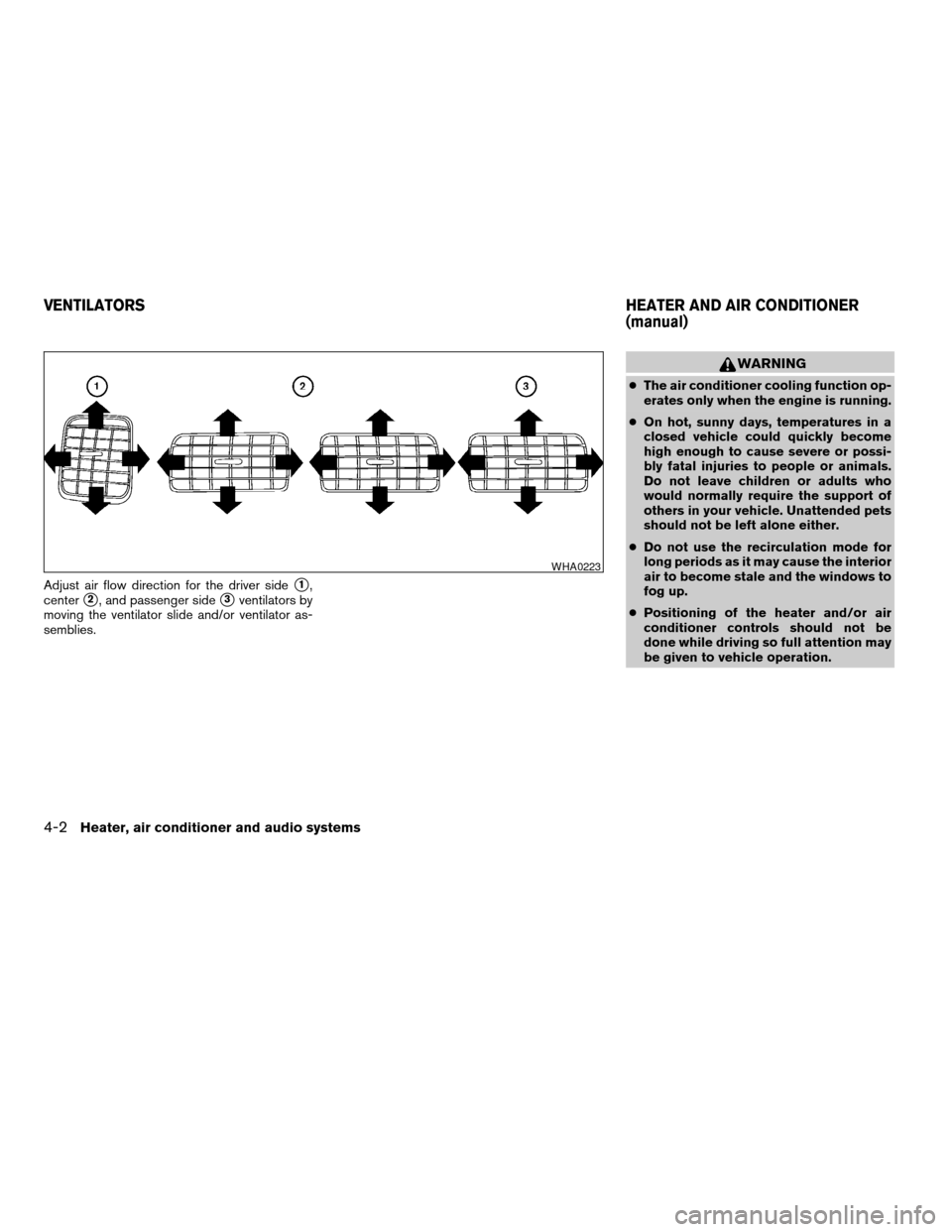
Adjust air flow direction for the driver sides1,
center
s2, and passenger sides3ventilators by
moving the ventilator slide and/or ventilator as-
semblies.
WARNING
cThe air conditioner cooling function op-
erates only when the engine is running.
cOn hot, sunny days, temperatures in a
closed vehicle could quickly become
high enough to cause severe or possi-
bly fatal injuries to people or animals.
Do not leave children or adults who
would normally require the support of
others in your vehicle. Unattended pets
should not be left alone either.
cDo not use the recirculation mode for
long periods as it may cause the interior
air to become stale and the windows to
fog up.
cPositioning of the heater and/or air
conditioner controls should not be
done while driving so full attention may
be given to vehicle operation.
WHA0223
VENTILATORSHEATER AND AIR CONDITIONER
(manual)
4-2Heater, air conditioner and audio systems
ZREVIEW COPY:Ð2004 Truck/Frontier(d22)
Owners Manual(owners)ÐUSA English(nna)
11/21/03Ðdebbie
X
Page 125 of 296

1. Fan control dial
2. Temperature control dial
3. Rear window defroster switch (if so
equipped)
4. Air flow control dial
5. Air conditioner button (if so equipped)
6. Air recirculation button (if so equipped)
CONTROLS
Fan control dial
The fan control dial turns the fan on and off, and
controls fan speed.
Air flow control dial
The air flow control dial allows you to select the
air flow outlets.
— Air flows from center and side
ventilators.
— Air flows from center and side
ventilators and the front and rear
floor outlets.
— Air flows mainly from the front and
rear floor outlets.
— Air flows from defroster outlets
and the front and rear floor
outlets.
— Air flows mainly from defroster
outlets.
The air flow control dial also has intermediate
positions which allow the air flow to be distrib-
uted between 2 of the icon positions on the air
flow control dial.
Temperature control dial
The temperature control dial allows you to adjust
the temperature of the outlet air.
Air recirculation button (if so
equipped)
NOTE:
The air recirculation feature is available
only on those vehicles equipped with air
conditioning.
ON position (Indicator light on):
Interior air is recirculated inside the vehicle.
Push the
button to the on position when:
cdriving on a dusty road.
cto prevent traffic fumes from entering the
passenger compartment.
cfor maximum cooling when using the air con-
ditioner.
OFF position (Indicator light off):
Outside air is drawn into the passenger compart-
ment and distributed through the selected outlet.
Use the off position for normal heater or air con-
ditioner operation.
WHA0235
Heater, air conditioner and audio systems4-3
ZREVIEW COPY:Ð2004 Truck/Frontier(d22)
Owners Manual(owners)ÐUSA English(nna)
11/21/03Ðdebbie
X