Page 88 of 344
88 Controls in detailLocking and unlocking
�In the “Controls in detail” section you will
find detailed information on how to ope-
rate the equipment installed in your vehi-
cle. If you are already familiar with the ba-
sic functions of your vehicle, this section
will be of particular interest to you.
To quickly familiarize yourself with the ba-
sic functions of the vehicle, refer to the
“Getting started” section of this manual.
The corresponding page numbers are
given at the beginning of each segment.
Locking and unlocking
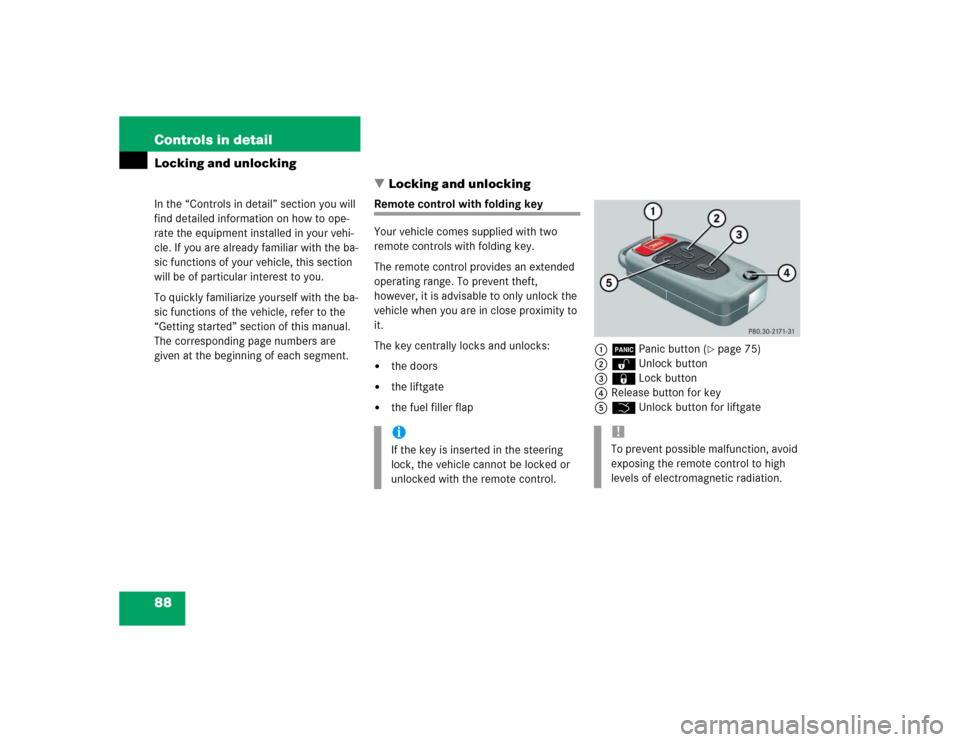
Remote control with folding key
Your vehicle comes supplied with two
remote controls with folding key.
The remote control provides an extended
operating range. To prevent theft,
however, it is advisable to only unlock the
vehicle when you are in close proximity to
it.
The key centrally locks and unlocks:�
the doors
�
the liftgate
�
the fuel filler flap1ÂPanic button (
�page 75)
2ŒUnlock button
3‹Lock button
4Release button for key
5ŠUnlock button for liftgate
iIf the key is inserted in the steering
lock, the vehicle cannot be locked or
unlocked with the remote control.
!To prevent possible malfunction, avoid
exposing the remote control to high
levels of electromagnetic radiation.
Page 119 of 344
119 Controls in detail
Automatic transmission
�Automatic transmission
Information on driving with an automatic
transmission is found in the “Getting
started” section (
�page 46).
Your vehicle’s transmission adapts its gear
shifting process to your individual driving
style by continually adjusting the shift
points up or down. These shift point adjust-
ments are performed based on current
operating and driving conditions.
If the operating conditions change, the
automatic transmission reacts by
adjusting its gear shift program.The automatic transmission selects indi-
vidual gears automatically, depending on:
�
the gear selector lever positionD with
gear ranges4, 3, 2, 1 (
�page 121)
�
the position of the accelerator pedal
(�page 123)
�
the vehicle speed
The current gear selector lever position
appears in the tachometer display
(
�page 24).
When the gear selector lever is in
positionD, you can influence transmission
shifting by
�
limiting the gear range
�
changing gears manually
iDuring the brief warm-up, transmission
upshifting is delayed. This allows the
catalytic converter to heat up more
quickly to operating temperature.
Warning!
G
It is dangerous to shift the gear selector
lever out ofP orN if the engine speed is
higher than idle speed. If your foot is not
firmly on the brake pedal, the vehicle could
accelerate quickly forward or reverse. You
could lose control of the vehicle and hit
someone or something. Only shift into gear
when the engine is idling normally and when
your right foot is firmly on the brake pedal.
Page 120 of 344
120 Controls in detailAutomatic transmissionOne-touch gearshifting
Even with an automatic transmission you
can change the gears manually when the
gear selector lever is in positionD.
Downshifting�
Briefly press the gear selector lever to
the left in the D–direction.
The transmission will shift from the current
gear to the next lower gear. This action
simultaneously limits the gear range of the
transmission (
�page 121).Upshifting
�
Briefly press the gear selector lever to
the right in the D+direction.
The transmission will shift from the current
gear to the next higher gear as permitted
by the shift program. This action simul-
taneously extends the gear range of the
transmission.Canceling gear range limit
�
Press and hold the gear selector lever
in the D+direction until D reappears in
the tachometer display.
The transmission will shift from the current
gear range directly to gear rangeD.
Shifting into optimal gear range
�
Press and hold the gear selector lever
in the D– direction.
The transmission will automatically select
the gear range suited for optimal
acceleration and deceleration. This will
involve shifting down one or more gears.
Warning!
G
On slippery road surfaces, never downshift
in order to obtain braking action. This could
result in drive wheel slip and reduced
vehicle control. Your vehicle’s ABS will not
prevent this type of loss of control.
iTo avoid overrevving the engine when
the gear selector lever is moved to
the D– direction, the transmission will
not shift to a lower gear if the engine’s
max. speed would be exceeded.
Page 121 of 344
121 Controls in detail
Automatic transmission
Gear ranges
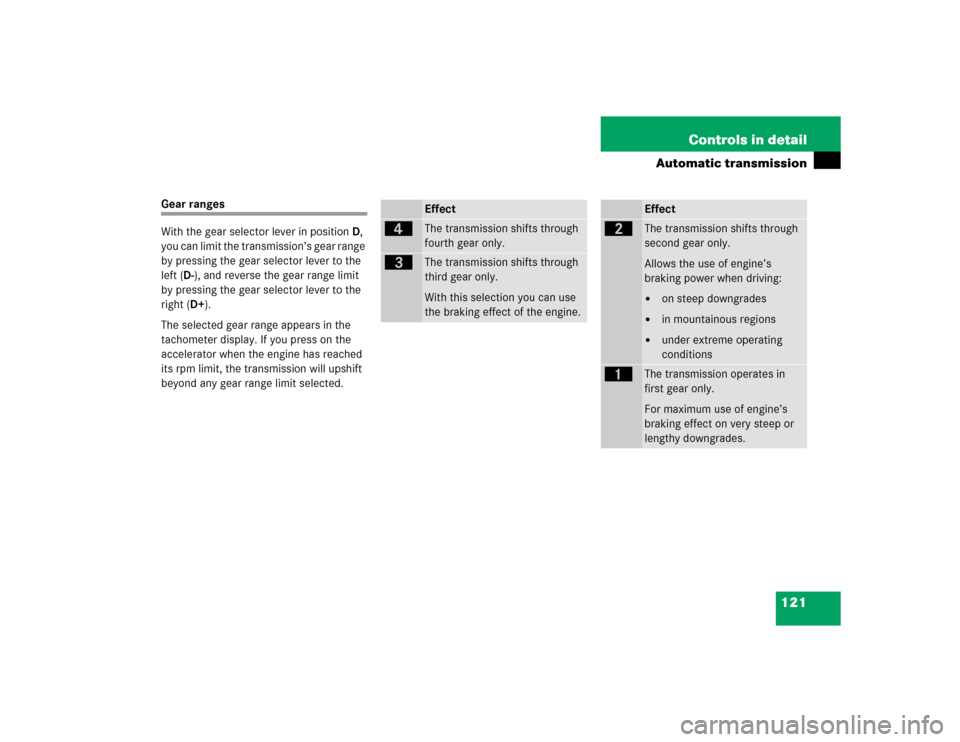
With the gear selector lever in positionD,
you can limit the transmission’s gear range
by pressing the gear selector lever to the
left (D-), and reverse the gear range limit
by pressing the gear selector lever to the
right (D+).
The selected gear range appears in the
tachometer display. If you press on the
accelerator when the engine has reached
its rpm limit, the transmission will upshift
beyond any gear range limit selected.
Effect
é
The transmission shifts through
fourth gear only.
è
The transmission shifts through
third gear only.
With this selection you can use
the braking effect of the engine.
Effect
ç
The transmission shifts through
second gear only.
Allows the use of engine’s
braking power when driving:�
on steep downgrades
�
in mountainous regions
�
under extreme operating
conditions
æ
The transmission operates in
first gear only.
For maximum use of engine’s
braking effect on very steep or
lengthy downgrades.
Page 124 of 344

124 Controls in detailAutomatic transmissionTowing a trailer
If you tow a trailer, note the following
points:�
Manually shift to a lower gear range
(4,3, 2, 1), if the transmission hunts
between gears on inclines
(�page 121).
A lower gear range and reduction of
speed reduces the change to overload
or overheat the engine.
�
At very steep inclines switch transfer
case to LOW RANGE mode
(�page 125).
For more information on trailer towing, see
the “Operation” section (
�page 206).Emergency operation (Limp Home
Mode)
If vehicle acceleration worsens or the
transmission no longer shifts, the trans-
mission is most likely operating in limp
home (emergency operation) mode. In this
mode only second gear and reverse gear
can be activated.�
Stop the vehicle.
�
Move gear selector lever to positionP.
�
Turn off the engine.
�
Wait at least ten seconds before
restarting.
�
Restart the engine.
�
Move selector lever to positionD
(for second gear) orR.
�
Have the transmission checked at an
authorized Mercedes-Benz Light Truck
Center as soon as possible.
Page 125 of 344
125 Controls in detail
Transmission control – LOW RANGE mode
�Transmission control – LOW RANGE mode
In the following situations you should
switch to LOW RANGE mode:�
during off-road driving
�
when crossing water
�
when towing up or down on steep
gradients
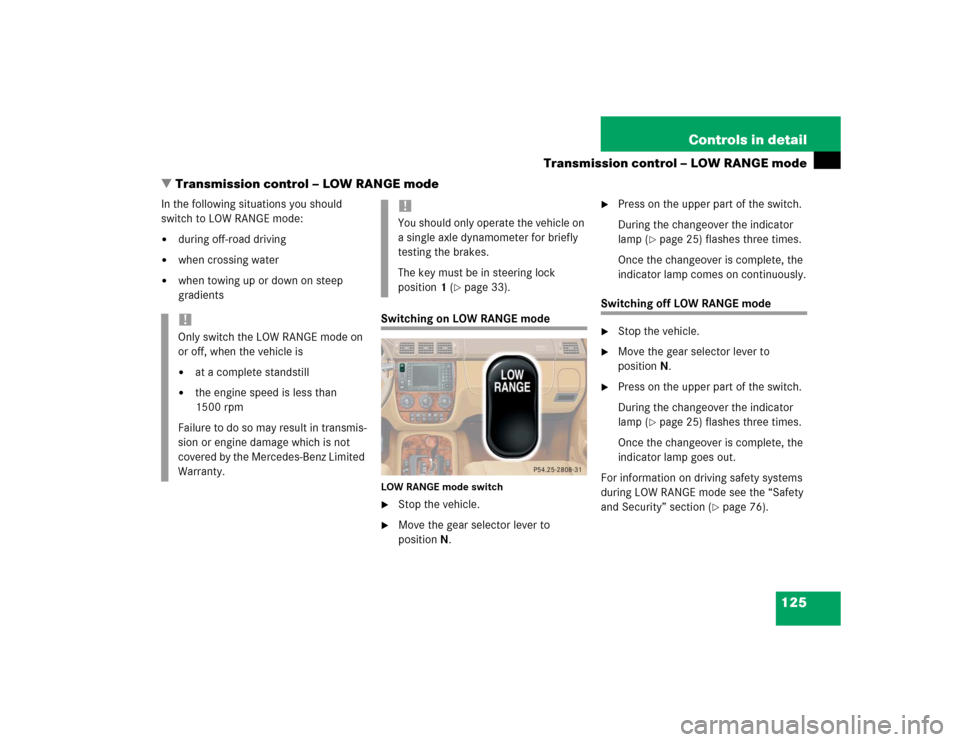
Switching on LOW RANGE modeLOW RANGE mode switch�
Stop the vehicle.
�
Move the gear selector lever to
positionN.
�
Press on the upper part of the switch.
During the changeover the indicator
lamp (
�page 25) flashes three times.
Once the changeover is complete, the
indicator lamp comes on continuously.
Switching off LOW RANGE mode�
Stop the vehicle.
�
Move the gear selector lever to
positionN.
�
Press on the upper part of the switch.
During the changeover the indicator
lamp (
�page 25) flashes three times.
Once the changeover is complete, the
indicator lamp goes out.
For information on driving safety systems
during LOW RANGE mode see the “Safety
and Security” section (
�page 76).
!Only switch the LOW RANGE mode on
or off, when the vehicle is�
at a complete standstill
�
the engine speed is less than
1500 rpm
Failure to do so may result in transmis-
sion or engine damage which is not
covered by the Mercedes-Benz Limited
Warranty.
!You should only operate the vehicle on
a single axle dynamometer for briefly
testing the brakes.
The key must be in steering lock
position1 (
�page 33).
Page 152 of 344
152 Controls in detailDriving systemsSetting a higher speed�
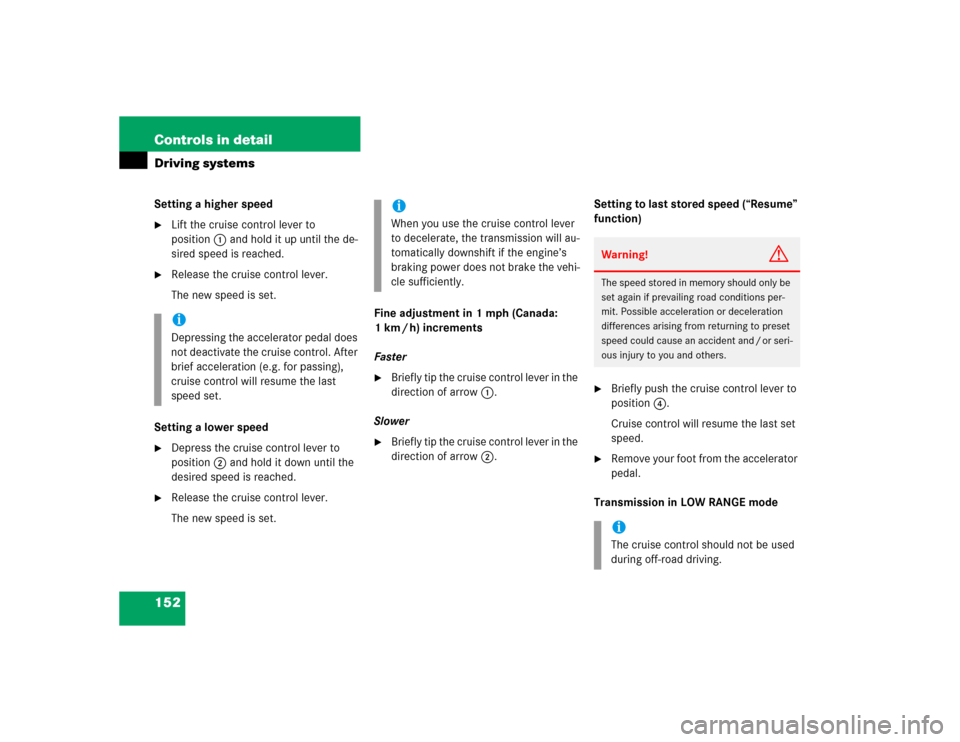
Lift the cruise control lever to
position1 and hold it up until the de-
sired speed is reached.
�
Release the cruise control lever.
The new speed is set.
Setting a lower speed
�
Depress the cruise control lever to
position2 and hold it down until the
desired speed is reached.
�
Release the cruise control lever.
The new speed is set.Fine adjustment in 1 mph (Canada:
1 km / h) increments
Faster
�
Briefly tip the cruise control lever in the
direction of arrow1.
Slower
�
Briefly tip the cruise control lever in the
direction of arrow2.Setting to last stored speed (“Resume”
function)
�
Briefly push the cruise control lever to
position4.
Cruise control will resume the last set
speed.
�
Remove your foot from the accelerator
pedal.
Transmission in LOW RANGE mode
iDepressing the accelerator pedal does
not deactivate the cruise control. After
brief acceleration (e.g. for passing),
cruise control will resume the last
speed set.
iWhen you use the cruise control lever
to decelerate, the transmission will au-
tomatically downshift if the engine’s
braking power does not brake the vehi-
cle sufficiently.
Warning!
G
The speed stored in memory should only be
set again if prevailing road conditions per-
mit. Possible acceleration or deceleration
differences arising from returning to preset
speed could cause an accident and / or seri-
ous injury to you and others.iThe cruise control should not be used
during off-road driving.
Page 154 of 344

154 Controls in detailDriving systemsMonitoring reach of sensors
The sensors must be free of dirt, ice and
snow or they will be unable to function
properly. Clean the sensors regularly with-
out scratching or damaging them.Front sensors
Rear sensorsMinimum distance
When an obstacle is located in this area, all
warning displays will light up and a warning
tone will sound. If the vehicle moves closer
than the minimum distance to an object,
the distance may no longer be displayed.
Center
approx. 39 in (100 cm)
Corners
approx. 24 in (60 cm)
Center
approx. 47 in (120 cm)
Corners
approx. 32 in (80 cm)
iDuring parking maneuvers, pay special
attention to objects located above or
below the height of the sensors (e.g.
planters or trailer hitches). The Parktro-
nic system will not detect such objects
at close range and damage to your ve-
hicle or the object may result.
Ultrasonic signals from outside sourc-
es (e.g. truck air brakes or jackham-
mers) may impair the operation of the
Parktronic system.
Center
approx. 8 in (20 cm)
Corners
approx. 6 in (15 cm)