Page 100 of 418
99 Controls in detail
Locking and unlocking
�
Pull remote trunk lid switch2 until
trunk begins to open.
The trunk lid opens. The indicator
lamp1 comes on and remains lit until
the trunk is closed.The trunk can also be opened using the
SmartKey (
�page 90) or from its inside in
an emergency, see “Trunk lid emergency
release” (
�page 103).
Limiting opening height of trunk lid
The trunk lid opening height can be limited
when transporting goods on a roof rack
(e.g. presence of an MB sport luggage con-
tainer*). When activated, the trunk lid
opens to approximately the height of the
roof edge.
You can activate the limiting opening
height of trunk lid using the control system
(
�page 153).
Closing from the inside
�
Press remote trunk lid switch2
(�page 98) until the indicator lamp1
goes out and trunk lid is closed.
To interrupt the closing procedure:
�
Release remote trunk lid switch2.If the trunk lid comes into contact with an
object while closing (e.g. luggage that has
been piled too high) in the upper motion
sequence, the closing procedure is
stopped and the trunk reopens slightly.
!The trunk lid swings open upwards au-
tomatically. Always make sure that
there is sufficient overhead clearance.
To stop the opening procedure, press
or pull the remote trunk lid switch.iIf the trunk lid does not open, it is still
locked separately (if applicable)
(�page 104).
If the vehicle was previously centrally
locked, the trunk lid will lock automati-
cally when closed (
�page 98). The
turn signal will flash three times to con-
firm locking.
Warning!
G
Maintain sight of trunk area while operating
the door mounted switch. Monitor the clos-
ing procedure carefully to ensure that no
one is in danger of being injured.
To interrupt the closing procedure, release
the door mounted remote trunk lid switch.
Even with the SmartKey removed from the
starter switch or the SmartKey with
KEYLESS-GO* removed from the vehicle,
the remote trunk lid switch can be operated.
Therefore, do not leave children unattended
in the vehicle, or with access to an unlocked
vehicle. Unsupervised use of vehicle equip-
ment may cause an accident and/or serious
personal injury.
Page 105 of 418
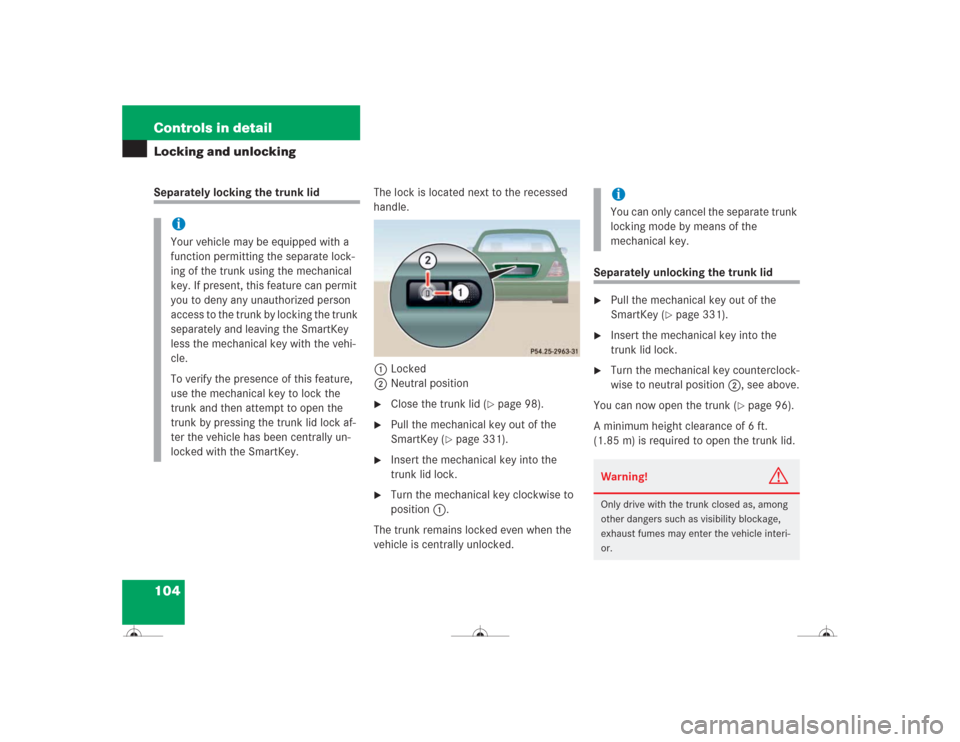
104 Controls in detailLocking and unlockingSeparately locking the trunk lidThe lock is located next to the recessed
handle.
1Locked
2Neutral position
�
Close the trunk lid (
�page 98).
�
Pull the mechanical key out of the
SmartKey (
�page 331).
�
Insert the mechanical key into the
trunk lid lock.
�
Turn the mechanical key clockwise to
position 1.
The trunk remains locked even when the
vehicle is centrally unlocked.
Separately unlocking the trunk lid�
Pull the mechanical key out of the
SmartKey (
�page 331).
�
Insert the mechanical key into the
trunk lid lock.
�
Turn the mechanical key counterclock-
wise to neutral position 2, see above.
You can now open the trunk (
�page 96).
A minimum height clearance of 6 ft.
(1.85 m) is required to open the trunk lid.
iYour vehicle may be equipped with a
function permitting the separate lock-
ing of the trunk using the mechanical
key. If present, this feature can permit
you to deny any unauthorized person
access to the trunk by locking the trunk
separately and leaving the SmartKey
less the mechanical key with the vehi-
cle.
To verify the presence of this feature,
use the mechanical key to lock the
trunk and then attempt to open the
trunk by pressing the trunk lid lock af-
ter the vehicle has been centrally un-
locked with the SmartKey.
iYou can only cancel the separate trunk
locking mode by means of the
mechanical key.Warning!
G
Only drive with the trunk closed as, among
other dangers such as visibility blockage,
exhaust fumes may enter the vehicle interi-
or.
Page 109 of 418
108 Controls in detailSeatsRemoving and installing front seat head restraints
For information on head restraint adjust-
ment, see the “Getting started” section
(�page 36).
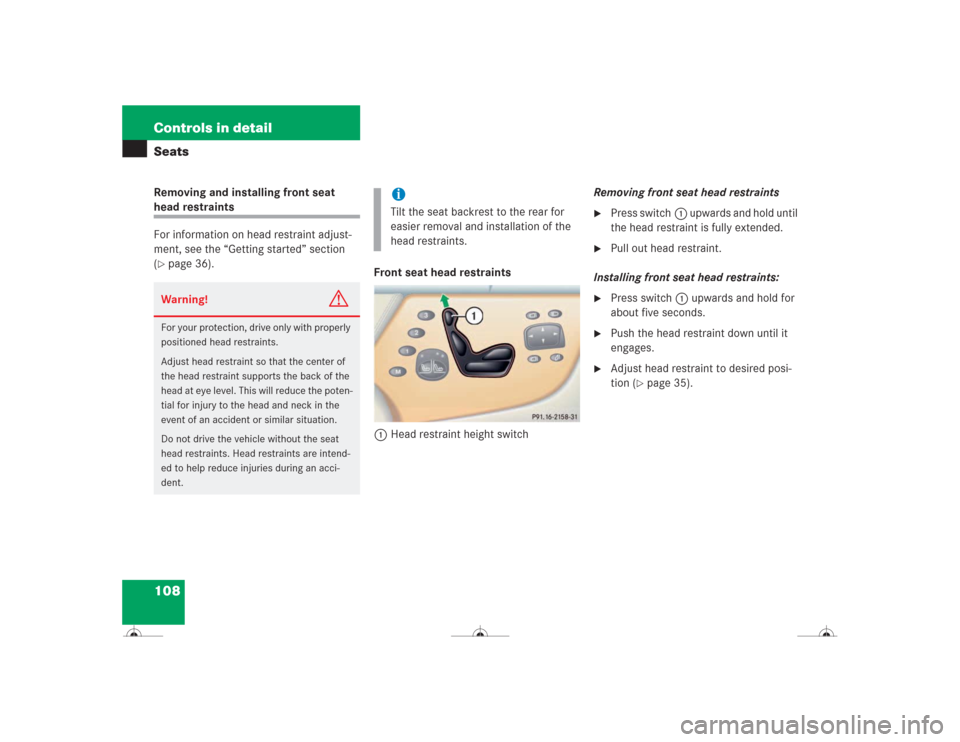
Front seat head restraints
1Head restraint height switchRemoving front seat head restraints
�
Press switch1 upwards and hold until
the head restraint is fully extended.
�
Pull out head restraint.
Installing front seat head restraints:
�
Press switch1 upwards and hold for
about five seconds.
�
Push the head restraint down until it
engages.
�
Adjust head restraint to desired posi-
tion (
�page 35).
Warning!
G
For your protection, drive only with properly
positioned head restraints.
Adjust head restraint so that the center of
the head restraint supports the back of the
head at eye level. This will reduce the poten-
tial for injury to the head and neck in the
event of an accident or similar situation.
Do not drive the vehicle without the seat
head restraints. Head restraints are intend-
ed to help reduce injuries during an acci-
dent.
iTilt the seat backrest to the rear for
easier removal and installation of the
head restraints.
Page 112 of 418
111 Controls in detailSeats
Lumbar support
You can adjust the contour of the seat’s
lumbar support to best support your spine.
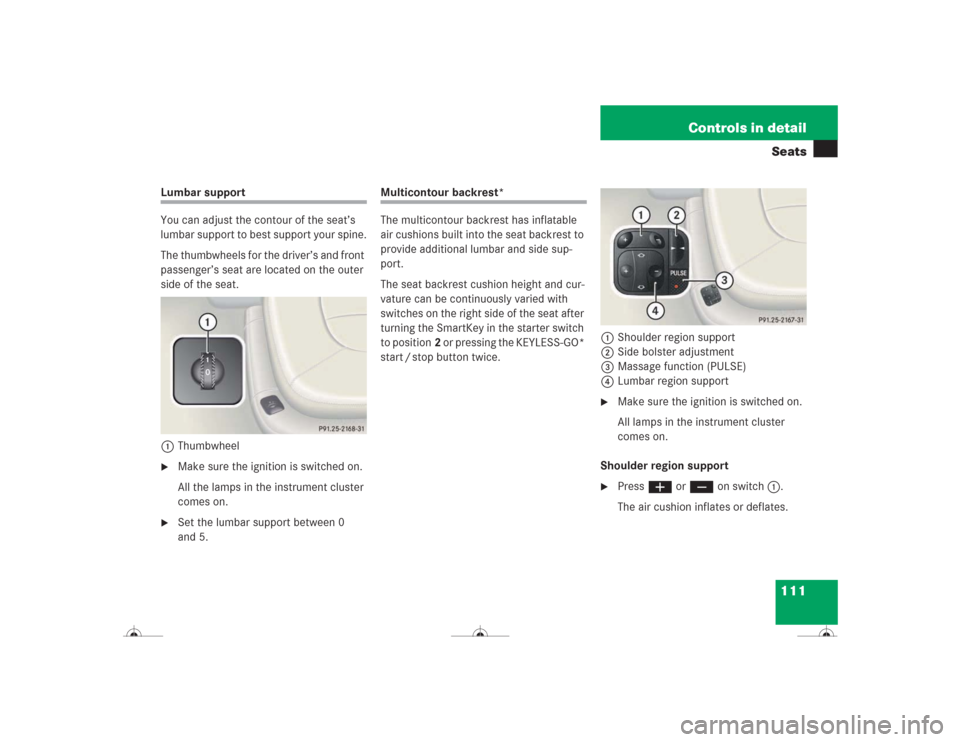
The thumbwheels for the driver’s and front
passenger’s seat are located on the outer
side of the seat.
1Thumbwheel�
Make sure the ignition is switched on.
All the lamps in the instrument cluster
comes on.
�
Set the lumbar support between 0
and 5.
Multicontour backrest*
The multicontour backrest has inflatable
air cushions built into the seat backrest to
provide additional lumbar and side sup-
port.
The seat backrest cushion height and cur-
vature can be continuously varied with
switches on the right side of the seat after
turning the SmartKey in the starter switch
to position2 or pressing the KEYLESS-GO*
start / stop button twice.1Shoulder region support
2Side bolster adjustment
3Massage function (PULSE)
4Lumbar region support
�
Make sure the ignition is switched on.
All lamps in the instrument cluster
comes on.
Shoulder region support
�
Press æ or ç on switch1.
The air cushion inflates or deflates.
Page 117 of 418
116 Controls in detailMemory function
�Memory function
You can store up to three different settings
per SmartKey or SmartKey with
KEYLESS-GO*.
The following settings are saved for each
stored position:�
Driver’s seat and seat backrest posi-
tion
�
Settings for multicontour seat*
�
Steering wheel position
�
Exterior rear view mirror position
�
Automatic climate control
These key-dependent memory settings
can be deactivated if desired
(
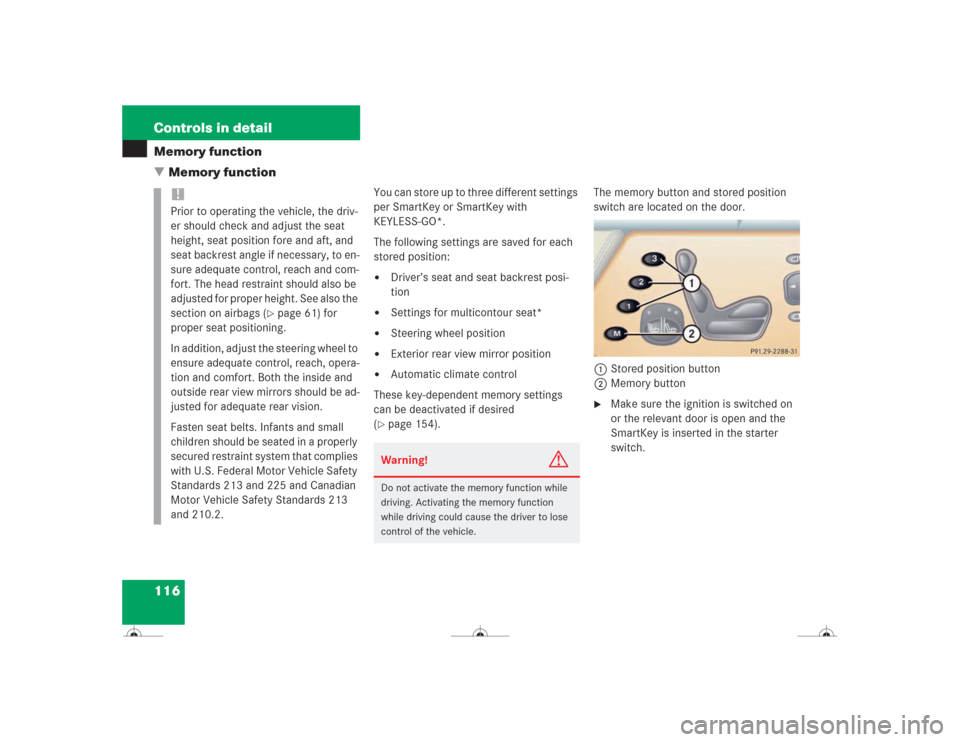
�page 154).The memory button and stored position
switch are located on the door.
1Stored position button
2Memory button
�
Make sure the ignition is switched on
or the relevant door is open and the
SmartKey is inserted in the starter
switch.
!Prior to operating the vehicle, the driv-
er should check and adjust the seat
height, seat position fore and aft, and
seat backrest angle if necessary, to en-
sure adequate control, reach and com-
fort. The head restraint should also be
adjusted for proper height. See also the
section on airbags (
�page 61) for
proper seat positioning.
In addition, adjust the steering wheel to
ensure adequate control, reach, opera-
tion and comfort. Both the inside and
outside rear view mirrors should be ad-
justed for adequate rear vision.
Fasten seat belts. Infants and small
children should be seated in a properly
secured restraint system that complies
with U.S. Federal Motor Vehicle Safety
Standards 213 and 225 and Canadian
Motor Vehicle Safety Standards 213
and 210.2.
Warning!
G
Do not activate the memory function while
driving. Activating the memory function
while driving could cause the driver to lose
control of the vehicle.
Page 148 of 418
147 Controls in detail
Control system
The table below shows what settings can
be changed within the various menus. De-
tailed instructions on making individual
settings can be found on the following pag-
es.INSTRUMENT CLUSTER
LIGHTING
VEHICLE
CONVENIENCE
Select temperature display
mode
Set daytime running lamp mode
(USA only)
Set automatic locking
Set key-dependency
Select speedometer display
mode
Set locator lighting
Limiting opening height of trunk
lid*
Activate easy-entry / exit fea-
ture
Select language
Exterior lamps delayed shut-off
Set parking position for exterior
rear view mirrors
Interior lighting delayed shut-off
Set fold-in function for exterior
rear view mirrors
Page 154 of 418
153 Controls in detail
Control system
Vehicle submenu
Access the
VEHICLE
submenu via the
SET-
INGS
menu. Use the
VEHICLE
submenu to
make general vehicle settings. The follow-
ing functions are available:Setting automatic locking
Use this function to activate or deactivate
the automatic central locking. With the au-
tomatic central locking system activated,
the vehicle is centrally locked at vehicle
speeds of approximately 9 mph
(15 km/h).
�
Press buttonæ orç to move
the selection marker to the
VEHICLE
submenu.
�
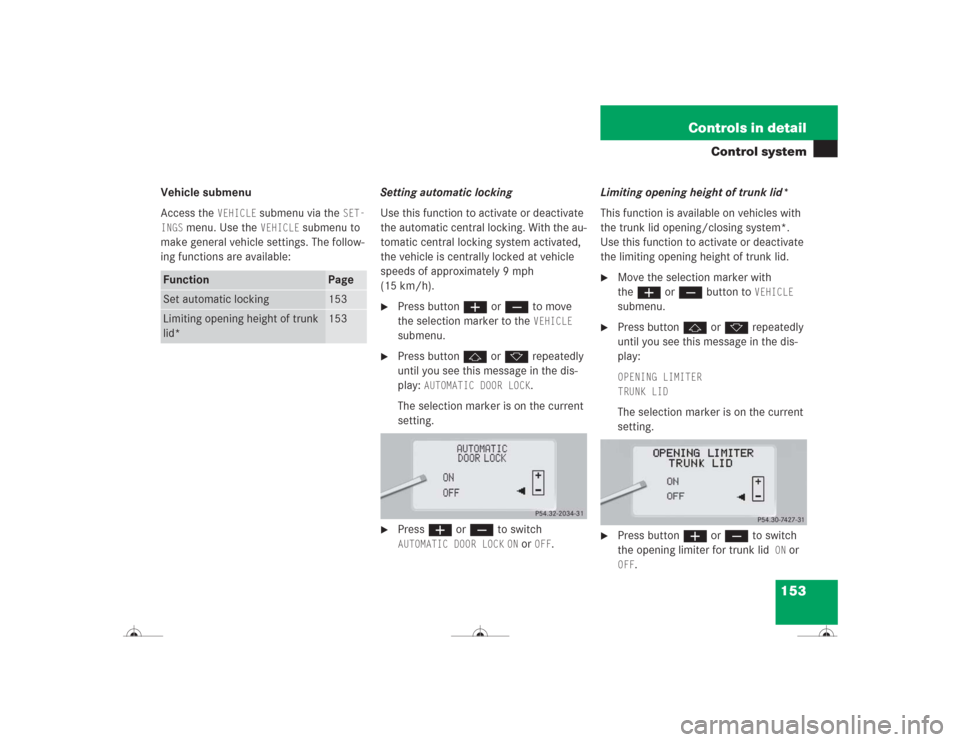
Press buttonj ork repeatedly
until you see this message in the dis-
play:
AUTOMATIC DOOR LOCK
.
The selection marker is on the current
setting.
�
Pressæ orç to switch AUTOMATIC DOOR LOCK
ON or
OFF
.Limiting opening height of trunk lid*
This function is available on vehicles with
the trunk lid opening/closing system*.
Use this function to activate or deactivate
the limiting opening height of trunk lid.
�
Move the selection marker with
theæ orç button to
VEHICLE
submenu.
�
Press buttonj ork repeatedly
until you see this message in the dis-
play:OPENING LIMITER
TRUNK LIDThe selection marker is on the current
setting.
�
Press buttonæ orç to switch
the opening limiter for trunk lid
ON
or
OFF
.
Function
Page
Set automatic locking
153
Limiting opening height of trunk
lid*
153
Page 211 of 418
210 Controls in detailDriving systemsActive Body Control (ABC)
The ABC system automatically selects the
optimum suspension tuning and ride
height for your vehicle.
Suspension tuning
The suspension tuning is set according to:�
your driving style
�
road surface conditions
�
the vehicle loading
�
your choice of suspension style,
“sporty” or “regular”, which you select
using the ABC switch
The selected suspension style is stored
in memory, even after the SmartKey is
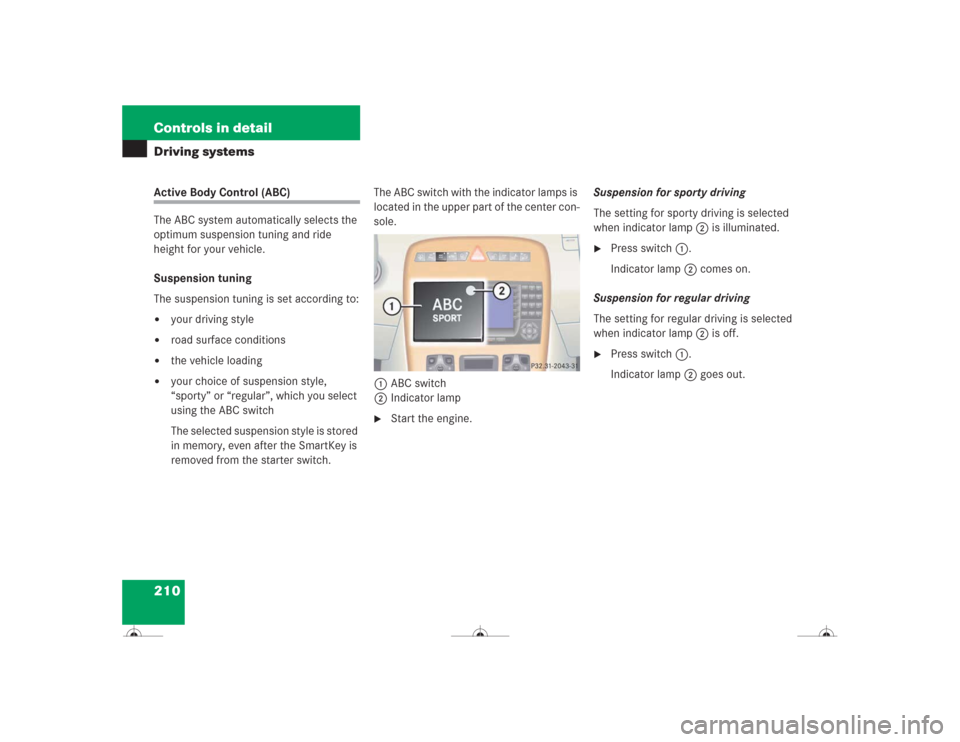
removed from the starter switch.The ABC switch with the indicator lamps is
located in the upper part of the center con-
sole.
1ABC switch
2Indicator lamp
�
Start the engine.Suspension for sporty driving
The setting for sporty driving is selected
when indicator lamp2 is illuminated.
�
Press switch1.
Indicator lamp2 comes on.
Suspension for regular driving
The setting for regular driving is selected
when indicator lamp2 is off.
�
Press switch1.
Indicator lamp2 goes out.