Page 131 of 418
130 Controls in detailControl systemMultifunction steering wheel
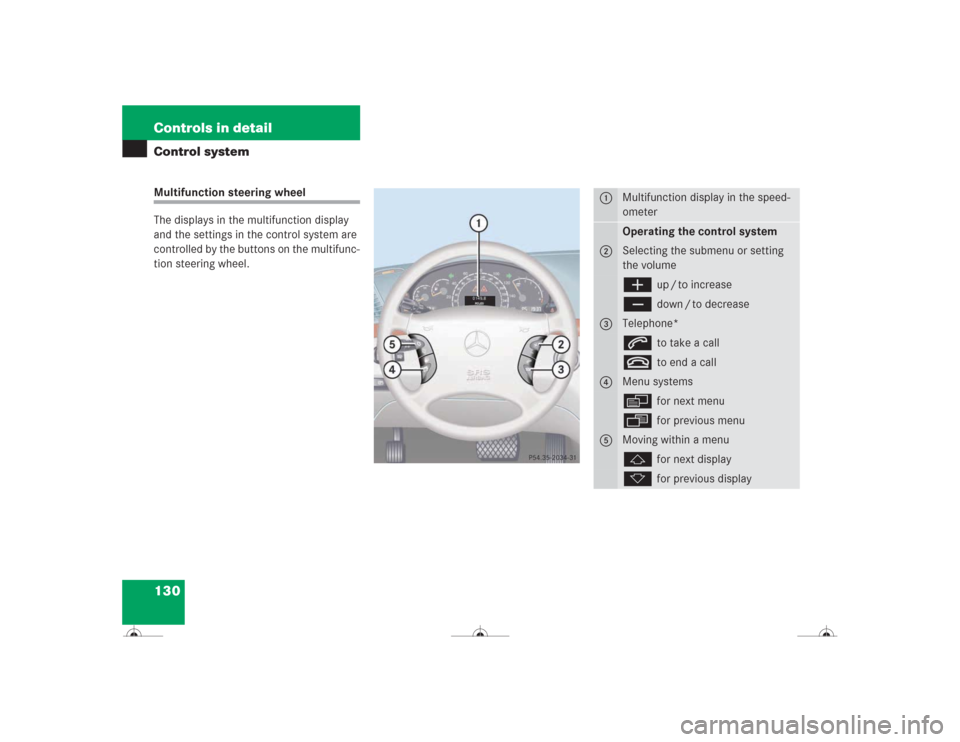
The displays in the multifunction display
and the settings in the control system are
controlled by the buttons on the multifunc-
tion steering wheel.
1
Multifunction display in the speed-
ometerOperating the control system
2
Selecting the submenu or setting
the volumeæ
up / to increase
ç
down / to decrease
3
Telephone*s
to take a call
t
to end a call
4
Menu systemsè
for next menu
ÿ
for previous menu
5
Moving within a menuj
for next display
k
for previous display
Page 132 of 418
131 Controls in detail
Control system
Pressing any of the buttons on the multi-
function steering wheel will alter what is
shown in the multifunction display.
The information available in the multifunc-
tion display is arranged in menus, each
containing a number of functions or sub-
menus.
The individual functions are then found
within the relevant menu (radio or CD op-
erations under
AUDIO
, for example). These
functions serve to call up relevant informa-
tion or to customize the settings for your
vehicle.It is helpful to think of the menus, and the
functions within each menu, as being ar-
ranged in a circular pattern.
�
If you press buttonè orÿ
repeatedly, you will pass through each
menu one after the other.
�
If you press buttonj ork
repeatedly, you will pass through each
function display, one after the other, in
the current menu.In the
SETTINGS
menu, instead of functions
you will find a number of submenus for
calling up and changing settings. For in-
structions on using these submenus, see
“Settings menu” (�page 145).
The number of menus available in the sys-
tem depends on which optional equipment
is installed in your vehicle.
The menus are described on the following
pages.
Page 141 of 418
140 Controls in detailControl systemThe following functions are available:
Answering a call
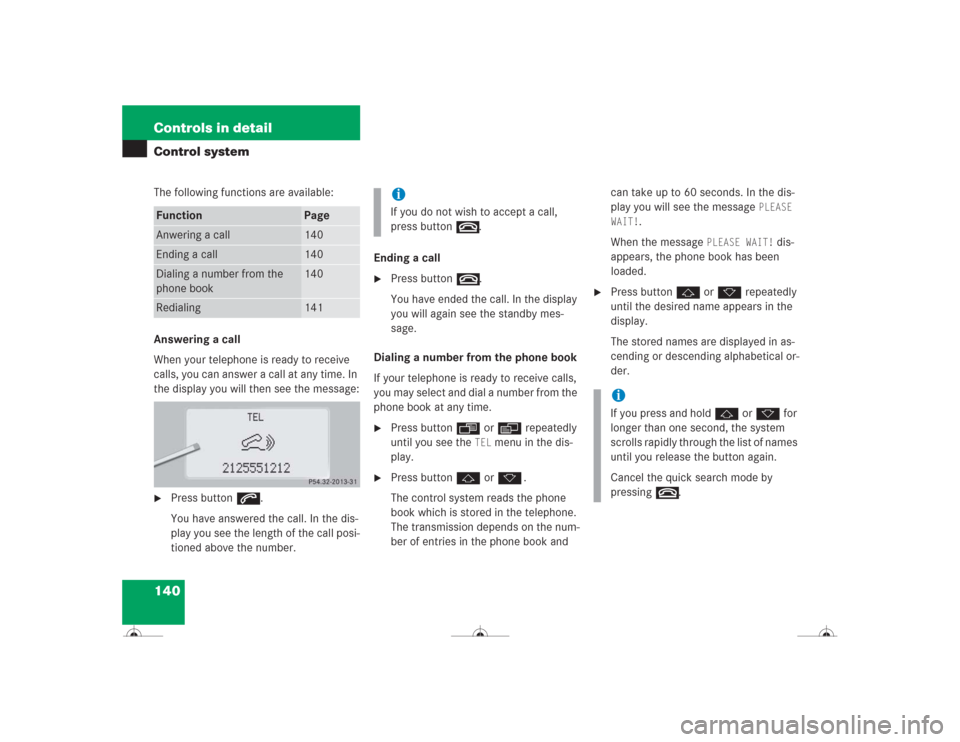
When your telephone is ready to receive
calls, you can answer a call at any time. In
the display you will then see the message:�
Press buttons.
You have answered the call. In the dis-
play you see the length of the call posi-
tioned above the number.Ending a call
�
Press buttont.
You have ended the call. In the display
you will again see the standby mes-
sage.
Dialing a number from the phone book
If your telephone is ready to receive calls,
you may select and dial a number from the
phone book at any time.
�
Press buttonÿ orè repeatedly
until you see the
TEL
menu in the dis-
play.
�
Press buttonj ork.
The control system reads the phone
book which is stored in the telephone.
The transmission depends on the num-
ber of entries in the phone book and can take up to 60 seconds. In the dis-
play you will see the message
PLEASE
WAIT!
.
When the message
PLEASE WAIT!
dis-
appears, the phone book has been
loaded.
�
Press buttonj ork repeatedly
until the desired name appears in the
display.
The stored names are displayed in as-
cending or descending alphabetical or-
der.
Function
Page
Anwering a call
140
Ending a call
140
Dialing a number from the
phone book
140
Redialing
141
iIf you do not wish to accept a call,
press buttont.
iIf you press and holdj ork for
longer than one second, the system
scrolls rapidly through the list of names
until you release the button again.
Cancel the quick search mode by
pressingt.
Page 142 of 418
141 Controls in detail
Control system
�
Press buttons.
The system dials the selected phone
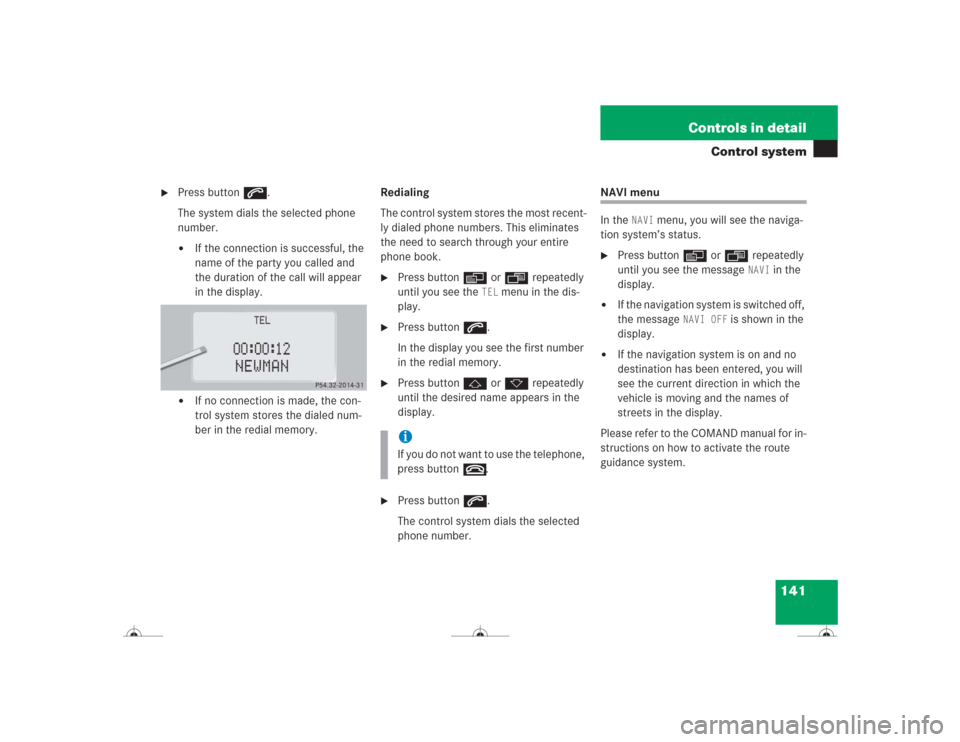
number.�
If the connection is successful, the
name of the party you called and
the duration of the call will appear
in the display.
�
If no connection is made, the con-
trol system stores the dialed num-
ber in the redial memory.Redialing
The control system stores the most recent-
ly dialed phone numbers. This eliminates
the need to search through your entire
phone book.
�
Press buttonè orÿ repeatedly
until you see the
TEL
menu in the dis-
play.
�
Press buttons.
In the display you see the first number
in the redial memory.
�
Press buttonj ork repeatedly
until the desired name appears in the
display.
�
Press buttons.
The control system dials the selected
phone number.
NAVI menu
In the
NAVI
menu, you will see the naviga-
tion system’s status.
�
Press buttonè orÿ repeatedly
until you see the message
NAVI
in the
display.
�
If the navigation system is switched off,
the message
NAVI OFF
is shown in the
display.
�
If the navigation system is on and no
destination has been entered, you will
see the current direction in which the
vehicle is moving and the names of
streets in the display.
Please refer to the COMAND manual for in-
structions on how to activate the route
guidance system.
iIf you do not want to use the telephone,
press buttont.
Page 163 of 418
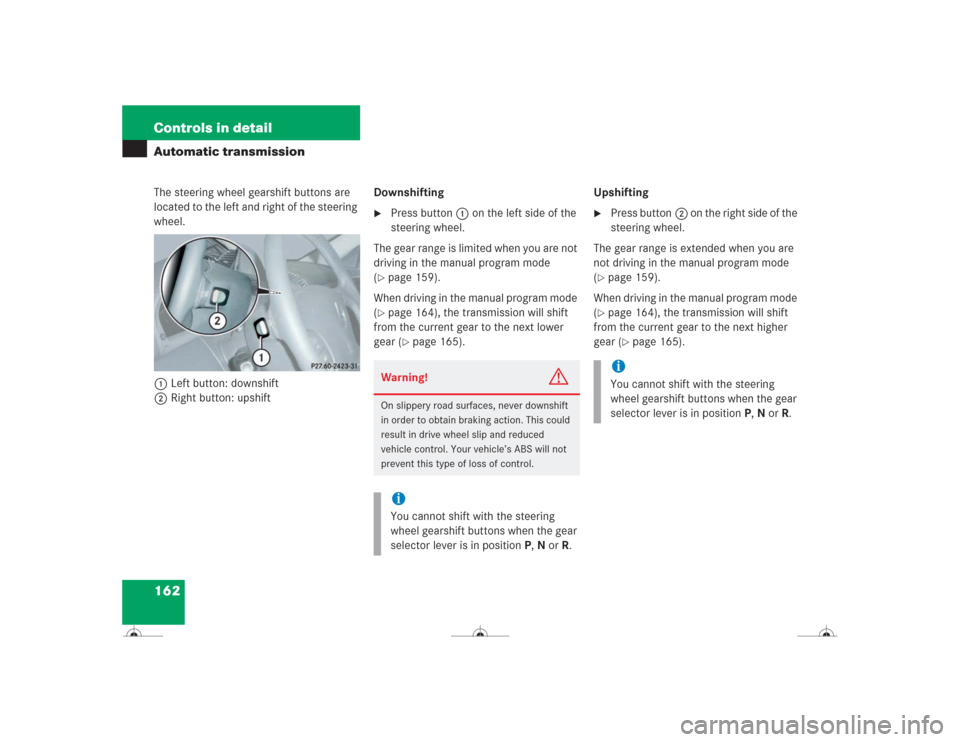
162 Controls in detailAutomatic transmissionThe steering wheel gearshift buttons are
located to the left and right of the steering
wheel.
1Left button: downshift
2Right button: upshiftDownshifting
�
Press button1 on the left side of the
steering wheel.
The gear range is limited when you are not
driving in the manual program mode
(
�page 159).
When driving in the manual program mode
(�page 164), the transmission will shift
from the current gear to the next lower
gear (
�page 165).Upshifting
�
Press button2 on the right side of the
steering wheel.
The gear range is extended when you are
not driving in the manual program mode
(
�page 159).
When driving in the manual program mode
(�page 164), the transmission will shift
from the current gear to the next higher
gear (
�page 165).
Warning!
G
On slippery road surfaces, never downshift
in order to obtain braking action. This could
result in drive wheel slip and reduced
vehicle control. Your vehicle’s ABS will not
prevent this type of loss of control.iYou cannot shift with the steering
wheel gearshift buttons when the gear
selector lever is in positionP,N orR.
iYou cannot shift with the steering
wheel gearshift buttons when the gear
selector lever is in positionP,N orR.
Page 170 of 418
169 Controls in detail
Good visibility
Electrically folding exterior rear view mirrors
Folding the exterior rear view mirrors
in and out automatically
When the corresponding function in the
control system is activated (
�page 156):
�
The exterior rear view mirrors
automatically fold in as soon as the ve-
hicle is locked from the outside.
�
The exterior rear view mirrors
automatically fold out as soon as the
vehicle is unlocked and the driver’s or
passenger door are subsequently
opened.Folding the exterior rear view mirrors
in and out manually
The exterior rear view mirrors can vibrate if
they are not folded out completely.
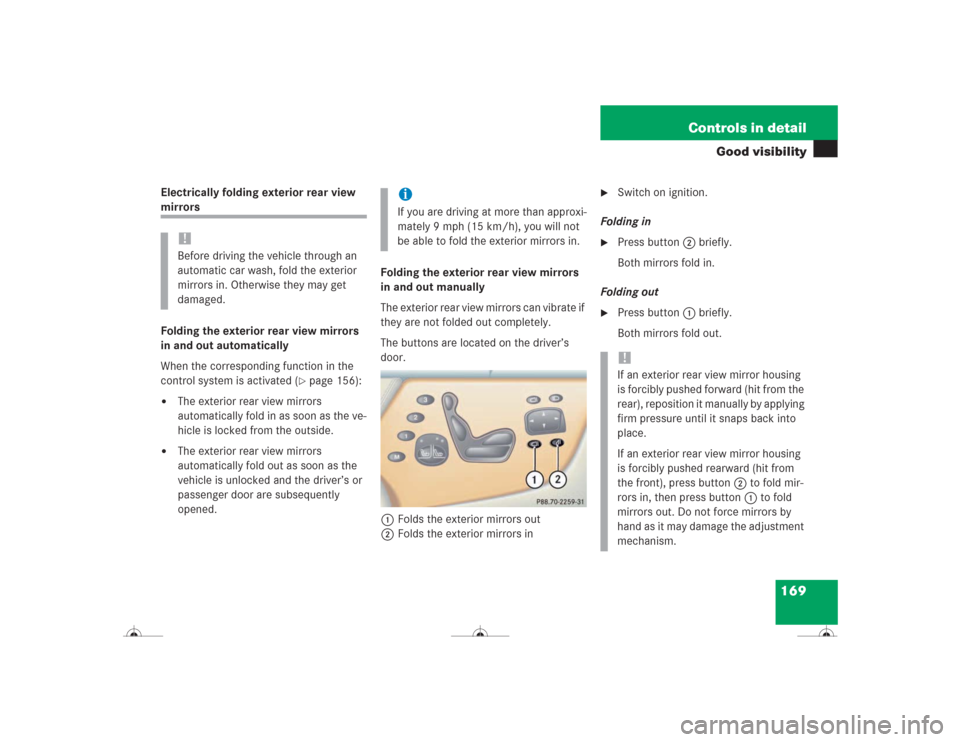
The buttons are located on the driver’s
door.
1Folds the exterior mirrors out
2Folds the exterior mirrors in
�
Switch on ignition.
Folding in
�
Press button 2 briefly.
Both mirrors fold in.
Folding out
�
Press button 1 briefly.
Both mirrors fold out.
!Before driving the vehicle through an
automatic car wash, fold the exterior
mirrors in. Otherwise they may get
damaged.
iIf you are driving at more than approxi-
mately 9 mph (15 km/h), you will not
be able to fold the exterior mirrors in.
!If an exterior rear view mirror housing
is forcibly pushed forward (hit from the
rear), reposition it manually by applying
firm pressure until it snaps back into
place.
If an exterior rear view mirror housing
is forcibly pushed rearward (hit from
the front), press button2 to fold mir-
rors in, then press button1 to fold
mirrors out. Do not force mirrors by
hand as it may damage the adjustment
mechanism.
Page 179 of 418
178 Controls in detailAutomatic climate controlWindows fogged on the inside�
Press button± to switch on the air
conditioning (
�page 175).
The indicator lamp in the button goes
out.
�
Press button, to switch off the air
recirculation (
�page 175).
The indicator lamp on the button goes
out.
�
Make sure left and right buttonU
emerges.
Theh, », d and
csymbols become visible.
�
Press left and rightd button.
�
Set blower to the maximum speed.
�
Adjust left and right air vents1
and6 upwards (
�page 173).
�
Increase temperature setting.
�
Open the side air vents9 and direct
them onto the side windows
(�page 173).
Windshield fogged on the outside
�
Switch the windshield wipers on
(�page 50).
�
Press on both U buttons until they
click in.
Theh, », d and c sym-
bols are no longer visible.
Adjusting air volume
Use air volume control9 (
�page 175) for
both automatic and manual air volume ad-
justment.
Adjusting automatically
�
PressA on air volume switch9
(�page 175).
The display shows “
AUTO
”. The air vol-
ume is adjusted automatically.
Adjusting manually
Reducing air volume
�
Press switch 9 down until the desired
air volume is reached.
The display shows the current level.
Increasing air volume
�
Press switch9 up until the desired air
volume is reached.
The display shows the current level.
Page 183 of 418
182 Controls in detailAutomatic climate controlRear window defroster
The rear window defroster uses a large
amount of power. To keep battery drain to
a minimum, switch off the defroster as
soon as the rear window is clear. The de-
froster is automatically deactivated after
approximately 6 to 17 minutes of opera-
tion depending on the outside tempera-
ture.
Activating�
Press buttonF (
�page 175).
The indicator lamp on the button
comes on.
Deactivating
�
Press buttonF (
�page 175) again.
The indicator lamp on the button goes
out.Deactivating the climate control sys-
tem
Deactivating
It is possible to completely deactivate the
automatic climate control system. �
Press button M (
�page 175).
The display shows “0”.
Reactivating
There are several ways to reactivate the
automatic climate control system:
�
Press one of the following buttons,
M, P, U, a temperature con-
trol switch (
�page 175) or air volume
switch 9 on the climate control pan-
el.
Warning!
G
Any accumulation of snow and ice should be
removed from the rear window before driv-
ing. Visibility could otherwise be impaired,
endangering you and others.!If the rear window defroster switches
off too soon and the indicator lamp
starts flashing, this means that too
many electrical consumers are operat-
ing simultaneously and there is insuffi-
cient voltage in the battery. The system
responds automatically by deactivating
the rear window defroster.
As soon as the battery has sufficient
voltage, the rear window defroster au-
tomatically turns itself back on.