Page 63 of 304
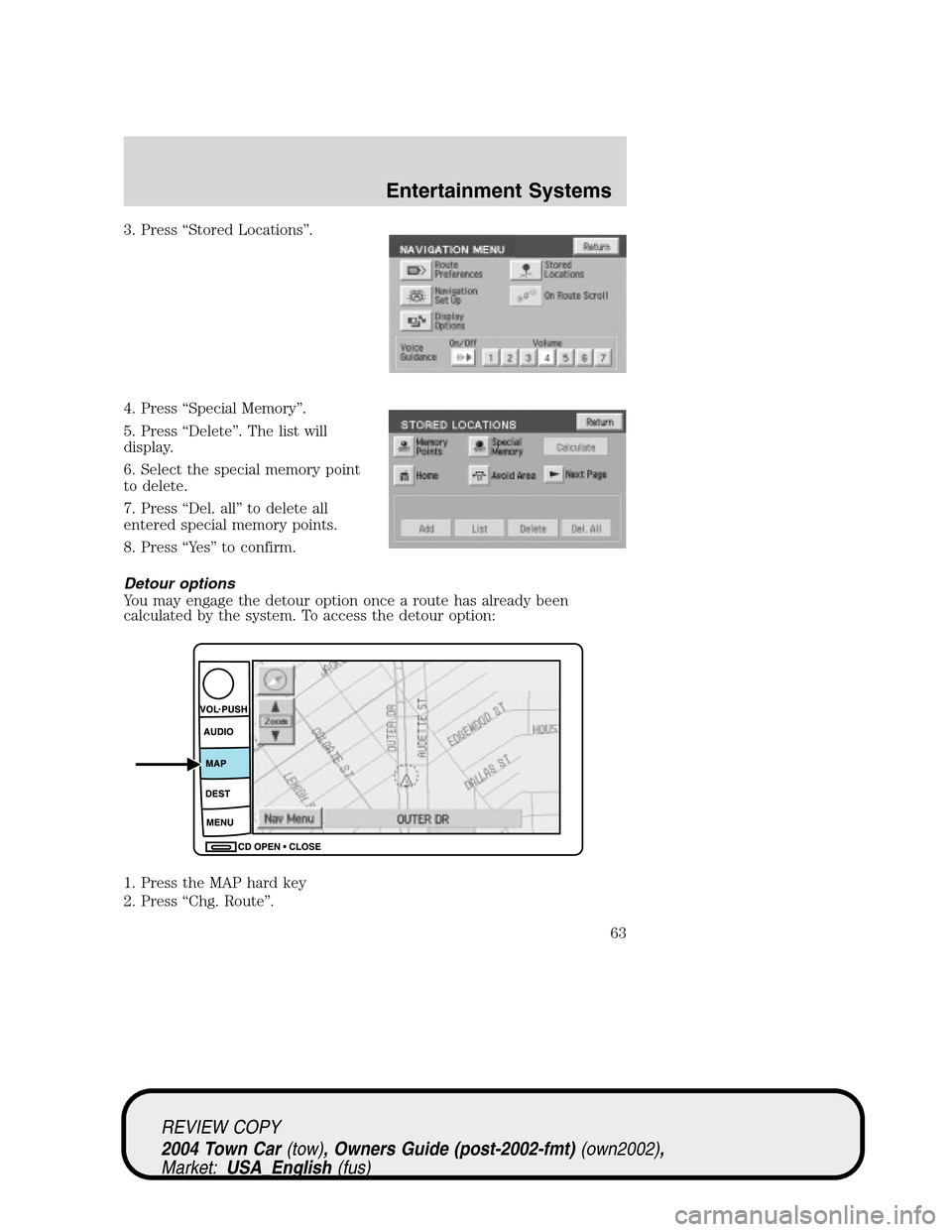
3. Press“Stored Locations”.
4. Press“Special Memory”.
5. Press“Delete”. The list will
display.
6. Select the special memory point
to delete.
7. Press“Del. all”to delete all
entered special memory points.
8. Press“Ye s”to confirm.
Detour options
You may engage the detour option once a route has already been
calculated by the system. To access the detour option:
1. Press the MAP hard key
2. Press“Chg. Route”.
REVIEW COPY
2004 Town Car(tow), Owners Guide (post-2002-fmt)(own2002),
Market:USA_English(fus)
Entertainment Systems
63
Page 64 of 304
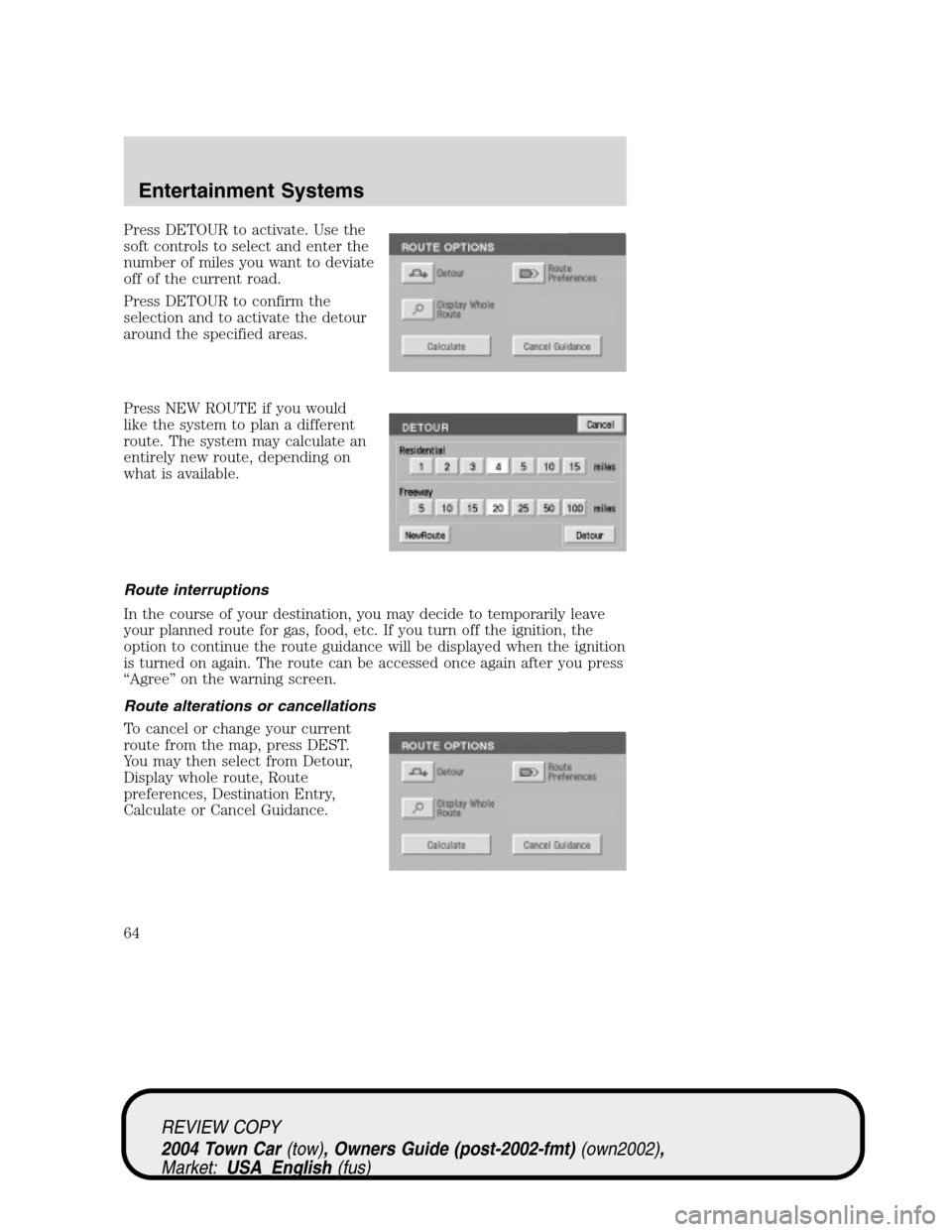
Press DETOUR to activate. Use the
soft controls to select and enter the
number of miles you want to deviate
off of the current road.
Press DETOUR to confirm the
selection and to activate the detour
around the specified areas.
Press NEW ROUTE if you would
like the system to plan a different
route. The system may calculate an
entirely new route, depending on
what is available.
Route interruptions
In the course of your destination, you may decide to temporarily leave
your planned route for gas, food, etc. If you turn off the ignition, the
option to continue the route guidance will be displayed when the ignition
is turned on again. The route can be accessed once again after you press
“Agree”on the warning screen.
Route alterations or cancellations
To cancel or change your current
route from the map, press DEST.
You may then select from Detour,
Display whole route, Route
preferences, Destination Entry,
Calculate or Cancel Guidance.
REVIEW COPY
2004 Town Car(tow), Owners Guide (post-2002-fmt)(own2002),
Market:USA_English(fus)
Entertainment Systems
64
Page 65 of 304
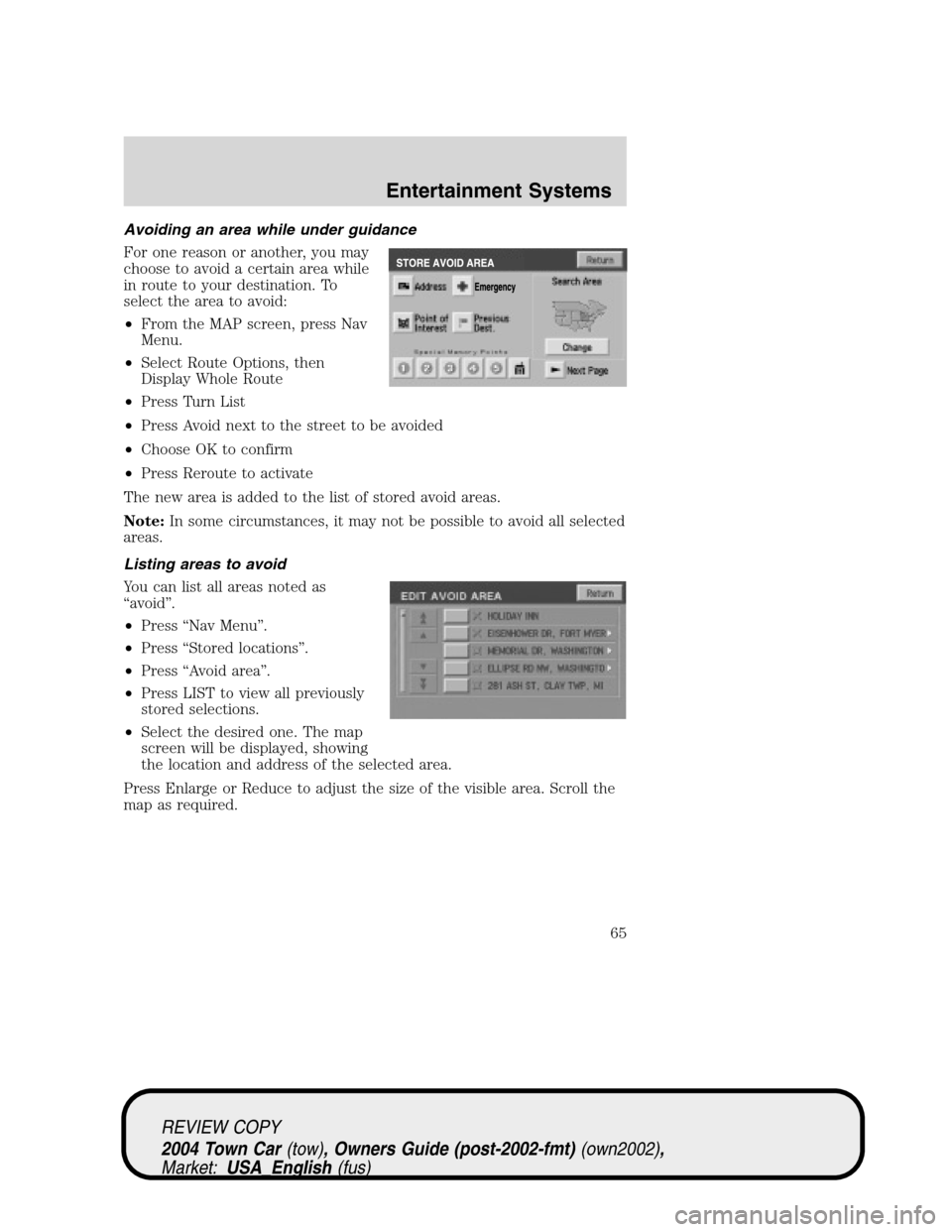
Avoiding an area while under guidance
For one reason or another, you may
choose to avoid a certain area while
in route to your destination. To
select the area to avoid:
•From the MAP screen, press Nav
Menu.
•Select Route Options, then
Display Whole Route
•Press Turn List
•Press Avoid next to the street to be avoided
•Choose OK to confirm
•Press Reroute to activate
The new area is added to the list of stored avoid areas.
Note:In some circumstances, it may not be possible to avoid all selected
areas.
Listing areas to avoid
You can list all areas noted as
“avoid”.
•Press“Nav Menu”.
•Press“Stored locations”.
•Press“Avoid area”.
•Press LIST to view all previously
stored selections.
•Select the desired one. The map
screen will be displayed, showing
the location and address of the selected area.
Press Enlarge or Reduce to adjust the size of the visible area. Scroll the
map as required.
REVIEW COPY
2004 Town Car(tow), Owners Guide (post-2002-fmt)(own2002),
Market:USA_English(fus)
Entertainment Systems
65
Page 67 of 304
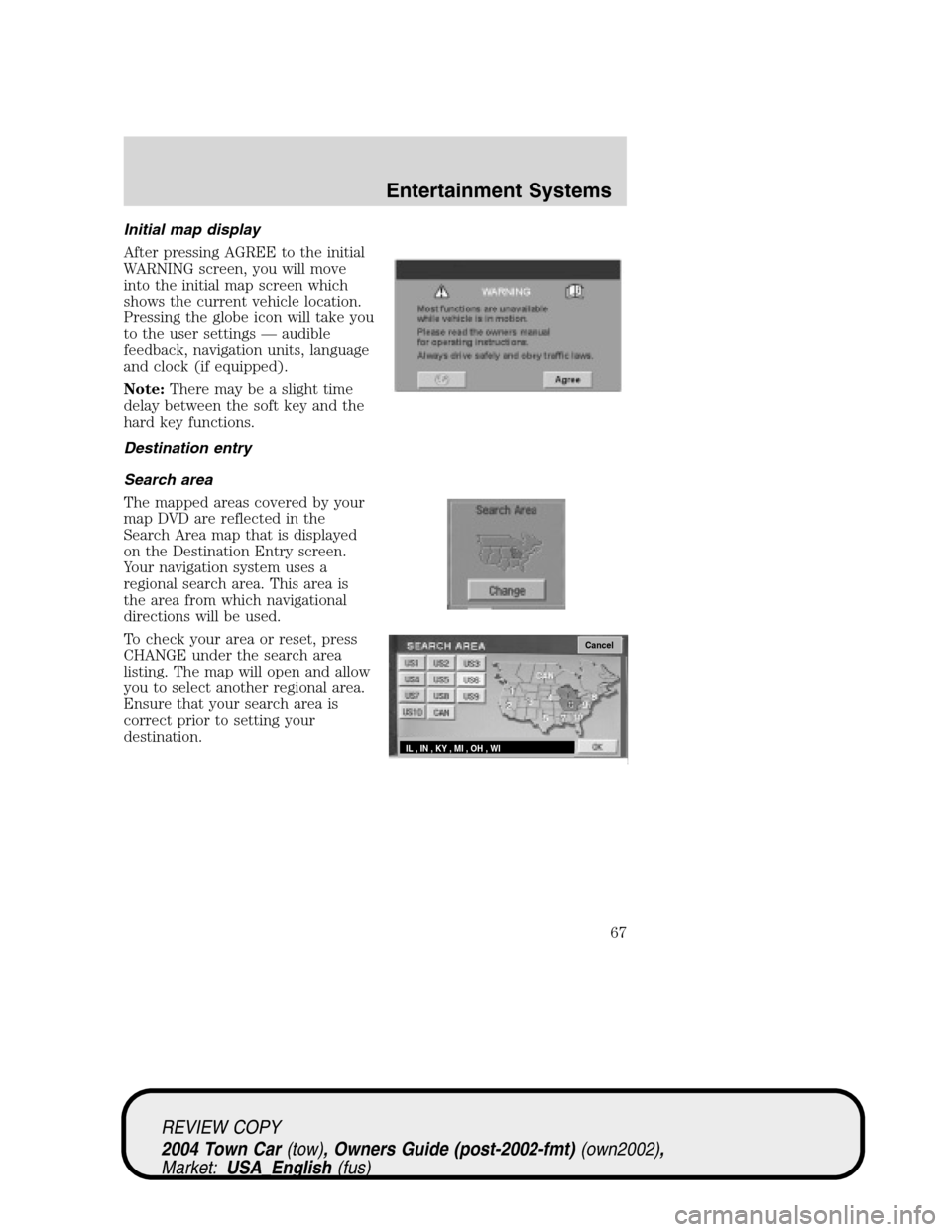
Initial map display
After pressing AGREE to the initial
WARNING screen, you will move
into the initial map screen which
shows the current vehicle location.
Pressing the globe icon will take you
to the user settings—audible
feedback, navigation units, language
and clock (if equipped).
Note:There may be a slight time
delay between the soft key and the
hard key functions.
Destination entry
Search area
The mapped areas covered by your
map DVD are reflected in the
Search Area map that is displayed
on the Destination Entry screen.
Your navigation system uses a
regional search area. This area is
the area from which navigational
directions will be used.
To check your area or reset, press
CHANGE under the search area
listing. The map will open and allow
you to select another regional area.
Ensure that your search area is
correct prior to setting your
destination.
Cancel
IL , IN , KY , MI , OH , WI
REVIEW COPY
2004 Town Car(tow), Owners Guide (post-2002-fmt)(own2002),
Market:USA_English(fus)
Entertainment Systems
67
Page 70 of 304
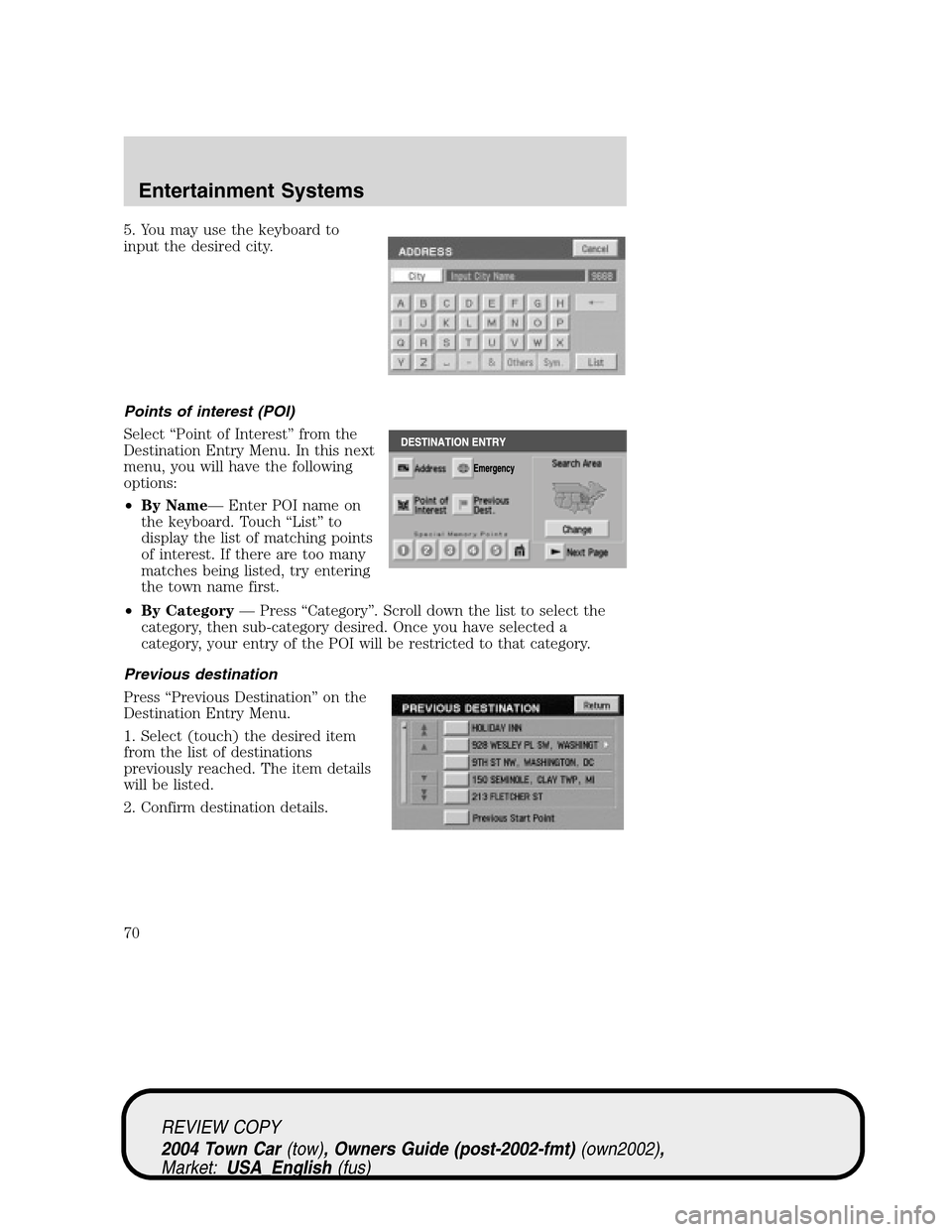
5. You may use the keyboard to
input the desired city.
Points of interest (POI)
Select“Point of Interest”from the
Destination Entry Menu. In this next
menu, you will have the following
options:
•By Name—Enter POI name on
the keyboard. Touch“List”to
display the list of matching points
of interest. If there are too many
matches being listed, try entering
the town name first.
•By Category—Press“Category”. Scroll down the list to select the
category, then sub-category desired. Once you have selected a
category, your entry of the POI will be restricted to that category.
Previous destination
Press“Previous Destination”on the
Destination Entry Menu.
1. Select (touch) the desired item
from the list of destinations
previously reached. The item details
will be listed.
2. Confirm destination details.
REVIEW COPY
2004 Town Car(tow), Owners Guide (post-2002-fmt)(own2002),
Market:USA_English(fus)
Entertainment Systems
70
Page 72 of 304
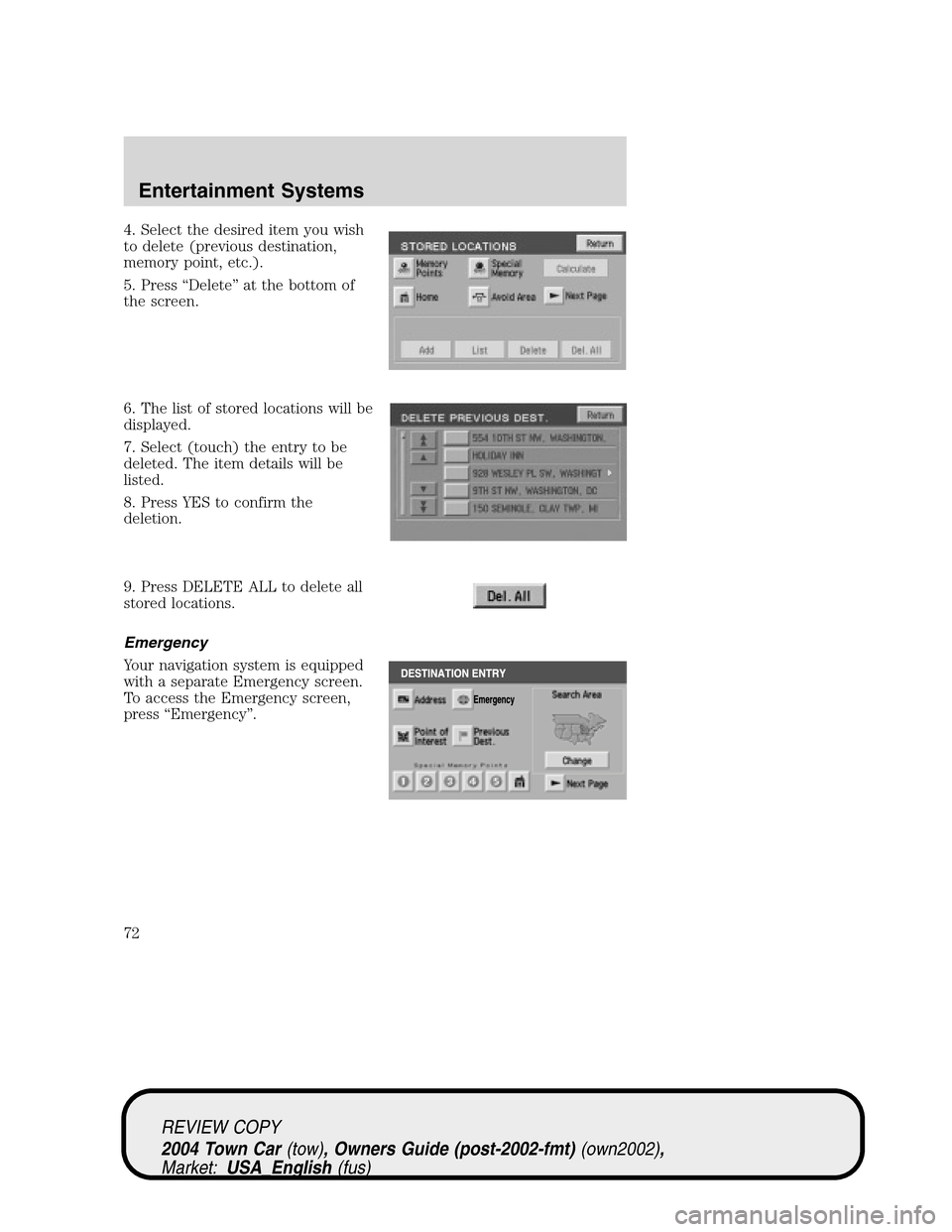
4. Select the desired item you wish
to delete (previous destination,
memory point, etc.).
5. Press“Delete”at the bottom of
the screen.
6. The list of stored locations will be
displayed.
7. Select (touch) the entry to be
deleted. The item details will be
listed.
8. Press YES to confirm the
deletion.
9. Press DELETE ALL to delete all
stored locations.
Emergency
Your navigation system is equipped
with a separate Emergency screen.
To access the Emergency screen,
press“Emergency”.
REVIEW COPY
2004 Town Car(tow), Owners Guide (post-2002-fmt)(own2002),
Market:USA_English(fus)
Entertainment Systems
72
Page 73 of 304
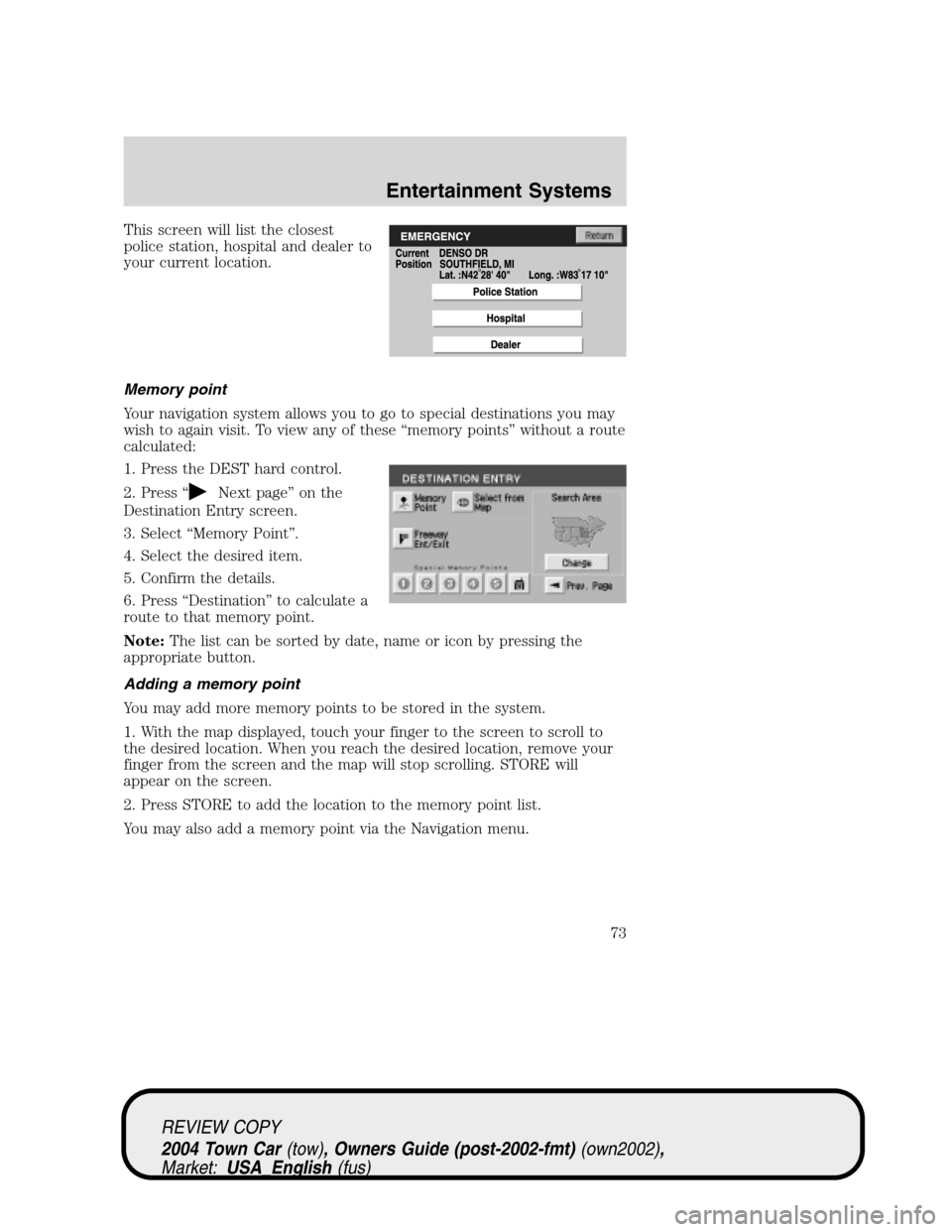
This screen will list the closest
police station, hospital and dealer to
your current location.
Memory point
Your navigation system allows you to go to special destinations you may
wish to again visit. To view any of these“memory points”without a route
calculated:
1. Press the DEST hard control.
2. Press“
Next page”on the
Destination Entry screen.
3. Select“Memory Point”.
4. Select the desired item.
5. Confirm the details.
6. Press“Destination”to calculate a
route to that memory point.
Note:The list can be sorted by date, name or icon by pressing the
appropriate button.
Adding a memory point
You may add more memory points to be stored in the system.
1. With the map displayed, touch your finger to the screen to scroll to
the desired location. When you reach the desired location, remove your
finger from the screen and the map will stop scrolling. STORE will
appear on the screen.
2. Press STORE to add the location to the memory point list.
You may also add a memory point via the Navigation menu.
REVIEW COPY
2004 Town Car(tow), Owners Guide (post-2002-fmt)(own2002),
Market:USA_English(fus)
Entertainment Systems
73
Page 77 of 304
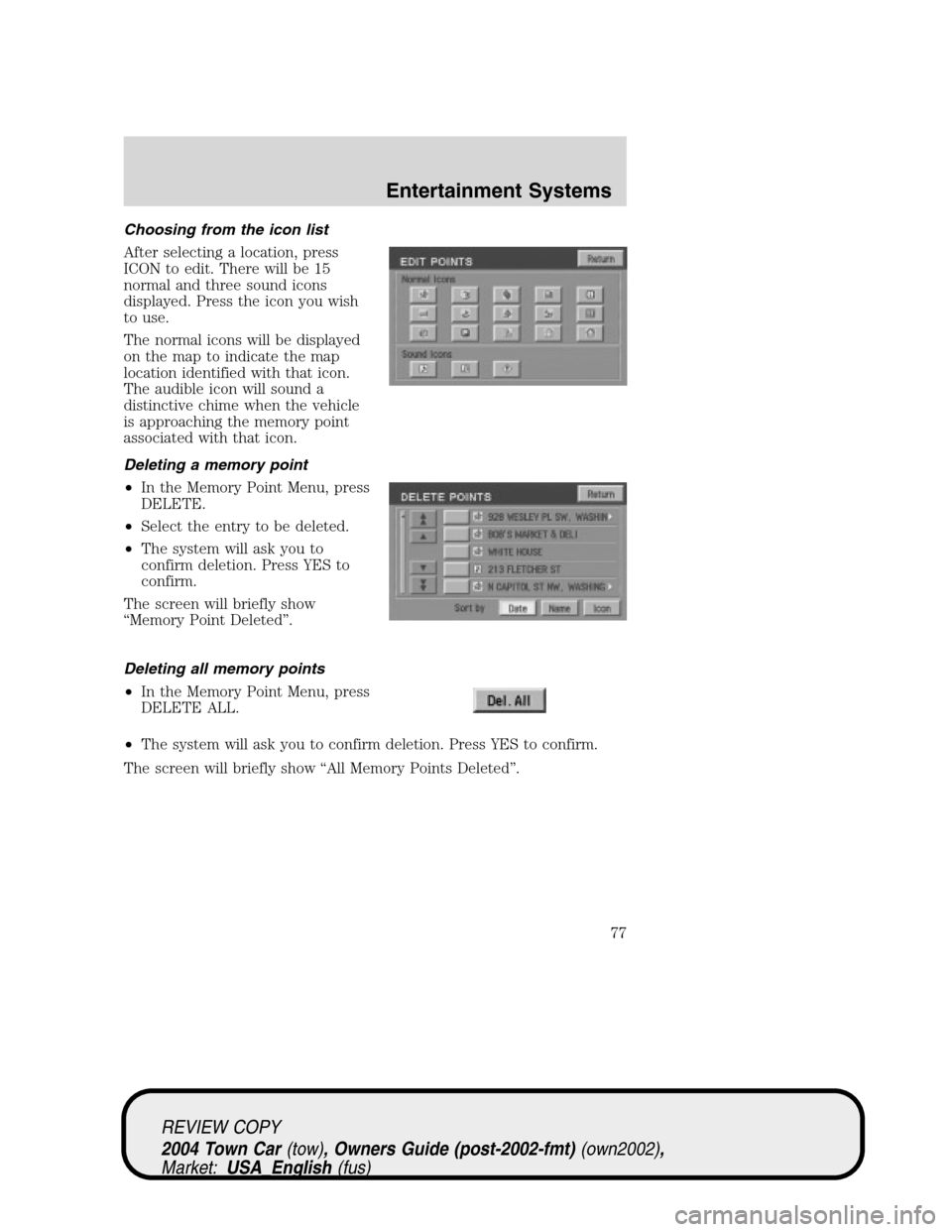
Choosing from the icon list
After selecting a location, press
ICON to edit. There will be 15
normal and three sound icons
displayed. Press the icon you wish
to use.
The normal icons will be displayed
on the map to indicate the map
location identified with that icon.
The audible icon will sound a
distinctive chime when the vehicle
is approaching the memory point
associated with that icon.
Deleting a memory point
•In the Memory Point Menu, press
DELETE.
•Select the entry to be deleted.
•The system will ask you to
confirm deletion. Press YES to
confirm.
The screen will briefly show
“Memory Point Deleted”.
Deleting all memory points
•In the Memory Point Menu, press
DELETE ALL.
•The system will ask you to confirm deletion. Press YES to confirm.
The screen will briefly show“All Memory Points Deleted”.
REVIEW COPY
2004 Town Car(tow), Owners Guide (post-2002-fmt)(own2002),
Market:USA_English(fus)
Entertainment Systems
77