Page 116 of 368
Do not let children play with the moon roof. They may seriously
hurt themselves.
Power quarter rear windows
• Without a moon roof
• With a moon roof
Press the
portion of the VENT control to open the power rear
quarter windows.
Press the
portion of the VENT control to close the power rear
quarter windows.
2004 Navigator (nav)
Owners Guide (post-2002-fmt)
USA English (fus)Driver Controls
116
Page 119 of 368
A third auxiliary power point is
located on the right rear quarter
panel. The power point is accessible
from the liftgate.
POWER WINDOWS
When closing the power windows, you should verify they are free
of obstructions and ensure that children and/or pets are not in
the proximity of the window openings.
The power window switches located
on the center console are called
push-pull switches.
A. Drivers side
B. Window lock
C. Front passenger side
D. Left and right rear passenger
2004 Navigator (nav)
Owners Guide (post-2002-fmt)
USA English (fus) Driver Controls
119
Page 120 of 368
The following views are the driver ’ s side switches:
Normal operation
• Push down (to the first detent)
and hold the top portion of the
switch to open.
• Pull up (to the first detent) and
hold the top portion of the switch
to close.
The following view is the power
window switch on the rear door trim
panels.
• Press and hold the top or bottom
of the rear rocker switches to
open or close.
2004 Navigator (nav)
Owners Guide (post-2002-fmt)
USA English (fus)Driver Controls
120
Page 121 of 368

One touch up or down (if equipped)
This feature is present on the driver ’ s window only.
To operate ONE TOUCH DOWN:
• Press the switch completely down
to the second detent and release
quickly. The driver ’ s window will
open fully. Momentarily press the
switch to any position to stop the
window operation.
If the switch is pressed and held to
the normal close or ONE TOUCH
UP position during a ONE TOUCH
DOWN event, the window will stop. If, after 1/2 second the switch is still
held, the window will perform a normal close or ONE TOUCH UP.
To operate ONE TOUCH UP:
• Pull the switch completely up to
the second detent and release
quickly. The driver ’ s window will
close fully. Momentarily press the
switch to any position to stop the
one touch up.
If the switch is pressed and held to
the normal open or ONE TOUCH
DOWN position during a ONE
TOUCH UP event, the window will stop. If, after 1/2 second the switch is
still held, the window will perform a normal open or ONE TOUCH
DOWN.
Bounce-Back
When an obstacle has been detected in the window opening as the
window is moving upward, the window will automatically reverse
direction and move down. This is known as “ bounce-back ” . If the ignition
is turned OFF (without accessory delay being active) during
bounce-back, the window will move down until the bounce back position
is reached.
2004 Navigator (nav)
Owners Guide (post-2002-fmt)
USA English (fus) Driver Controls
121
Page 122 of 368

Security Override
If during a bounce-back condition, the switch is released to the neutral
position, then held in the one touch up position within two seconds after
the window reaches the bounce-back position, the window will travel
up with no bounce-back protection. If the switch is released before
the window reaches fully closed or the ignition is turned OFF (without
accessory delay being active), the window will stop. Security override
can be used if there is ice on the window or seals, causing a restriction.
Window lock
The window lock feature allows only
the driver to operate the rear power
windows.
To lock out the rear window
controls push the control down. To
restore the rear window controls,
push the control down. The control
will spring back up to the neutral
position.
Accessory delay
With accessory delay, the radio, windows, and moonroof operate for up
to ten minutes after the ignition switch is turned from the ON to the
OFF position or until any door is opened.
MIRRORS
Automatic dimming rear view mirror
Your vehicle is equipped with an inside rear view mirror with an
auto-dimming function. The electronic day/night mirror will change from
the normal state to the non-glare state when bright lights (glare) reach
the inside rear view mirror. When the inside rear view mirror detects
bright light from in front of or behind the vehicle, the inside rear view
mirror will automatically adjust (darken) to minimize glare.
Do not block the sensor on the backside of the inside rear view mirror
since this may impair proper system performance.
2004 Navigator (nav)
Owners Guide (post-2002-fmt)
USA English (fus)Driver Controls
122
Page 123 of 368
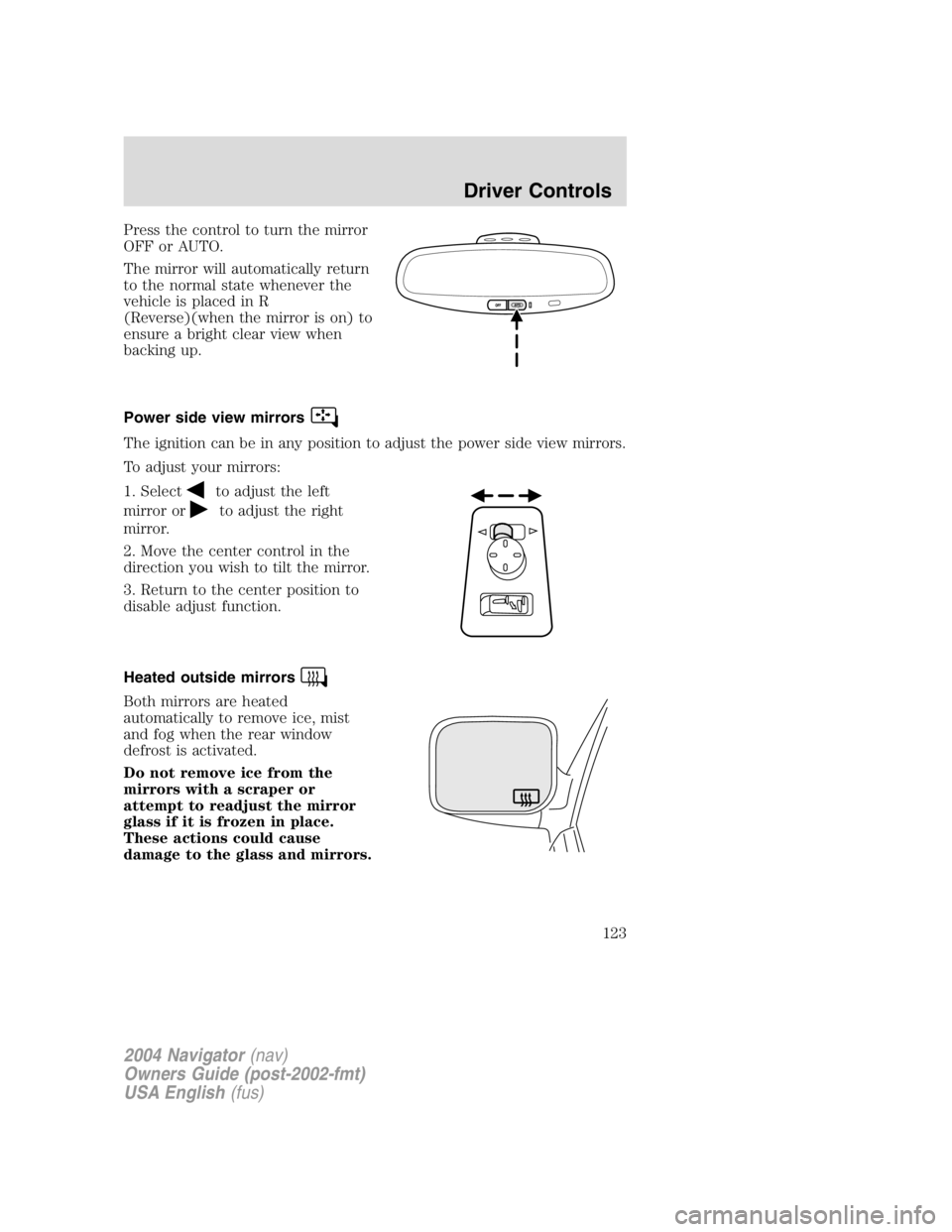
Press the control to turn the mirror
OFF or AUTO.
The mirror will automatically return
to the normal state whenever the
vehicle is placed in R
(Reverse)(when the mirror is on) to
ensure a bright clear view when
backing up.
Power side view mirrors
The ignition can be in any position to adjust the power side view mirrors.
To adjust your mirrors:
1. Select
to adjust the left
mirror or to adjust the right
mirror.
2. Move the center control in the
direction you wish to tilt the mirror.
3. Return to the center position to
disable adjust function.
Heated outside mirrors
Both mirrors are heated
automatically to remove ice, mist
and fog when the rear window
defrost is activated.
Do not remove ice from the
mirrors with a scraper or
attempt to readjust the mirror
glass if it is frozen in place.
These actions could cause
damage to the glass and mirrors.
2004 Navigator (nav)
Owners Guide (post-2002-fmt)
USA English (fus) Driver Controls
123
Page 154 of 368

Childproof door locks
When these locks are set, the rear
doors cannot be opened from the
inside. The rear doors can be
opened from the outside when the
doors are unlocked.
The childproof locks are located on
rear edge of each rear door and
must be set separately for each
door. Setting the lock for one door
will not automatically set the lock
for both doors.
Move lock control up to engage the childproof lock. Move control down
to disengage childproof locks.
REMOTE ENTRY SYSTEM
This device complies with part 15 of the FCC rules and with RS-210 of
Industry Canada. Operation is subject to the following two conditions:
(1) This device may not cause harmful interference, and (2) This device
must accept any interference received, including interference that may
cause undesired operation.
Changes or modifications not expressly approved by the party
responsible for compliance could void the user ’ s authority to
operate the equipment.
The remote entry system allows you to lock or unlock all vehicle doors
and liftgate and open the liftgate window without a key.
The remote entry lock/unlock feature operates in any ignition position.
The liftgate glass features operate as long as the vehicle ’ s speed is less
than 5 km/h (3 mph). The panic feature operates with the key in the
OFF or ACC position.
If there is any potential remote keyless entry problem with your vehicle,
ensure ALL remote entry transmitters are brought to the dealership, to
aid in troubleshooting.
Unlocking the doors/liftgate
Press this control to unlock the driver ’ s door. The interior lamps will
illuminate with the ignition OFF.
2004 Navigator (nav)
Owners Guide (post-2002-fmt)
USA English (fus)Locks and Security
154
Page 156 of 368
• 5 – button remote
If any of the doors or liftgate are ajar, the horn will make two quick
chirps, reminding you to properly close all doors.
Unlocking the liftgate window
Press the control to unlatch the liftgate window.
• 4 – button remote
• 5 – button remote
2004 Navigator (nav)
Owners Guide (post-2002-fmt)
USA English (fus)Locks and Security
156