Page 115 of 296
1
2
3
4
5
6
7
8
9
Ignition switch / 4-2
Starting the engine / 4-4
Automatic transaxle / 4-5
Brake system / 4-11
Steering wheel / 4-18
Cruise control system / 4-21
Traction control system / 4-26
Electronic stability program / 4-29
Instrument cluster / 4-32
Gauges / 4-34
Warnings and indicators / 4-36
Lighting / 4-44
Wipers and washers / 4-49
Defroster / 4-54
Hazard warning flasher / 4-55
Automatic climate control system / 4-56
Windshield defrosting and defogging / 4-71
Driving your vehicle
Opirus-ENG (CAN) 4.qxd 7/8/03 2:19 PM Page 1
Page 116 of 296

Driving your vehicle24
1
2
3
4
5
6
7
8
9
Illuminated ignition switchWhenever a door is opened, the igni-
tion switch will be illuminated for your
convenience, provided the ignition
switch is not in the ON position. The
light will go off approximately 10 sec-
onds after closing the door or when
the ignition switch is turned on.
Ignition switch and anti-theft
steering column lock Ignition switch positionLOCK
The steering wheel locks to protect
against theft. The ignition key can be
removed only in the LOCK position.
When turning the ignition switch to
the LOCK position, push the key
inward at the ACC position and turn
the key toward the LOCK position.
ACC (Accessory)
The steering wheel is unlocked and
electrical accessories are operative.ON
The warning lights can be checked
before the engine is started. This is
the normal running position after the
engine is started.
Do not leave the ignition switch ON if
the engine is not running to preventbattery discharge.START
Turn the ignition key to the START
position to start the engine. The
engine will crank until you release
the key; then it returns to the ON
position. The brake warning lamp
can be checked in this position.If difficulty is experienced in turningthe ignition key to the START posi-tion, turn the steering wheel rightand left to release the tension andthen turn the key.
IGNITION SWITCH
PUSH
1GHA3201
1GHA3201A
Opirus-ENG (CAN) 4.qxd 7/8/03 2:19 PM Page 2
Page 117 of 296

43
1
2
3
4
5
6
7
8
9
Driving your vehicle
Automatic transaxleWhen turning the ignition switch to
the LOCK position, the shift lever
must be in the P (Park) position.
WARNING -
Ignition key
• Never turn the ignition switch to LOCK or ACC while the
vehicle is moving. This would
result in loss of directional
control and braking function,
which could cause an immedi-
ate accident.
The anti-theft steering column lock is not a substitute for the
parking brake. Before leaving
the driver’s seat, always make
sure the shift lever is engaged
in P (Park), set the parking
brake fully and shut the
engine off. Unexpected and
sudden vehicle movement
may occur if these precau-
tions are not taken.
(Continued)
(Continued)
Never reach for the ignitionswitch, or any other controls
through the steering wheel
while the vehicle is in motion.
The presence of your hand or
arm in this area could cause a
loss of vehicle control, an
accident and serious bodily
injury or death.
Do not put any movable things around the driver’s seat as
they can disturb your driving
and may cause accidents.
Opirus-ENG (CAN) 4.qxd 7/8/03 2:19 PM Page 3
Page 120 of 296

Driving your vehicle64
1
2
3
4
5
6
7
8
9
Automatic transaxle operationAll normal forward driving is done
with the shift lever in the D (Drive)
position.
To move the shift lever from the P
(Park) position, the brake pedal must
be depressed and the lock release
button must be depressed.
For smooth operation, depress thebrake pedal when shifting from N(Neutral) to a forward or reversegear.
✽ ✽
NOTICE• To avoid damage to your
transaxle, do not accelerate the
engine in R (Reverse) or any for-
ward gear position with the
brakes on.
• When stopped on an upgrade, do not hold the vehicle stationary
with engine power. Use the service
brake or the parking brake.
• Do not shift from N (Neutral) or P (Park) into D (Drive), or R
(Reverse) when the engine is
above idle speed.
2GHA3002A
+ (UP)
- (DOWN)
Automatic
modeSports mode
WARNING
- Automatic
transaxle
Before leaving the driver’s seat,
always make sure the shift lever
is in the P (PARK) position; then
set the parking brake fully and
shut the engine off. Unexpected
and sudden vehicle movement
can occur if these precautions
are not followed in the order
identified.
Opirus-ENG (CAN) 4.qxd 7/8/03 2:19 PM Page 6
Page 121 of 296

47
1
2
3
4
5
6
7
8
9
Driving your vehicle
Transaxle rangesP (park)This position locks the transaxle and
prevents the front wheels from rotat-
ing. Always come to a complete stop
before shifting into this position.
✽ ✽
NOTICEThe transaxle may be damaged if
you shift into P (Park) while the
vehicle is in motion.(Continued)
Before leaving the driver’s
seat, always make sure the
shift lever is in the P (PARK)
position. Set the parking
brake fully, shut the engine off
and take the key with you.
Unexpected and sudden vehi-
cle movement can occur if you
do not follow these precau-
tions in the order specified.
Never leave a child unattend- ed in a vehicle.
WARNING
Shifting into P (Park) while thevehicle is in motion will cause
the drive wheels to lock which
will cause you to lose control
of the vehicle.
Do not use the P (Park) posi- tion in place of the parking
brake. Always make sure the
shift lever is latched in the P
(Park) position so that it can-
not be moved unless the lock
release button is pushed in,
AND set the parking brake
fully.
(Continued)
Opirus-ENG (CAN) 4.qxd 7/8/03 2:19 PM Page 7
Page 125 of 296
411
1
2
3
4
5
6
7
8
9
Driving your vehicle
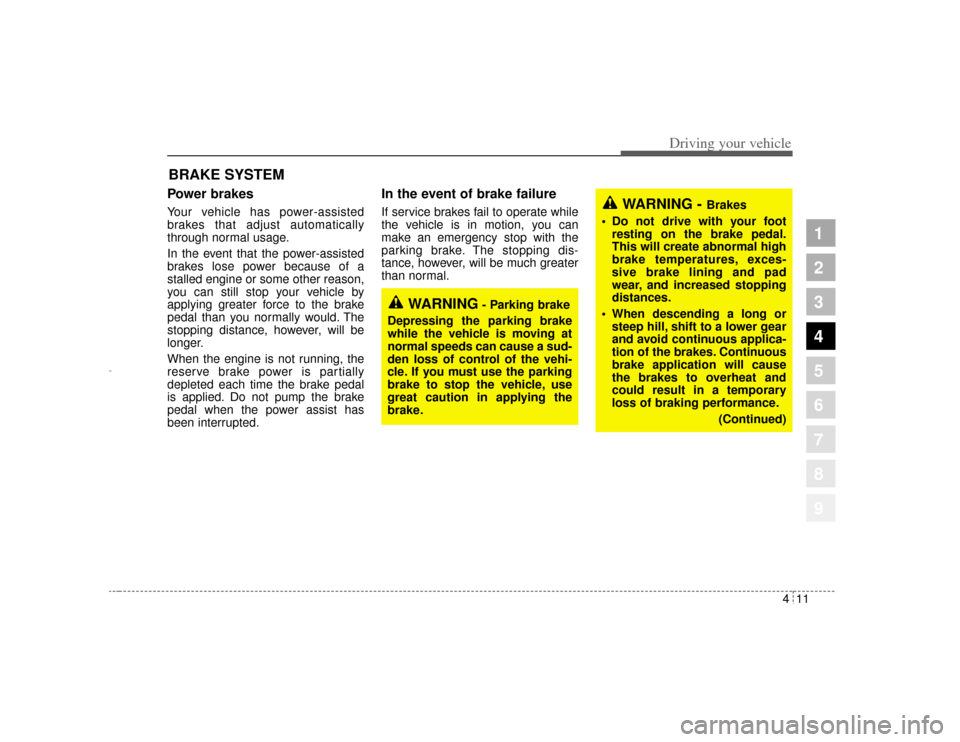
Power brakes Your vehicle has power-assisted
brakes that adjust automatically
through normal usage.
In the event that the power-assisted
brakes lose power because of a
stalled engine or some other reason,
you can still stop your vehicle by
applying greater force to the brake
pedal than you normally would. The
stopping distance, however, will be
longer.
When the engine is not running, the
reserve brake power is partially
depleted each time the brake pedal
is applied. Do not pump the brake
pedal when the power assist has
been interrupted.
In the event of brake failure If service brakes fail to operate while
the vehicle is in motion, you can
make an emergency stop with the
parking brake. The stopping dis-
tance, however, will be much greater
than normal.
BRAKE SYSTEM
WARNING -
Brakes
Do not drive with your foot resting on the brake pedal.
This will create abnormal high
brake temperatures, exces-
sive brake lining and pad
wear, and increased stopping
distances.
When descending a long or steep hill, shift to a lower gear
and avoid continuous applica-
tion of the brakes. Continuous
brake application will cause
the brakes to overheat and
could result in a temporary
loss of braking performance.
(Continued)
WARNING
- Parking brake
Depressing the parking brake
while the vehicle is moving at
normal speeds can cause a sud-
den loss of control of the vehi-
cle. If you must use the parking
brake to stop the vehicle, use
great caution in applying the
brake.
Opirus-ENG (CAN) 4.qxd 7/8/03 2:19 PM Page 11
Page 126 of 296

Driving your vehicle12
4
1
2
3
4
5
6
7
8
9
Disc brakes wear indicator Your vehicle has disc brakes.
When your brake pads are worn and
it's time for new pads, you will hear a
high-pitched warning sound from
your front brakes or rear brakes. You
may hear this sound come and go or
it may occur whenever you depress
the brake pedal.
Please remember that some driving
conditions or climates may cause a
brake squeal when you first apply (or
lightly apply) the brakes. This is nor-
mal and does not indicate a problem
with your brakes.
✽ ✽
NOTICETo avoid costly brake repairs, do not
continue to drive with worn brake
pads.
WARNING
- Brake wear
This brake wear warning sound
means your vehicle needs serv-
ice. If you ignore this audible
warning, you will eventually lose
braking performance, which
could lead to a serious accident.
CAUTION
Always replace brake pads as complete front or rear axle sets.
(Continued)
Wet brakes may result in the vehicle not slowing down at
the usual rate and pulling to
one side when the brakes are
applied. Applying the brakes
lightly will indicate whether
they have been affected in this
way. Always test your brakes
in this fashion after driving
through deep water. To dry the
brakes, apply them lightly
while maintaining a safe for-
ward speed until brake per-
formance returns to normal.
Opirus-ENG (CAN) 4.qxd 7/8/03 2:19 PM Page 12
Page 127 of 296
413
1
2
3
4
5
6
7
8
9
Driving your vehicle
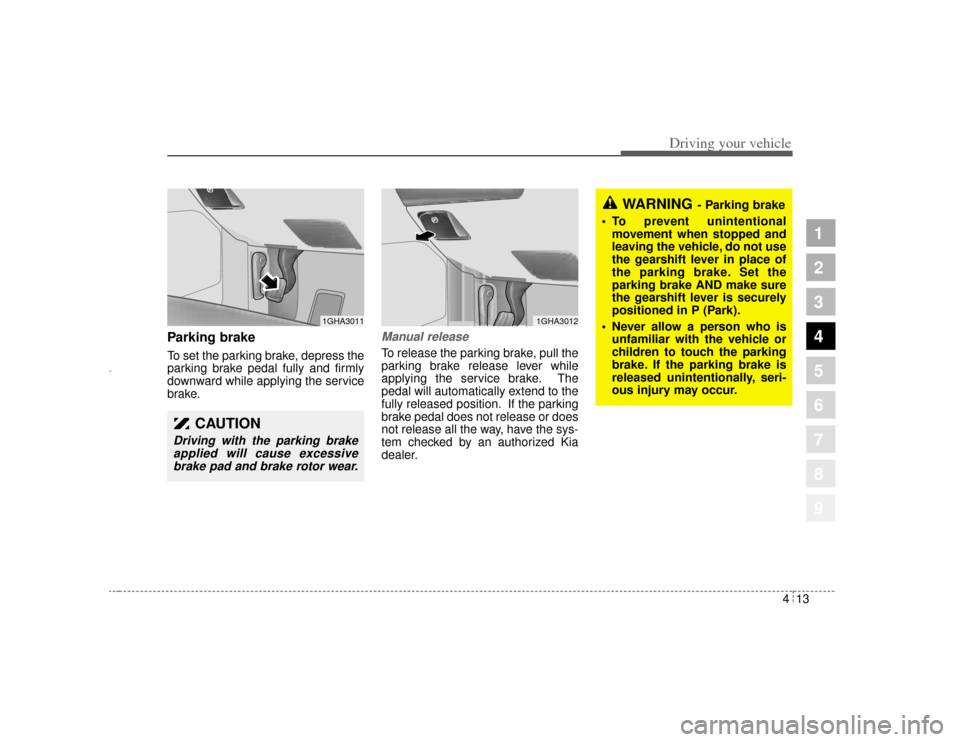
Parking brake To set the parking brake, depress the
parking brake pedal fully and firmly
downward while applying the service
brake.
Manual releaseTo release the parking brake, pull the
parking brake release lever while
applying the service brake. The
pedal will automatically extend to the
fully released position. If the parking
brake pedal does not release or does
not release all the way, have the sys-
tem checked by an authorized Kia
dealer.
CAUTION
Driving with the parking brakeapplied will cause excessivebrake pad and brake rotor wear.
1GHA3011
1GHA3012
WARNING
- Parking brake
To prevent unintentional movement when stopped and
leaving the vehicle, do not use
the gearshift lever in place of
the parking brake. Set the
parking brake AND make sure
the gearshift lever is securely
positioned in P (Park).
Never allow a person who is unfamiliar with the vehicle or
children to touch the parking
brake. If the parking brake is
released unintentionally, seri-
ous injury may occur.
Opirus-ENG (CAN) 4.qxd 7/8/03 2:19 PM Page 13
