Page 95 of 253
1FEATURES OF YOUR HYUNDAI
82
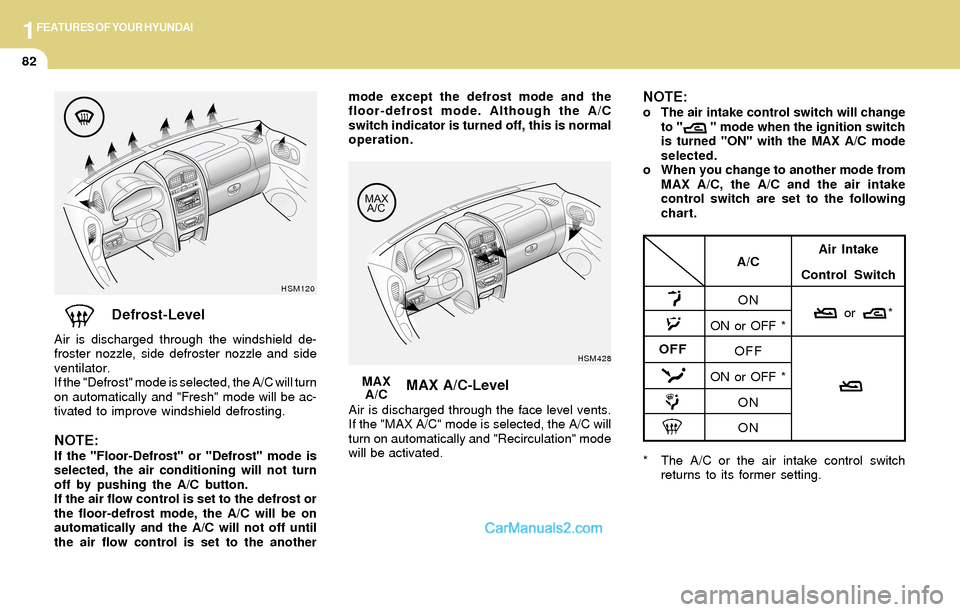
Defrost-Level
Air is discharged through the windshield de-
froster nozzle, side defroster nozzle and side
ventilator.
If the "Defrost" mode is selected, the A/C will turn
on automatically and "Fresh" mode will be ac-
tivated to improve windshield defrosting.
NOTE:If the "Floor-Defrost" or "Defrost" mode is
selected, the air conditioning will not turn
off by pushing the A/C button.
If the air flow control is set to the defrost or
the floor-defrost mode, the A/C will be on
automatically and the A/C will not off until
the air flow control is set to the another
HSM120
MAX A/C-Level
Air is discharged through the face level vents.
If the "MAX A/C" mode is selected, the A/C will
turn on automatically and "Recirculation" mode
will be activated.MAX
A/C
HSM428
* The A/C or the air intake control switch
returns to its former setting.
A/C
ON
ON or OFF *
OFF
ON or OFF *
ON
ONAir Intake
Control Switch
or *
OFF
mode except the defrost mode and the
floor-defrost mode. Although the A/C
switch indicator is turned off, this is normal
operation.NOTE:o The air intake control switch will change
to " " mode when the ignition switch
is turned "ON" with the MAX A/C mode
selected.
o When you change to another mode from
MAX A/C, the A/C and the air intake
control switch are set to the following
chart.
Page 96 of 253
1FEATURES OF YOUR HYUNDAI
83HEATING CONTROLS
B690A01O-AAT
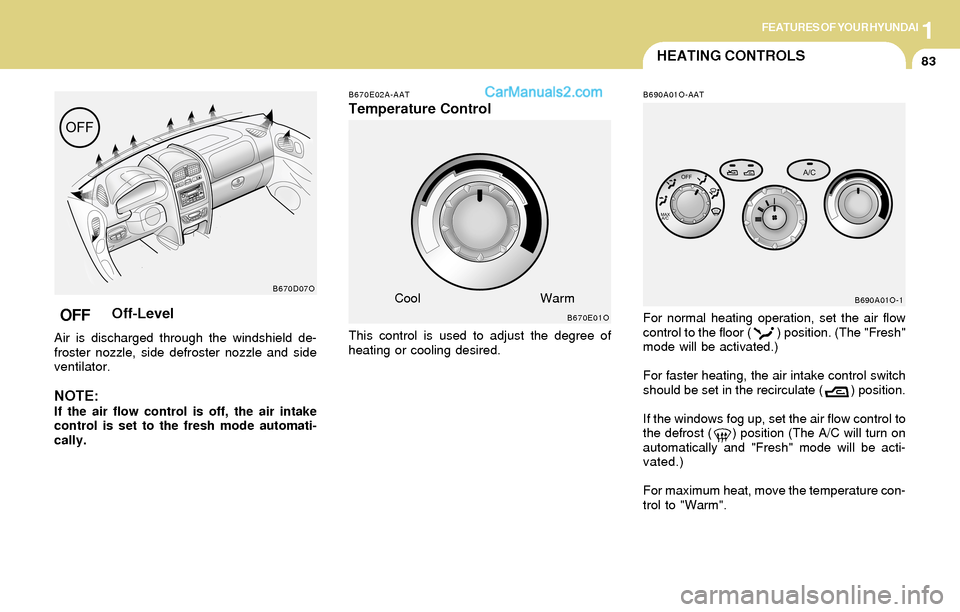
For normal heating operation, set the air flow
control to the floor ( ) position. (The "Fresh"
mode will be activated.)
For faster heating, the air intake control switch
should be set in the recirculate ( ) position.
If the windows fog up, set the air flow control to
the defrost ( ) position (The A/C will turn on
automatically and "Fresh" mode will be acti-
vated.)
For maximum heat, move the temperature con-
trol to "Warm".
B690A01O-1
B670E02A-AAT
Temperature Control
This control is used to adjust the degree of
heating or cooling desired.
B670E01O
CoolWarmB670D07O
OFFOff-Level
Air is discharged through the windshield de-
froster nozzle, side defroster nozzle and side
ventilator.
NOTE:If the air flow control is off, the air intake
control is set to the fresh mode automati-
cally.
Page 102 of 253

1FEATURES OF YOUR HYUNDAI
89
B970C01O-GAT
Automatic OperationNOTE:If the battery has been discharged or dis-
connected, the temperature mode will reset
to Fahrenheit degree.
This is a normal condition and you can
adjust the temperature mode from Fahren-
heit to Centigrade as follows;
Press the TEMP down ( ) button 3 seconds
or more with the AMB button held down.
The display shows that the unit of tempera-
ture is adjusted to Fahrenheit or Centigrade
(°F
→ →→ →
→ °C or °C
→ →→ →
→ °F).
The FATC (Full Automatic Temperature Con-
trol) system automatically controls the heating
and cooling by doing as follows:
1. Push the "AUTO" switch. The indicator light
will come on confirming that the Face, Floor
and/or Bi-Level modes as well as the blower
speed and, the air conditioning will operate if
ambient temperature is higher than 32°F
(0°C) and automatically turns off if the ambi-
ent temperature drops below 32°F(0°C).
NOTE:Never place things on the sensor which is
located in the car on the instrument panel
to ensure better control of the heating and
cooling system.
B970C01O
HSM502
Photo sensor 2. Push the "TEMP" button to set the desired
temperature.
The temperature will increase to the maxi-
mum "HI" by pushing on the button. Each
push of the button will cause the temperature
to increase by 1°F(0.5°C).
The temperature will decrease to the mini-
mum "LO" by pushing on the button. Each
push of the button will cause the temperature
to decrease by 1°F(0.5°C).
B970C03O
Page 105 of 253
1FEATURES OF YOUR HYUNDAI
92
Floor-LevelWhen selecting the "Floor-Level", the indicator
light will come on and the air will be discharged
through the floor vents, windshield defroster
nozzle, side defroster nozzle and side ventila-
tor.
HSM118B670D03O
Bi-LevelWhen selecting the "Bi-Level", the indicator light
will come on and the air will be discharged
through the face vents and the floor vents. This
makes it possible to have cooler air from the
dashboard vents and warmer air from the floor
outlets at the same time.
Face-Level
When selecting the "Face-Level", the indicator
light will come on, causing air to be discharged
through the face level vents.
B670D02O
Page 106 of 253
1FEATURES OF YOUR HYUNDAI
93
B980F02O-AAT
Defrost Switch
B980F01O
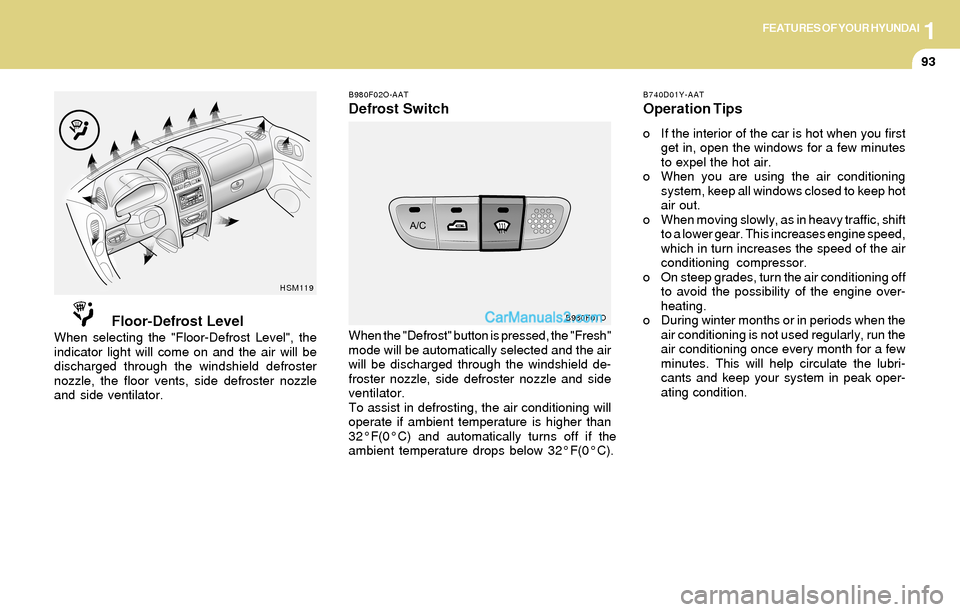
When the "Defrost" button is pressed, the "Fresh"
mode will be automatically selected and the air
will be discharged through the windshield de-
froster nozzle, side defroster nozzle and side
ventilator.
To assist in defrosting, the air conditioning will
operate if ambient temperature is higher than
32°F(0°C) and automatically turns off if the
ambient temperature drops below 32°F(0°C).
B740D01Y-AAT
Operation Tips
o If the interior of the car is hot when you first
get in, open the windows for a few minutes
to expel the hot air.
o When you are using the air conditioning
system, keep all windows closed to keep hot
air out.
o When moving slowly, as in heavy traffic, shift
to a lower gear. This increases engine speed,
which in turn increases the speed of the air
conditioning compressor.
o On steep grades, turn the air conditioning off
to avoid the possibility of the engine over-
heating.
o During winter months or in periods when the
air conditioning is not used regularly, run the
air conditioning once every month for a few
minutes. This will help circulate the lubri-
cants and keep your system in peak oper-
ating condition.
Floor-Defrost LevelWhen selecting the "Floor-Defrost Level", the
indicator light will come on and the air will be
discharged through the windshield defroster
nozzle, the floor vents, side defroster nozzle
and side ventilator.
HSM119
Page 112 of 253
1FEATURES OF YOUR HYUNDAI
99
H260B01O-AAT
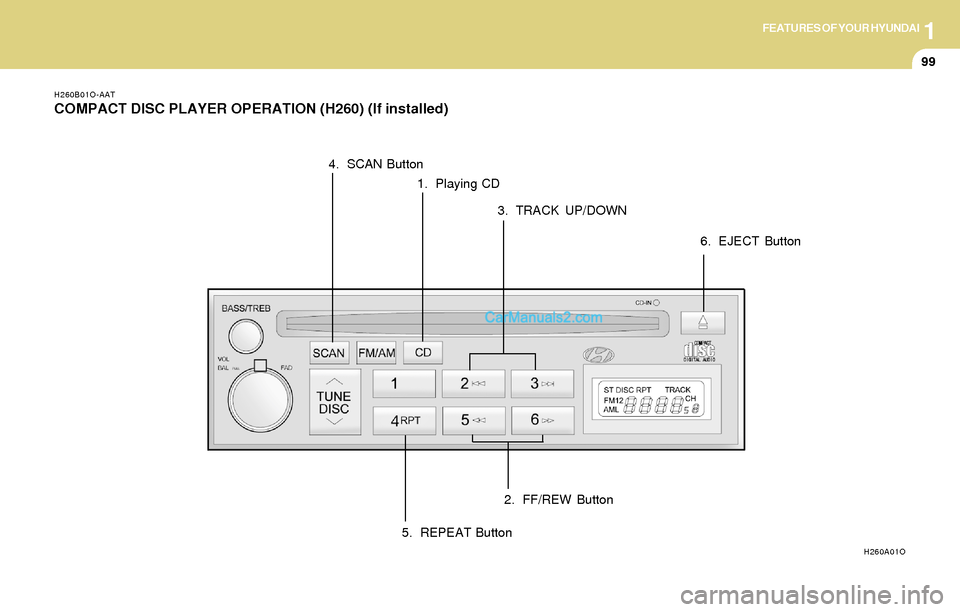
COMPACT DISC PLAYER OPERATION (H260) (If installed)
1. Playing CD
H260A01O
2. FF/REW Button 3. TRACK UP/DOWN 4. SCAN Button
5. REPEAT Button6. EJECT Button
Page 113 of 253
1FEATURES OF YOUR HYUNDAI
100
B260D04O-AAT
1. Playing CD
o Insert the CD with the label facing upward.
o Insert the CD to start CD playback, during
radio operation.
o When a disc is in the CD deck, if you press
the CD button, the CD player will begin
playing even if the radio is being used.
o The CD player can be used when the ignition
switch is in either the "ON" or "ACC" position.
2. FF/REW ( / )
If you want to fast forward or reverse through
the compact disc track, push and hold the FF
( ) or REW ( ) button.
When you release the button, the compact disc
player will resume playing.
3. TRACK UP/DOWN
o The desired track on the disc currently being
played can be selected using the track
number.
o Press once to skip forward to the beg-
inning of the next track. Press once to
skip back to the beginning of the track.
4. SCAN Button
o Press the SCAN button to playback the first
10 seconds of each track.
o Press the SCAN button again within 10 sec.
when you have reached the desired track.
5. REPEAT Button
o To repeat the track you are currently listen-
ing to, press the RPT button. To cancel ,
press again.
o If you do not release RPT operation when the
track ends, it will automatically be replayed.
This process will be continued until you push
the button again.
6. EJECT Button
When the EJECT button is pressed with a
CD loaded, the CD will eject.
NOTE:o If the CD does not operate properly or if
the ER2 fault code is displayed, use one
of two methods to reset the CD deck
function.
- Remove the audio fuse for 5 minutes.
Then, reinstall the audio fuse.
- Diconnect the negative terminal of the
battery and wait 5 minutes. Then re-
connect the negative battery terminal.
o To assure proper operation of the unit,
keep the vehicle interior temperature
within a normal range by using the
vehicle's air conditioning or heating
system.
o When replacing the fuse, replace it with
a fuse having the correct capacity.
o The preset station frequencies are all
erased when the car battery is discon-
nected. Therefore, all data will have to be
set again if this should occur.
o Do not add any oil to the rotating parts.
Keep magnets, screwdrivers and other
metallic objects away from the tape
mechanism and head.
Page 114 of 253
1FEATURES OF YOUR HYUNDAI
101
o This equipment is designed to be used
only in a 12 volt DC battery system with
negative ground.
o This unit is made of precision parts. Do
not attempt to disassemble or adjust
any parts.
o When driving your vehicle, be sure to
keep the volume of the unit set low
enough to allow you to hear sounds
coming from the outside.
o Do not expose this equipment (includ-
ing the speakers) to water or excessive
moisture.
!CAUTION:o Do not insert warped or poor quality
discs into the CD player as damage to the
unit may occur.
o Do not insert anything like coins into the
player slot as damage to the unit may
occur.
o Do not place beverages close to the
audio system. The playback mechanism
may be damaged if you spill them.
o Do not impact on the audio system, or
the playback mechanism could be dam-
aged.
o Driving on the off-roads or other vibra-
tions may skip your compact disc.
Do not use the audio system on off-
roads as the discs could be scratched
and damaged.
o Do not grip or pull out the disc with your
hand while the disc is being pulled into
the unit by the self loading mechanism.
These can cause poor disc scratching to
occur or trouble in the compact disc
player.
o Avoid using CD-Recordable or CD-
Rewritable as the player could not be
operated in recording way of the CD
maker. When using the compact disc
player, genuine CDs are recommended.