Page 103 of 296

�µ�µ
To open the driver’s
window f ully, push the window
switch f irmly down, then release it.
The window automatically goes
down all the way. To stop the
window f rom going all the way down,
pull back on the window switch
brief ly.
To close the driver’s window f ully,
pull back the window switch f irmly,
then release it. The window
automatically goes all the way up. To
stop the window f rom going all the
way up, push down on the window
switch brief ly.
To open or close the driver’s window
partially, push down or pull back on
the window switch lightly and hold it.
The window will stop when you
release the switch. If the MAIN switch is off, the front
passenger’s window cannot be raised
or lowered and the rear windows
cannot be opened or closed. Keep
the MAIN switch off when you have
children in the vehicle so they do not
injure themselves by operating the
windows unintentionally.
Auto reverse stops sensing when the
window is almost closed. You should
always check that all passengers and
objects are away from the window
bef ore closing it.If the driver’s
window runs into any obstacle while
it is closing automatically, it will
reverse direction, and then stop. To
close the window, remove the
obstacle, then use the window switch
again.
AUTO
Auto Reverse
Power Windows
Inst rument s and Cont rols100
Page 104 of 296
If your vehicle’s battery is
disconnected or goes dead, or the
driver’s window f use is removed, the
AUTO f unction will be disabled. The
power window system needs to be
reset af ter reconnecting the battery
or installing the f use.Start the engine. Push down and
hold the driver’s window switch
until the window is f ully open.
Pull and hold the driver’s window
switch to close the window
completely, then hold the switch
f or a second or two more.
If the power windows do not operate
properly af ter resetting, have your
vehicle checked by a Honda dealer. The power window system has a key-
of f delay f unction. The windows will
stilloperateforupto10minutes
after you turn off the ignition.
Opening either f ront door cancels
the delay function. You must turn
the ignition switch to ON (II) again
bef ore you can operate the windows.
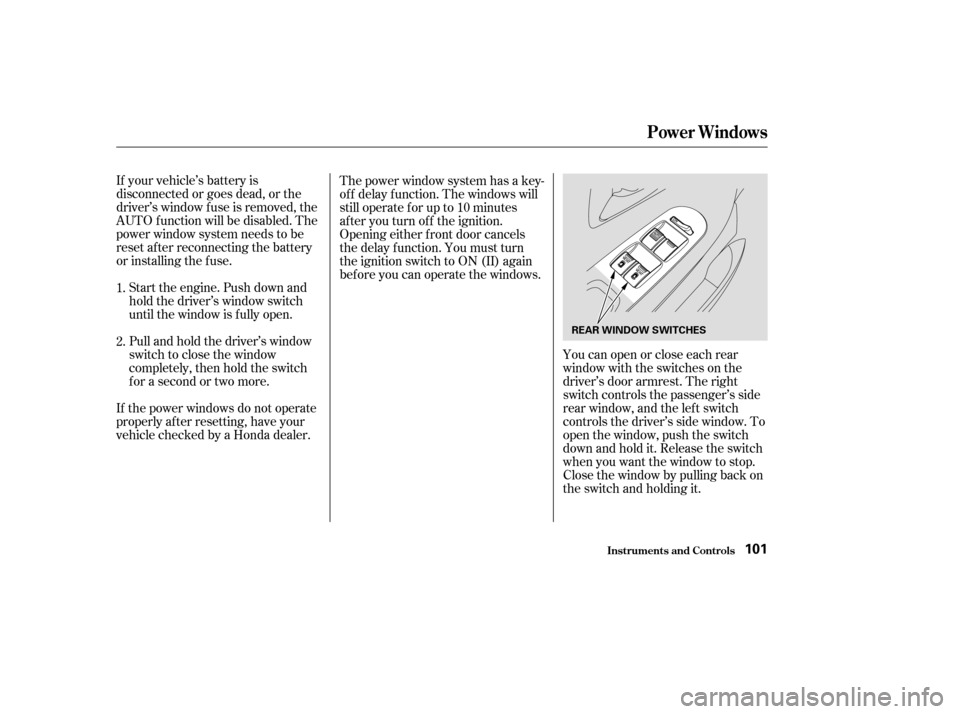
Youcanopenorcloseeachrear
window with the switches on the
driver’s door armrest. The right
switch controls the passenger’s side
rear window, and the left switch
controls the driver’s side window. To
open the window, push the switch
downandholdit.Releasetheswitch
when you want the window to stop.
Close the window by pulling back on
the switch and holding it.
1.
2.
Power Windows
Inst rument s and Cont rols101
REAR WINDOW SWITCHES
Page 105 of 296
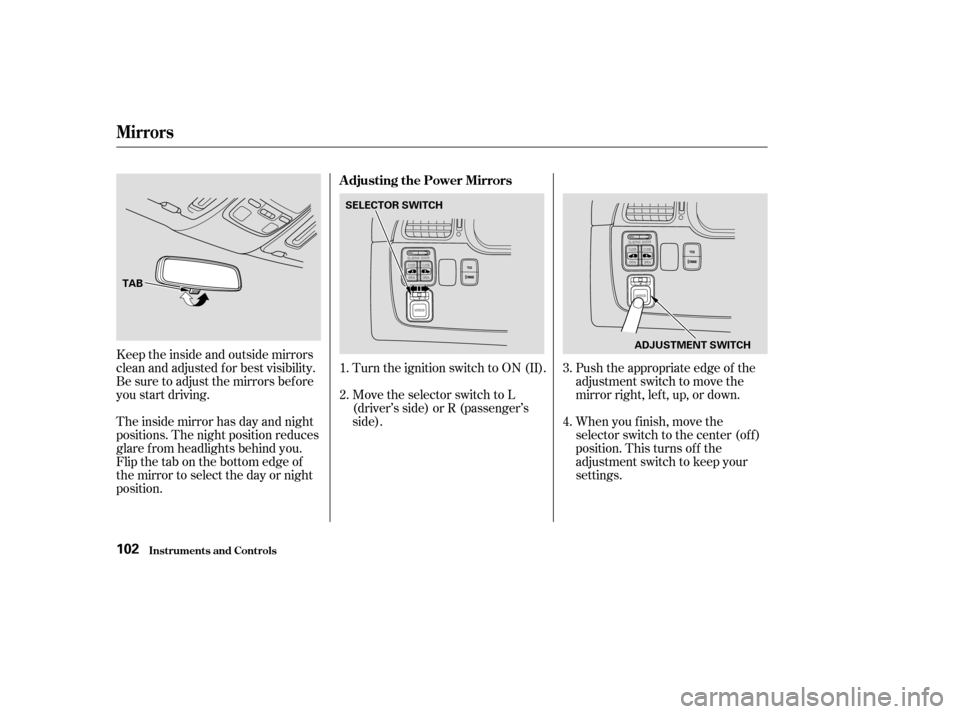
Keeptheinsideandoutsidemirrors
clean and adjusted f or best visibility.
Be sure to adjust the mirrors bef ore
you start driving.
The inside mirror has day and night
positions. The night position reduces
glare f rom headlights behind you.
Flip the tab on the bottom edge of
the mirror to select the day or night
position.Turn the ignition switch to ON (II).
Move the selector switch to L
(driver’s side) or R (passenger’s
side).
Push the appropriate edge of the
adjustment switch to move the
mirrorright,left,up,ordown.
When you f inish, move the
selector switch to the center (off)
position. This turns of f the
adjustment switch to keep your
settings.
1.
2.
3.
4.
Mirrors
Inst rument s and Cont rols
Adjusting the Power Mirrors
102
TAB SELECTOR SWITCH
ADJUSTMENT SWITCH
Page 109 of 296
Sitting on or getting under the table,
or putting heavy objects on the table,
may damage or deform it.
Do not put any items on the table
while driving. They may f all down or
f ly around when you go around
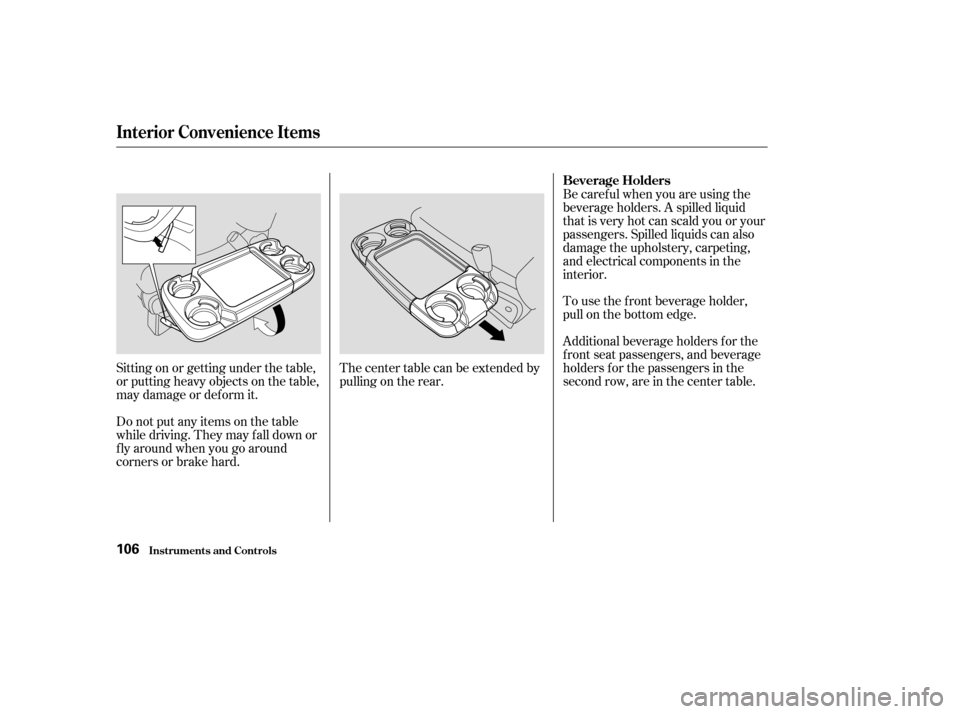
corners or brake hard.Thecentertablecanbeextendedby
pulling on the rear.Be caref ul when you are using the
beverage holders. A spilled liquid
that is very hot can scald you or your
passengers. Spilled liquids can also
damage the upholstery, carpeting,
and electrical components in the
interior.
To use the f ront beverage holder,
pull on the bottom edge.
Additional beverage holders f or the
f ront seat passengers, and beverage
holders f or the passengers in the
second row, are in the center table.
Interior Convenience Items
Inst rument s and Cont rols
Beverage Holders
106
Page 110 of 296
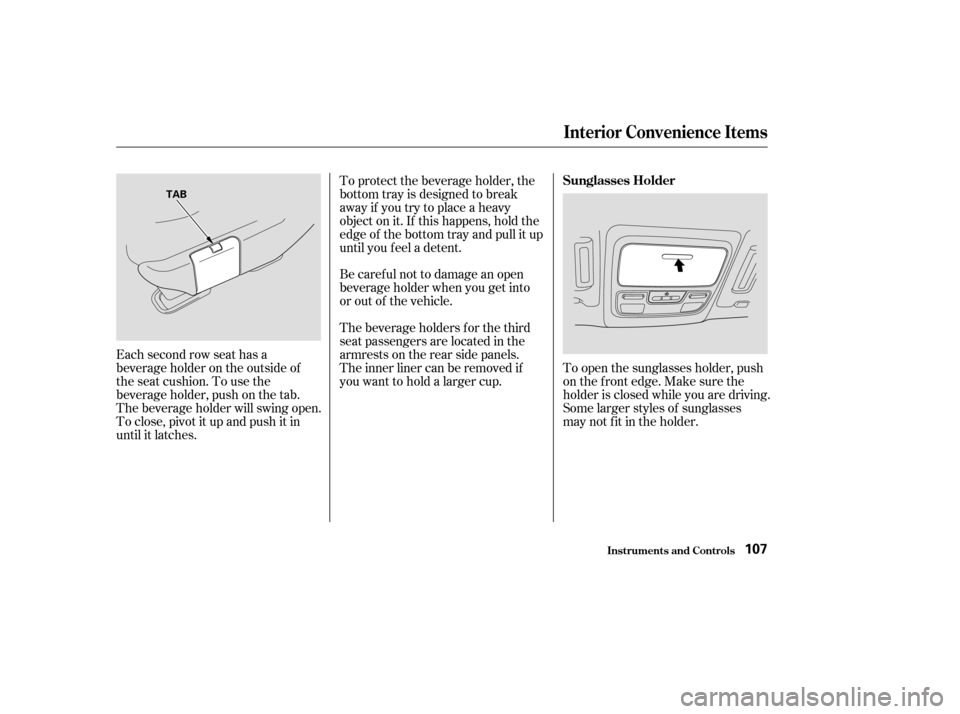
Each second row seat has a
beverage holder on the outside of
the seat cushion. To use the
beverage holder, push on the tab.
The beverage holder will swing open.
To close, pivot it up and push it in
until it latches.To protect the beverage holder, the
bottom tray is designed to break
away if you try to place a heavy
object on it. If this happens, hold the
edge of the bottom tray and pull it up
until you f eel a detent.
Be caref ul not to damage an open
beverage holder when you get into
or out of the vehicle.
The beverage holders f or the third
seat passengers are located in the
armrests on the rear side panels.
The inner liner can be removed if
youwanttoholdalargercup.
To open the sunglasses holder, push
on the f ront edge. Make sure the
holder is closed while you are driving.
Some larger styles of sunglasses
may not f it in the holder.
Interior Convenience Items
Inst rument s and Cont rols
Sunglasses Holder
107
TAB
Page 118 of 296

The heating and air conditioning
systems in your Honda provide a
comf ortable driving environment in
all weather conditions.
The standard audio system has
many f eatures. This section de-
scribes those f eatures and how to
use them. (If you selected an
optional audio system, ref er to the
operating instructions that came
with it.)
The security system helps to dis-
courage vandalism and thef t of your
Honda. Your Honda has an anti-thef t audio
system that requires a code number
to enable it..............
Vents, Heating, and A/C . 116
.........................
Airflow Buttons .117
Using Automatic Climate ...................................
Control .121
...................
Rear Climate Control . 124
..............
Climate Control Sensors . 125
..........................
Playing the Radio .126
............................
Radio Reception .130
..................................
Playing a CD .132
Operating the Optional CD .....................................
Changer .134
....................
Protecting Your CDs .135
.........
CD Player Error Messages . 136
.....
CD Changer Error Messages . 137
...............................
Playing a Tape .139
.............
Steering Wheel Controls . 143
.................
Radio Thef t Protection . 144
........
Rear Entertainment System . 145
..............................
Playable DVDs .154
............................
Security System .159
...............................
Cruise Control .160
HomeLink Universal ................................
Transceiver .163
On EX and EX-L models
Comf ort and Convenience Features
Comf ort and Convenience Feat ures115
Page 120 of 296

�Û�Ý
For automatic climate control and
manual operation on EX and EX-L
models, see page .
Turn this dial clockwise to increase
fan speed and increase the airflow.
You can manually select the f an
speed. Press the A/C button to view
the display, then press any of the fan
control icons. Turning this dial clockwise increases
the temperature of the airflow.
To select the desired temperature,
press either side of the temperature
(TEMP) button ( or ).
This button turns the air
conditioning on and of f . On LX
models, the light in the button is on
when the A/C is on. On EX and EX-L
models, you will see A/C ON or A/C
OFF selected in the display.Press the A/C button to view the
display. Touching ON or OFF in the
display turns the air conditioning on
andoff.YouwillseeA/CONorA/C
OFF in the display.
When you turn the A/C of f , the
system cannot regulate the inside
temperature if you set the
temperature control below the
outside temperature.
121
On all models without Navigation
System
On EX-L model with Navigation System On all models without Navigation
System
On EX-L model with Navigation System
On all models without NavigationSystem On EX-L model with Navigation System
On EX and EX-L models
Vents, Heating, and A/C
Comf ort and Convenience Feat ures
Fan Control T emperature Control
Air Conditioning (A/C) Button/
Icons
Airf low Buttons
117
Page 121 of 296
When the light in/above the button
is on, air f rom the vehicle’s interior is
sent throughout the system again.
When the light is of f , air is brought
in f rom the outside of the vehicle
(Fresh Air mode).
The outside air intakes f or the
heating and cooling system are at
the base of the windshield. Keep this
area clear of leaves and other debris.
ThesystemshouldbeleftinFresh
Air mode under almost all conditions.
Keeping the system in Recirculation
mode, particularly with the A/C of f ,
can cause the windows to fog up.
Switch to Recirculation mode when
driving through dusty or smoky
conditions, then return to Fresh Air
mode.This button turns the rear window
def ogger of f and on (see page ).
Use the mode control buttons or
icons to select the vents the air f lows
f rom. Some air will f low f rom the
dashboard corner vents in all modes.
Air flows from the center
and corner vents in the dashboard.
Air f lows f rom the f loor
vents. Air f lows f rom the def roster
vents at the base of the windshield.
When you select or ,
the system automatically switches to
Fresh Air mode and turns on the
A/C.
When you select , the system
automatically switches to Fresh Air
mode.
With this dial, you can adjust the
rear A/C unit heating, cooling, and
airflow (see page ).
Airf low is divided between
the vents in the dashboard and the
f loor vents.
Airf low is divided between
the f loor vents and the def roster
vents at the base of the windshield. 73
123
Vents, Heating, and A/C
Comf ort and Convenience Feat ures
Recirculation Button Rear Window Def ogger Button
Mode Control
Rear A /C Control Dial
118