Page 156 of 296
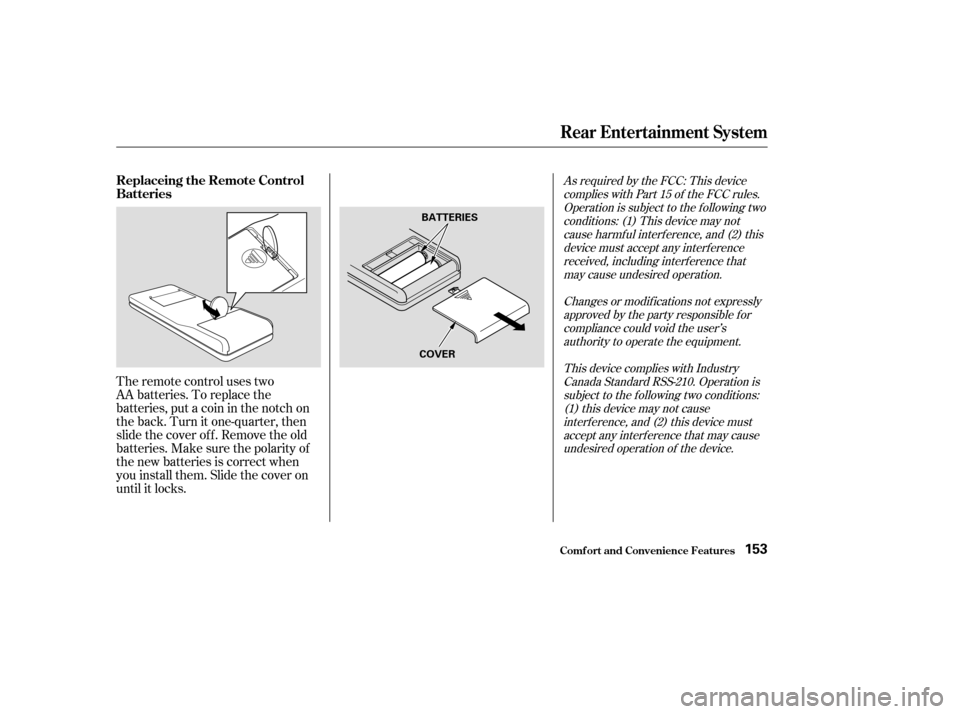
The remote control uses two
AA batteries. To replace the
batteries, put a coin in the notch on
the back. Turn it one-quarter, then
slide the cover of f . Remove the old
batteries.Makesurethepolarityof
the new batteries is correct when
you install them. Slide the cover on
until it locks.
As required by the FCC: This devicecomplies with Part 15 of the FCC rules.Operation is subject to the f ollowing twoconditions: (1) This device may notcause harmf ul interf erence, and (2) thisdevice must accept any interf erencereceived, including interf erence thatmay cause undesired operation.
Changes or modif ications not expresslyapproved by the party responsible f orcompliance could void the user’sauthority to operate the equipment.
This device complies with IndustryCanada Standard RSS-210. Operation issubject to the f ollowing two conditions:(1) this device may not causeinterf erence, and (2) this device mustaccept any interf erence that may causeundesired operation of the device.
Rear Entertainment System
Comf ort and Convenience Feat ures
Replaceing the Remote Control
Batteries
153
BATTERIES
COVER
Page 157 of 296
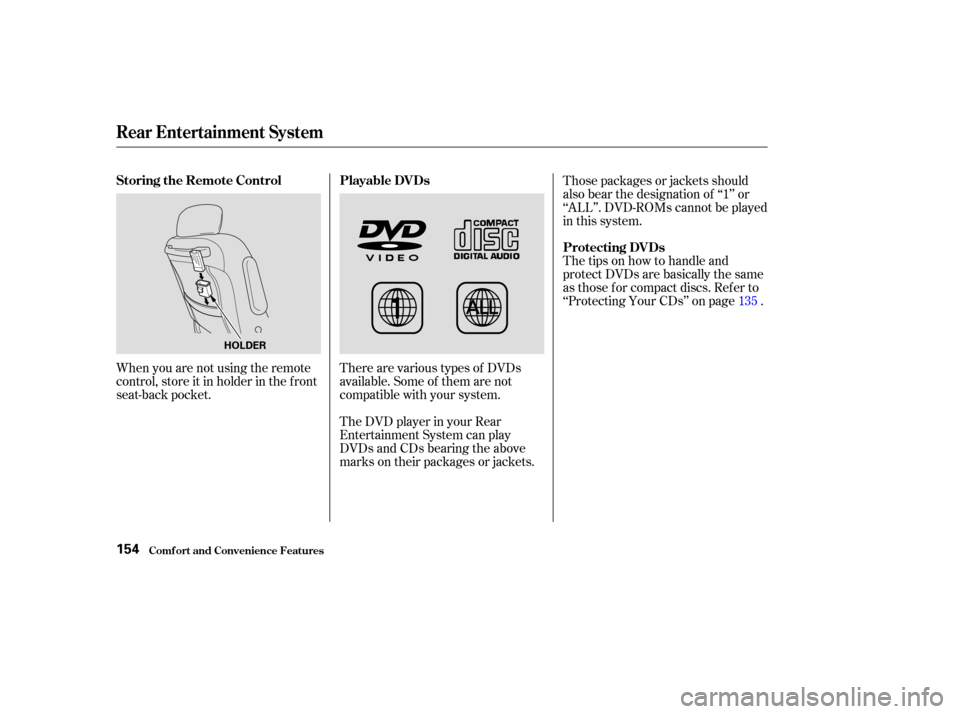
When you are not using the remote
control, store it in holder in the f ront
seat-back pocket.There are various types of DVDs
available. Some of them are not
compatible with your system.
The DVD player in your Rear
Entertainment System can play
DVDs and CDs bearing the above
marks on their packages or jackets.Those packages or jackets should
also bear the designation of ‘‘1’’ or
‘‘ALL’’. DVD-ROMs cannot be played
in this system.
The tips on how to handle and
protect DVDs are basically the same
as those f or compact discs. Ref er to
‘‘Protecting Your CDs’’ on page .
135
Rear Entertainment System
Comf ort and Convenience Feat ures
Storing the Remote Control Playable DVDs
Protecting DVDs
154
HOLDER
Page 158 of 296
If you see an error message in the
display while operating the DVD
player,findthecauseinthechartto
the right. If you cannot clear the
message, take your vehicle to a
Honda dealer.Message Cause
Solution
FOCUS Error
Mechanical Error, or a
DVD has been loaded in
the CD player
High Temperature
Low Vehicle Battery
VoltagePress the EJECT button and pull out the DVD.
Check if it is inserted correctly in the DVD
Player.MakesuretheDVDisnotscratchedor
damaged.
Press the EJECT button and pull out the DVD.
Check it for damage or deformation.
If the DVD cannot be pulled out, or the error
message does not disappear after the DVD is
ejected, see a Honda dealer.
Do not try to force the DVD out of the player.
Will disappear when the temperature returns to
normal.
Run the engine to recharge the battery.
Rear Entertainment System
Comf ort and Convenience Feat ures
DVD Player Error Messages
155
Page 160 of 296
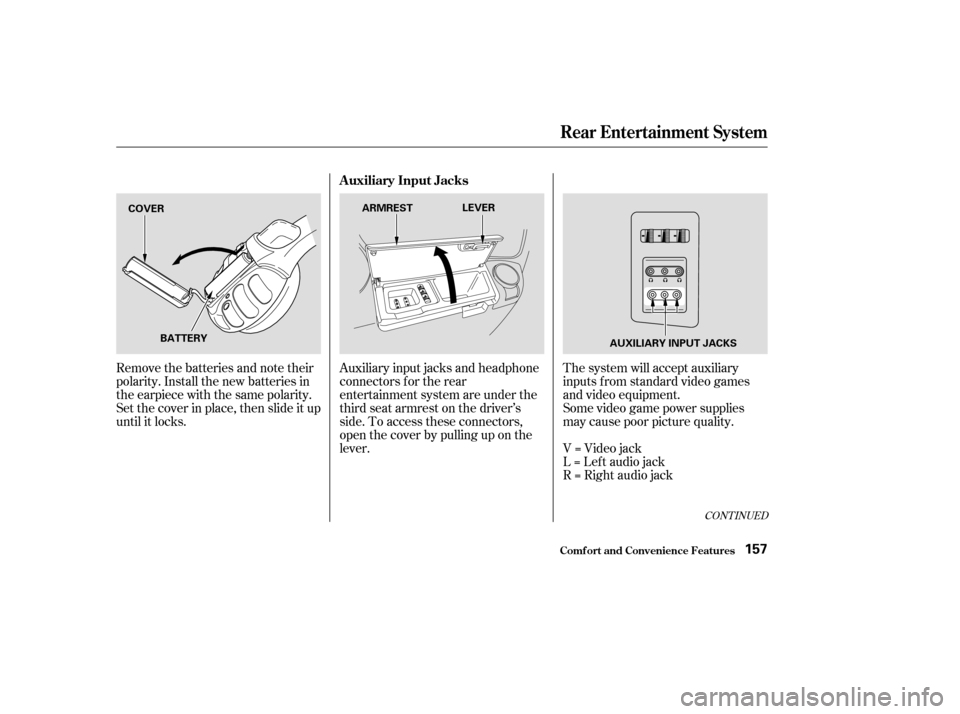
Remove the batteries and note their
polarity. Install the new batteries in
the earpiece with the same polarity.
Set the cover in place, then slide it up
until it locks.Auxiliary input jacks and headphone
connectors f or the rear
entertainment system are under the
third seat armrest on the driver’s
side. To access these connectors,
open the cover by pulling up on the
lever.The system will accept auxiliary
inputs f rom standard video games
and video equipment.
Some video game power supplies
may cause poor picture quality.
V=Videojack
L = Lef t audio jack
R = Right audio jack
CONT INUED
Rear Entertainment System
Comf ort and Convenience Feat ures
Auxiliary Input Jacks
157
COVER
BATTERY ARMREST
LEVER
AUXILIARY INPUT JACKS
Page 161 of 296
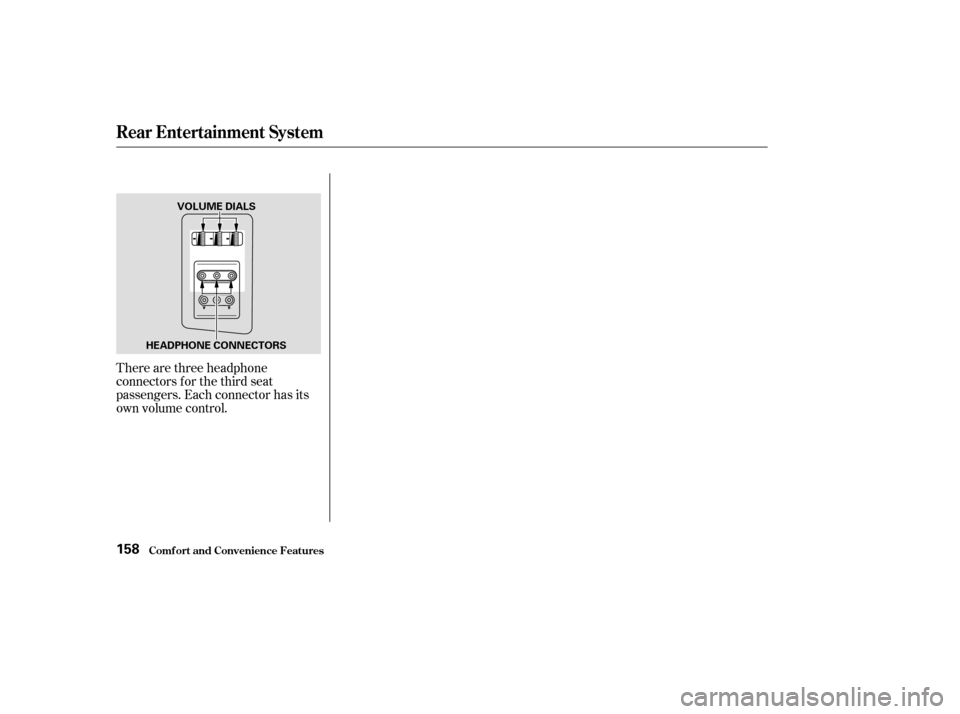
There are three headphone
connectors f or the third seat
passengers. Each connector has its
own volume control.
Rear Entertainment System
Comf ort and Convenience Feat ures158
VOLUME DIALS
HEADPHONE CONNECTORS
Page 162 of 296

The security system helps to protect
your vehicle and valuables f rom thef t.
The horn sounds and a combination
of headlights, parking lights, side
marker lights and taillights f lashes if
someone attempts to break into your
vehicleorremovetheradio.This
alarm continues f or two minutes,
then the alarm stops. To reset an
alarming system before the two
minutes have elapsed, unlock either
f ront door with the key or the
remote transmitter.
The security system automatically
sets 15 seconds after you lock the
doors, hood, and the tailgate. For the
system to activate, you must lock the
doors f rom the outside with the key,
the lock tab, the door lock switch, or
theremotetransmitter.Thesecurity
system indicator next to the low oil
pressure indicator starts blinking
immediately to show you the system
is setting itself .Once the security system is set,
opening any door without using the
key or the remote transmitter, or the
hood, will cause it to alarm. It also
alarms if the radio is removed from
the dashboard or the wiring is cut.With the system set, you can still
open the tailgate with the master key
or the remote transmitter without
triggering the alarm. The alarm will
sound if the tailgate lock is f orced, or
smashed.
The security system will not set if
the hood, tailgate, or any door is not
f ully closed. If the system will not set,
check the Door Lamp Monitor on
the instrument panel (see page ),
to see if the doors and the tailgate
are f ully closed. Since it is not part of
the monitor display, manually check
the hood.
Do not attempt to alter this system
or add other devices to it.
63
On EX and EX-L models
Comf ort and Convenience Feat ures
Security System
159
SECURITY SYSTEM
INDICATOR
Page 166 of 296

�µ
The HomeLinkUniversal
Transceiver built into your vehicle
canbeprogrammedtooperateupto
three remote controlled devices
around your home, such as garage
doors, lighting, or home security
systems.
If you are training HomeLink to
operate a garage door or gate, you
should unplug the motor f or that
device during training. Repeatedly
pressing the remote control button
could burn out the motor.
The HomeLink transceiver stores
the code in a permanent memory.
There should be no need to retrain
the transmitter if your vehicle’s
battery goes dead or is disconnected.
If your garage door opener was
manuf actured bef ore April 1982, you
may not be able to program
HomeLink to operate it. They do not have the safety feature that causes
the motor to stop and reverse if an
obstacle is detected during closing,
increasing the risk of injury.
HomeLink
is a registered
trademark of Johnson Controls . If you just
received your vehicle and have not
trained any of the buttons in
HomeLink bef ore, you should erase
any previously learned codes bef ore
training the first button.
Todothis,pressandholdthetwo
outside buttons on the HomeLink
transceiver for about 20 seconds, or
until the red light f lashes. Release
the buttons, then proceed to Step 1.
If you are training the second or
third buttons, go directly to Step 1.
Always ref er to the opening
instructions and saf ety inf ormation
that came with your garage door
opener or other equipment you
intend to operate with the HomeLink
Universal Transceiver. If you do not
have this inf ormation, you should
contact the manuf acturer of the
equipment.
CONT INUED
On EX and EX-L models
HomeL ink Universal T ransceiver
Comf ort and Convenience Feat ures
General Inf ormation T raining HomeL ink
Important Saf ety Precautions
Bef ore you begin
163
TM
Page 168 of 296
�µ�µ
For security purposes, newer garage
door opening systems use a ‘‘rolling’’
or variable code. Inf ormation f rom
the remote control and the garage
door opener are needed bef ore
HomeLink can operate the garage
door opener.
The ‘‘Training HomeLink’’
procedure trains HomeLink to the
proper garage door opener code.
The f ollowing procedure
synchronizes HomeLink to the
garage door opener so they send and
receive the correct codes.
Make sure you have properly
completed the ‘‘Training
HomeLink’’ procedure.
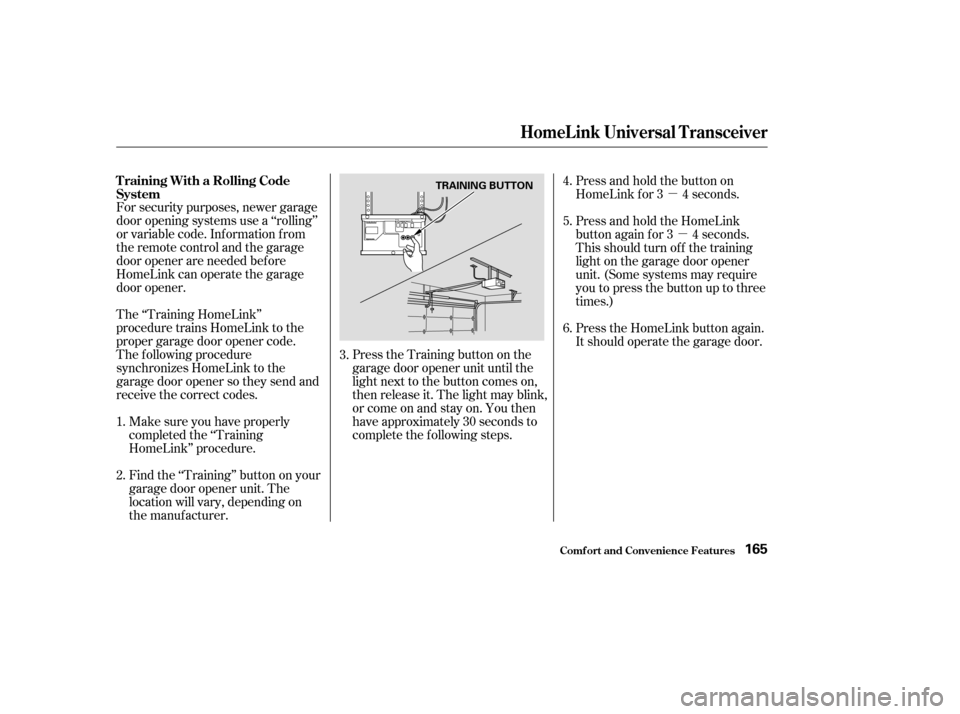
Find the ‘‘Training’’ button on your
garage door opener unit. The
location will vary, depending on
the manufacturer. Press the Training button on the
garage door opener unit until the
light next to the button comes on,
then release it. The light may blink,
or come on and stay on. You then
have approximately 30 seconds to
complete the f ollowing steps.Press and hold the button on
HomeLink f or 3 4 seconds.
Press and hold the HomeLink
button again f or 3 4 seconds.
This should turn of f the training
light on the garage door opener
unit. (Some systems may require
youtopressthebuttonuptothree
times.)
Press the HomeLink button again.
It should operate the garage door.
6.
2. 4.
5.
1. 3.
T raining With a Rolling Code
System
HomeL ink Universal T ransceiver
Comf ort and Convenience Feat ures165
TRAINING BUTTON