Page 91 of 554

{CAUTION:
If the air bag readiness light in the instrument
panel cluster ever comes on and stays on, it
means that something may be wrong with the
air bag system.
CAUTION: (Continued)
CAUTION: (Continued)
If this ever happens, have the vehicle serviced
promptly, because an adult-size person sitting
in the right front passenger’s seat may not have
the protection of the frontal air bag. See “Air
Bag Readiness Light” in the Index for more on
this, including important safety information.
Aftermarket equipment, such as seat covers, can affect
how well the passenger sensing system operates.
You may want to consider not using seat covers or other
aftermarket equipment if your vehicle has the passenger
sensing system. SeeAdding Equipment to Your Air
Bag-Equipped Vehicle on page 1-86for more
information about modications that can affect how the
system operates.
{CAUTION:
Stowing of articles under the passenger’s seat
or between the passenger’s seat cushion and
seatback may interfere with the proper
operation of the passenger sensing system.
1-85
Page 107 of 554

Lockout Protection
This feature protects you from locking your key in the
vehicle when the key is in the ignition and a door
is open.
If the power lock switch is pressed when a door is open
and the key is in the ignition, all of the doors will lock
and then the driver’s door will unlock.
Liftgate
{CAUTION:
It Can be dangerous to drive with the liftgate
glass, liftgate or rear doors open because
carbon monoxide (CO) gas can come into your
vehicle. You can not see or smell CO. It can
cause unconsciousness and even death.
CAUTION: (Continued)
CAUTION: (Continued)
If you must drive with the liftgate glass, liftgate
or rear doors open or if electrical wiring or
other cable connections must pass through
the seal between the body and the liftgate
glass, liftgate or rear doors:
Make sure all other windows are shut.
Turn the fan on your heating or cooling
system to its highest speed with the
setting on VENT or OUTSIDE AIR. That will
force outside air into your vehicle. See
Climate Control System on page 3-22.
If you have air outlets on or under the
instrument panel, open them all the way.
SeeEngine Exhaust on page 2-42.
2-13
Page 118 of 554

To Use the Engine Coolant Heater
1. Turn off the engine.
2. Open the hood and unwrap the electrical cord. The
cord is located on the driver’s side of the engine
compartment, near the power steering uid
reservoir. If you have a diesel engine, refer to
diesel supplement for location.
3. Plug it into a normal, grounded 110-volt AC outlet.
{CAUTION:
Plugging the cord into an ungrounded outlet
could cause an electrical shock. Also, the
wrong kind of extension cord could overheat
and cause a re. You could be seriously
injured. Plug the cord into a properly grounded
three-prong 110-volt AC outlet. If the cord will
not reach, use a heavy-duty three-prong
extension cord rated for at least 15 amps.4. Before starting the engine, be sure to unplug and
store the cord as it was before to keep it away
from moving engine parts. If you don’t, it could be
damaged.
How long should you keep the coolant heater plugged
in? The answer depends on the outside temperature, the
kind of oil you have, and some other things. Instead
of trying to list everything here, we ask that you contact
your dealer in the area where you’ll be parking your
vehicle. The dealer can give you the best advice for that
particular area.
Automatic Transmission Operation
There are several different positions for your shift lever.
Your vehicle is equipped with an automatic transmission
and features an electronic shift position indicator
within the instrument panel cluster. This display must be
powered anytime the shift lever is capable of being
moved out of PARK (P).
PARK (P):This position locks your rear wheels. It’s the
best position to use when you start your engine
because your vehicle can’t move easily.
2-24
Page 123 of 554

Front Axle Locking Feature
The front axle locks and unlocks automatically when
you shift the transfer case. Some delay for the axle to
lock or unlock is normal.
Automatic Transfer Case
{CAUTION:
Shifting the transfer case to NEUTRAL can
cause your vehicle to roll even if the
transmission is in PARK (P). You or someone
else could be seriously injured. Be sure to set
the parking brake before placing the transfer
case in NEUTRAL. SeeParking Brake on
page 2-37.The transfer case buttons
are located to the left of
the instrument panel
cluster.
Use these buttons to shift into and out of four-wheel drive.
You can choose among four driving settings:
h(2HI):This setting is used for driving in most street
and highway situations. Your front axle is not engaged
in two-wheel drive. This setting also provides the
best fuel economy.
AUTO 4WD:This setting is ideal for use when road
conditions are variable. When driving your vehicle in
AUTO 4WD, the front axle is engaged, but the vehicle’s
power is sent only to the rear wheels. When the vehicle
senses a loss of traction, the system will automatically
engage four-wheel drive. Driving in this mode results in
slightly lower fuel economy than 2HI.
2-29
Page 127 of 554
Shifting Out of NEUTRAL
To shift out of NEUTRAL:
1. Set the parking brake and apply the regular brake
pedal.
2. Shift the transmission to NEUTRAL (N) and turn the
ignition to RUN with the engine off.
3. Press the button for the desired transfer case shift
position (2HI, 4HI, AUTO 4WD OR 4LO).
4. After the transfer case has shifted out of NEUTRAL
the red light will go out.
5. Release the parking brake.
6. You may start the engine and shift the transmission
to the desired position.
Excessively shifting the transfer case into or out of the
different modes may cause the transfer case to
enter the shift protection mode. This will protect the
transfer case from possible damage and will only allow
the transfer case to respond to one shift per 10
seconds. The transfer case may stay in this mode for
up to three minutes.
All-Wheel Drive with Stabilitrak®
With this feature, engine power is sent to all four wheels
all the time.
This is like four-wheel drive, but there is no separate
lever or switch to engage or disengage the front axle. It
is fully automatic, and adjust itself as needed for
road conditions.
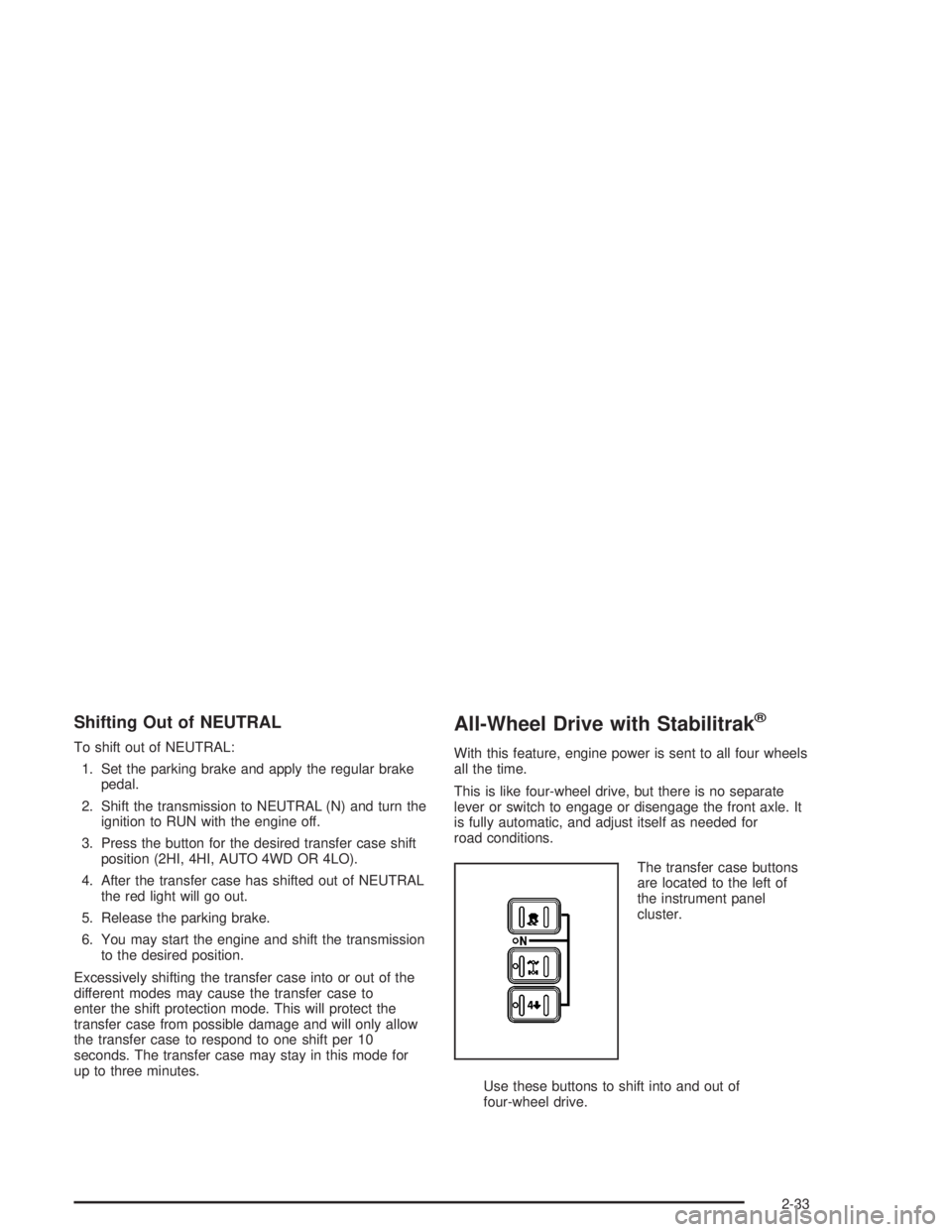
The transfer case buttons
are located to the left of
the instrument panel
cluster.
Use these buttons to shift into and out of
four-wheel drive.
2-33
Page 161 of 554

Instrument Panel Overview...............................3-4
Hazard Warning Flashers................................3-6
Other Warning Devices...................................3-7
Horn.............................................................3-7
Tilt Wheel.....................................................3-7
Turn Signal/Multifunction Lever.........................3-8
Exterior Lamps.............................................3-15
Interior Lamps..............................................3-19
Accessory Power Outlets...............................3-21
Ashtrays and Cigarette Lighter........................3-21
Climate Controls............................................3-22
Climate Control System.................................3-22
Dual Climate Control System..........................3-23
Dual Automatic Climate Control System...........3-27
Rear Air Conditioning System.........................3-34
Rear Air Conditioning and Heating System.......3-35
Rear Air Conditioning and Heating System
and Electronic Climate Controls...................3-38
Warning Lights, Gages and Indicators.............3-40
Warning Lights, Gages, and Indicators.............3-40
Instrument Panel Cluster................................3-41
Speedometer and Odometer...........................3-42
Tachometer.................................................3-42
Safety Belt Reminder Light.............................3-42
Air Bag Readiness Light................................3-43
Passenger Air Bag Status Indicator.................3-43Battery Warning Light....................................3-45
Voltmeter Gage............................................3-45
Brake System Warning Light..........................3-46
Anti-Lock Brake System Warning Light.............3-47
Traction Off Light..........................................3-48
Engine Coolant Temperature Gage..................3-49
Transmission Temperature Gage.....................3-49
Tire Pressure Light.......................................3-51
Malfunction Indicator Lamp.............................3-51
Oil Pressure Gage........................................3-55
Cruise Control Light......................................3-56
Four-Wheel-Drive Light..................................3-56
Tow/Haul Mode Light....................................3-56
Fuel Gage...................................................3-57
Low Fuel Warning Light.................................3-57
Driver Information Center (DIC).......................3-58
DIC Operation and Displays...........................3-58
DIC Warnings and Messages.........................3-70
Audio System(s).............................................3-77
Setting the Time for Radios without Radio
Data Systems (RDS)..................................3-77
Setting the Time for Radios with Radio
Data Systems (RDS)..................................3-78
AM-FM Radio...............................................3-78
Radio with CD..............................................3-81
Radio with Cassette and CD..........................3-92
Section 3 Instrument Panel
3-1
Page 162 of 554
Radio with Six-Disc CD................................3-108
Rear Seat Entertainment System...................3-122
Rear Seat Audio (RSA)................................3-134
Theft-Deterrent Feature................................3-135
Audio Steering Wheel Controls......................3-136
DVD Distortion............................................3-137
Radio Reception.........................................3-137
Care of Your Cassette Tape Player...............3-137Care of Your CDs and DVDs........................3-138
Care of Your CD and DVD Player.................3-139
Cleaning the Video Screen...........................3-139
Fixed Mast Antenna....................................3-139
XM™ Satellite Radio Antenna System
(48 Contiguous US States)........................3-139
Chime Level Adjustment...............................3-139
Section 3 Instrument Panel
3-2
Page 164 of 554
Instrument Panel Overview
3-4