2004 GMC YUKON DENALI reset
[x] Cancel search: resetPage 129 of 468
Outside Power Mirrors
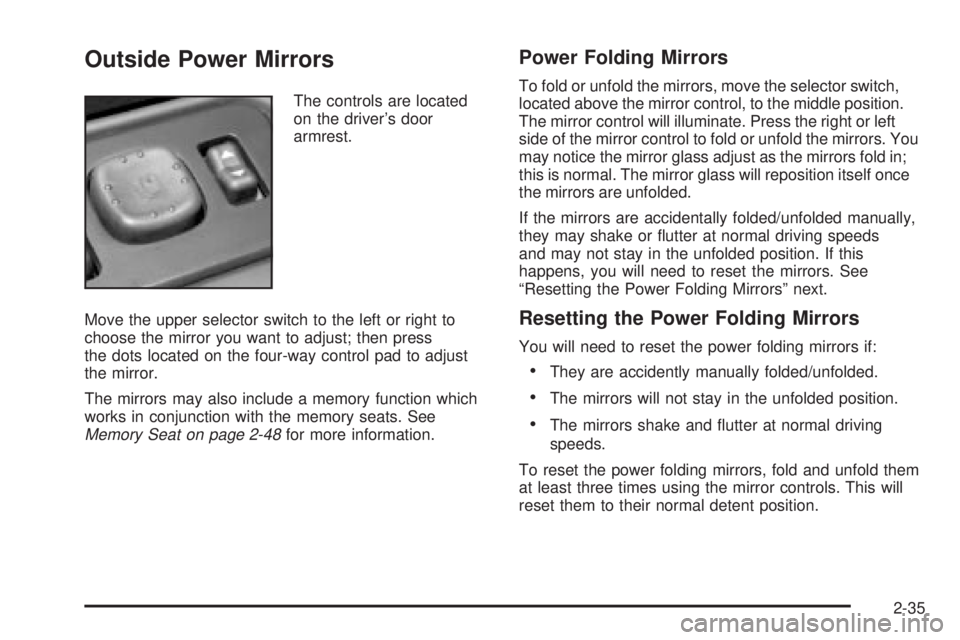
The controls are located
on the driver's door
armrest.
Move the upper selector switch to the left or right to
choose the mirror you want to adjust; then press
the dots located on the four-way control pad to adjust
the mirror.
The mirrors may also include a memory function which
works in conjunction with the memory seats. See
Memory Seat on page 2-48for more information.
Power Folding Mirrors
To fold or unfold the mirrors, move the selector switch,
located above the mirror control, to the middle position.
The mirror control will illuminate. Press the right or left
side of the mirror control to fold or unfold the mirrors. You
may notice the mirror glass adjust as the mirrors fold in;
this is normal. The mirror glass will reposition itself once
the mirrors are unfolded.
If the mirrors are accidentally folded/unfolded manually,
they may shake or ¯utter at normal driving speeds
and may not stay in the unfolded position. If this
happens, you will need to reset the mirrors. See
ªResetting the Power Folding Mirrorsº next.
Resetting the Power Folding Mirrors
You will need to reset the power folding mirrors if:
·They are accidently manually folded/unfolded.
·The mirrors will not stay in the unfolded position.
·The mirrors shake and ¯utter at normal driving
speeds.
To reset the power folding mirrors, fold and unfold them
at least three times using the mirror controls. This will
reset them to their normal detent position.
2-35
Page 137 of 468
Reprogramming a Single HomeLinkž
Button
To program a device to HomeLinkžusing a HomeLinkž
button previously trained, follow these steps:
1. Press and hold the desired HomeLink
žbutton.
Do not release the button.
2. The indicator light will begin to ¯ash after
20 seconds. While still holding the HomeLink
ž
button, proceed with Step 2 under ªProgramming
HomeLinkž.º
Resetting Defaults
To reset HomeLinkžto default settings do the following:
1. Hold down the two outside buttons for about
20 seconds until the indicator light begins to ¯ash.
2. Continue to hold both buttons until the HomeLink
ž
indicator light turns off.
3. Release both buttons.
For questions or comments, contact HomeLink
žat
1-800-355-3515, or on the internet at
www.homelink.com.
Storage Areas
Glove Box
To open your glove box, lift up the latch and pull the
door open.
Cupholder(s)
Your vehicle is equipped with cupholders for the front
and rear passengers.
The cupholders are located in the center console for the
front passengers and on the rear of the center console
for the rear passengers.
To use the front cupholders, press down on the access
door and release. The door will then open. Push the
door back down to close it.
To use the rear cupholders, pull down on the door
located on the back of the console.
2-43
Page 142 of 468

If a hand, arm, or other object is blocking the sunroof
glass panel as it is closing, the glass panel will stop
at the obstruction. After the obstruction is removed, the
glass panel can be closed or opened.
Use care not to leave the sunroof open for long periods
of time as debris may collect in the tracks.
If the battery has been recharged, disconnected or is
not working, you may need to reprogram the sunroof. To
do this, start the vehicle and press the forward side of
the sunroof button until the glass panel moves to a fully
closed position. Release, and press again to move to
the vent position which occurs when the sunroof is fully
tilted rearward. This will reset the memory and enable
the sunroof to function properly.Vehicle Personalization
Memory Seat
If your vehicle has this
feature, then the controls
for the memory function
are located on the driver's
door.
These buttons are used to program and recall memory
settings for the driver's seat, throttle and brake
pedals, both the driver's and passenger's outside mirror,
and the radio station presets. The settings for these
features can be personalized for both driver 1 and
driver 2. Driver 1 or driver 2 corresponds to the memory
buttons labeled 1and 2 on the driver's door.
2-48
Page 143 of 468
To store your memory seat, throttle and brake pedals,
mirrors and radio presets, do the following:
1. Adjust the driver's seat (including the seatback
recliner, lumbar, and side wing area), throttle
and brake pedals, both of the outside mirrors, and
the radio station presets to your preference.
2. Press and hold the 1 or 2 (for driver 1or 2) button
of the memory control for three seconds. A double
chime will sound to let you know that the position
has been stored.
To repeat the procedure for a second driver, follow the
preceding steps, but press the other numbered
memory control button.
Each time button 1 or 2 is pressed and released while
the vehicle is in PARK (P), a single chime will sound and
the memory position will be recalled.If you use the unlock button on the remote keyless entry
transmitter to enter your vehicle, the preset driver's
seat, throttle and brake pedal, mirror positions and the
radio station presets will be recalled if programmed
to do so through the Driver Information Center (DIC).
The numbers on the back of the transmitters, 1 or 2,
correspond to the numbers on the memory controls.
The seat, throttle and brake pedals and mirror positions
can also be recalled when placing the key in the
ignition if programmed to do so through the Driver
Information Center (DIC).
To stop recall movement of the memory seat feature at
any time, press one of the memory buttons or power
seat controls.
2-49
Page 154 of 468
Windshield Washer
L
(Washer Fluid):There is a paddle marked with the
windshield washer symbol at the top of the multifunction
lever. To spray washer ¯uid on the windshield, push
the paddle. The wipers will clear the window and then
either stop or return to your preset speed.
{CAUTION:
In freezing weather, do not use your washer
until the windshield is warmed. Otherwise the
washer ¯uid can form ice on the windshield,
blocking your vision.
Rear Window Washer/Wiper
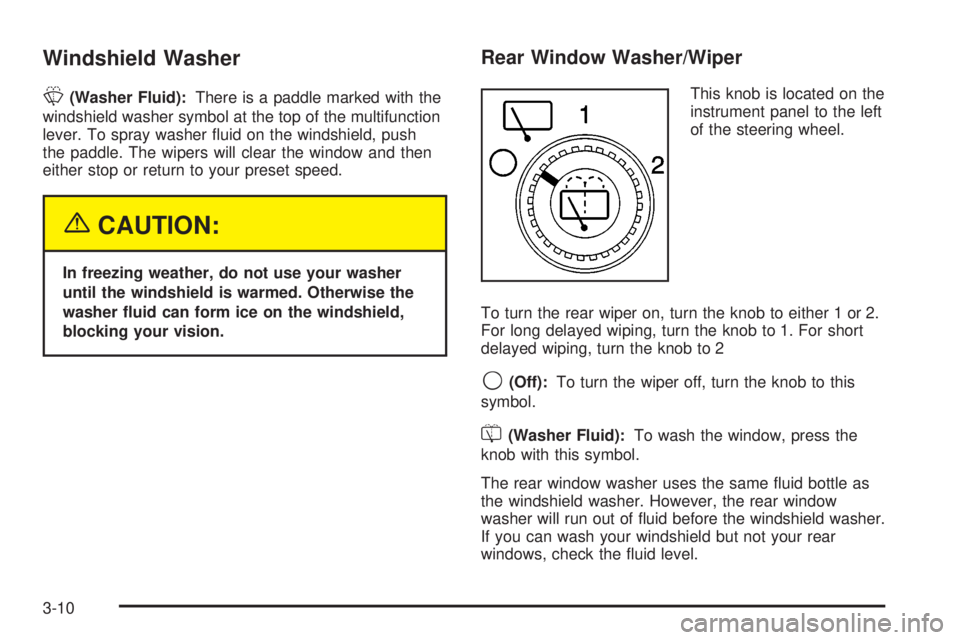
This knob is located on the
instrument panel to the left
of the steering wheel.
To turn the rear wiper on, turn the knob to either 1 or 2.
For long delayed wiping, turn the knob to 1. For short
delayed wiping, turn the knob to 2
9(Off):To turn the wiper off, turn the knob to this
symbol.
=(Washer Fluid):To wash the window, press the
knob with this symbol.
The rear window washer uses the same ¯uid bottle as
the windshield washer. However, the rear window
washer will run out of ¯uid before the windshield washer.
If you can wash your windshield but not your rear
windows, check the ¯uid level.
3-10
Page 156 of 468
Setting Cruise Control
{CAUTION:
If you leave your cruise control on when you
are not using cruise, you might hit a button
and go into cruise when you do not want to.
You could be startled and even lose control.
Keep the cruise control switch off until you
want to use cruise control.
1. Move the cruise control switch to on.
2. Get up to the speed you want.
3. Press in the set button at the end of the lever and
release it.
4. Take your foot off the accelerator pedal.
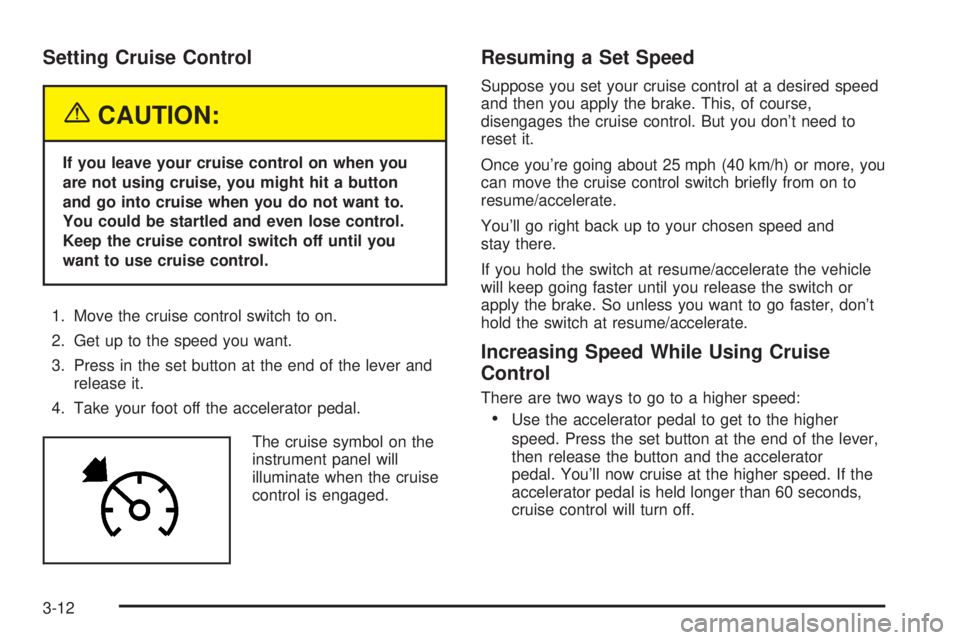
The cruise symbol on the
instrument panel will
illuminate when the cruise
control is engaged.
Resuming a Set Speed
Suppose you set your cruise control at a desired speed
and then you apply the brake. This, of course,
disengages the cruise control. But you don't need to
reset it.
Once you're going about 25 mph (40 km/h) or more, you
can move the cruise control switch brie¯y from on to
resume/accelerate.
You'll go right back up to your chosen speed and
stay there.
If you hold the switch at resume/accelerate the vehicle
will keep going faster until you release the switch or
apply the brake. So unless you want to go faster, don't
hold the switch at resume/accelerate.
Increasing Speed While Using Cruise
Control
There are two ways to go to a higher speed:
·Use the accelerator pedal to get to the higher
speed. Press the set button at the end of the lever,
then release the button and the accelerator
pedal. You'll now cruise at the higher speed. If the
accelerator pedal is held longer than 60 seconds,
cruise control will turn off.
3-12
Page 190 of 468

Driver Information Center (DIC)
The DIC display is located on the instrument panel
cluster above the steering wheel. The DIC can display
information such as the trip odometer, fuel economy and
personalization features. Vehicles without the DIC
buttons will not have all the features as the regular DIC.
See
Speedometer and Odometer on page 3-32for
information on features for vehicles without a full DIC.
A (Trip Information):This button will display the
odometer, personal trip odometer, business trip
odometer, hourmeter, annual log and the timer.
B (Fuel Information):This button will display the
current range, average fuel economy, instant fuel
economy and engine oil life.C (Personalization):This button will change personal
options available on your vehicle.
D (Select):This button resets certain functions and
turns off or acknowledges messages on the DIC.
DIC Operation and Displays
The DIC comes on when the ignition is on. After a short
delay the DIC will display the current driver (1 or 2)
and the information that was last displayed before the
engine was turned off.
If a problem is detected, a warning message will appear
on the display. Pressing any of the four buttons will
acknowledge (clear) most current warnings or service
messages. Some warnings that cannot be
acknowledged (cleared) are: ENGINE OVERHEATED,
OIL PRESSURE LOW, REDUCED ENGINE POWER,
TRANS HOT IDLE ENGINE, TRACTION SYS LIMITED,
TRACTION ACTIVE. These warnings must be dealt
with immediately and therefore cannot be cleared until
the problem has been corrected.
The DIC has different modes which can be accessed by
pressing the four buttons on the DIC. These buttons
are trip information, fuel information, personalization and
select. The button functions are detailed in the
following.
3-46
Page 191 of 468
Trip Information Button
Press the trip information button to scroll through the
ODOMETER, PERSONAL TRIP ON/OFF, BUSINESS
TRIP ON/OFF, HOURMETER, ANNUAL LOG and
TIMER. If the personal trip and/or the business trip are
set to ON, you will also be able to scroll through
more messages. See ªPersonal Tripº and ªBusiness
Tripº next for more information.
If your vehicle is not equipped with the DIC steering
wheel buttons you can select the trip information
by pressing the trip odometer reset stem on the
instrument panel cluster.
Personal Trip
Turn PERSONAL TRIP on or off by pressing the select
button. When it is on, you will also be able to scroll
through the following by pressing the trip information
button:
·PERSONAL: XXXXXX.X MI Ð This shows the
current distance traveled since the last reset for the
personal trip odometer in either miles or kilometers.
·PERSONAL: XXXX.X GAL Ð This shows the
amount of fuel used for the personal trip.
·PERSONAL: XX.X MPGÐ This shows how many
miles per gallon of fuel your vehicle is getting for
the personal trip based on current and past driving
conditions.
·PERSONAL: XXX.X AVG MPH Ð This shows the
vehicle's average speed for the personal trip.
·PERSONAL: % ANNUAL Ð This shows the ratio of
personal trip miles to annual miles as a percent.
You can reset the personal trip odometer by pressing
and holding the trip odometer reset stem.
Business Trip
Turn BUSINESS TRIP on or off by pressing the select
button. When it is on, you will also be able to scroll
through the following by pressing the trip information
button:
·BUSINESS: XXXXXX.X MI Ð This shows the
current distance traveled since the last reset for the
business trip odometer in either miles or kilometers.
·BUSINESS: XXXX.X GAL Ð This shows the
amount of fuel used for the business trip.
·BUSINESS: XX.X MPG Ð This shows the amount
of fuel used for the business trip.
·BUSINESS: XXXX.X AVG MPH Ð This shows the
vehicle's average speed for the business trip.
·BUSINESS: % ANNUAL Ð This shows the ratio of
business trip miles to annual miles as a percent.
3-47