2004 GMC SIERRA ECU
[x] Cancel search: ECUPage 109 of 588
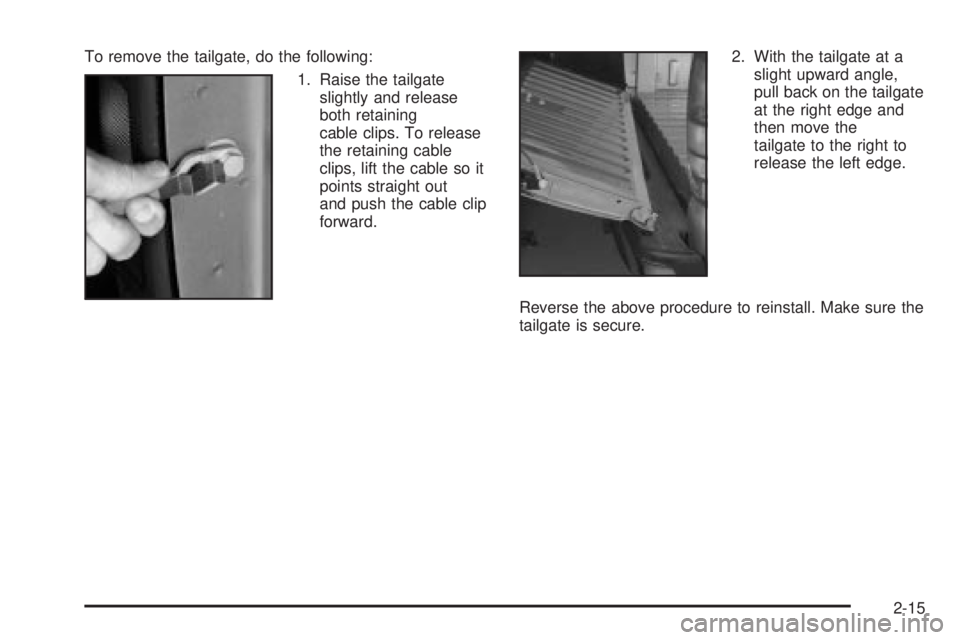
To remove the tailgate, do the following:
1. Raise the tailgate
slightly and release
both retaining
cable clips. To release
the retaining cable
clips, lift the cable so it
points straight out
and push the cable clip
forward.2. With the tailgate at a
slight upward angle,
pull back on the tailgate
at the right edge and
then move the
tailgate to the right to
release the left edge.
Reverse the above procedure to reinstall. Make sure the
tailgate is secure.
2-15
Page 113 of 588
Theft-Deterrent Systems
Vehicle theft is big business, especially in some cities.
Although your vehicle has a number of theft-deterrent
features, we know that nothing we put on it can make it
impossible to steal. However, there are ways you
can help.
Content Theft-Deterrent
Your vehicle may be equipped with a content
theft-deterrent alarm system.
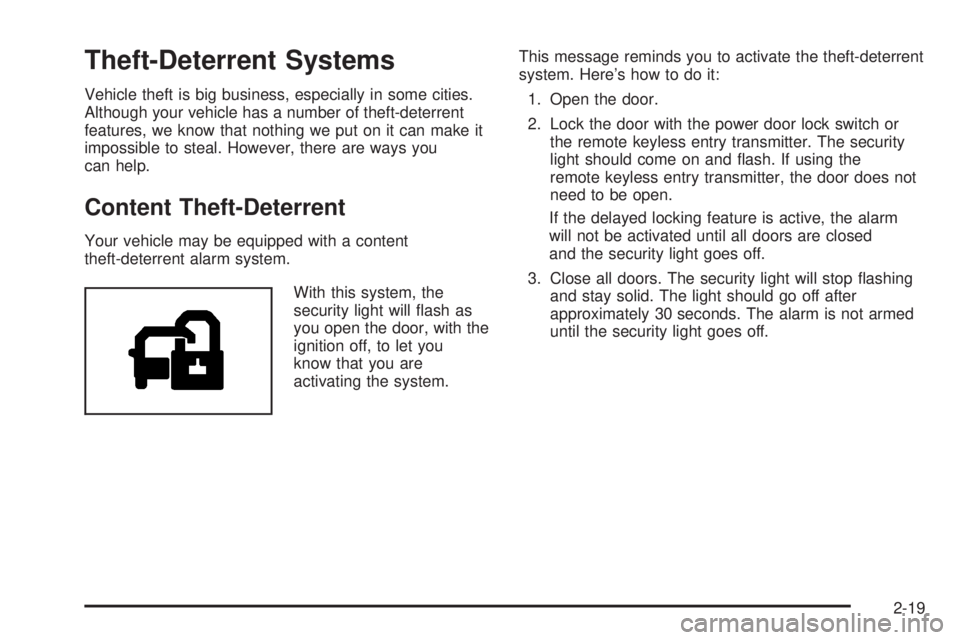
With this system, the
security light will ¯ash as
you open the door, with the
ignition off, to let you
know that you are
activating the system.This message reminds you to activate the theft-deterrent
system. Here's how to do it:
1. Open the door.
2. Lock the door with the power door lock switch or
the remote keyless entry transmitter. The security
light should come on and ¯ash. If using the
remote keyless entry transmitter, the door does not
need to be open.
If the delayed locking feature is active, the alarm
will not be activated until all doors are closed
and the security light goes off.
3. Close all doors. The security light will stop ¯ashing
and stay solid. The light should go off after
approximately 30 seconds. The alarm is not armed
until the security light goes off.
2-19
Page 114 of 588

If a door is opened without the key or the remote
keyless entry transmitter, the alarm will go off. Your
vehicle's headlamps will ¯ash and the horn will sound for
about two minutes, then will turn off to save the
battery power.
Remember, the theft-deterrent system won't activate if
you lock the doors with a key or use the manual
door lock. It activates only if you use a power door lock
switch with the door open, or with the remote keyless
entry transmitter. You should also remember that
you can start your vehicle with the correct ignition key if
the alarm has been set off.
Here's how to avoid setting off the alarm by accident:
·If you don't want to activate the theft-deterrent
system, the vehicle should be locked with the door
key
afterthe doors are closed.
·Always unlock a door with a key, or use the remote
keyless entry transmitter. Unlocking a door any
other way will set off the alarm if the system
has been armed.
If you set off the alarm by accident, unlock any door with
the key. You can also turn off the alarm by pressing
UNLOCK on the remote keyless entry transmitter or by
placing the key in the ignition and turning it to START.
Testing the Alarm
The alarm can be tested by following these steps:
1. From inside the vehicle, lower the driver's window
and open the driver's door.
2. Activate the system by locking the doors with the
power door lock switch while the door is open, or
with the remote keyless entry transmitter.
3. Get out of the vehicle, close the door and wait for
the security light to go out.
4. Then reach in through the window, unlock the door
with the manual door lock and open the door. This
should set off the alarm.
If the alarm does not sound when it should but the
vehicle's headlamps ¯ash, check to see if the horn works.
The horn fuse may be blown. To replace the fuse, see
Fuses and Circuit Breakers on page 5-126.
If the alarm does not sound or the vehicle's headlamps do
not ¯ash, the vehicle should be serviced by an authorized
service center.
2-20
Page 115 of 588

Passlockž
Your vehicle is equipped with the
Passlockžtheft-deterrent system.
Passlockžis a passive theft-deterrent system.
Passlockženables fuel if the ignition lock cylinder is
turned with a valid key. If a correct key is not used or the
ignition lock cylinder is tampered with, fuel is disabled.
If the engine stalls and the security light ¯ashes, wait until
the light stops ¯ashing before trying to restart the engine.
Remember to release the key from START as soon as
the engine starts.
If the engine is running and the security light comes on,
you will be able to restart the engine if you turn the engine
off. However, your Passlock
žsystem is not working
properly and must be serviced by your dealer. Your
vehicle is not protected by Passlock
žat this time. You
may also want to check the fuse. SeeFuses and Circuit
Breakers on page 5-126. See your dealer for service.
In an emergency, call the GM Roadside Assistance
Center. See
Roadside Assistance Program on page 7-6.
Starting and Operating Your
Vehicle
New Vehicle Break-In
Notice:Your vehicle does not need an elaborate
ªbreak-in.º But it will perform better in the long run
if you follow these guidelines:
·Keep your speed at 55 mph (88 km/h) or less for
the ®rst 500 miles (805 km).
·Do not drive at any one speed Ð fast or
slow Ð for the ®rst 500 miles (805 km). Do not
make full-throttle starts.
·Avoid making hard stops for the ®rst 200 miles
(322 km) or so. During this time your new brake
linings are not yet broken in. Hard stops with new
linings can mean premature wear and earlier
replacement. Follow this breaking-in guideline
every time you get new brake linings.
·Do not tow a trailer during break-in. SeeTowing a
Trailer on page 4-70
for more information.
2-21
Page 158 of 588
Outside Convex Mirror
Your passenger's side mirror is convex. A convex
mirror's surface is curved so you can see more from the
driver's seat.
{CAUTION:
A convex mirror can make things (like other
vehicles) look farther away than they really are.
If you cut too sharply into the right lane, you
could hit a vehicle on your right. Check your
inside mirror or glance over your shoulder
before changing lanes.
Outside Heated Mirrors
The outside rearview mirrors with this option have a
defrost mode.
To turn on the defrost feature, press the rear window
defogger button. See ªRear Window Defoggerº under
Dual Automatic Climate Control System on page 3-26for
further information.
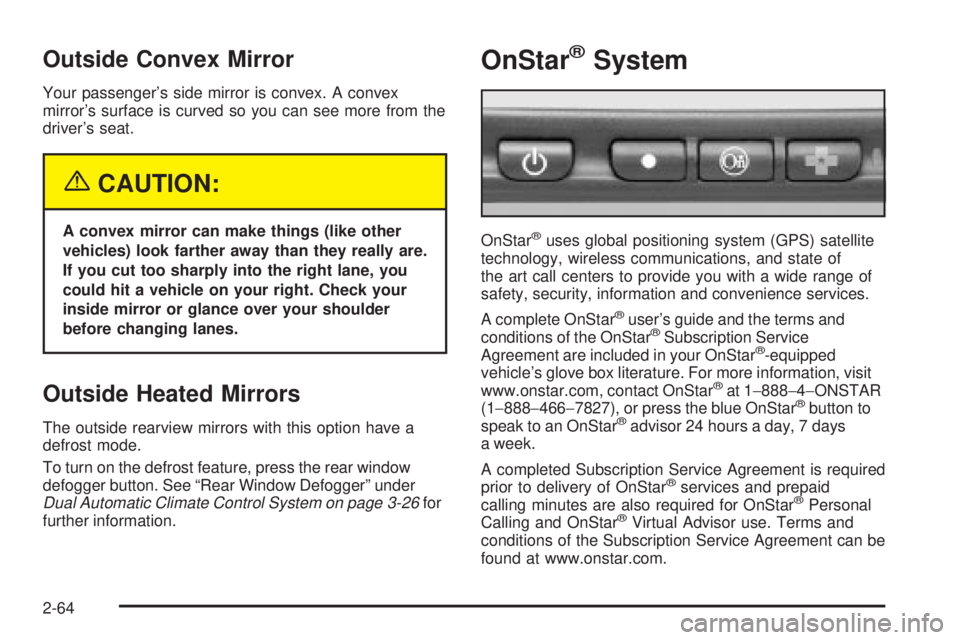
OnStaržSystem
OnStaržuses global positioning system (GPS) satellite
technology, wireless communications, and state of
the art call centers to provide you with a wide range of
safety, security, information and convenience services.
A complete OnStar
žuser's guide and the terms and
conditions of the OnStaržSubscription Service
Agreement are included in your OnStarž-equipped
vehicle's glove box literature. For more information, visit
www.onstar.com, contact OnStar
žat 1-888-4-ONSTAR
(1-888-466-7827), or press the blue OnStaržbutton to
speak to an OnStaržadvisor 24 hours a day, 7 days
a week.
A completed Subscription Service Agreement is required
prior to delivery of OnStar
žservices and prepaid
calling minutes are also required for OnStaržPersonal
Calling and OnStaržVirtual Advisor use. Terms and
conditions of the Subscription Service Agreement can be
found at www.onstar.com.
2-64
Page 203 of 588
{CAUTION:
If the right front passenger's air bag is turned
off for a person who isn't in a risk group
identi®ed by the national government, that
person won't have the extra protection of an
air bag. In a crash, the air bag wouldn't be able
to in¯ate and help protect the person sitting
there. Don't turn off the passenger's air bag
unless the person sitting there is in a risk
group. See²Air Bag Off Switch²in the Index
for more on this, including important safety
information.
{CAUTION:
If the air bag readiness light ever comes on
when you have turned off the air bag, it means
that something may be wrong with the air bag
system. The right front passenger's air bag
could in¯ate even though the switch is off.
If your vehicle is a regular cab pickup and this
ever happens, do not let anyone whom the
national government has identi®ed as a
member of a passenger air bag risk group sit
in the right front passenger's position (for
example, do not secure a rear-facing child
restraint in your vehicle) until you have your
vehicle serviced.
If your vehicle is an extended cab pickup and
this ever happens, do not let anyone whom the
national government has identi®ed as a
member of the passenger air bag risk group sit
in the right front passenger's position (for
example, do not secure a rear-facing child
restraint in the right front passenger's seat)
until you have your vehicle serviced.
3-39
Page 248 of 588
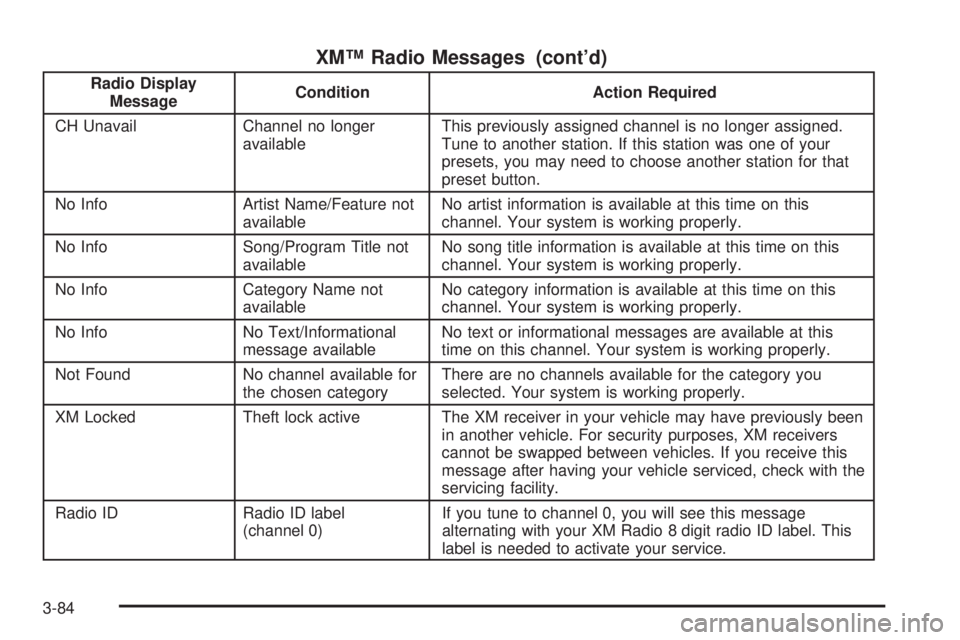
XMŸ Radio Messages (cont'd)
Radio Display
MessageCondition Action Required
CH Unavail Channel no longer
availableThis previously assigned channel is no longer assigned.
Tune to another station. If this station was one of your
presets, you may need to choose another station for that
preset button.
No Info Artist Name/Feature not
availableNo artist information is available at this time on this
channel. Your system is working properly.
No Info Song/Program Title not
availableNo song title information is available at this time on this
channel. Your system is working properly.
No Info Category Name not
availableNo category information is available at this time on this
channel. Your system is working properly.
No Info No Text/Informational
message availableNo text or informational messages are available at this
time on this channel. Your system is working properly.
Not Found No channel available for
the chosen categoryThere are no channels available for the category you
selected. Your system is working properly.
XM Locked Theft lock active The XM receiver in your vehicle may have previously been
in another vehicle. For security purposes, XM receivers
cannot be swapped between vehicles. If you receive this
message after having your vehicle serviced, check with the
servicing facility.
Radio ID Radio ID label
(channel 0)If you tune to channel 0, you will see this message
alternating with your XM Radio 8 digit radio ID label. This
label is needed to activate your service.
3-84
Page 260 of 588
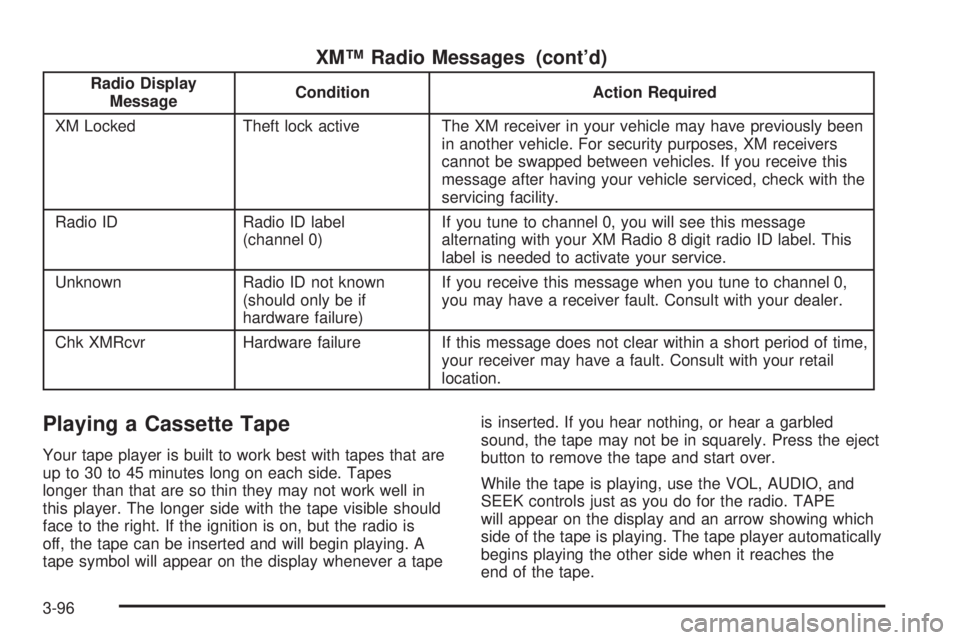
XMŸ Radio Messages (cont'd)
Radio Display
MessageCondition Action Required
XM Locked Theft lock active The XM receiver in your vehicle may have previously been
in another vehicle. For security purposes, XM receivers
cannot be swapped between vehicles. If you receive this
message after having your vehicle serviced, check with the
servicing facility.
Radio ID Radio ID label
(channel 0)If you tune to channel 0, you will see this message
alternating with your XM Radio 8 digit radio ID label. This
label is needed to activate your service.
Unknown Radio ID not known
(should only be if
hardware failure)If you receive this message when you tune to channel 0,
you may have a receiver fault. Consult with your dealer.
Chk XMRcvr Hardware failure If this message does not clear within a short period of time,
your receiver may have a fault. Consult with your retail
location.
Playing a Cassette Tape
Your tape player is built to work best with tapes that are
up to 30 to 45 minutes long on each side. Tapes
longer than that are so thin they may not work well in
this player. The longer side with the tape visible should
face to the right. If the ignition is on, but the radio is
off, the tape can be inserted and will begin playing. A
tape symbol will appear on the display whenever a tapeis inserted. If you hear nothing, or hear a garbled
sound, the tape may not be in squarely. Press the eject
button to remove the tape and start over.
While the tape is playing, use the VOL, AUDIO, and
SEEK controls just as you do for the radio. TAPE
will appear on the display and an arrow showing which
side of the tape is playing. The tape player automatically
begins playing the other side when it reaches the
end of the tape.
3-96