2004 GMC SIERRA trailer
[x] Cancel search: trailerPage 307 of 588
The next time you start your vehicle, the TAS will not
automatically come on. You can restore the automatic
feature by repeating the same procedure. Whether
the TAS is set to come on automatically or not, you can
always turn the system on or off by pressing the TAS
on/off button.
Manual Selectable Ride
The main function of this system is to provide superior
ride comfort while trailering or fully loaded, as well
as for unloaded driving. This system also helps
to provide:
·Improved trailering stability
·Improved handling response when trailering or fully
loaded
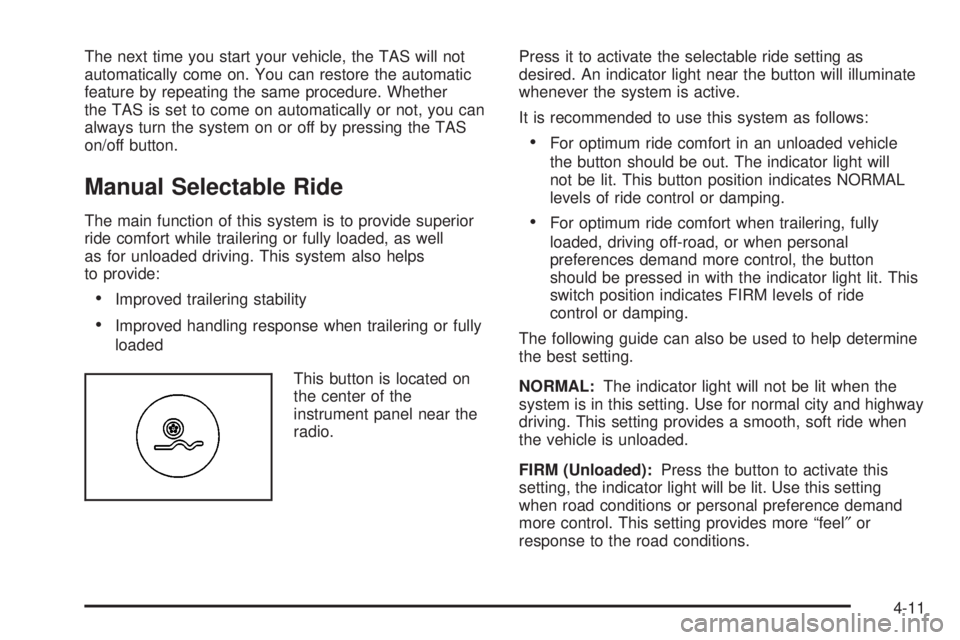
This button is located on
the center of the
instrument panel near the
radio.Press it to activate the selectable ride setting as
desired. An indicator light near the button will illuminate
whenever the system is active.
It is recommended to use this system as follows:
·For optimum ride comfort in an unloaded vehicle
the button should be out. The indicator light will
not be lit. This button position indicates NORMAL
levels of ride control or damping.
·For optimum ride comfort when trailering, fully
loaded, driving off-road, or when personal
preferences demand more control, the button
should be pressed in with the indicator light lit. This
switch position indicates FIRM levels of ride
control or damping.
The following guide can also be used to help determine
the best setting.
NORMAL:The indicator light will not be lit when the
system is in this setting. Use for normal city and highway
driving. This setting provides a smooth, soft ride when
the vehicle is unloaded.
FIRM (Unloaded):Press the button to activate this
setting, the indicator light will be lit. Use this setting
when road conditions or personal preference demand
more control. This setting provides more ªfeel²or
response to the road conditions.
4-11
Page 308 of 588
FIRM (Loaded):Press the button to activate this
setting, the indicator light will be lit. Use this setting to
minimize trailer inputs to the vehicle or when the vehicle
is fully loaded. This setting is also appropriate for
off-road driving.
You can select a setting at any time based on road and
trailering conditions to provide the best ride and
handling. Select a new setting whenever driving
conditions change.
Locking Rear Axle
If your vehicle has this feature, your locking rear axle
can give you additional traction on snow, mud, ice, sand
or gravel. It works like a standard axle most of the
time, but when one of the rear wheels has no traction
and the other does, this feature will allow the wheel with
traction to move the vehicle.
Steering
Power Steering
If you lose power steering assist because the engine
stops or the system is not functioning, you can steer but
it will take much more effort.
Steering Tips
Driving on Curves
It is important to take curves at a reasonable speed.
A lot of the ªdriver lost controlº accidents mentioned on
the news happen on curves. Here is why:
Experienced driver or beginner, each of us is subject to
the same laws of physics when driving on curves.
The traction of the tires against the road surface makes
it possible for the vehicle to change its path when
you turn the front wheels. If there is no traction, inertia
will keep the vehicle going in the same direction. If
you have ever tried to steer a vehicle on wet ice, you
will understand this.
The traction you can get in a curve depends on the
condition of your tires and the road surface, the angle at
which the curve is banked, and your speed. While
you are in a curve, speed is the one factor you
can control.
Suppose you are steering through a sharp curve.
Then you suddenly accelerate. Both control
systems Ð steering and acceleration Ð have to do their
work where the tires meet the road. Adding the
sudden acceleration can demand too much of those
places. You can lose control. See
Traction Assist
System (TAS) on page 4-9.
4-12
Page 310 of 588
QUADRASTEERŸ
The QUADRASTEERŸ System has a control and
diagnostic module that monitors and records current
system status and operational information.
If your vehicle is equipped with the 4 Wheel Steer
system it has the ability to steer the vehicle with all four
wheels.
Once the 4 Wheel Steer mode is selected, it is
recommended to leave the vehicle in this mode at all
times, and during all driving and weather conditions.
You can select this mode at any speed, however, if you
are turning the system will not engage until the turn
is complete.
The 4 Wheel Steer system is equipped with three
different driving modes:
·Two wheel steering (2)
·Four wheel steering (4)
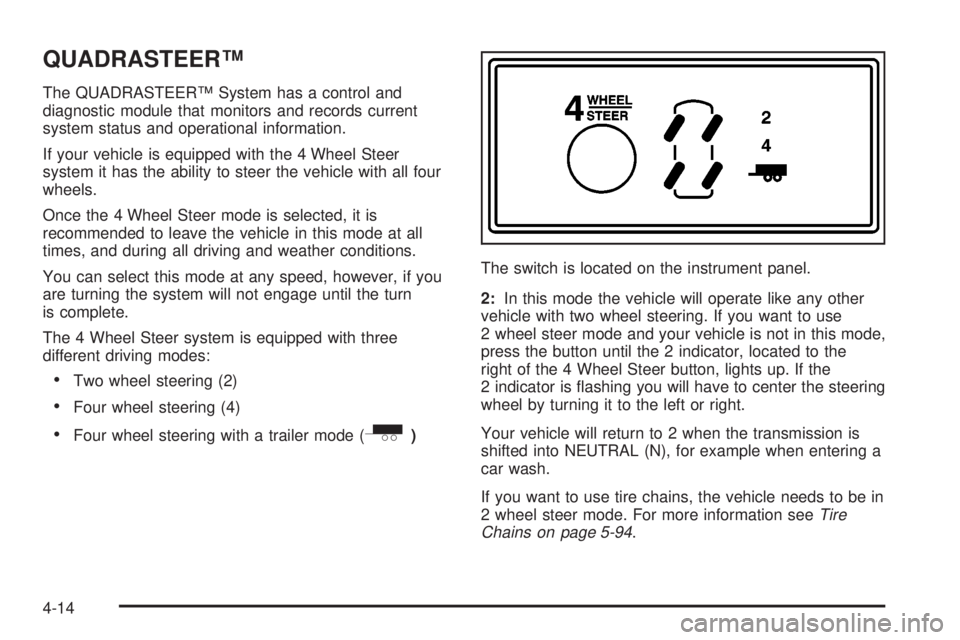
·Four wheel steering with a trailer mode (_)The switch is located on the instrument panel.
2:In this mode the vehicle will operate like any other
vehicle with two wheel steering. If you want to use
2 wheel steer mode and your vehicle is not in this mode,
press the button until the 2 indicator, located to the
right of the 4 Wheel Steer button, lights up. If the
2 indicator is ¯ashing you will have to center the steering
wheel by turning it to the left or right.
Your vehicle will return to 2 when the transmission is
shifted into NEUTRAL (N), for example when entering a
car wash.
If you want to use tire chains, the vehicle needs to be in
2 wheel steer mode. For more information see
Tire
Chains on page 5-94.
4-14
Page 311 of 588
4:In this mode all four wheels will help steer the
vehicle. If you want to use 4, and your vehicle is not in
this mode, press the button, until the 4 indicator,
located to the right of the 4 Wheel Steer button, comes
on and stays on. If the 4 indicator is ¯ashing you will
have to center the steering wheel by turning it to the left
or right.
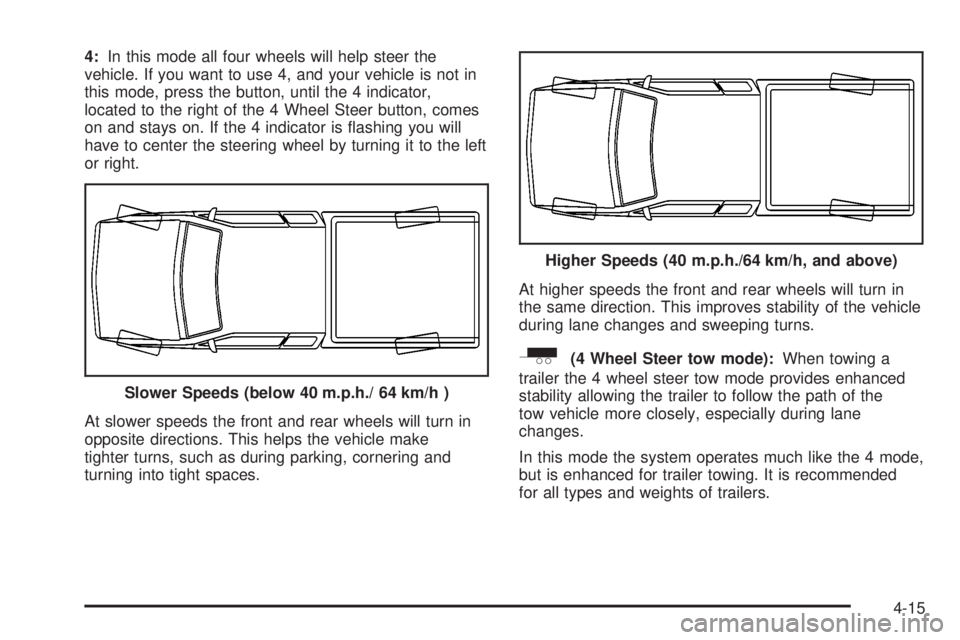
At slower speeds the front and rear wheels will turn in
opposite directions. This helps the vehicle make
tighter turns, such as during parking, cornering and
turning into tight spaces.At higher speeds the front and rear wheels will turn in
the same direction. This improves stability of the vehicle
during lane changes and sweeping turns.
_(4 Wheel Steer tow mode):When towing a
trailer the 4 wheel steer tow mode provides enhanced
stability allowing the trailer to follow the path of the
tow vehicle more closely, especially during lane
changes.
In this mode the system operates much like the 4 mode,
but is enhanced for trailer towing. It is recommended
for all types and weights of trailers. Slower Speeds (below 40 m.p.h./ 64 km/h )
Higher Speeds (40 m.p.h./64 km/h, and above)
4-15
Page 312 of 588
To engage the 4 Wheel Steer tow mode, press the
button until the 4 and tow mode indicators light up on
the instrument panel. If the tow indicator is ¯ashing you
will have to center the steering wheel by turning it to
the left or right. While in the 4 wheel steer tow mode, it
is possible the steering wheel may be slightly off
center. For more information, see
Towing a Trailer on
page 4-70.
Car Washes for QUADRASTEERŸ
Equipped Vehicles
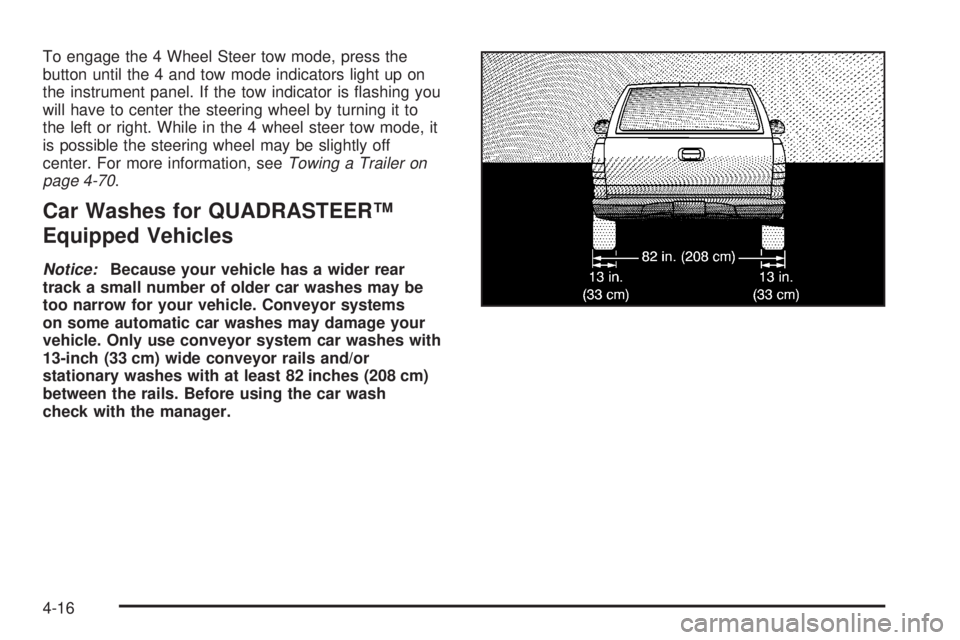
Notice:Because your vehicle has a wider rear
track a small number of older car washes may be
too narrow for your vehicle. Conveyor systems
on some automatic car washes may damage your
vehicle. Only use conveyor system car washes with
13-inch (33 cm) wide conveyor rails and/or
stationary washes with at least 82 inches (208 cm)
between the rails. Before using the car wash
check with the manager.
4-16
Page 350 of 588
Recreational Vehicle Towing
Recreational vehicle towing means towing your vehicle
behind another vehicle ± such as behind a motorhome.
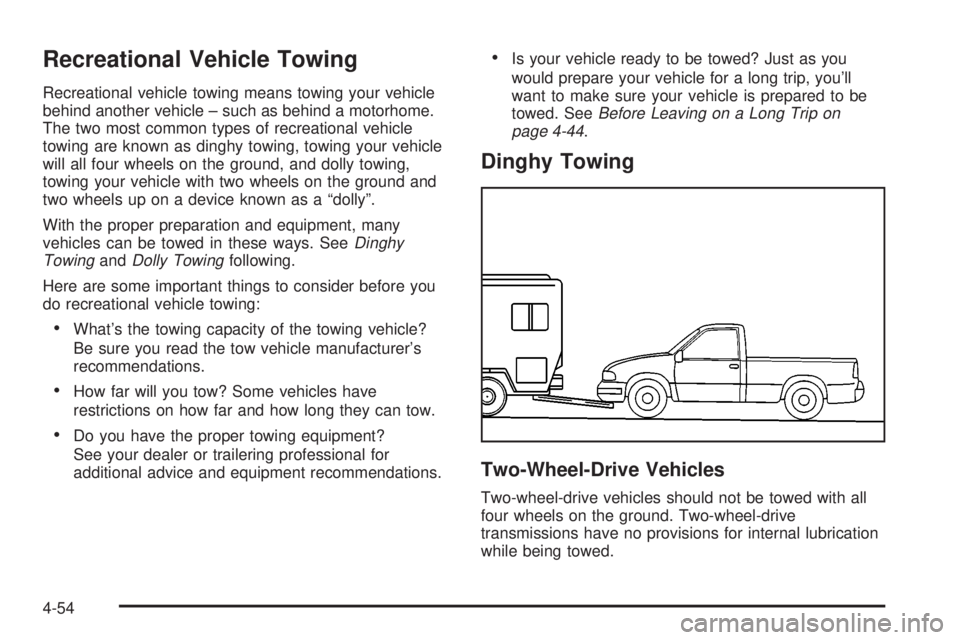
The two most common types of recreational vehicle
towing are known as dinghy towing, towing your vehicle
will all four wheels on the ground, and dolly towing,
towing your vehicle with two wheels on the ground and
two wheels up on a device known as a ªdollyº.
With the proper preparation and equipment, many
vehicles can be towed in these ways. See
Dinghy
TowingandDolly Towingfollowing.
Here are some important things to consider before you
do recreational vehicle towing:
·What's the towing capacity of the towing vehicle?
Be sure you read the tow vehicle manufacturer's
recommendations.
·How far will you tow? Some vehicles have
restrictions on how far and how long they can tow.
·Do you have the proper towing equipment?
See your dealer or trailering professional for
additional advice and equipment recommendations.
·Is your vehicle ready to be towed? Just as you
would prepare your vehicle for a long trip, you'll
want to make sure your vehicle is prepared to be
towed. See
Before Leaving on a Long Trip on
page 4-44.
Dinghy Towing
Two-Wheel-Drive Vehicles
Two-wheel-drive vehicles should not be towed with all
four wheels on the ground. Two-wheel-drive
transmissions have no provisions for internal lubrication
while being towed.
4-54
Page 355 of 588
5. Determine the combined weight of luggage and
cargo being loaded on the vehicle. That weight
may not safely exceed the available cargo
and luggage load capacity calculated in Step 4.
6. If your vehicle will be towing a trailer, the load from
your trailer will be transferred to your vehicle.
Consult this manual to determine how this reduces
the available cargo and luggage load capacity of
your vehicle.
See
Towing a Trailer on page 4-70for more
information on towing a trailer, towing safety rules
and trailering tips.
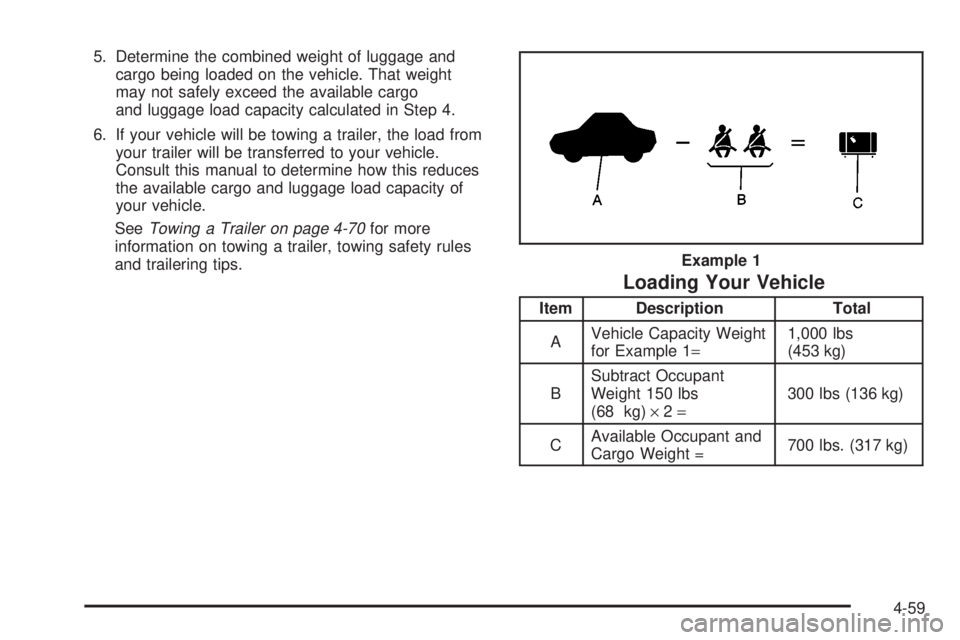
Loading Your Vehicle
Item Description Total
AVehicle Capacity Weight
for Example 1=1,000 lbs
(453 kg)
BSubtract Occupant
Weight 150 lbs
(68 kg)´2=300 lbs (136 kg)
CAvailable Occupant and
Cargo Weight =700 lbs. (317 kg) Example 1
4-59
Page 366 of 588
Trailer Recommendations
You must subtract your hitch loads from the CWR for
your vehicle. Weigh your vehicle with the trailer
attached, so that you won't go over the GVWR or
GAWR. If you are using a weight-distributing hitch,
weigh the vehicle without the spring bars in place.
You'll get the best performance if you spread out the
weight of your load the right way, and if you choose the
correct hitch and trailer brakes.
For more information, see
Towing a Trailer on
page 4-70.
Pickup Conversion to Chassis Cab
General Motors is aware that some vehicle owners may
consider having the pickup box removed and a
commercial or recreational body installed. Before you do
so, ®rst contact GM Customer Assistance for information
on such conversions speci®c to this vehicle. Owners
should be aware that, as manufactured, there are
differences between a chassis cab and a pickup with
the box removed which may affect vehicle safety.
The components necessary to adapt a pickup to permit
its safe use with a specialized body should be
installed by a body builder in accordance with the
information available from GM Customer Assistance.
See
Customer Assistance Offices on page 7-4.
Towing a Trailer
{CAUTION:
If you do not use the correct equipment and
drive properly, you can lose control when you
pull a trailer. For example, if the trailer is too
heavy, the brakes may not work well Ð or even
at all. You and your passengers could be
seriously injured. Pull a trailer only if you have
followed all the steps in this section. Ask your
dealer for advice and information about towing
a trailer with your vehicle.
Notice:Pulling a trailer improperly can damage
your vehicle and result in costly repairs not covered
by your warranty. To pull a trailer correctly, follow
the advice in this part, and see your dealer for
important information about towing a trailer with
your vehicle.
4-70