Page 45 of 248

MULTI-FUNCTION LEVER
Windshield wiper:Rotate the end
of the control away from you to
increase the speed of the wipers
(from desired interval to low or high
speed position); rotate towards you
to decrease the speed of the wipers.
Windshield washer: Push the end
of the stalk:
• briefly: causes a single swipe of
the wipers without washer fluid.
• a quick push and hold: the wipers
will swipe three times with
washer fluid.
• a long push and hold: the wipers
and washer fluid will be activated
for up to ten seconds.
Changing the wiper blades
1. Pull the wiper arm away from the
vehicle. Turn the blade at an angle
from the wiper arm. Push the lock
pin manually to release the blade
and pull the wiper blade down
toward the windshield to remove it
from the arm.
2. Attach the new wiper to the
wiper arm and press it into place
until a click is heard.
3. Replace wiper blades every 6 months for optimum performance.
2004 Ranger (ran)
Owners Guide (post-2002-fmt)
USA English (fus)
Driver Controls
Driver Controls
45
Page 46 of 248

TILT STEERING WHEEL (IF EQUIPPED)
To adjust the steering wheel:
1. Pull and hold the steering wheel
release control toward you.
2. Move the steering wheel up or
down until you find the desired
location.
3. Release the steering wheel
release control. This will lock the
steering wheel in position.
Never adjust the steering wheel when the vehicle is moving.
AUXILIARY POWER POINT
Power outlets are designed for
accessory plugs only. Do not
hang any type of accessory or
accessory bracket from the
plugs. Improper use of the
power outlets can cause damage
not covered by your warranty.
The auxiliary power points are
located on the instrument panel. Do
not plug optional electrical
accessories into the cigarette lighter.
Use the power points.
Do not use the power points for operating the cigarette lighter element.
The Maximum power each power point can supply depends on the fuse
rating. For example: a 20A fuse should supply a maximum of 240 Watts,
a 15A fuse should supply a maximum of 180 Watts and a 10A fuse should
supply a maximum of 120 Watts. Exceeding these limits will result in a
blown fuse. Refer to Passenger Compartment Fuse Panel in the
Roadside Emergencies chapter for fuse ratings in your vehicle.
Always keep the power point caps closed when not being used.
2004 Ranger (ran)
Owners Guide (post-2002-fmt)
USA English (fus)
Driver Controls
46
Page 47 of 248

POWER WINDOWS (IF EQUIPPED)
When closing the power
windows, you should verify
they are free of obstructions and
ensure that children and/or pets
are not in the proximity of the
window openings.
Press and hold the bottom part of the rocker switch to open the window.
Press and hold the top part of the rocker switch to close the window.
One touch down
Allows the driver ’s window to open
fully without holding the control
down. Press completely down on
AUTO and release quickly. Press
again to stop.
POWER SIDE VIEW MIRRORS (IF EQUIPPED)
To adjust your mirrors:
1. Select
to adjust the left
mirror or
to adjust the right
mirror.
2. Move the control in the direction
you wish to tilt the mirror.
3. Return to the center position to
lock mirrors in place.
SPEED CONTROL (IF EQUIPPED)
With speed control set, you can maintain a speed of 48 km/h (30 mph)
or more without keeping your foot on the accelerator pedal. Speed
control does not work at speeds below 48 km/h (30 mph).
Do not use the speed control in heavy traffic or on roads that
are winding, slippery or unpaved.
2004 Ranger (ran)
Owners Guide (post-2002-fmt)
USA English (fus)
Driver Controls
47
Page 49 of 248
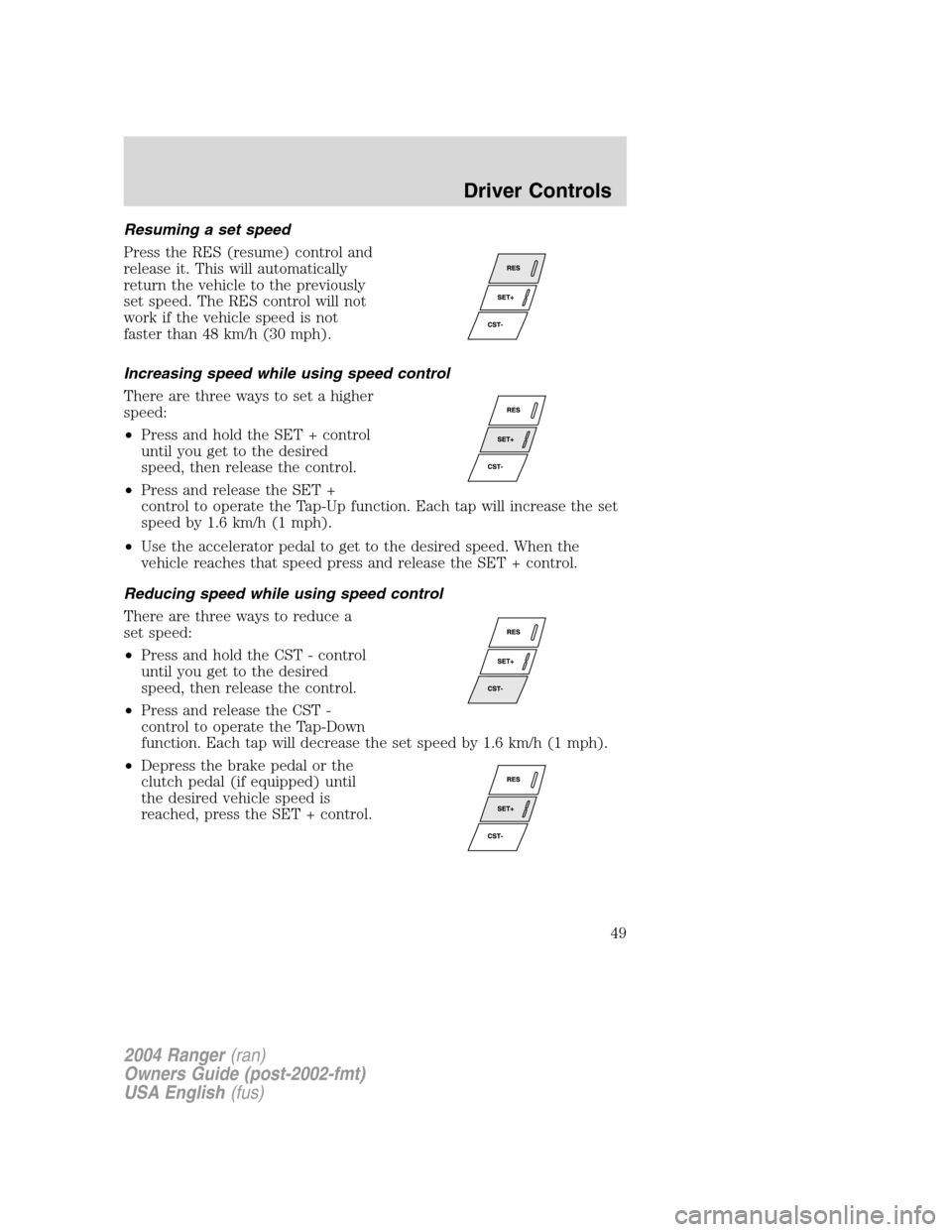
Resuming a set speed
Press the RES (resume) control and
release it. This will automatically
return the vehicle to the previously
set speed. The RES control will not
work if the vehicle speed is not
faster than 48 km/h (30 mph).
Increasing speed while using speed control
There are three ways to set a higher
speed:
•Press and hold the SET + control
until you get to the desired
speed, then release the control.
• Press and release the SET +
control to operate the Tap-Up function. Each tap will increase the set
speed by 1.6 km/h (1 mph).
• Use the accelerator pedal to get to the desired speed. When the
vehicle reaches that speed press and release the SET + control.
Reducing speed while using speed control
There are three ways to reduce a
set speed:
• Press and hold the CST - control
until you get to the desired
speed, then release the control.
• Press and release the CST -
control to operate the Tap-Down
function. Each tap will decrease the set speed by 1.6 km/h (1 mph).
• Depress the brake pedal or the
clutch pedal (if equipped) until
the desired vehicle speed is
reached, press the SET + control.
2004 Ranger (ran)
Owners Guide (post-2002-fmt)
USA English (fus)
Driver Controls
49
Page 50 of 248

Turning off speed control
There are two ways to turn off the
speed control:
•Press the speed control OFF
control.
• Turn OFF the ignition.
Note: When you turn off the speed
control or the ignition, your speed
control set speed memory is erased.
CENTER CONSOLE (IF EQUIPPED)
Your vehicle may be equipped with a
variety of console features. These
include:
• Utility compartment with
cassette/compact disc storage
• Cupholders
• Coin holder slots
• Flip up armrest
Use only soft cups in the cupholder. Hard objects can injure you
in a collision.
Cell phone use
The use of Mobile Communications Equipment has become increasingly
important in the conduct of business and personal affairs. However,
drivers must not compromise their own or others ’safety when using
such equipment. Mobile Communications can enhance personal safety
and security when appropriately used, particularly in emergency
situations. Safety must be paramount when using mobile communications
equipment to avoid negating these benefits.
Mobile Communication Equipment includes, but is not limited to cellular
phones, pagers, portable email devices, in vehicle communications
systems, telematics devices and portable two-way radios.
2004 Ranger (ran)
Owners Guide (post-2002-fmt)
USA English (fus)
Driver Controls
50
Page 61 of 248
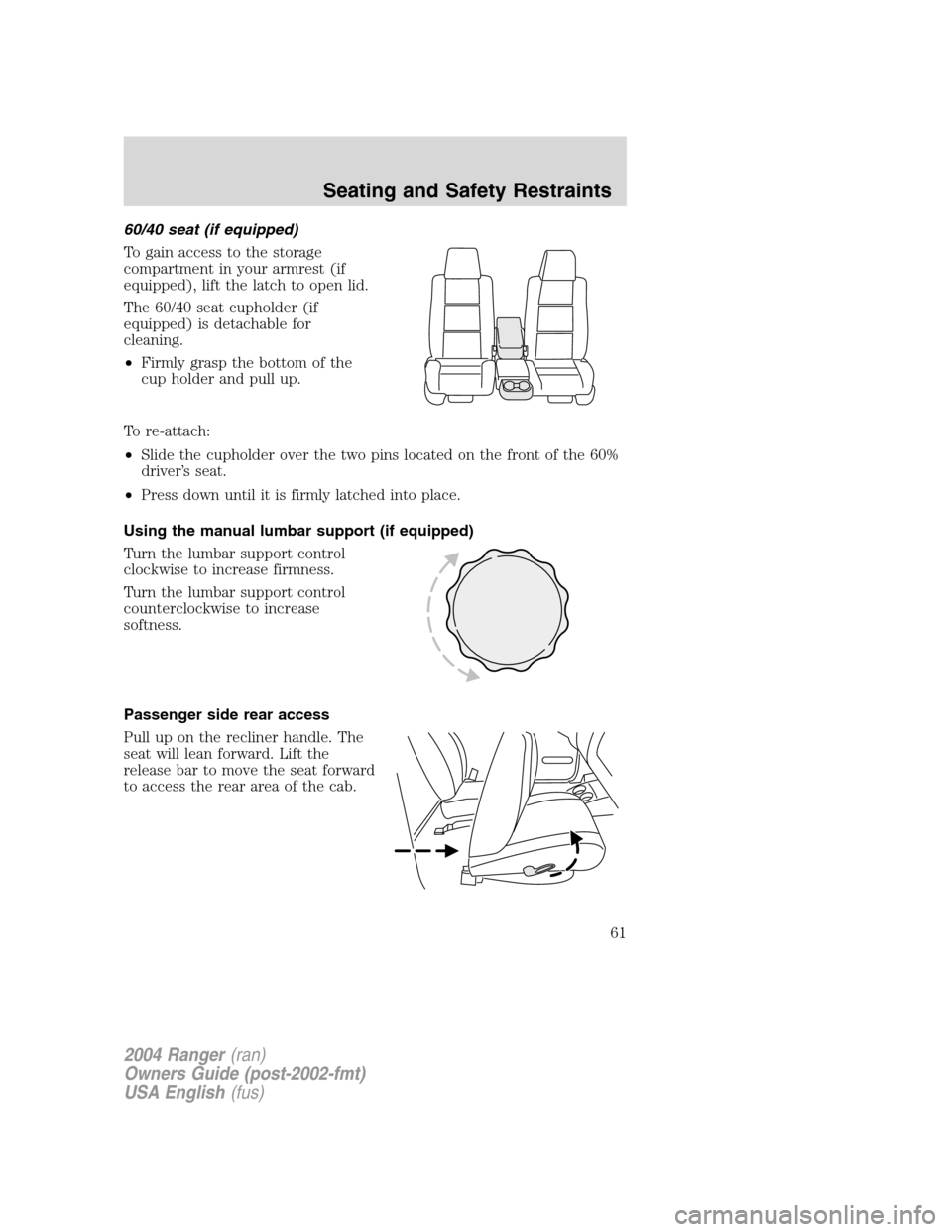
60/40 seat (if equipped)
To gain access to the storage
compartment in your armrest (if
equipped), lift the latch to open lid.
The 60/40 seat cupholder (if
equipped) is detachable for
cleaning.
•Firmly grasp the bottom of the
cup holder and pull up.
To re-attach:
• Slide the cupholder over the two pins located on the front of the 60%
driver ’s seat.
• Press down until it is firmly latched into place.
Using the manual lumbar support (if equipped)
Turn the lumbar support control
clockwise to increase firmness.
Turn the lumbar support control
counterclockwise to increase
softness.
Passenger side rear access
Pull up on the recliner handle. The
seat will lean forward. Lift the
release bar to move the seat forward
to access the rear area of the cab.
2004 Ranger (ran)
Owners Guide (post-2002-fmt)
USA English (fus)
Seating and Safety Restraints
61
Page 63 of 248

Never let a passenger hold a child on his or her lap while the
vehicle is moving. The passenger cannot protect the child from
injury in a collision.
All occupants of the vehicle, including the driver, should always
properly wear their safety belts, even when an air bag (SRS) is
provided.
It is extremely dangerous to ride in a cargo area, inside or
outside of a vehicle. In a collision, people riding in these areas
are more likely to be seriously injured or killed. Do not allow people to
ride in any area of your vehicle that is not equipped with seats and
safety belts. Be sure everyone in your vehicle is in a seat and using a
safety belt properly.
In a rollover crash, an unbelted person is significantly more likely
to die than a person wearing a safety belt.
Each seating position in your vehicle has a specific safety belt
assembly which is made up of one buckle and one tongue that
are designed to be used as a pair. 1) Use the shoulder belt on the
outside shoulder only. Never wear the shoulder belt under the arm. 2)
Never swing the safety belt around your neck over the inside shoulder.
3) Never use a single belt for more than one person.
On four-door SuperCab vehicles, do not open the rear door when
the rear safety belt is still buckled.
2004 Ranger (ran)
Owners Guide (post-2002-fmt)
USA English (fus)
Seating and Safety Restraints
63
Page 79 of 248

•A series of five beeps will be heard. The tone pattern will repeat
periodically until the problem and/or light are repaired.
If any of these things happen, even intermittently, have the SRS serviced
at your dealership or by a qualified technician immediately. Unless
serviced, the system may not function properly in the event of a
collision.
Disposal of air bags and air bag equipped vehicles (including
pretensioners)
See your local dealership or qualified technician. Air bags MUST BE
disposed of by qualified personnel.
Passenger air bag ON/OFF switch
An air bag ON/OFF switch
has been installed in this
vehicle. Before driving, always
look at the face of the switch to
be sure the switch is in the proper
position in accordance with these
instructions and warnings. Failure
to put the switch in a proper
position can increase the risk of
serious injury or death in a
collision.
Turning the passenger air bag off
1. Insert the ignition key, turn the
switch to OFF position and hold in
OFF position while removing the
key.
2. When the ignition is turned to the
ON position the OFF light
illuminates briefly, momentarily
shuts off and then turns back on.
This indicates that the passenger air
bag is deactivated.ON OFF
OFF
PASSENGER AIRBAG
ON OFF
OFF
PASSENGER AIRBAG
2004 Ranger (ran)
Owners Guide (post-2002-fmt)
USA English (fus)
Seating and Safety Restraints
79