Page 40 of 256
Adjusting the volume
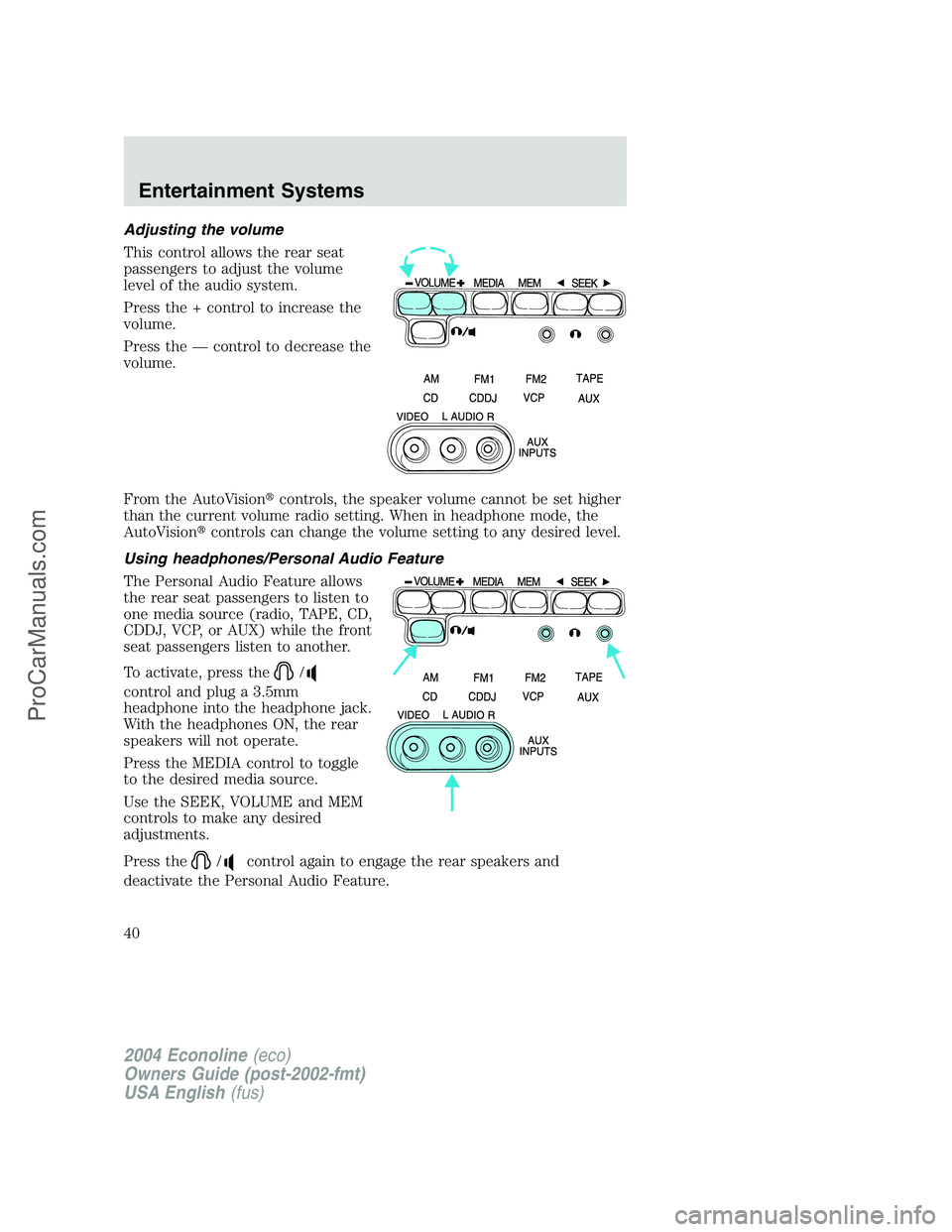
This control allows the rear seat
passengers to adjust the volume
level of the audio system.
Press the + control to increase the
volume.
Press the—control to decrease the
volume.
From the AutoVision�controls, the speaker volume cannot be set higher
than the current volume radio setting. When in headphone mode, the
AutoVision�controls can change the volume setting to any desired level.
Using headphones/Personal Audio Feature
The Personal Audio Feature allows
the rear seat passengers to listen to
one media source (radio, TAPE, CD,
CDDJ, VCP, or AUX) while the front
seat passengers listen to another.
To activate, press the
/
control and plug a 3.5mm
headphone into the headphone jack.
With the headphones ON, the rear
speakers will not operate.
Press the MEDIA control to toggle
to the desired media source.
Use the SEEK, VOLUME and MEM
controls to make any desired
adjustments.
Press the
/control again to engage the rear speakers and
deactivate the Personal Audio Feature.
2004 Econoline(eco)
Owners Guide (post-2002-fmt)
USA English(fus)
Entertainment Systems
40
ProCarManuals.com
Page 41 of 256
Speakers ON/OFF mode
With the speakers ON, you can adjust the audio output to all system
speakers—front and rear together (headphones are disabled in this
mode). The rear seat passengers can not raise the volume of the system
above the level on the front radio bezel.
With the speakers OFF, the headphones are enabled. The rear seat
passengers have control over the desired volume levels.
Media select
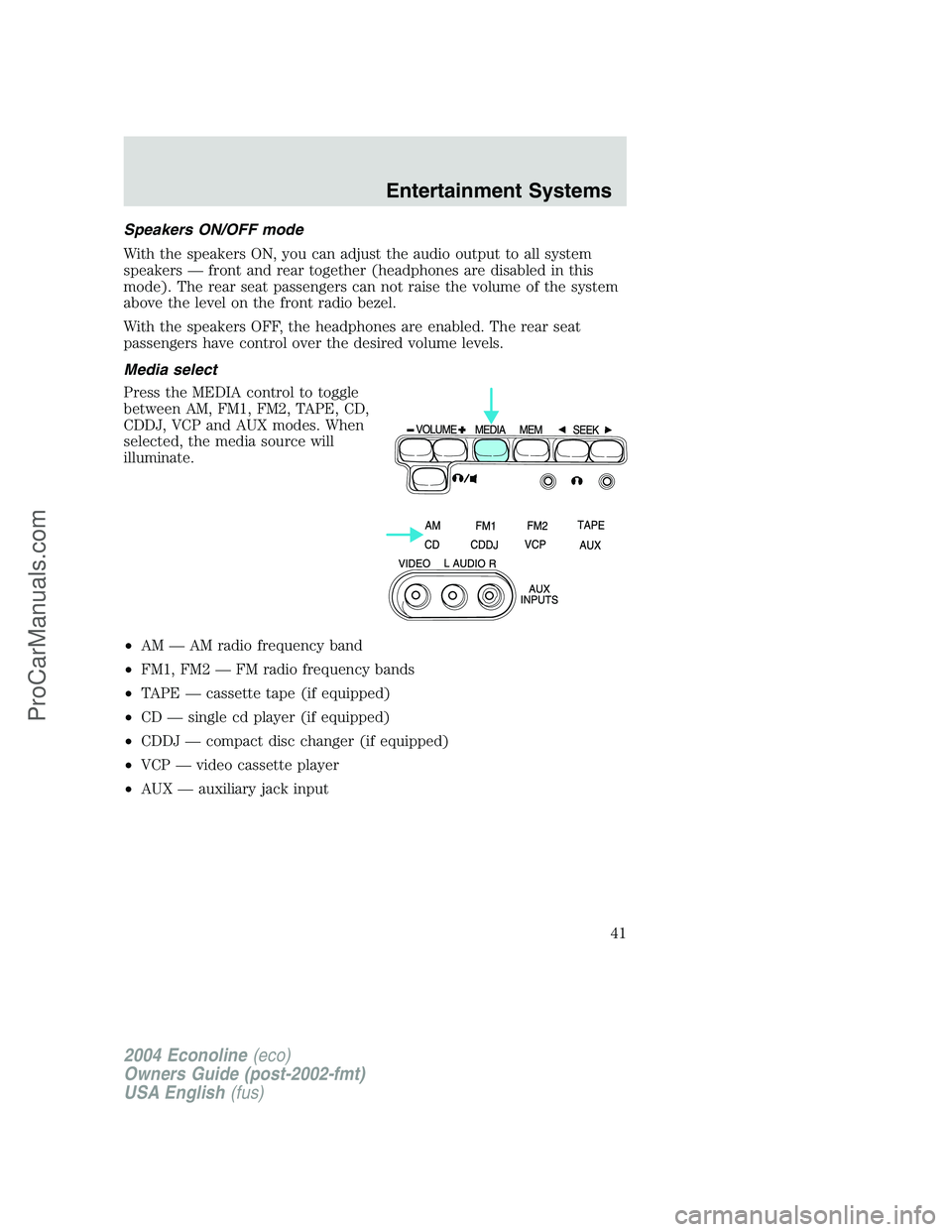
Press the MEDIA control to toggle
between AM, FM1, FM2, TAPE, CD,
CDDJ, VCP and AUX modes. When
selected, the media source will
illuminate.
•AM—AM radio frequency band
•FM1, FM2—FM radio frequency bands
•TAPE—cassette tape (if equipped)
•CD—single cd player (if equipped)
•CDDJ—compact disc changer (if equipped)
•VCP—video cassette player
•AUX—auxiliary jack input
2004 Econoline(eco)
Owners Guide (post-2002-fmt)
USA English(fus)
Entertainment Systems
41
ProCarManuals.com
Page 42 of 256
Memory preset control
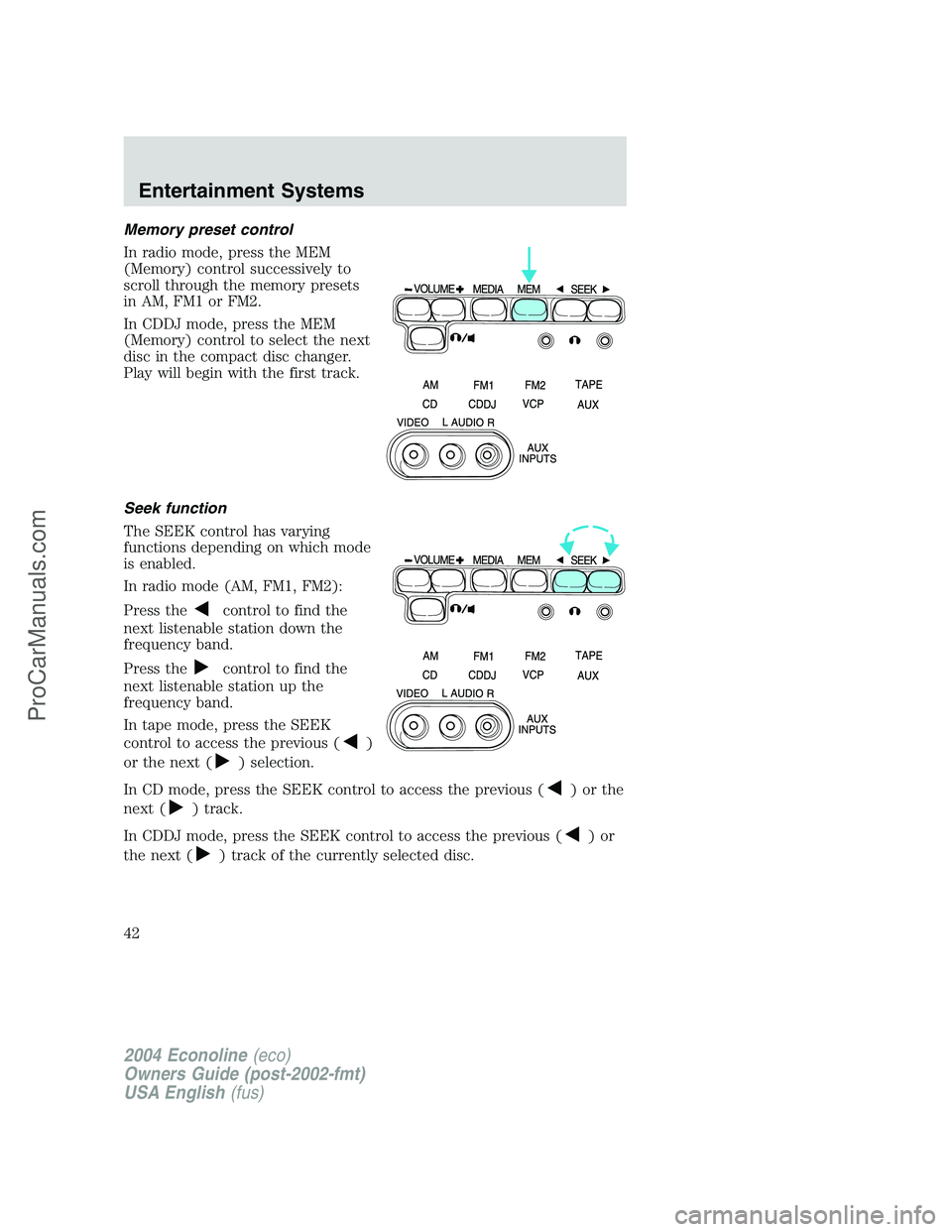
In radio mode, press the MEM
(Memory) control successively to
scroll through the memory presets
in AM, FM1 or FM2.
In CDDJ mode, press the MEM
(Memory) control to select the next
disc in the compact disc changer.
Play will begin with the first track.
Seek function
The SEEK control has varying
functions depending on which mode
is enabled.
In radio mode (AM, FM1, FM2):
Press the
control to find the
next listenable station down the
frequency band.
Press the
control to find the
next listenable station up the
frequency band.
In tape mode, press the SEEK
control to access the previous (
)
or the next (
) selection.
In CD mode, press the SEEK control to access the previous (
)orthe
next (
) track.
In CDDJ mode, press the SEEK control to access the previous (
)or
the next (
) track of the currently selected disc.
2004 Econoline(eco)
Owners Guide (post-2002-fmt)
USA English(fus)
Entertainment Systems
42
ProCarManuals.com
Page 44 of 256
Inserting/removing cassette
Inserting cassette
•Open the AutoVision�console cover.
•Insert the videocassette into the cassette compartment.
Inserting a videocassette into the VCP automatically turns the power ON
(the indicator lamp will illuminate) and the tape will begin playback.
If the vehicle is traveling over rough terrain, it may be difficult to insert
the cassette because the machine attempts to hold the cassette firmly to
prevent vibration. If this condition is encountered, either press firmly or
remove the cassette and insert it again.
The system will not allow a cassette to be inserted in the wrong position.
•Once the cassette is completely inserted, close the VCP and console
covers.
Removing cassette
1. Open the console cover and press the STOP button.
2. Open the VCP cover and press the EJECT button.
3. Press the EJECT button.
Do not insert any foreign substances into the cassette compartment.
After removing the cassette from the VCP, close the door.
When the engine is turned OFF, the cassette is ejected from the
compartment.
To play a video game
1. Connect the video line from your video game device to the YELLOW
jack.
2. Connect the left and right audio cables to the WHITE and RED jacks
respectively.
3. Ensure that the system is in AUX mode. The LCD screen will turn on
and the AUX indicator will illuminate.
On-screen indicators
Playback operation
1. Press the POWER control on the VCP.
2. Insert a videocassette into the VCP.
3. The videocassette should automatically begin playback, and the
picture will appear within approximately nine seconds.
2004 Econoline(eco)
Owners Guide (post-2002-fmt)
USA English(fus)
Entertainment Systems
44
ProCarManuals.com
Page 45 of 256
4. Press the STOP control to stop playback or press EJECT to remove
the cassette.
Fast-forward or rewind (no picture)
1. Press the FF/REW control on the VCP.
2. Press the STOP control to stop or press EJECT to remove the
cassette.
The tape will fast forward or rewind until it has reached the end or the
beginning.
Fast-forward or rewind (with picture)
1. While in playback mode, momentarily press the FF/REW key. The VCP
will search the playback direction five times faster than normal playback
mode.
2. Press the PLAY key to resume normal playback.
Special effects playback
Still playback/Frame-to-frame playback (on remote control)
1. Press the STILL/F.ADV key while in playback mode. The playback
picture becomes still.
2. Press the STILL/F.ADV key again. Each time the control is pressed,
the pictures are played back one frame at a time.
The still playback feature can also be used in REW (reverse) mode.
If still playback/or frame-to-frame playback is engaged for five minutes or
longer, the VCP will automatically begin playback to protect the tape.
Automatic tracking is automatically activated the moment the VCP is
turned ON or a cassette is inserted.
If a videocassette is in poor shape (i.e., badly recorded), any tracking
adjustment may result in failure. The VCP will eject the videocassette.
Encore (on remote control)
•Press the ENCORE control while in playback mode.
The VCP will reverse to the previous five seconds of the selection and
then operate at normal playback mode.
2004 Econoline(eco)
Owners Guide (post-2002-fmt)
USA English(fus)
Entertainment Systems
45
ProCarManuals.com
Page 47 of 256
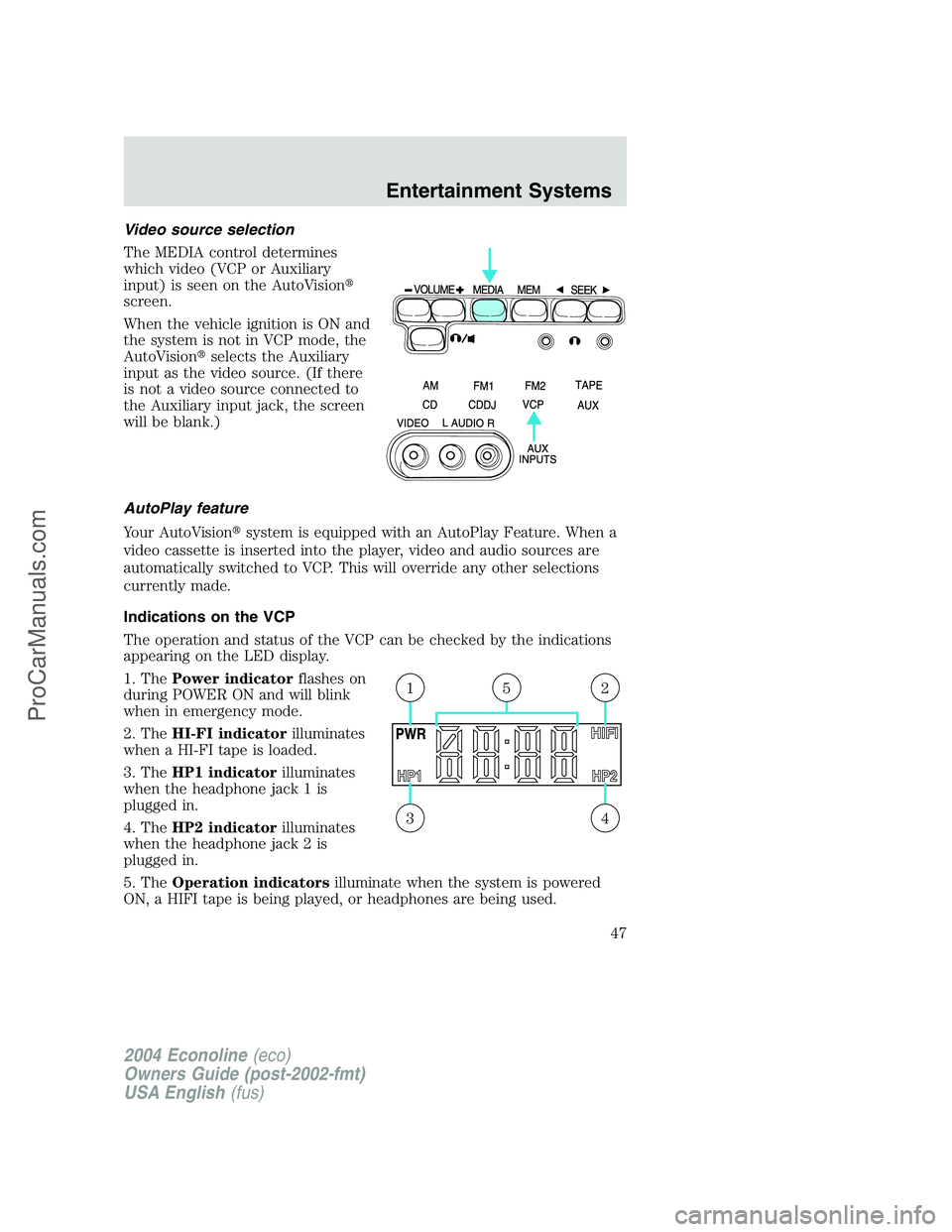
Video source selection
The MEDIA control determines
which video (VCP or Auxiliary
input) is seen on the AutoVision�
screen.
When the vehicle ignition is ON and
the system is not in VCP mode, the
AutoVision�selects the Auxiliary
input as the video source. (If there
is not a video source connected to
the Auxiliary input jack, the screen
will be blank.)
AutoPlay feature
Your AutoVision�system is equipped with an AutoPlay Feature. When a
video cassette is inserted into the player, video and audio sources are
automatically switched to VCP. This will override any other selections
currently made.
Indications on the VCP
The operation and status of the VCP can be checked by the indications
appearing on the LED display.
1. ThePower indicatorflashes on
during POWER ON and will blink
when in emergency mode.
2. TheHI-FI indicatorilluminates
when a HI-FI tape is loaded.
3. TheHP1 indicatorilluminates
when the headphone jack 1 is
plugged in.
4. TheHP2 indicatorilluminates
when the headphone jack 2 is
plugged in.
5. TheOperation indicatorsilluminate when the system is powered
ON, a HIFI tape is being played, or headphones are being used.
43
215
2004 Econoline(eco)
Owners Guide (post-2002-fmt)
USA English(fus)
Entertainment Systems
47
ProCarManuals.com
Page 48 of 256
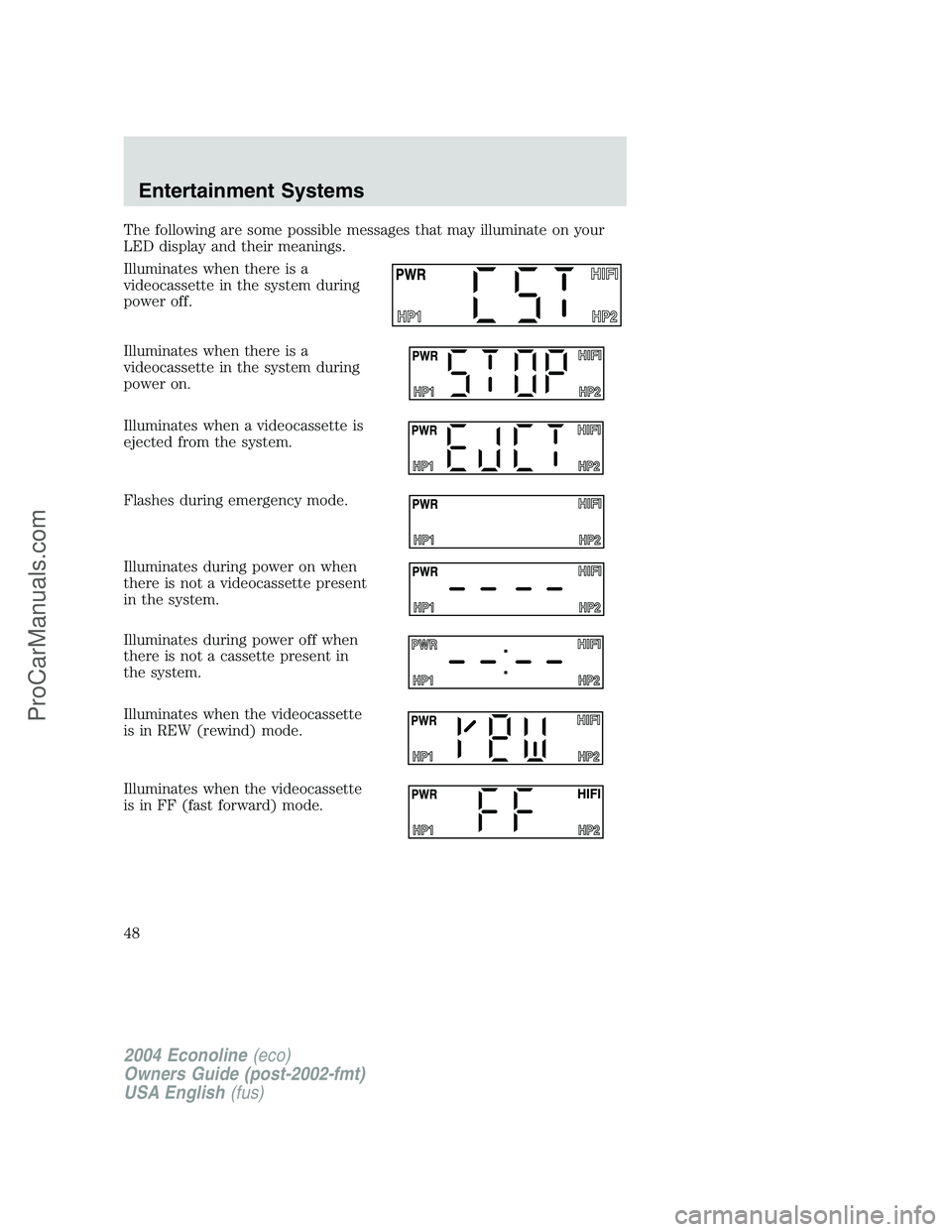
The following are some possible messages that may illuminate on your
LED display and their meanings.
Illuminates when there is a
videocassette in the system during
power off.
Illuminates when there is a
videocassette in the system during
power on.
Illuminates when a videocassette is
ejected from the system.
Flashes during emergency mode.
Illuminates during power on when
there is not a videocassette present
in the system.
Illuminates during power off when
there is not a cassette present in
the system.
Illuminates when the videocassette
is in REW (rewind) mode.
Illuminates when the videocassette
is in FF (fast forward) mode.
2004 Econoline(eco)
Owners Guide (post-2002-fmt)
USA English(fus)
Entertainment Systems
48
ProCarManuals.com
Page 49 of 256
Illuminates when the videocassette
is in STIL (pause) mode.
Illuminates when the videocassette
is in PLAY mode.
Illuminates when the videocassette
is in REV (review) mode.
Illuminates when the videocassette
is in CUE mode.
Flashes separately when the
videocassette is in ENCORE mode.
Displays when:
•the thermostat detects an
extremely high or low
temperature, or
•the dew sensor is activated for high humidity
In-home use
Your AutoVision�system is UL registered for in-home use. This system
has the unique feature of also being completely portable and able to be
used in your home.
To remove your AutoVision�system from your vehicle, depress the lever
on the center console labeled VCP RELEASE. This will release the VCP
and enable you to remove the system from the vehicle. If pressing the
lever does not release your system, please contact your dealer.
2004 Econoline(eco)
Owners Guide (post-2002-fmt)
USA English(fus)
Entertainment Systems
49
ProCarManuals.com