Page 22 of 248
9.RDS:(Radio Data System):
Allows you to access FM stations
which are RDS- equipped. Press
RDS then SEL to select from:
Traffic—
Allows you to receive traffic announcements and control their
volume level.Traffic information is not available in most U.S. markets.
Show—Allows you to view the frequency and program type of the
chosen radio station.
The Federal Communications Commission (FCC) and the Canadian Radio
and Telecommunications Commission (CRTC) recommend that FM radio
broadcasters use RDS technology to transmit information. FM radio
stations are independently operated and individually elect to use RDS
technology to transmit station ID and program type as desired.
Setting the clock:Press RDS until SELECT HOUR or SELECT MINS is
displayed. Press SEL to increase (
) or decrease ().
10.Autoset:Press to set first six
strong stations into AM, FM1 or
FM2 memory buttons; press again to
return to normal stations.
11.Scan:Works in radio, tape and
CD modes. Press SCAN for a brief
sampling of radio stations, tape
selections or CD tracks.
12.Seek:Works in radio, tape and
CD modes. Press to access the
previous
or nextlistenable
radio station, tape selection or CD track.
13.Tune:Works in radio mode.
Press to manually advance up or
down the frequency band.
14.AM/FM/CD:
Press AM/FM to
select a radio frequency. Press while
in tape or CD mode to return to radio
mode. Press CD to enter CD mode and to play a CD already in the system.
15.Mute mode:Press to mute the
playing media.
2004 Crown Victoria(cro)
Owners Guide (post-2002-fmt)
USA English(fus)
Entertainment Systems
22
Page 27 of 248
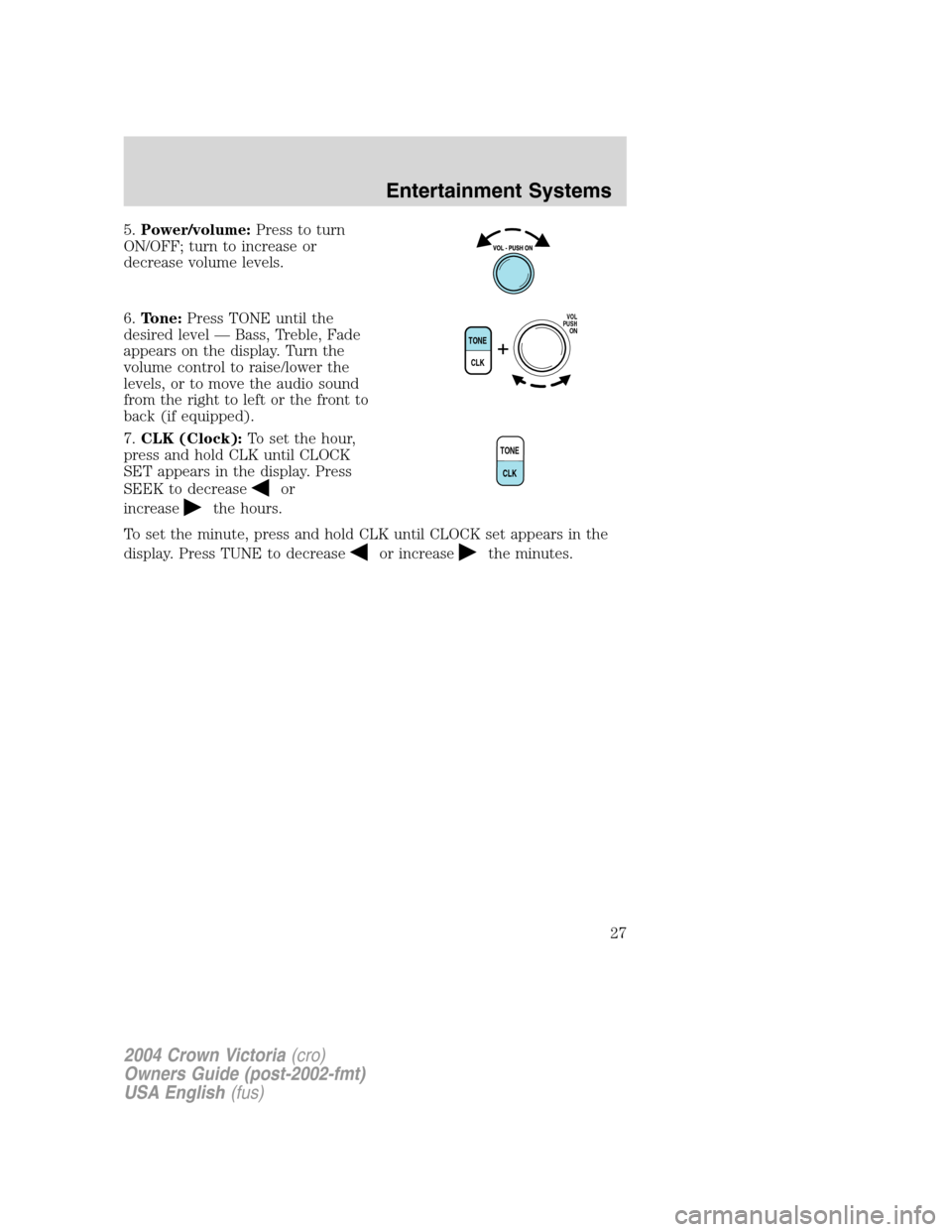
5.Power/volume:Press to turn
ON/OFF; turn to increase or
decrease volume levels.
6.Tone:Press TONE until the
desired level—Bass, Treble, Fade
appears on the display. Turn the
volume control to raise/lower the
levels, or to move the audio sound
from the right to left or the front to
back (if equipped).
7.CLK (Clock):To set the hour,
press and hold CLK until CLOCK
SET appears in the display. Press
SEEK to decrease
or
increase
the hours.
To set the minute, press and hold CLK until CLOCK set appears in the
display. Press TUNE to decrease
or increasethe minutes.
TONE
CLK
VOL
PUSH
ON
TONE
CLK
2004 Crown Victoria(cro)
Owners Guide (post-2002-fmt)
USA English(fus)
Entertainment Systems
27
Page 38 of 248
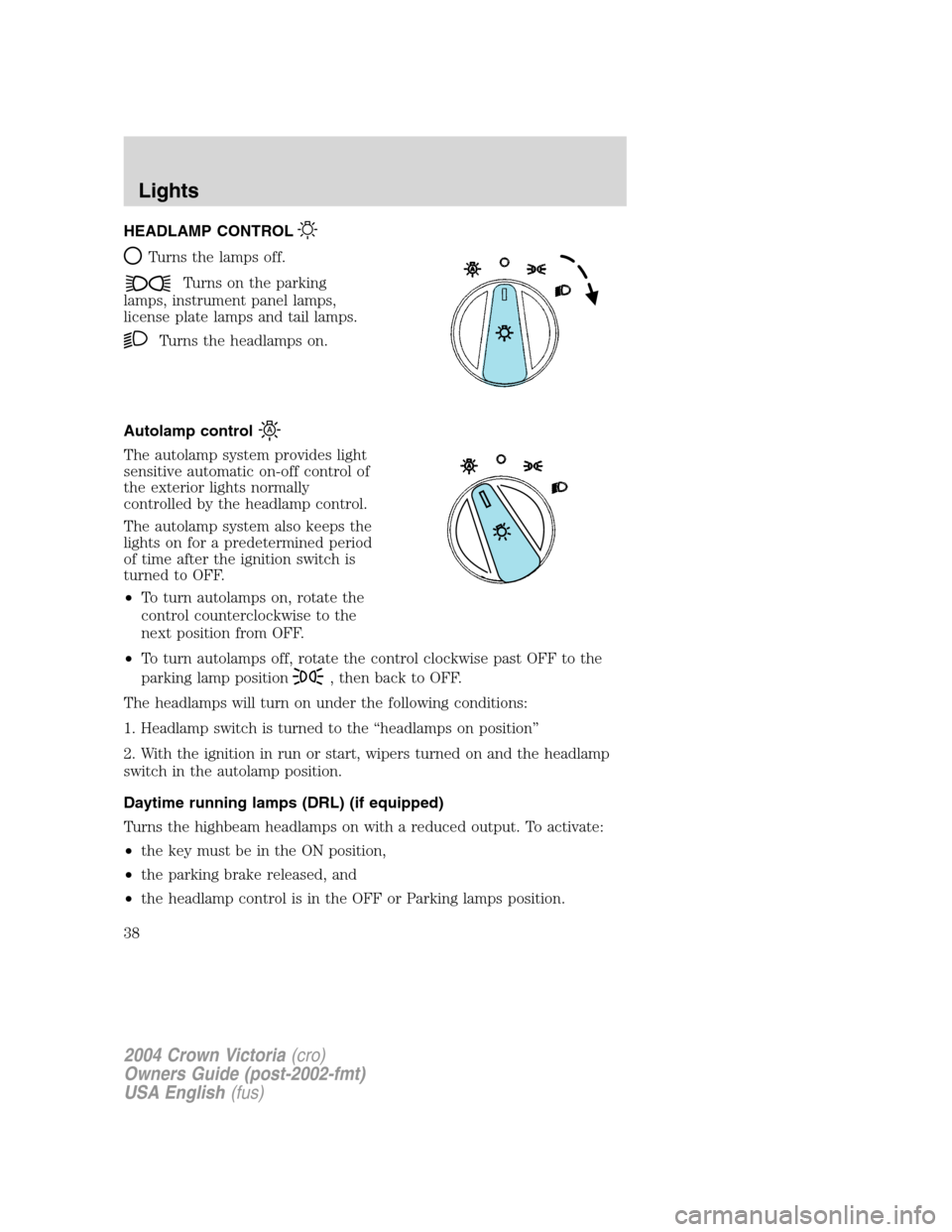
HEADLAMP CONTROL
Turns the lamps off.
Turns on the parking
lamps, instrument panel lamps,
license plate lamps and tail lamps.
Turns the headlamps on.
Autolamp control
The autolamp system provides light
sensitive automatic on-off control of
the exterior lights normally
controlled by the headlamp control.
The autolamp system also keeps the
lights on for a predetermined period
of time after the ignition switch is
turned to OFF.
•To turn autolamps on, rotate the
control counterclockwise to the
next position from OFF.
•To turn autolamps off, rotate the control clockwise past OFF to the
parking lamp position
, then back to OFF.
The headlamps will turn on under the following conditions:
1. Headlamp switch is turned to the“headlamps on position”
2. With the ignition in run or start, wipers turned on and the headlamp
switch in the autolamp position.
Daytime running lamps (DRL) (if equipped)
Turns the highbeam headlamps on with a reduced output. To activate:
•the key must be in the ON position,
•the parking brake released, and
•the headlamp control is in the OFF or Parking lamps position.
2004 Crown Victoria(cro)
Owners Guide (post-2002-fmt)
USA English(fus)
Lights
Lights
38
Page 42 of 248
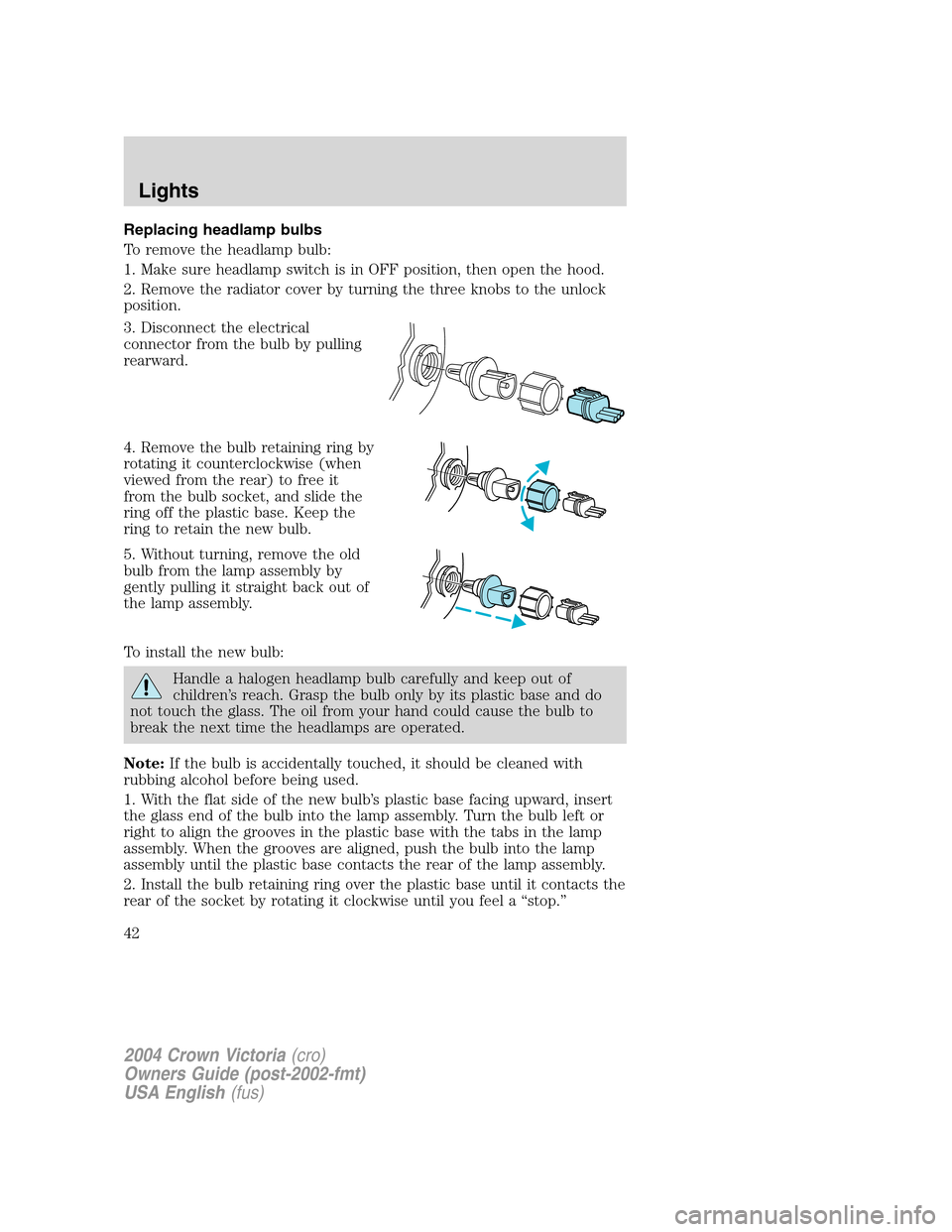
Replacing headlamp bulbs
To remove the headlamp bulb:
1. Make sure headlamp switch is in OFF position, then open the hood.
2. Remove the radiator cover by turning the three knobs to the unlock
position.
3. Disconnect the electrical
connector from the bulb by pulling
rearward.
4. Remove the bulb retaining ring by
rotating it counterclockwise (when
viewed from the rear) to free it
from the bulb socket, and slide the
ring off the plastic base. Keep the
ring to retain the new bulb.
5. Without turning, remove the old
bulb from the lamp assembly by
gently pulling it straight back out of
the lamp assembly.
To install the new bulb:
Handle a halogen headlamp bulb carefully and keep out of
children’s reach. Grasp the bulb only by its plastic base and do
not touch the glass. The oil from your hand could cause the bulb to
break the next time the headlamps are operated.
Note:If the bulb is accidentally touched, it should be cleaned with
rubbing alcohol before being used.
1. With the flat side of the new bulb’s plastic base facing upward, insert
the glass end of the bulb into the lamp assembly. Turn the bulb left or
right to align the grooves in the plastic base with the tabs in the lamp
assembly. When the grooves are aligned, push the bulb into the lamp
assembly until the plastic base contacts the rear of the lamp assembly.
2. Install the bulb retaining ring over the plastic base until it contacts the
rear of the socket by rotating it clockwise until you feel a“stop.”
2004 Crown Victoria(cro)
Owners Guide (post-2002-fmt)
USA English(fus)
Lights
42
Page 43 of 248
3. Connect the electrical connector into the rear of the plastic base until
it snaps, locking it into position.
4. Install the protective cover over headlamps locking it in place with
three knobs.
5. Turn the headlamps on and make sure they work properly. If the
headlamp was correctly aligned before you changed the bulb, you should
not need to align it again.
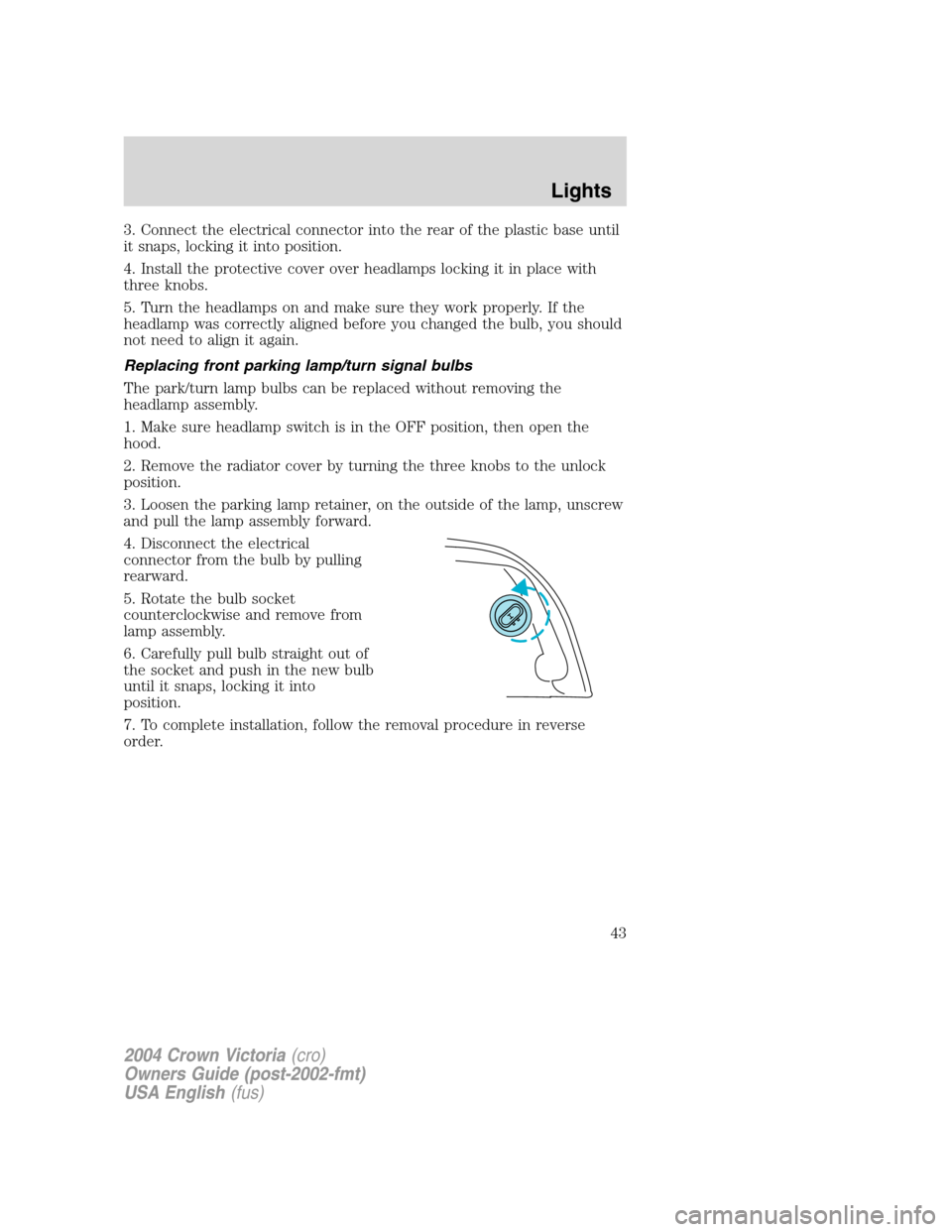
Replacing front parking lamp/turn signal bulbs
The park/turn lamp bulbs can be replaced without removing the
headlamp assembly.
1. Make sure headlamp switch is in the OFF position, then open the
hood.
2. Remove the radiator cover by turning the three knobs to the unlock
position.
3. Loosen the parking lamp retainer, on the outside of the lamp, unscrew
and pull the lamp assembly forward.
4. Disconnect the electrical
connector from the bulb by pulling
rearward.
5. Rotate the bulb socket
counterclockwise and remove from
lamp assembly.
6. Carefully pull bulb straight out of
the socket and push in the new bulb
until it snaps, locking it into
position.
7. To complete installation, follow the removal procedure in reverse
order.
2004 Crown Victoria(cro)
Owners Guide (post-2002-fmt)
USA English(fus)
Lights
43
Page 44 of 248
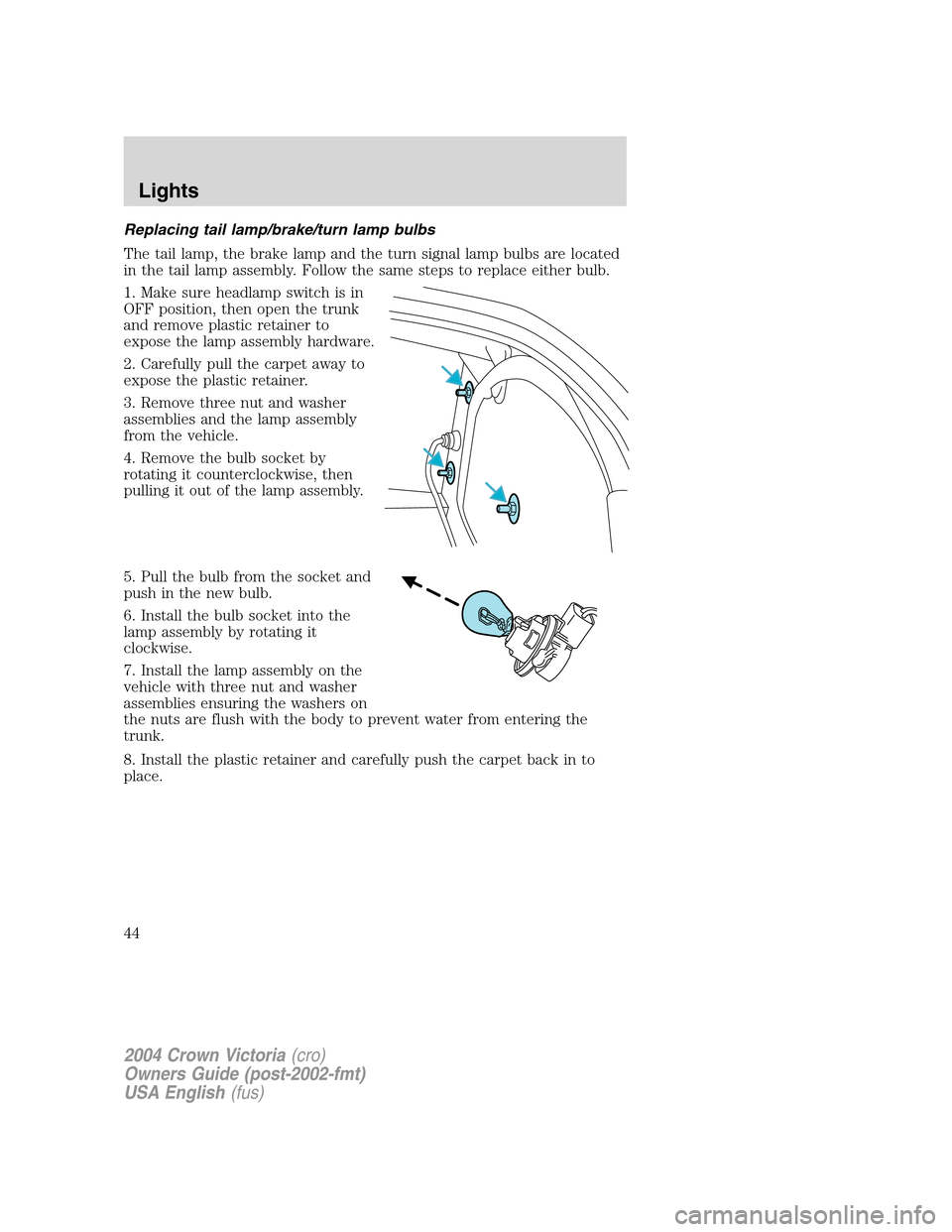
Replacing tail lamp/brake/turn lamp bulbs
The tail lamp, the brake lamp and the turn signal lamp bulbs are located
in the tail lamp assembly. Follow the same steps to replace either bulb.
1. Make sure headlamp switch is in
OFF position, then open the trunk
and remove plastic retainer to
expose the lamp assembly hardware.
2. Carefully pull the carpet away to
expose the plastic retainer.
3. Remove three nut and washer
assemblies and the lamp assembly
from the vehicle.
4. Remove the bulb socket by
rotating it counterclockwise, then
pulling it out of the lamp assembly.
5. Pull the bulb from the socket and
push in the new bulb.
6. Install the bulb socket into the
lamp assembly by rotating it
clockwise.
7. Install the lamp assembly on the
vehicle with three nut and washer
assemblies ensuring the washers on
the nuts are flush with the body to prevent water from entering the
trunk.
8. Install the plastic retainer and carefully push the carpet back in to
place.
2004 Crown Victoria(cro)
Owners Guide (post-2002-fmt)
USA English(fus)
Lights
44
Page 45 of 248
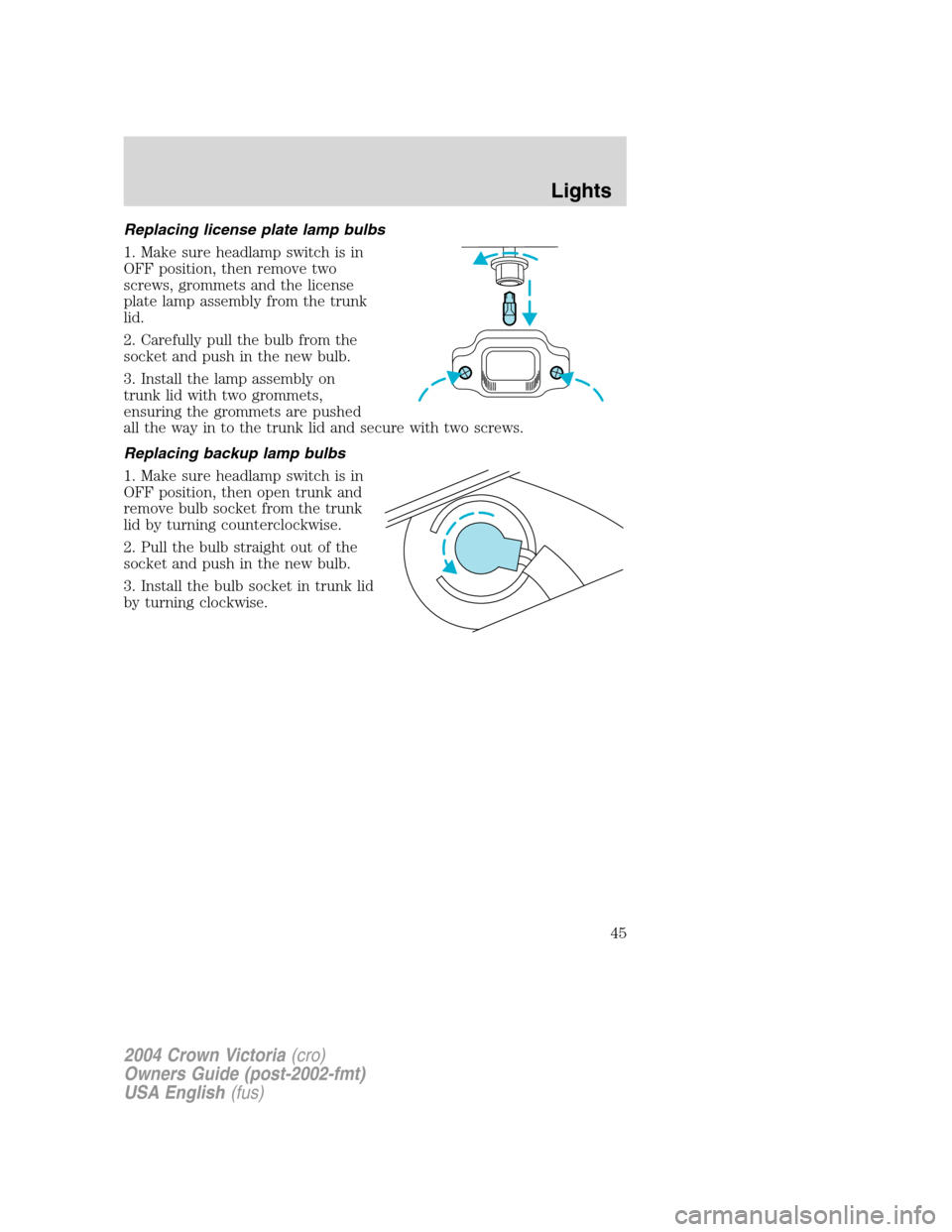
Replacing license plate lamp bulbs
1. Make sure headlamp switch is in
OFF position, then remove two
screws, grommets and the license
plate lamp assembly from the trunk
lid.
2. Carefully pull the bulb from the
socket and push in the new bulb.
3. Install the lamp assembly on
trunk lid with two grommets,
ensuring the grommets are pushed
all the way in to the trunk lid and secure with two screws.
Replacing backup lamp bulbs
1. Make sure headlamp switch is in
OFF position, then open trunk and
remove bulb socket from the trunk
lid by turning counterclockwise.
2. Pull the bulb straight out of the
socket and push in the new bulb.
3. Install the bulb socket in trunk lid
by turning clockwise.
2004 Crown Victoria(cro)
Owners Guide (post-2002-fmt)
USA English(fus)
Lights
45
Page 159 of 248
5. Locate pry off notch (if
equipped) and remove the center
ornament from the aluminum wheel
with the tapered end of the wheel
nut wrench that came with your
vehicle. Insert and twist the handle,
then pry against the wheel.
6. If equipped with a full
wheelcover, remove the wheelcover
center ornament. If the wheelcover is retained with black plastic nuts,
loosen the five black plastic nuts using the lug wrench.
7. Loosen each wheel metal lug nut one-half turn counterclockwise but
do not remove them until the wheel is raised off the ground.
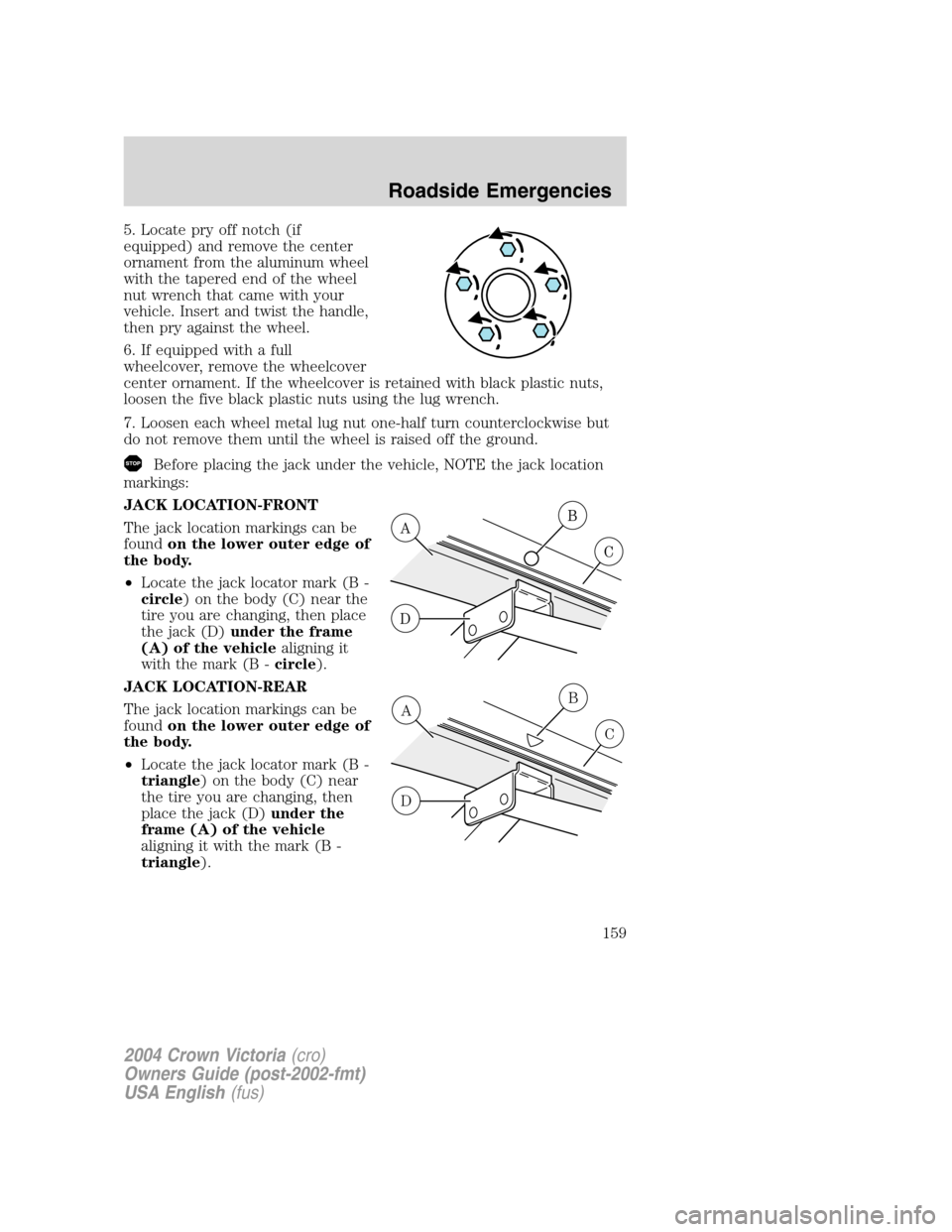
Before placing the jack under the vehicle, NOTE the jack location
markings:
JACK LOCATION-FRONT
The jack location markings can be
foundon the lower outer edge of
the body.
•Locate the jack locator mark (B -
circle) on the body (C) near the
tire you are changing, then place
the jack (D)under the frame
(A) of the vehiclealigning it
with the mark (B -circle).
JACK LOCATION-REAR
The jack location markings can be
foundon the lower outer edge of
the body.
•Locate the jack locator mark (B -
triangle) on the body (C) near
the tire you are changing, then
place the jack (D)under the
frame (A) of the vehicle
aligning it with the mark (B -
triangle).
A
D
B
C
2004 Crown Victoria(cro)
Owners Guide (post-2002-fmt)
USA English(fus)
Roadside Emergencies
159