Page 97 of 361

WARNING!
²Not all head restraints in this vehicle are the same.
Head restraints from one seating position should not
be removed and installed in any other seating posi-
tion. In a collision, serious injury or death may result
if the proper head restraint is not installed on each
seat.
²The cargo area in the rear of the vehicle should not
be used as a play area by children. They could be
seriously injured in a collision. Children should be
seated and using the proper restraint system.
²It is extremely dangerous to ride in a cargo area,
inside or outside of a vehicle. In a collision, people
riding in these areas are more likely to be seriously
injured or killed.
²Do not allow people to ride in any area of your
vehicle that is not equipped with seats and seat belts.
²Be sure everyone in your vehicle is in a seat and
using a seat belt properly.
Load Floor
For additional cargo space, the second and third row
seatbacks may be folded forward and the load floor
extended to cover the center console.
To extend the load floor, follow these steps:
1. Move the second row seats to the full rear position.
2. Fold the second and third row seatbacks down.
UNDERSTANDING THE FEATURES OF YOUR VEHICLE 97
3
Page 102 of 361
WARNING!
If the hood is not fully latched, it could fly up when
the vehicle is moving and block your forward vision.
You could have a collision. Be sure all hood latches
are fully latched before driving.
LIGHTS
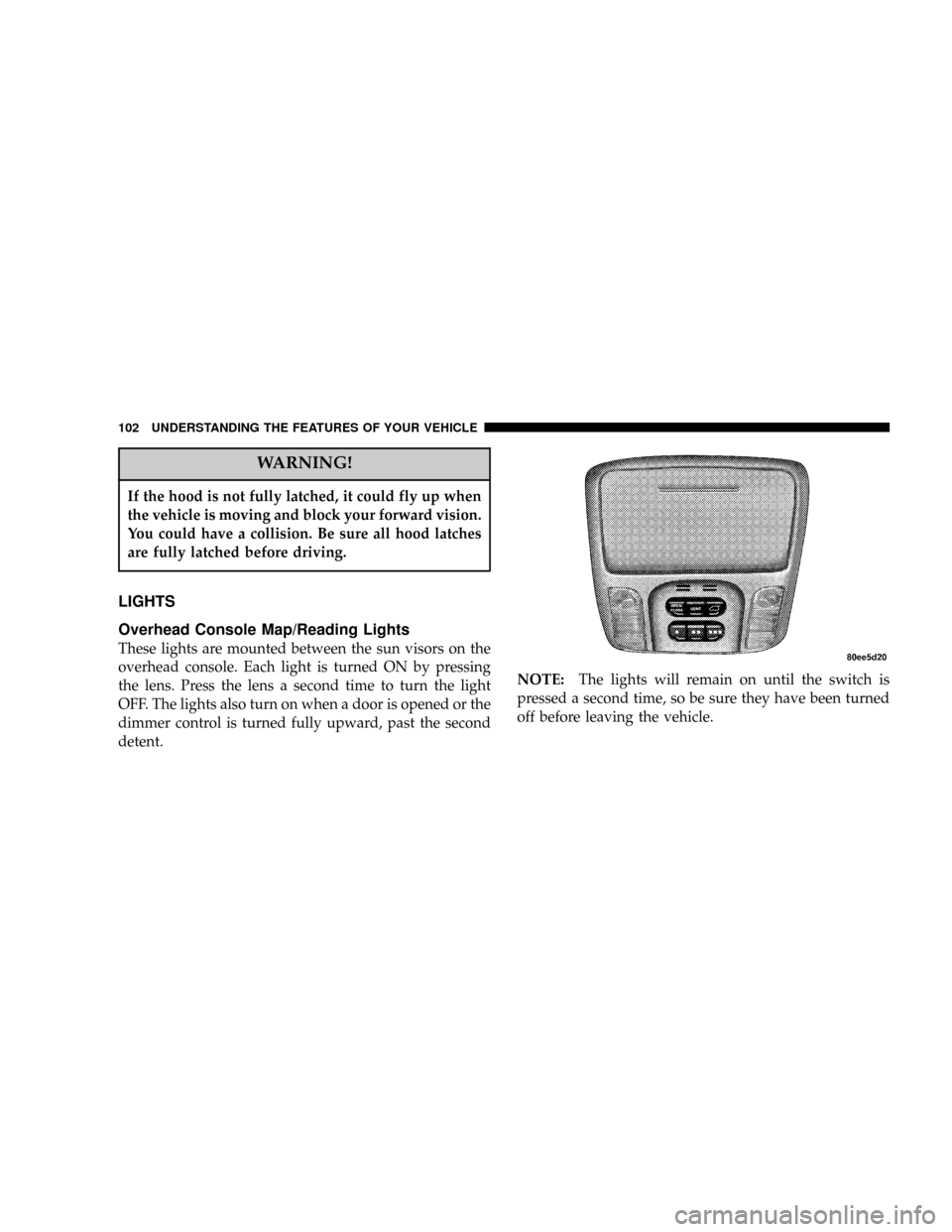
Overhead Console Map/Reading Lights
These lights are mounted between the sun visors on the
overhead console. Each light is turned ON by pressing
the lens. Press the lens a second time to turn the light
OFF. The lights also turn on when a door is opened or the
dimmer control is turned fully upward, past the second
detent.NOTE:The lights will remain on until the switch is
pressed a second time, so be sure they have been turned
off before leaving the vehicle.
102 UNDERSTANDING THE FEATURES OF YOUR VEHICLE
Page 110 of 361
TILT STEERING COLUMN
To tilt the column, pull the lever, located behind the turn
signal control, toward you and move the steering wheel
up or down, as desired. Release the lever to lock the
steering wheel firmly in place.WARNING!
Tilting the steering column while the vehicle is
moving is dangerous. Without a stable steering col-
umn, you could lose control of the vehicle and have
an accident. Adjust the column only while the ve-
hicle is stopped. Be sure it is locked before driving.
TRACTION CONTROL SWITCH Ð IF EQUIPPED
The traction control Indicator, located in the instrument
cluster, will light up when the Traction Control is in use.
To turn the system OFF, press the Traction Control switch
located on center console next to the ash tray, until the
traction control Indicator in the instrument cluster lights
up.
110 UNDERSTANDING THE FEATURES OF YOUR VEHICLE
Page 112 of 361

To Activate:
Push the ªON/OFFº button once and the CRUISE indi-
cator located near the instrument cluster odometer will
illuminate showing the electronic speed control system is
on. To turn the system OFF, push the ªON/OFFº button
again and the system and indicator will turn off.
WARNING!
Leaving the Electronic Speed Control system on
when not in use is dangerous. You could accidently
set the system or cause it to go faster than you want.
You could lose control and have an accident. Always
leave the system OFF when you aren't using it.
To Set At A Desired Speed:
When the vehicle has reached the desired speed, press
and release the ªSETº button. Release the accelerator and
the vehicle will operate at the selected speed. The
CRUISE SET indicator located near the instrument clus-
ter odometer will illuminate showing the electronic
speed control is set.
NOTE:While in the AutoStick mode, Speed Control will
only function in third or fourth gear.
To Deactivate:
A soft tap on the brake pedal, pushing the ªCANCELº
button or normal braking while slowing the vehicle will
deactivate the speed control without erasing the memory.
Pushing the ªON/OFFº button to the OFF position or
turning off the ignition erases the speed memory.
112 UNDERSTANDING THE FEATURES OF YOUR VEHICLE
Page 114 of 361
WARNING!
Speed Control can be dangerous where the system
can't maintain a constant speed. Your vehicle could
go too fast for the conditions, and you could lose
control. An accident could be the result. Don't use
Speed Control in heavy traffic or on roads that are
winding, icy, snow-covered, or slippery.
OVERHEAD CONSOLE Ð IF EQUIPPED
The overhead console can contain courtesy/reading
lights, an optional universal garage door opener
(HomeLinkt), storage for sunglasses, optional power
sunroof switches and an optional power liftgate switch.
Courtesy/Reading Lights
At the forward end of the console are two courtesy/
reading lights.
Press the lens to turn these lights on. Press a second time
to turn the lights off.
114 UNDERSTANDING THE FEATURES OF YOUR VEHICLE
Page 115 of 361

The lights also turn on when a front door, a rear door or
the liftgate is opened. The lights will also turn on when
the unlock button on the remote keyless entry transmitter
is pressed.
Sunglasses Storage
At the rear of the console a compartment is provided for
the storage of a pair of sunglasses.
Press the door latch to open the compartment. The door
will slowly rotate to an open position.
GARAGE DOOR OPENER Ð IF EQUIPPED
The HomeLinktUniversal Transceiver replaces up to
three remote controls (hand held transmitters) that oper-
ate devices such as garage door openers, motorized
gates, or home lighting. It triggers these devices at the
push of a button. The Universal Transceiver operates off
your vehicle's battery and charging system; no batteries
are needed.For additional information on HomeLinkt, call 1±800±
355±3515, or on the internet at www.homelink.com.
WARNING!
A moving garage door can cause injury to people and
pets in the path of the door. People or pets could be
seriously or fatally injured. Only use this transceiver
with a garage door opener that has a ªstop and
reverseº feature as required by federal safety stan-
dards. This includes most garage door opener mod-
els manufactured after 1982. Do not use a garage
door opener without these safety features it could
cause injury or death. Call toll-free 1±800±355±3515
or, on the Internet at www.homelink.com for safety
information or assistance.
UNDERSTANDING THE FEATURES OF YOUR VEHICLE 115
3
Page 116 of 361
Programming HomeLink
NOTE:When programming a garage door opener, it is
advised to park outside the garage. Some vehicles may
require the ignition switch to be turned to the second (or
9accessories9) position for programming and/or opera-
tion of HomeLink. It is also recommended that a new
battery be placed in the hand-held transmitter of the
device being programmed to HomeLink for quicker
training and accurate transmission of the radio-frequency
signal.
1. Press and hold the two outer HomeLink buttons, and
release only when the indicator light begins to flash (after
20 seconds).Do nothold the buttons for longer than 30
seconds anddo notrepeat step one to program a second
and/or third hand-held transmitter to the remaining two
HomeLink buttons.
WARNING!
Vehicle exhaust contains carbon monoxide, a danger-
ous gas. Do not run the vehicle's exhaust while
training the transceiver. Exhaust gas can cause seri-
ous injury or death.
116 UNDERSTANDING THE FEATURES OF YOUR VEHICLE
Page 117 of 361

WARNING!
Your motorized door or gate will open and close
while you are training the Universal Transceiver. Do
not train the transceiver if people or pets are in the
path of the door or gate. A moving door or gate can
cause serious injury or death to people and pets or
damage to objects.
2. Position the end of your hand-held transmitter 1-3
inches (3-8 cm) away from the HomeLink buttons while
keeping the indicator light in view.
3. Simultaneously press and hold both the HomeLink
button that you want to train and the hand-held trans-
mitter buttons.Do not release the buttons until step 4
has been completed.NOTE:Some gate operators and garage door openers
may require you to replace this Programming Step 3 with
procedures noted in the9Gate Operator/Canadian Pro-
gramming9section.
4. The HomeLink indicator light will flash slowly and
then rapidly after HomeLink successfully receives the
frequency signal from the hand-held transmitter. Release
both buttons after the indicator light changes from the
slow to the rapid flash.
5. Press and hold the just trained HomeLink button and
observe the indicator light. If the indicator lightstays on
constantly, programming is completeand your device
should activate when the HomeLink button is pressed
and released.
NOTE:To program the remaining two HomeLink but-
tons, begin with9Programming9step two. Do not repeat
step one.
UNDERSTANDING THE FEATURES OF YOUR VEHICLE 117
3