Page 332 of 448
Windshield Washer Fluid
What to Use
When you need windshield washer uid, be sure to read
the manufacturer’s instructions before use. If you will
be operating your vehicle in an area where the
temperature may fall below freezing, use a uid that has
sufficient protection against freezing.
Adding Washer Fluid
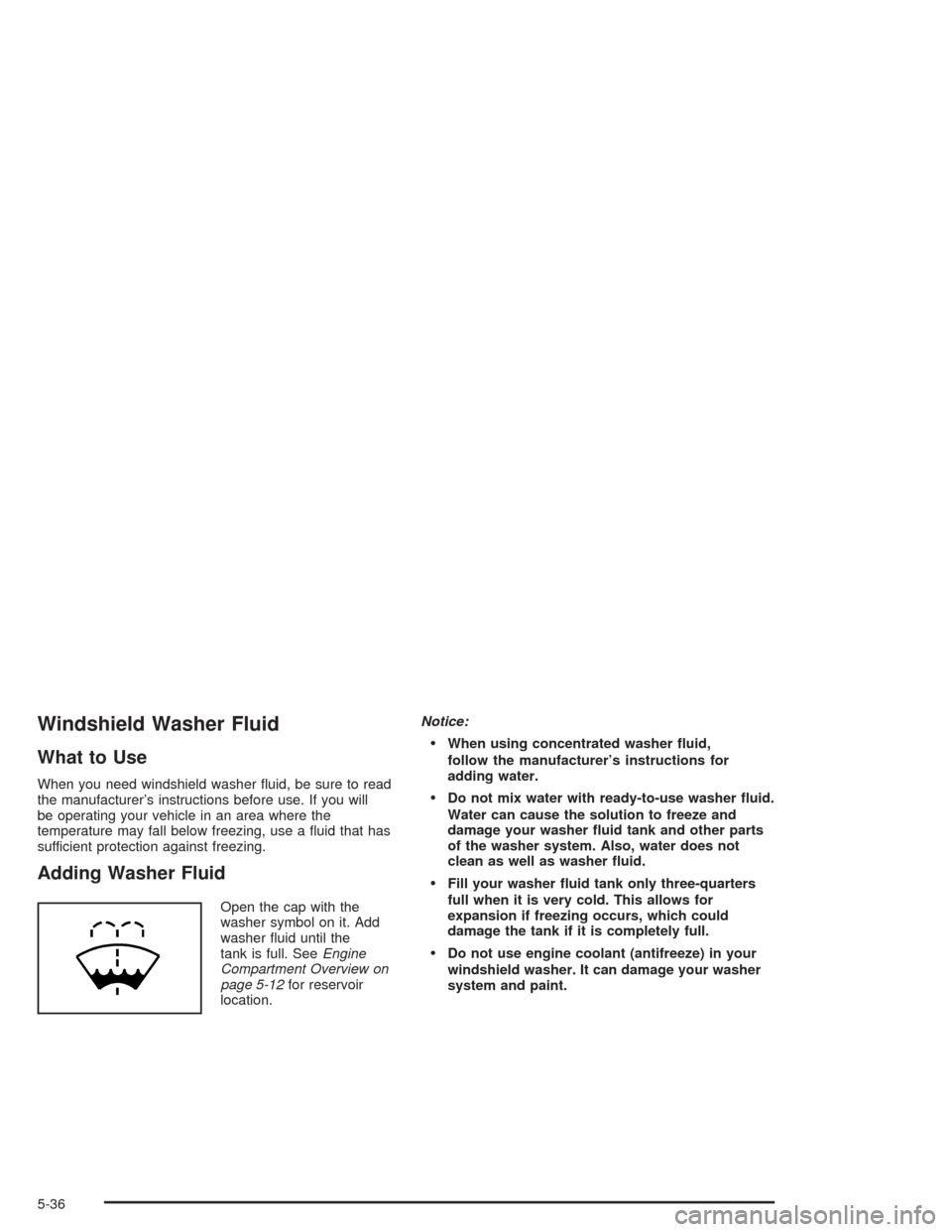
Open the cap with the
washer symbol on it. Add
washer uid until the
tank is full. SeeEngine
Compartment Overview on
page 5-12for reservoir
location.Notice:
When using concentrated washer uid,
follow the manufacturer’s instructions for
adding water.
Do not mix water with ready-to-use washer uid.
Water can cause the solution to freeze and
damage your washer uid tank and other parts
of the washer system. Also, water does not
clean as well as washer uid.
Fill your washer uid tank only three-quarters
full when it is very cold. This allows for
expansion if freezing occurs, which could
damage the tank if it is completely full.
Do not use engine coolant (antifreeze) in your
windshield washer. It can damage your washer
system and paint.
5-36
Page 333 of 448
Brakes
Brake Fluid
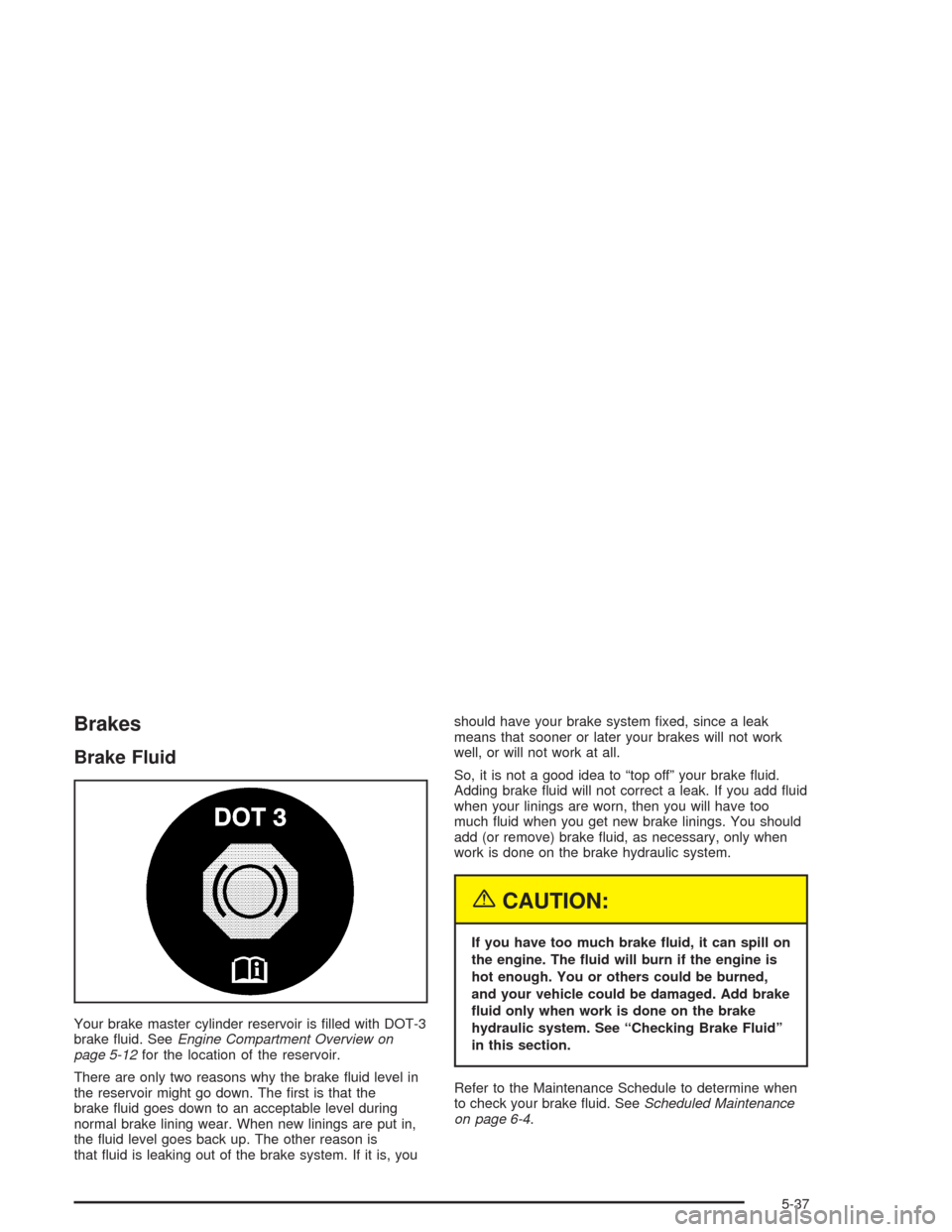
Your brake master cylinder reservoir is lled with DOT-3
brake uid. SeeEngine Compartment Overview on
page 5-12for the location of the reservoir.
There are only two reasons why the brake uid level in
the reservoir might go down. The rst is that the
brake uid goes down to an acceptable level during
normal brake lining wear. When new linings are put in,
the uid level goes back up. The other reason is
that uid is leaking out of the brake system. If it is, youshould have your brake system xed, since a leak
means that sooner or later your brakes will not work
well, or will not work at all.
So, it is not a good idea to “top off” your brake uid.
Adding brake uid will not correct a leak. If you add uid
when your linings are worn, then you will have too
much uid when you get new brake linings. You should
add (or remove) brake uid, as necessary, only when
work is done on the brake hydraulic system.
{CAUTION:
If you have too much brake uid, it can spill on
the engine. The uid will burn if the engine is
hot enough. You or others could be burned,
and your vehicle could be damaged. Add brake
uid only when work is done on the brake
hydraulic system. See “Checking Brake Fluid”
in this section.
Refer to the Maintenance Schedule to determine when
to check your brake uid. SeeScheduled Maintenance
on page 6-4.
5-37
Page 334 of 448
Checking Brake Fluid
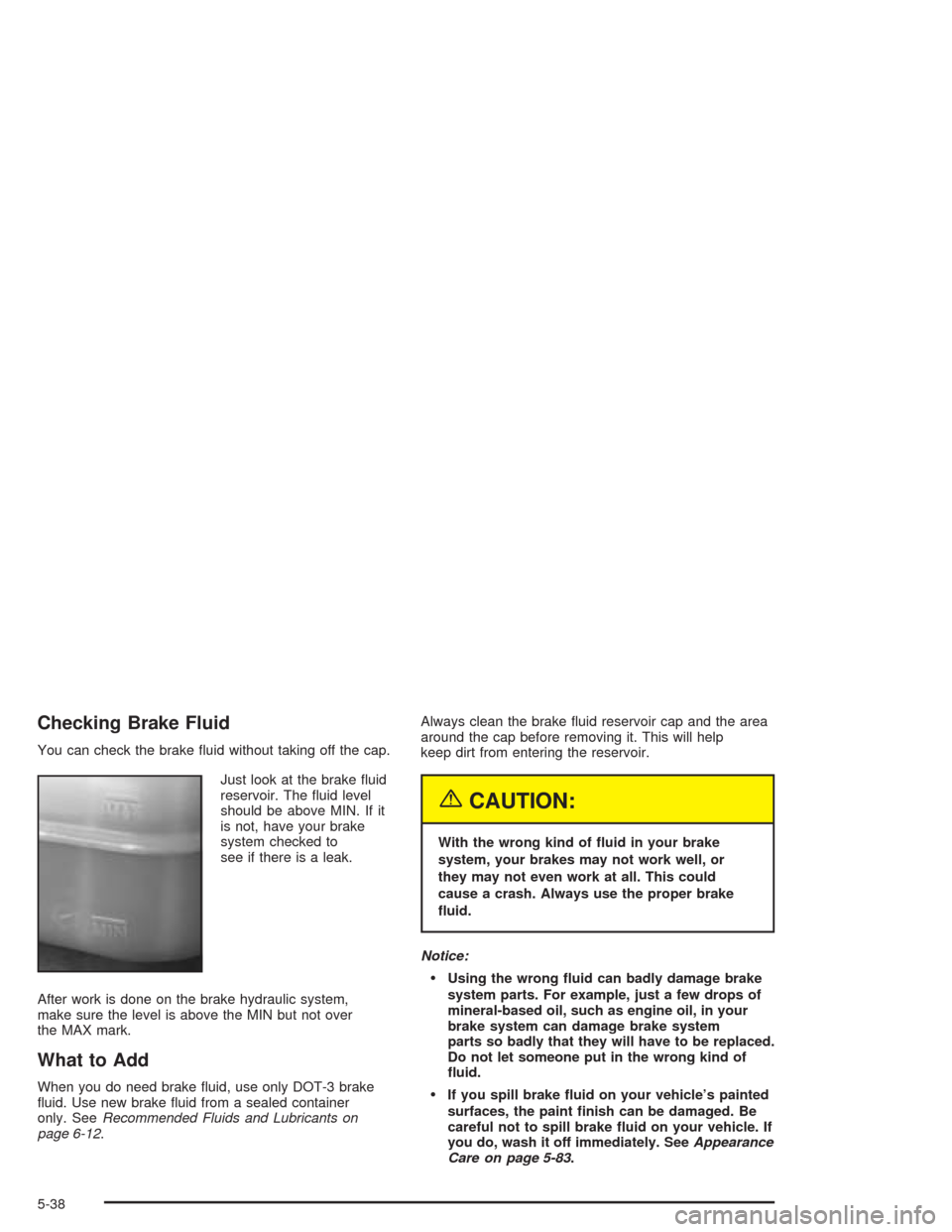
You can check the brake uid without taking off the cap.
Just look at the brake uid
reservoir. The uid level
should be above MIN. If it
is not, have your brake
system checked to
see if there is a leak.
After work is done on the brake hydraulic system,
make sure the level is above the MIN but not over
the MAX mark.
What to Add
When you do need brake uid, use only DOT-3 brake
uid. Use new brake uid from a sealed container
only. SeeRecommended Fluids and Lubricants on
page 6-12.Always clean the brake uid reservoir cap and the area
around the cap before removing it. This will help
keep dirt from entering the reservoir.
{CAUTION:
With the wrong kind of uid in your brake
system, your brakes may not work well, or
they may not even work at all. This could
cause a crash. Always use the proper brake
uid.
Notice:
Using the wrong uid can badly damage brake
system parts. For example, just a few drops of
mineral-based oil, such as engine oil, in your
brake system can damage brake system
parts so badly that they will have to be replaced.
Do not let someone put in the wrong kind of
uid.
If you spill brake uid on your vehicle’s painted
surfaces, the paint nish can be damaged. Be
careful not to spill brake uid on your vehicle. If
you do, wash it off immediately. SeeAppearance
Care on page 5-83.
5-38
Page 336 of 448
Replacing Brake System Parts
The braking system on a vehicle is complex. Its many
parts have to be of top quality and work well together if
the vehicle is to have really good braking. Your
vehicle was designed and tested with top-quality GM
brake parts. When you replace parts of your braking
system — for example, when your brake linings
wear down and you need new ones put in — be sure
you get new approved GM replacement parts. If you do
not, your brakes may no longer work properly. For
example, if someone puts in brake linings that are wrong
for your vehicle, the balance between your front and
rear brakes can change — for the worse. The braking
performance you have come to expect can change
in many other ways if someone puts in the wrong
replacement brake parts.
Battery
Your new vehicle comes with a maintenance free
ACDelco®battery. When it is time for a new battery, get
one that has the replacement number shown on the
original battery’s label. We recommend an ACDelco
®
battery. SeeEngine Compartment Overview on
page 5-12for battery location.
Warning:Battery posts, terminals and related
accessories contain lead and lead compounds,
chemicals known to the State of California to cause
cancer and reproductive harm. Wash hands after
handling.
Vehicle Storage
If you are not going to drive your vehicle for 25 days
or more, remove the black, negative (−) cable from
the battery. This will help keep your battery from
running down.
{CAUTION:
Batteries have acid that can burn you and gas
that can explode. You can be badly hurt if you
are not careful. SeeJump Starting on
page 5-41for tips on working around a battery
without getting hurt.
Contact your dealer to learn how to prepare your
vehicle for longer storage periods.
Also, for your audio system, seeTheft-Deterrent
Feature on page 3-112.
5-40
Page 338 of 448
Notice:If you leave your radio or other accessories
on during the jump starting procedure, they could
be damaged. The repairs would not be covered
by your warranty. Always turn off your radio and
other accessories when jump starting your vehicle.
3. Turn off the ignition on both vehicles. Unplug
unnecessary accessories plugged into the cigarette
lighter or accessory power outlets (if equipped).
Turn off the radio and all lamps that aren’t needed.
This will avoid sparks and help to save both
batteries. And it could save your radio!
4. Open both hoods and locate the batteries. Find the
positive (+) and negative (−) terminals on each
battery. Your vehicle has a remote negative (−) jump
starting terminal. You should always use this
remote terminal instead of the terminal on the
battery. The remote negative (−) terminal is located
on the front engine lift bracket on vehicles with
the L6 engine or the engine accessory drive bracket
for vehicles with the V8 engine, and is marked
GND. SeeEngine Compartment Overview on
page 5-12for more information on location.
{CAUTION:
Using a match near a battery can cause battery
gas to explode. People have been hurt doing
this, and some have been blinded. Use a
ashlight if you need more light.
Be sure the battery has enough water. You do
not need to add water to the ACDelco
®battery
installed in your new vehicle. But if a battery
has ller caps, be sure the right amount of
uid is there. If it is low, add water to take care
of that rst. If you do not, explosive gas could
be present.
Battery uid contains acid that can burn you.
Do not get it on you. If you accidentally get it
in your eyes or on your skin, ush the place
with water and get medical help immediately.
5-42
Page 339 of 448
{CAUTION:
Fans or other moving engine parts can injure
you badly. Keep your hands away from moving
parts once the engine is running.
5. Check that the jumper cables don’t have loose or
missing insulation. If they do, you could get a
shock. The vehicles could be damaged too.
Before you connect the cables, here are some
basic things you should know. Positive (+) will go to
positive (+) or to a remote positive (+) terminal if
the vehicle has one. Negative (−) will go to a heavy,
unpainted metal engine part or to a remote
negative (−) terminal if the vehicle has one. Don’t
connect positive (+) to negative (−) or you’ll get
a short that would damage the battery and maybe
other parts too. And don’t connect the negative (−)
cable to the negative (−) terminal on the dead
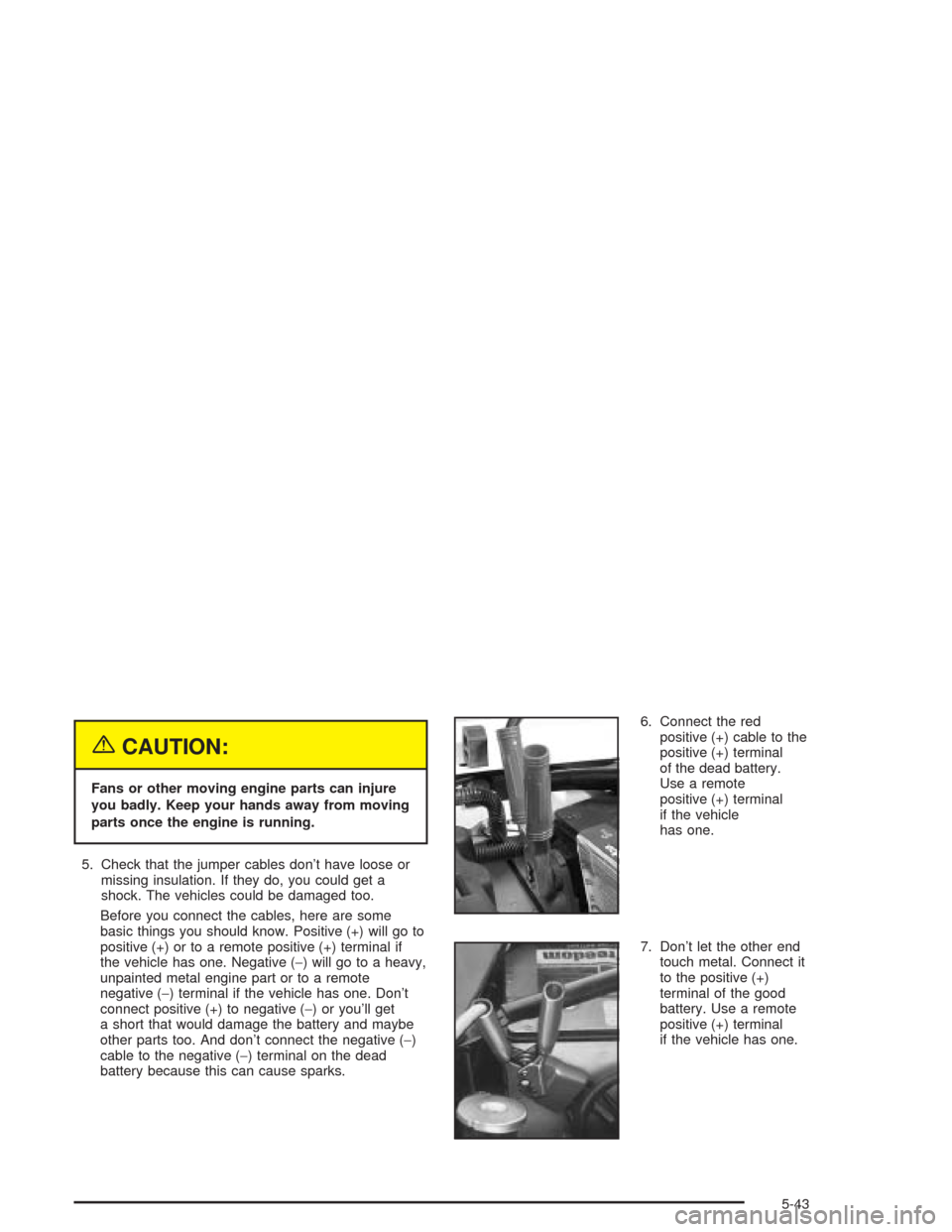
battery because this can cause sparks.6. Connect the red
positive (+) cable to the
positive (+) terminal
of the dead battery.
Use a remote
positive (+) terminal
if the vehicle
has one.
7. Don’t let the other end
touch metal. Connect it
to the positive (+)
terminal of the good
battery. Use a remote
positive (+) terminal
if the vehicle has one.
5-43
Page 340 of 448
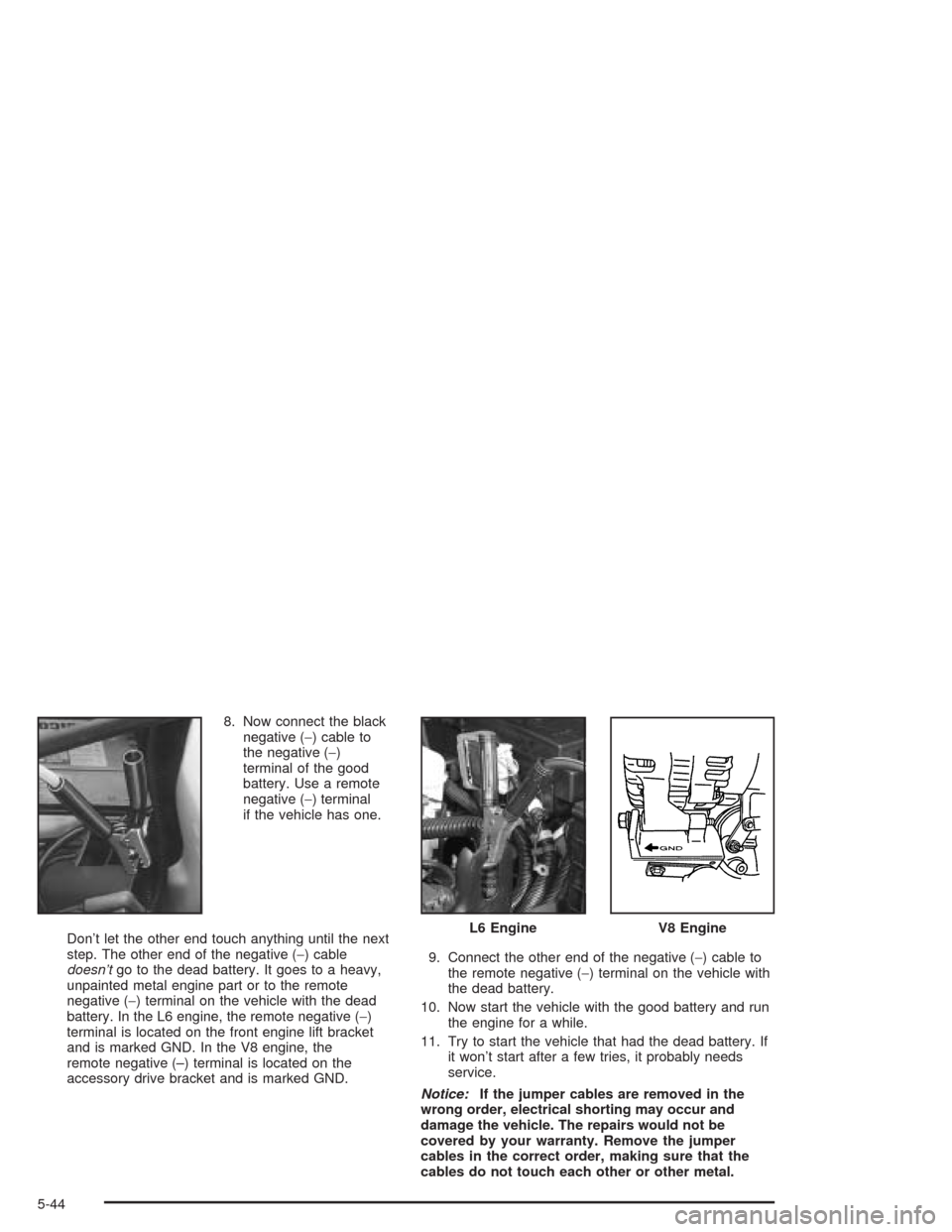
8. Now connect the black
negative (−) cable to
the negative (−)
terminal of the good
battery. Use a remote
negative (−) terminal
if the vehicle has one.
Don’t let the other end touch anything until the next
step. The other end of the negative (−) cable
doesn’tgo to the dead battery. It goes to a heavy,
unpainted metal engine part or to the remote
negative (−) terminal on the vehicle with the dead
battery. In the L6 engine, the remote negative (−)
terminal is located on the front engine lift bracket
and is marked GND. In the V8 engine, the
remote negative (–) terminal is located on the
accessory drive bracket and is marked GND.9. Connect the other end of the negative (−) cable to
the remote negative (−) terminal on the vehicle with
the dead battery.
10. Now start the vehicle with the good battery and run
the engine for a while.
11. Try to start the vehicle that had the dead battery. If
it won’t start after a few tries, it probably needs
service.
Notice:If the jumper cables are removed in the
wrong order, electrical shorting may occur and
damage the vehicle. The repairs would not be
covered by your warranty. Remove the jumper
cables in the correct order, making sure that the
cables do not touch each other or other metal.
L6 EngineV8 Engine
5-44
Page 341 of 448
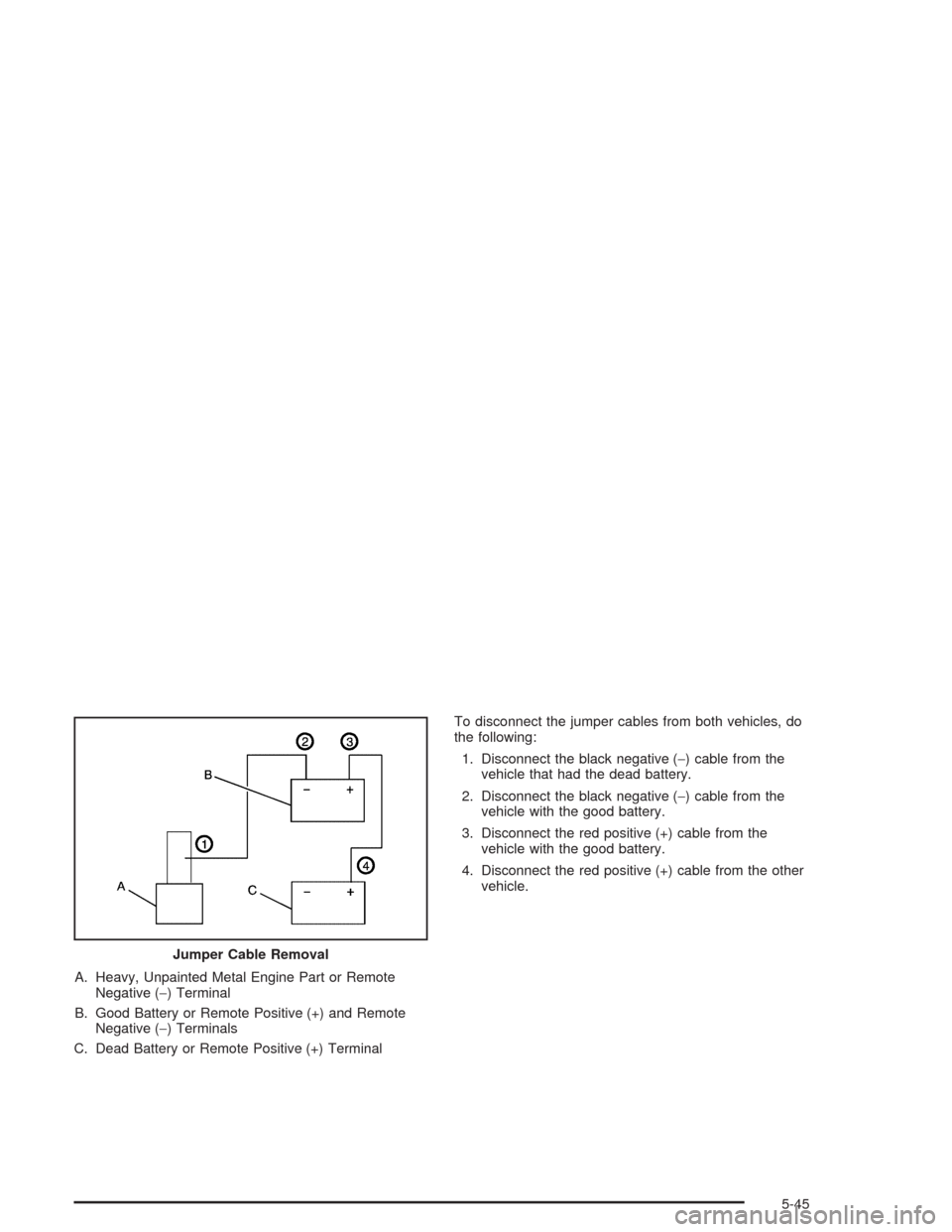
A. Heavy, Unpainted Metal Engine Part or Remote
Negative (−) Terminal
B. Good Battery or Remote Positive (+) and Remote
Negative (−) Terminals
C. Dead Battery or Remote Positive (+) TerminalTo disconnect the jumper cables from both vehicles, do
the following:
1. Disconnect the black negative (−) cable from the
vehicle that had the dead battery.
2. Disconnect the black negative (−) cable from the
vehicle with the good battery.
3. Disconnect the red positive (+) cable from the
vehicle with the good battery.
4. Disconnect the red positive (+) cable from the other
vehicle.
Jumper Cable Removal
5-45