2004 CHEVROLET MALIBU mirror
[x] Cancel search: mirrorPage 1 of 426
Seats and Restraint Systems........................... 1-1
Front Seats
............................................... 1-2
Rear Seats
............................................... 1-7
Safety Belts
.............................................1-10
Child Restraints
.......................................1-31
Air Bag Systems
......................................1-52
Restraint System Check
............................1-60
Features and Controls..................................... 2-1
Keys
........................................................ 2-3
Doors and Locks
......................................2-10
Windows
.................................................2-16
Theft-Deterrent Systems
............................2-18
Starting and Operating Your Vehicle
...........2-22
Mirrors
....................................................2-35
OnStar
®System
......................................2-38
HomeLink®Transmitter
.............................2-40
Storage Areas
.........................................2-44
Sunroof
..................................................2-48
Instrument Panel............................................. 3-1
Instrument Panel Overview
.......................... 3-4
Climate Controls
......................................3-21
Warning Lights, Gages, and Indicators
........3-31Driver Information Center (DIC)
..................3-45
Audio System(s)
.......................................3-52
Driving Your Vehicle....................................... 4-1
Your Driving, the Road, and Your Vehicle
..... 4-2
Towing
...................................................4-31
Service and Appearance Care.......................... 5-1
Service
..................................................... 5-3
Fuel
......................................................... 5-5
Checking Things Under the Hood
...............5-12
Bulb Replacement
....................................5-45
Windshield Wiper Blade Replacement
.........5-49
Tires
......................................................5-50
Appearance Care
.....................................5-78
Vehicle Identication
.................................5-86
Electrical System
......................................5-87
Capacities and Specications
.....................5-96
Maintenance Schedule..................................... 6-1
Maintenance Schedule
................................ 6-2
Customer Assistance and Information.............. 7-1
Customer Assistance and Information
........... 7-2
Reporting Safety Defects
...........................7-11
Index................................................................ 1
2004 Chevrolet Malibu Owner ManualM
Page 69 of 426
Keys...............................................................2-3
Remote Keyless Entry System.........................2-5
Remote Keyless Entry System Operation...........2-6
Doors and Locks............................................2-10
Door Locks..................................................2-10
Power Door Locks........................................2-11
Door Ajar Reminder......................................2-12
Delayed Locking...........................................2-12
Programmable Automatic
Door Locks...............................................2-12
Lockout Protection........................................2-13
Leaving Your Vehicle....................................2-13
Trunk..........................................................2-13
Liftgate........................................................2-15
Windows........................................................2-16
Power Windows............................................2-17
Sun Visors...................................................2-17
Theft-Deterrent Systems..................................2-18
Content Theft-Deterrent.................................2-18
PASS-Key
®III+............................................2-20
PASS-Key®III+ Operation..............................2-20Starting and Operating Your Vehicle................2-22
New Vehicle Break-In....................................2-22
Ignition Positions..........................................2-22
Starting Your Engine.....................................2-23
Adjustable Throttle and Brake Pedal................2-24
Engine Coolant Heater..................................2-25
Automatic Transaxle Operation.......................2-27
Parking Brake..............................................2-29
Shifting Into Park (P).....................................2-30
Shifting Out of Park (P).................................2-32
Parking Over Things That Burn.......................2-32
Engine Exhaust............................................2-33
Running Your Engine While You Are Parked.......2-34
Mirrors...........................................................2-35
Manual Rearview Mirror.................................2-35
Manual Rearview Mirror with OnStar
®..............2-35
Automatic Dimming Rearview Mirror................2-35
Automatic Dimming Rearview Mirror with
OnStar
®...................................................2-36
Outside Power Mirrors...................................2-37
Outside Power Heated Mirrors........................2-37
Outside Convex Mirror...................................2-37
Section 2 Features and Controls
2-1
Page 85 of 426
Power Windows
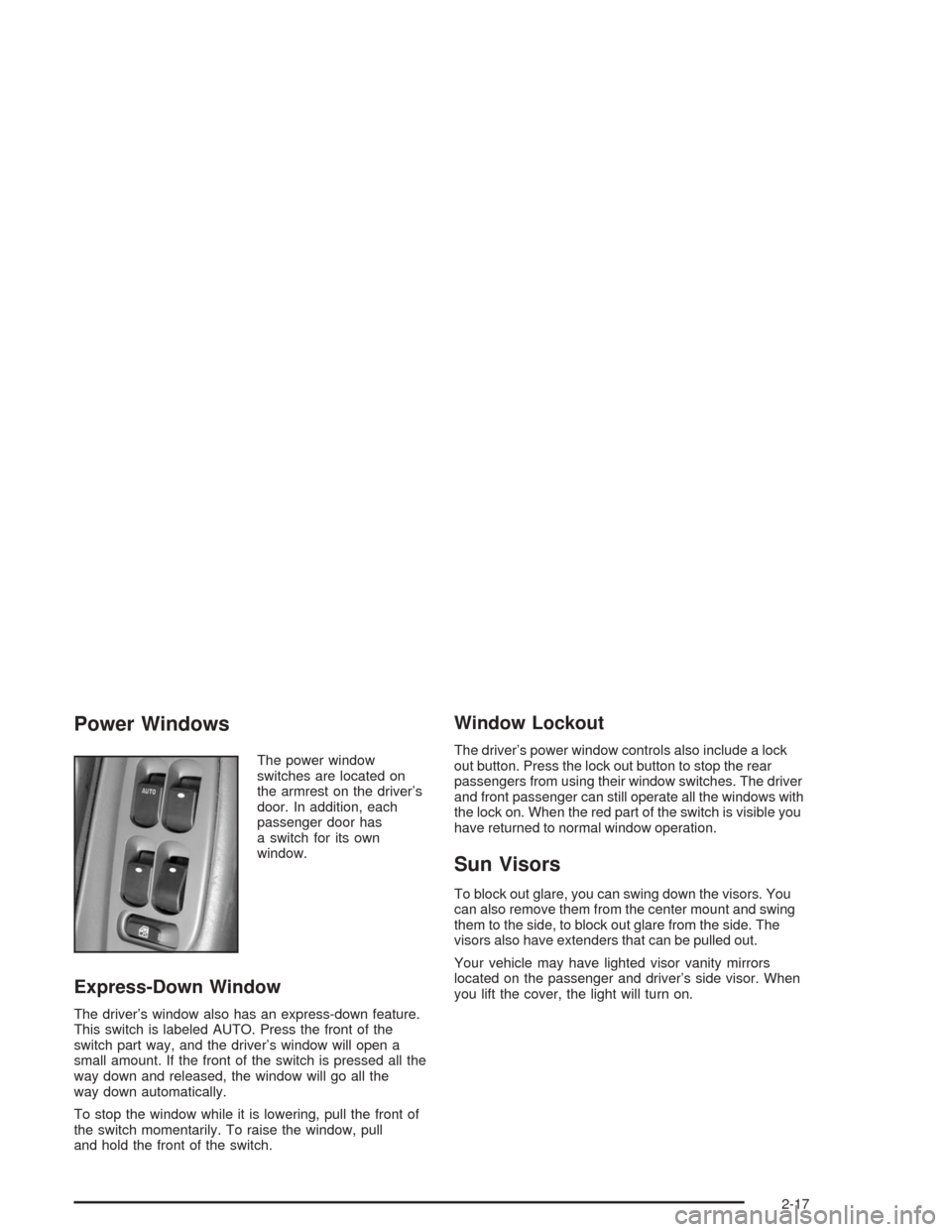
The power window
switches are located on
the armrest on the driver’s
door. In addition, each
passenger door has
a switch for its own
window.
Express-Down Window
The driver’s window also has an express-down feature.
This switch is labeled AUTO. Press the front of the
switch part way, and the driver’s window will open a
small amount. If the front of the switch is pressed all the
way down and released, the window will go all the
way down automatically.
To stop the window while it is lowering, pull the front of
the switch momentarily. To raise the window, pull
and hold the front of the switch.
Window Lockout
The driver’s power window controls also include a lock
out button. Press the lock out button to stop the rear
passengers from using their window switches. The driver
and front passenger can still operate all the windows with
the lock on. When the red part of the switch is visible you
have returned to normal window operation.
Sun Visors
To block out glare, you can swing down the visors. You
can also remove them from the center mount and swing
them to the side, to block out glare from the side. The
visors also have extenders that can be pulled out.
Your vehicle may have lighted visor vanity mirrors
located on the passenger and driver’s side visor. When
you lift the cover, the light will turn on.
2-17
Page 103 of 426
Mirrors
Manual Rearview Mirror
This mirror can be adjusted two ways. First, to adjust
the angle of the mirror, move the mirror to a position that
allows you to see out of the back window. To adjust
the height of the mirror, adjust the arm that connects the
mirror to the windshield.
To reduce glare from lights behind you, move the lever
toward you to the night position.
Manual Rearview Mirror with
OnStar
®
If your vehicle has this feature, this mirror has a knob
located at the bottom of the mirror. It is used to change
the mirror from day to night position. To reduce glare
from headlamps behind you while driving at night, rotate
the knob clockwise. For daytime driving rotate the
knob counterclockwise.
There are also three OnStar
®buttons located at the
bottom of the mirror face. See your dealer for more
information on the system and how to subscribe
to OnStar
®. SeeOnStar®System on page 2-38for
more information about the services OnStar®provides.
Automatic Dimming Rearview Mirror
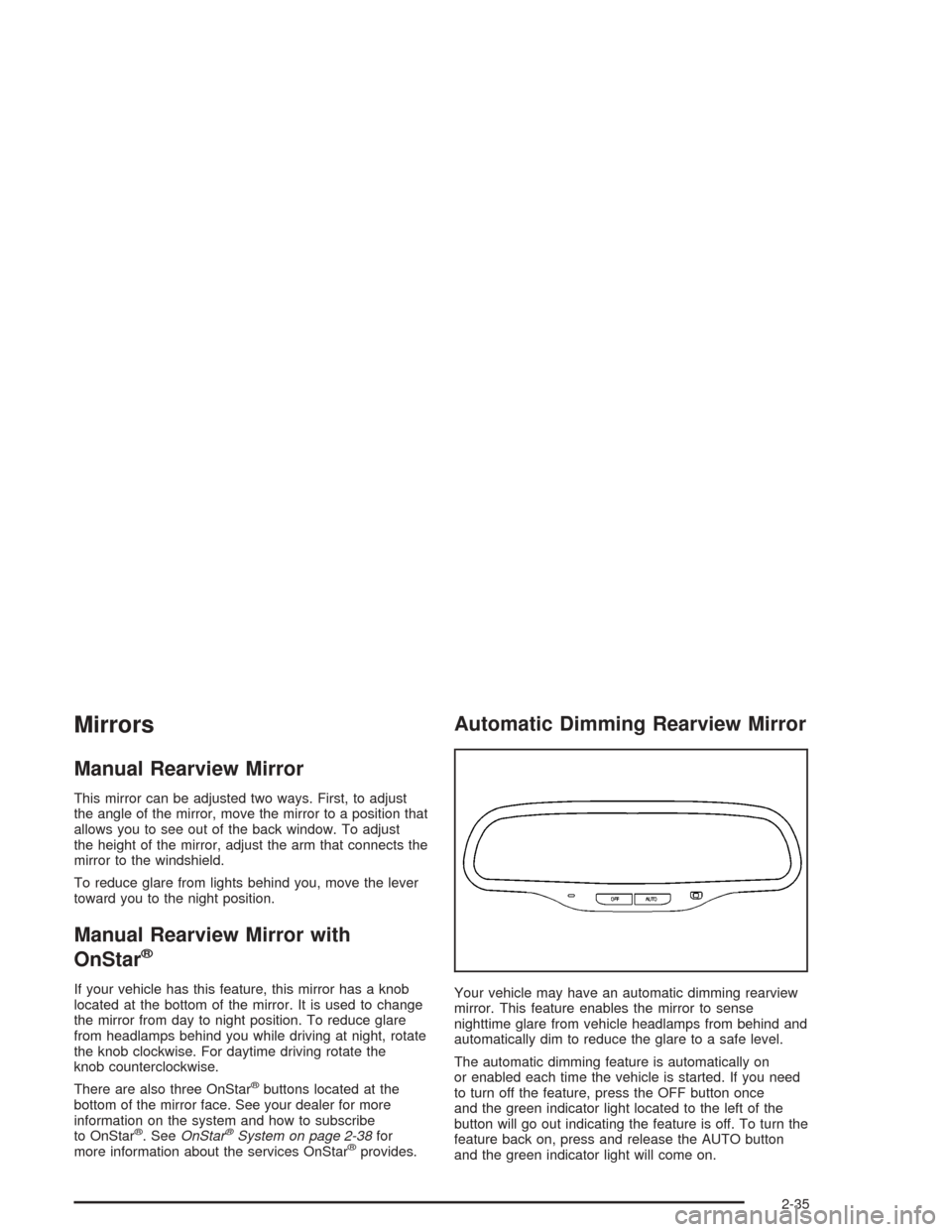
Your vehicle may have an automatic dimming rearview
mirror. This feature enables the mirror to sense
nighttime glare from vehicle headlamps from behind and
automatically dim to reduce the glare to a safe level.
The automatic dimming feature is automatically on
or enabled each time the vehicle is started. If you need
to turn off the feature, press the OFF button once
and the green indicator light located to the left of the
button will go out indicating the feature is off. To turn the
feature back on, press and release the AUTO button
and the green indicator light will come on.
2-35
Page 104 of 426
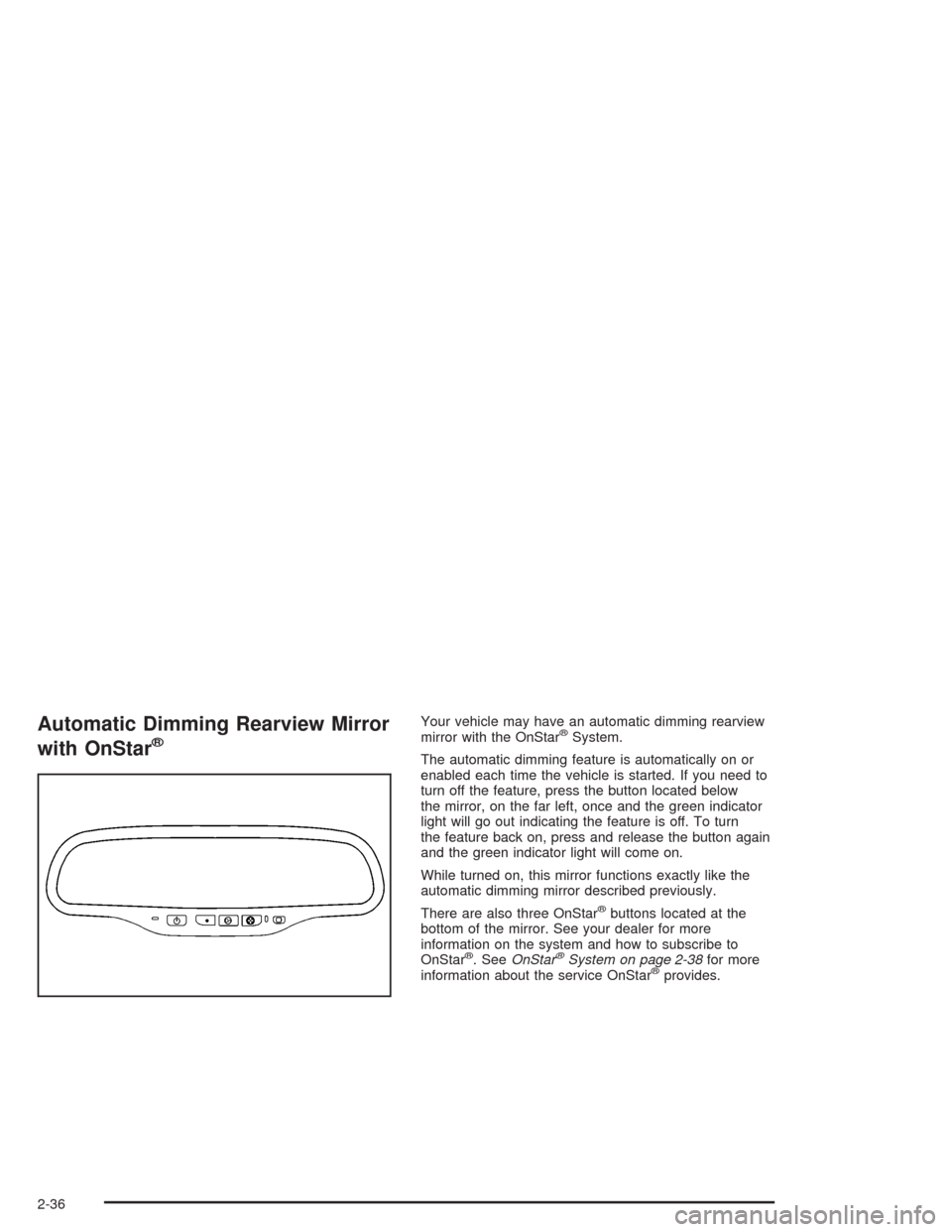
Automatic Dimming Rearview Mirror
with OnStar
®
Your vehicle may have an automatic dimming rearview
mirror with the OnStar®System.
The automatic dimming feature is automatically on or
enabled each time the vehicle is started. If you need to
turn off the feature, press the button located below
the mirror, on the far left, once and the green indicator
light will go out indicating the feature is off. To turn
the feature back on, press and release the button again
and the green indicator light will come on.
While turned on, this mirror functions exactly like the
automatic dimming mirror described previously.
There are also three OnStar
®buttons located at the
bottom of the mirror. See your dealer for more
information on the system and how to subscribe to
OnStar
®. SeeOnStar®System on page 2-38for more
information about the service OnStar®provides.
2-36
Page 105 of 426
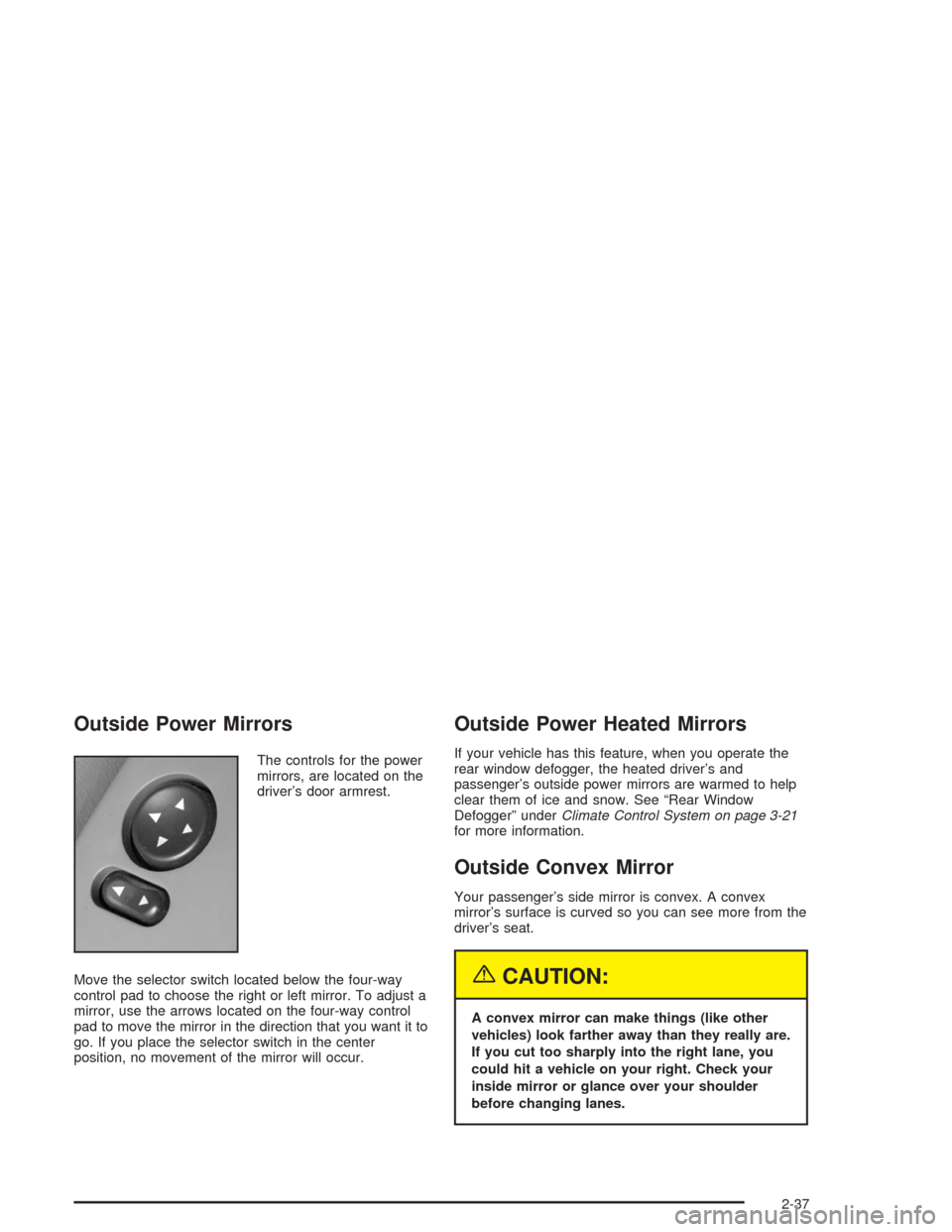
Outside Power Mirrors
The controls for the power
mirrors, are located on the
driver’s door armrest.
Move the selector switch located below the four-way
control pad to choose the right or left mirror. To adjust a
mirror, use the arrows located on the four-way control
pad to move the mirror in the direction that you want it to
go. If you place the selector switch in the center
position, no movement of the mirror will occur.
Outside Power Heated Mirrors
If your vehicle has this feature, when you operate the
rear window defogger, the heated driver’s and
passenger’s outside power mirrors are warmed to help
clear them of ice and snow. See “Rear Window
Defogger” underClimate Control System on page 3-21
for more information.
Outside Convex Mirror
Your passenger’s side mirror is convex. A convex
mirror’s surface is curved so you can see more from the
driver’s seat.
{CAUTION:
A convex mirror can make things (like other
vehicles) look farther away than they really are.
If you cut too sharply into the right lane, you
could hit a vehicle on your right. Check your
inside mirror or glance over your shoulder
before changing lanes.
2-37
Page 145 of 426
Defogging and Defrosting
You can use either defog or front defrost to clear fog
or frost from your windshield. Use the defog mode
to clear the windows of fog or moisture. Use the front
defrost button to defrost the front windshield.
-(Defog):Use this setting to clear the windows of
fog or moisture. Turn the mode knob to this position to
select this setting. This setting will deliver air to the
oor and windshield outlets.
0(Defrost):Turn the mode knob to this position to
defrost the windshield. The system will automatically
control the fan speed if you select defrost from
AUTO mode. If the outside temperature is 40°F (4°C)
or warmer, your air conditioning compressor will
automatically run to help dehumidify the air and dry
the windshield. The air conditioning indicator light will
blink three times if you try to turn off the compressor
while in this mode.
Rear Window Defogger
If your vehicle has this feature, the lines you see on
the rear window warm the glass. The rear window
defogger uses a warming grid to remove fog from the
rear window.
<(Rear):Press this button to turn the rear window
defogger on or off. An indicator light above the
button will come on to let you know that the rear
window defogger is activated.
If driving below 50 mph (80 kph), the rear window
defogger will turn off about 15 minutes after the button
is pressed. If you need additional warming time,
press the button again.
If your vehicle’s speed is maintained above 50 mph
(80 km/h), the rear window defogger will remain on once
the button is pressed.
If your vehicle has heated mirrors this button will also
activate them.
Notice:Using a razor blade or sharp object to
clear the inside rear window may damage the rear
window defogger. Repairs would not be covered
by your warranty. Do not clear the inside of the rear
window with sharp objects.
3-29
Page 250 of 426
Do not get too close to the vehicle you want to
pass while you are awaiting an opportunity. For one
thing, following too closely reduces your area of
vision, especially if you are following a larger
vehicle. Also, you will not have adequate space if
the vehicle ahead suddenly slows or stops.
Keep back a reasonable distance.
When it looks like a chance to pass is coming up,
start to accelerate but stay in the right lane and do
not get too close. Time your move so you will be
increasing speed as the time comes to move into the
other lane. If the way is clear to pass, you will have a
“running start” that more than makes up for the
distance you would lose by dropping back. And if
something happens to cause you to cancel your
pass, you need only slow down and drop back again
and wait for another opportunity.
If other vehicles are lined up to pass a slow vehicle,
wait your turn. But take care that someone is not
trying to pass you as you pull out to pass the slow
vehicle. Remember to glance over your shoulder and
check the blind spot.
Check your mirrors, glance over your shoulder, and
start your left lane change signal before moving out
of the right lane to pass. When you are far enough
ahead of the passed vehicle to see its front in your
inside mirror, activate your right lane change signal
and move back into the right lane. (Remember that
your right outside mirror is convex. The vehicle you
just passed may seem to be farther away from you
than it really is.)
Try not to pass more than one vehicle at a time on
two-lane roads. Reconsider before passing the next
vehicle.
Do not overtake a slowly moving vehicle too rapidly.
Even though the brake lamps are not ashing, it may
be slowing down or starting to turn.
If you are being passed, make it easy for the
following driver to get ahead of you. Perhaps you can
ease a little to the right.
4-14