2004 CHEVROLET MALIBU light
[x] Cancel search: lightPage 89 of 426
It is possible for the PASS-Key®III + decoder to “learn”
the transponder value of a new or replacement key.
Up to 10 additional keys may be programmed for
the vehicle. The following procedure is for programming
additional keys only. If all the currently programmed
keys are lost or do not operate, you must see your
dealer or a locksmith who can service PASS-Key
®III +
to have keys made and programmed to the system.
See your dealer or a locksmith who can service
PASS-Key
®III + to get a new key blank that is cut
exactly as the ignition key that operates the system.
Canadian Owners:If you lose or damage your keys,
only a GM dealer can service PASS-Key
®III+to
have new keys made. To program additional keys, you
will need two current driver’s keys. You must add a
step to the following procedure. After Step 2, repeat
Steps 1 and 2 with the second current driver’s key. Then
continue with Step 3.
To program the new key do the following:
1. Verify that the new key has “+” stamped on it.
2. Insert the master key in the ignition and start the
engine. If the engine will not start, see your dealer
for service.3. After the engine has started, turn the key to OFF,
and remove the key.
4. Insert the key to be programmed and turn it to RUN
within ve seconds of removing the original key.
5. The SECURITY light turns off, once the key has
been programmed. It may not be apparent that
the SECURITY light went on due to how quickly the
key is programmed.
6. Repeat Steps 1 through 5 if additional keys are to
be programmed.
If you are ever driving and the SECURITY light comes
on and stays on, you will be able to restart your
engine if you turn it off. Your PASS-Key®III + system,
however, is not working properly and must be serviced
by your dealer. Your vehicle is not protected by the
PASS-Key
®III + system at this time.
If you lose or damage your PASS-Key
®III + key, see
your dealer or a locksmith who can service
PASS-Key
®III + to have a new key made.
2-21
Page 91 of 426
ACC (ACCESSORY):This position lets you use things
like the radio and windshield wipers while the engine
is not running. To use ACC, turn the key clockwise
to the rst position.
Use this position if your vehicle must be pushed or
towed, but never try to push-start your vehicle.
SeeRecreational Vehicle Towing on page 4-31.
R(ON):This position unlocks the ignition. It is also the
position to where the key returns after you start the
engine and release the switch. The switch will stay in
this position while the engine is running. But even while
the engine is not running, you can use ON to operate
your electrical accessories, and to display some
instrument panel warning lights.
/(START):This position starts the engine. When the
engine starts, release the key. The ignition switch will
return to the ON position for normal driving.
Retained Accessory Power (RAP)
Your vehicle has a Retained Accessory Power (RAP)
feature which will allow some features to continue
to work up to 10 minutes after the ignition is turned to
off or until the driver’s door is opened.
Your vehicle’s sunroof and heated seats, if equipped,
and the power windows also work this way. They
will turn off after 10 minutes or if any door is open.
Starting Your Engine
Move your shift lever to PARK (P) or NEUTRAL (N).
Your engine will not start in any other position — that is
a safety feature. To restart when you are already
moving, use NEUTRAL (N) only.
Notice:Shifting into PARK (P) with the vehicle
moving could damage the transaxle. Shift into
PARK (P) only when your vehicle is stopped.
1. With your foot off the accelerator pedal, turn your
ignition key to START. When the engine starts, let
go of the key. The idle speed will go down as
your engine gets warm.
2-23
Page 97 of 426
Notice:Driving your vehicle if you notice that it is
moving slowly or not shifting gears as you
increase speed may damage the transaxle. Have
your vehicle serviced right away. You can drive in
LOW (L2) when you are driving less than 35 mph
(55 km/h) and AUTOMATIC OVERDRIVE (D) for
higher speeds until then.
LOW (L):This position gives you access to THIRD,
SECOND and FIRST gears for more power but
lower fuel economy than AUTOMATIC OVERDRIVE
(D). You can use it on very steep hills, or in deep snow
or mud. If the electronic range select is put in LOW
(L1), the transaxle won’t shift into lower gears until the
vehicle is going slow enough.
Electronic Range Select Mode
This feature allows you to select lower driving gears.
The button for this mode is located on the left side of the
shift lever knob.
The electronic range select mode only changes gear
when the shift lever is in LOW (L).
When the shift lever is rst moved into the LOW (L)
position, the display in the instrument panel shows L3.
Press the (−) end of the button on the shift lever
once for L2 and once more for L1. Press the (+) end of
the button to return to L2 and L3. The shift lever
must be moved back to DRIVE (D) to turn off the
electronic range select mode.
Parking Brake
To set the parking brake, push down the parking brake
pedal with your left foot. If the ignition is on, the
brake system warning light will come on. SeeBrake
System Warning Light on page 3-36.
To release the parking brake, hold the regular brake
pedal down with your right foot. Push down momentarily
on the parking brake pedal with your left foot until you
feel the pedal release. If the parking brake is not
released when you begin to drive, the brake system
warning light will be on and a chime will sound warning
you that the parking brake is still on.
A message will also appear in the Driver Information
Center (DIC) to remind you to release the parking brake.
SeeDIC Warnings and Messages on page 3-50.
Notice:Driving with the parking brake on can
overheat the brake system and cause premature
wear or damage to brake system parts. Verify that
the parking brake is fully released and the brake
warning light is off before driving.
If you are towing a trailer and are parking on a hill, see
Towing a Trailer on page 4-40.
2-29
Page 103 of 426
Mirrors
Manual Rearview Mirror
This mirror can be adjusted two ways. First, to adjust
the angle of the mirror, move the mirror to a position that
allows you to see out of the back window. To adjust
the height of the mirror, adjust the arm that connects the
mirror to the windshield.
To reduce glare from lights behind you, move the lever
toward you to the night position.
Manual Rearview Mirror with
OnStar
®
If your vehicle has this feature, this mirror has a knob
located at the bottom of the mirror. It is used to change
the mirror from day to night position. To reduce glare
from headlamps behind you while driving at night, rotate
the knob clockwise. For daytime driving rotate the
knob counterclockwise.
There are also three OnStar
®buttons located at the
bottom of the mirror face. See your dealer for more
information on the system and how to subscribe
to OnStar
®. SeeOnStar®System on page 2-38for
more information about the services OnStar®provides.
Automatic Dimming Rearview Mirror
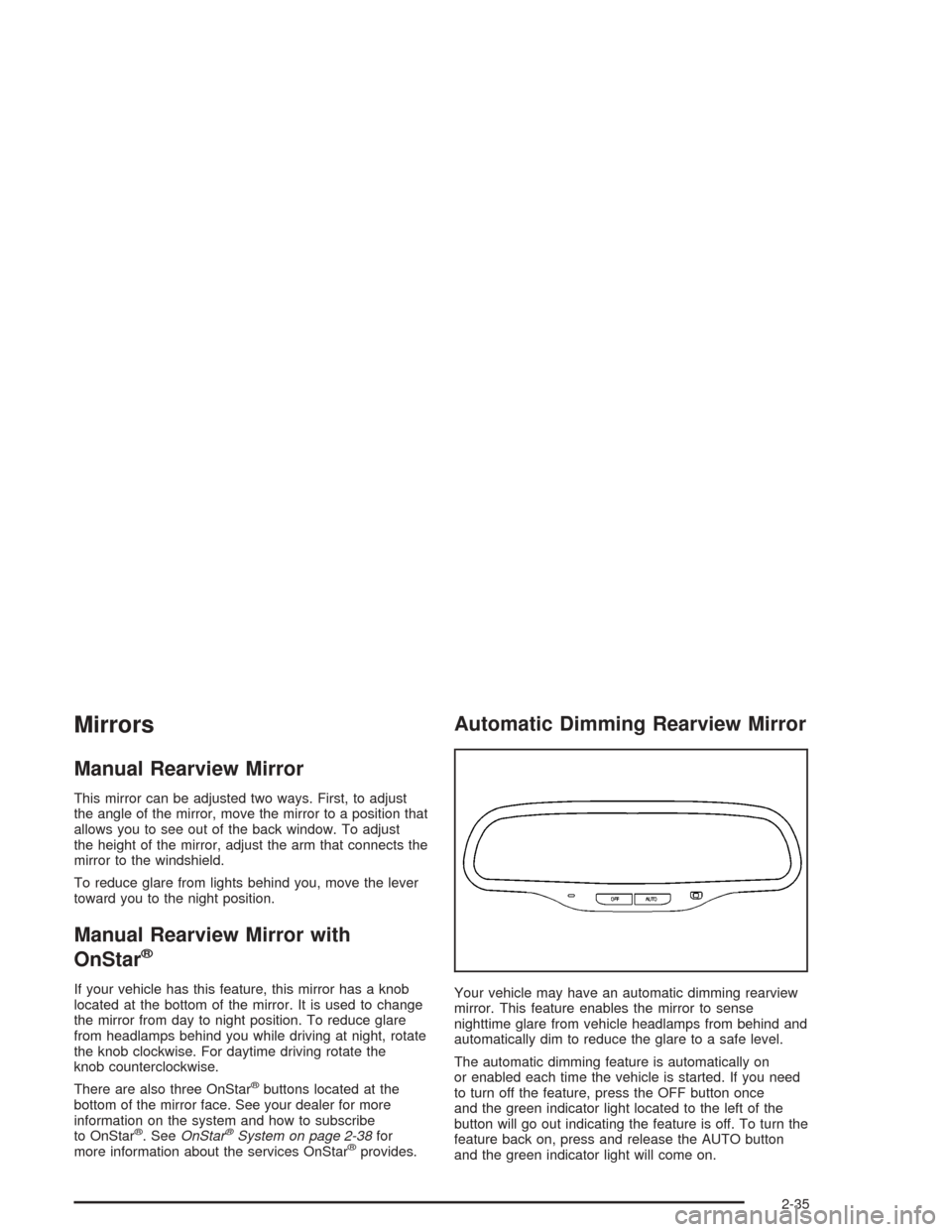
Your vehicle may have an automatic dimming rearview
mirror. This feature enables the mirror to sense
nighttime glare from vehicle headlamps from behind and
automatically dim to reduce the glare to a safe level.
The automatic dimming feature is automatically on
or enabled each time the vehicle is started. If you need
to turn off the feature, press the OFF button once
and the green indicator light located to the left of the
button will go out indicating the feature is off. To turn the
feature back on, press and release the AUTO button
and the green indicator light will come on.
2-35
Page 104 of 426
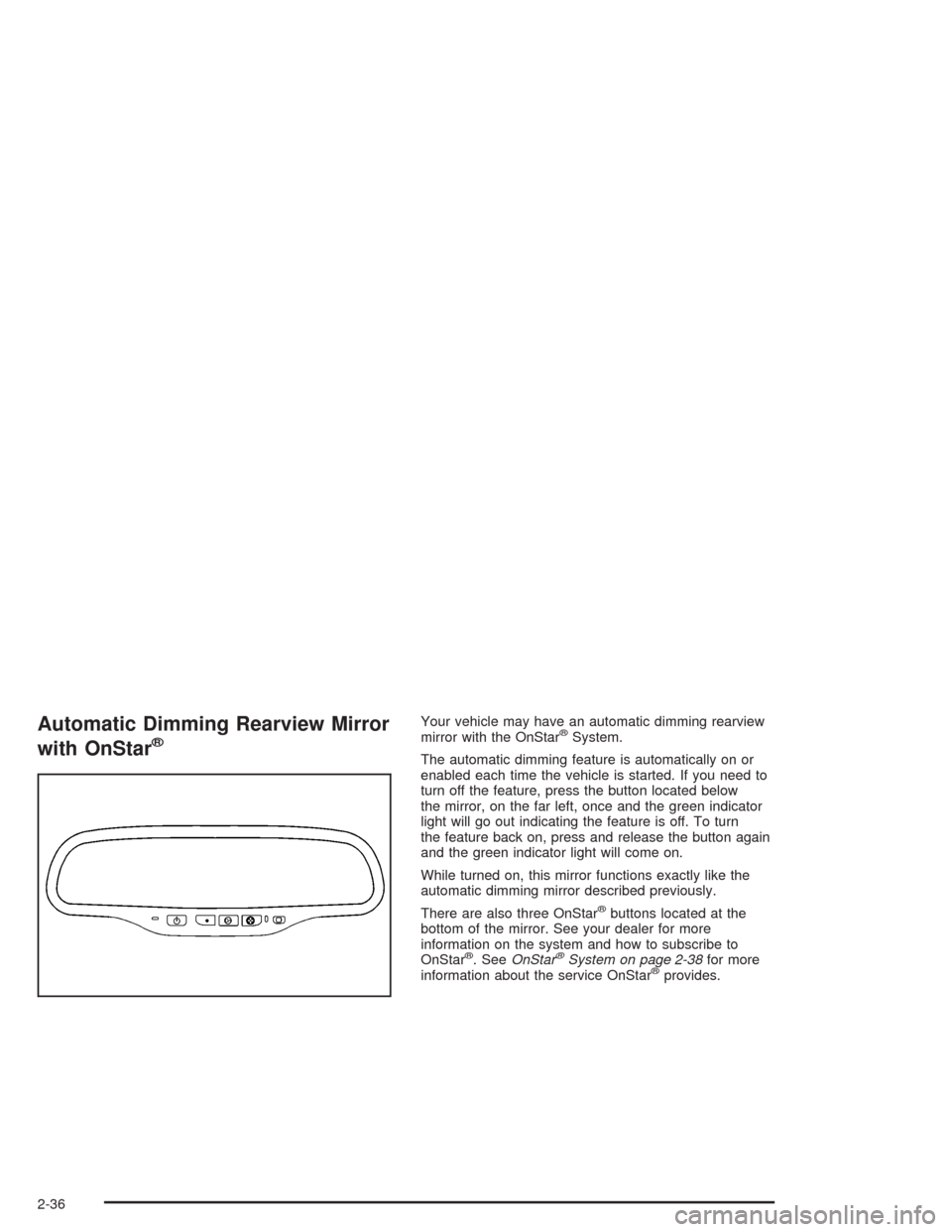
Automatic Dimming Rearview Mirror
with OnStar
®
Your vehicle may have an automatic dimming rearview
mirror with the OnStar®System.
The automatic dimming feature is automatically on or
enabled each time the vehicle is started. If you need to
turn off the feature, press the button located below
the mirror, on the far left, once and the green indicator
light will go out indicating the feature is off. To turn
the feature back on, press and release the button again
and the green indicator light will come on.
While turned on, this mirror functions exactly like the
automatic dimming mirror described previously.
There are also three OnStar
®buttons located at the
bottom of the mirror. See your dealer for more
information on the system and how to subscribe to
OnStar
®. SeeOnStar®System on page 2-38for more
information about the service OnStar®provides.
2-36
Page 108 of 426
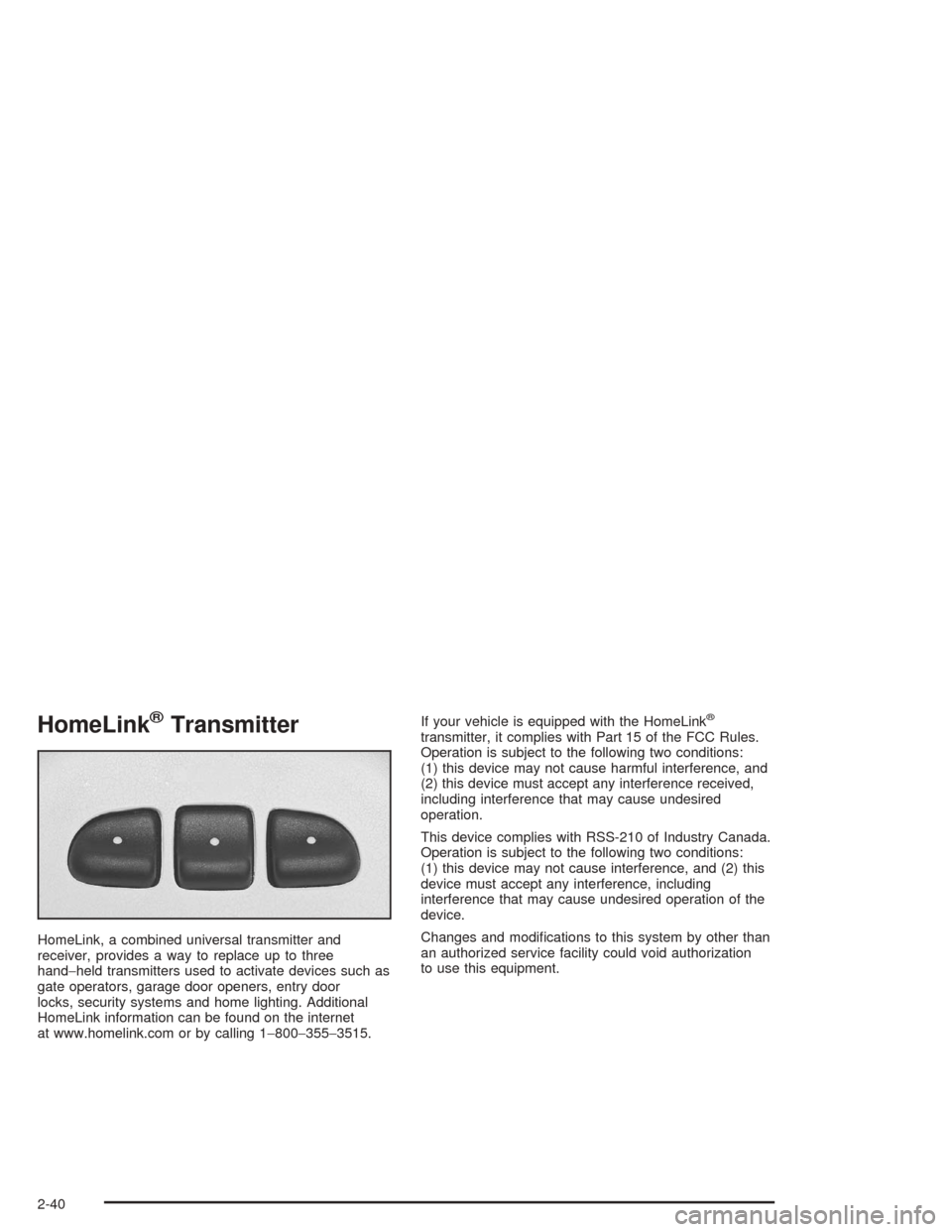
HomeLink®Transmitter
HomeLink, a combined universal transmitter and
receiver, provides a way to replace up to three
hand−held transmitters used to activate devices such as
gate operators, garage door openers, entry door
locks, security systems and home lighting. Additional
HomeLink information can be found on the internet
at www.homelink.com or by calling 1−800−355−3515.If your vehicle is equipped with the HomeLink
®
transmitter, it complies with Part 15 of the FCC Rules.
Operation is subject to the following two conditions:
(1) this device may not cause harmful interference, and
(2) this device must accept any interference received,
including interference that may cause undesired
operation.
This device complies with RSS-210 of Industry Canada.
Operation is subject to the following two conditions:
(1) this device may not cause interference, and (2) this
device must accept any interference, including
interference that may cause undesired operation of the
device.
Changes and modications to this system by other than
an authorized service facility could void authorization
to use this equipment.
2-40
Page 109 of 426
Programming the HomeLink®
Transmitter
Do not use the HomeLink®Transmitter with any garage
door opener that does not have the “stop and reverse”
feature. This includes any garage door opener model
manufactured before April 1, 1982. If you have a newer
garage door opener with rolling codes, please be
sure to follow steps 6 through 8 to complete the
programming of your HomeLink
®Transmitter.
Read the instructions completely before attempting to
program the HomeLink
®Transmitter. Because of
the steps involved, it may be helpful to have another
person available to assist you in programming the
transmitter.
Keep the original transmitter for use in other vehicles as
well as for future HomeLink
®programming. It is also
recommended that upon the sale of the vehicle,
the programmed HomeLink
®buttons should be erased
for security purposes. Refer to “Erasing HomeLink®
Buttons” or, for assistance, contact HomeLink®on the
internet at: www.homelink.com or by calling
1-800-355-3515.Be sure that people and objects are clear of the garage
door or gate operator you are programming. When
programming a garage door, it is advised to park outside
of the garage.
It is recommended that a new battery be installed in
your hand-held transmitter for quicker and more
accurate transmission of the radio frequency.
Your vehicle’s engine should be turned off while
programming the transmitter. Follow these steps to
program up to three channels:
1. Press and hold down the two outside buttons,
releasing only when the indicator light begins to
ash, after 20 seconds. Do not hold down the
buttons for longer than 30 seconds and do not
repeat this step to program a second and/or third
transmitter to the remaining two HomeLink
®buttons.
2. Position the end of your hand-held transmitter about
1 to 3 inches (3 to 8 cm) away from the HomeLink
®
buttons while keeping the indicator light in view.
3. Simultaneously press and hold both the desired
button on HomeLink
®and the hand-held transmitter
button. Do not release the buttons until Step 4
has been completed.
Some entry gates and garage door openers may
require you to substitute Step 3 with the procedure
noted in “Gate Operator and Canadian
Programming” later in this section.
2-41
Page 110 of 426
4. The indicator light will ash slowly at rst and then
rapidly after HomeLink®successfully receives the
frequency signal from the hand-held transmitter.
Release both buttons.
5. Press and hold the newly-trained HomeLink
®button
and observe the indicator light.
If the indicator light stays on constantly,
programming is complete and your device should
activate when the HomeLink
®button is pressed and
released.
To program the remaining two HomeLink
®buttons,
begin with Step 2 under “Programming HomeLink®.”
Do not repeat Step 1 as this will erase all of the
programmed channels.
If the indicator light blinks rapidly for two seconds
and then turns to a constant light, continue with
Steps 6 through 8 following to complete the
programming of a rolling-code equipped device
(most commonly, a garage door opener).
6. Locate in the garage, the garage door opener
receiver (motor-head unit). Locate the “Learn”
or “Smart” button. This can usually be found where
the hanging antenna wire is attached to the
motor-head unit.7. Firmly press and release the “Learn” or “Smart”
button. The name and color of the button may
vary by manufacturer.
You will have 30 seconds to start Step 8.
8. Return to the vehicle. Firmly press and hold the
programmed HomeLink
®button for two seconds,
then release. Repeat the press/hold/release
sequence a second time, and depending on the
brand of the garage door opener (or other rolling
code device), repeat this sequence a third time
to complete the programming.
HomeLink
®should now activate your rolling-code
equipped device.
To program the remaining two HomeLink
®buttons,
begin with Step 2 of “Programming HomeLink®.” Do not
repeat Step 1.
2-42