2004 CHEVROLET CORVETTE service reset
[x] Cancel search: service resetPage 180 of 384

SERVICE TIRE MON SYS (Except Z06):If this
message comes on, a part on the Tire Pressure
Monitor (TPM) is not working properly. If you drive your
vehicle while any of the four sensors are missing or
inoperable, the warning will come on in about
10 minutes. If all four sensors are missing, the warning
will come on in about 15 to 20 minutes. All the
sensors would be missing, for example, if you put
different wheels on your vehicle without transferring the
sensors. If the warning comes on and stays on, there
may be a problem with the TPM. See your dealer.
SERVICE TRACTION SYSTEM:If the SERVICE
TRACTION SYS message is displayed when you are
driving, there is a problem with your Traction Control
System and your vehicle is in need of service. When this
message is displayed, the system will not limit wheel
spin. Adjust your driving accordingly.
The SERVICE ACTIVE HNDLG message will also be
displayed and the instrument cluster car icon will also be
illuminated. The driver can acknowledge both messages
by pressing the reset button two times which will alsoturn off the instrument cluster icon. When the service
messages are displayed, the computer controlled
systems will not assist the driver in controlling the
vehicle. Have the system repaired as soon as possible.
Adjust your driving accordingly.
SERVICE VEHICLE SOON:If this message appears
on the DIC, there may be an electrical or another system
problem with your vehicle. Have your vehicle checked
by your dealer if this message keeps appearing.
SHOCKS INOPERATIVE:You will hear four chimes
when this message is displayed. To acknowledge
that you have read the message and to remove it from
the display, press RESET. The message will reappear
every 10 minutes until this condition changes.
This message indicates that a malfunction is present in
the Selective Ride Control system which is causing
the shocks to be in their full soft mode. This is a warning
to the driver that the vehicle handling may be affected.
Have your vehicle serviced as soon as possible.
3-66
Page 203 of 384
A non-scrubbing action, wet-type cleaner which uses a
cassette with a fabric belt to clean the tape head
can be used. This type of cleaning cassette will not
eject on its own. A non-scrubbing action cleaner may not
clean as thoroughly as the scrubbing type cleaner.
The use of a non-scrubbing action, dry-type cleaning
cassette is not recommended.
After the player is cleaned, press and hold the EJECT
button for five seconds to reset the CLN indicator.
The radio will display --- or CLEANED to show the
indicator was reset.
Cassettes are subject to wear and the sound quality
may degrade over time. Always make sure the cassette
tape is in good condition before the tape player is
serviced.Care of Your CDs
Handle CDs carefully. Store them in their original cases
or other protective cases and away from direct
sunlight and dust. If the surface of a CD is soiled,
dampen a clean, soft cloth in a mild, neutral detergent
solution and clean it, wiping from the center to the edge.
Be sure never to touch the side without writing when
handling CDs. Pick up CDs by grasping the outer edges
or the edge of the hole and the outer edge.
Care of Your CD Player
The use of CD lens cleaners for CD players is not
advised, due to the risk of contaminating the lens of the
CD optics with lubricants internal to the CD mechanism.
Fixed Mast Antenna (Z06)
The fixed mast antenna can withstand most car washes
without being damaged. If the mast should ever
become slightly bent, straighten it out by hand. If the
mast is badly bent, replace it.
Check occasionally to make sure the mast is still
tightened to the rear quarter panel.
3-89
Page 214 of 384
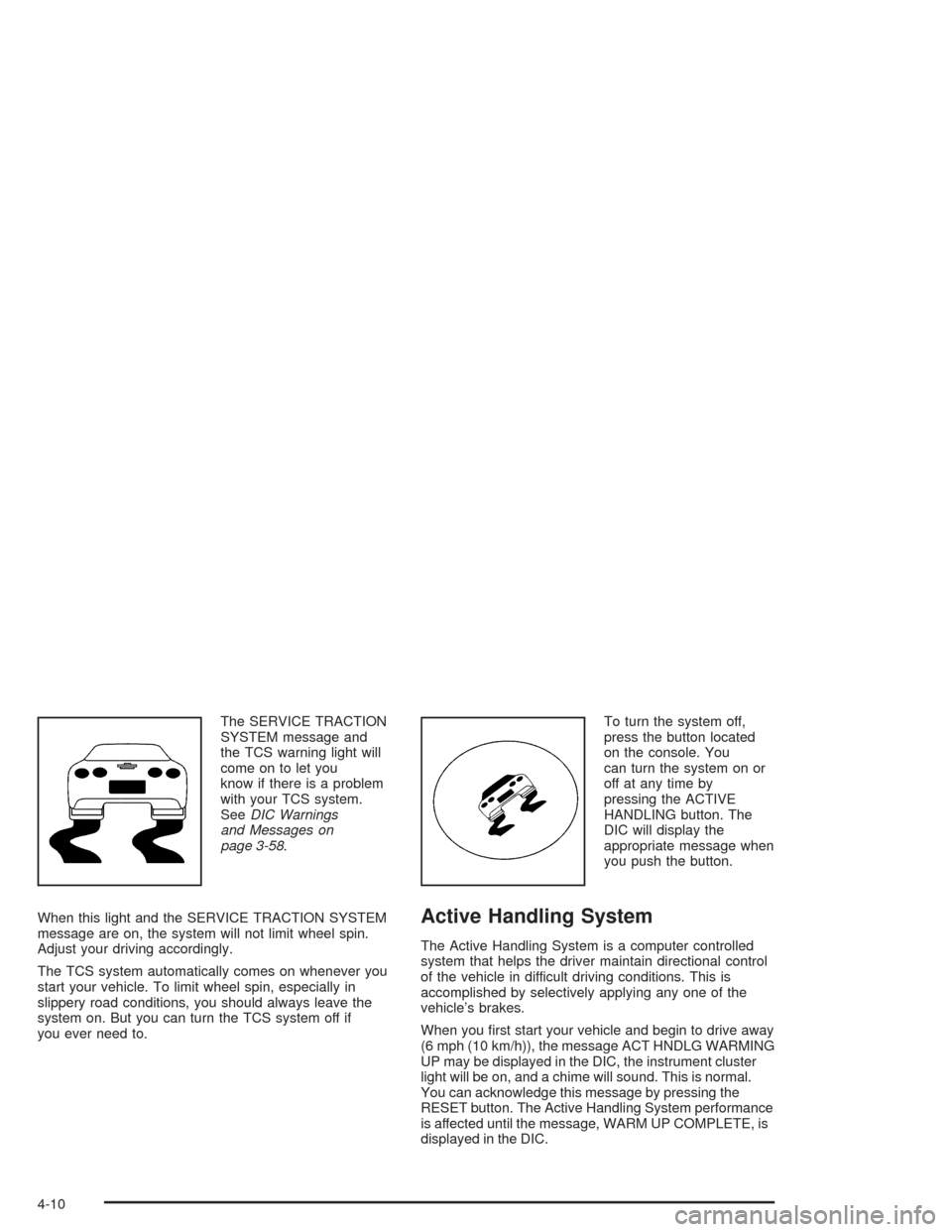
The SERVICE TRACTION
SYSTEM message and
the TCS warning light will
come on to let you
know if there is a problem
with your TCS system.
SeeDIC Warnings
and Messages on
page 3-58.
When this light and the SERVICE TRACTION SYSTEM
message are on, the system will not limit wheel spin.
Adjust your driving accordingly.
The TCS system automatically comes on whenever you
start your vehicle. To limit wheel spin, especially in
slippery road conditions, you should always leave the
system on. But you can turn the TCS system off if
you ever need to.To turn the system off,
press the button located
on the console. You
can turn the system on or
off at any time by
pressing the ACTIVE
HANDLING button. The
DIC will display the
appropriate message when
you push the button.
Active Handling System
The Active Handling System is a computer controlled
system that helps the driver maintain directional control
of the vehicle in difficult driving conditions. This is
accomplished by selectively applying any one of the
vehicle’s brakes.
When you first start your vehicle and begin to drive away
(6 mph (10 km/h)), the message ACT HNDLG WARMING
UP may be displayed in the DIC, the instrument cluster
light will be on, and a chime will sound. This is normal.
You can acknowledge this message by pressing the
RESET button. The Active Handling System performance
is affected until the message, WARM UP COMPLETE, is
displayed in the DIC.
4-10
Page 258 of 384
Your vehicle’s engine is filled at the factory with a
Mobil 1®synthetic oil, which meets all requirements for
your vehicle.
Substitute Engine Oil:When adding oil to maintain
engine oil level, oil meeting GM Standard GM4718M
may not be available. You can add substitute oil
designated SAE 5W-30 with the starburst symbol at all
temperatures. If temperatures are above 0°F (-18°C),
you may substitute SAE 10W-30 with the starburst
symbol. Substitute oil not meeting GM Standard
GM4718M should not be used for an oil change.
Engine Oil Additives
Do not add anything to your oil. The recommended oils
with the starburst symbol that meet GM Standard
GM4718M are all you will need for good performance
and engine protection.
When to Change Engine Oil
(GM Oil Life System)
Your vehicle has a computer that lets you know when to
change your engine oil and filter. This is based on
engine revolutions and engine temperature, and not on
mileage. Based on driving conditions, the mileage at
which an oil change will be indicated can vary
considerably. For the oil life system to work properly,
you must reset the system every time the oil is changed.
When the system has calculated that oil life has been
diminished, it will indicate that an oil change is
necessary. A CHANGE OIL SOON message will come
on. Change your oil as soon as possible within the
next two times you stop for fuel. It is possible that, if you
are driving under the best conditions, the oil life
system may not indicate that an oil change is necessary
for over a year. However, your engine oil and filter
must be changed at least once a year and at this time
the system must be reset. Your dealer has GM-trained
service people who will perform this work using
genuine GM parts and reset the system. It is also
important to check your oil regularly and keep it at the
proper level.
If the system is ever reset accidentally, you must
change your oil at 3,000 miles (5 000 km) since your
last oil change. Remember to reset the oil life system
whenever the oil is changed.
5-16
Page 259 of 384
How to Reset the CHANGE OIL SOON
Message
The GM Oil Life System calculates when to change
your engine oil and filter based on vehicle use. Anytime
your oil is changed, reset the system so it can
calculate when the next oil change is required. If a
situation occurs where you change your oil prior to a
CHANGE OIL SOON message being turned on,
reset the system.
To reset the CHANGE OIL SOON message after an oil
change, do the following:
1. Turn the ignition to ON, with the engine off.
2. Press the TRIP button so the OIL LIFE percentage
is displayed.
3. Press RESET and hold for two seconds. OIL LIFE
REMAIN 100% will appear.
4. Turn the key to OFF.
If the CHANGE OIL SOON message comes back on
when you start your vehicle, the engine oil life system
has not reset. Repeat the procedure.
What to Do with Used Oil
Used engine oil contains certain elements that may be
unhealthy for your skin and could even cause cancer.
Do not let used oil stay on your skin for very long. Clean
your skin and nails with soap and water, or a good
hand cleaner. Wash or properly dispose of clothing or
rags containing used engine oil. See the manufacturer’s
warnings about the use and disposal of oil products.
Used oil can be a threat to the environment. If you
change your own oil, be sure to drain all the oil from the
filter before disposal. Never dispose of oil by putting it
in the trash, pouring it on the ground, into sewers, or into
streams or bodies of water. Instead, recycle it by
taking it to a place that collects used oil. If you have a
problem properly disposing of your used oil, ask
your dealer, a service station or a local recycling center
for help.
5-17
Page 346 of 384
Scheduled Maintenance
When the CHANGE OIL SOON message comes on, it
means that service is required for your vehicle. Have your
vehicle serviced as soon as possible within the next 600
miles (1 000 km). It is possible that, if you are driving
under the best conditions, the engine oil life system may
not indicate that vehicle service is necessary for over a
year. However, your engine oil and filter must be changed
at least once a year and at this time the system must be
reset. Your GM Goodwrench dealer has GM-trained
service technicians who will perform this work using
genuine GM parts and reset the system.
If the engine oil life system is ever reset accidentally,
you must service your vehicle within 3,000 miles
(5 000 km) since your last service. Remember to reset
the oil life system whenever the oil is changed. See
Engine Oil on page 5-13for information on the Engine
Oil Life System and resetting the system.When the CHANGE OIL SOON message appears,
certain services, checks and inspections are required.
Required services are described in the following for
“MaintenanceI” and “MaintenanceII.” Generally,
it is recommended that your first service be
MaintenanceI, your second service be MaintenanceII
and that you alternate MaintenanceIand MaintenanceII
thereafter. However, in some cases, MaintenanceII
may be required more often.
MaintenanceI— Use MaintenanceIif the message
comes on within ten months since vehicle was
purchased or MaintenanceIIwas performed.
MaintenanceII— Use MaintenanceIIif the previous
service performed was MaintenanceI. Always use
MaintenanceIIwhenever the message comes on ten
months or more since the last service or if the message
has not come on at all for one year.
6-4
Page 347 of 384
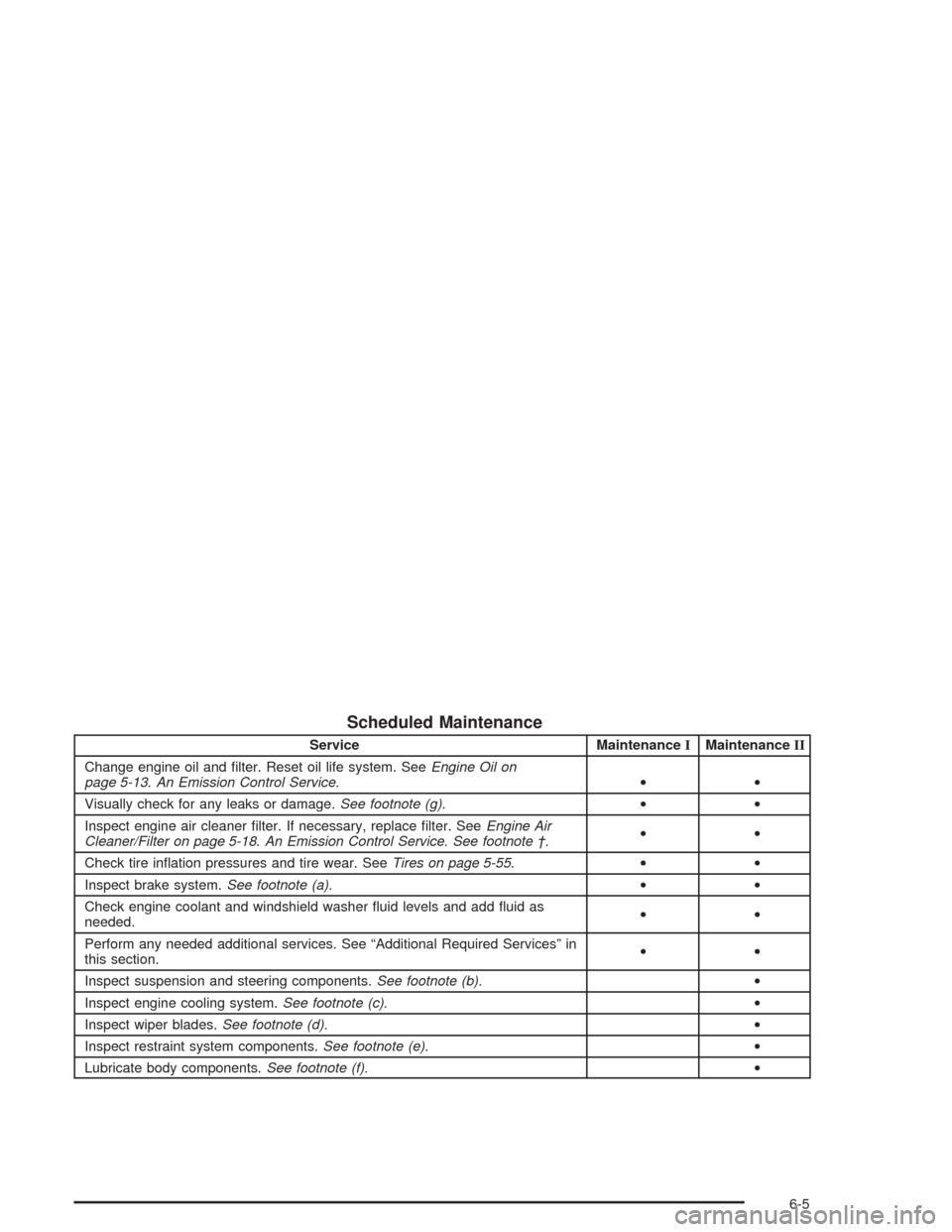
Scheduled Maintenance
Service MaintenanceIMaintenanceII
Change engine oil and filter. Reset oil life system. SeeEngine Oil on
page 5-13.An Emission Control Service.••
Visually check for any leaks or damage.See footnote (g).••
Inspect engine air cleaner filter. If necessary, replace filter. SeeEngine Air
Cleaner/Filter on page 5-18.An Emission Control Service. See footnote †.••
Check tire inflation pressures and tire wear. SeeTires on page 5-55.••
Inspect brake system.See footnote (a).••
Check engine coolant and windshield washer fluid levels and add fluid as
needed.••
Perform any needed additional services. See “Additional Required Services” in
this section.••
Inspect suspension and steering components.See footnote (b).•
Inspect engine cooling system.See footnote (c).•
Inspect wiper blades.See footnote (d).•
Inspect restraint system components.See footnote (e).•
Lubricate body components.See footnote (f).•
6-5
Page 381 of 384
Roof Panel (cont.)
Routing, Engine Drive Belt...............................6-14
Running Your Engine While You Are Parked.......2-36
S
Safety Belt
Reminder Light............................................3-34
Safety Belts
Care of......................................................5-85
Driver Position............................................1-12
How to Wear Safety Belts Properly................1-11
Passenger Position......................................1-19
Questions and Answers About Safety Belts.....1-11
Safety Belt Extender....................................1-19
Safety Belt Use During Pregnancy.................1-18
Safety Belts Are for Everyone......................... 1-6
Safety Warnings and Symbols.............................. iii
Scheduled Maintenance..................................... 6-4
Seatback Latches............................................. 1-5
Seats
Manual........................................................ 1-2
Power Seats................................................. 1-2
Reclining Seatbacks...................................... 1-3
Seatback Latches.......................................... 1-5
Sport Seat................................................... 1-6
Securing a Child Restraint
Designed for the LATCH System...................1-33
Passenger Seat Position...............................1-36Securing a Child Restraint (cont.)
Security Light.................................................3-45
Security While You Travel.................................. 7-6
Selective Ride Control.....................................4-12
Sensors.........................................................3-29
Service........................................................... 5-3
Adding Equipment to the Outside of
Your Vehicle.............................................. 5-4
Doing Your Own Work................................... 5-4
Engine Soon Light.......................................3-41
Publications Ordering Information...................7-11
Service Bulletins.............................................7-11
Service Manuals.............................................7-11
Servicing Your Air Bag-Equipped Vehicle............1-49
Setting Preset Stations............................3-71, 3-77
Setting the Time.............................................3-69
Setting the Tone (Bass/Treble)..................3-72, 3-78
Shift Speeds (Manual Transmission)..................2-29
Shifting Into Park (P).......................................2-32
Shifting Out of Park (P)...................................2-34
Skidding........................................................4-18
Some Other Rainy Weather Tips.......................4-22
Specifications, Capacities.................................5-99
Speedometer..................................................3-34
Sport Seat....................................................... 1-6
Starter Interlock Feature..................................2-23
Starting Your Engine.......................................2-21
Steering........................................................4-14
Steering in Emergencies..................................4-15
Steering Tips..................................................4-14
11