2004 CHEVROLET CORVETTE audio
[x] Cancel search: audioPage 184 of 384
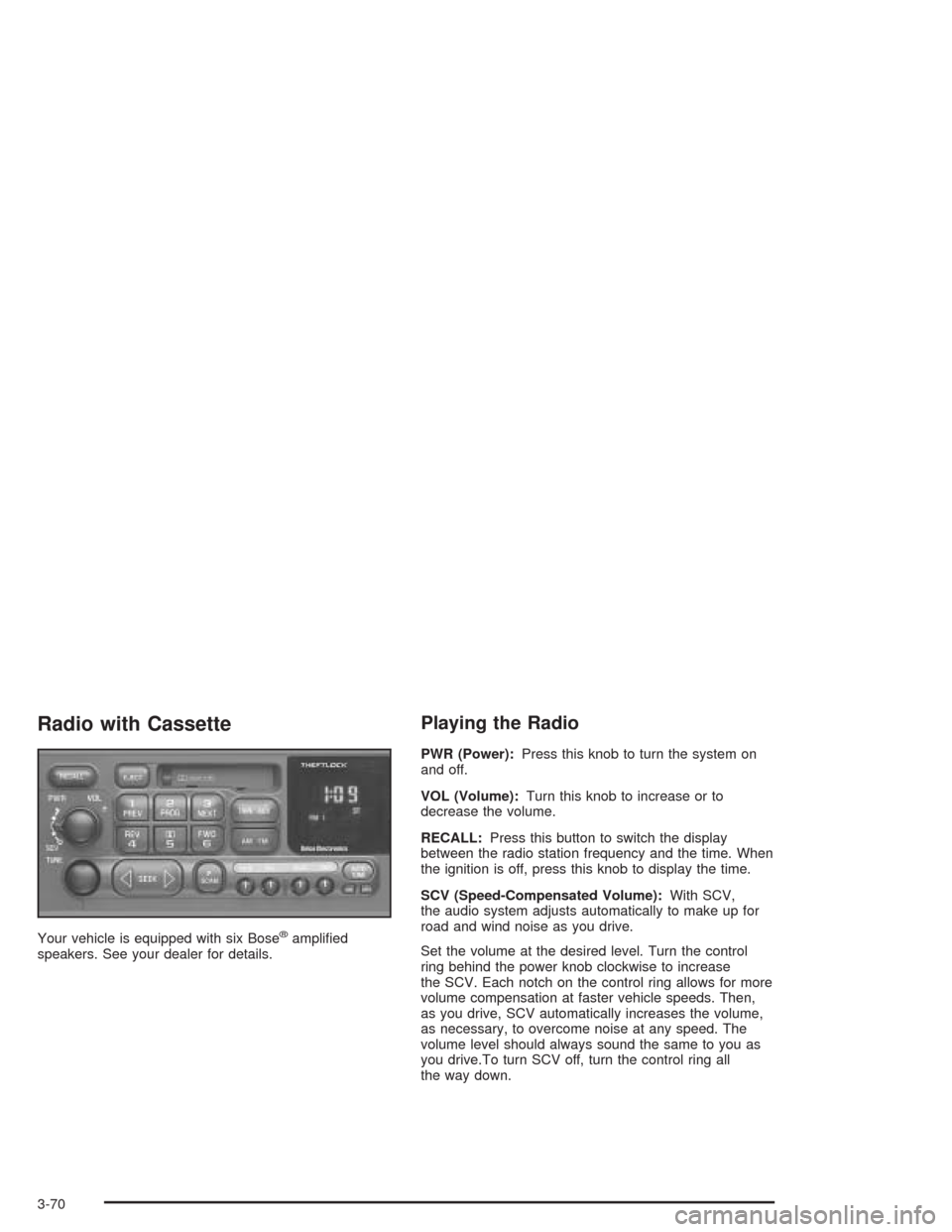
Radio with Cassette
Your vehicle is equipped with six Bose®amplified
speakers. See your dealer for details.
Playing the Radio
PWR (Power):Press this knob to turn the system on
and off.
VOL (Volume):Turn this knob to increase or to
decrease the volume.
RECALL:Press this button to switch the display
between the radio station frequency and the time. When
the ignition is off, press this knob to display the time.
SCV (Speed-Compensated Volume):With SCV,
the audio system adjusts automatically to make up for
road and wind noise as you drive.
Set the volume at the desired level. Turn the control
ring behind the power knob clockwise to increase
the SCV. Each notch on the control ring allows for more
volume compensation at faster vehicle speeds. Then,
as you drive, SCV automatically increases the volume,
as necessary, to overcome noise at any speed. The
volume level should always sound the same to you as
you drive.To turn SCV off, turn the control ring all
the way down.
3-70
Page 188 of 384
3 NEXT:The tape must have at least three seconds of
silence between each selection for next to work.
Press this pushbutton to go to the next selection on the
tape. If this pushbutton is held or pressed more than
once, the player will continue moving forward through
the tape.
4 REV (Reverse):Press this pushbutton to quickly
reverse the tape. The radio will play while the tape
reverses. Press it again to return to playing speed.
W5 (Dolby®):Press this pushbutton to reduce
background noise. The double-D symbol will appear on
the display.
Dolby
®Noise Reduction is manufactured under a
license from Dolby®Laboratories Licensing Corporation.
Dolby®and the double-D symbol are trademarks of
Dolby®Laboratories Licensing Corporation.
FWD 6 (Forward):Press this pushbutton to quickly
advance the tape. The radio will play while the
tape advances. Press it again to return to playing
speed.
oSEEKp:The tape must have at least three
seconds of silence between each selection for seek to
work. The left arrow is the same as the PREV
pushbutton and the right arrow is the same as the
NEXT pushbutton. If either arrow is held or pressed
more than once, the player will continue moving
backward or forward through the tape.
AM FM:Press this button to listen to the radio when a
cassette tape is playing. The inactive tape will remain
safely inside the radio for future listening.
TAPE AUX (Auxiliary):Press this button to play a
cassette tape when listening to the radio. The tape
symbol with an arrow will appear on the display. If the
audio system is equipped with a remote playback
device, pressing this button a second time will allow the
remote device to play.
EJECT:Press this button to eject the tape. Eject may
be activated with the ignition or radio off. Cassette tapes
can be loaded with the ignition and radio off if this
button is pressed first.
3-74
Page 190 of 384
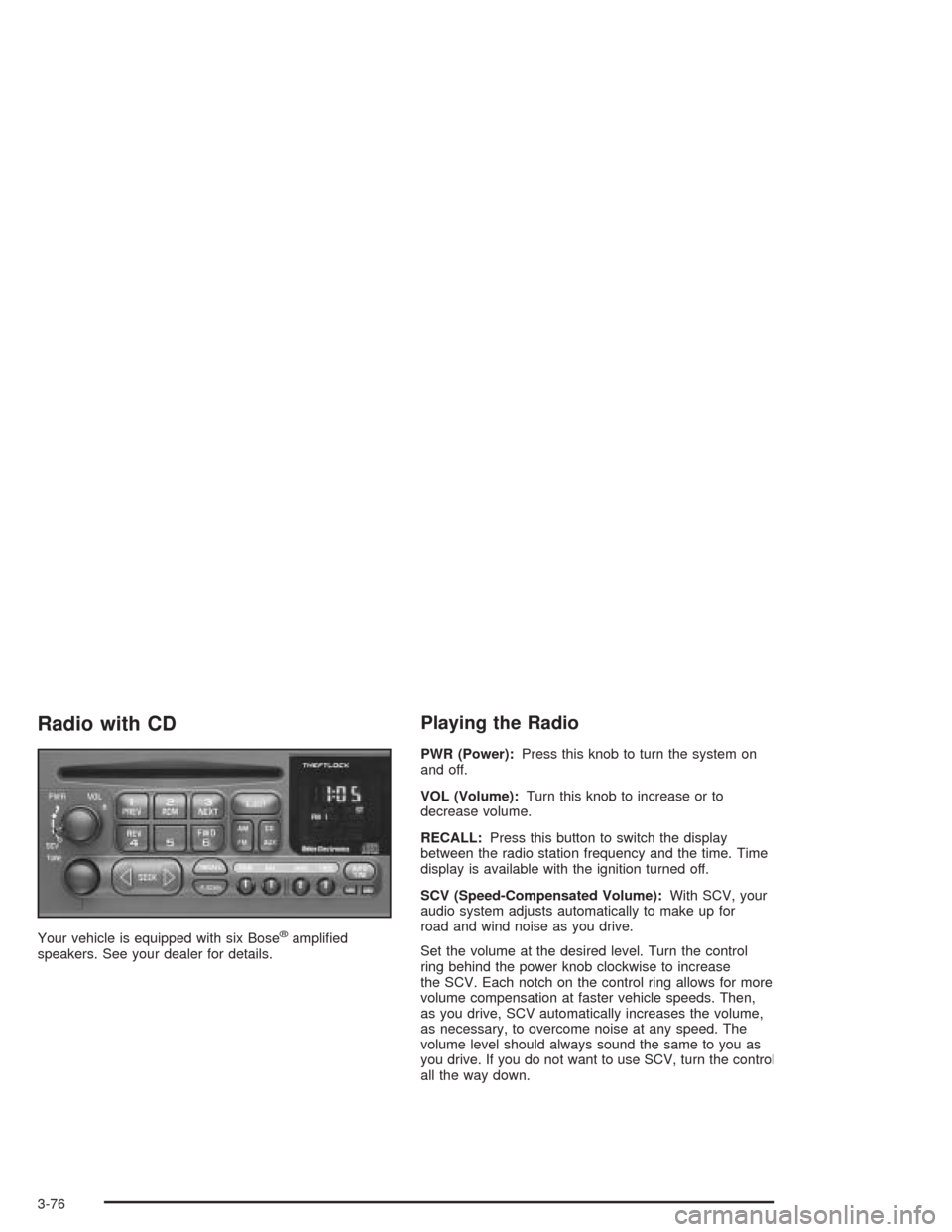
Radio with CD
Your vehicle is equipped with six Bose®amplified
speakers. See your dealer for details.
Playing the Radio
PWR (Power):Press this knob to turn the system on
and off.
VOL (Volume):Turn this knob to increase or to
decrease volume.
RECALL:Press this button to switch the display
between the radio station frequency and the time. Time
display is available with the ignition turned off.
SCV (Speed-Compensated Volume):With SCV, your
audio system adjusts automatically to make up for
road and wind noise as you drive.
Set the volume at the desired level. Turn the control
ring behind the power knob clockwise to increase
the SCV. Each notch on the control ring allows for more
volume compensation at faster vehicle speeds. Then,
as you drive, SCV automatically increases the volume,
as necessary, to overcome noise at any speed. The
volume level should always sound the same to you as
you drive. If you do not want to use SCV, turn the control
all the way down.
3-76
Page 193 of 384
Playing a CD
Insert a CD partway into the slot, label side up. The
player will pull it in. The CD should begin playing. CD
and the CD symbol will appear on the display. If
you want to insert a CD with the ignition off, first press
the EJECT or the RECALL button.
If you turn off the ignition or radio with a CD in the
player, it will stay in the player. When you turn on the
ignition or radio, the CD will start playing where it
stopped, if it was the last selected audio source.
As each new track starts to play the track number will
appear on the display.
The CD player can play the smaller 8 cm single CDs
with an adapter ring. Full-size CDs and the smaller CDs
are loaded in the same manner.
If playing a CD-R the sound quality may be reduced
due to CD-R quality, the method of recording, the quality
of the music that has been recorded, and the way the
CD-R has been handled. You may experience an
increase in skipping, difficulty in finding tracks, and/or
difficulty in loading and ejecting. If these problems occur
try a known good CD.Do not add paper labels to CDs, they could get caught
in the CD player.
Do not play 3 inch CDs without a standard adapter CD.
If an error appears on the display, see “CD Messages”
later in this section.
1 PREV (Previous):Press this pushbutton to go to the
start of the current track if it has been playing for
more than eight seconds. If you hold this pushbutton or
press it more than once, the player will continue
moving backward through the CD.
2 RDM (Random):Press this pushbutton to hear the
tracks in random, rather than sequential, order.
RANDOM will appear on the display. Press this
pushbutton again to turn off random play.
3 NEXT:Press this pushbutton to go to the next track.
If you hold this pushbutton or press it more than
once, the player will continue moving forward through
the CD.
REV 4 (Reverse):Press and hold this pushbutton to
quickly reverse within a track. Release it to play
the passage. The elapsed time of the track will appear
on the display.
3-79
Page 283 of 384
Vehicle Storage
If you are not going to drive your vehicle for 25 days
or more, remove the black, negative (-) cable from
the battery. This will help keep your battery from
running down.
{CAUTION:
Batteries have acid that can burn you and gas
that can explode. You can be badly hurt if you
are not careful. SeeJump Starting on
page 5-41for tips on working around a battery
without getting hurt.
Contact your dealer to learn how to prepare your
vehicle for longer storage periods.
Also, for your audio system, seeTheft-Deterrent
Feature on page 3-86.
Jump Starting
If your battery has run down, you may want to use
another vehicle and some jumper cables to start your
vehicle. Be sure to follow the steps below to do it safely.
{CAUTION:
Batteries can hurt you. They can be dangerous
because:
They contain acid that can burn you.
They contain gas that can explode or
ignite.
They contain enough electricity to
burn you.
If you do not follow these steps exactly, some
or all of these things can hurt you.
Notice:If you try to start your vehicle by pushing
or pulling it, you could damage your vehicle. Do not
push or pull your vehicle to start it; instead, use
the jump starting procedure in this manual to start
your vehicle when the battery has run down.
5-41
Page 351 of 384
At Least Once a Month
Tire Inspection and Ination Check
Visually inspect your tires for wear and make sure tires
are inflated to the correct pressures. SeeTires on
page 5-55for further details.
Cassette Tape Player Service
Clean cassette tape player. Cleaning should be done
every 50 hours of tape play. SeeAudio System(s)
on page 3-69for further details.
Power Antenna Service
Clean power antenna mast. SeeAudio System(s) on
page 3-69for further details.
At Least Once a Year
Starter Switch Check
{CAUTION:
When you are doing this inspection, the
vehicle could move suddenly. If the vehicle
moves, you or others could be injured.
1. Before you start, be sure you have enough room
around the vehicle.
2. Firmly apply both the parking brake and the regular
brake. SeeParking Brake on page 2-31if
necessary.
Do not use the accelerator pedal, and be ready to
turn off the engine immediately if it starts.
3. On automatic transmission vehicles, try to start the
engine in each gear. The starter should work only
in PARK (P) or NEUTRAL (N). If the starter works in
any other position, contact your GM Goodwrench
dealer for service.
4. On manual transmission vehicles, put the shift lever
in NEUTRAL (N), push the clutch pedal down
halfway and try to start the engine. The starter
should work only when the clutch pedal is pushed
down all the way to the floor. If the starter works
when the clutch is not pushed all the way down,
contact your GM Goodwrench dealer for service.
6-9
Page 371 of 384
A
Accessory Power Outlets.................................3-22
Activating the Theft-Deterrent Feature................3-86
Active Handling System...................................4-10
Active Handling System Light...........................3-40
Adding Washer Fluid.......................................5-36
Additional Program Information........................... 7-9
Additives, Fuel................................................. 5-6
Add-On Electrical Equipment............................5-92
Adjusting the Speakers (Balance/Fade)......3-72, 3-78
Air Bag
Off Light.....................................................3-36
Readiness Light..........................................3-35
Air Bag System..............................................1-40
Air Bag Off Switch.......................................1-46
How Does an Air Bag Restrain?....................1-44
Servicing Your Air Bag-Equipped Vehicle.........1-49
What Makes an Air Bag Inflate?....................1-43
What Will You See After an
Air Bag Inflates?......................................1-44
When Should an Air Bag Inflate?...................1-43
Where Are the Air Bags?..............................1-42
Air Cleaner/Filter, Engine.................................5-18
Air Compressor..............................................5-78
Air Dam, Front...............................................2-19
Airbag Sensing and Diagnostic Module (SDM)...... 7-9
AM ...............................................................3-88
Antenna, Fixed Mast.......................................3-89
Antenna, Power Antenna Mast Care..................3-90Antennas, Integrated Windshield and Rear
Window......................................................3-90
Anti-lock Brake System (ABS)............................ 4-7
Anti-Lock Brake, System Warning Light..............3-39
Appearance Care............................................5-82
Care of Safety Belts....................................5-85
Chemical Paint Spotting...............................5-90
Cleaning the Inside of Your Vehicle................5-83
Cleaning the Outside of Your Vehicle..............5-85
Fiberglass Springs.......................................5-90
Finish Damage............................................5-89
Titanium Exhaust System..............................5-89
Underbody Maintenance...............................5-89
Vehicle Care/Appearance Materials................5-90
Weatherstrips..............................................5-85
Arming the System.........................................2-16
Ashtrays........................................................3-23
Audio System(s).............................................3-69
Care of Your Cassette Tape Player................3-88
Care of Your CD Player...............................3-89
Care of Your CDs........................................3-89
Fixed Mast Antenna.....................................3-89
Integrated Windshield and Rear Window
Antennas................................................3-90
Power Antenna Mast Care............................3-90
Radio with Cassette.....................................3-70
Radio with CD............................................3-76
Setting the Time..........................................3-69
Theft-Deterrent Feature................................3-86
Trunk-Mounted CD Changer..........................3-81
1
Page 372 of 384
Audio System(s) (cont.)
Understanding Radio Reception.....................3-88
Automatic Transmission...................................2-21
Fluid..........................................................5-20
Operation...................................................2-25
B
Battery..........................................................5-40
Battery Replacement......................................... 2-8
Battery Run-Down Protection............................3-18
Before Leaving on a Long Trip.........................4-25
Brake
Parking......................................................2-31
System Warning Light..................................3-38
Brake Fluid....................................................5-37
Brake Wear...................................................5-39
Brakes..........................................................5-37
Braking........................................................... 4-6
Braking in Emergencies..................................... 4-9
Break-In, New Vehicle.....................................2-19
Bulb Replacement...........................................5-48
Back-Up Lamps...........................................5-52
Halogen Bulbs............................................5-48
Headlamps.................................................5-48
Replacement Bulbs......................................5-52
Taillamps and Turn Signal Lamps..................5-50
Buying New Tires...........................................5-66
C
California Fuel.................................................. 5-5
Canada – Customer Assistance.......................... 7-4
Canadian Owners................................................ ii
Canadian Roadside Assistance........................... 7-7
Capacities and Specifications............................5-99
Carbon Fiber Hood.........................................5-89
Carbon Monoxide...................4-28, 4-38, 2-11, 2-36
Care of
Safety Belts................................................5-85
Your Cassette Tape Player............................3-88
Your CD Player...........................................3-89
Your CDs ...................................................3-89
Cargo Cover..................................................2-43
Cassette Tape Messages.................................3-75
Cassette Tape Player Service............................. 6-9
CD Adapter Kits.............................................3-75
CD Changer, Trunk-Mounted............................3-81
CD Messages........................................3-80, 3-85
Center Console Storage Area...........................2-40
Chains, Tires..................................................5-71
Check
Engine Light...............................................3-41
Gages Warning Light...................................3-46
Check Engine Light.........................................3-41
Checking Coolant............................................5-24
Checking Engine Oil........................................5-13
2