2004 CHEVROLET ASTRO CARGO VAN brake
[x] Cancel search: brakePage 103 of 386
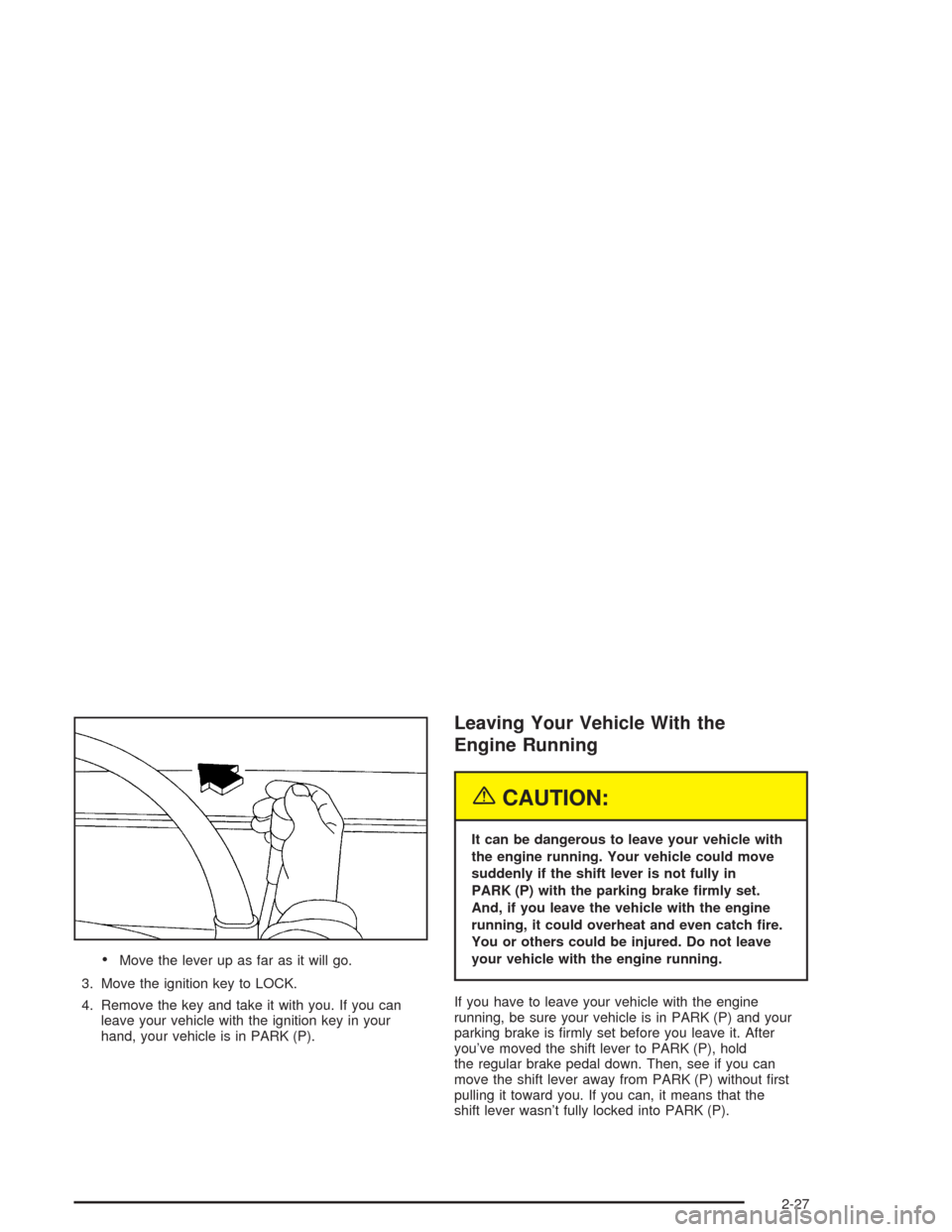
Move the lever up as far as it will go.
3. Move the ignition key to LOCK.
4. Remove the key and take it with you. If you can
leave your vehicle with the ignition key in your
hand, your vehicle is in PARK (P).
Leaving Your Vehicle With the
Engine Running
{CAUTION:
It can be dangerous to leave your vehicle with
the engine running. Your vehicle could move
suddenly if the shift lever is not fully in
PARK (P) with the parking brake rmly set.
And, if you leave the vehicle with the engine
running, it could overheat and even catch re.
You or others could be injured. Do not leave
your vehicle with the engine running.
If you have to leave your vehicle with the engine
running, be sure your vehicle is in PARK (P) and your
parking brake is rmly set before you leave it. After
you’ve moved the shift lever to PARK (P), hold
the regular brake pedal down. Then, see if you can
move the shift lever away from PARK (P) without rst
pulling it toward you. If you can, it means that the
shift lever wasn’t fully locked into PARK (P).
2-27
Page 104 of 386
Torque Lock
If you are parking on a hill and you don’t shift your
transmission into PARK (P) properly, the weight of the
vehicle may put too much force on the parking pawl
in the transmission. You may nd it difficult to pull
the shift lever out of PARK (P). This is called “torque
lock.” To prevent torque lock, set the parking brake
and then shift into PARK (P) properly before you leave
the driver’s seat. To nd out how, seeShifting Into
Park (P) on page 2-26.
When you are ready to drive, move the shift lever out
of PARK (P)beforeyou release the parking brake.
If torque lock does occur, you may need to have another
vehicle push yours a little uphill to take some of the
pressure from the parking pawl in the transmission,
so you can pull the shift lever out of PARK (P).
Shifting Out of Park (P)
Your vehicle has an automatic transmission shift lock
control system. You have to fully apply your regular
brakes before you can shift from PARK (P) when the
ignition is in RUN. SeeAutomatic Transmission
Operation on page 2-22.
If you cannot shift out of PARK (P), ease pressure on
the shift lever and push the shift lever all the way up into
PARK (P) as you maintain brake application. Then,
move the shift lever into the gear you want.
If you ever hold the brake pedal down but still can’t
shift out of PARK (P), try this:
1. Turn the key to OFF.
2. Apply and hold the brake until the end of Step 4.
3. Shift to NEUTRAL (N).
4. Start the vehicle and then shift to the drive gear
you want.
5. Have the system xed as soon as you can.
2-28
Page 106 of 386
Running Your Engine While You
Are Parked
It is better not to park with the engine running. But if
you ever have to, here are some things to know.
{CAUTION:
Idling the engine with the climate control
system off could allow dangerous exhaust
into your vehicle. See the earlier Caution
underEngine Exhaust on page 2-29.
Also, idling in a closed-in place can let deadly
carbon monoxide (CO) into your vehicle even
if the climate control fan is at the highest
setting. One place this can happen is a
garage. Exhaust — with CO — can come
in easily. NEVER park in a garage with the
engine running.
Another closed-in place can be a blizzard.
SeeWinter Driving on page 4-24.
{CAUTION:
It can be dangerous to get out of your vehicle
if the shift lever is not fully in PARK (P) with
the parking brake rmly set. Your vehicle can
roll. Do not leave your vehicle when the engine
is running unless you have to. If you have
left the engine running, the vehicle can move
suddenly. You or others could be injured.
To be sure your vehicle will not move, even
when you are on fairly level ground, always
set your parking brake and move the shift
lever to PARK (P).
Follow the proper steps to be sure your vehicle will
not move. SeeShifting Into Park (P) on page 2-26.
If you are pulling a trailer, seeTowing a Trailer
on page 4-35.
2-30
Page 121 of 386

Instrument Panel Overview...............................3-2
Hazard Warning Flashers................................3-4
Other Warning Devices...................................3-5
Horn.............................................................3-5
Tilt Wheel.....................................................3-5
Turn Signal/Multifunction Lever.........................3-6
Exterior Lamps.............................................3-12
Interior Lamps..............................................3-14
Accessory Power Outlets...............................3-15
Ashtrays and Cigarette Lighter........................3-16
Climate Controls............................................3-17
Climate Control System.................................3-17
Outlet Adjustment.........................................3-19
Rear Heating System....................................3-20
Rear Air Conditioning System.........................3-20
Warning Lights, Gages, and Indicators............3-22
Instrument Panel Cluster................................3-23
Speedometer and Odometer...........................3-24
Safety Belt Reminder Light.............................3-24
Air Bag Readiness Light................................3-25
Charging System Light..................................3-26
Voltmeter Gage............................................3-26
Brake System Warning Light..........................3-27Anti-Lock Brake System Warning Light.............3-28
Engine Coolant Temperature Gage..................3-28
Malfunction Indicator Lamp.............................3-29
Oil Pressure Gage........................................3-32
Security Light...............................................3-33
Service All-Wheel Drive Light.........................3-33
Tow/Haul Mode Light....................................3-34
Check Gages Warning Light...........................3-34
Fuel Gage...................................................3-34
Low Fuel Warning Light.................................3-35
Audio System(s).............................................3-35
Setting the Time for Radios with
the Set Button..........................................3-36
Setting the Time for Radios with
HR and MN Buttons..................................3-36
AM-FM Radio...............................................3-36
Radio with CD..............................................3-38
Rear Seat Audio (RSA).................................3-43
Theft-Deterrent Feature..................................3-44
Radio Reception...........................................3-47
Care of Your CDs.........................................3-47
Care of Your CD Player................................3-47
Fixed Mast Antenna......................................3-47
Section 3 Instrument Panel
3-1
Page 129 of 386
Rear Window Washer/Wiper
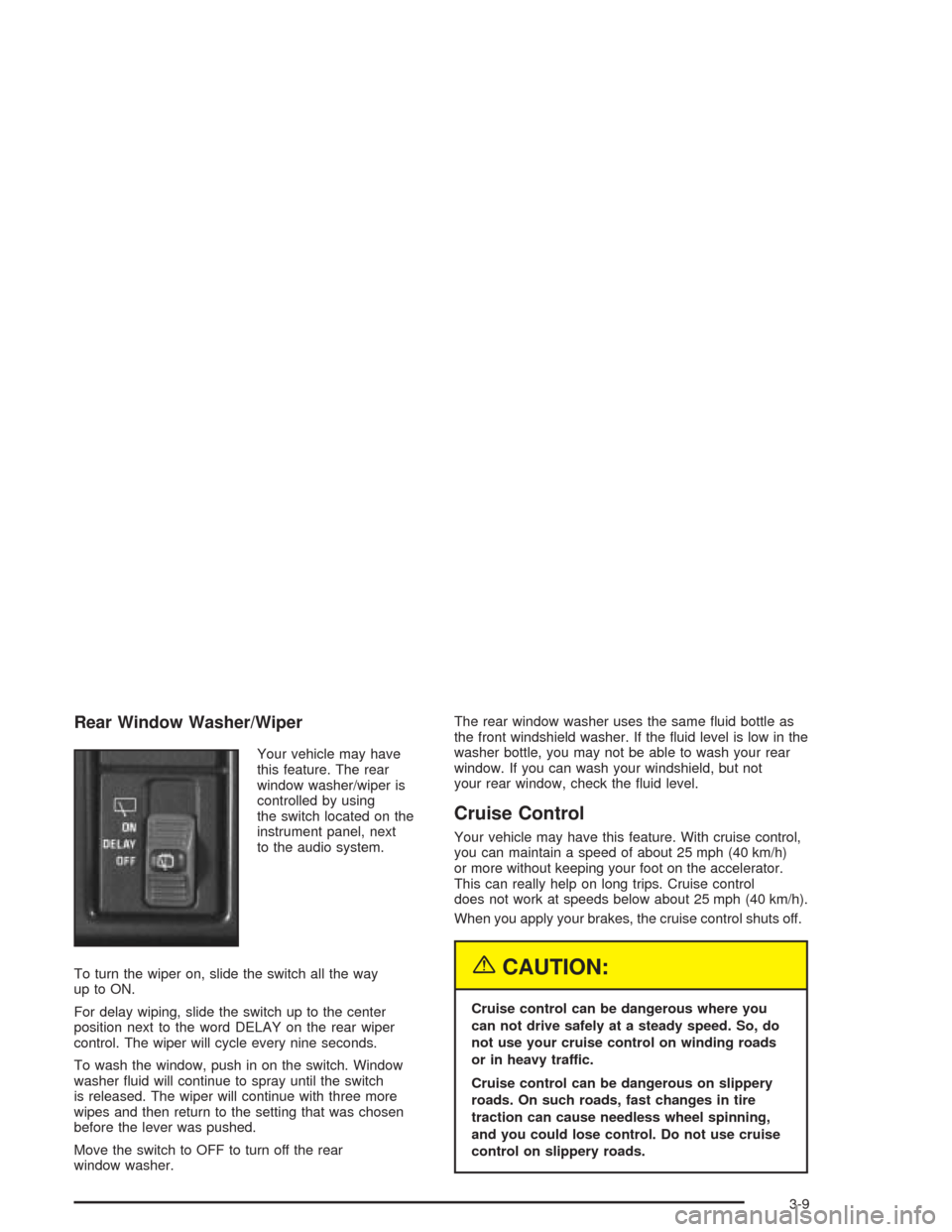
Your vehicle may have
this feature. The rear
window washer/wiper is
controlled by using
the switch located on the
instrument panel, next
to the audio system.
To turn the wiper on, slide the switch all the way
up to ON.
For delay wiping, slide the switch up to the center
position next to the word DELAY on the rear wiper
control. The wiper will cycle every nine seconds.
To wash the window, push in on the switch. Window
washer uid will continue to spray until the switch
is released. The wiper will continue with three more
wipes and then return to the setting that was chosen
before the lever was pushed.
Move the switch to OFF to turn off the rear
window washer.The rear window washer uses the same uid bottle as
the front windshield washer. If the uid level is low in the
washer bottle, you may not be able to wash your rear
window. If you can wash your windshield, but not
your rear window, check the uid level.
Cruise Control
Your vehicle may have this feature. With cruise control,
you can maintain a speed of about 25 mph (40 km/h)
or more without keeping your foot on the accelerator.
This can really help on long trips. Cruise control
does not work at speeds below about 25 mph (40 km/h).
When you apply your brakes, the cruise control shuts off.
{CAUTION:
Cruise control can be dangerous where you
can not drive safely at a steady speed. So, do
not use your cruise control on winding roads
or in heavy traffic.
Cruise control can be dangerous on slippery
roads. On such roads, fast changes in tire
traction can cause needless wheel spinning,
and you could lose control. Do not use cruise
control on slippery roads.
3-9
Page 130 of 386
Setting Cruise Control
{CAUTION:
If you leave your cruise control on when you
are not using cruise, you might hit a button
and go into cruise when you do not want to.
You could be startled and even lose control.
Keep the cruise control switch off until you
want to use cruise control.
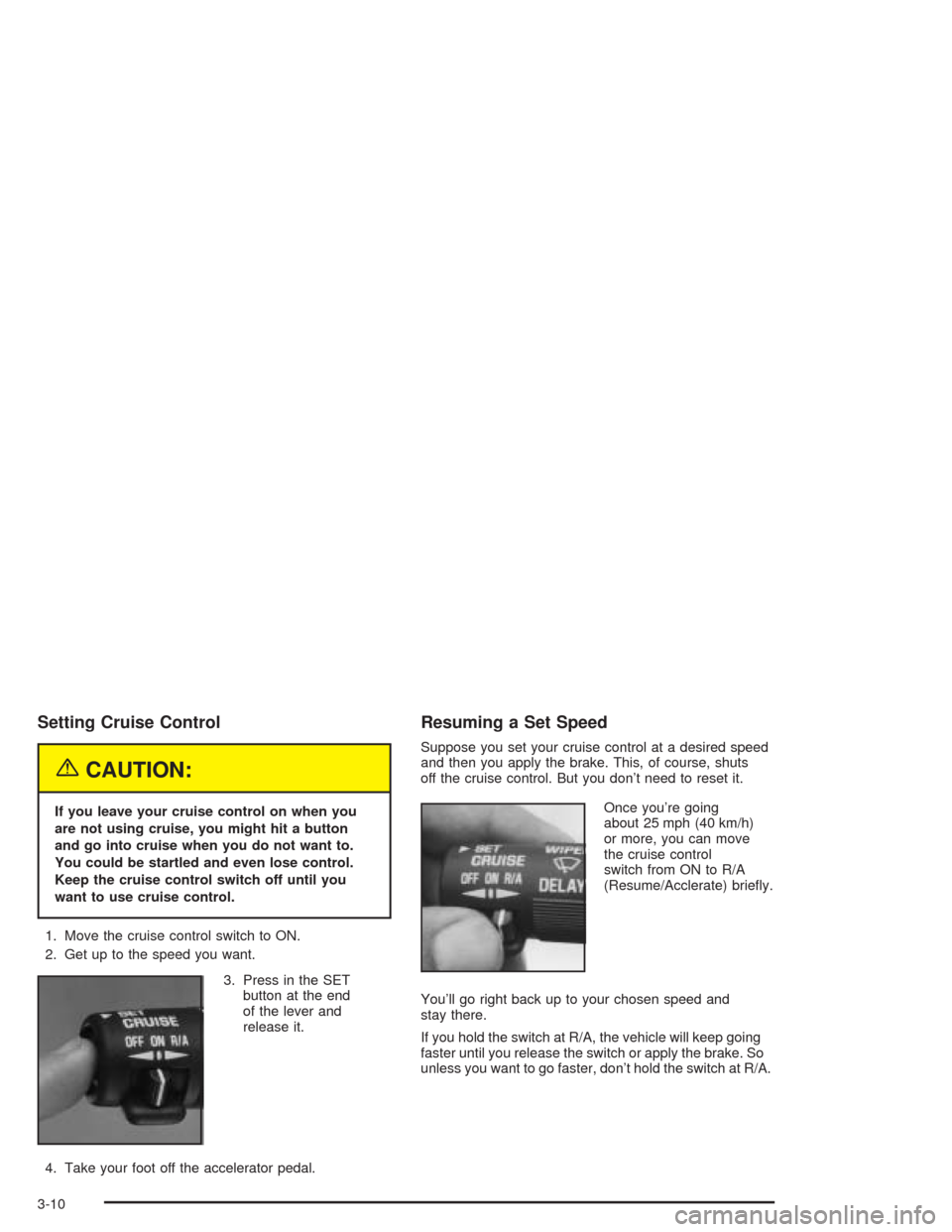
1. Move the cruise control switch to ON.
2. Get up to the speed you want.
3. Press in the SET
button at the end
of the lever and
release it.
4. Take your foot off the accelerator pedal.
Resuming a Set Speed
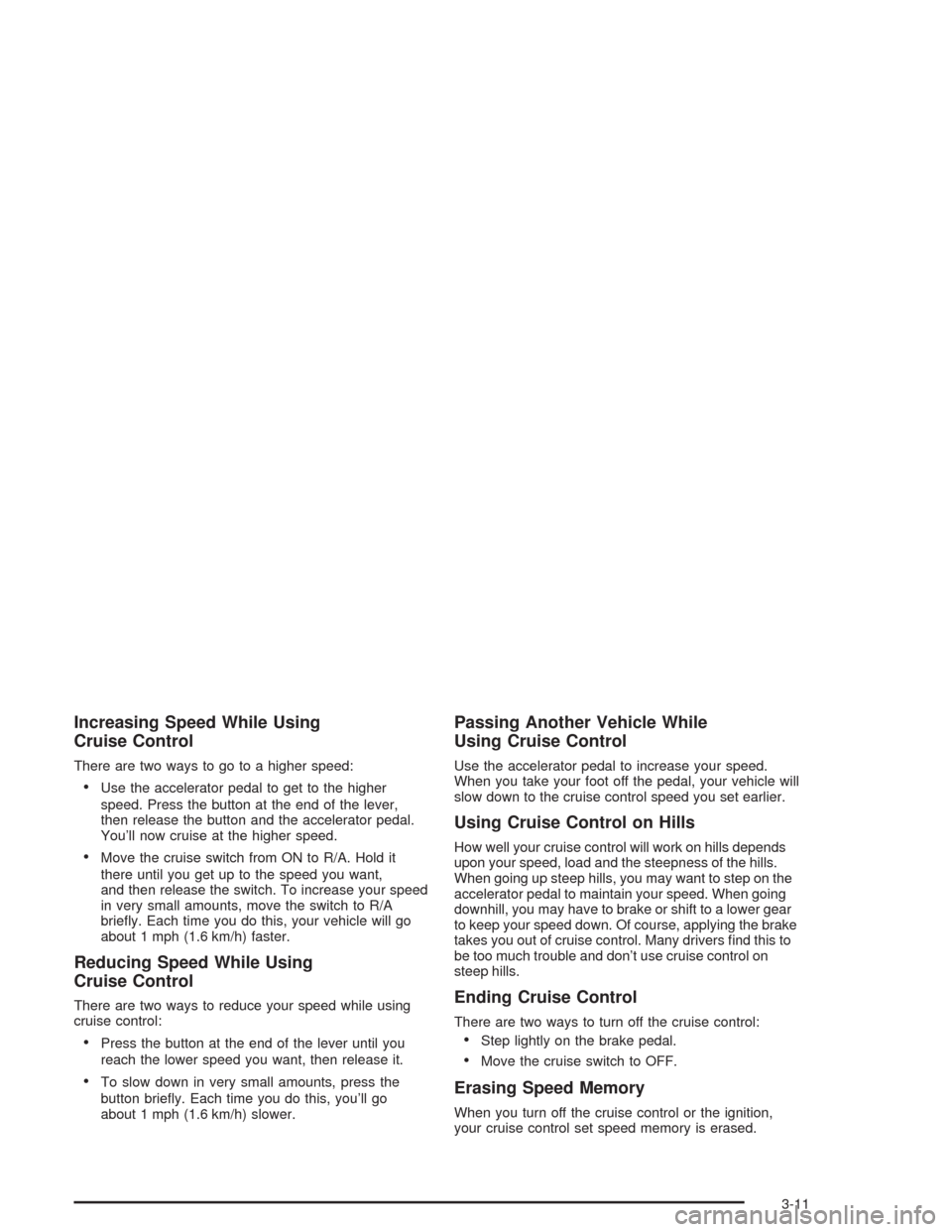
Suppose you set your cruise control at a desired speed
and then you apply the brake. This, of course, shuts
off the cruise control. But you don’t need to reset it.
Once you’re going
about 25 mph (40 km/h)
or more, you can move
the cruise control
switch from ON to R/A
(Resume/Acclerate) briey.
You’ll go right back up to your chosen speed and
stay there.
If you hold the switch at R/A, the vehicle will keep going
faster until you release the switch or apply the brake. So
unless you want to go faster, don’t hold the switch at R/A.
3-10
Page 131 of 386
Increasing Speed While Using
Cruise Control
There are two ways to go to a higher speed:
Use the accelerator pedal to get to the higher
speed. Press the button at the end of the lever,
then release the button and the accelerator pedal.
You’ll now cruise at the higher speed.
Move the cruise switch from ON to R/A. Hold it
there until you get up to the speed you want,
and then release the switch. To increase your speed
in very small amounts, move the switch to R/A
briey. Each time you do this, your vehicle will go
about 1 mph (1.6 km/h) faster.
Reducing Speed While Using
Cruise Control
There are two ways to reduce your speed while using
cruise control:
Press the button at the end of the lever until you
reach the lower speed you want, then release it.
To slow down in very small amounts, press the
button briey. Each time you do this, you’ll go
about 1 mph (1.6 km/h) slower.
Passing Another Vehicle While
Using Cruise Control
Use the accelerator pedal to increase your speed.
When you take your foot off the pedal, your vehicle will
slow down to the cruise control speed you set earlier.
Using Cruise Control on Hills
How well your cruise control will work on hills depends
upon your speed, load and the steepness of the hills.
When going up steep hills, you may want to step on the
accelerator pedal to maintain your speed. When going
downhill, you may have to brake or shift to a lower gear
to keep your speed down. Of course, applying the brake
takes you out of cruise control. Many drivers nd this to
be too much trouble and don’t use cruise control on
steep hills.
Ending Cruise Control
There are two ways to turn off the cruise control:
Step lightly on the brake pedal.
Move the cruise switch to OFF.
Erasing Speed Memory
When you turn off the cruise control or the ignition,
your cruise control set speed memory is erased.
3-11
Page 133 of 386
There is a delay in the transition between the daytime
and nighttime operation of the Daytime Running
Lamps (DRL) and the automatic headlamp systems so
that driving under bridges or bright overhead street
lights does not affect the system. The DRL and
automatic headlamp system will only be affected when
the light sensor sees a change in lighting lasting
longer than the delay.
To idle your vehicle with the automatic headlamp
system off, set the parking brake while the ignition is off.
Then start your vehicle. The automatic headlamp
system will stay off until you release the parking brake.
You may be able to turn off your automatic headlamp
system. See “Daytime Running Lamps (DRL)” later
in this section for more information.
As with any vehicle, you should turn on the regular
headlamps when you need them.
Lamps On Reminder
A reminder tone will sound when your headlamps or
parking lamps are manually turned on and your ignition
is in OFF, LOCK or ACCESSORY. To disable the
tone, turn the instrument panel brightness thumbwheel
all the way down. In the automatic mode, the
headlamps turn off once the ignition key is in OFF.
Daytime Running Lamps (DRL)
Daytime Running Lamps (DRL) can make it easier
for others to see the front of your vehicle during the day.
DRL can be helpful in many different driving conditions,
but they can be especially helpful in the short periods
after dawn and before sunset. Fully functional daytime
running lamps are required on all vehicles rst sold
in Canada.
The DRL system will make your headlamps come on
at a reduced brightness when the following conditions
are met:
The ignition is on,
the exterior lamp control is off.
the automatic transmission is not in PARK (P),
the light sensor determines it is daytime and
the parking brake is released.
When the DRL are on, only your DRL lamps will be on.
The taillamps, sidemarker and other lamps won’t be
on. Your instrument panel won’t be lit up either.
When it begins to get dark, the automatic headlamp
system will switch from DRL to the headlamps or the last
chosen headlamp setting that was used.
3-13