2004 CADILLAC SEVILLE light
[x] Cancel search: lightPage 120 of 410
Power Tilt Wheel and Telescopic
Steering Column
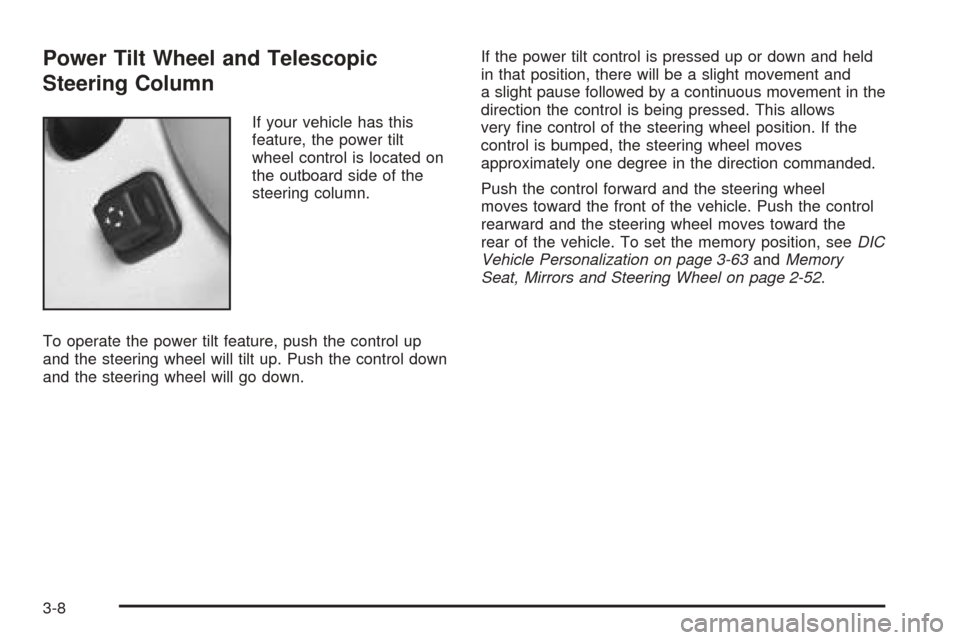
If your vehicle has this
feature, the power tilt
wheel control is located on
the outboard side of the
steering column.
To operate the power tilt feature, push the control up
and the steering wheel will tilt up. Push the control down
and the steering wheel will go down.If the power tilt control is pressed up or down and held
in that position, there will be a slight movement and
a slight pause followed by a continuous movement in the
direction the control is being pressed. This allows
very fine control of the steering wheel position. If the
control is bumped, the steering wheel moves
approximately one degree in the direction commanded.
Push the control forward and the steering wheel
moves toward the front of the vehicle. Push the control
rearward and the steering wheel moves toward the
rear of the vehicle. To set the memory position, seeDIC
Vehicle Personalization on page 3-63andMemory
Seat, Mirrors and Steering Wheel on page 2-52.
3-8
Page 122 of 410
Headlamp High/Low-Beam Changer
When the low-beam headlamps are on, push the turn
signal lever away from you to change the headlamps to
high beam.
This light on the instrument
panel cluster will be on,
indicating high-beam
usage.
Pull the turn signal lever toward you to return to
low-beam headlamps.
Flash-To-Pass
This feature lets you use the high-beam headlamps to
signal the driver in front of you that you want to pass.
Pull the turn signal lever toward you briefly to
flash-to-pass. When you do, the following will occur:
•If the headlamps are either off or in the Daytime
Running Lamps (DRL) mode, the high-beam
headlamps will turn on. They will stay on as long as
you hold the lever there. Release the lever to
turn them off.
•If the headlamps are on low beam, they will remain
active and the high beam will also illuminate until
you release the lever.
3-10
Page 124 of 410

Rainsense™ II Wipers
Your vehicle may be equipped with Rainsense™ II
wipers. The moisture sensor for this feature is mounted
on the interior side of the windshield below the
rearview mirror and is used to automatically operate the
wipers by monitoring the amount of moisture build-up
on the windshield. Wipes occur as needed to clear
the windshield depending on driving conditions and the
sensitivity setting. In light rain or snow, fewer wipes
will occur. In heavy rain or snow, wipes will occur more
frequently. The Rainsense™ wipers operate in a
delay mode as well as a continuous low or high speed
as needed. If the system is left on for long periods
of time, occasional wipes may occur without any
moisture on the windshield. This is normal and indicates
that the Rainsense™ system is activated.
The Rainsense™ system can be activated by moving
the wiper stalk up to the INT position and turning the INT
ADJ band to one of the five sensitivity levels. The
bottom INT ADJ position is the lowest sensitivity setting,
level one. This allows more rain or snow to collect on
the windshield between wipes. Turning the INT ADJ
band away from you to the higher sensitivity levels
allows less rain or snow to collect on the windshield
between wipes.The top position is the highest sensitivity setting, level
five. A single wipe will occur each time you turn the INT
ADJ band to a higher sensitivity level to indicate that
the sensitivity level has been increased.
Notice:Going through an automatic car wash with
the wipers on can damage them. Turn the wipers
off when going through an automatic car wash.
The MIST and “wash” cycles operate as normal and are
not affected by the Rainsense™ function. The
Rainsense™ system can be overridden at any time by
manually changing the wiper control to LO or HI speed.
While Rainsense™ is active, the headlamps will turn on
automatically. The headlamps will turn off again once
the wipers turn off if it is light enough outside. If it
is dark, they will remain on. See “Wiper-Activated
Headlamps” underExterior Lamps on page 3-16for
more information.
Notice:Do not place stickers or other items on the
exterior glass surface directly in front of the
moisture sensor. Doing this could cause the
moisture sensor to malfunction.
3-12
Page 125 of 410
Windshield Washer
The windshield washer has both a “demand” mode and
a “programmed” mode, depending on the amount of
windshield washer fluid you need.
{CAUTION:
In freezing weather, do not use your washer
until the windshield is warmed. Otherwise the
washer fluid can form ice on the windshield,
blocking your vision.
To spray washer fluid on the windshield in the
programmed mode, press and release the button on the
tip of the lever. The washer will provide a measured
amount of fluid to the windshield and the wiper will either
stop or return to your original wiping speed. To spray
washer fluid on the windshield in the demand mode,
press and hold the button until you have enough fluid,
and the wipers will either stop or return to your
original wiping speed.
CHECK WASHER FLUID will be displayed on the Driver
Information Center (DIC) when the washer fluid
reaches a low level.
Cruise Control
With cruise control, you can maintain a speed of about
25 mph (40 km/h) or more without keeping your foot
on the accelerator. This is helpful on long trips. Cruise
control does not work at speeds below about 25 mph
(40 km/h). When cruise control is on, you will see
a CRUISE light on the instrument panel cluster.
When you apply your brakes, the cruise control shuts off.
{CAUTION:
Cruise control can be dangerous where you
can not drive safely at a steady speed. So, do
not use your cruise control on winding roads
or in heavy traffic.
Cruise control can be dangerous on slippery
roads. On such roads, fast changes in tire
traction can cause needless wheel spinning,
and you could lose control. Do not use cruise
control on slippery roads.
If your vehicle is in cruise control when the traction
control system begins to limit wheel spin, the cruise
control will automatically disengage. SeeTraction
Control System (TCS) on page 4-8. When road
conditions allow you to safely use it again, you may
turn the cruise control back on.
3-13
Page 126 of 410
Setting Cruise Control
{CAUTION:
If you leave your cruise control on when you
are not using cruise, you might hit a button
and go into cruise when you do not want to.
You could be startled and even lose control.
Keep the cruise control switch off until you
want to use cruise control.
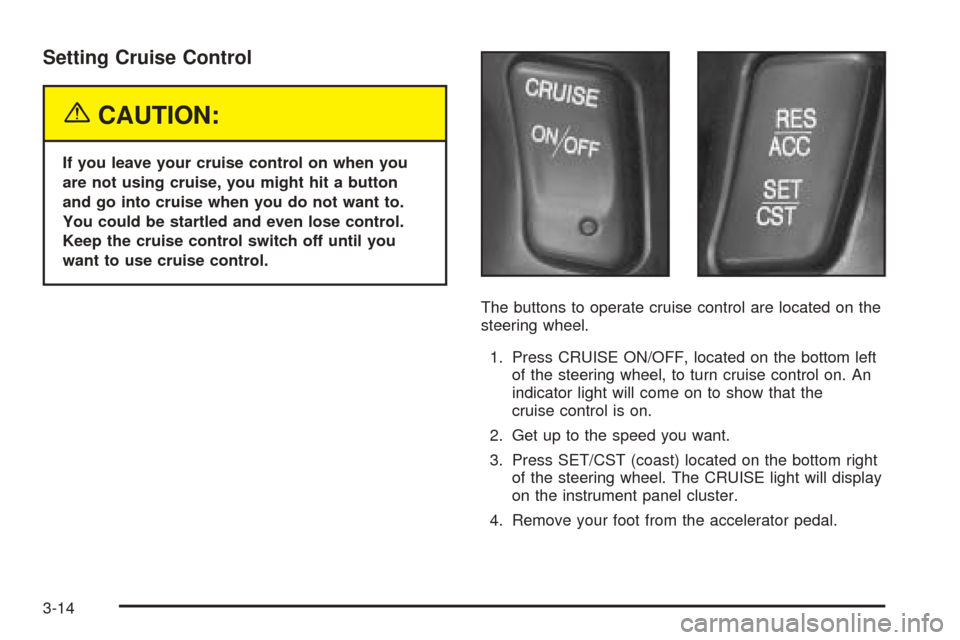
The buttons to operate cruise control are located on the
steering wheel.
1. Press CRUISE ON/OFF, located on the bottom left
of the steering wheel, to turn cruise control on. An
indicator light will come on to show that the
cruise control is on.
2. Get up to the speed you want.
3. Press SET/CST (coast) located on the bottom right
of the steering wheel. The CRUISE light will display
on the instrument panel cluster.
4. Remove your foot from the accelerator pedal.
3-14
Page 127 of 410
Resuming a Set Speed
Suppose you set your cruise control at a desired speed
and then you apply the brake. This shuts off the
cruise control. But you do not need to reset it.
Once the vehicle is traveling approximately 25 mph
(40 km/h) or more, you can press RES/ACC
(resume/accelerate) to return to your desired preset
speed. The CRUISE light will be displayed again.
The vehicle will return to and stay at your preset speed.
If you press and hold RES/ACC, the vehicle speed
will increase until you release the button or apply the
brake. Unless you want to go faster, do not press
and hold RES/ACC.
Increasing Speed While Using Cruise
Control
There are two ways to go to a higher speed:
•Use the accelerator pedal to get to the higher
speed. Press SET/CST, then release it and
the accelerator pedal. You will now cruise at the
higher speed.
•Press RES/ACC. Hold it there until you get up to
the speed that you want, and then release it. To
increase your speed in very small amounts, briefly
press RES/ACC and then release it. Each time
you do this, your vehicle will speed up
approximately 1 mph (1.6 km/h) faster.
The accelerate feature will only work after you have set
the cruise control speed by pressing SET/CST.
Reducing Speed While Using Cruise
Control
There are two ways to reduce your speed while using
cruise control:
•Press SET/CST until you reach the lower speed
you want, then release it.
•To slow down in very small amounts, press
SET/CST briefly. Each time you do this, the vehicle
will slow down approximately 1 mph (1.6 km/h).
3-15
Page 128 of 410
Passing Another Vehicle While Using
Cruise Control
Use the accelerator pedal to increase your speed.
When you take your foot off the pedal, your vehicle will
slow down to the cruise control speed you set earlier.
Using Cruise Control on Hills
How well your cruise control will work on hills depends
upon your speed, load and the steepness of the
hills. When going up steep hills, you may have to step
on the accelerator pedal to maintain your speed.
When going downhill, you may have to brake or shift to
a lower gear to keep your speed down. Applying the
brake or shifting into a lower gear will take you out
of cruise control. If you need to apply the brake or shift
to a lower gear due to the grade of the downhill
slope, you may not want to attempt to use your cruise
control feature.
Ending Cruise Control
To turn off the cruise control, step lightly on the brake
pedal or press CRUISE ON/OFF on the steering wheel.
Erasing Speed Memory
When you turn off the cruise control or the ignition, your
cruise control set speed memory is erased.
Exterior Lamps
The control located on the
left side of the instrument
panel operates the
exterior lamps.
O(Exterior Lamp Control):Turn the control with this
symbol on it to operate the exterior lamps.
The exterior lamp control has three positions:
9(Off):Turn the control to this position to turn off all
lamps except the Daytime Running Lamps (DRL).
3-16
Page 129 of 410
;(Parking Lamps):Turn the control to this position
to turn on the parking lamps together with the
following:
•Sidemarker Lamps
•Taillamps
•License Plate Lamps
•Instrument Panel Lights
The parking brake indicator light will come on and stay
on while the parking lamps are on with the engine
off and the ignition in ACC or ON.
2(Headlamps):Turn the control to this position to
turn on the headlamps, together with the previously
listed lamps and lights.
Your vehicle may be equipped with High Intensity
Discharge (HID) headlamps. These headlamps come on
at a lower intensity and gradually increase to full
brightness.
Wiper-Activated Headlamps
This feature activates the headlamps and parking lamps
after the windshield wipers have been in use for
about six seconds. To operate, the Twilight Sentinel
®
feature must be turned on.
When the exterior lamp control is in the off or parking
lamp position and the wiper control is on INT, LO or HI,
the HEADLAMPS SUGGESTED message will appear
on the Driver Information Center (DIC).
When the ignition is turned to OFF, the wiper-activated
headlamps will immediately turn off. The wiper-activated
headlamps will also turn off if the Twilight Sentinel
®
or the windshield wipers are turned off.
Lamps On Reminder
A warning chime will sound if the exterior lamp control
is left on in either the headlamp or parking lamp position
and the driver’s door is opened with the ignition off.
3-17