Page 95 of 410
SECOND (2):This position gives you more power but
lower fuel economy than THIRD (3). You can use
SECOND (2) on hills. It can help control your speed as
you go down steep mountain roads, but then you
would also want to use your brakes off and on.
Notice:Driving in SECOND (2) for more than
25 miles (40 km) or at speeds over 55 mph (90 km/h)
may damage the transaxle. Also, shifting into
SECOND (2) at speeds above 65 mph (105 km/h) can
cause damage. Drive in THIRD (3) or AUTOMATIC
OVERDRIVE (D) instead of SECOND (2).
FIRST (1):This position gives you even more power
but lower fuel economy than SECOND (2). You can use
it on very steep hills, or in deep snow or mud. If the
shift lever is put in FIRST (1), the transaxle won’t shift
into rst gear until the vehicle is going slowly enough.
Notice:Spinning the tires or holding the vehicle in
one place on a hill using only the accelerator
pedal may damage the transaxle. If you are stuck,
do not spin the tires. When stopping on a hill,
use the brakes to hold the vehicle in place.Parking Brake
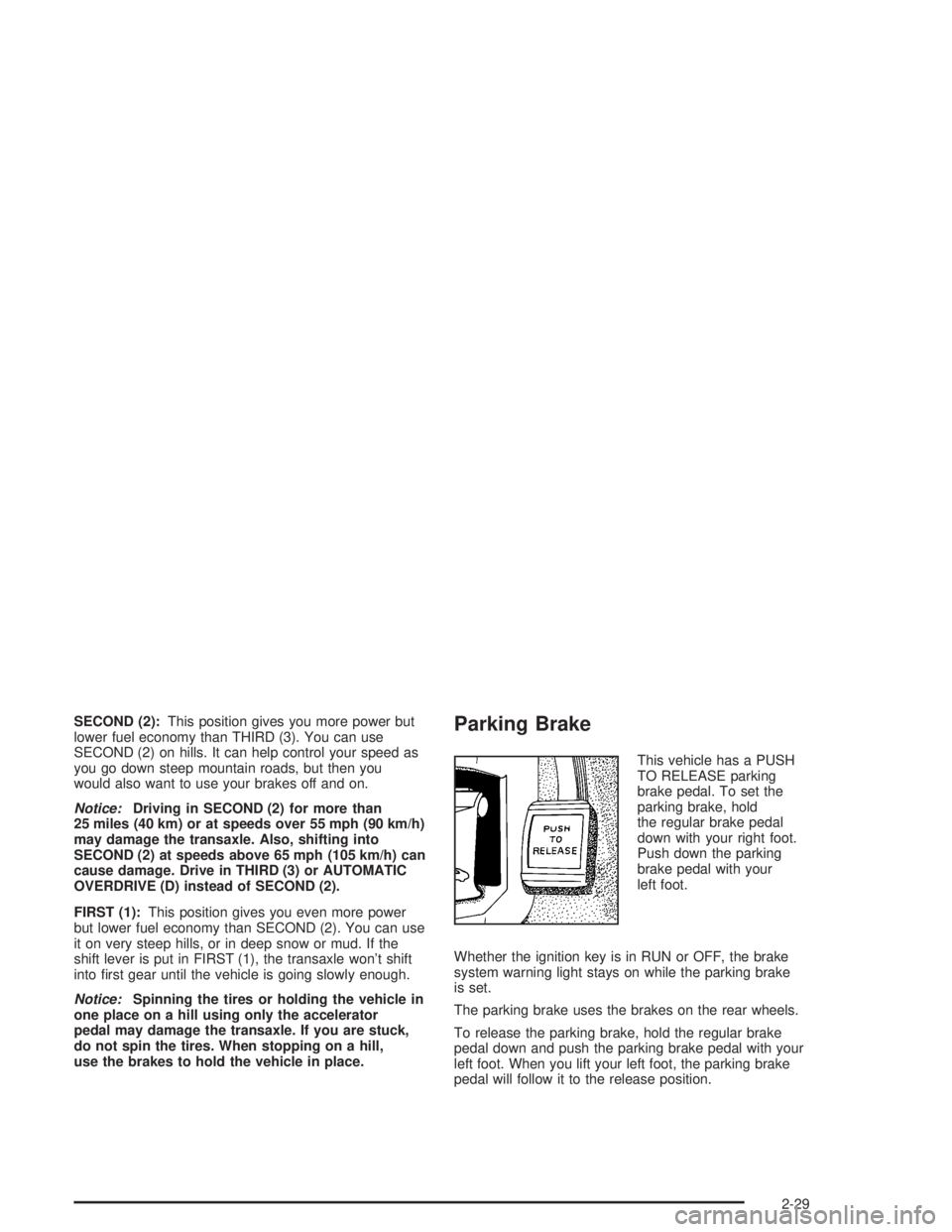
This vehicle has a PUSH
TO RELEASE parking
brake pedal. To set the
parking brake, hold
the regular brake pedal
down with your right foot.
Push down the parking
brake pedal with your
left foot.
Whether the ignition key is in RUN or OFF, the brake
system warning light stays on while the parking brake
is set.
The parking brake uses the brakes on the rear wheels.
To release the parking brake, hold the regular brake
pedal down and push the parking brake pedal with your
left foot. When you lift your left foot, the parking brake
pedal will follow it to the release position.
2-29
Page 97 of 410
1. Hold the brake pedal down with your right foot and
set the parking brake.
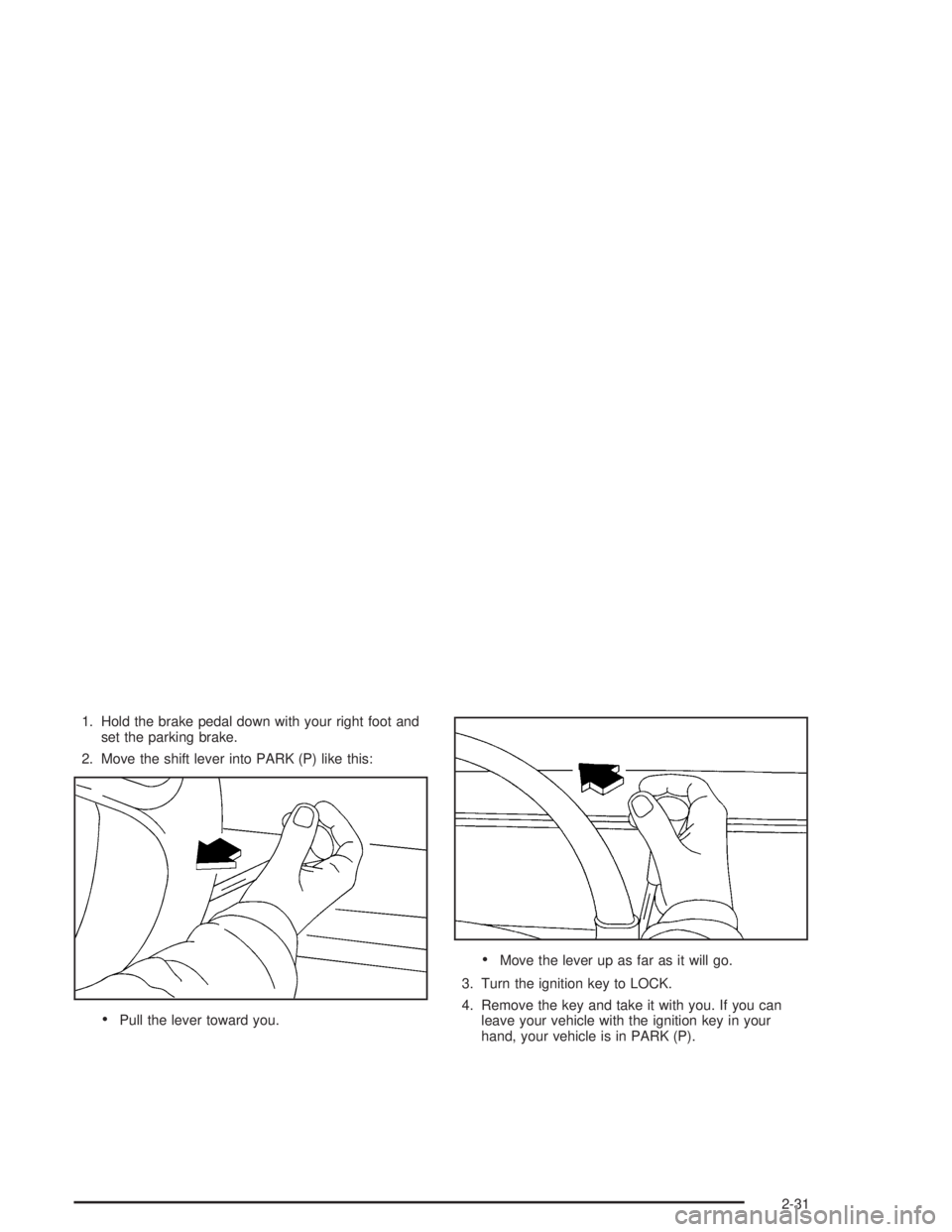
2. Move the shift lever into PARK (P) like this:
Pull the lever toward you.
Move the lever up as far as it will go.
3. Turn the ignition key to LOCK.
4. Remove the key and take it with you. If you can
leave your vehicle with the ignition key in your
hand, your vehicle is in PARK (P).
2-31
Page 99 of 410
Shifting Out of Park (P)
Your vehicle has an automatic transaxle shift lock
control system, which locks the shift lever in PARK (P)
when the ignition is in the LOCK position. In addition,
you have to fully apply your regular brakes before you
can shift from PARK (P) when the ignition is in RUN.
SeeAutomatic Transaxle Operation on page 2-27.
If you cannot shift out of PARK (P), ease pressure on
the shift lever and push the shift lever all the way up
into PARK (P) as you maintain brake application.
Then, move the shift lever into the gear you want.
If you ever hold the brake pedal down but still can’t shift
out of PARK (P), try this:
1. Turn the key to OFF. Open and close the driver’s
door to turn off the RAP feature. (There is no shift
interlock in this key position.)
2. Apply and hold the brake until the end of Step 4.
3. Shift the transaxle to NEUTRAL (N).
4. Start the vehicle and then shift to the gear you want.
5. Have the system xed as soon as you can.
Parking Over Things That Burn
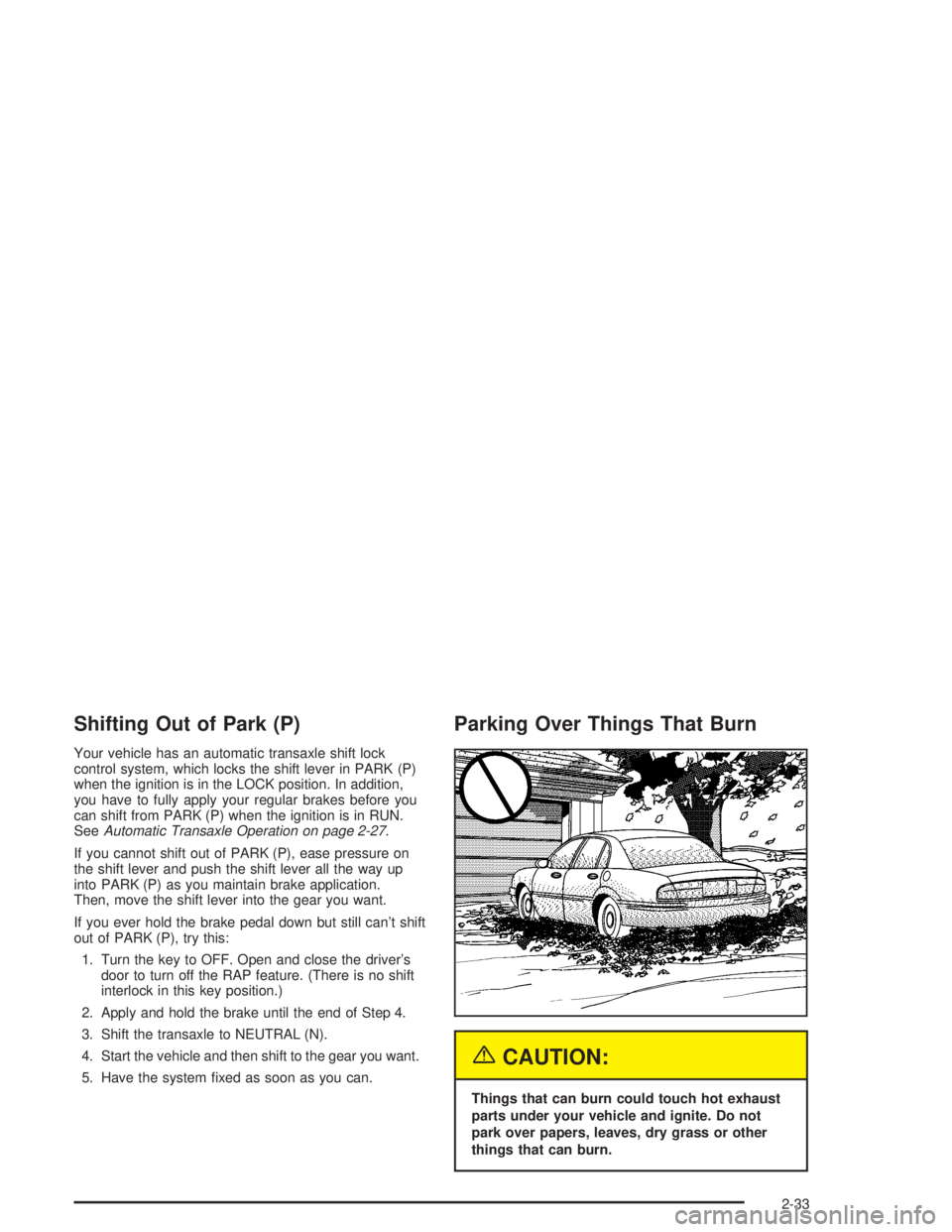
{CAUTION:
Things that can burn could touch hot exhaust
parts under your vehicle and ignite. Do not
park over papers, leaves, dry grass or other
things that can burn.
2-33
Page 113 of 410
Storage Areas
Glove Box
Use the key to lock and unlock the glove box. To open the
glove box, pull the handle upward until the latch opens.
Garage Door Opener Compartment
If your vehicle has this feature, the garage door opener
storage area is located in the headliner near the
front reading lamps.To install your garage door opener, do the following:
1. Push the extended tab above the GARAGE button
or insert a tool between the tab and outer edge of
the cover. The garage door opener cover will
ip down.
2. Remove the square height adapters from the cover.
2-47
Page 117 of 410

Vehicle Personalization
Memory Seat and Mirrors
If your vehicle has this
feature, the controls are
located on the driver’s door
panel, and are used to
program and recall memory
settings for the driver’s
seating, outside mirror
positions and climate
controls. SeeClimate
Controls Personalization
on page 3-31for more
information.
To save your seat and mirror positions into memory,
use the following procedure:
1. First identify the DRIVER # on the Driver Information
Center (DIC) by pressing the MEMORY button
1 or 2 or by pressing the unlock button on the
remote keyless entry transmitter. SeeDriver
Information Center (DIC) on page 3-47.2. Adjust the driver’s seat and lumbar position to a
safe and comfortable driving position. Adjust both
outside mirrors to suit you. SeeOutside Power
Mirrors on page 2-39.
3. Press and hold the MEMORY button 1 or 2
corresponding with your DRIVER # displayed on the
DIC for longer than three seconds. You will hear
two beeps conrming that the seat and mirror
positions have been entered into memory.
To set the seat and mirror positions for a second driver,
follow the previous steps, but start by pressing the
unlock button on the transmitter that displays the other
DRIVER # on the DIC. Be sure to use the MEMORY
button which corresponds to the DRIVER # identied by
the second transmitter.
To recall your memory positions, your vehicle must be in
PARK (P). Push and release the MEMORY button 1 or 2
corresponding to the desired driving position. The seat
and mirrors will move to the position previously stored for
the identied driver. You will hear one beep.
2-51
Page 122 of 410
Hazard Warning Flashers
Your hazard warning ashers let you warn others. They
also let police know you have a problem. Your front
and rear turn signal lamps will ash on and off.The hazard warning asher
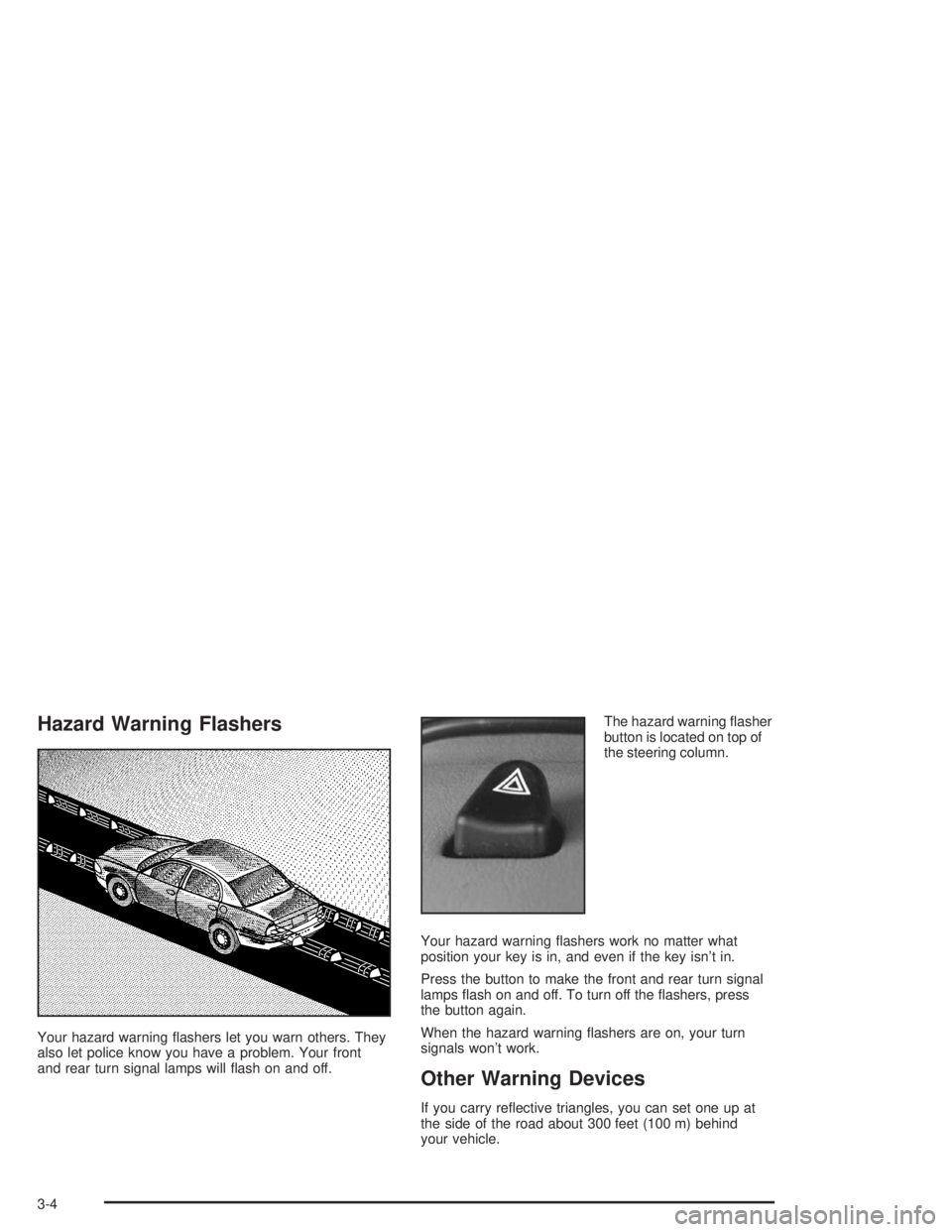
button is located on top of
the steering column.
Your hazard warning ashers work no matter what
position your key is in, and even if the key isn’t in.
Press the button to make the front and rear turn signal
lamps ash on and off. To turn off the ashers, press
the button again.
When the hazard warning ashers are on, your turn
signals won’t work.
Other Warning Devices
If you carry reective triangles, you can set one up at
the side of the road about 300 feet (100 m) behind
your vehicle.
3-4
Page 131 of 410
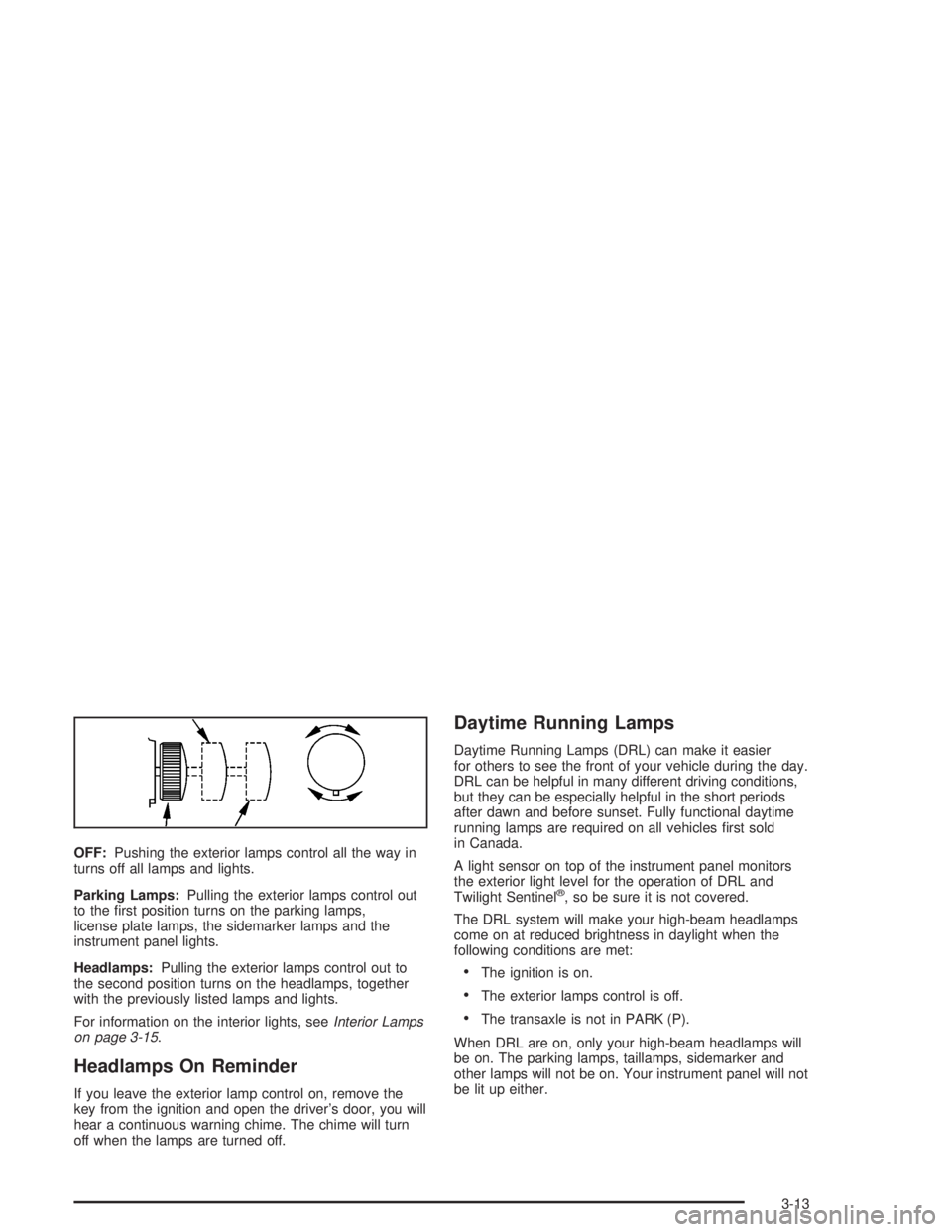
OFF:Pushing the exterior lamps control all the way in
turns off all lamps and lights.
Parking Lamps:Pulling the exterior lamps control out
to the rst position turns on the parking lamps,
license plate lamps, the sidemarker lamps and the
instrument panel lights.
Headlamps:Pulling the exterior lamps control out to
the second position turns on the headlamps, together
with the previously listed lamps and lights.
For information on the interior lights, seeInterior Lamps
on page 3-15.
Headlamps On Reminder
If you leave the exterior lamp control on, remove the
key from the ignition and open the driver’s door, you will
hear a continuous warning chime. The chime will turn
off when the lamps are turned off.
Daytime Running Lamps
Daytime Running Lamps (DRL) can make it easier
for others to see the front of your vehicle during the day.
DRL can be helpful in many different driving conditions,
but they can be especially helpful in the short periods
after dawn and before sunset. Fully functional daytime
running lamps are required on all vehicles rst sold
in Canada.
A light sensor on top of the instrument panel monitors
the exterior light level for the operation of DRL and
Twilight Sentinel
®, so be sure it is not covered.
The DRL system will make your high-beam headlamps
come on at reduced brightness in daylight when the
following conditions are met:
The ignition is on.
The exterior lamps control is off.
The transaxle is not in PARK (P).
When DRL are on, only your high-beam headlamps will
be on. The parking lamps, taillamps, sidemarker and
other lamps will not be on. Your instrument panel will not
be lit up either.
3-13
Page 133 of 410

Interior Lamps
Instrument Panel Brightness
Adjust the instrument panel light brightness by turning
the exterior lamps control.
Courtesy Lamps
When any door is opened, several lamps go on.
They make it easy for you to enter and leave your vehicle.
You can also turn these lamps on by turning the exterior
lamps control clockwise all the way past the normal stop.
Entry Lighting
When you open either front door or press the unlock
button on the remote keyless entry transmitter, the lamps
inside your vehicle will turn on. These lamps will turn off
after about 40 seconds. These lamps will also turn off if
you start the engine or activate the power door locks.
Delayed Entry Lighting
When you open the door, the interior lamps will come on.
When you close the door with the ignition off, the interior
lamps will stay on for 25 seconds or until the ignition is
turned to an on position. Locking the doors with thepower door lock switch will override the delayed entry
lighting feature and the lamps will turn off right away.
Using the remote keyless entry transmitter to lock the
door will not cancel delayed lighting.
Theater Dimming
This feature allows for a three to ve-second fade out of
the courtesy lamps instead of immediate turn off.
Delayed Exit Lighting
With this feature, the interior lamps will come on for
25 seconds after you remove the key from the ignition.
This will give you time to nd the door handle or
lock switches.
Parade Dimming
This feature prohibits the dimming of your instrument
panel displays during daylight while your headlamps are
on. This feature operates with the light sensor for the
Twilight Sentinel
®and is fully automatic. When the light
sensor reads darkness outside, you will be able to
dim your instrument panel displays once again.
3-15