2004 BMW 760LI SEDAN AC System
[x] Cancel search: AC SystemPage 143 of 232
Navigation
Driving tips
141Reference
At a glance
Controls
Communications
Entertainment
Mobility
>"Avoid route":
You can also make a detour of up to
20 miles/30 km around selected sec-
tions of the calculated route. Proceed
by turning the controller to enter the
desired detour mileage, then confirm.
To exit the "Avoid route" mode without
modifying your route, enter 0 miles/
0 km and confirm your entry.
Bypassing traffic congestion
If traffic congestion is present on your pro-
jected travel route, the navigation system
will issue a "Last exit" warning just before
you reach the back-up.
To obtain an alternative route leading
around the traffic congestion:
Select and confirm
or
1.Select "New route" and confirm
2.Select "Detour" and confirm.
The GPS navigation system determines a
new route and then returns to the destina-
tion guidance.
The traffic information service might
not be available in some regions,
which means that a traffic congestion can-
not be displayed.<
Selecting the destination
At "Information", you can select the corre-
sponding destinations. For details, refer
to Selecting destination in Information,
page 135 and Looking for interesting desti-
nations, page 135.
Voice guidance
To prevent the navigation system from
interrupting other audio sources, such as a
news program or traffic bulletin, you can
deactivate the voice guidance system.
Press the controller and select the desired
symbol during destination guidance: To activate and deactivate voice guid-
ance.
To repeat most recent instructions with
information on route or travel direction,
when the voice guidance is activated.
Volume adjustment
You can adjust the volume for the naviga-
tion instructions:
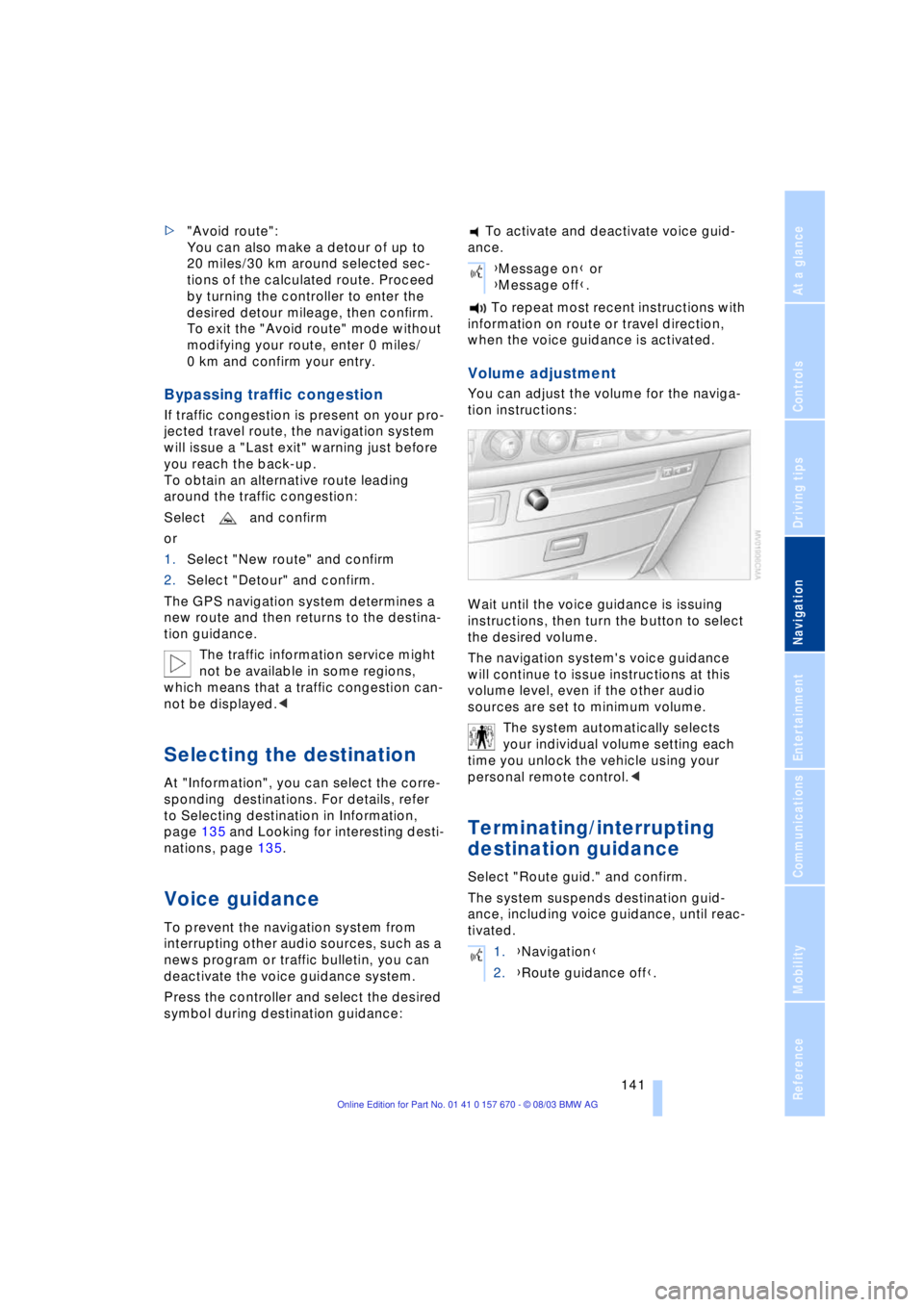
Wait until the voice guidance is issuing
instructions, then turn the button to select
the desired volume.
The navigation system's voice guidance
will continue to issue instructions at this
volume level, even if the other audio
sources are set to minimum volume.
The system automatically selects
your individual volume setting each
time you unlock the vehicle using your
personal remote control.<
Terminating/interrupting
destination guidance
Select "Route guid." and confirm.
The system suspends destination guid-
ance, including voice guidance, until reac-
tivated.
{Message on} or
{Message off}.
1.{Navigation}
2.{Route guidance off}.
Page 144 of 232
Destination guidance
142
Address book
To make it even easier to enter destina-
tions, the system lets you store addresses
for frequent destinations.
You have the possibility to store the
addresses in two separate address books:
>The address book of the navigation sys-
tem
>The address book of the voice com-
mand system.
Navigation system address book
Storing addresses
In this address book, you can store
approx. 50 addresses.
Addresses can be entered from different
menus.
The system stores the current address in
the address book with "AS ADDRESS".
You can also enter your current posi-
tion in the address book after leaving
the sector covered by the navigation CD/
DVD. In this case, you must enter a name.<
Selecting an address
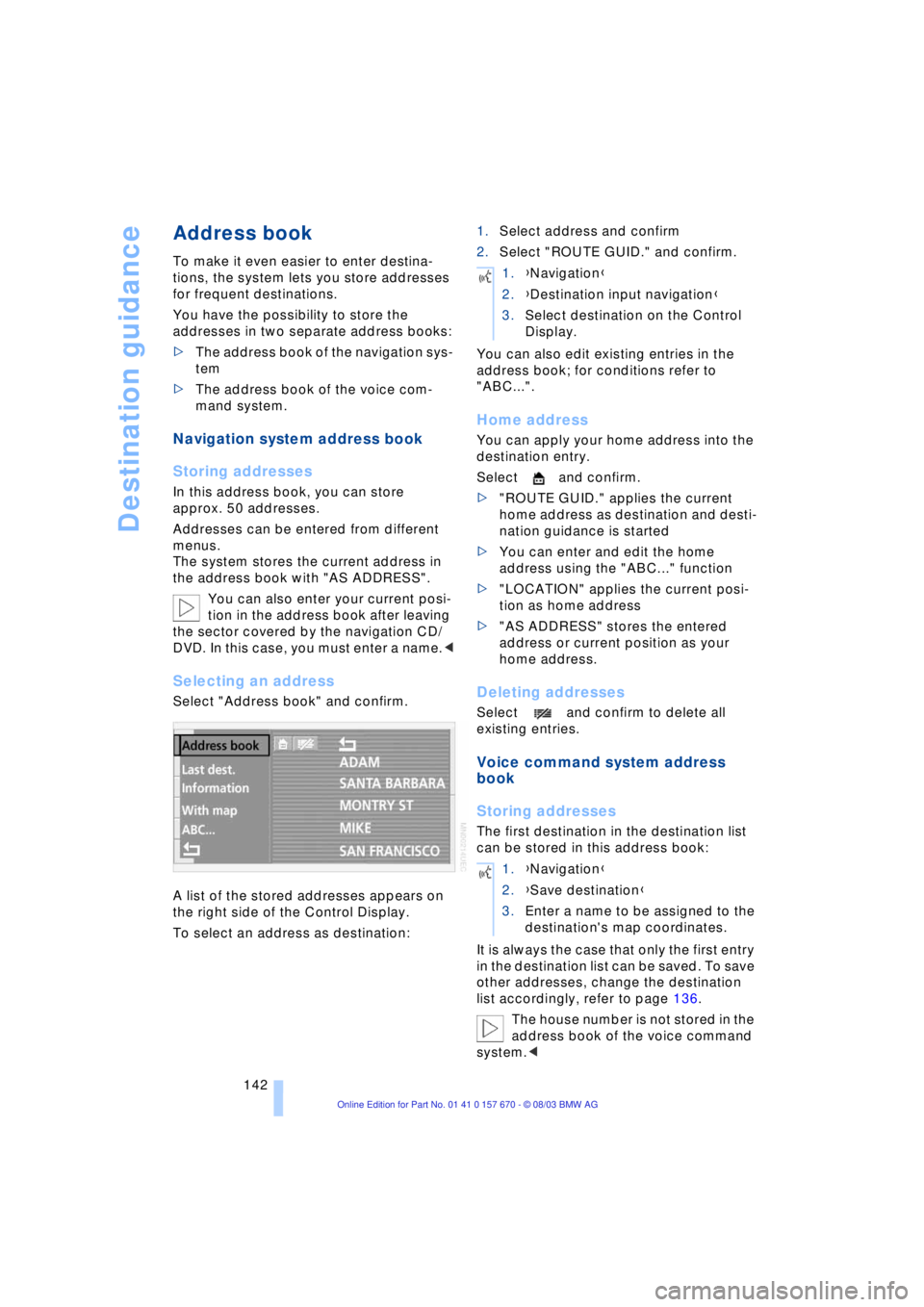
Select "Address book" and confirm.
A list of the stored addresses appears on
the right side of the Control Display.
To select an address as destination:1.Select address and confirm
2.Select "ROUTE GUID." and confirm.
You can also edit existing entries in the
address book; for conditions refer to
"ABC...".
Home address
You can apply your home address into the
destination entry.
Select and confirm.
>"ROUTE GUID." applies the current
home address as destination and desti-
nation guidance is started
>You can enter and edit the home
address using the "ABC..." function
>"LOCATION" applies the current posi-
tion as home address
>"AS ADDRESS" stores the entered
address or current position as your
home address.
Deleting addresses
Select and confirm to delete all
existing entries.
Voice command system address
book
Storing addresses
The first destination in the destination list
can be stored in this address book:
It is always the case that only the first entry
in the destination list can be saved. To save
other addresses, change the destination
list accordingly, refer to page 136.
The house number is not stored in the
address book of the voice command
system.<
1.{Navigation}
2.{Destination input navigation}
3.Select destination on the Control
Display.
1.{Navigation}
2.{Save destination}
3.Enter a name to be assigned to the
destination's map coordinates.
Page 145 of 232
Navigation
Driving tips
143Reference
At a glance
Controls
Communications
Entertainment
Mobility
Selecting an address
Home address
Deleting addresses
To delete individual entries:
To delete all current entries:
Current position
Display of current position
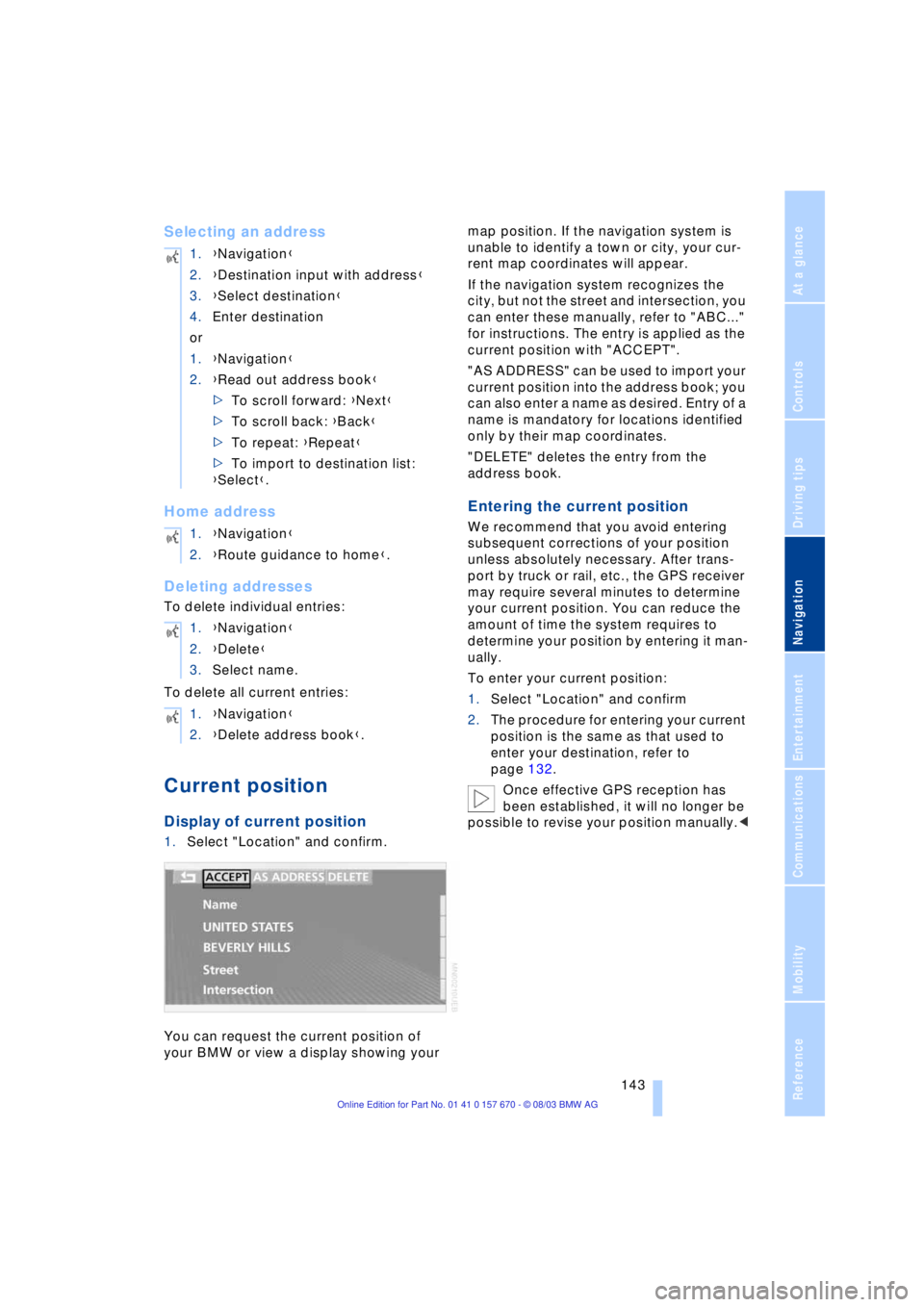
1.Select "Location" and confirm.
You can request the current position of
your BMW or view a display showing your map position. If the navigation system is
unable to identify a town or city, your cur-
rent map coordinates will appear.
If the navigation system recognizes the
city, but not the street and intersection, you
can enter these manually, refer to "ABC..."
for instructions. The entry is applied as the
current position with "ACCEPT".
"AS ADDRESS" can be used to import your
current position into the address book; you
can also enter a name as desired. Entry of a
name is mandatory for locations identified
only by their map coordinates.
"DELETE" deletes the entry from the
address book.
Entering the current position
We recommend that you avoid entering
subsequent corrections of your position
unless absolutely necessary. After trans-
port by truck or rail, etc., the GPS receiver
may require several minutes to determine
your current position. You can reduce the
amount of time the system requires to
determine your position by entering it man-
ually.
To enter your current position:
1.Select "Location" and confirm
2.The procedure for entering your current
position is the same as that used to
enter your destination, refer to
page 132.
Once effective GPS reception has
been established, it will no longer be
possible to revise your position manually.< 1.{Navigation}
2.{Destination input with address}
3.{Select destination}
4.Enter destination
or
1.{Navigation}
2.{Read out address book}
>To scroll forward: {Next}
>To scroll back: {Back}
>To repeat: {Repeat}
>To import to destination list:
{Select}.
1.{Navigation}
2.{Route guidance to home}.
1.{Navigation}
2.{Delete}
3.Select name.
1.{Navigation}
2.{Delete address book}.
Page 146 of 232
What to do if É
144
What to do if É
What to do if É
>you request the current position of your
vehicle, but do not receive a precise
display?
The system is unable to receive enough
GPS signals at your current position
owing to obstructions, your position is
not yet available on your navigation CD/
DVD, or the system is in the process of
calculating your position. Please wait
and then try again later on
>the GPS logo disappears from the Con-
trol Display screen?
Reception is interrupted; a building or
similar obstruction may be the cause
>the destination guidance refuses to
import an address from the destination
directory as its destination?
The address is not stored on the navi-
gation CD/DVD currently in use.
Choose an address as close as possi-
ble to the original one, using the desti-
nation entry map as required
>the destination guidance does not
apply an address without the street?
No specified center is defined for the
selected locality on your navigation CD/
DVD. Enter any street, or a destination
such as the railway station, etc., then
start the destination guidance
>you want to enter an address for the
destination guidance, but it is not pos-
sible to select the letters for your
desired entry?
The address is not stored on the navi-
gation CD/DVD currently in use. In this
case, the system will not offer you any
letters to choose from. Choose an
address as close as possible to the
original one, using the destination entry
map as required >the system stops furnishing directions
on which way to turn as you approach
intersections?
You are driving in an area that has not
yet been completely recorded on the
navigation CD/DVD. Instead of the turn-
off arrow, an arrow appears that follows
the course of the planned route,
or
you have left the proposed route and
the system requires a few seconds to
calculate a new route proposal
>during destination guidance the desti-
nation route map is automatically dis-
played?
You are driving in an area that has not
yet been recorded on the navigation
CD/DVD. The destination guidance
cannot operate under these conditions.
However, you will see the current posi-
tion of your BMW in the map display to
help you orient yourself
>the battery has been disconnected?
It will take approx. 15 minutes for the
system to resume operation.
Page 150 of 232
On/off, tone
148
On/off, tone
Controls
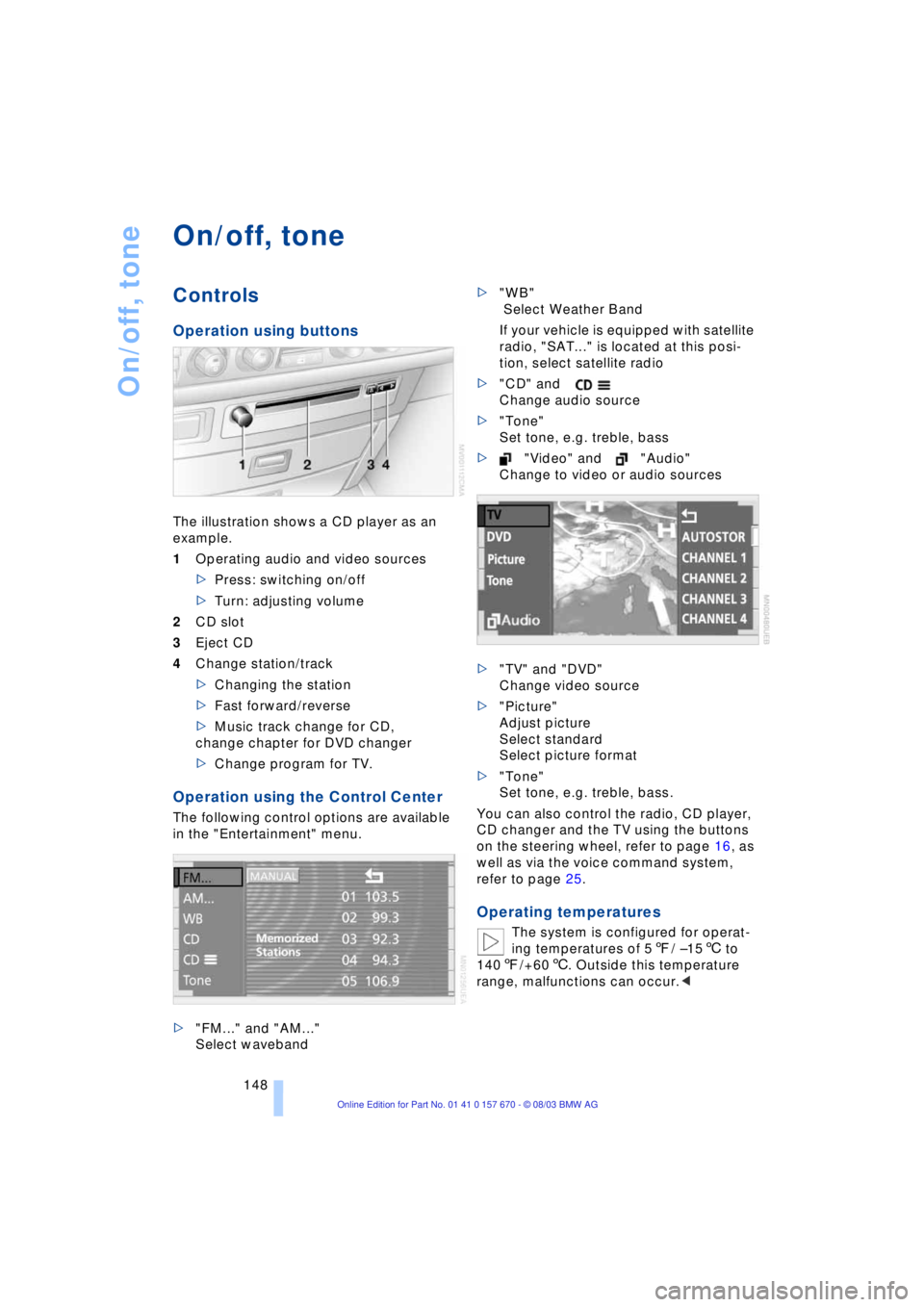
Operation using buttons
The illustration shows a CD player as an
example.
1Operating audio and video sources
>Press: switching on/off
>Turn: adjusting volume
2CD slot
3Eject CD
4Change station/track
>Changing the station
>Fast forward/reverse
>Music track change for CD,
change chapter for DVD changer
>Change program for TV.
Operation using the Control Center
The following control options are available
in the "Entertainment" menu.
>"FM..." and "AM..."
Select waveband>"WB"
Select Weather Band
If your vehicle is equipped with satellite
radio, "SAT..." is located at this posi-
tion, select satellite radio
>"CD" and
Change audio source
>"Tone"
Set tone, e.g. treble, bass
>"Video" and "Audio"
Change to video or audio sources
>"TV" and "DVD"
Change video source
>"Picture"
Adjust picture
Select standard
Select picture format
>"Tone"
Set tone, e.g. treble, bass.
You can also control the radio, CD player,
CD changer and the TV using the buttons
on the steering wheel, refer to page 16, as
well as via the voice command system,
refer to page 25.
Operating temperatures
The system is configured for operat-
ing temperatures of 57/ Ð156 to
1407/+606. Outside this temperature
range, malfunctions can occur.<
Page 151 of 232
Navigation
Entertainment
Driving tips
149Reference
At a glance
Controls
Communications
Mobility
Care instructions
You can find everything you need to know
on this topic by consulting the separate
Caring for your vehicle brochure.
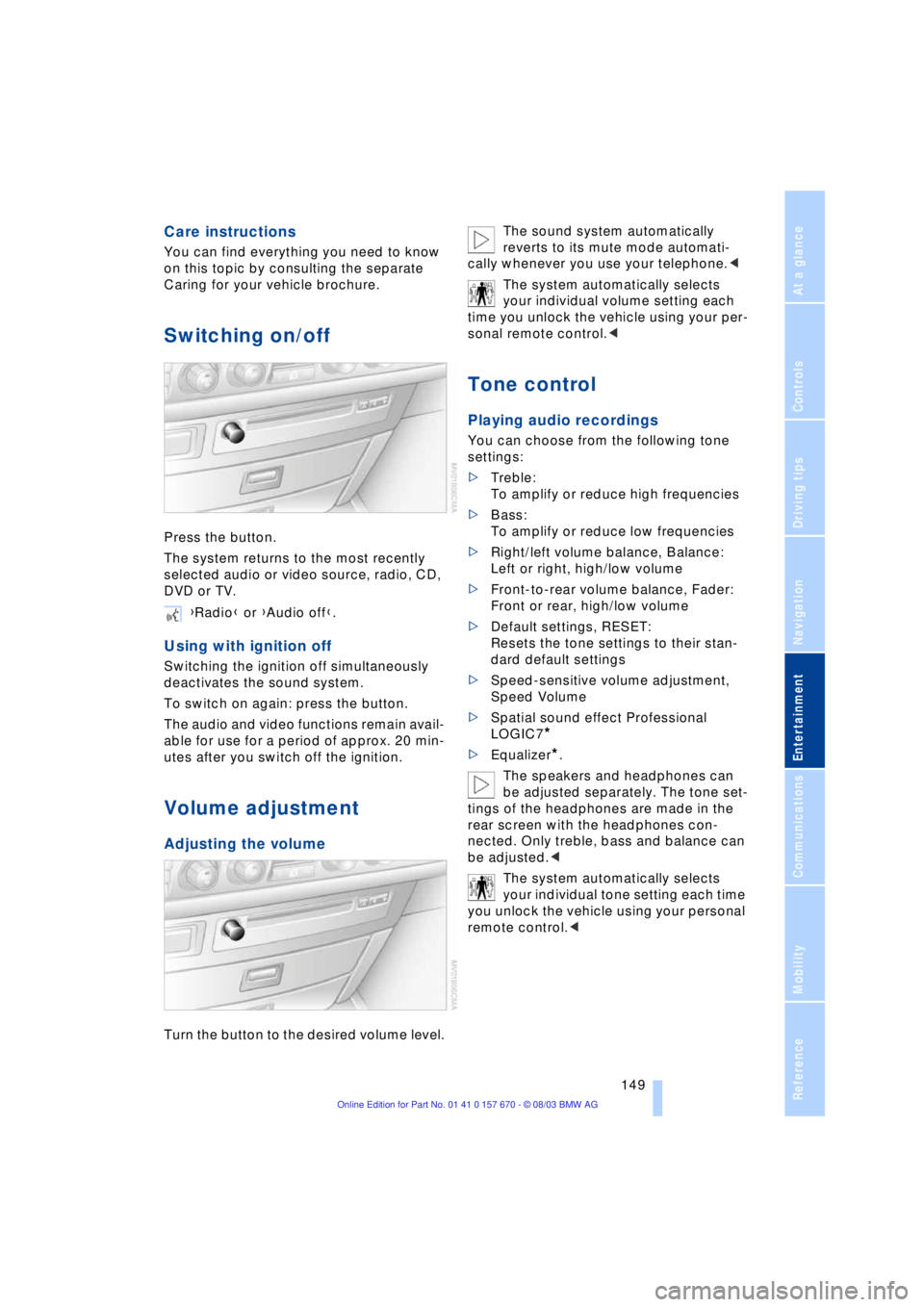
Switching on/off
Press the button.
The system returns to the most recently
selected audio or video source, radio, CD,
DVD or TV.
Using with ignition off
Switching the ignition off simultaneously
deactivates the sound system.
To switch on again: press the button.
The audio and video functions remain avail-
able for use for a period of approx. 20 min-
utes after you switch off the ignition.
Volume adjustment
Adjusting the volume
Turn the button to the desired volume level.The sound system automatically
reverts to its mute mode automati-
cally whenever you use your telephone.<
The system automatically selects
your individual volume setting each
time you unlock the vehicle using your per-
sonal remote control.<
Tone control
Playing audio recordings
You can choose from the following tone
settings:
>Treble:
To amplify or reduce high frequencies
>Bass:
To amplify or reduce low frequencies
>Right/left volume balance, Balance:
Left or right, high/low volume
>Front-to-rear volume balance, Fader:
Front or rear, high/low volume
>Default settings, RESET:
Resets the tone settings to their stan-
dard default settings
>Speed-sensitive volume adjustment,
Speed Volume
>Spatial sound effect Professional
LOGIC7
*
>Equalizer*.
The speakers and headphones can
be adjusted separately. The tone set-
tings of the headphones are made in the
rear screen with the headphones con-
nected. Only treble, bass and balance can
be adjusted.<
The system automatically selects
your individual tone setting each time
you unlock the vehicle using your personal
remote control.< {Radio} or {Audio off}.
Page 154 of 232
Radio
152
Radio
Listening to the radio
1.Switch on audio or video sources, refer
to page 149
If a video source is switched on,
select "Audio" and confirm.<
2.If another audio source is switched on,
select "FM..." or "AM..." and confirm.
Volume adjustment, refer to page 149.
Tone control, refer to page 149.
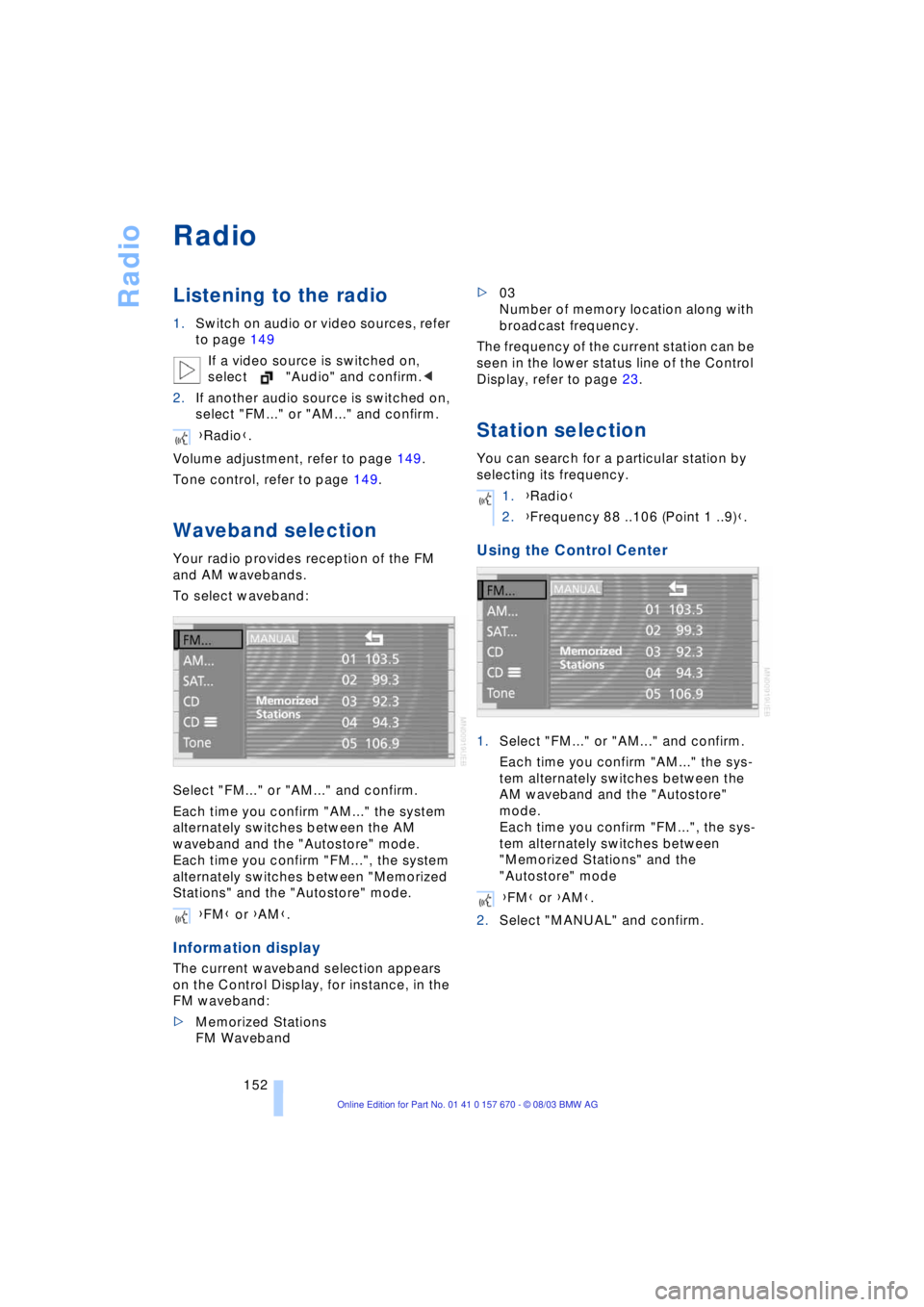
Waveband selection
Your radio provides reception of the FM
and AM wavebands.
To select waveband:
Select "FM..." or "AM..." and confirm.
Each time you confirm "AM..." the system
alternately switches between the AM
waveband and the "Autostore" mode.
Each time you confirm "FM...", the system
alternately switches between "Memorized
Stations" and the "Autostore" mode.
Information display
The current waveband selection appears
on the Control Display, for instance, in the
FM waveband:
>Memorized Stations
FM Waveband>03
Number of memory location along with
broadcast frequency.
The frequency of the current station can be
seen in the lower status line of the Control
Display, refer to page 23.
Station selection
You can search for a particular station by
selecting its frequency.
Using the Control Center
1.Select "FM..." or "AM..." and confirm.
Each time you confirm "AM..." the sys-
tem alternately switches between the
AM waveband and the "Autostore"
mode.
Each time you confirm "FM...", the sys-
tem alternately switches between
"Memorized Stations" and the
"Autostore" mode
2.Select "MANUAL" and confirm. {Radio}.
{FM} or {AM}.
1.{Radio}
2.{Frequency 88 ..106 (Point 1 ..9)}.
{FM} or {AM}.
Page 155 of 232
Navigation
Entertainment
Driving tips
153Reference
At a glance
Controls
Communications
Mobility
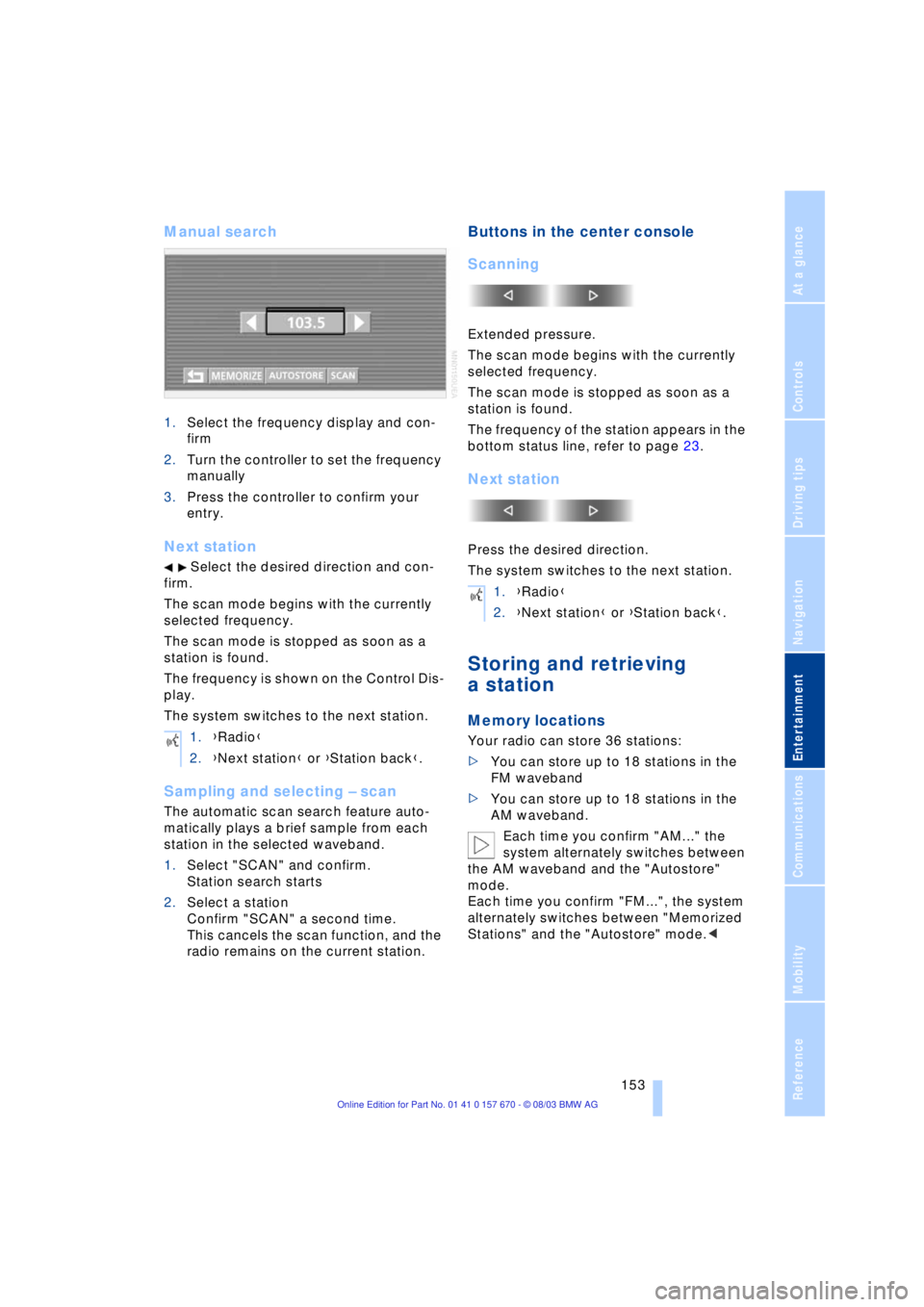
Manual search
1.Select the frequency display and con-
firm
2.Turn the controller to set the frequency
manually
3.Press the controller to confirm your
entry.
Next station
Select the desired direction and con-
firm.
The scan mode begins with the currently
selected frequency.
The scan mode is stopped as soon as a
station is found.
The frequency is shown on the Control Dis-
play.
The system switches to the next station.
Sampling and selecting Ð scan
The automatic scan search feature auto-
matically plays a brief sample from each
station in the selected waveband.
1.Select "SCAN" and confirm.
Station search starts
2.Select a station
Confirm "SCAN" a second time.
This cancels the scan function, and the
radio remains on the current station.
Buttons in the center console
Scanning
Extended pressure.
The scan mode begins with the currently
selected frequency.
The scan mode is stopped as soon as a
station is found.
The frequency of the station appears in the
bottom status line, refer to page 23.
Next station
Press the desired direction.
The system switches to the next station.
Storing and retrieving
a station
Memory locations
Your radio can store 36 stations:
>You can store up to 18 stations in the
FM waveband
>You can store up to 18 stations in the
AM waveband.
Each time you confirm "AM..." the
system alternately switches between
the AM waveband and the "Autostore"
mode.
Each time you confirm "FM...", the system
alternately switches between "Memorized
Stations" and the "Autostore" mode.< 1.{Radio}
2.{Next station} or {Station back}.
1.{Radio}
2.{Next station} or {Station back}.