Page 186 of 312
’03 L/C U (L/O 0301)
182
Programming other devices
To program other devices such as home
security systems, home door locks or
lighting, contact your authorized Toyota
dealer for assistance.
Reprogramming a button
Individual HomeLink
\b buttons cannot be
erased, however, to reprogram a single
button, follow the procedure “Programming
the HomeLink
\b”.
(b) Operating the HomeLink
\b
To operate the HomeLink\b, press the ap-
propriate HomeLink\b button to activate the
programmed device. The HomeLink\b indi-
cator light should come on. The Home-
Link
\b continues to send the signal for up
to 20 seconds as long as the button is
pressed.
(c) Erasing the entire HomeLink
\b
memory (all three programs)
To erase all previously programmed codes
at one time, press and hold down the 2
outside buttons for 20 seconds until the
indicator light flashes.
If you sell your vehicle, be sure to erase
the programs stored in the HomeLink
\b
memory.
CAUTION
�When programming the HomeLink\b
Universal Transceiver, you may be
operating a garage door or other de-
vice. Make sure people and objects
are out of the way of the garage
door or other device to prevent po-
tential harm or damage.
�Do not use this HomeLink\b Universal
Transceiver with any garage door
opener that lacks the safety stop and
reverse feature as required by federal
safety standards. (This includes any
garage door opener model manufac-
tured before April 1, 1982.) A garage
door opener which cannot detect an
object (signaling the door to stop
and reverse), does not meet current
federal safety standards. Using a ga-
rage door opener without these fea-
tures increases risk of serious injury
or death.
FCC ID: CB2V94800
CANADA: 1763 102 264
This device complies with FCC Rules
part 15. Operation is subject to the fol-
lowing two conditions: (1) This device
may not cause harmful interference, and
(2) this device must accept any interfer-
ence that may be received, including
interference that may cause undesired
operation.
WARNING: This transmitter has been
tested and complies with FCC and
DOC/MDC rules. Changes or modifi-
cations not expressly approved by the
party responsible for compliance
could void the user’s authority to op-
erate the device.
Page 188 of 312
’03 L/C U (L/O 0301)
184
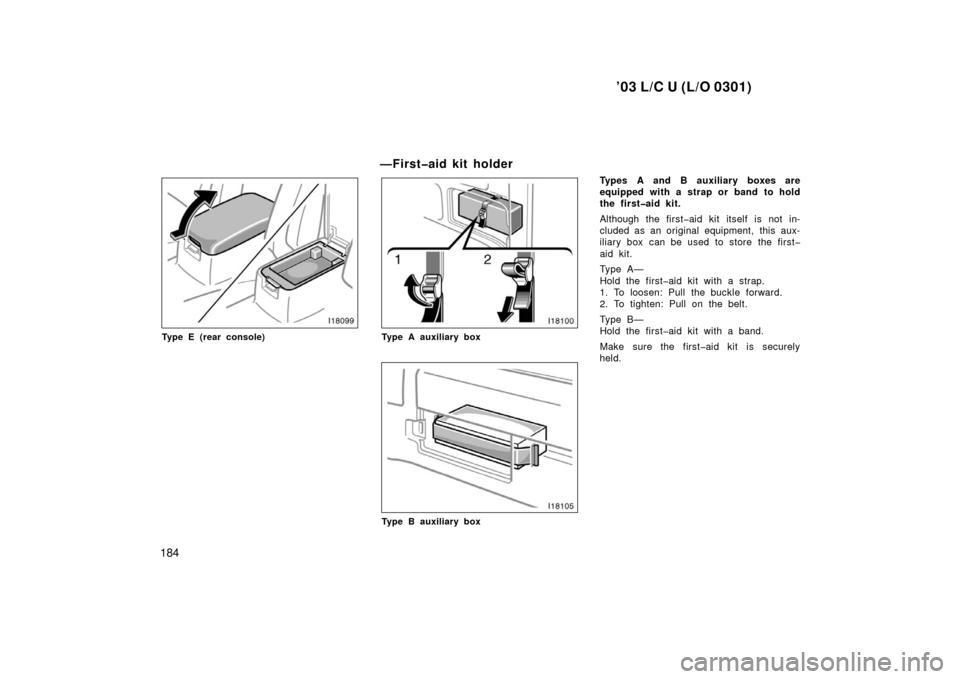
Type E (rear console)
—Firstaid kit holder
Type A auxiliary box
Type B auxiliary box
Types A and B auxiliary boxes are
equipped with a strap or band to hold
the firstaid kit.
Although the firstaid kit itself is not in-
cluded as an original equipment, this aux-
iliary box can be used to store the first
aid kit.
Ty p e A —
Hold the firstaid kit with a strap.
1. To loosen: Pull the buckle forward.
2. To tighten: Pull on the belt.
Ty p e B —
Hold the firstaid kit with a band.
Make sure the firstaid kit is securely
held.
Page 189 of 312
’03 L/C U (L/O 0301)
185
—Warning reflector holder
Type C auxiliary box
Type D auxiliary box
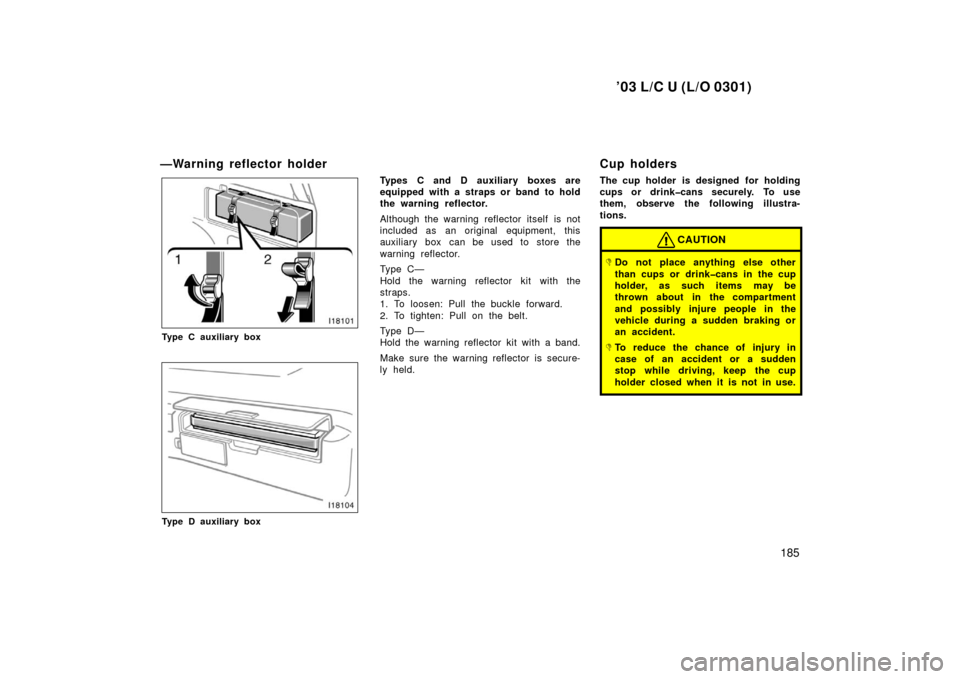
Types C and D auxiliary boxes are
equipped with a straps or band to hold
the warning reflector.
Although the warning reflector itself is not
included as an original equipment, this
auxiliary box can be used to store the
warning reflector.
Ty p e C —
Hold the warning reflector kit with the
straps.
1. To loosen: Pull the buckle forward.
2. To tighten: Pull on the belt.
Ty p e D —
Hold the warning reflector kit with a band.
Make sure the warning reflector is secure-
ly held.
Cup holders
The cup holder is designed for holding
cups or drinkcans securely. To use
them, observe the following illustra-
tions.
CAUTION
�Do not place anything else other
than cups or drinkcans in the cup
holder, as such items may be
thrown about in the compartment
and possibly injure people in the
vehicle during a sudden braking or
an accident.
�To reduce the chance of injury in
case of an accident or a sudden
stop while driving, keep the cup
holder closed when it is not in use.
Page 190 of 312
’03 L/C U (L/O 0301)
186
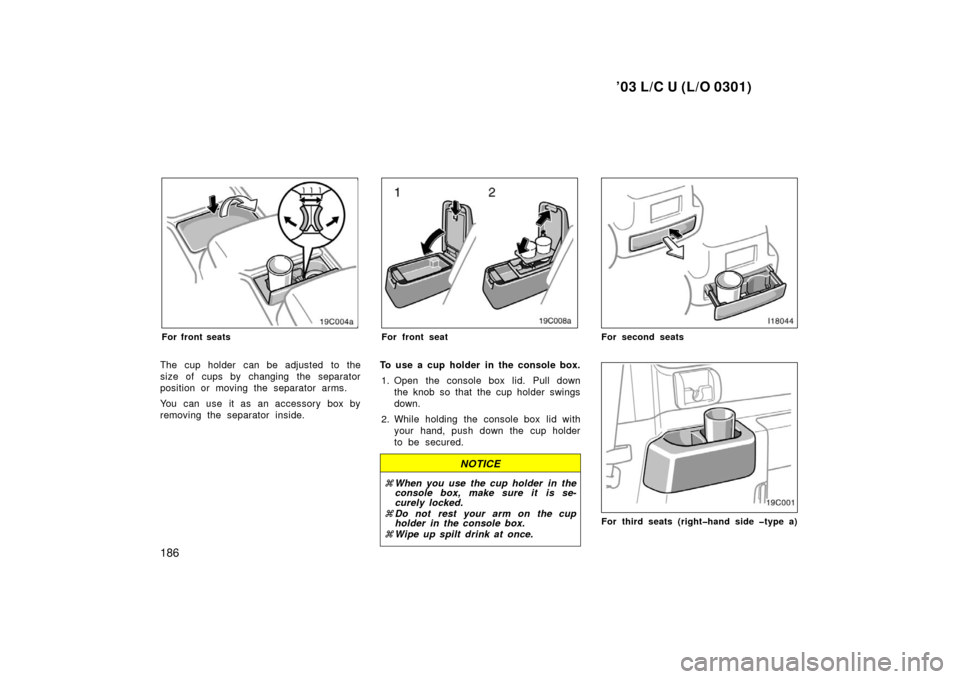
For front seats
The cup holder can be adjusted to the
size of cups by changing the separator
position or moving the separator arms.
You can use it as an accessory box by
removing the separator inside.
19C008
For front seat
To use a cup holder in the console box.1. Open the console box lid. Pull down the knob so that the cup holder swings
down.
2. While holding the console box lid with your hand, push down the cup holder
to be secured.
NOTICE
�When you use the cup holder in the
console box, make sure it is se-
curely locked.
� Do not rest your arm on the cup
holder in the console box.
� Wipe up spilt drink at once.
For second seats
For third seats (righthand side type a)
Page 191 of 312
’03 L/C U (L/O 0301)
187
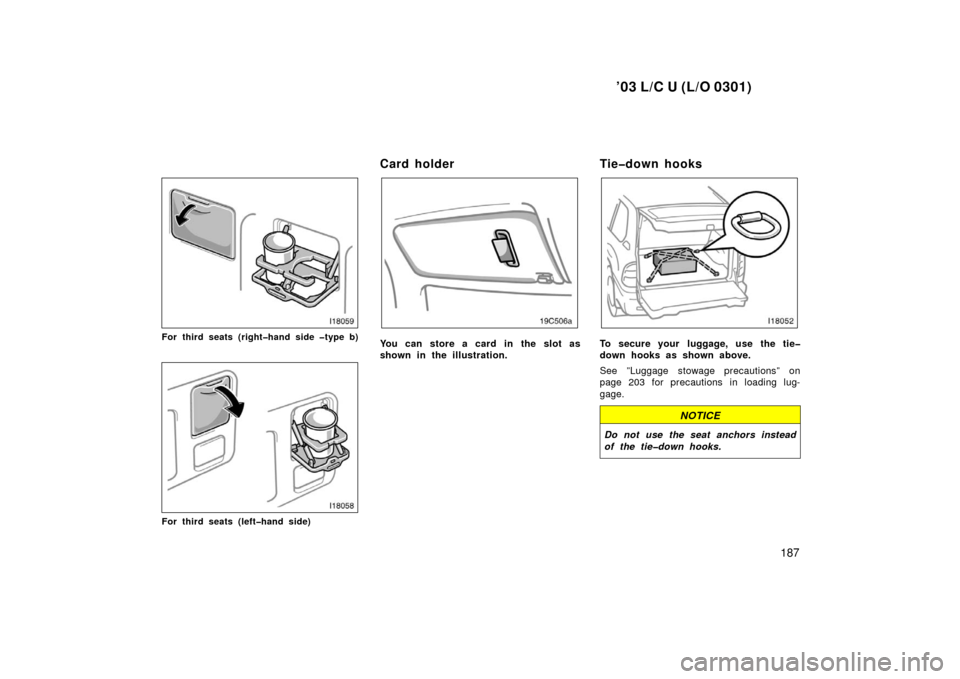
For third seats (righthand side type b)
For third seats (lefthand side)
Card holder
You can store a card in the slot as
shown in the illustration.
Tiedown hooks
To secure your luggage, use the tie
down hooks as shown above.
See ”Luggage stowage precautions” on
page 203 for precautions in loading lug-
gage.
NOTICE
Do not use the seat anchors instead
of the tiedown hooks.
Page 192 of 312
’03 L/C U (L/O 0301)
188
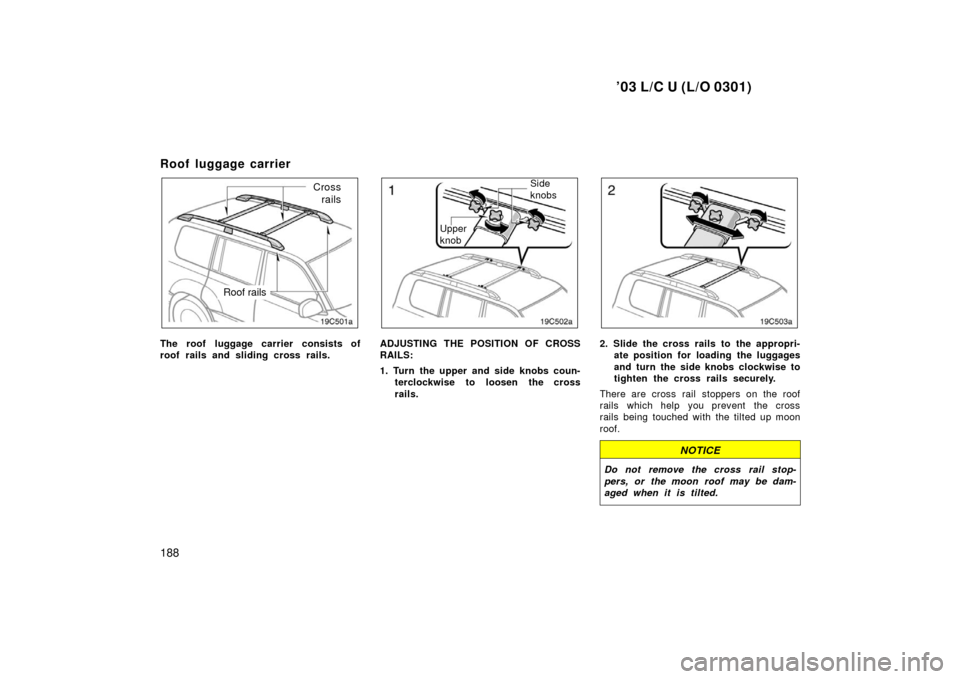
Roof luggage carrier
Roof rails
Crossrails
The roof luggage carrier consists of
roof rails and sliding cross rails.
Side
knobs
Upper
knob
ADJUSTING THE POSITION OF CROSS
RAILS:
1. Turn the upper and side knobs coun- terclockwise to loosen the cross
rails.
2. Slide the cross rails to the appropri-ate position for loading the luggages
and turn the side knobs clockwise to
tighten the cross rails securely.
There are cross rail stoppers on the roof
rails which help you prevent the cross
rails being touched with the tilted up moon
roof.
NOTICE
Do not remove the cross rail stop-
pers, or the moon roof may be dam-
aged when it is tilted.
Page 193 of 312
’03 L/C U (L/O 0301)
189
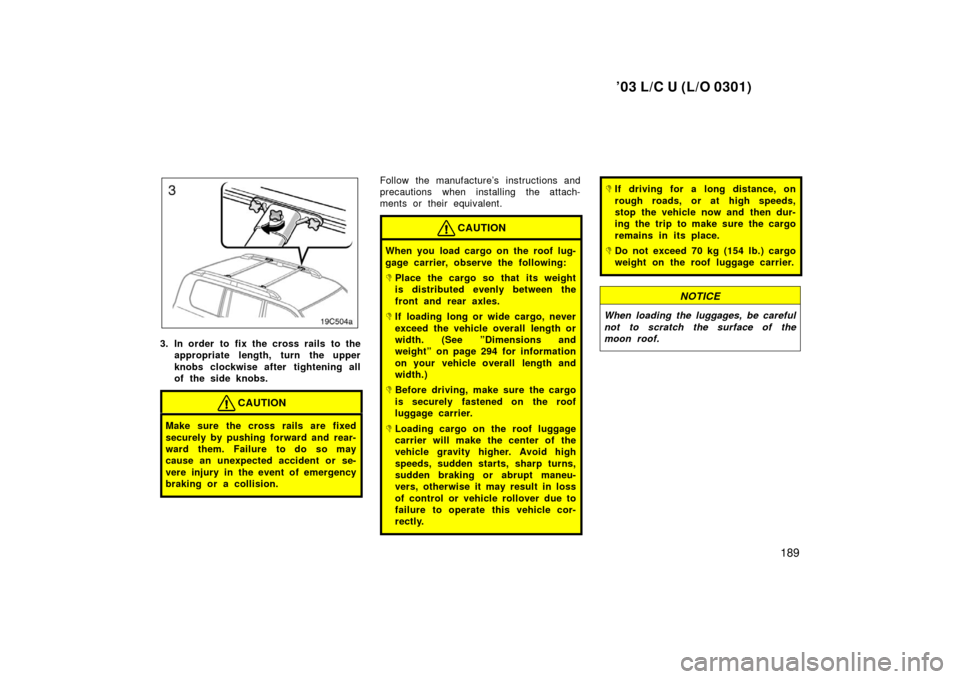
3. In order to fix the cross rails to theappropriate length, turn the upper
knobs clockwise after tightening all
of the side knobs.
CAUTION
Make sure the cross rails are fixed
securely by pushing forward and rear-
ward them. Failure to do so may
cause an unexpected accident or se-
vere injury in the event of emergency
braking or a collision.
Follow the manufacture’s instructions and
precautions when installing the attach-
ments or their equivalent.
CAUTION
When you load cargo on the roof lug-
gage carrier, observe the following:
�Place the cargo so that its weight
is distributed evenly between the
front and rear axles.
�If loading long or wide cargo, never
exceed the vehicle overall length or
width. (See ”Dimensions and
weight” on page 294 for information
on your vehicle overall length and
width.)
�Before driving, make sure the cargo
is securely fastened on the roof
luggage carrier.
�Loading cargo on the roof luggage
carrier will make the center of the
vehicle gravity higher. Avoid high
speeds, sudden starts, sharp turns,
sudden braking or abrupt maneu-
vers, otherwise it may result in loss
of control or vehicle rollover due to
failure to operate this vehicle cor-
rectly.
�If driving for a long distance, on
rough roads, or at high speeds,
stop the vehicle now and then dur-
ing the trip to make sure the cargo
remains in its place.
�Do not exceed 70 kg (154 lb.) cargo
weight on the roof luggage carrier.
NOTICE
When loading the luggages, be careful
not to scratch the surface of the
moon roof.
Page 207 of 312
’03 L/C U (L/O 0301)
203
The brake assist system may not work for
about 60 seconds after the engine is
started.
For an explanation of this system’s warn-
ing light, see “Service reminder indicators
and warning buzzers” on page 118.
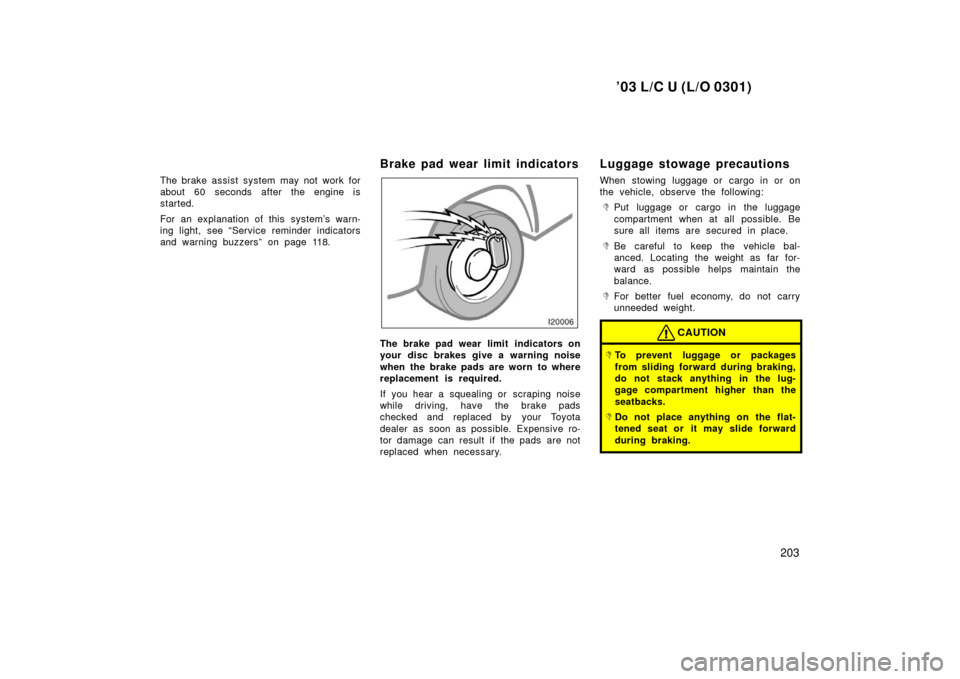
Brake pad wear limit indicators
The brake pad wear limit indicators on
your disc brakes give a warning noise
when the brake pads are worn to where
replacement is required.
If you hear a squealing or scraping noise
while driving, have the brake pads
checked and replaced by your Toyota
dealer as soon as possible. Expensive ro-
tor damage can result if the pads are not
replaced when necessary.
Luggage stowage precautions
When stowing luggage or cargo in or on
the vehicle, observe the following:
�Put luggage or cargo in the luggage
compartment when at all possible. Be
sure all items are secured in place.
�Be careful to keep the vehicle bal-
anced. Locating the weight as far for-
ward as possible helps maintain the
balance.
�For better fuel economy, do not carry
unneeded weight.
CAUTION
�To prevent luggage or packages
from sliding forward during braking,
do not stack anything in the lug-
gage compartment higher than the
seatbacks.
�Do not place anything on the flat-
tened seat or it may slide forward
during braking.