Page 183 of 420
5-8
Audio
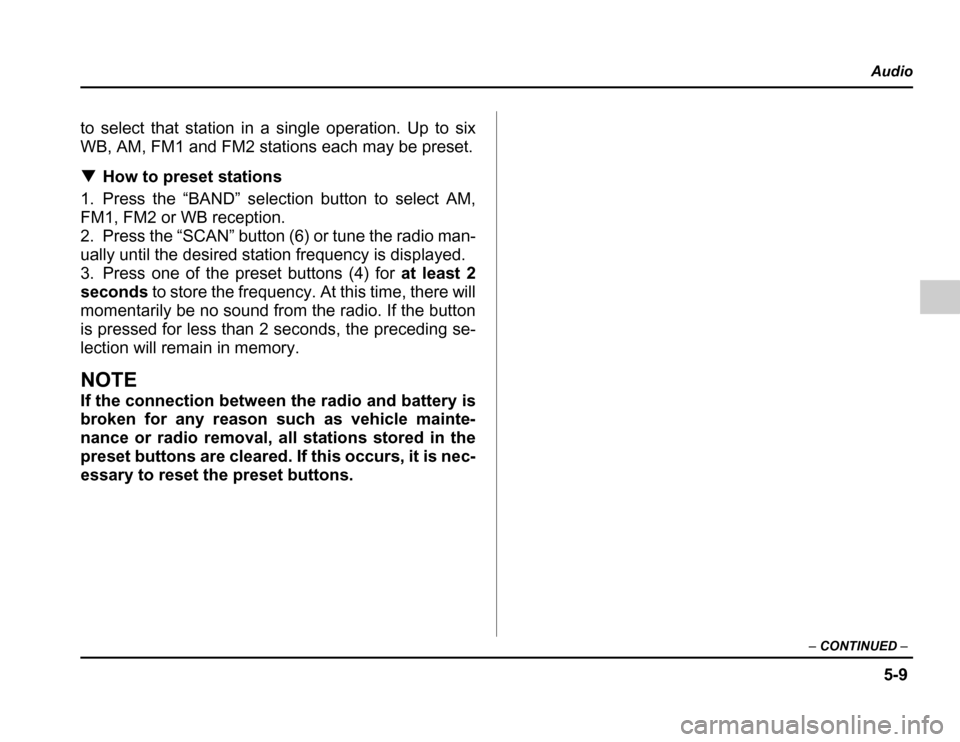
FM/AM/Weather band selection button (BAND)
Push the “BAND” button when the radio is on to select
FM1, FM2, AM or Weather band (WB) reception. Each
time this button is pressed, the band will change in the
following order:
The display indicates which one is currently selected. Stereo indicator
The stereo indicator “ST” will come on when an FM
stereo broadcast is received. Tuning (TUNE)
Manual tuning (TUNE)
Push the tuning button (3) marked “ ” to increase
the tuning frequency and press the tuning button
marked “ ” to decrease it.
Each time the button is pressed, the frequency chang-
es 10 KHz in the AM waveband and 0.2 MHz in the FM
waveband.
Constant pressure on the button causes a continuous
change in the frequency.
Manual tuning for weather band
When weather band mode is selected, press the tun-
ing button (3) marked “ ” to change the WB chan-
nel up and press the tuning button marked “ ” to
change the WB channel down. Each time the button is
pressed, the WB channel changes to the next chan-
nel. Constant pressure on the button causes a contin-
uous change in the frequency. Automatic tuning (SCAN)
Press the “SCAN” button (6) to change the radio to the
SCAN mode. In this mode, the radio scans through the
radio band until a station is found. The radio will stop
at the station for five seconds while displaying the fre-
quency, after which scanning will continue until the en-
tire band has been scanned from the low end to the
high end.
Press the “SCAN” button again to cancel the SCAN
mode and to stop on any displayed frequency.
When the “SCAN” button is pressed for automatic tun-
ing, stations are scanned in the direction of low fre-
quencies to high frequencies only.
Automatic tuning may not function properly if the sta-
tion reception is weakened by distance from the sta-
tion or proximity to tall buildings and hills. Selecting preset stations
Presetting a station with a preset button (4) allows you
FM1 FM2 AM
WB
Page 184 of 420
5-9
Audio
– CONTINUED –
to select that station in a single operation. Up to six
WB, AM, FM1 and FM2 stations each may be preset. How to preset stations
1. Press the “BAND” selection button to select AM,
FM1, FM2 or WB reception.
2. Press the “SCAN” button (6) or tune the radio man-
ually until the desired station frequency is displayed.
3. Press one of the preset buttons (4) for at least 2
seconds to store the frequency. At this time, there will
momentarily be no sound from the radio. If the button
is pressed for less than 2 seconds, the preceding se-
lection will remain in memory.
NOTE
If the connection between the radio and battery is
broken for any reason such as vehicle mainte-
nance or radio removal, all stations stored in the
preset buttons are cleared. If this occurs, it is nec-
essary to reset the preset buttons.
Page 190 of 420

5-15
Audio
– CONTINUED –
current disc. Fast reverse
Press the “ ” button (17) continuously for more
than 1 second to fast reverse the disc.
Release the button to stop fast reverse.
If you continue fast reverse to the beginning of the
disc, the CD changer will automatically stop fast re-
verse and start playback beginning with the first track
on the current disc. Repeat
Press the “RPT” button (19) while a song is playing to
play the song repeatedly. The “RPT” indicator will
come on and the song will be played continuously. To
cancel the repeat mode, press the button again. Then
the “RPT” indicator goes out, and normal playback
mode is restored. Random playback
Press the “RAND” button (18) while a disc is being
played back to play all songs on the disc in a random
order. The “RAND” indicator will come on and all
songs on the disc will be played in a random order.
To cancel the random mode, press the button again.
Then the “RAND” indicator goes out, and normal play-
back mode is restored.
Scan (a convenient way to become familiar with
adisc)
1. Press the “SCAN” button (20). – The display shows “SCAN” and the track number
being scanned.
– You hear the first 10 seconds of each track.
– The operation is automatically cleared after play-
ing all programs. Then, normal playback starts.
2. Press the “SCAN” button again when you hear a
track you like. – Normal playback resumes.
To stop playback
To stop playback and switch over to the radio mode,
press the “BAND” button.
Page 191 of 420
5-16
Audio
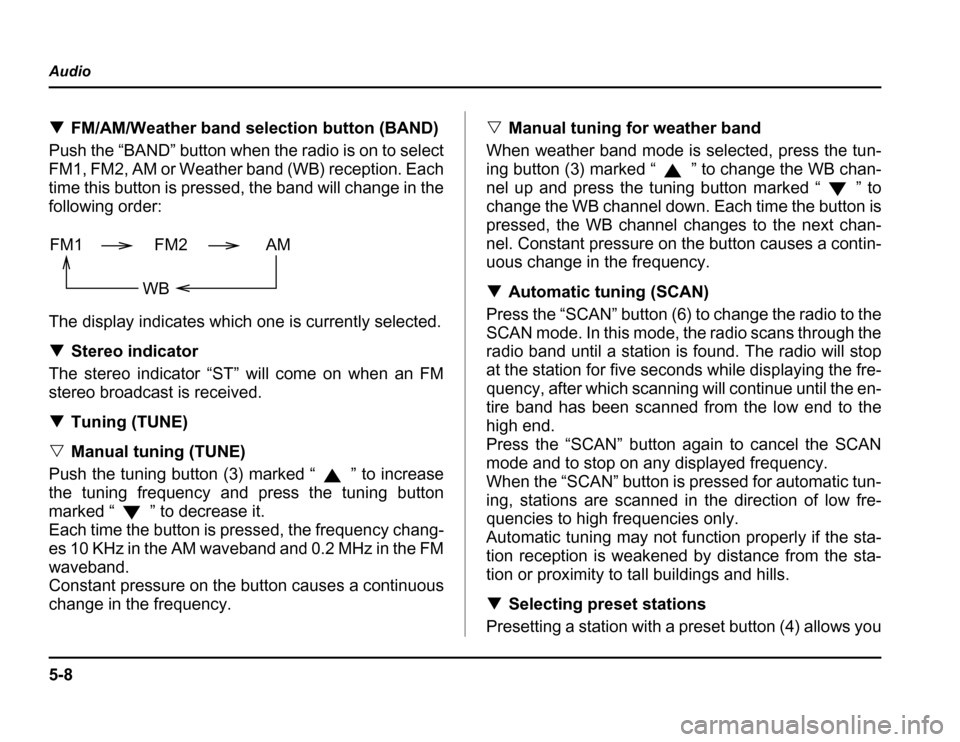
Type B audio set (if equipped)
The radio will operate only when the ignition switch is in the “ACC” or “ON”
position.
Radio operation
(4)
(5)
(6)
(7)
(8)
(1) (2)
(3)HS5013BB
(1) FM/AM button
(2) WB button
(3) SCAN button
(4) Tuning knob
(5) Preset buttons
(6) Fader/Balance selection button
(7) Power switch, Volume control,
Bass/Treble control and Fader/
Balance control dial
(8) Bass/Treble selection button
Page 192 of 420
5-17
Audio
– CONTINUED –
Power switch and volume/bass/treble/fader/
balance control (PWR/VOL)
The dial (7) is used for both power (ON/OFF) and vol-
ume control. The radio is turned ON and OFF by push-
ing the dial and the volume is controlled by turning the
dial.
This dial is used for bass/treble controls when the
“BAS/TRE” button (8) is in the depressed position. It is
also used for fader/balance controls when the “BAL/
FAD” button (6) is in the depressed position.
Page 194 of 420
5-19
Audio
– CONTINUED –
Tone control
The volume control dial (7) normally function as vol-
ume control. The dial become a control for Bass or
Treble when you select the appropriate tone control
mode.
Choose desired level for each mode by turning the vol-
ume control dial. The control function returns to vol-
ume control mode after about 5 seconds.
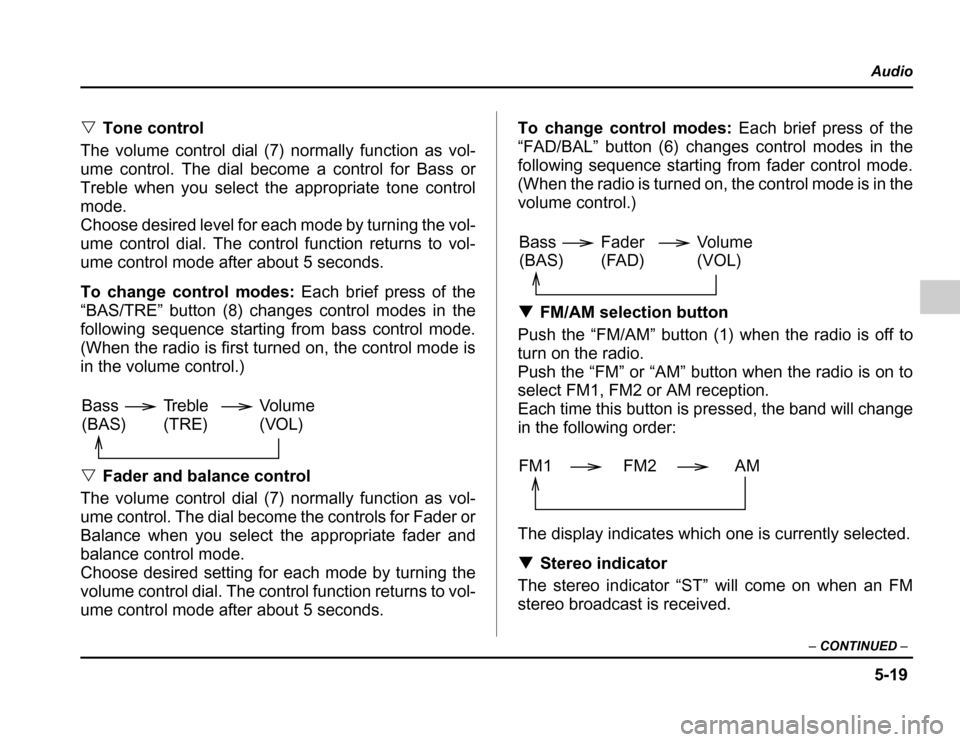
To change control modes: Each brief press of the
“BAS/TRE” button (8) changes control modes in the
following sequence starting from bass control mode.
(When the radio is first turned on, the control mode is
in the volume control.) Fader and balance control
The volume control dial (7) normally function as vol-
ume control. The dial become the controls for Fader or
Balance when you select the appropriate fader and
balance control mode.
Choose desired setting for each mode by turning the
volume control dial. The control function returns to vol-
ume control mode after about 5 seconds. To change control modes:
Each brief press of the
“FAD/BAL” button (6) changes control modes in the
following sequence starting from fader control mode.
(When the radio is turned on, the control mode is in the
volume control.) FM/AM selection button
Push the “FM/AM” button (1) when the radio is off to
turn on the radio.
Pushthe“FM”or“AM”buttonwhentheradioisonto
select FM1, FM2 or AM reception.
Each time this button is pressed, the band will change
in the following order:
The display indicates which one is currently selected. Stereo indicator
The stereo indicator “ST” will come on when an FM
stereo broadcast is received.
Volume
(VOL)
Bass(BAS) Treble(TRE)
Volume (VOL)
Bass(BAS) Fader
(FAD)
FM1 FM2 AM
Page 195 of 420
5-20
Audio
Weather band button (WB)
Push the “WB” button (2) when the radio is off to turn
on the radio in the weather band.
Press the “WB” button when the radio is on to select
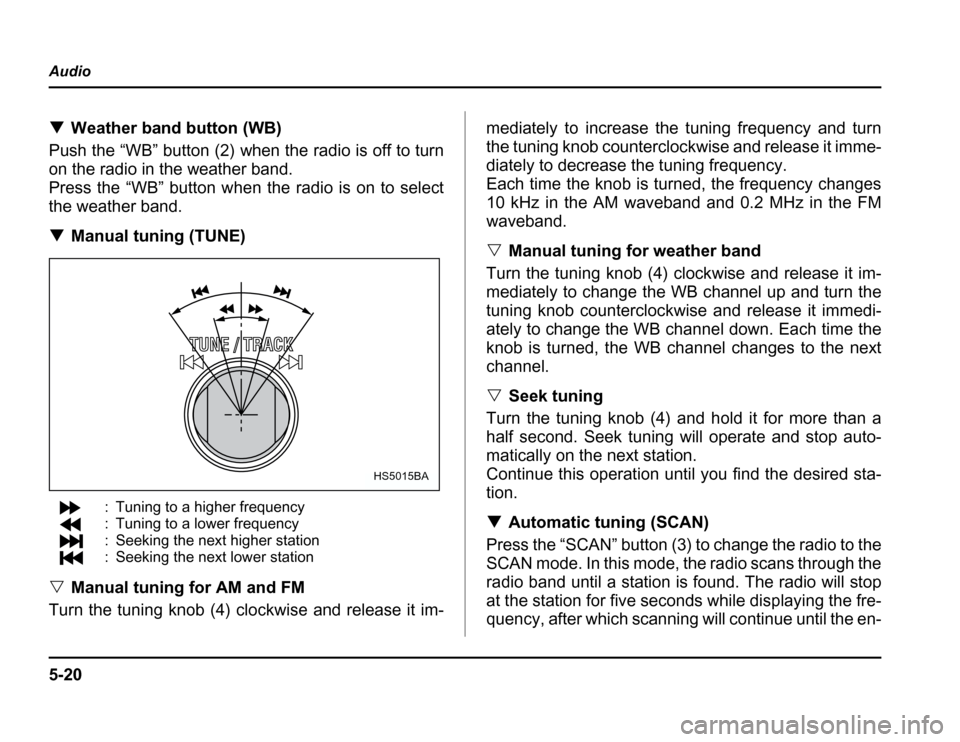
the weather band. Manual tuning (TUNE)
: Tuning to a higher frequency
: Tuning to a lower frequency
: Seeking the next higher station
: Seeking the next lower station
Manual tuning for AM and FM
Turn the tuning knob (4) clockwise and release it im- mediately to increase the tuning frequency and turn
thetuningknobcounterclockwiseandreleaseitimme-
diately to decrease the tuning frequency.
Each time the knob is turned, the frequency changes
10 kHz in the AM waveband and 0.2 MHz in the FM
waveband.
Manual tuning for weather band
Turnthetuningknob(4)clockwiseandreleaseitim-
mediately to change the WB channel up and turn the
tuning knob counterclockwise and release it immedi-
ately to change the WB channel down. Each time the
knob is turned, the WB channel changes to the next
channel. Seek tuning
Turn the tuning knob (4) and hold it for more than a
half second. Seek tuning will operate and stop auto-
matically on the next station.
Continue this operation until you find the desired sta- tion. Automatic tuning (SCAN)
Press the “SCAN” button (3) to change the radio to the
SCAN mode. In this mode, the radio scans through the
radio band until a station is found. The radio will stop
at the station for five seconds while displaying the fre-
quency, after which scanning will continue until the en-
HS5015BA
Page 196 of 420
5-21
Audio
– CONTINUED –
tire band has been scanned from the low end to the
high end.
Press the “SCAN” button again to cancel the SCAN
mode and to stop on any displayed frequency.
When the “SCAN” button is pressed for automatic tun-
ing, stations are scanned in the direction of low fre-
quencies to high frequencies only.
Automatic tuning may not function properly if the sta-
tion reception is weakened by distance from the sta-
tion or proximity to tall buildings and hills. Selecting preset stations
Presettingastationwithapresetbutton(5)allowsyou
to select that station in a single operation. Up to six
AM, FM1, FM2 and WB stations each may be preset. How to preset stations
1. Press the “FM/AM” selection button to select AM,
FM1 or FM2 reception.
OR
Press the “WB” button (2) to select the weather band.
2. Press the “SCAN” button (3) or tune the radio man-
ually until the desired station frequency is displayed.
3. Press one of the preset buttons (5) for at least 1.5
seconds to store the frequency. The frequency of the
station will flash once on the display at this time. If the
button is pressed for less than 1.5 seconds, the pre- ceding selection will remain in memory.
NOTE
If the connection between the radio and battery is
broken for any reason such as vehicle mainte-
nance or radio removal, all stations stored in the
preset buttons are cleared. If this occurs, it is nec-
essary to reset the preset buttons.