2003 Oldsmobile Bravada battery
[x] Cancel search: batteryPage 89 of 410

FIRST (1): This position gives you even more power
but lower fuel economy than
SECOND (2). You can use
it on very steep hills, or in deep snow or mud.
If the
selector lever is put in FIRST
(1) while the vehicle
is moving forward, the transmission won’t shift into first
gear until the vehicle is going slowly enough.
Notice: If your wheels won’t turn, don’t try to drive.
This might happen if you were stuck in very deep
sand or mud or were up against a solid object. You
could damage your transmission. Also, if you
stop when going uphill, don’t hold your vehicle there
with only the accelerator pedal. This could overheat
and damage the transmission. Use your brakes
or shift into
PARK (P) to hold your vehicle in
position on a hill.
Shift Lock Release
This vehicle is equipped with a shift lock release
system. If your vehicle has a dead battery and you need
to have your vehicle towed, there is a shift lock
release lever that will allow you to move the shift lever
out of PARK (P).
I o access the shift lock release lever, do the following:
1. Press on the sides of the boot around the shift
2. Lift up the boot on the shift lever and you will see
lever
to release the boot.
an orange lever.
3. Lift the orange lever up and move the shift lever out
of
PARK (P).
4. Snap the shift lever boot back in place.
All-Wheel Drive
Your vehicle may have this feature. There is no lever or
switch to engage
or disengage the front axle. It is
fully automatic and adjusts as needed for road
conditions. Your vehicle has an active transfer case
allowing two-wheel-drive operation on dry roads.
The transfer case will shift automatically into all-wheel
drive on slippery surfaces. You may feel an extra
shift when the all-wheel drive engages.
2-24
Page 103 of 410

It is recommended that a new battery be installed in
your hand-held transmitter for quicker and more
accurate transmission of the radio frequency.
Your vehicle’s engine should be turned
off while
programming the transmitter. Follow these steps to
program up to three channels:
1. Press and hold down the two outside buttons,
releasing only when the indicator light begins
to
flash, after 20 seconds. Do not hold down the
buttons for longer than
30 seconds and do not
repeat this step to program a second and/or third
transmitter to the remaining two HomeLink@
buttons.
2. Position the end of your hand-held transmitter
about
1 to 3 inches (3 to 8 cm) away from the
HomeLink@ buttons while keeping the indicator light
in view.
button on HomeLink@ and the hand-held
transmitter button.
Do not release the buttons until
Step
4 has been completed.
Some entry gates and garage door openers may
require you to substitute Step
3 with the procedure
noted in “Gate Operator and Canadian
Programming” later in this section.
4. The indicator light will flash slowly at first and then
rapidly after HomeLink@ successfully receives the
frequency signal from the hand-held transmitter. Release both buttons.
3. Simultaneously press and hold both the desired
5. Press and hold the newly-trained HomeLink@
button and observe the indicator light.
If the indicator light stays on constantly,
programming is complete and your device should
activate when the HomeLink@ button is pressed and
released.
To program the remaining two HomeLink@ buttons,
begin with Step
2 under “Programming
HomeLink@
.” Do not repeat Step 1 as this will
erase all of the programmed channels.
If the indicator light blinks rapidly for two seconds
and then turns to a constant light, continue with
Steps
6 through 8 following to complete the
programming of a rolling-code equipped device
(most commonly, a garage door opener).
6. At the garage door opener receiver (motor-head
unit) in the garage, locate the “Learn’’ or “Smart”
button. This can usually be found where the hanging
antenna wire is attached to the motor-head unit.
7. Firmly press and release the “Learn” or “Smart”
button. The name and color of the button may
vary by manufacturer.
You will have
30 seconds to start Step 8.
2-38
Page 132 of 410

Battery Run-Down Protection
This feature shuts off the dome, courtesy, vanity, and
reading lamps
if they are left on for more than
20 minutes when the ignition is off. This will keep your
battery from running down.
If the battery run-down protection shuts
off the interior
lamps, it may be necessary to
do one of the following to
return to normal operation:
0 Shut off all lamps and close all doors, or
turn the ignition key to RUN.
This feature will also turn off the parking lamps and
headlamps under most circumstances,
if they are left on.
If you would like to turn them back on, turn the exterior
lamps knob.
Accessory Power Outlets
Your vehicle may have accessory power outlets. With
the accessory power outlets, you can plug in auxiliary
electrical equipment such as a cellular telephone or CB
radio.
The first outlet is located to the right of the cigarette
lighter on the instrument panel. The second outlet
is located on the rear of the center console. Remove the cover from
the outlet to use the outlet. Be
sure to put the cover back on when not using the
accessory power outlet.
Certain electrical accessories may not be compatible
with the accessory power outlet and could result
in blown vehicle or adaptor fuses. If you experience a
problem, see your dealer for additional information
on the accessory power outlets.
Notice: Adding some electrical equipment to your
vehicle can damage it or keep other things from
working as they should. This wouldn’t be covered by
your warranty. Check with your dealer before
adding electrical equipment, and never use anything
that exceeds the amperage rating.
When adding electrical equipment, be sure to follow the
proper installation instructions included with the
equipment.
Notice: Power outlets are designed for accessory
plugs only.
Do not hang any type of accessory
or accessory bracket from the plug. Improper use
of
the power outlet can cause damage not covered
by your warranty.
3-1 9
Page 145 of 410
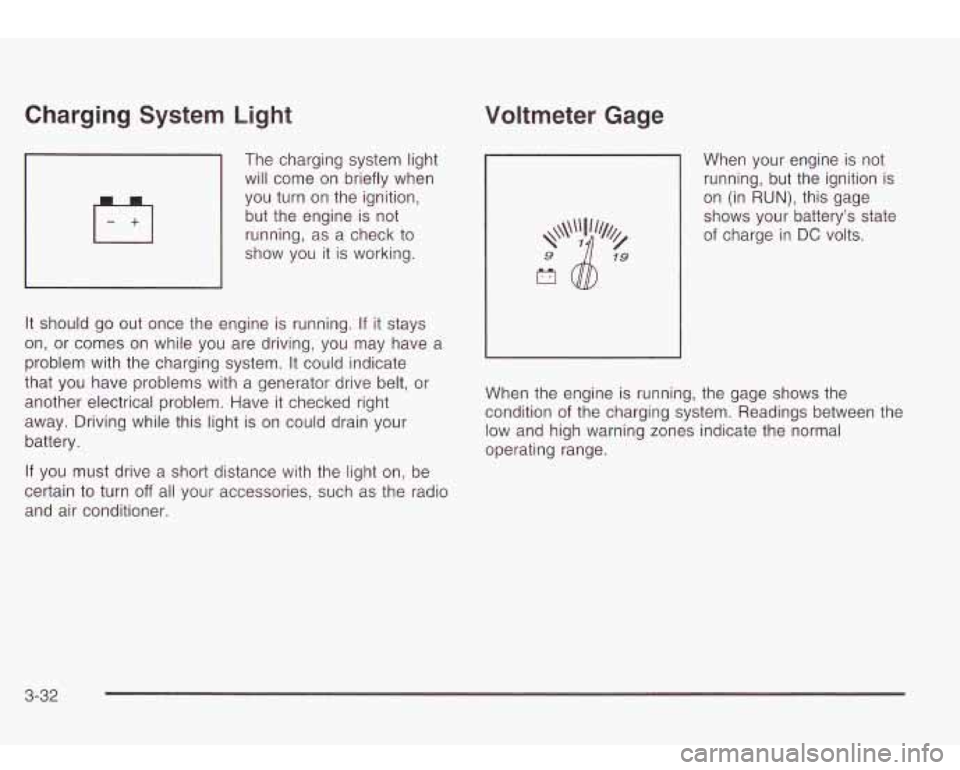
Charging System Light
7 will come on briefly when
The
charging system light
you turn on the ignition,
but the engine is not
running, as a check to
show you it is working.
It should go out once the engine is running.
If it stays
on, or comes on while you are driving, you may have
problem with the charging system.
It could indicate
that you have problems with a generator drive belt,
or
another electrical problem. Have it checked right
away. Driving while this light is on could drain your
battery. a
If you must drive a short distance with the light on, be
certain
to turn off all your accessories, such as the radio
and air conditioner.
Voltmeter Gage
When your engine is not
running, but the ignition is
on (in
RUN), this gage
shows your battery's state of charge in
DC volts.
When the engine is running, the gage shows the
condition of the charging system. Readings between the
low and high warning zones indicate the normal
operating range.
3-32
Page 151 of 410
Emissions Inspection and Maintenance Programs
Some state/provincial and local governments have or
may begin programs to inspect the emission control
equipment on your vehicle. Failure to pass this
inspection could prevent you from getting a vehicle
registration.
Here are some things you need
to know to help your
vehicle pass an inspection:
Your vehicle will not pass this inspection
if the SERVICE
ENGINE SOON or CHECK ENGINE light is on or not
working properly.
Your vehicle will not pass this inspection
if the OBD
(on-board diagnostic) system determines that critical
emission control systems have not been completely
diagnosed by the system. The vehicle would be
considered not ready for inspection. This can happen
if
you have recently replaced your battery or if your
battery has run down. The diagnostic system is
designed to evaluate critical emission control systems
during normal driving. This may take several days
of routine driving.
If you have done this and your vehicle
still does not pass the inspection for lack
of OBD
system readiness, see your dealer or qualified service
center to prepare the vehicle for inspection.
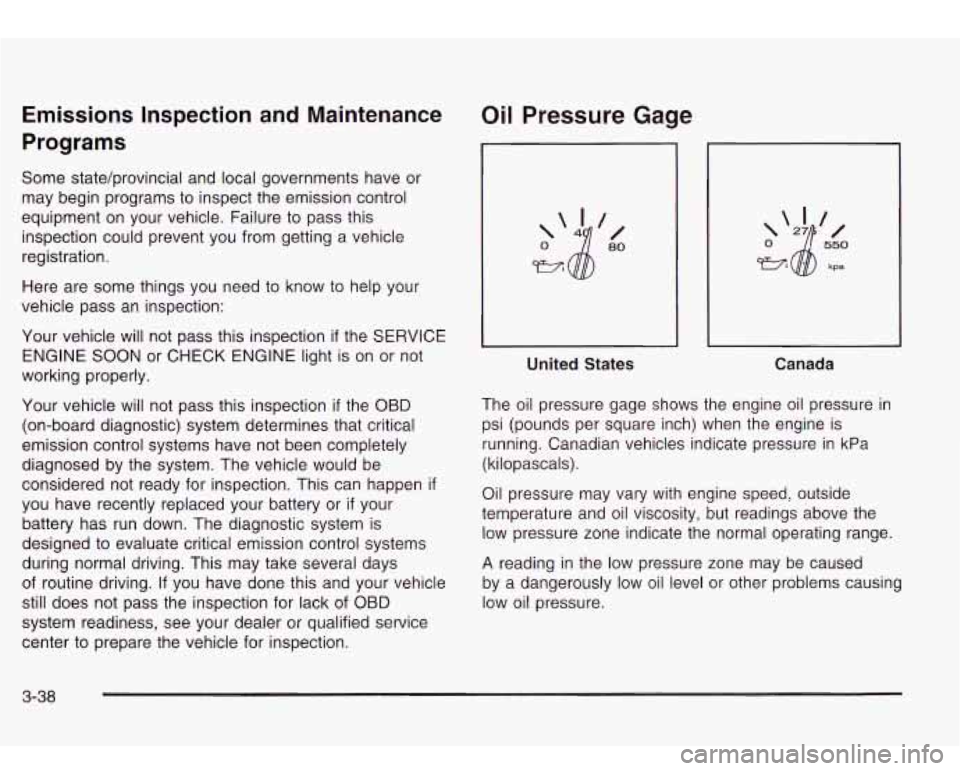
Oil Pressure Gage
United States Canada
The oil pressure gage shows the engine oil pressure in
psi (pounds per square inch) when the engine is
running. Canadian vehicles indicate pressure in kPa
(kilopascals).
Oil pressure may vary with engine speed, outside
temperature and oil viscosity, but readings above the
low pressure zone indicate the normal operating range.
A reading in the low pressure zone may be caused
by a dangerously low oil level or other problems causing
low oil pressure.
3-38
Page 166 of 410

OIL PRESSURE LOW/STOP ENGINE
If low oil pressure levels occur, this message will
be displayed on the DIC. Stop the vehicle as soon as
safely possible and do not operate it until the cause
of the low oil pressure has been corrected. Check your
oil as soon as possible and have your vehicle
serviced.
BATTERY NOT CHARGING
If the battery is not charging during operation, this
message will appear on the DIC. Driving with this
problem could drain your battery. Have the electrical
system checked as soon as possible. Pressing the
select button will acknowledge this message and clear it
from the DIC display.
SERVICE AIR BAG
If there is a problem with the air bag system this
message will be displayed on the DIC. Have a qualified
technician inspect the system for problems. Pressing
the select button will acknowledge this message
and clear it from the DIC display.
SERVICE BRAKE SYSTEM
If a problem occurs with the brake system this message
will appear on the DIC. If this message appears, stop
as soon as possible and turn
off the vehicle. Restart the
vehicle and check for the message
on the DIC display.
If the message is still displayed, or appears again when
you begin driving, the brake system needs service.
TURN SIGNAL ON
If a turn signal is left on for 3/4 of a mile (1.2 km), this
message will appear on the display and you will
hear a chime. Move the turn signaVmultifunction lever to
the
off position. Pressing the select button will
acknowledge this message and clear it from the DIC
display.
REARACCESSOPEN
If the liftgate or liftglass is open while the ignition is in
RUN, this message will appear on the DIC and you will
hear a chime. Turn
off the vehicle and check the
liftgate and liftglass. Restart the vehicle and check for
the message on the DIC display. Pressing the select
button will acknowledge this message and clear it from
the DIC display.
3-53
Page 168 of 410

RIGHT REAR DOOR AJAR RFA # BATTERY LOW
If the passenger’s side rear door is not fully closed this If a remote keyless entry transmitter battery is low, this
message will appear on the display and you will message will appear on the DIC. The battery needs
hear a chime.
Stop and turn off the vehicle, check the to be replaced in the transmitter. Pressing the select
door for obstacles, and close the door again. Check button will acknowledge this message and clear it from
to see if the message still appears on the DIC. Pressing the DIC display.
the select button will acknowledge this message and
clear it from the DIC display.
3-55
Page 190 of 410
Headphones Battery Replacement
The entertainment system includes two IR wireless
headphones.
Mini-headphone jacks are also provided for use with
customer provided headphones.
The wireless headphones have an ON/OFF switch and
a volume control. To use the headphones turn the
switch to ON. An indicator light will illuminate.
If the light
does not illuminate, the batteries may need
to be
replaced. See
Battery Replacement later in this section
for more information. Switch the headphones
to OFF
when not in use.
If the system is shut
off, or if the headphones are out of
range of the IR transmitters below the overhead RSE
control panel for more than three minutes, the
headphones will shut
off automatically to save the
batteries.
If you move too far forward or step out of the
vehicle, the headphones will cut
out.
To adjust the volume on the headphones, use the
volume control.
Notice: Do not store the headphones in heat or
direct sunlight. This could damage the headphones
and would not be covered by your warranty.
Keep the headphones stored in a cool place.
To change the batteries, do the following:
1. Loosen the screw on the battery compartment door
located on the left side of the headphones.
2. Replace the two AAA batteries in the compartment.
3. Tighten the screws to close the compartment door
If the headphones are to be stored for a long period
of time, remove the batteries and keep them in a cool,
dry place. Make sure that they are installed correctly.
Stereo RCA Jacks
The
RCA jacks and the mini-headphone jacks are
located behind the video screen on the overhead
console. The RCA jacks allow you to hook up an
auxiliary device such as a camcorder or a video game
unit. The yellow RCA jack is used for video and the
red and white RCA jacks are used for audio.
You may
require adapter connectors or cables
to connect
your auxiliary device
to the RCA jacks. Refer to the
manufacturer’s instructions for proper usage. The
mini-headphone jacks allow you to hook up two
customer provided wired headphones.
3-77