2003 NISSAN ALTIMA fuel
[x] Cancel search: fuelPage 3 of 256

Your new NISSAN is the result of our dedication to
produce the finest in safe, reliable and economical
transportation. Your vehicle is the product of a suc-
cessful worldwide company that manufactures cars
and trucks in over 17 countries and distributes them
in 170 nations.
NISSAN vehicles are designed and manufactured
by Nissan Motor Co., Ltd. which was founded in
Tokyo, Japan in 1933, and NISSAN affiliates world-
wide, collectively growing to become the fifth largest
automaker in the world. In addition to cars and
trucks, NISSAN also makes forklift trucks, marine
engines, boats and other diversified products.
NISSAN has made a substantial and growing in-
vestment in North America. NISSAN’s commitment
is over $6 billion dollars in capital investments in
facilities across the continent. Some of the facilities
include the Nissan Manufacturing facilities in Can-
ton, Mississippi and in Smyrna, Tennessee, vehiclestyling design at Nissan Design America, Inc. in San
Diego, California, and engineering at Nissan Tech-
nical Center North America in Farmington Hills,
Michigan. Additionally, NISSAN employs nearly
19,000 people throughout the United States,
Canada, and Mexico. An additional 60,000 people
work for the 1,250 NISSAN and INFINITI dealers
across North America.
NISSAN is also a substantial contributor to the
Canadian economy. Nissan Canada Inc., its suppli-
ers and over 150 dealers employ approximately
4,500 people. These include company employees
and the staffs of NISSAN dealers all across Canada.
In addition, many Canadians work for companies
that supply NISSAN and NISSAN dealers with ma-
terials and services ranging from the operation of
port facilities and transportation services, to the
supply of lubricants, parts and accessories.NISSAN pioneered the use of electronics and com-
puters in automobiles, and has led the industry in
improving both performance and fuel efficiency
through new engine designs and the use of syn-
thetic materials to reduce vehicle weight. The com-
pany has also developed ways to build quality into its
vehicles at each stage of the production process,
both through extensive use of automation and —
most importantly — through an awareness that
people
are the central element in quality control.
From the time the parts arrived from our suppliers
until you took delivery of your new NISSAN, dozens
of checks were made to ensure that only the best job
was being done in producing and delivering your
vehicle. NISSAN also takes great care to ensure that
when you take your NISSAN to your dealer for
maintenance, the service technician will perform his
work according to the quality standards that have
been established by NISSAN.
Safety has also been built into your NISSAN. As you
know, seat belts are an integral part of the safety
systems that will help protect you and your passen-
gers in the event of a sudden stop or an accident.
We urge you to use the seat belts every time you
drive the vehicle.
The NISSAN story of growth and achievement re-
flects our major goal: to provide you, our customer,
with a vehicle that is built with quality and craftsman-
ship — a product that we can be proud to build and
you can be proud to own.
WFW0002
WELCOME TO THE WORLD OF NISSAN
ZREVIEW COPY:Ð2003 Altima(l30)
Owners Manual(owners)ÐUSA English(nna)
04/21/03Ðsysadmin
X
Page 48 of 256

2 Instruments and controls
Instrument panel...................................2-2
Meters and gauges................................2-3
Speedometer and odometer.....................2-3
Trip computer..................................2-4
Tachometer....................................2-5
Engine coolant temperature gauge...............2-6
Fuel gauge....................................2-7
Warning/indicator lights and audible reminders.......2-8
Checking bulbs................................2-8
Warning lights.................................2-8
Indicator lights................................2-10
Audible reminders.............................2-12
Security systems.................................2-12
Nissan vehicle immobilizer system (NVIS)........2-12
Vehicle security system (if so equipped)..........2-14
Windshield wiper and washer switch...............2-16
Switch operation..............................2-16
Rear window defroster switch......................2-17
Headlight and turn signal switch....................2-18
Xenon headlights..............................2-18
Headlight control switch........................2-19
Daytime running light system (Canada only)......2-21
Instrument brightness control...................2-22Turn signal switch.............................2-22
Fog light switch (if so equipped)................2-22
Hazard warning flasher switch.....................2-24
Horn............................................2-24
Heated seat (if so equipped).......................2-25
Traction control system (TCS) off switch
(if so equipped)..................................2-26
Power outlet.....................................2-26
Storage.........................................2-27
Seatback pockets (if so equipped)..............2-27
Seatback side pockets (if so equipped)..........2-27
Sunglasses holder.............................2-28
Cup holders..................................2-28
Glove box....................................2-29
Console box..................................2-30
Covered storage box...........................2-31
Cargo net (if so equipped)......................2-32
Windows........................................2-33
Power windows...............................2-33
Sunroof (if so equipped)...........................2-35
Electric sunroof...............................2-35
Interior light......................................2-36
Map lights.......................................2-37
ZREVIEW COPY:Ð2003 Altima(l30)
Owners Manual(owners)ÐUSA English(nna)
04/21/03Ðdebbie
X
Page 52 of 256

TRIP COMPUTER
The display of the trip computer is situated in the
speedometer display. When the ignition is turned
to ON, the display scrolls all the modes of the trip
computer and then shows the mode chosen be-
fore the ignition switch is turned OFF.
If the battery terminal is disconnected,
push the trip computer mode switch more
than 1 second to activate the computer.
When the ignition switch is turned to ON, modes
of the trip computer can be selected by pushing
the trip mode switch on the steering wheel switch
for audio controls or by the trip computer change
button. The following modes can be selected:
Outside air temperature (ICY-°F or °C)
The outside air temperature is displayed in °F or
°C.
The outside air temperature mode includes a low
temperature warning feature: below 37°F (3°C) ,
the outside air temperature mode is automatically
selected and ICY will illuminate in order to draw
the driver’s attention. Press the mode switch if
you wish to return to the mode that was selectedbefore the warning occurred. The ICY indicator
will continue blinking as long as the temperature
remains below 39°F (4°C) .
The ambient temperature sensor is located in
front of the radiator. The sensor may be affected
by road or engine heat, wind directions and other
driving conditions. The display may differ from the
actual ambient temperature or the temperature
displayed on various signs or billboards.
Distance to empty (dte—mile or km)
The distance to empty (dte) mode provides you
with an estimation of the distance that can be
driven before refueling. The dte is constantly be-
ing calculated, based on the amount of fuel in the
fuel tank and the actual fuel consumption.
The display is updated every 30 seconds.
The dte mode includes a low range warning
feature: when the fuel level is low, the dte mode is
automatically selected and the digits blink in or-
der to draw the driver’s attention. Press the mode
switch if you wish to return to the mode that was
selected before the warning occurred. The dte
mark (dte) will remain blinking until the vehicle is
refueled.
When the fuel level drops even lower, the dte
display will change to (----) .
WIC0267
2-4Instruments and controls
ZREVIEW COPY:Ð2003 Altima(l30)
Owners Manual(owners)ÐUSA English(nna)
04/21/03Ðdebbie
X
Page 53 of 256
NOTE:
cIf the amount of fuel added while the
ignition switch is OFF is small, the dis-
play just before the ignition switch is
turned OFF may continue to be dis-
played.
cWhen driving uphill or rounding curves,
the fuel in the tank shifts, which may
momentarily change the display.
Average fuel consumption (Mpg or
l/100km)
The average fuel consumption mode shows the
average fuel consumption since the last reset.
Resetting is done by pressing the mode switch
for more than approximately 1 second. The dis-
play is updated every 30 seconds. At about the
first 1/3 miles (500 m) after a reset, the display
shows (----) .
Average speed (MPH or km/h)
The average speed mode shows the average
vehicle speed since last reset. Resetting is done
by pressing the mode switch for more than ap-
proximately 1 second. The display is updated
every 30 seconds. The first 30 seconds after a
reset, the display shows (----) .
Journey time
The journey time mode shows the time since the
last reset. The displayed time can be reset by
pressing the mode switch for more than approxi-
mately 1 second.
NOTE:
If a low temperature warning and low range
warning occur simultaneously, other dis-
play modes switch automatically to the
outside temperature display.
When the mode switch is pushed, the dis-
play switches to the mode chosen before
the warning display, and the outside air
temperature indicator marked ICY will
blink.
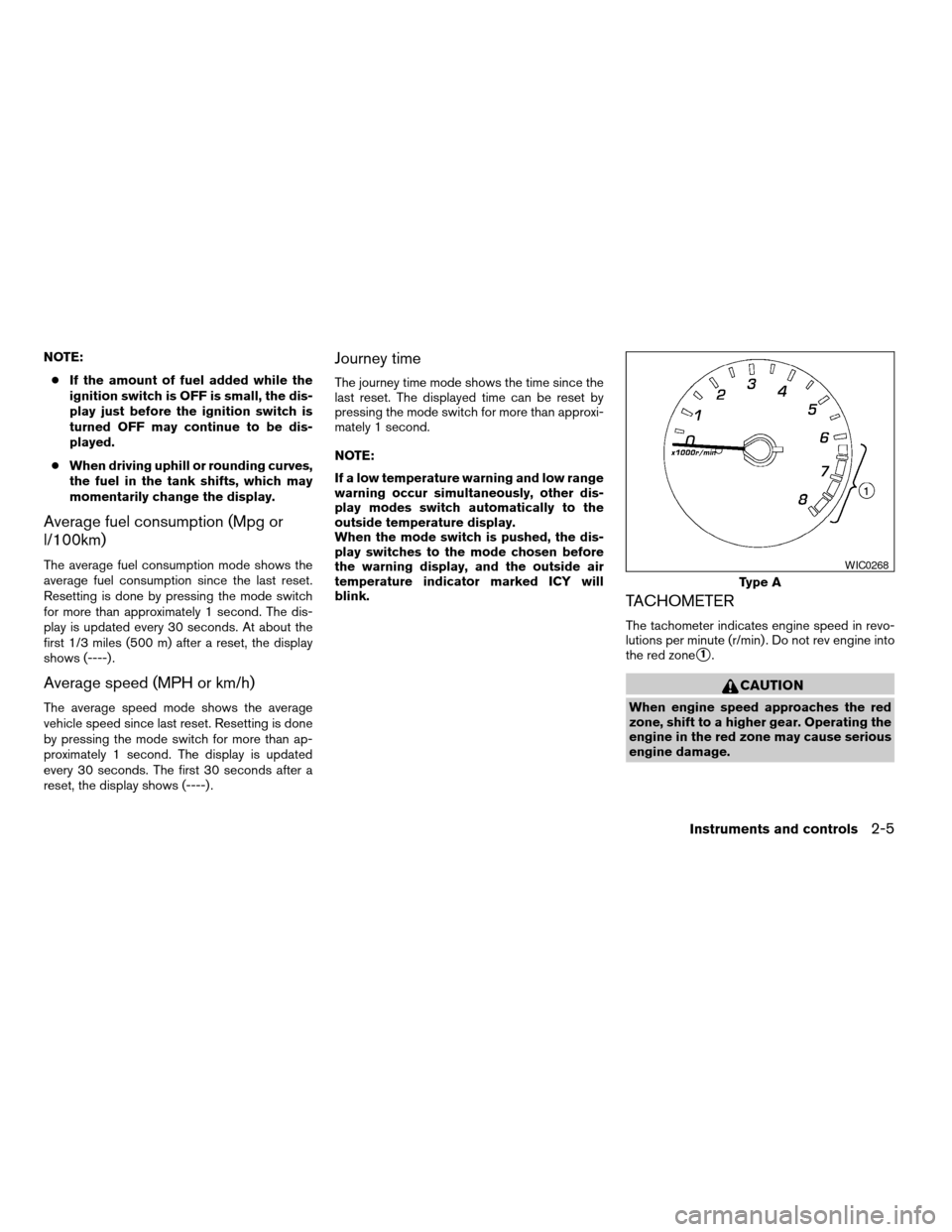
TACHOMETER
The tachometer indicates engine speed in revo-
lutions per minute (r/min) . Do not rev engine into
the red zone
s1.
CAUTION
When engine speed approaches the red
zone, shift to a higher gear. Operating the
engine in the red zone may cause serious
engine damage.
Type A
WIC0268
Instruments and controls2-5
ZREVIEW COPY:Ð2003 Altima(l30)
Owners Manual(owners)ÐUSA English(nna)
04/21/03Ðdebbie
X
Page 55 of 256
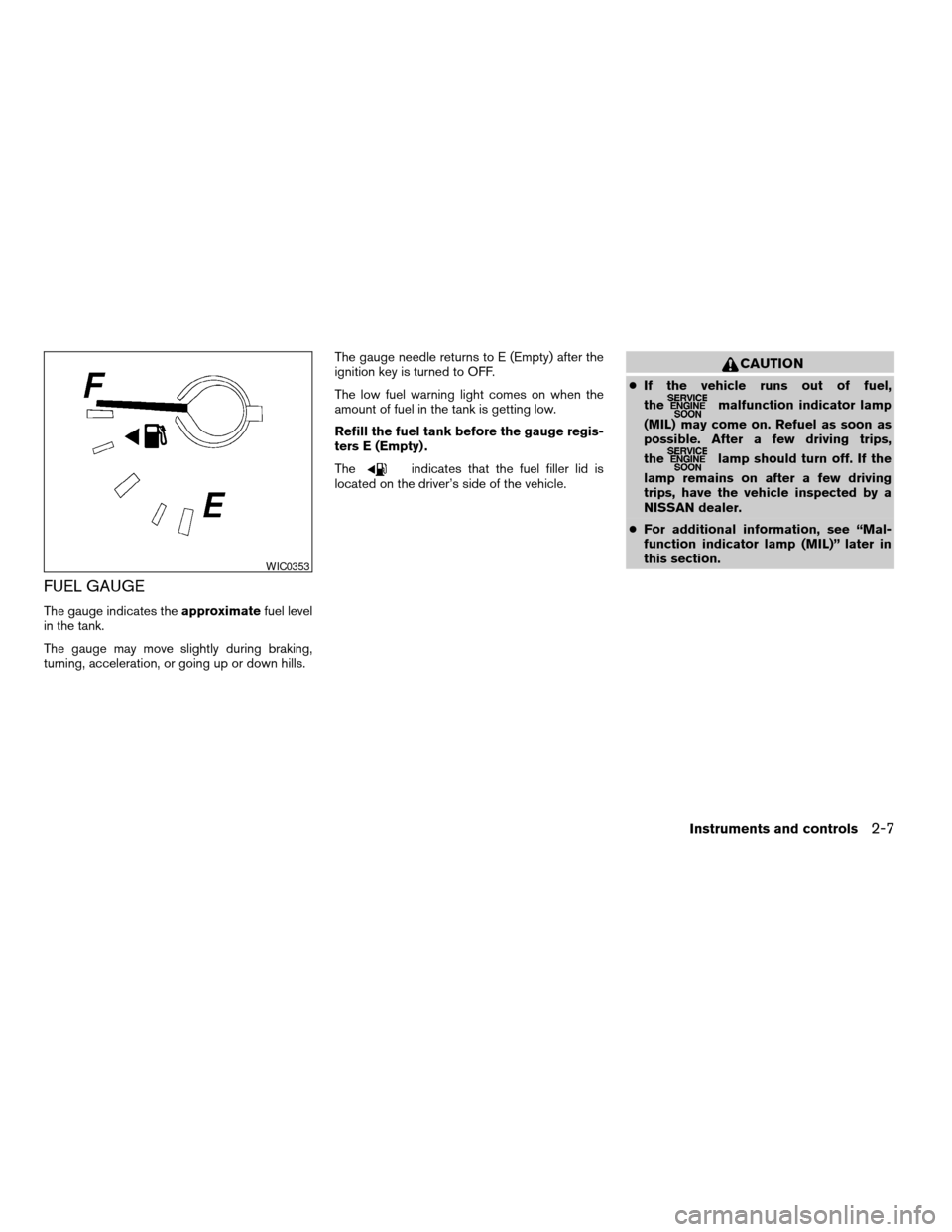
FUEL GAUGE
The gauge indicates theapproximatefuel level
in the tank.
The gauge may move slightly during braking,
turning, acceleration, or going up or down hills.The gauge needle returns to E (Empty) after the
ignition key is turned to OFF.
The low fuel warning light comes on when the
amount of fuel in the tank is getting low.
Refill the fuel tank before the gauge regis-
ters E (Empty) .
The
indicates that the fuel filler lid is
located on the driver’s side of the vehicle.
CAUTION
cIf the vehicle runs out of fuel,
the
malfunction indicator lamp
(MIL) may come on. Refuel as soon as
possible. After a few driving trips,
the
lamp should turn off. If the
lamp remains on after a few driving
trips, have the vehicle inspected by a
NISSAN dealer.
cFor additional information, see “Mal-
function indicator lamp (MIL)” later in
this section.
WIC0353
Instruments and controls2-7
ZREVIEW COPY:Ð2003 Altima(l30)
Owners Manual(owners)ÐUSA English(nna)
04/21/03Ðdebbie
X
Page 56 of 256

orAnti-lock brake warning lightLow washer fluid warning lightHigh beam indicator light (Blue)
orBrake warning lightSeat belt warning light and chimeMalfunction indicator lamp (MIL)
Charge warning lightSupplemental air bag warning lightSlip indicator light
Door open warning lightTrunk lid open warning lightTraction control system off indicator light
Engine oil pressure warning lightCRUISE main switch indicator light
(if so equipped)Turn signal/hazard indicator lights
Low fuel warning lightCruise SET switch indicator light
(if so equipped)
CHECKING BULBS
With all doors closed, apply the parking brake
and turn the ignition key to the ON position
without starting the engine. The following lights
will come on:
,or,,,
The following lights come on briefly and then go
off:
or,,,
If any light fails to come on, it may indicate
a burned-out bulb or an open circuit in the
electrical system. Have the system repaired
promptly.
WARNING LIGHTS
orAnti-lock brake
warning light (if so
equipped)
If the light comes on while the engine is running,
it may indicate the anti-lock brake system is not
functioning properly. Have the system checked
by a NISSAN dealer.Turn off the engine, and start it again by
slowly turning the ignition key (quickly do-
ing so may cause the ABS light to stay on
when there is nothing wrong) . If the light
stays on, have the system checked by a
NISSAN dealer.
If an abnormality occurs in the system, the anti-
lock function ceases, but the regular braking
system continues to operate.
If the light comes on while you are driving,
contact a NISSAN dealer for repair.
WARNING/INDICATOR LIGHTS AND
AUDIBLE REMINDERS
2-8Instruments and controls
ZREVIEW COPY:Ð2003 Altima(l30)
Owners Manual(owners)ÐUSA English(nna)
04/21/03Ðdebbie
X
Page 57 of 256
orBrake warning light
This light functions for both the parking brake and
the foot brake systems.
When the ignition key is in the ON position, the
light comes on when the parking brake is applied,
and also warns of a low brake fluid level. If the
light comes on while the engine is running with
the parking brake not applied, stop the vehicle
and perform the following:
1. Check the brake fluid level. Add brake fluid
as necessary. See “Brake and clutch fluid” in
the “Maintenance and do-it-yourself” sec-
tion of this manual.
2. If the brake fluid level is correct, have the
brake system checked by a NISSAN dealer.
WARNING
cYour brake system may not be working
properly if the warning light is on. Driv-
ing could be dangerous. If you judge it
to be safe, drive carefully to the nearest
service station for repairs. Otherwise,
have your vehicle towed because driv-
ing it could be dangerous.cPressing the brake pedal with the en-
gine stopped and/or a low brake fluid
level may increase your stopping dis-
tance and braking will require greater
pedal effort as well as pedal travel.
cIf the brake fluid level is below the
MINIMUM or MIN mark on the brake
fluid reservoir, do not drive until the
brake system has been checked at a
NISSAN dealer.
Charge warning light
If this light comes on while the engine is running,
it may indicate the charging system is not func-
tioning properly. Turn the engine off and check
the generator belt. If the belt is loose, broken,
missing, or if the light remains on, see a NISSAN
dealer immediately.
CAUTION
Do not continue driving if the generator
belt is loose, broken or missing.
Door open warning light
This light comes on when any of the doors are not
closed securely while the ignition key is in the ON
position.
Engine oil pressure warning
light
This light warns of low engine oil pressure. If the
light flickers or comes on during normal driving,
pull off the road in a safe area, stop the engine
immediatelyand call a NISSAN dealer.
The engine oil pressure warning light is not
designed to indicate a low oil level. Use the
dipstick to check the oil level.See “Engine
oil” in the “Maintenance and do-it-yourself” sec-
tion of this manual.
CAUTION
Running the engine with the engine oil
pressure warning light on could cause se-
rious damage to the engine almost imme-
diately. Such damage is not covered by
warranty. Turn off the engine as soon as it
is safe to do so.
Low fuel warning light
This light comes on when the fuel level in the fuel
tank is getting low. Refuel as soon as it is conve-
nient, preferably before the fuel gauge reaches E
(Empty) .There will be a small reserve of fuel
in the tank when the fuel gauge needle
reaches E (Empty) .
Instruments and controls2-9
ZREVIEW COPY:Ð2003 Altima(l30)
Owners Manual(owners)ÐUSA English(nna)
04/21/03Ðdebbie
X
Page 59 of 256
Malfunction indicator lamp
(MIL)
If this indicator lamp comes on steady or blinks
while the engine is running, it may indicate a
potential emission control malfunction.
The malfunction indicator lamp may also come on
steady if the fuel filler cap is loose or missing, or if
the vehicle runs out of fuel. Check to make sure
the fuel filler cap is installed and closed tightly,
and that the vehicle has at least 3 gallons of fuel
in the fuel tank.
After a few driving trips, the
lamp should
turn off if no other potential emission control
system malfunction exists.
Operation
The malfunction indicator lamp will come on in
one of two ways:
cMalfunction indicator lamp on steady — An
emission control system malfunction has
been detected. Check the fuel filler cap. If
the fuel filler cap is loose or missing, tighten
or install the cap and continue to drive the
vehicle. The
lamp should turn off after
a few driving trips. If thelamp does
not turn off after a few driving trips, have the
vehicle inspected by a NISSAN dealer. Youdo not need to have your vehicle towed to
the dealer.
cMalfunction indicator lamp blinking — An
engine misfire has been detected which may
damage the emission control system. To re-
duce or avoid emission control system dam-
age:
– do not drive at speeds above 45 MPH
(72 km/h) .
– avoid hard acceleration or deceleration.
– avoid steep uphill grades.
– if possible, reduce the amount of cargo
being hauled or towed.
The malfunction indicator lamp may stop blinking
and come on steady. Have the vehicle inspected by
a NISSAN dealer. You do not need to have your
vehicle towed to the dealer.
CAUTION
Continued vehicle operation without hav-
ing the emission control system checked
and repaired as necessary could lead to
poor driveability, reduced fuel economy,
and possible damage to the emission con-
trol system.
Slip indicator light (if so
equipped)
This indicator light will blink when the traction
control system is limiting wheel spin. Slippery
road conditions may exist if the slip indicator
blinks on. If this happens, adjust your driving
accordingly.
The slip indicator light also comes on when you
turn the ignition key to the ON position. The light
will turn off after about 2 seconds if the system is
operational. If the light does not come on or go
off, have the traction control system checked by a
NISSAN dealer.
The system operates in all transmission shift lever
positions, but the system can upshift the trans-
mission only as high as the indicated shift lever
position.
Traction control system off
indicator light
After turning the ignition key to the ON position,
the light will illuminate. The light will turn off after
about 2 seconds if the traction control system
(TCS) is operational.
If the light stays on or comes on when you are
driving, it may indicate the traction control system
is not functioning properly. Have the system
checked by a NISSAN dealer.
Instruments and controls2-11
ZREVIEW COPY:Ð2003 Altima(l30)
Owners Manual(owners)ÐUSA English(nna)
04/21/03Ðdebbie
X