Page 126 of 399

126 Controls in detailControl system
Standard display menu
You can select the functions in the stan-
dard display menu with buttonk
orj.
The following functions are available:
Display digital speedometer�
Press buttonj twice.
The current vehicle speed is shown in
the multifunction display.
AUDIO menu
The functions in the
Audio
menu operate
the audio equipment which you currently
have turned on.
If no audio equipment is currently turned
on, the message
AUDIO OFF
is shown in the
display.
The following functions are available:
iThe headings used in the menus table
are designed to facilitate navigation
within the system and are not neces-
sarily identical to those shown in the
control system displays.
The first function displayed in each
menu will automatically show you
which part of the system you are in.
Function
Page
Call up digital speedometer
see
below
Call up FSS PLUS
275
Check tire pressure*
270
Check engine oil level
262
Function
Page
Select radio station
127
Operate CD player*
127
Operate cassette player
128
Page 135 of 399
135 Controls in detail
Control system
Selecting language�
Move the selection marker with
theæ orç button to the
Instr.
cluster
submenu.
�
Press buttonj ork repeatedly
until you see this message in the dis-
play:
Language
.
The selection marker is on the current
setting.
�
Pressæ orç to select the lan-
guage to be used for the multifunction
display messages.
Available languages:�
German
�
English
�
Italian
�
French
�
SpanishSelecting display (speed display or out-
side temperature) for status display
�
Move the selection marker with
theæ orç button to the
Instr.
cluster
submenu.
�
Press buttonj ork repeatedly
until you see this message in the dis-
play:
Status line display
.
The selection marker is on the current
setting.
�
Pressæ orç to select the sta-
tus line to degrees Fahrenheit (°F) or miles
.
iYou will see the status indicator when
you have called up a different display
from the standard display.
Page 148 of 399
148 Controls in detailControl systemYou can use the functions in the
TEL
menu
to operate your telephone, provided it is
connected to a hands-free system and
switched on.
�
Switch on the telephone and
COMAND*.
�
Press buttonÿ orè on the
steering wheel repeatedly until you see
the
Tel
menu in the display.
Which messages will appear in the display
field depends on whether your telephone is
switched on or off:
�
If the telephone is off, the message in
the multifunction display is:
PHONE OFF
.
�
If the telephone is on:
The telephone will then search for a
network. During this time the display is
empty.
As soon as the telephone has found a
network, this is indicated in the display.
This standby message indicates that your
telephone is ready for use and you can op-
erate it using the control system.Answering a call
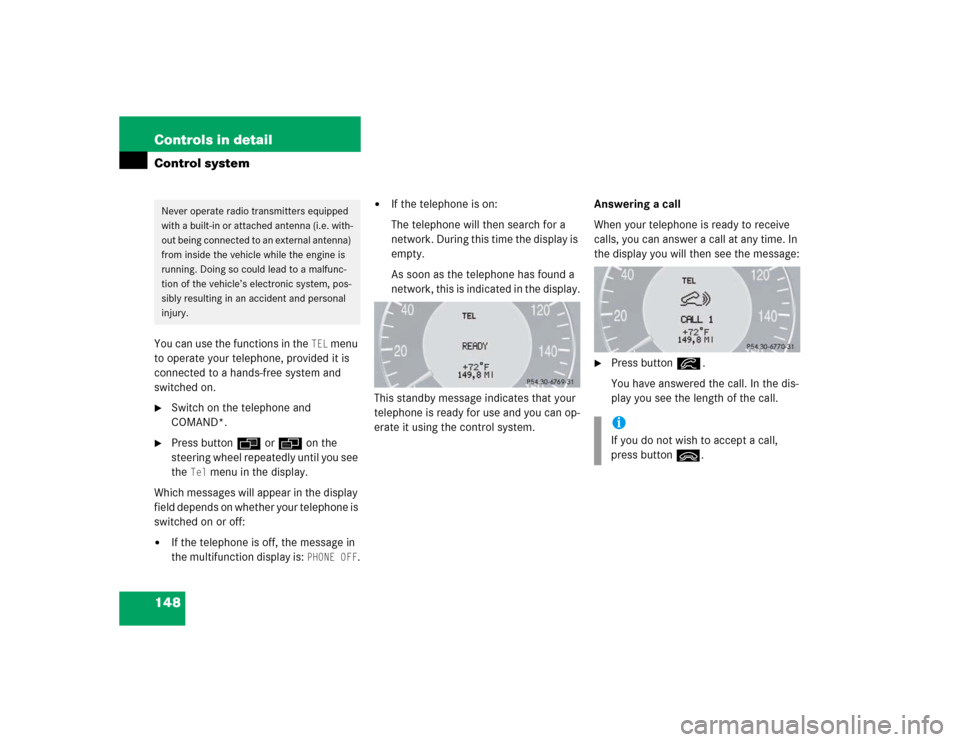
When your telephone is ready to receive
calls, you can answer a call at any time. In
the display you will then see the message:
�
Press buttoní.
You have answered the call. In the dis-
play you see the length of the call.
Never operate radio transmitters equipped
with a built-in or attached antenna (i.e. with-
out being connected to an external antenna)
from inside the vehicle while the engine is
running. Doing so could lead to a malfunc-
tion of the vehicle’s electronic system, pos-
sibly resulting in an accident and personal
injury.
iIf you do not wish to accept a call,
press buttonì.
Page 201 of 399
201 Controls in detail
Driving systems
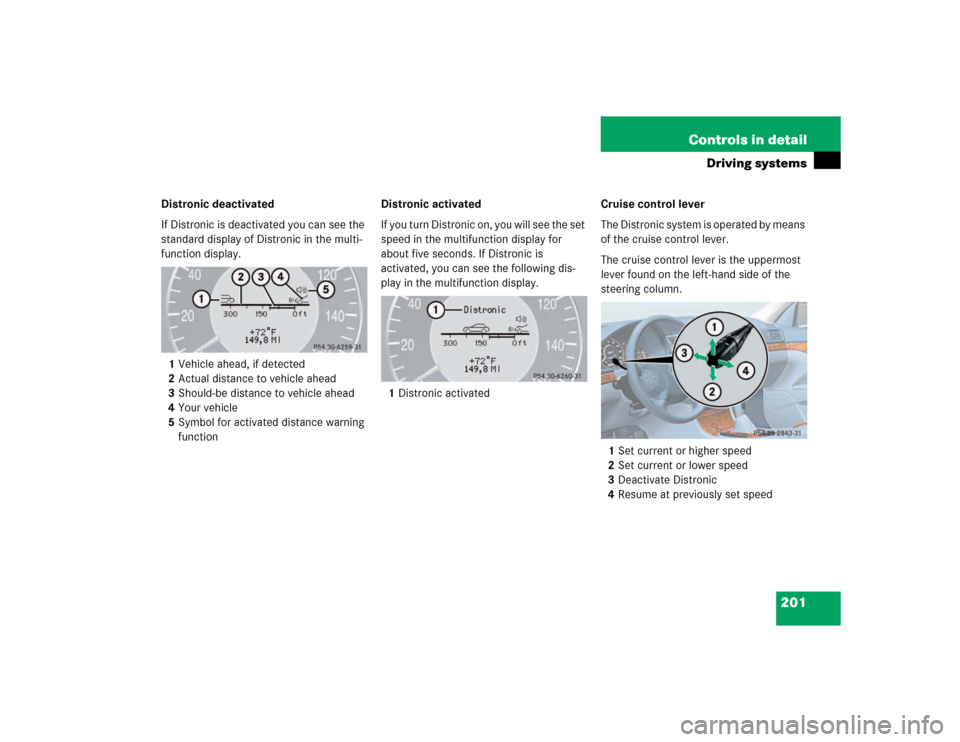
Distronic deactivated
If Distronic is deactivated you can see the
standard display of Distronic in the multi-
function display.
1Vehicle ahead, if detected
2Actual distance to vehicle ahead
3Should-be distance to vehicle ahead
4Your vehicle
5Symbol for activated distance warning
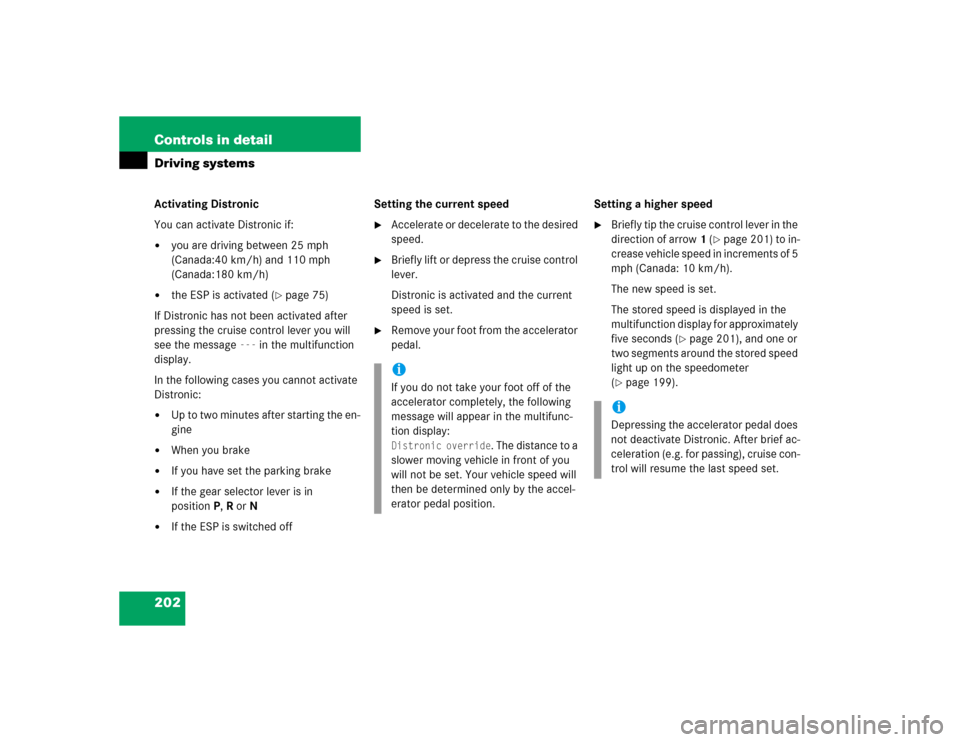
functionDistronic activated
If you turn Distronic on, you will see the set
speed in the multifunction display for
about five seconds. If Distronic is
activated, you can see the following dis-
play in the multifunction display.
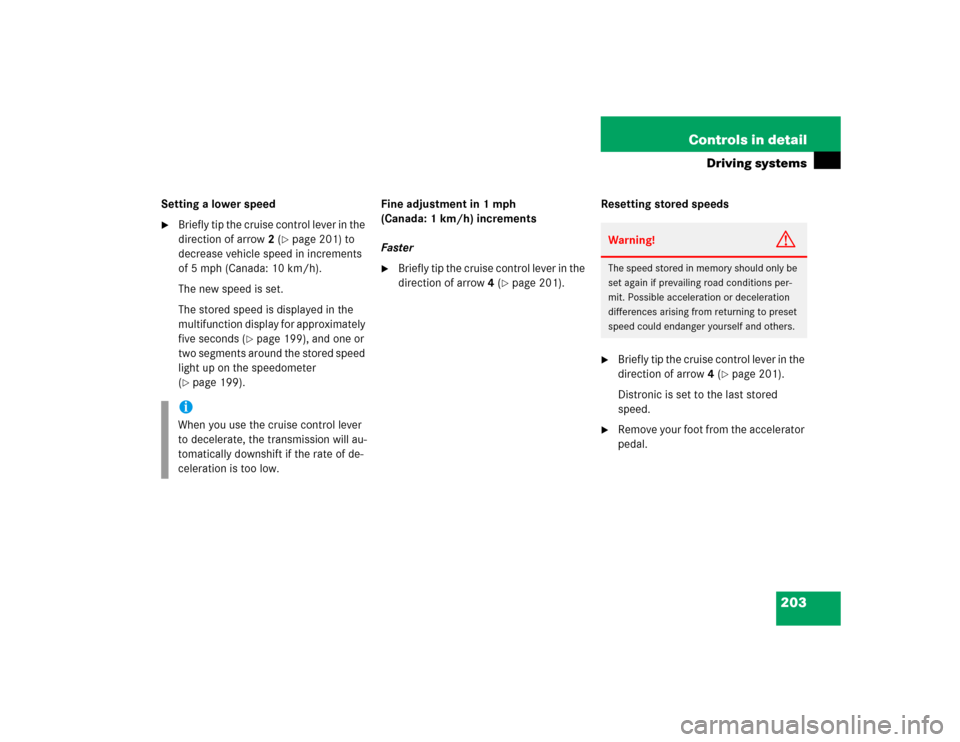
1Distronic activatedCruise control lever
The Distronic system is operated by means
of the cruise control lever.
The cruise control lever is the uppermost
lever found on the left-hand side of the
steering column.
1Set current or higher speed
2Set current or lower speed
3Deactivate Distronic
4Resume at previously set speed
Page 202 of 399
202 Controls in detailDriving systemsActivating Distronic
You can activate Distronic if:�
you are driving between 25 mph
(Canada:40 km/h) and 110 mph
(Canada:180 km/h)
�
the ESP is activated (
�page 75)
If Distronic has not been activated after
pressing the cruise control lever you will
see the message
---
in the multifunction
display.
In the following cases you cannot activate
Distronic:
�
Up to two minutes after starting the en-
gine
�
When you brake
�
If you have set the parking brake
�
If the gear selector lever is in
positionP, R or N
�
If the ESP is switched offSetting the current speed
�
Accelerate or decelerate to the desired
speed.
�
Briefly lift or depress the cruise control
lever.
Distronic is activated and the current
speed is set.
�
Remove your foot from the accelerator
pedal.Setting a higher speed
�
Briefly tip the cruise control lever in the
direction of arrow1 (
�page 201) to in-
crease vehicle speed in increments of 5
mph (Canada: 10 km/h).
The new speed is set.
The stored speed is displayed in the
multifunction display for approximately
five seconds (
�page 201), and one or
two segments around the stored speed
light up on the speedometer
(
�page 199).
iIf you do not take your foot off of the
accelerator completely, the following
message will appear in the multifunc-
tion display: Distronic override
. The distance to a
slower moving vehicle in front of you
will not be set. Your vehicle speed will
then be determined only by the accel-
erator pedal position.
iDepressing the accelerator pedal does
not deactivate Distronic. After brief ac-
celeration (e.g. for passing), cruise con-
trol will resume the last speed set.
Page 203 of 399
203 Controls in detail
Driving systems
Setting a lower speed�
Briefly tip the cruise control lever in the
direction of arrow2 (
�page 201) to
decrease vehicle speed in increments
of 5 mph (Canada: 10 km/h).
The new speed is set.
The stored speed is displayed in the
multifunction display for approximately
five seconds (
�page 199), and one or
two segments around the stored speed
light up on the speedometer
(
�page 199).Fine adjustment in 1 mph
(Canada: 1 km/h) increments
Faster
�
Briefly tip the cruise control lever in the
direction of arrow4 (
�page 201).Resetting stored speeds
�
Briefly tip the cruise control lever in the
direction of arrow4 (
�page 201).
Distronic is set to the last stored
speed.
�
Remove your foot from the accelerator
pedal.
iWhen you use the cruise control lever
to decelerate, the transmission will au-
tomatically downshift if the rate of de-
celeration is too low.
Warning!
G
The speed stored in memory should only be
set again if prevailing road conditions per-
mit. Possible acceleration or deceleration
differences arising from returning to preset
speed could endanger yourself and others.
Page 204 of 399
204 Controls in detailDriving systemsDeactivating Distronic
There are several ways to deactivate the
Distronic system:�
Briefly tip the cruise control lever in the
direction of arrow3 (
�page 201).
or
�
Step on the brake pedal.
Distronic will be deactivated. The last
speed set will be stored into memory.Distronic deactivates automatically when:
�
you set the parking brake
�
you drive slower than 25 mph
(Canada: 40 km/h)
�
the ESP is active (
�page 75) or you de-
activate the ESP
�
you move the transmission selector le-
ver into positionN
A si gnal wi ll s ound. T he
Distronic off
message appears in the multifunction
display for approximately five seconds.Setting the following distance in
Distronic
You can set the specified following dis-
tance for Distronic by varying the time set-
ting between 1.0 and 2.0 seconds. Using
this time setting and the current speed of
your vehicle, Distronic calculates and sets
the required following distance to the vehi-
cle ahead. The set distance will be shown
in the multifunction display field.
The thumbwheel for making the time set-
ting is located on the lower section of the
center console.
iThe following message will appear in
the multifunction display for approxi-
mately five seconds:
Distronic off
.
The last stored speed is deleted when
you turn off the engine.
Warning!
G
Distronic switches off and releases the
brakes when the vehicle decelerates below
the minimum speed of approx. 25 mph
( 40 km / h) by operation of the system. At
that time the driver must apply the brakes in
order to reduce vehicle speed further or
bring it to a stop.
Warning!
G
It is up to the driver to exercise discretion to
select the appropriate setting given road
conditions, traffic, driver’s preferred driving
style and applicable laws and driving recom-
mendations for safe following distance.
Page 206 of 399
206 Controls in detailDriving systemsActivating�
Press button1.
Indicator lamp 2 on the button lights
up. A loudspeaker symbol appears in
the multifunction display (
�page 201).
Deactivating
�
Press button1.
Indicator lamp 2 on the button goes
out. No loudspeaker symbol appears in
the multifunction display.Driving with Distronic
This section describes a number of driving
situations where special precaution is re-
quired on the part of the driver. Be pre-
pared to brake in such situations. This will
deactivate the Distronic system.
Warning!
G
Distronic works to maintain the speed se-
lected by the driver unless a moving obsta-
cle proceeding directly ahead of it in the
same travel direction is detected (e.g. fol-
lowing another vehicle ahead of you at a dis-
tance set by Distronic). This means that:�
your vehicle can pass another vehicle af-
ter you change lanes
�
while in a sharp turn or if the vehicle in
front is in a sharp turn, Distronic could
lose sight of a vehicle traveling in front
of it, then your vehicle could accelerate
to the previously selected speed.
Distronic regulates only the distance be-
tween your vehicle and those directly ahead
of it, but does not register stationary objects
in the road, e.g.: �
a stopped vehicle in a traffic jam
�
a disabled vehicle
�
an oncoming vehicle
The driver must always be on the alert, ob-
serve all traffic and intercede as required by
steering or braking the vehicle.
Warning!
G
Distronic should not be used in snowy or icy
road conditions.