2003 LINCOLN TOWN CAR display
[x] Cancel search: displayPage 100 of 272
Do not use the speed control in heavy traffic or on roads that
are winding, slippery or unpaved.
Setting speed control
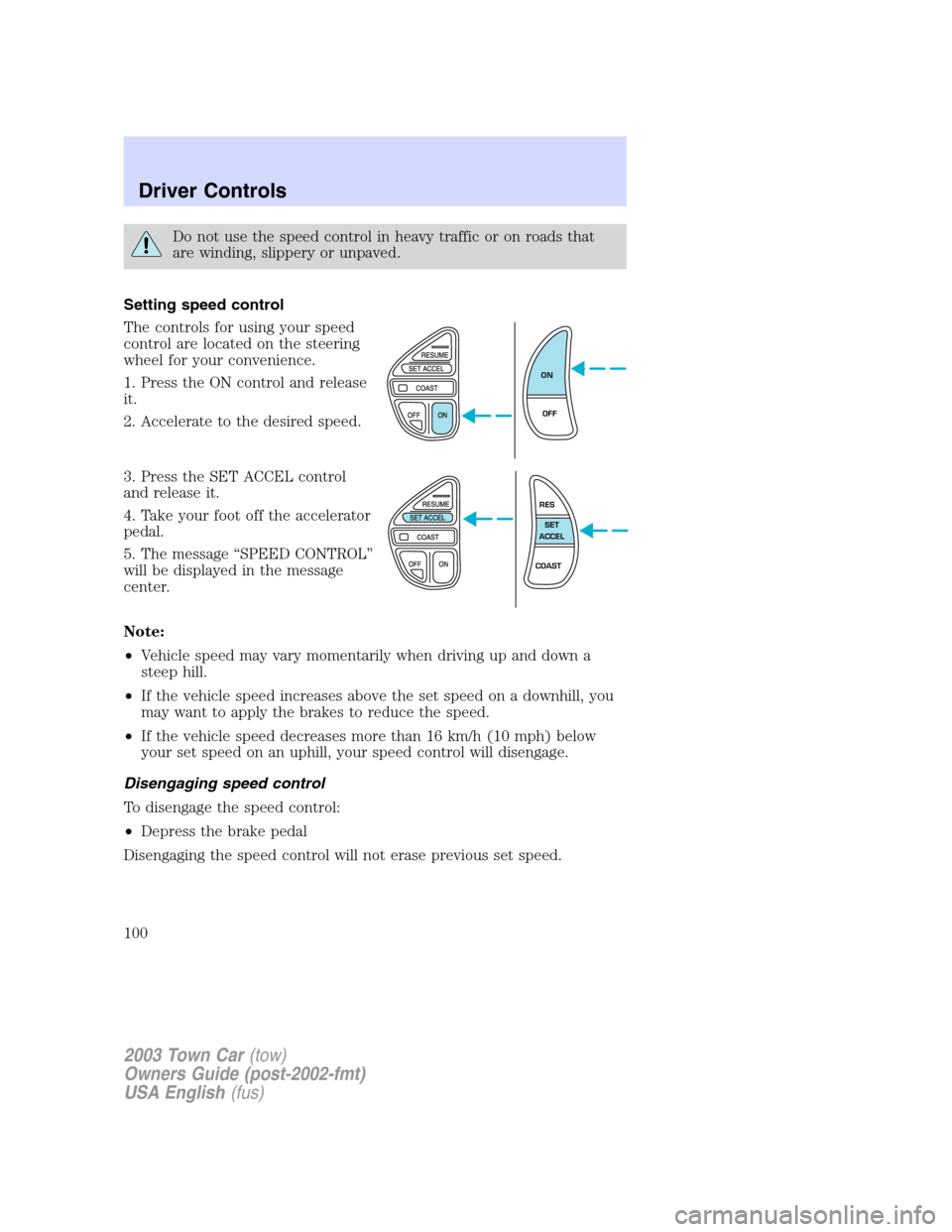
The controls for using your speed
control are located on the steering
wheel for your convenience.
1. Press the ON control and release
it.
2. Accelerate to the desired speed.
3. Press the SET ACCEL control
and release it.
4. Take your foot off the accelerator
pedal.
5. The message“SPEED CONTROL”
will be displayed in the message
center.
Note:
•Vehicle speed may vary momentarily when driving up and down a
steep hill.
•If the vehicle speed increases above the set speed on a downhill, you
may want to apply the brakes to reduce the speed.
•If the vehicle speed decreases more than 16 km/h (10 mph) below
your set speed on an uphill, your speed control will disengage.
Disengaging speed control
To disengage the speed control:
•Depress the brake pedal
Disengaging the speed control will not erase previous set speed.
ON
OFF
RES
SET
ACCEL
COAST
2003 Town Car(tow)
Owners Guide (post-2002-fmt)
USA English(fus)
Driver Controls
100
Page 102 of 272
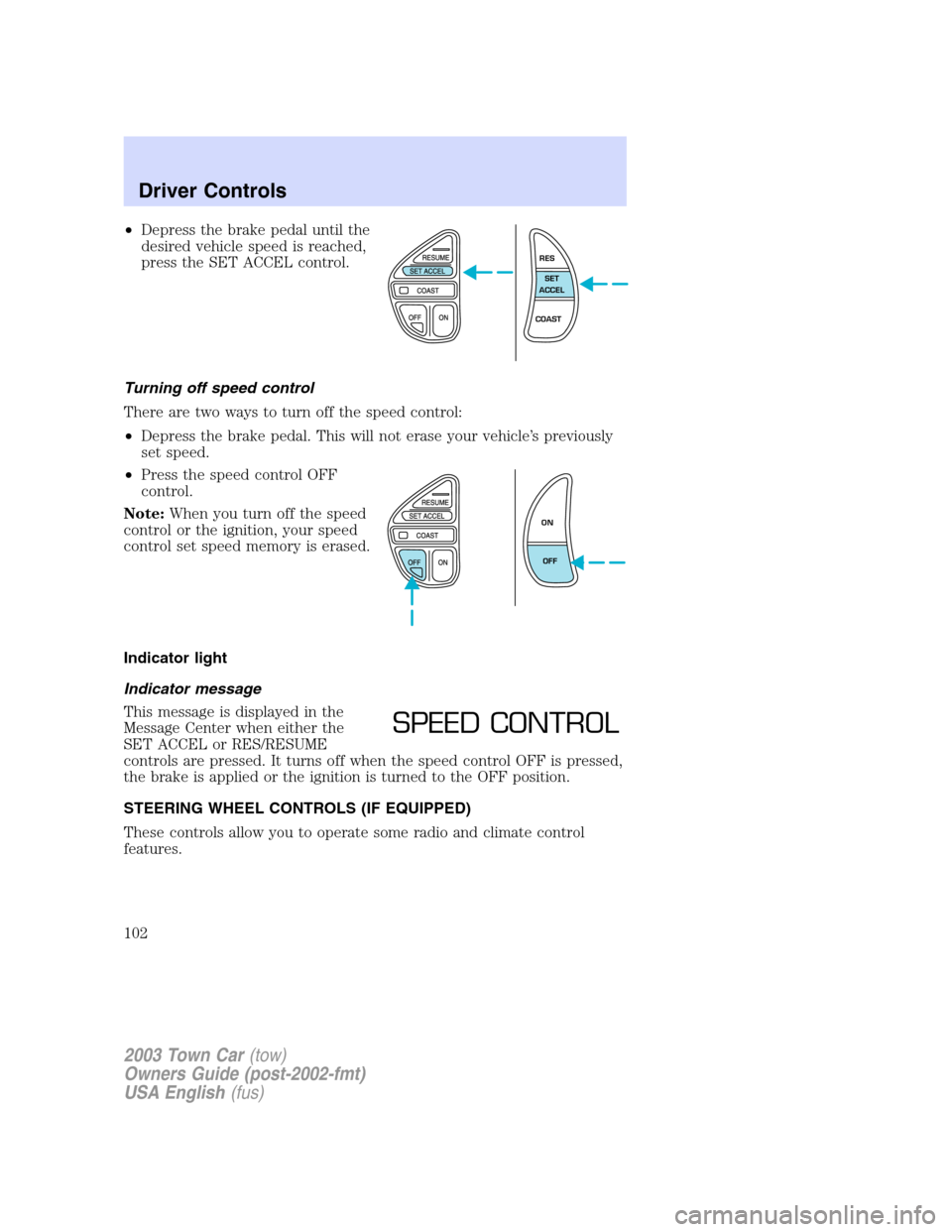
•Depress the brake pedal until the
desired vehicle speed is reached,
press the SET ACCEL control.
Turning off speed control
There are two ways to turn off the speed control:
•Depress the brake pedal. This will not erase your vehicle’s previously
set speed.
•Press the speed control OFF
control.
Note:When you turn off the speed
control or the ignition, your speed
control set speed memory is erased.
Indicator light
Indicator message
This message is displayed in the
Message Center when either the
SET ACCEL or RES/RESUME
controls are pressed. It turns off when the speed control OFF is pressed,
the brake is applied or the ignition is turned to the OFF position.
STEERING WHEEL CONTROLS (IF EQUIPPED)
These controls allow you to operate some radio and climate control
features.
RES
SET
ACCEL
COAST
ON
OFF
SPEED CONTROL
2003 Town Car(tow)
Owners Guide (post-2002-fmt)
USA English(fus)
Driver Controls
102
Page 105 of 272
•see a more accurate speed while
driving (this may not show the
same speed as your analog
speedometer).
•see how many kilometers/miles
you can drive before running out
of fuel.
•monitor the average fuel
economy.
•monitor the average speed.
•check the distance traveled during a trip on either Trip A or Trip B.
You can select different features for the message center to display by
using the message center controls located in the center of the
instrument panel.
Selectable features
Select
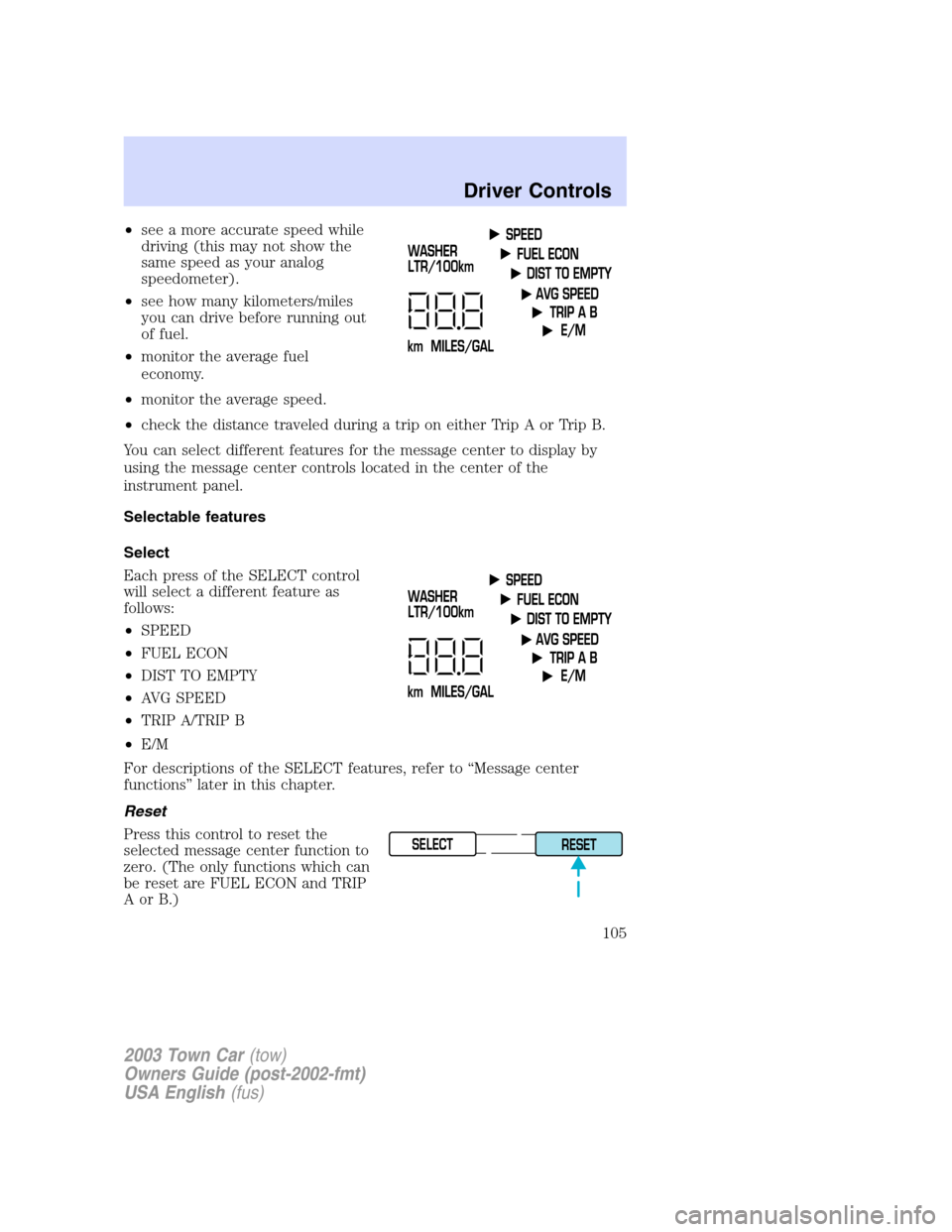
Each press of the SELECT control
will select a different feature as
follows:
•SPEED
•FUEL ECON
•DIST TO EMPTY
•AVG SPEED
•TRIP A/TRIP B
•E/M
For descriptions of the SELECT features, refer to“Message center
functions”later in this chapter.
Reset
Press this control to reset the
selected message center function to
zero. (The only functions which can
be reset are FUEL ECON and TRIP
AorB.)
SELECT
RESET
2003 Town Car(tow)
Owners Guide (post-2002-fmt)
USA English(fus)
Driver Controls
105
Page 106 of 272
Message center functions
Speed
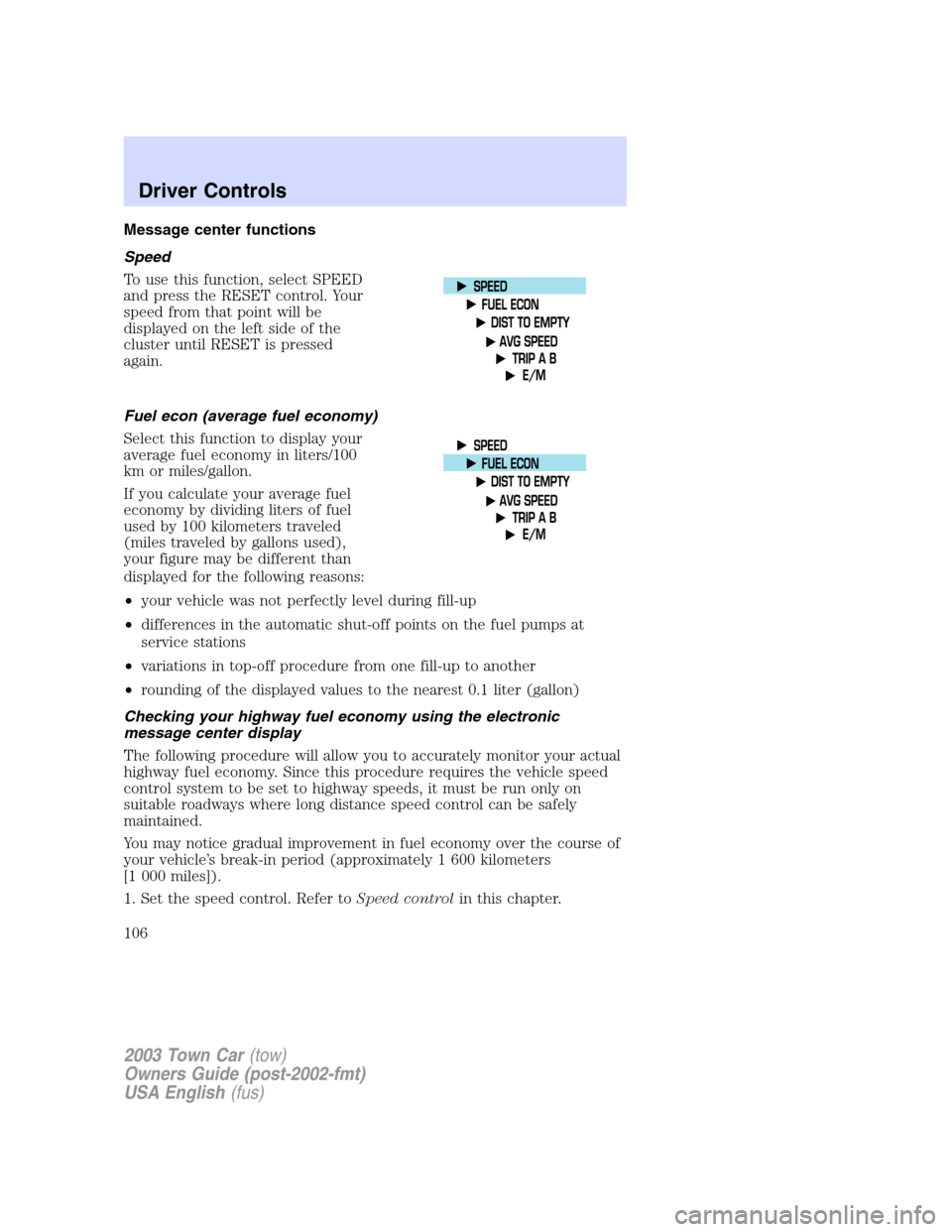
To use this function, select SPEED
and press the RESET control. Your
speed from that point will be
displayed on the left side of the
cluster until RESET is pressed
again.
Fuel econ (average fuel economy)
Select this function to display your
average fuel economy in liters/100
km or miles/gallon.
If you calculate your average fuel
economy by dividing liters of fuel
used by 100 kilometers traveled
(miles traveled by gallons used),
your figure may be different than
displayed for the following reasons:
•your vehicle was not perfectly level during fill-up
•differences in the automatic shut-off points on the fuel pumps at
service stations
•variations in top-off procedure from one fill-up to another
•rounding of the displayed values to the nearest 0.1 liter (gallon)
Checking your highway fuel economy using the electronic
message center display
The following procedure will allow you to accurately monitor your actual
highway fuel economy. Since this procedure requires the vehicle speed
control system to be set to highway speeds, it must be run only on
suitable roadways where long distance speed control can be safely
maintained.
You may notice gradual improvement in fuel economy over the course of
your vehicle’s break-in period (approximately 1 600 kilometers
[1 000 miles]).
1. Set the speed control. Refer toSpeed controlin this chapter.
2003 Town Car(tow)
Owners Guide (post-2002-fmt)
USA English(fus)
Driver Controls
106
Page 107 of 272
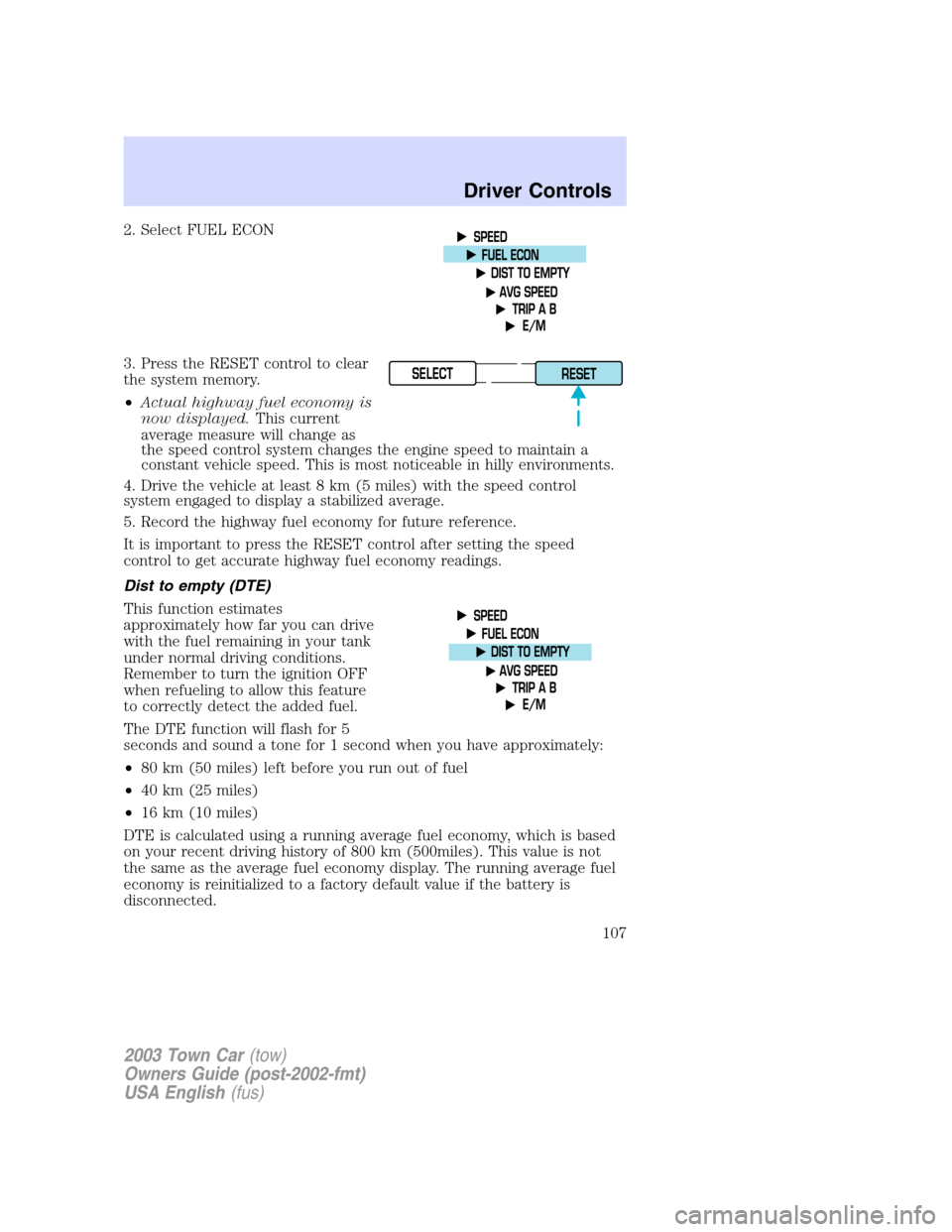
2. Select FUEL ECON
3. Press the RESET control to clear
the system memory.
•Actual highway fuel economy is
now displayed.This current
average measure will change as
the speed control system changes the engine speed to maintain a
constant vehicle speed. This is most noticeable in hilly environments.
4. Drive the vehicle at least 8 km (5 miles) with the speed control
system engaged to display a stabilized average.
5. Record the highway fuel economy for future reference.
It is important to press the RESET control after setting the speed
control to get accurate highway fuel economy readings.
Dist to empty (DTE)
This function estimates
approximately how far you can drive
with the fuel remaining in your tank
under normal driving conditions.
Remember to turn the ignition OFF
when refueling to allow this feature
to correctly detect the added fuel.
The DTE function will flash for 5
seconds and sound a tone for 1 second when you have approximately:
•80 km (50 miles) left before you run out of fuel
•40 km (25 miles)
•16 km (10 miles)
DTE is calculated using a running average fuel economy, which is based
on your recent driving history of 800 km (500miles). This value is not
the same as the average fuel economy display. The running average fuel
economy is reinitialized to a factory default value if the battery is
disconnected.
SELECT
RESET
2003 Town Car(tow)
Owners Guide (post-2002-fmt)
USA English(fus)
Driver Controls
107
Page 108 of 272
If“CO”or“CS”is displayed, there is a problem with the fuel indication
system and you should contact your dealer for service as soon as
possible.
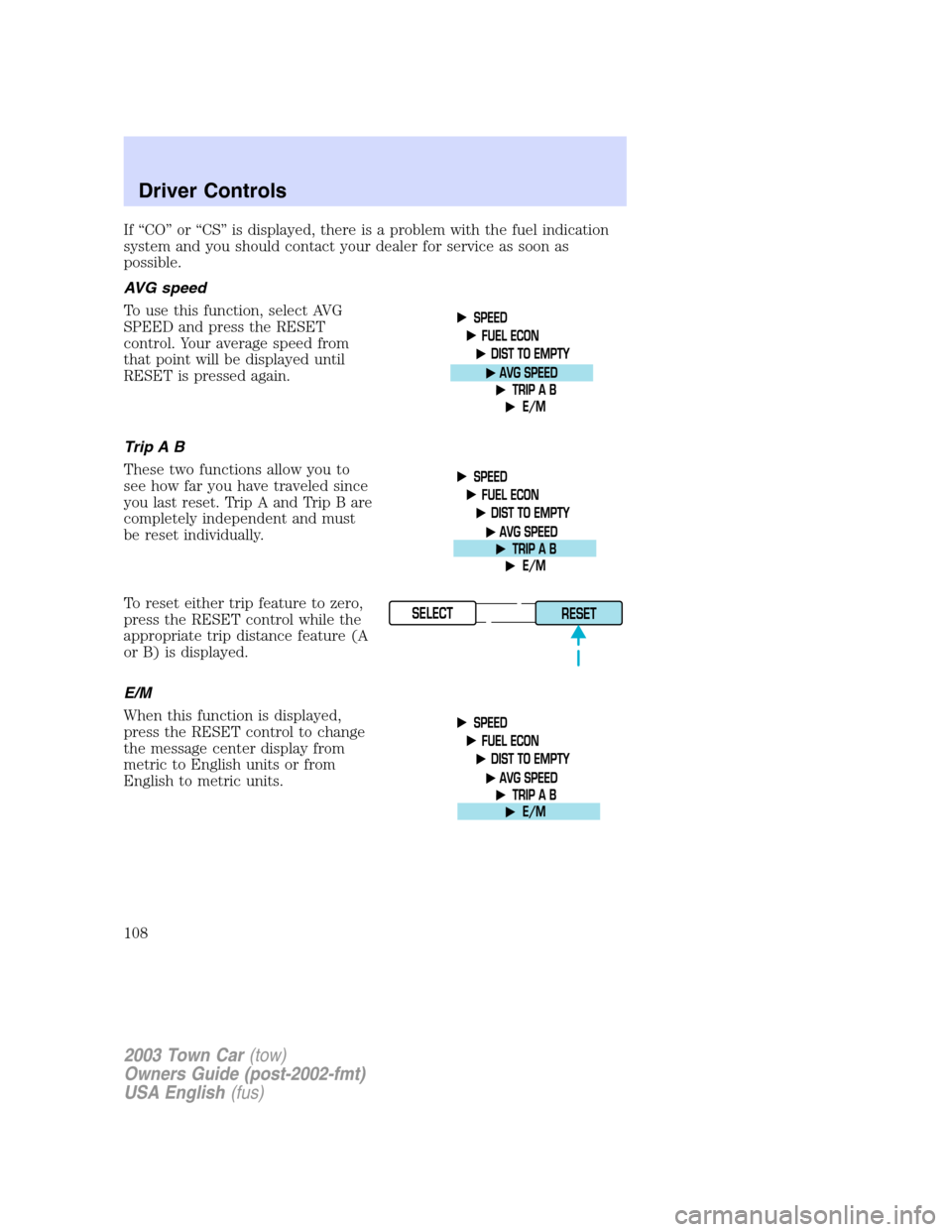
AVG speed
To use this function, select AVG
SPEED and press the RESET
control. Your average speed from
that point will be displayed until
RESET is pressed again.
TripAB
These two functions allow you to
see how far you have traveled since
you last reset. Trip A and Trip B are
completely independent and must
be reset individually.
To reset either trip feature to zero,
press the RESET control while the
appropriate trip distance feature (A
or B) is displayed.
E/M
When this function is displayed,
press the RESET control to change
the message center display from
metric to English units or from
English to metric units.
SELECT
RESET
2003 Town Car(tow)
Owners Guide (post-2002-fmt)
USA English(fus)
Driver Controls
108
Page 178 of 272
To help avoid personal injury, always use caution when in R
(Reverse) and when using the extended rear park aid.
This system is not designed to prevent contact with small or
moving objects. The system is designed to provide a warning to
assist the driver in detecting objects to avoid damaging the vehicle.
The system may not detect smaller objects, particularly those close to
the ground.
The system will assist the driver in detecting certain objects while the
vehicle slowly moves in reverse at speeds less than 10 km/h (6 mph).
The system is not effective at speeds greater than 10 km/h (6 mph) and
may not detect certain angular or moving objects.
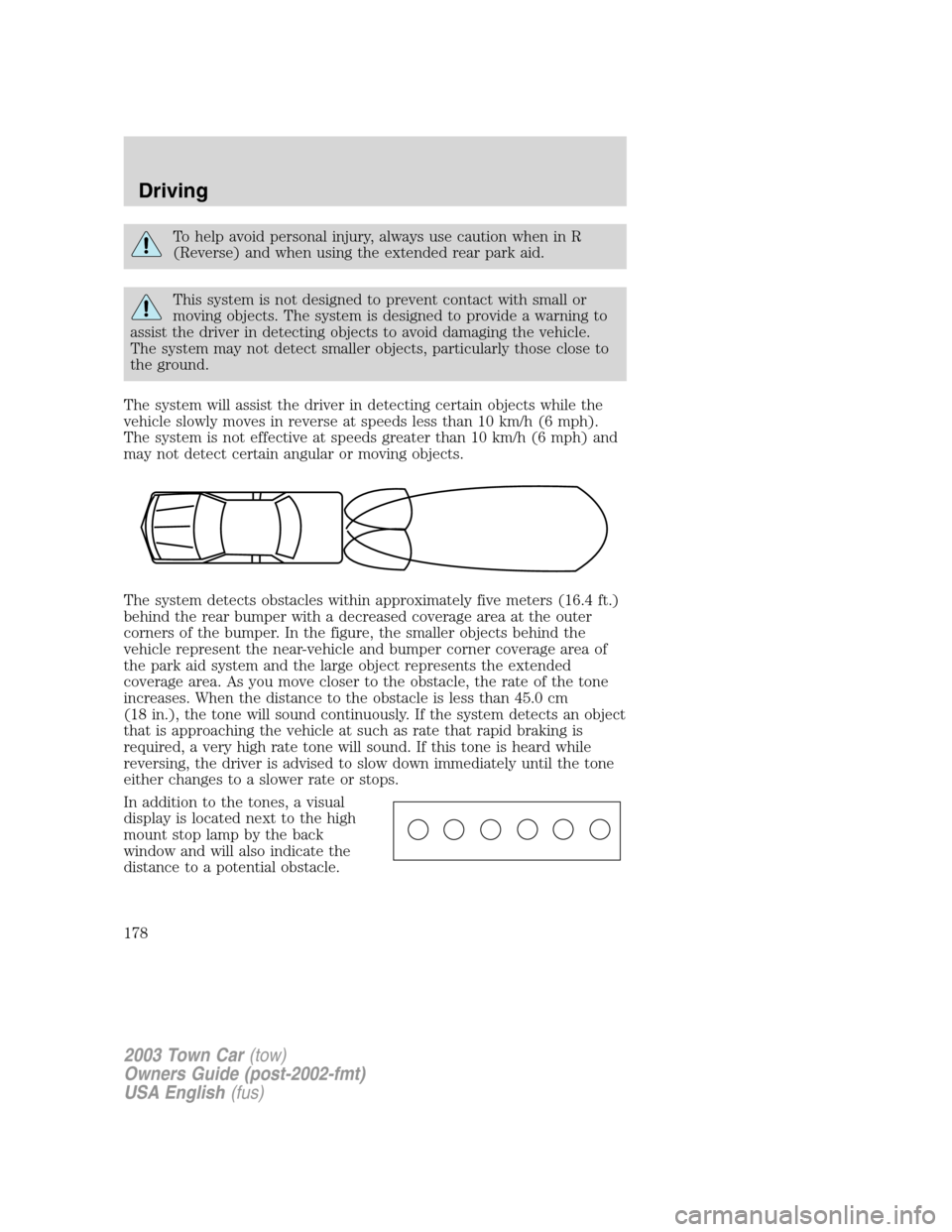
The system detects obstacles within approximately five meters (16.4 ft.)
behind the rear bumper with a decreased coverage area at the outer
corners of the bumper. In the figure, the smaller objects behind the
vehicle represent the near-vehicle and bumper corner coverage area of
the park aid system and the large object represents the extended
coverage area. As you move closer to the obstacle, the rate of the tone
increases. When the distance to the obstacle is less than 45.0 cm
(18 in.), the tone will sound continuously. If the system detects an object
that is approaching the vehicle at such as rate that rapid braking is
required, a very high rate tone will sound. If this tone is heard while
reversing, the driver is advised to slow down immediately until the tone
either changes to a slower rate or stops.
In addition to the tones, a visual
display is located next to the high
mount stop lamp by the back
window and will also indicate the
distance to a potential obstacle.
2003 Town Car(tow)
Owners Guide (post-2002-fmt)
USA English(fus)
Driving
178
Page 179 of 272
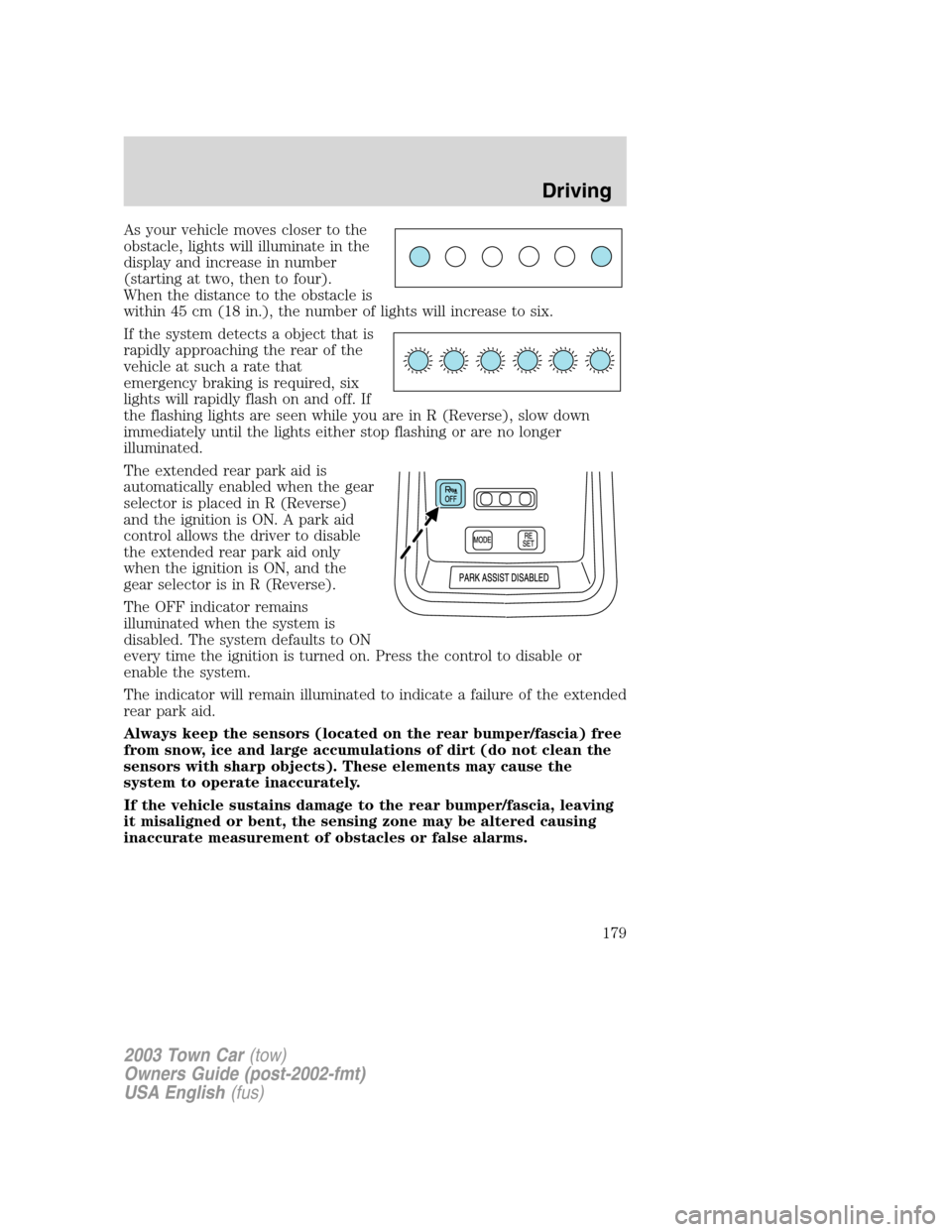
As your vehicle moves closer to the
obstacle, lights will illuminate in the
display and increase in number
(starting at two, then to four).
When the distance to the obstacle is
within 45 cm (18 in.), the number of lights will increase to six.
If the system detects a object that is
rapidly approaching the rear of the
vehicle at such a rate that
emergency braking is required, six
lights will rapidly flash on and off. If
the flashing lights are seen while you are in R (Reverse), slow down
immediately until the lights either stop flashing or are no longer
illuminated.
The extended rear park aid is
automatically enabled when the gear
selector is placed in R (Reverse)
and the ignition is ON. A park aid
control allows the driver to disable
the extended rear park aid only
when the ignition is ON, and the
gear selector is in R (Reverse).
The OFF indicator remains
illuminated when the system is
disabled. The system defaults to ON
every time the ignition is turned on. Press the control to disable or
enable the system.
The indicator will remain illuminated to indicate a failure of the extended
rear park aid.
Always keep the sensors (located on the rear bumper/fascia) free
from snow, ice and large accumulations of dirt (do not clean the
sensors with sharp objects). These elements may cause the
system to operate inaccurately.
If the vehicle sustains damage to the rear bumper/fascia, leaving
it misaligned or bent, the sensing zone may be altered causing
inaccurate measurement of obstacles or false alarms.
2003 Town Car(tow)
Owners Guide (post-2002-fmt)
USA English(fus)
Driving
179