2003 LINCOLN LS transmission
[x] Cancel search: transmissionPage 181 of 288

STARTING
Positions of the ignition
1. LOCK, locks the gearshift lever
and allows key removal. (The
steering wheel will not lock after
key removal.)
2. OFF, shuts off the engine and all
accessories without locking the
steering wheel. This position also
allows the automatic transmission
shift lever to be moved from the P
(Park) position without the brake pedal being depressed.
When the key is in the ignition OFF position, the automatic
transmission shift lever can be moved from the P (Park) position
without the brake pedal depressed. To avoid unwanted vehicle
movement, always set the parking brake.
3. ACCESSORY, allows the electrical accessories such as the radio to
operate while the engine is not running.
4. RUN, all electrical circuits operational. Warning lights illuminated. Key
position when driving.
5. START, cranks the engine. Release the key as soon as the engine
starts.
Preparing to start your vehicle
Engine starting is controlled by the powertrain control system. This
system meets all Canadian Interference-Causing Equipment standard
requirements regulating the impulse electrical field strength of radio
noise.
When starting a fuel-injected engine, don’t press the accelerator before
or during starting. Only use the accelerator when you have difficulty
starting the engine. For more information on starting the vehicle, refer to
Starting the enginein this chapter.
Extended idling at high engine speeds can produce very high
temperatures in the engine and exhaust system, creating the risk
of fire or other damage.
2
3
4
5
1
Driving
181
Page 190 of 288

AUTOMATIC TRANSMISSION OPERATION
Brake-shift interlock
This vehicle is equipped with a brake-shift interlock feature that prevents
the gearshift lever from being moved from P (Park) when the ignition is
in the RUN position unless brake pedal is depressed.
If you cannot move the gearshift lever out of P (Park) with ignition in
the RUN position and the brake pedal depressed:
1. Apply the parking brake, turn ignition key to LOCK, then remove the
key.
2. Insert the key and turn it to OFF.Apply the brake pedal and shift
to N (Neutral).
When the key is in the ignition OFF position, the automatic
transmission shift lever can be moved from the P (Park) position
without the brake pedal depressed. To avoid unwanted vehicle
movement, always set the parking brake.
3. Start the vehicle.
If it is necessary to use the above procedure to move the gearshift lever,
it is possible that a fuse has blown or the vehicle’s brakelamps are not
operating properly. Refer toFuses and relaysin theRoadside
emergencieschapter.
Do not drive your vehicle until you verify that the brakelamps
are working.
Always set the parking brake fully and make sure the gearshift is
latched in P (Park). Turn the ignition to the LOCK position and
remove the key whenever you leave your vehicle.
If the parking brake is fully released, but the brake warning lamp
remains illuminated, the brakes may not be working properly.
See your dealer or a qualified service technician.
Driving
190
Page 191 of 288
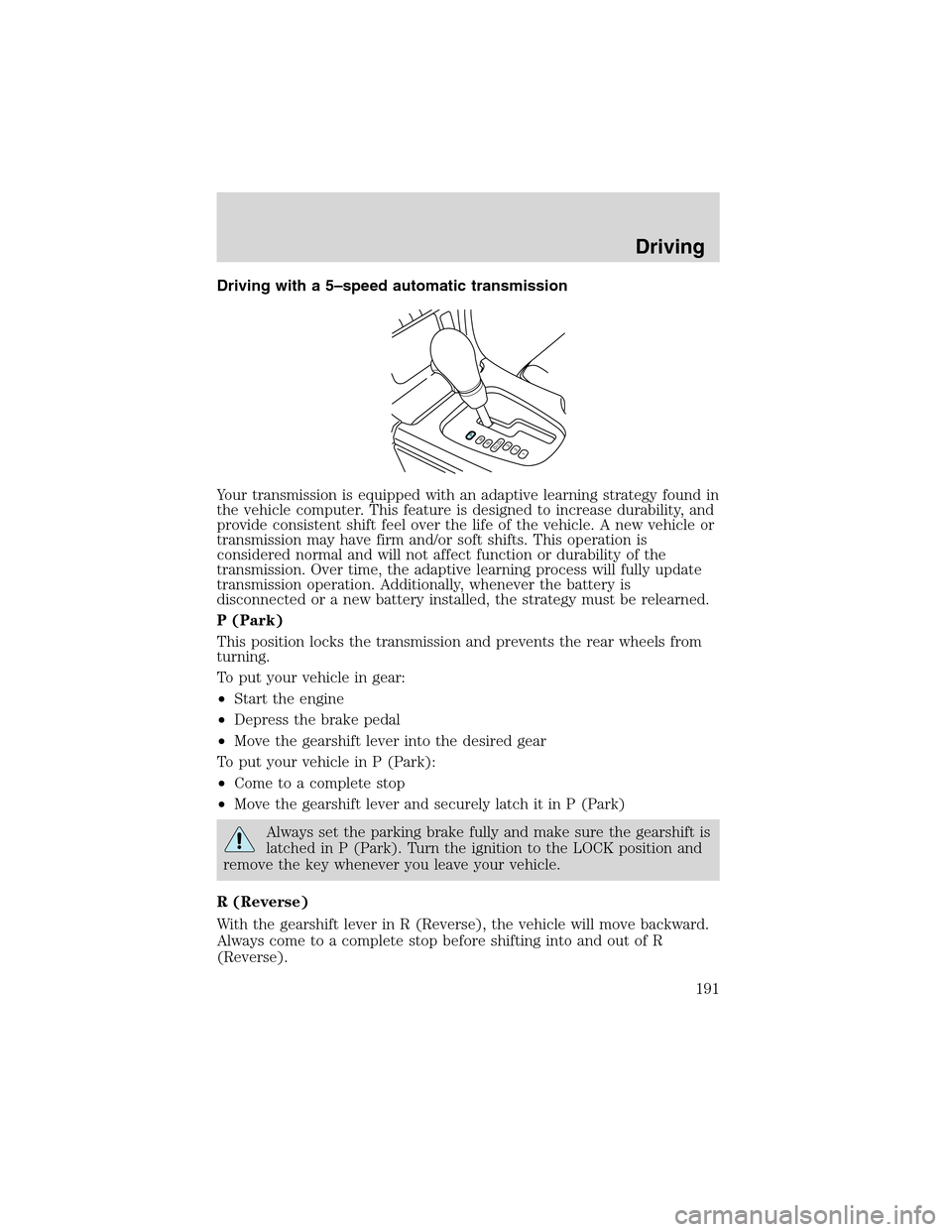
Driving with a 5–speed automatic transmission
Your transmission is equipped with an adaptive learning strategy found in
the vehicle computer. This feature is designed to increase durability, and
provide consistent shift feel over the life of the vehicle. A new vehicle or
transmission may have firm and/or soft shifts. This operation is
considered normal and will not affect function or durability of the
transmission. Over time, the adaptive learning process will fully update
transmission operation. Additionally, whenever the battery is
disconnected or a new battery installed, the strategy must be relearned.
P (Park)
This position locks the transmission and prevents the rear wheels from
turning.
To put your vehicle in gear:
•Start the engine
•Depress the brake pedal
•Move the gearshift lever into the desired gear
To put your vehicle in P (Park):
•Come to a complete stop
•Move the gearshift lever and securely latch it in P (Park)
Always set the parking brake fully and make sure the gearshift is
latched in P (Park). Turn the ignition to the LOCK position and
remove the key whenever you leave your vehicle.
R (Reverse)
With the gearshift lever in R (Reverse), the vehicle will move backward.
Always come to a complete stop before shifting into and out of R
(Reverse).
PRND5D4321
Driving
191
Page 192 of 288
N(Neutral)
With the gearshift lever in N (Neutral), the vehicle can be started and is
free to roll. Hold the brake pedal down while in this position.
Drive 5 (Overdrive)
The normal driving position for the best fuel economy. Transmission
operates in gears one through five.
Drive 4 (Overdrive cancelled)
Activated when the transmission shift lever is moved to the D4 position.
•This position allows for all forward gears 1–4, except overdrive.
•Provides engine braking.
•Use when driving conditions cause excessive shifting from O/D to
other gears. Examples: city traffic, hilly terrain, heavy loads, trailer
towing and when engine braking is required.
•To return to D5 (overdrive mode), move the transmission shift lever
into the D5 position.
•Select D4 at higher speeds will cause the transmission to downshift
into fourth gear.
3 (Third)
This position allows for third gear only.
•Provides engine braking.
•To return to D5 or D4, move the transmission shift lever into the D5
or D4 position.
•Selecting 3 (Third) at higher speeds will cause the transmission to
downshift to third gear at the appropriate vehicle speed.
2 (Second)
This position allows for second gear only.
•Provides engine braking.
•Use to start-up on slippery roads.
•To return to D5 or D4, move the transmission shift lever into the D5,
D4 or 3 (Third) position.
•Selecting 2 (Second) at higher speeds will cause the transmission to
downshift to second gear at the appropriate vehicle speed.
Driving
192
Page 193 of 288
1(First)
•Provides maximum engine braking.
•Allows upshifts by moving shift lever.
•Will not downshift into first gear at high speeds; will cause the
transmission to downshift to a lower gear, then allows for first gear
when the vehicle reaches slower speeds.
Forced downshifts
•Allowed in Overdrive or Drive.
•Depress the accelerator to the floor.
•Allows transmission to select an appropriate gear.
Driving with a 5–speed automatic transmission with the Select
Shift Transmission (SST) shifter (if equipped)
Understanding gearshift positions
The Select Shift Transmission (SST) shifter allows the driver to select
between the transmission’s automatic shift mode or the manually
selected shift mode.
Automatic shift mode
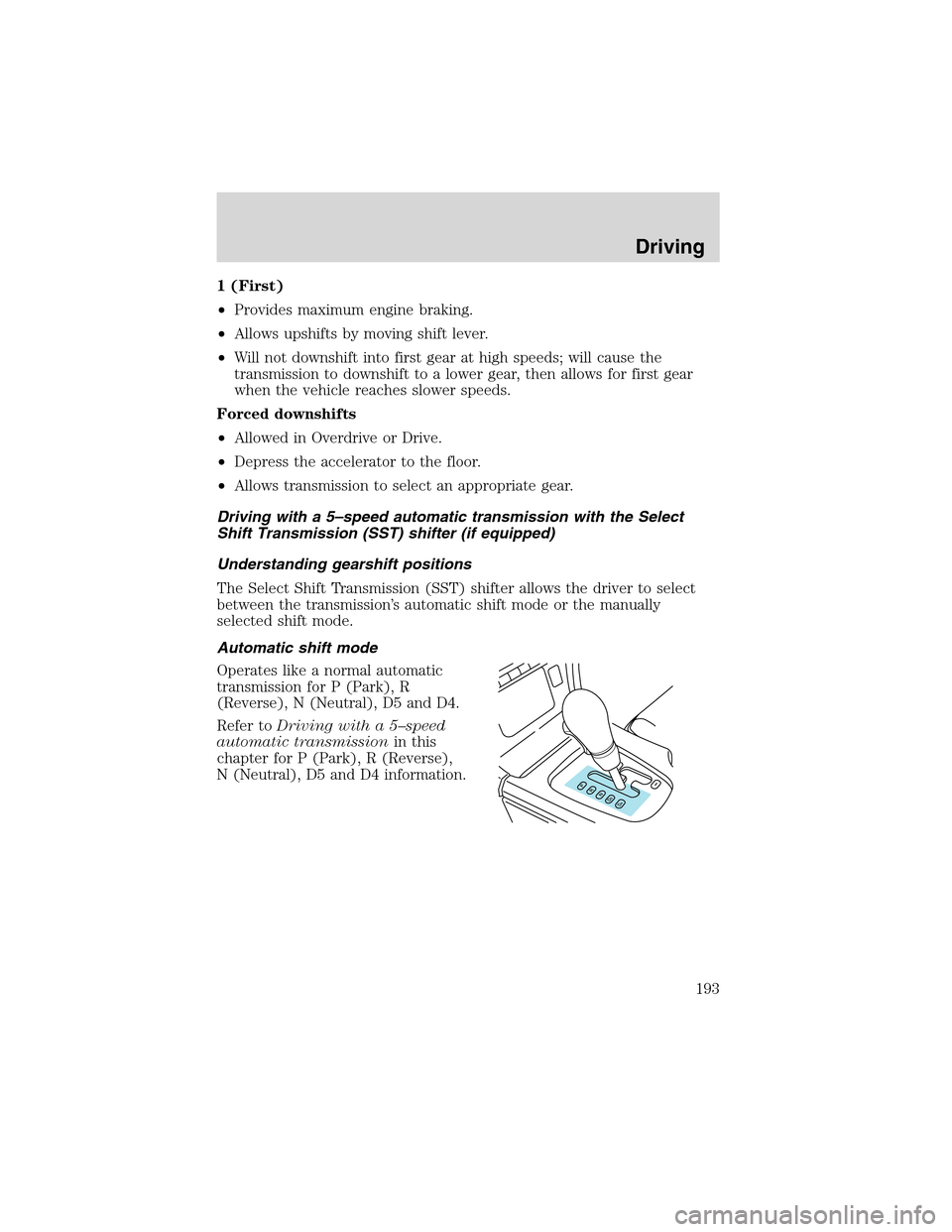
Operates like a normal automatic
transmission for P (Park), R
(Reverse), N (Neutral), D5 and D4.
Refer toDriving with a 5–speed
automatic transmissionin this
chapter for P (Park), R (Reverse),
N (Neutral), D5 and D4 information.
Driving
193
Page 194 of 288
Manualshiftmode
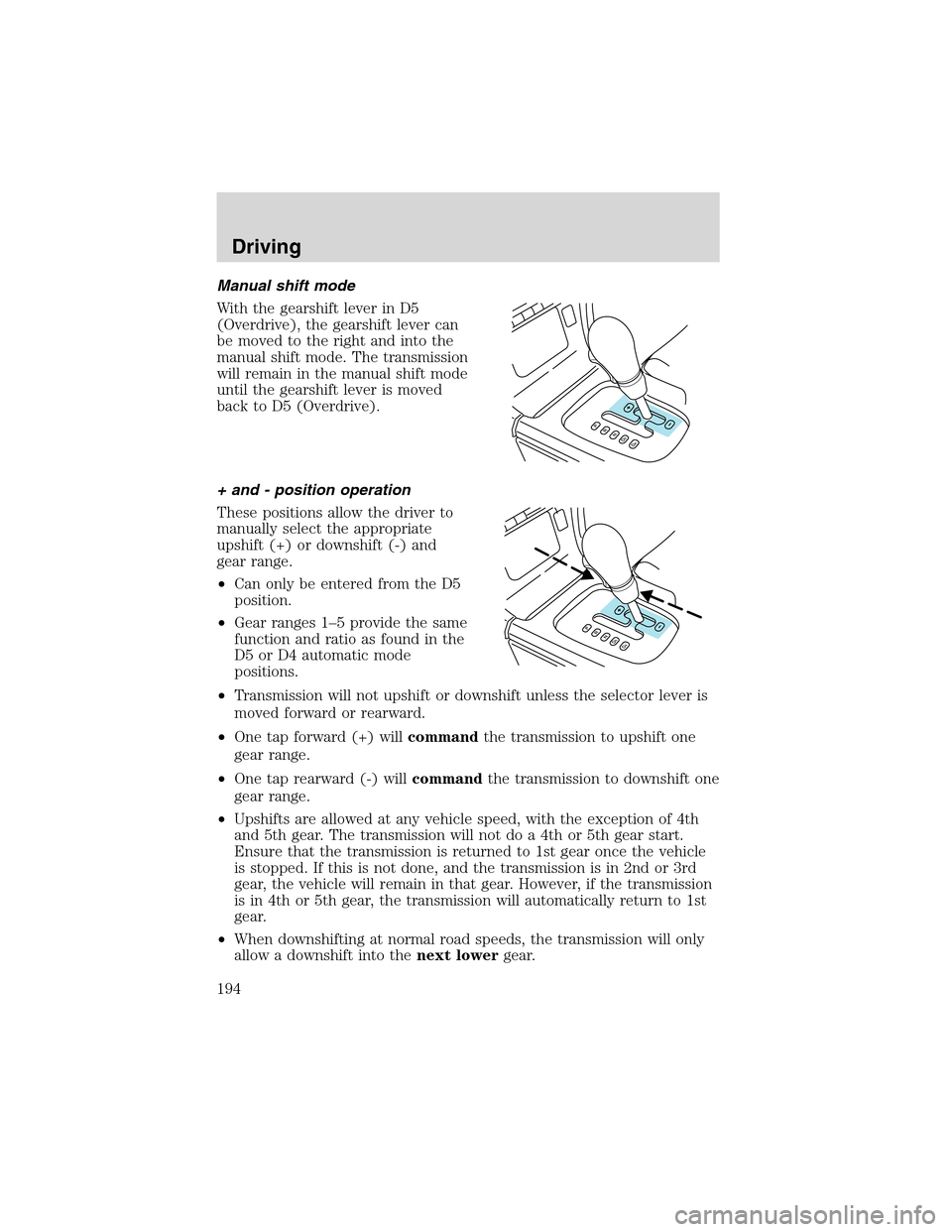
With the gearshift lever in D5
(Overdrive), the gearshift lever can
be moved to the right and into the
manual shift mode. The transmission
will remain in the manual shift mode
until the gearshift lever is moved
back to D5 (Overdrive).
+ and - position operation
These positions allow the driver to
manually select the appropriate
upshift (+) or downshift (-) and
gear range.
•Can only be entered from the D5
position.
•Gear ranges 1–5 provide the same
function and ratio as found in the
D5 or D4 automatic mode
positions.
•Transmission will not upshift or downshift unless the selector lever is
moved forward or rearward.
•One tap forward (+) willcommandthe transmission to upshift one
gear range.
•One tap rearward (-) willcommandthe transmission to downshift one
gear range.
•Upshifts are allowed at any vehicle speed, with the exception of 4th
and 5th gear. The transmission will not do a 4th or 5th gear start.
Ensure that the transmission is returned to 1st gear once the vehicle
is stopped. If this is not done, and the transmission is in 2nd or 3rd
gear, the vehicle will remain in that gear. However, if the transmission
is in 4th or 5th gear, the transmission will automatically return to 1st
gear.
•When downshifting at normal road speeds, the transmission will only
allow a downshift into thenext lowergear.
Driving
194
Page 195 of 288
•If shifter (-) is tapped more than once in rapid succession, the
transmission will downshift only into the next lower gear, then when
the vehicle reaches a speed below a calibrated entry speed, the
transmission will allow a downshift into the next lower gear if again
selected by the driver. This is to prevent engine and transmission
damage and to keep the engine and transmission within allowable
RPM ranges.
•An electronic indicator on the instrument cluster will display the
selected gear.
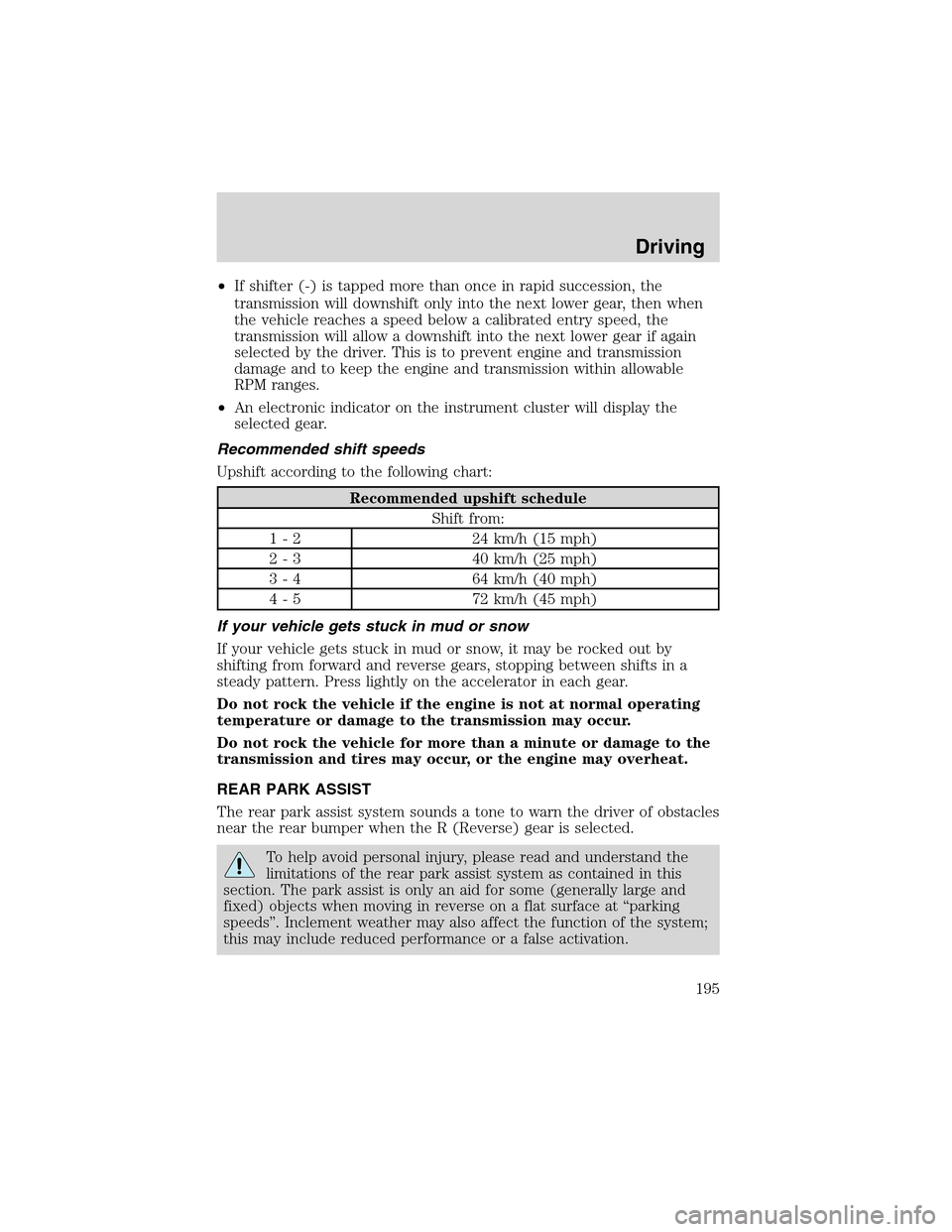
Recommended shift speeds
Upshift according to the following chart:
Recommended upshift schedule
Shift from:
1 - 2 24 km/h (15 mph)
2 - 3 40 km/h (25 mph)
3 - 4 64 km/h (40 mph)
4 - 5 72 km/h (45 mph)
If your vehicle gets stuck in mud or snow
If your vehicle gets stuck in mud or snow, it may be rocked out by
shifting from forward and reverse gears, stopping between shifts in a
steady pattern. Press lightly on the accelerator in each gear.
Do not rock the vehicle if the engine is not at normal operating
temperature or damage to the transmission may occur.
Do not rock the vehicle for more than a minute or damage to the
transmission and tires may occur, or the engine may overheat.
REAR PARK ASSIST
The rear park assist system sounds a tone to warn the driver of obstacles
near the rear bumper when the R (Reverse) gear is selected.
To help avoid personal injury, please read and understand the
limitations of the rear park assist system as contained in this
section. The park assist is only an aid for some (generally large and
fixed) objects when moving in reverse on a flat surface at“parking
speeds”. Inclement weather may also affect the function of the system;
this may include reduced performance or a false activation.
Driving
195
Page 197 of 288

Therearpark assist is automatically
enabled when the gear selector is
placed in R (Reverse) and the
ignition is ON. A park assist control
allows the driver to disable the
system only when the ignition is
ON, and the gear selector is in R
(Reverse).
The OFF indicator remains
illuminated when the system is
disabled. The system defaults to ON
every time the R (Reverse) gear is selected. Press the control to disable
or enable the system.
The indicator will remain illuminated to indicate a failure of the rear park
assist.
Always keep the sensors (located on the rear bumper/fascia) free
from snow, ice and large accumulations of dirt (do not clean the
sensors with sharp objects). These elements may cause the
system to operate inaccurately.
If the vehicle sustains damage to the rear bumper/fascia, leaving
it misaligned or bent, the sensing zone may be altered causing
inaccurate measurement of obstacles or false alarms.
DRIVING THROUGH WATER
If driving through deep or standing water is unavoidable, proceed very
slowly especially if the depth is not known. Never drive through water
that is higher than the bottom of the hubs (for trucks) or the bottom of
the wheel rims (for cars). Traction or brake capability may be limited
and your vehicle may stall. Water may also enter your engine’s air intake
and severely damage your engine.
Once through the water, always dry the brakes by moving your vehicle
slowly while applying light pressure on the brake pedal. Wet brakes do
not stop the vehicle as quickly as dry brakes.Driving through deep
water where the transmission vent tube is submerged may allow
water into the transmission and cause internal transmission
damage.
Driving
197