Page 106 of 288
Associating the transmitter with the memory seat feature
To activate this feature:
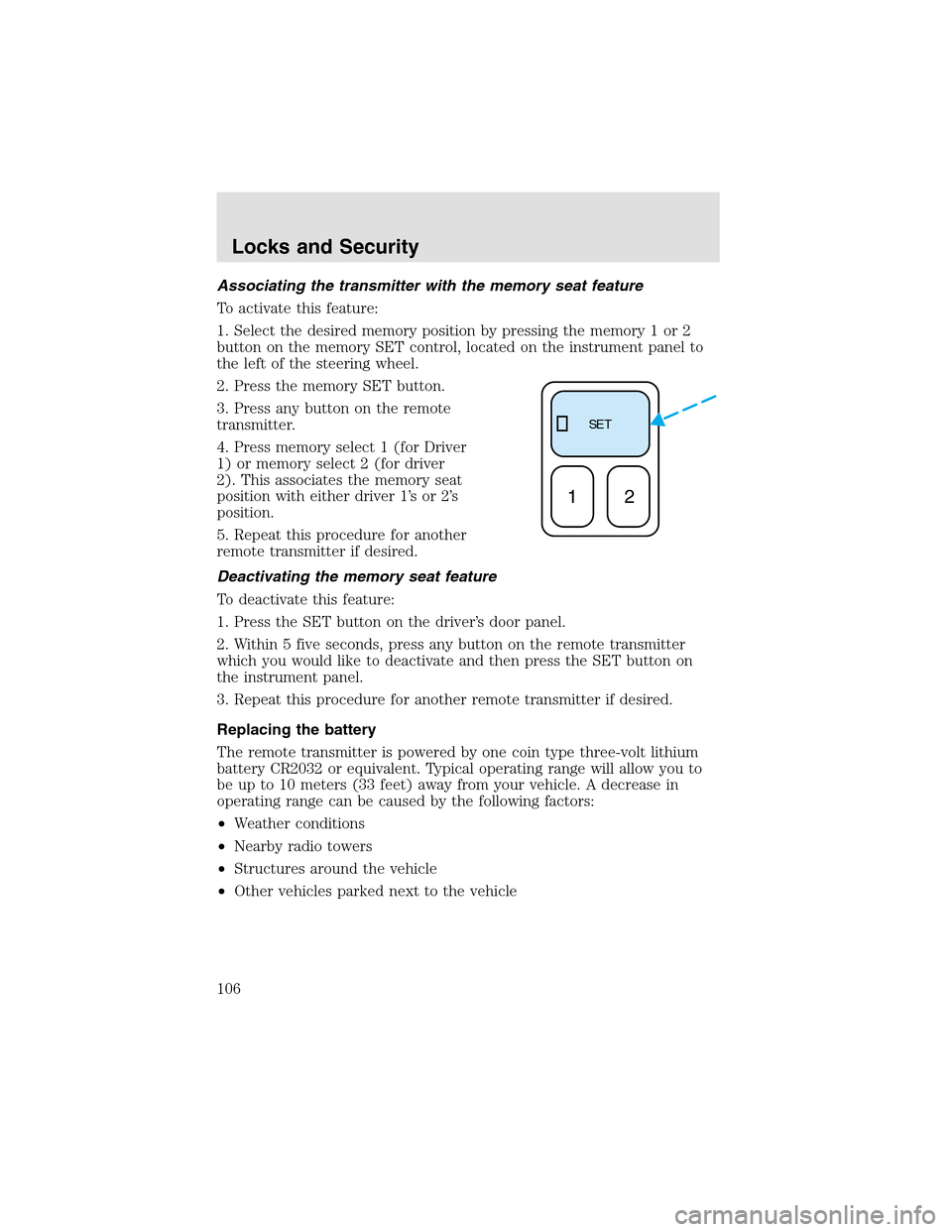
1. Select the desired memory position by pressing the memory 1 or 2
button on the memory SET control, located on the instrument panel to
the left of the steering wheel.
2. Press the memory SET button.
3. Press any button on the remote
transmitter.
4. Press memory select 1 (for Driver
1) or memory select 2 (for driver
2). This associates the memory seat
position with either driver 1’s or 2’s
position.
5. Repeat this procedure for another
remote transmitter if desired.
Deactivating the memory seat feature
To deactivate this feature:
1. Press the SET button on the driver’s door panel.
2. Within 5 five seconds, press any button on the remote transmitter
which you would like to deactivate and then press the SET button on
the instrument panel.
3. Repeat this procedure for another remote transmitter if desired.
Replacing the battery
The remote transmitter is powered by one coin type three-volt lithium
battery CR2032 or equivalent. Typical operating range will allow you to
be upto 10 meters (33 feet) away from your vehicle. A decrease in
operating range can be caused by the following factors:
•Weather conditions
•Nearby radio towers
•Structures around the vehicle
•Other vehicles parked next to the vehicle
SE T
12
Locks and Security
106
Page 115 of 288

Automatic arming
The vehicle is armed immediately
after switching the ignition to the 1
(OFF) position. The
THEFT
indicator will flash every two
seconds.
Automatic disarming
Switching the ignition to the 3 (ON) position with acoded keydisarms
the vehicle. The
THEFTindicator will illuminate for three seconds and
then go out. If the
THEFTindicator stays on for an extended period of
time or flashes rapidly, have the system serviced by your dealership or a
qualified technician.
Key information
Your vehicle is supplied withtwo coded keys.Only acoded keywill
start your vehicle. Spare coded keys can be purchased from your
dealership. Your dealership can program your key or you can “do it
yourself.” Refer toProgramming spare keys.
The following items may prevent the vehicle from starting:
•Large metallic objects
•Electronic devices on the key chain that can be used to purchase
gasoline or similar items
•A second key on the same key ring as thecoded key
If any of these items are present, you need to keep these objects from
touching thecoded keywhile starting the engine. These objects and
devices cannot damage thecoded key,but can cause a momentary “no
start” condition if they are too close to the key during engine start. If a
problem occurs, turn ignition OFF and restart the engine with all other
objects on the key ring held away from the ignition key. Check to make
sure thecoded keyis an approved Lincolncoded key.
If your keys are lost or stolen you will need to do the following:
•Use your spare key to start the vehicle, or
•Have your vehicle towed to a dealershipor a locksmith. The key codes
will need to be erased from your vehicle and new key codes will need
to be re-coded.
4
3
2
1
Locks and Security
115
Page 119 of 288
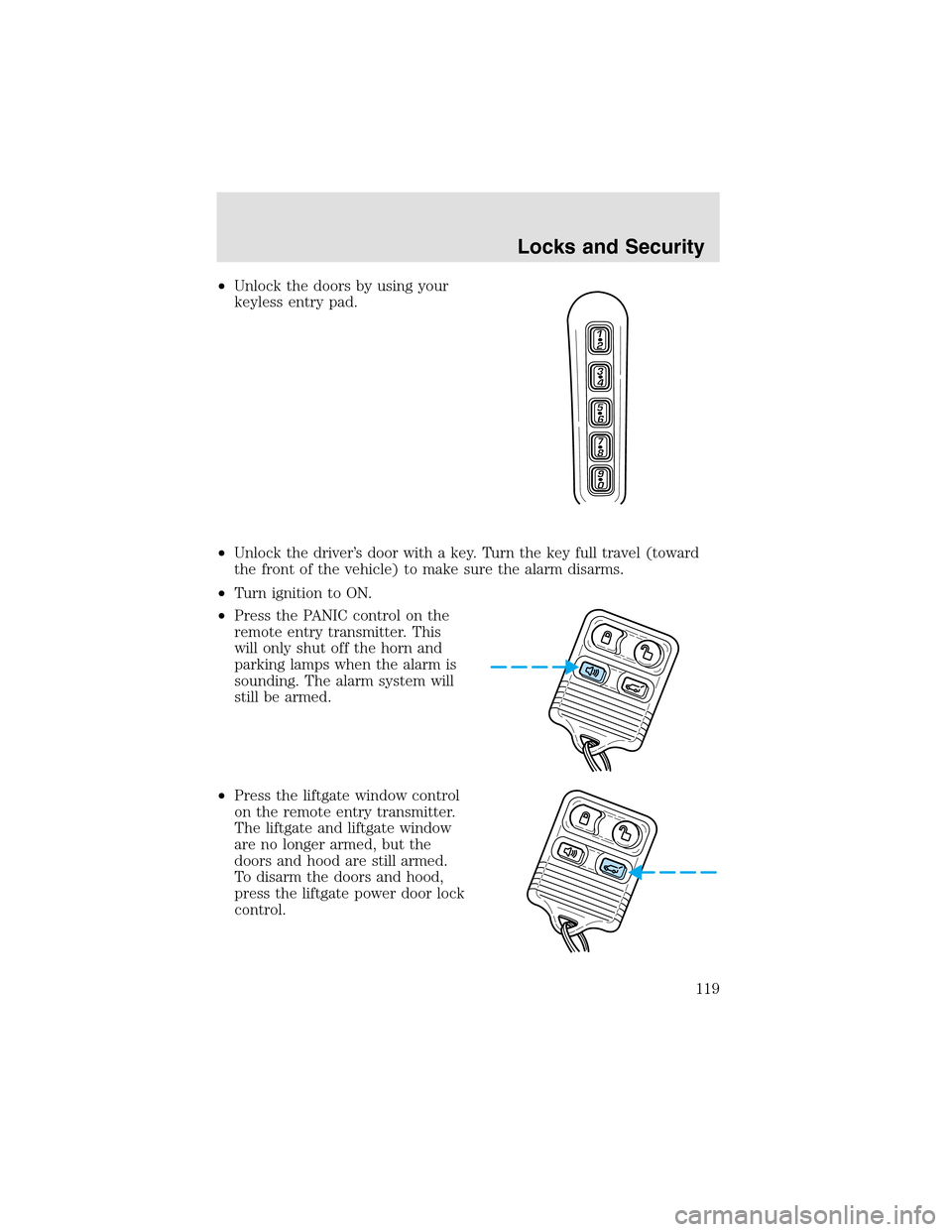
•Unlock the doors by using your
keyless entry pad.
•Unlock the driver’s door with a key. Turn the key full travel (toward
the front of the vehicle) to make sure the alarm disarms.
•Turn ignition to ON.
•Press the PANIC control on the
remote entry transmitter. This
will only shut off the horn and
parking lamps when the alarm is
sounding. The alarm system will
still be armed.
•Press the liftgate window control
on the remote entry transmitter.
The liftgate and liftgate window
are no longer armed, but the
doors and hood are still armed.
To disarm the doors and hood,
press the liftgate power door lock
control.
Locks and Security
119
Page 127 of 288
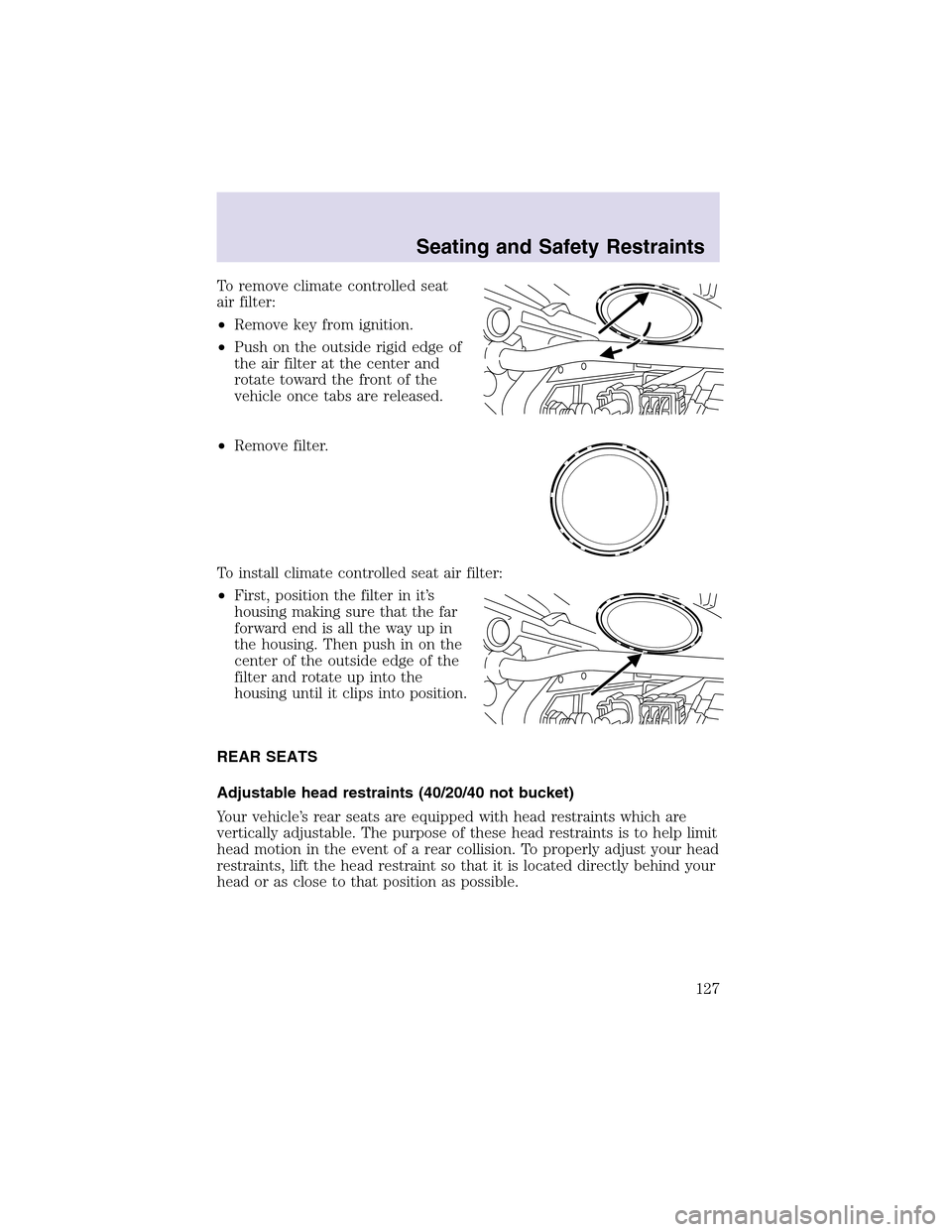
To remove climate controlled seat
air filter:
•Remove key from ignition.
•Push on the outside rigid edge of
the air filter at the center and
rotate toward the front of the
vehicle once tabs are released.
•Remove filter.
To install climate controlled seat air filter:
•First, position the filter in it’s
housing making sure that the far
forward end is all the way upin
the housing. Then push in on the
center of the outside edge of the
filter and rotate upinto the
housing until it clips into position.
REAR SEATS
Adjustable head restraints (40/20/40 not bucket)
Your vehicle’s rear seats are equipped with head restraints which are
vertically adjustable. The purpose of these head restraints is to help limit
head motion in the event of a rear collision. To properly adjust your head
restraints, lift the head restraint so that it is located directly behind your
head or as close to that position as possible.
Seating and Safety Restraints
127
Page 128 of 288
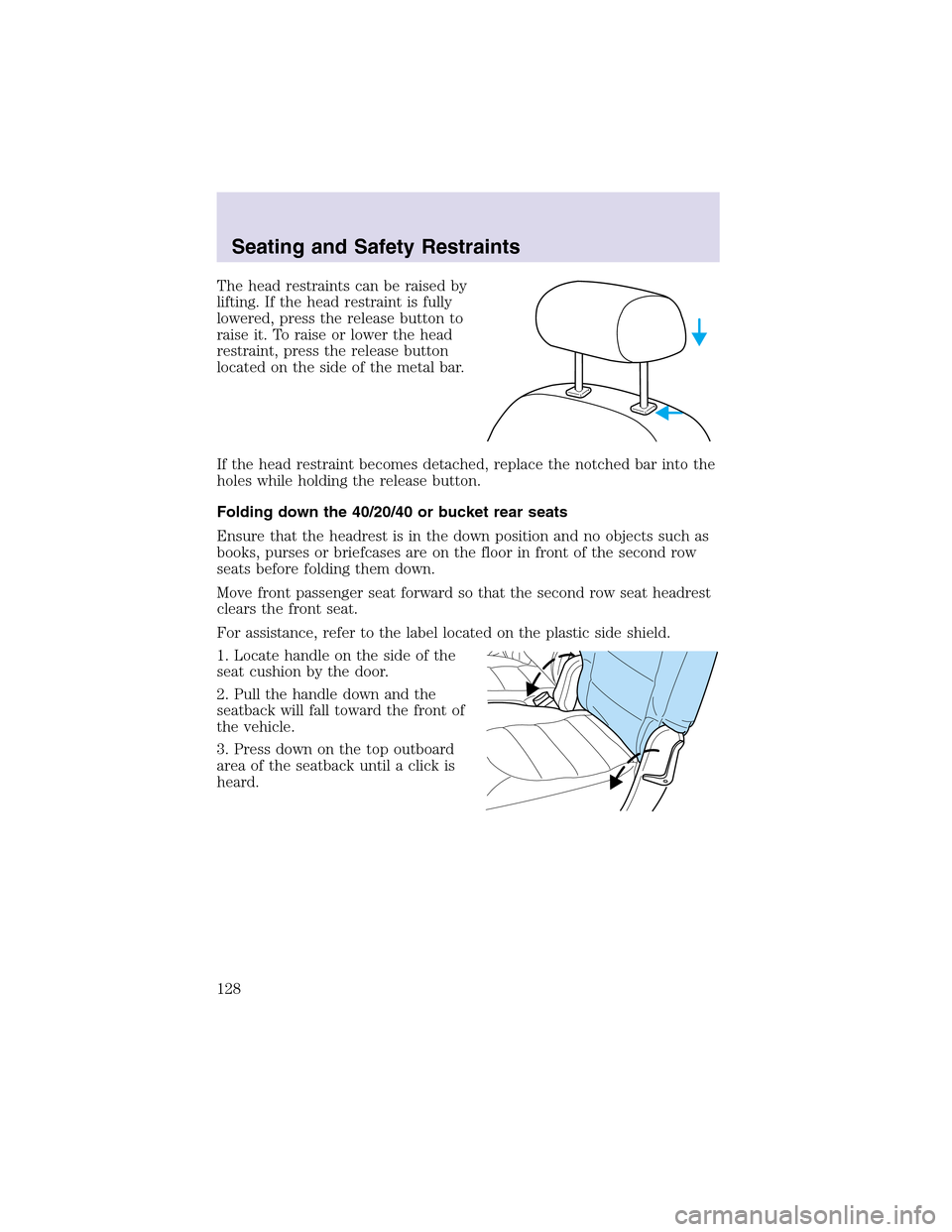
The head restraints can be raised by
lifting. If the head restraint is fully
lowered, press the release button to
raise it. To raise or lower the head
restraint, press the release button
located on the side of the metal bar.
If the head restraint becomes detached, replace the notched bar into the
holes while holding the release button.
Folding down the 40/20/40 or bucket rear seats
Ensure that the headrest is in the down position and no objects such as
books, purses or briefcases are on the floor in front of the second row
seats before folding them down.
Move front passenger seat forward so that the second row seat headrest
clears the front seat.
For assistance, refer to the label located on the plastic side shield.
1. Locate handle on the side of the
seat cushion by the door.
2. Pull the handle down and the
seatback will fall toward the front of
the vehicle.
3. Press down on the topoutboard
area of the seatback until a click is
heard.
Seating and Safety Restraints
128
Page 129 of 288
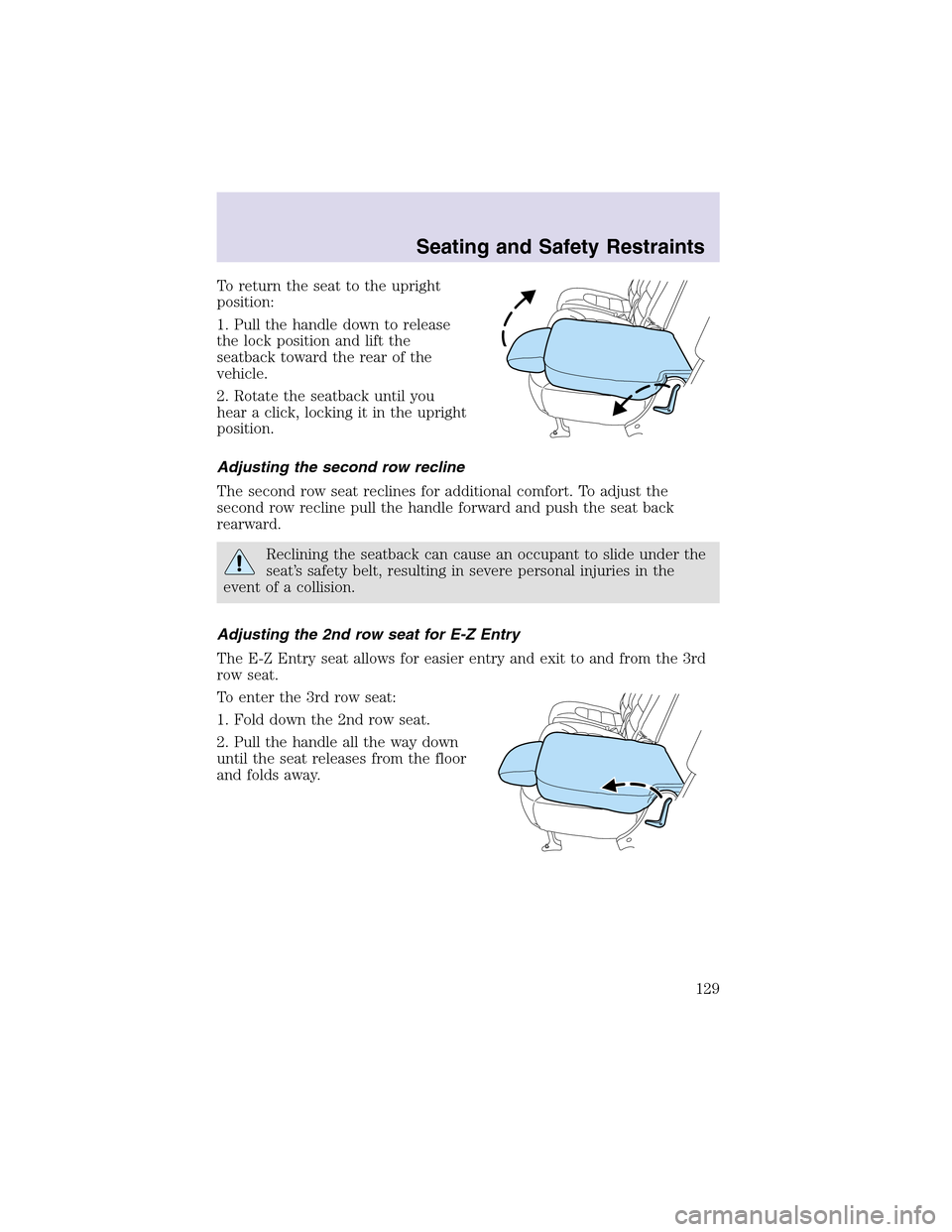
To return the seat to the upright
position:
1. Pull the handle down to release
the lock position and lift the
seatback toward the rear of the
vehicle.
2. Rotate the seatback until you
hear a click, locking it in the upright
position.
Adjusting the second row recline
The second row seat reclines for additional comfort. To adjust the
second row recline pull the handle forward and push the seat back
rearward.
Reclining the seatback can cause an occupant to slide under the
seat’s safety belt, resulting in severe personal injuries in the
event of a collision.
Adjusting the 2nd row seat for E-Z Entry
The E-Z Entry seat allows for easier entry and exit to and from the 3rd
row seat.
To enter the 3rd row seat:
1. Fold down the 2nd row seat.
2. Pull the handle all the way down
until the seat releases from the floor
and folds away.
Seating and Safety Restraints
129
Page 130 of 288
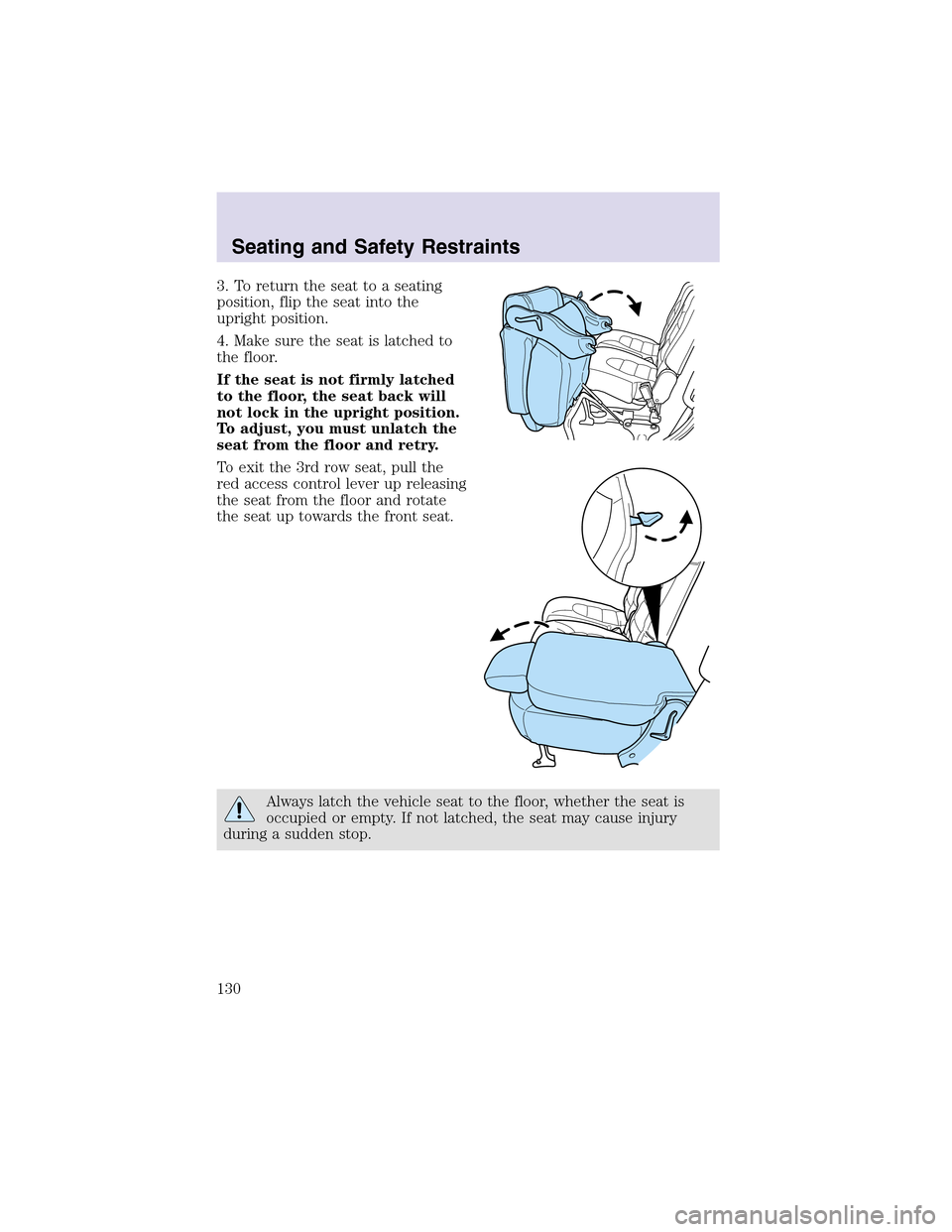
3. To return the seat to a seating
position, flip the seat into the
upright position.
4. Make sure the seat is latched to
the floor.
If the seat is not firmly latched
to the floor, the seat back will
not lock in the upright position.
To adjust, you must unlatch the
seat from the floor and retry.
To exit the 3rd row seat, pull the
red access control lever upreleasing
the seat from the floor and rotate
the seat uptowards the front seat.
Always latch the vehicle seat to the floor, whether the seat is
occupied or empty. If not latched, the seat may cause injury
during a sudden stop.
Seating and Safety Restraints
130
Page 131 of 288
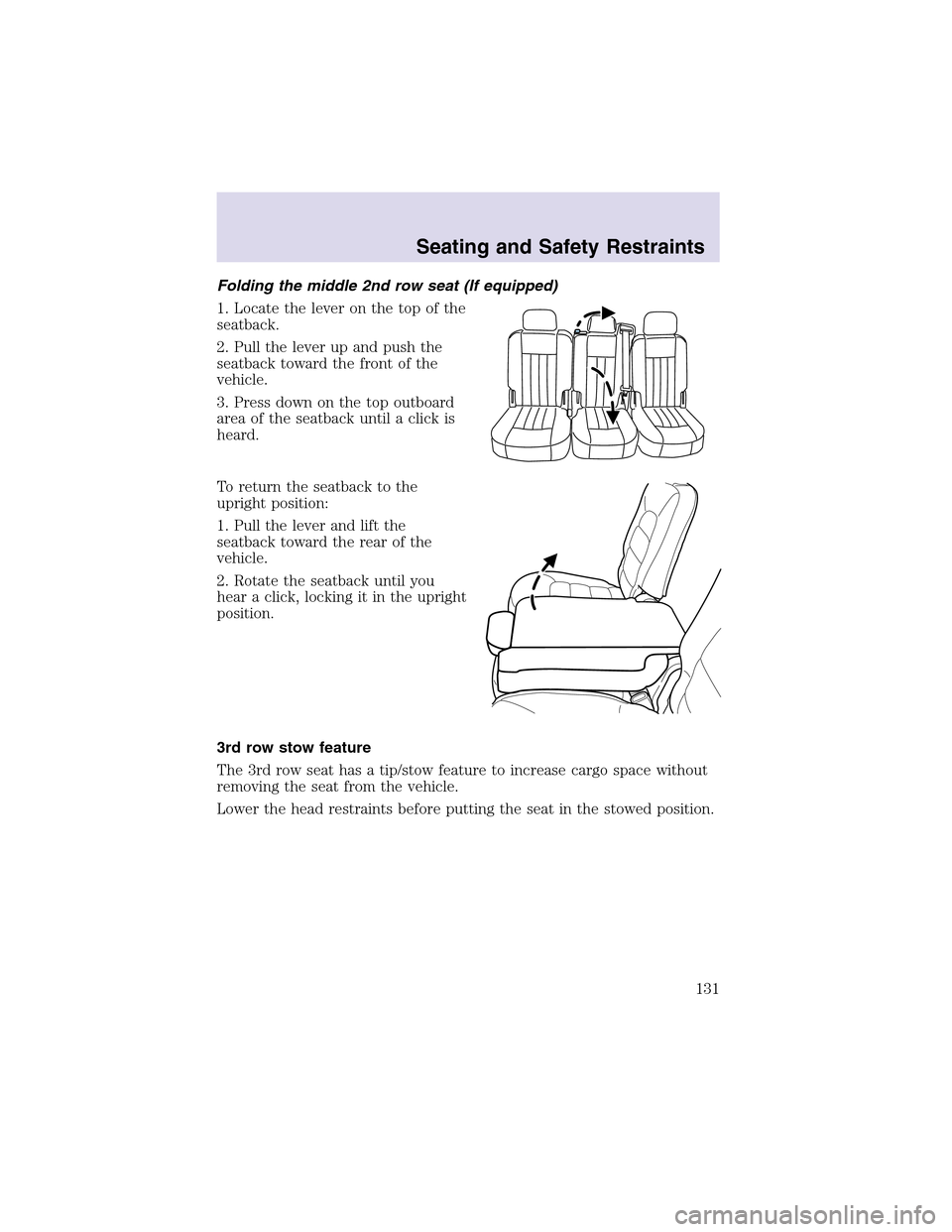
Folding the middle 2nd row seat (If equipped)
1. Locate the lever on the topof the
seatback.
2. Pull the lever upand push the
seatback toward the front of the
vehicle.
3. Press down on the topoutboard
area of the seatback until a click is
heard.
To return the seatback to the
upright position:
1. Pull the lever and lift the
seatback toward the rear of the
vehicle.
2. Rotate the seatback until you
hear a click, locking it in the upright
position.
3rd row stow feature
The 3rd row seat has a tip/stow feature to increase cargo space without
removing the seat from the vehicle.
Lower the head restraints before putting the seat in the stowed position.
Seating and Safety Restraints
131