Page 242 of 415
�µ
If you are training the second or
third buttons, go directly to Step 1. Unplug the garage door opener
motor f rom the house current.
Bef ore you can use HomeLink to
operate devices around your home, it
must ‘‘learn’’ the proper codes. For
example, to train HomeLink to open
and close the garage door:
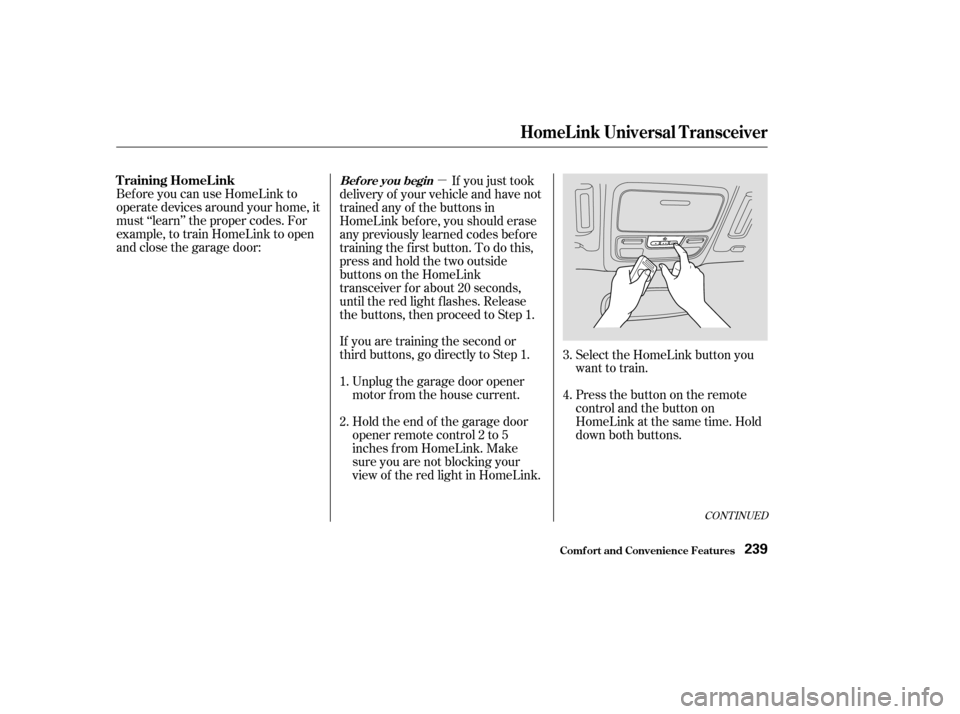
If you just took
delivery of your vehicle and have not
trained any of the buttons in
HomeLink bef ore, you should erase
any previously learned codes bef ore
training the f irst button. To do this,
press and hold the two outside
buttons on the HomeLink
transceiver for about 20 seconds,
until the red light f lashes. Release
the buttons, then proceed to Step 1.
Holdtheendof thegaragedoor
opener remote control 2 to 5
inches f rom HomeLink. Make
sure you are not blocking your
view of the red light in HomeLink. Select the HomeLink button you
want to train.
Press the button on the remote
control and the button on
HomeLink at the same time. Hold
down both buttons.
2. 3.
4.
1.
CONT INUED
T raining HomeL inkBef ore you begin
HomeL ink Universal T ransceiver
Comf ort and Convenience Feat ures239
Page 243 of 415

Canadian Owners:
The remote control you are training
from may stop transmitting after two
seconds. This is not long enough f or
HomeLink to learn the code. Release
and press the button on the remote
control every two seconds until
HomeLink has learned the code.For security purposes, newer garage
door opening systems use a ‘‘rolling’’
or variable code. Inf ormation f rom
the remote control and the garage
door opener are needed bef ore
HomeLink can operate the garage
door opener.
The ‘‘Training HomeLink’’
procedure trains HomeLink to the
proper garage door opener code.
The f ollowing procedure
synchronizes HomeLink to the
garage door opener so they send and
receive the correct codes.
The red light in HomeLink should
begin f lashing. It will f lash slowly
at first, then rapidly.
When the red light f lashes rapidly,
release both buttons. HomeLink
should have learned the code from
the remote control.
Plug in the garage door opener
motor, then test the HomeLink
transceiver button by pushing it. It
should operate the garage door.
If the button does not work, repeat
this procedure to train it again. If it
still does not work, you may have a variable or rolling code garage
door opener. Test this by pressing
and holding the HomeLink
transceiver button you just trained.
If the red light blinks f or two
seconds,thenstayson,youhavea
rolling code garage door opener.
You may be able to verify this with
the manufacturer’s documentation.
Go to ‘‘Training With a Rolling
Code System.’’
Repeat these steps to train the
other two HomeLink buttons to
operate any other remotely-
controlled devices around your
home (lighting, automatic gate,
security system, etc.).
5.
6.
8.
7. T raining With a Rolling Code
System
HomeL ink Universal T ransceiver
Comf ort and Convenience Feat ures240
Page 245 of 415

As required by the FCC:This device complies with Part 15 of theFCC rules. Operation is subject to thef ollowing two conditions: (1) This devicemay not cause harmf ul interf erence, and(2) this device must accept anyinterf erence received, includinginterf erence that may cause undesiredoperation.
Changes or modif ications not expresslyapproved by the party responsible f orcompliance could void the user’sauthority to operate the equipment.
This device complies with IndustryCanada Standard RSS-210.Operation is subject to the f ollowing twoconditions: (1) this device may not causeinterf erence, and (2) this device mustaccept any interf erence that may causeundesired operation of the device.
Totrainanalreadyprogrammed
transmitter button to operate a new
device:
Toerasethecodesstoredinallthree
buttons, press and hold the two
outside buttons until the red light
begins to f lash, then release the
buttons.
Select the HomeLink button you
want to train.
Press and hold the HomeLink
button until the red light begins to
f lash slowly (approximately 20
seconds).
While continuing to hold the
HomeLink button, place the
remotecontrolforthedevice2to
5inchesfromHomeLink. Release both buttons. HomeLink
should now be trained to operate
the device.
Press and hold the button on the
remote control. Hold both buttons
until the red light begins to f lash
rapidly. Youshoulderaseallthreecodes
bef ore selling the vehicle.
1.
2.
3.
4. 5.
Retraining a Button
Erasing Codes
HomeL ink Universal T ransceiver
Comf ort and Convenience Feat ures242
Page 380 of 415
�µ�Î
�Î
�Î
CONT INUED
Amps.
No. Circuits Protected No. Amps. Circuits Protected
If the replacement fuse of the
same rating blows in a short time,
there is probably a serious
electrical problem in your vehicle.
Leave the blown fuse in that
circuit and have your vehicle
checked by a qualif ied mechanic.
If the driver’s power window f use is
removed, the AUTO feature of the
driver’s window will be disabled. You
should reset the AUTO f eature (see
page ).
If the radio f use is removed, the
audio system will disable itself . The
nexttimeyouturnontheradioyou
will see ‘‘ ’’ in the f requency
display. Use the Preset buttons to
enter the f ive-digit code (see page ).
6.
126
200
20 A
30 A
15 A
15 A
15 A
20 A
15 A
20 A
1
2
3
4
5
6
7
8
9 Spare Fuse
Spare Fuse
Right Headlight
ACG S
Hazard
Not Used
Stop
Lef t Headlight
ABS F/S 10
11
12
13
14
15
16
17
18
19
20
21
22
23
24
40 A
30 A
30 A
40 A
40 A
40 A
30 A
7.5 A 10 A
15 A
120 A 30 A
7.5 A 50 A
30 A Power Window Motor
Power Sliding Door
Rear Defroster
Back Up, ACC
Power Seat
Heater Motor
Cooling Fan
Spare Fuse
Spare Fuse
Spare Fuse
Battery
Condenser Fan
MG Clutch
Ignition Switch (IG 1 Main)
ABS Motor
: EX and EX-L models
On EX and EX-L models
Fuses
T aking Care of t he Unexpect ed377
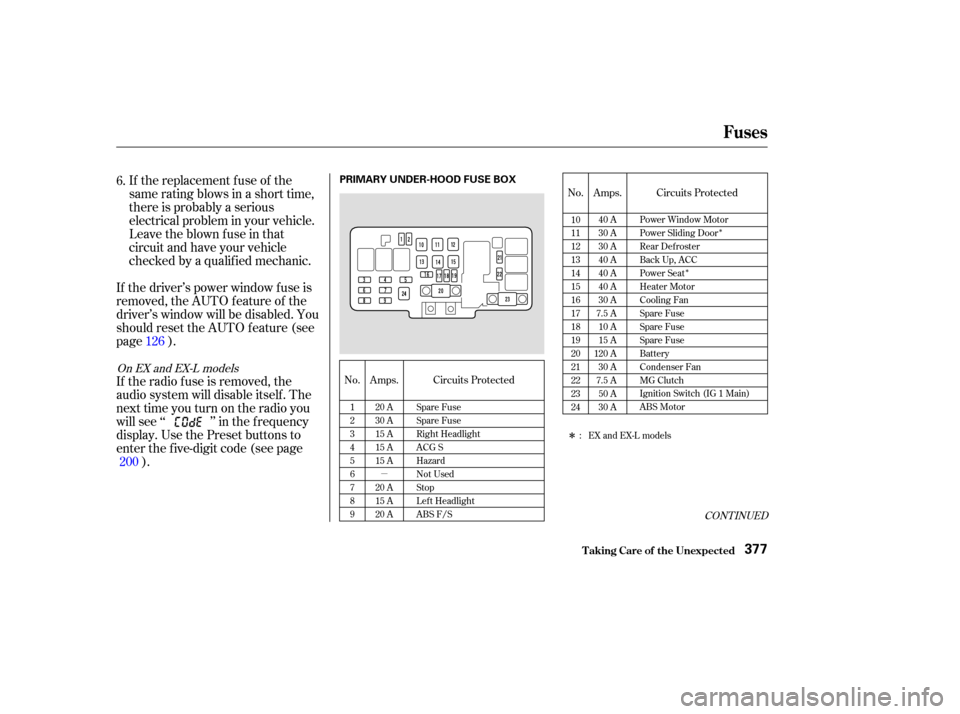
PRIMARY UNDER-HOOD FUSE BOX