Page 100 of 415

Avoid severe shock to the trans-
mitter, such as dropping or throwing
it. Also, protect it f rom extreme hot
or cold temperatures.
Clean the transmitter case with a
sof t cloth. Do not use strong
cleaners or solvents that could harm
the case. Immersing the transmitter
in any liquid will harm the trans-
mitter and cause it to not f unction
properly.
If you lose a transmitter, you will
need to have the replacement
programmed to your vehicle’s
system by your Honda dealer. Any
other transmitters you have will also
need to be reprogrammed.
As required by the FCC:This device complies with Part 15 of theFCC rules. Operation is subject to thef ollowing two conditions: (1) This devicemay not cause harmf ul interf erence, and(2) this device must accept anyinterf erence received, includinginterf erence that may cause undesiredoperation.
Changes or modif ications not expresslyapproved by the party responsible f orcompliance could void the user’sauthority to operate the equipment.
This device complies with IndustryCanada Standard RSS-210.Operation is subject to the f ollowing twoconditions: (1) this device may not causeinterf erence, and (2) this device mustaccept any interf erence that may causeundesired operation of the device.
Transmitter Care
Keys and Locks
Inst rument s and Cont rols97
Page 109 of 415
Each power sliding door has an auto-
reverse f eature. If a door meets
resistance while closing, it will beep
three times and automatically
reverse direction. However, the door
may not immediately reverse
direction (like some elevator doors),
and the f orce of a closing door may
cause bruising or discomf ort. Always
make sure passengers and any
objects are well away f rom the power
sliding doors bef ore closing them.
Also check that passengers,
especially children, do not have their
hands on the edge of the sliding door
or on the door pillar. The auto-
reverse f eature stops working when
the door is about to latch so the
motor can pull the door shut.
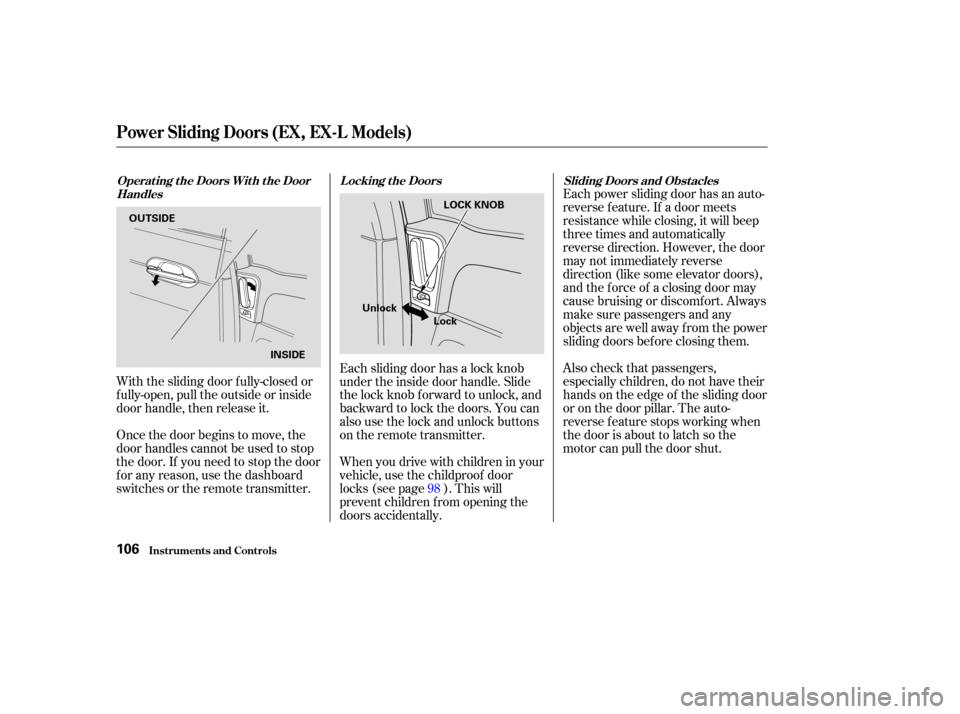
With the sliding door f ully-closed or
f ully-open, pull the outside or inside
door handle, then release it.
Once the door begins to move, the
door handles cannot be used to stop
the door. If you need to stop the door
f or any reason, use the dashboard
switches or the remote transmitter. Each sliding door has a lock knob
under the inside door handle. Slide
the lock knob f orward to unlock, and
backward to lock the doors. You can
also use the lock and unlock buttons
on the remote transmitter.
Whenyoudrivewithchildreninyour
vehicle, use the childproof door
locks (see page ). This will
prevent children f rom opening the
doors accidentally.
98
Operat ing t he Doors Wit h t he Door
Handles L ocking t he Doors
Sliding Doors and Obst acles
Power Sliding Doors (EX, EX-L Models)
Inst rument s and Cont rols106
OUTSIDE
INSIDE LOCK KNOB
Unlock Lock
Page 191 of 415
Radio signals, especially on the FM
band, are def lected by large objects
such as buildings and hills. Your
radio then receives both the direct
signal f rom the station’s transmitter,
and the def lected signal. This causes
the sound to distort or flutter. This is
a main cause of poor radio reception
in city driving.Radio reception can be af f ected by
atmospheric conditions such as
thunderstorms, high humidity, and
even sunspots. You may be able to
receive a distant radio station one
day and not receive it the next day
because of a change in conditions.
Electrical interf erence f rom passing
vehicles and stationary sources can
cause temporary reception problems.
As required by the FCC:
Changes or modif ications not expresslyapproved by the party responsible f orcompliance could void the user’sauthority to operate the equipment.
Audio System
Comf ort and Convenience Feat ures188
Page 233 of 415
As required by the FCC:This device complies with Part 15 of theFCC rules. Operation is subject to thef ollowing two conditions: (1) This devicemay not cause harmf ul interf erence, and(2) this device must accept anyinterf erence received, includinginterf erence that may cause undesiredoperation.
Changes or modif ications not expresslyapproved by the party responsible f orcompliance could void the user’sauthority to operate the equipment.
This device complies with IndustryCanada Standard RSS-210.Operation is subject to the f ollowing twoconditions: (1) this device may not causeinterf erence, and (2) this device mustaccept any interf erence that may causeundesired operation of the device.
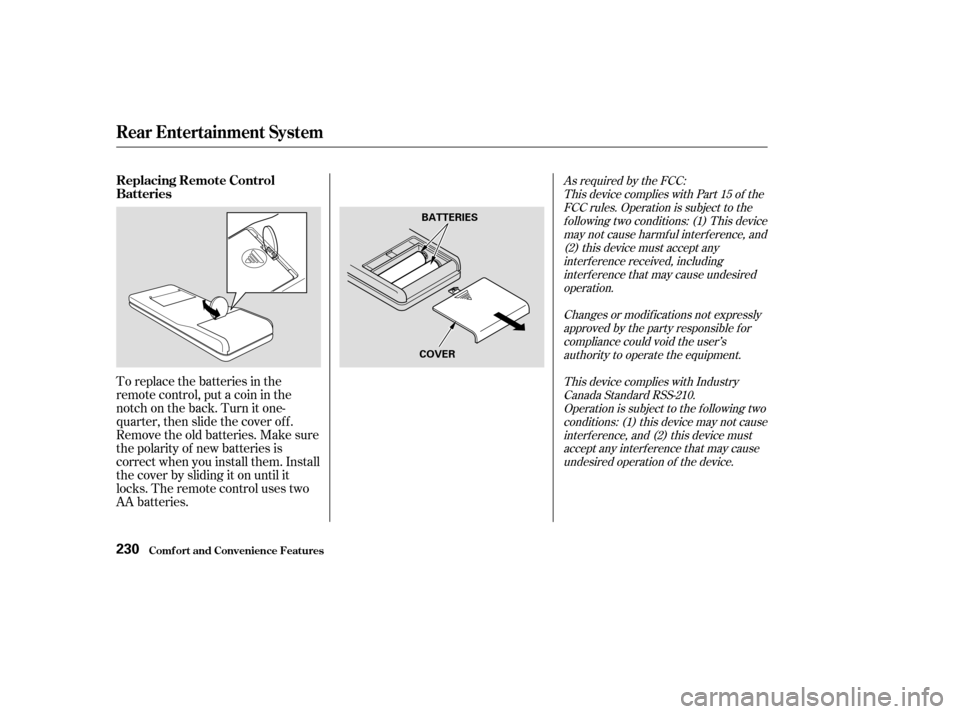
To replace the batteries in the
remote control, put a coin in the
notch on the back. Turn it one-
quarter, then slide the cover of f .
Remove the old batteries. Make sure
the polarity of new batteries is
correct when you install them. Install
the cover by sliding it on until it
locks. The remote control uses two
AA batteries.
Rear Entertainment System
Comf ort and Convenience Feat ures
Replacing Remote Control
Batteries
230
BATTERIES
COVER
Page 245 of 415

As required by the FCC:This device complies with Part 15 of theFCC rules. Operation is subject to thef ollowing two conditions: (1) This devicemay not cause harmf ul interf erence, and(2) this device must accept anyinterf erence received, includinginterf erence that may cause undesiredoperation.
Changes or modif ications not expresslyapproved by the party responsible f orcompliance could void the user’sauthority to operate the equipment.
This device complies with IndustryCanada Standard RSS-210.Operation is subject to the f ollowing twoconditions: (1) this device may not causeinterf erence, and (2) this device mustaccept any interf erence that may causeundesired operation of the device.
Totrainanalreadyprogrammed
transmitter button to operate a new
device:
Toerasethecodesstoredinallthree
buttons, press and hold the two
outside buttons until the red light
begins to f lash, then release the
buttons.
Select the HomeLink button you
want to train.
Press and hold the HomeLink
button until the red light begins to
f lash slowly (approximately 20
seconds).
While continuing to hold the
HomeLink button, place the
remotecontrolforthedevice2to
5inchesfromHomeLink. Release both buttons. HomeLink
should now be trained to operate
the device.
Press and hold the button on the
remote control. Hold both buttons
until the red light begins to f lash
rapidly. Youshoulderaseallthreecodes
bef ore selling the vehicle.
1.
2.
3.
4. 5.
Retraining a Button
Erasing Codes
HomeL ink Universal T ransceiver
Comf ort and Convenience Feat ures242
Page 272 of 415
CONT INUED
If the ABS indicator and the brake
system indicator come on together,
and the parking brake is f ully
released, the front-to-rear braking
distribution system may also shut
down.
Test your brakes as instructed on
page . If the brakes f eel normal,
drive slowly and have your vehicle
repaired by your dealer as soon as
possible. Avoid sudden hard braking
which could cause the rear wheels to
lock up and possibly lead to a loss of
control.Driving with TCS requires no special
skills or technique. The TCS does
not control your vehicle’s whole
braking system and cannot prevent
skidding if you enter a corner too
f ast. It is still your responsibility to
drive at reasonable speeds and to
leave a sufficient margin of safety.
The TCS indicator will come on
alongwiththeABSindicatorif there
is a problem with the anti-lock brake
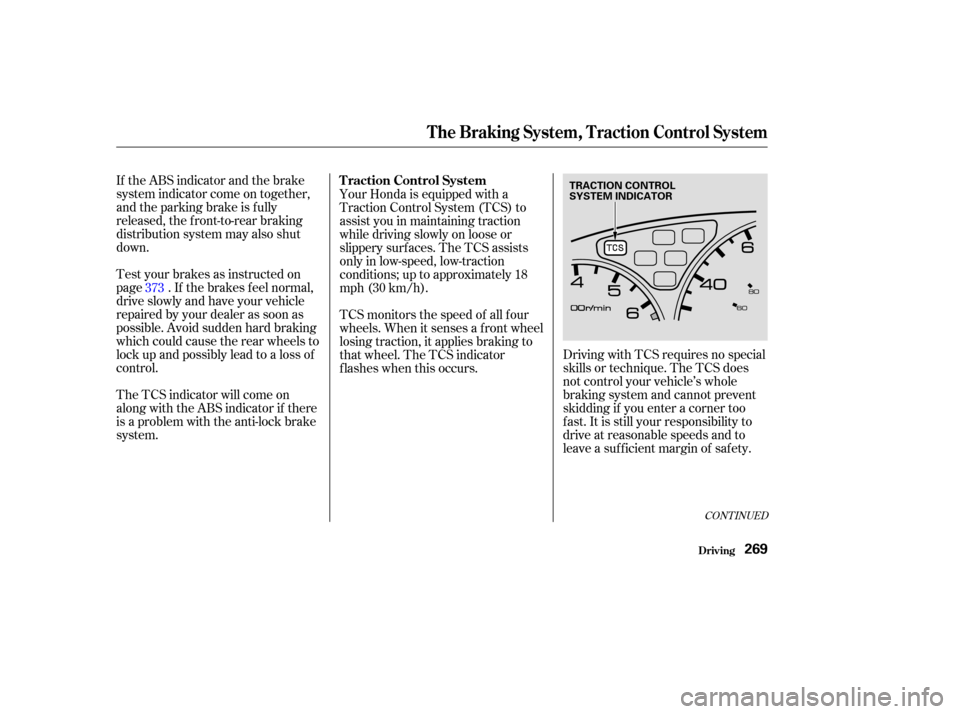
system. Your Honda is equipped with a
Traction Control System (TCS) to
assist you in maintaining traction
while driving slowly on loose or
slippery surf aces. The TCS assists
only in low-speed, low-traction
conditions; up to approximately 18
mph (30 km/h).
TCS monitors the speed of all f our
wheels. When it senses a f ront wheel
losing traction, it applies braking to
that wheel. The TCS indicator
f lashes when this occurs.
373
The Braking System, Traction Control System
Driving
Traction Control System
269
TRACTION CONTROL
SYSTEM INDICATOR
Page 273 of 415
When starting out or driving at low
speeds on a loose or slippery road
surface, you may notice that the
vehicle does not respond to the
accelerator in the same way it does
at other times. This is a sign TCS is
activating. You will see the TCS
indicator light f lash.
You should still install winter tires on
your vehicle during the winter. Make
sure to use the same size originally
supplied with vehicle. Exercise the
samecautioninwinterdrivingasyou
would if your vehicle was not
equipped with TCS.
Driving with the compact spare tire
installed (see page ) may
activate the TCS. You should turn of f
the system.If the brakes overheat while TCS is
activating, the TCS indicator will
stop flashing and stay on temporarily.
This indicates that TCS has turned
off. After the brakes have cooled
down (usually f or about 10 minutes),
TCSwillturnbackonandthe
indicator will turn of f .
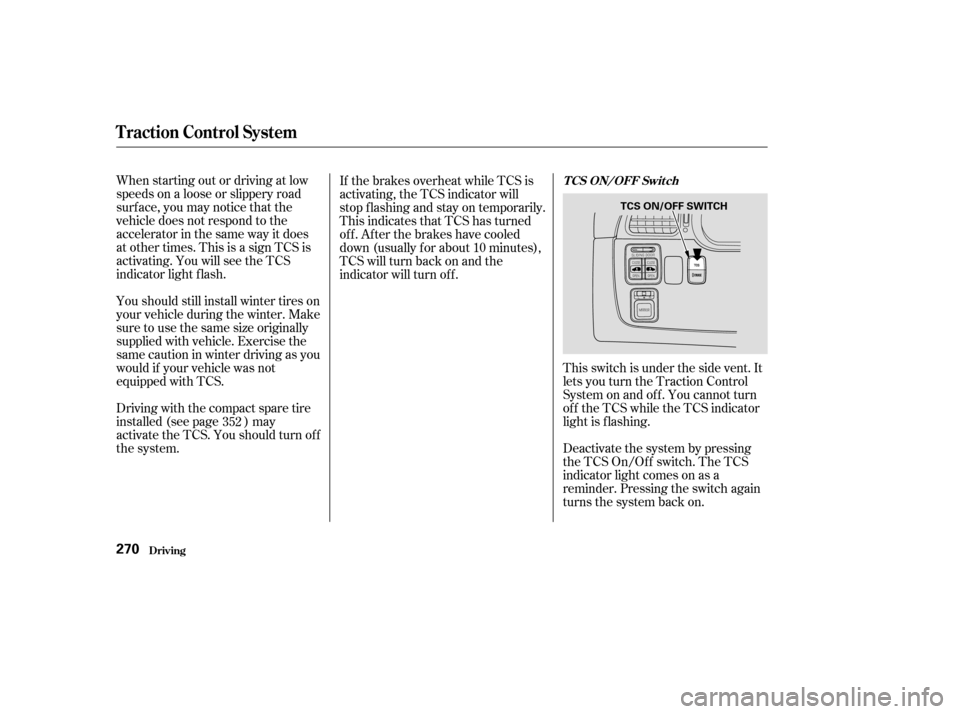
This switch is under the side vent. It
letsyouturntheTractionControl
System on and of f . You cannot turn
of f the TCS while the TCS indicator
light is f lashing.
Deactivate the system by pressing
the TCS On/Off switch. The TCS
indicator light comes on as a
reminder. Pressing the switch again
turns the system back on.
352
Traction Control System
Driving
TCS ON/OFF Switch
270
TCS ON/OFF SWITCH
Page 275 of 415
�µ�µAlways drive
slower than you would in dry
weather. It takes your vehicle longer
to react, even in conditions that may
seem just barely damp. Apply
smooth, even pressure to all the
controls. Abrupt steering wheel
movements or sudden, hard appli-
cation of the brakes can cause loss of
control in wet weather. Be extra
cautious f or the f irst f ew miles
(kilometers) of driving while you
adjust to the change in driving
conditions. This is especially true in
snow. A person can f orget some
snow-driving techniques during the
summer months. Practice is needed
to relearn those skills.
Exercise extra caution when driving
in rain af ter a long dry spell. Af ter
months of dry weather, the f irst
rains bring oil to the surf ace of the
roadway, making it slippery.
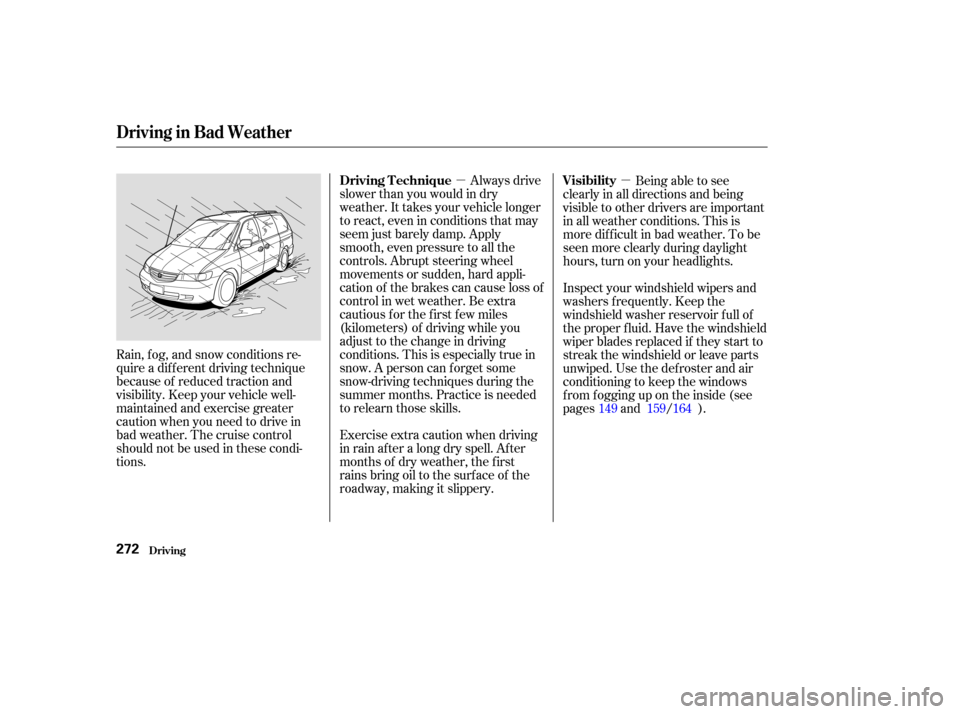
Rain, f og, and snow conditions re-
quire a dif f erent driving technique
because of reduced traction and
visibility. Keep your vehicle well-
maintained and exercise greater
caution when you need to drive in
bad weather. The cruise control
should not be used in these condi-
tions. Being able to see
clearly in all directions and being
visible to other drivers are important
in all weather conditions. This is
more dif f icult in bad weather. To be
seen more clearly during daylight
hours, turn on your headlights.
Inspect your windshield wipers and
washers f requently. Keep the
windshield washer reservoir f ull of
the proper f luid. Have the windshield
wiper blades replaced if they start to
streak the windshield or leave parts
unwiped. Use the def roster and air
conditioning to keep the windows
f rom f ogging up on the inside (see
pages and ). 149 159/ 164
Driving
Driving in Bad Weather
Driving T echnique Visibility
272