Page 66 of 317
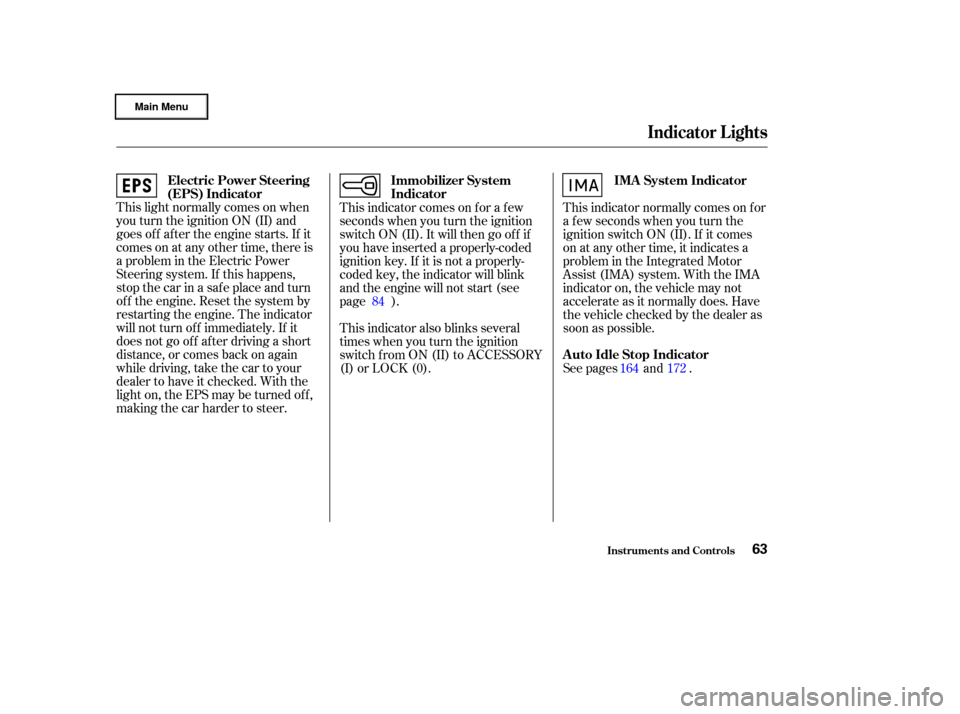
This light normally comes on when
you turn the ignition ON (II) and
goes of f af ter the engine starts. If it
comes on at any other time, there is
a problem in the Electric Power
Steering system. If this happens,
stop the car in a safe place and turn
of f the engine. Reset the system by
restarting the engine. The indicator
will not turn of f immediately. If it
does not go of f af ter driving a short
distance, or comes back on again
while driving, take the car to your
dealer to have it checked. With the
light on, the EPS may be turned of f ,
making the car harder to steer.This indicator comes on f or a f ew
seconds when you turn the ignition
switch ON (II). It will then go of f if
you have inserted a properly-coded
ignition key. If it is not a properly-
coded key, the indicator will blink
and the engine will not start (see
page ).
This indicator also blinks several
times when you turn the ignition
switch f rom ON (II) to ACCESSORY
(I) or LOCK (0).
This indicator normally comes on f or
a f ew seconds when you turn the
ignition switch ON (II). If it comes
on at any other time, it indicates a
problem in the Integrated Motor
Assist (IMA) system. With the IMA
indicator on, the vehicle may not
accelerate as it normally does. Have
the vehicle checked by the dealer as
soon as possible.
See pages and .
84
172
164
Indicator L ights
Inst rument s and Cont rols
Electric Power Steering
(EPS) Indicator Immobilizer System
IndicatorIMA System Indicator
A uto Idle Stop Indicator
63
Page 69 of 317
�µBetween 8,000 miles (12,800 km)
and 10,000 miles (16,000 km) this
indicator will light f or two seconds
when you first turn the ignition
switch ON (II), and then f lash f or
ten seconds.
If you exceed 10,000 miles (16,000
km) without having the scheduled
maintenance perf ormed, this
indicator will remain on as a constant
reminder.
For the f irst 8,000 miles (12,800 km)
af ter the Maintenance Required
Indicator is reset, it will come on f or
two seconds when you turn the
ignition switch ON (II). Ref er to the Maintenance Schedules
f or Normal and Severe Driving
Conditions on pages
.
This indicator reminds you that it is
time to take your car in for
scheduled maintenance.
Your dealer will reset this indicator
af ter completing the scheduled
maintenance. If this maintenance is
done by someone other than your
Honda dealer, reset the indicator as
f ollows.Turn of f the engine. Hold the button until the indicator
resets (approximately ten
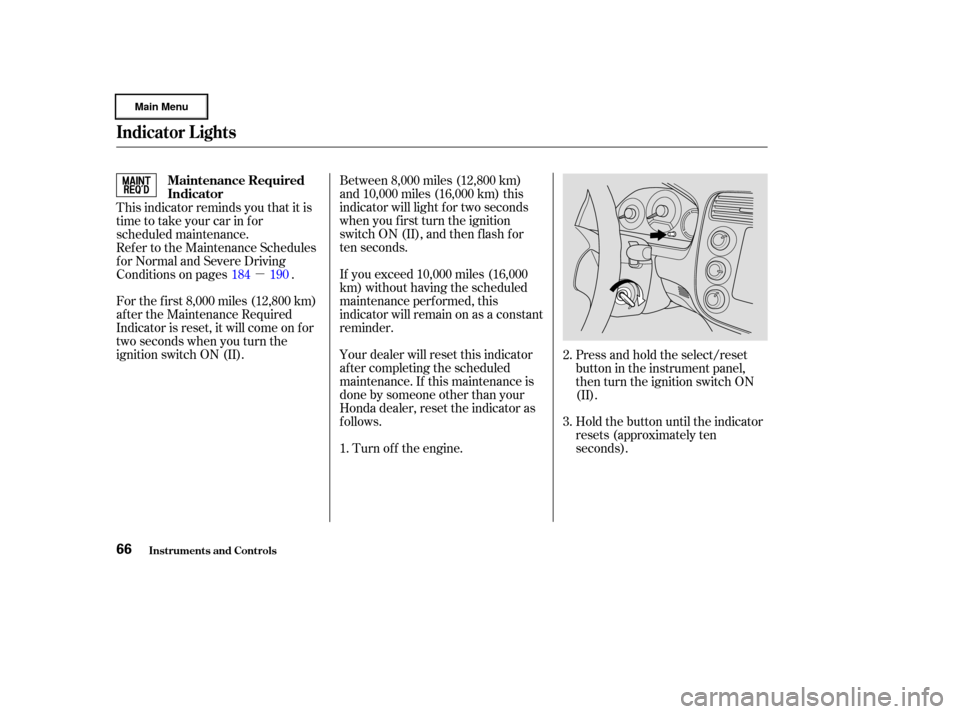
seconds). Press and hold the select/reset
buttonintheinstrumentpanel,
then turn the ignition switch ON
(II).
184 190
1. 2.
3.
Indicator L ights
Inst rument s and Cont rols
Maintenance Required
Indicator
66
Page 70 of 317
CONT INUEDU.S. model is shown.
Gauges
Inst rument s and Cont rols67
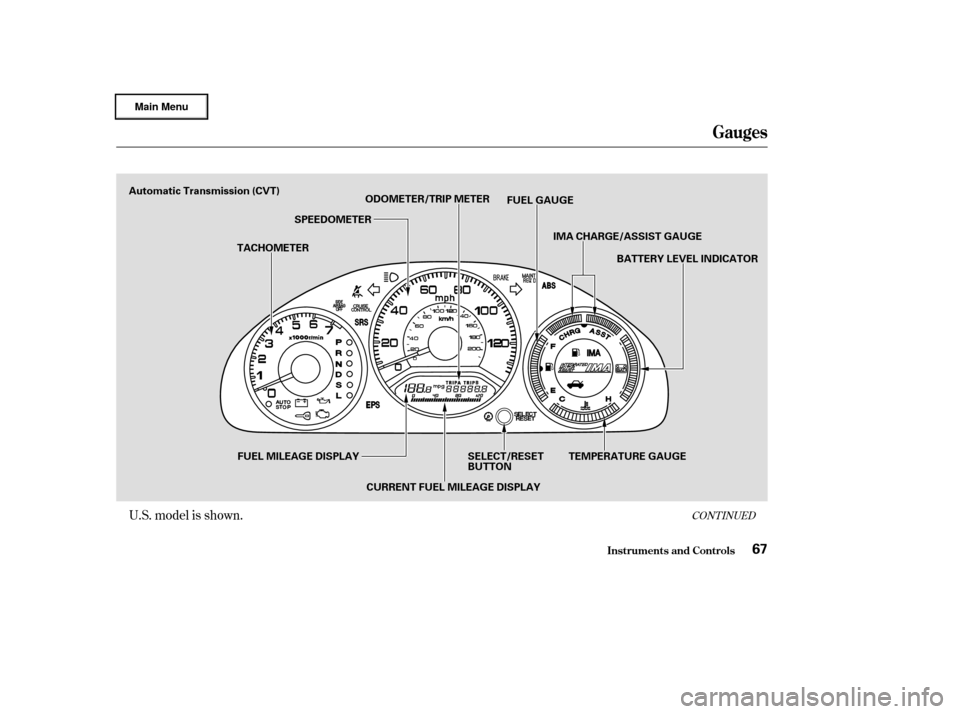
Automatic Transmission (CVT)TACHOMETERSPEEDOMETER
ODOMETER/TRIP METER
FUEL GAUGE
IMA CHARGE/ASSIST GAUGE BATTERY LEVEL INDICATOR
FUEL MILEAGE DISPLAY CURRENT FUEL MILEAGE DISPLAYSELECT/RESET
BUTTON
TEMPERATURE GAUGE
Page 71 of 317
U.S. model is shown.
Gauges
Inst rument s and Cont rols68
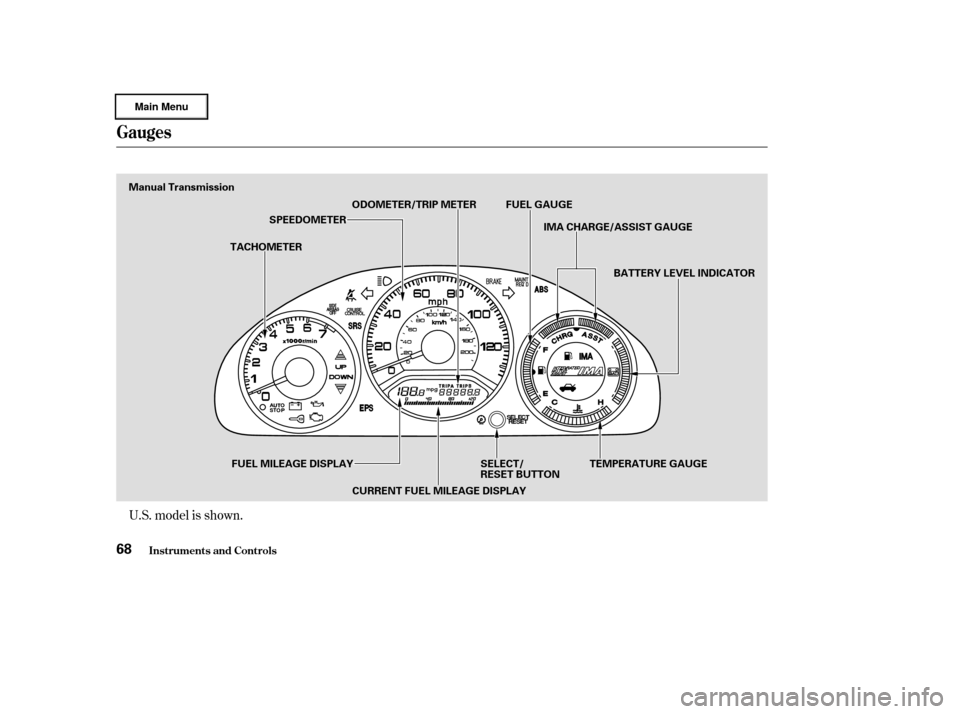
Manual TransmissionTACHOMETERSPEEDOMETER
ODOMETER/TRIP METER FUEL GAUGE
IMA CHARGE/ASSIST GAUGE
BATTERY LEVEL INDICATOR
FUEL MILEAGE DISPLAY CURRENT FUEL MILEAGE DISPLAY SELECT/
RESET BUTTON
TEMPERATURE GAUGE
Page 72 of 317
The gauges illuminate when you
turn the ignition switch ON (II).
This shows your speed in miles per
hour (mph). The smaller inner
numbers are the speed in kilometers
per hour (km/h).
This shows your speed in kilometers
per hour (km/h). The smaller inner
numbers are the speed in miles per
hour (mph).
The tachometer shows the engine
speed in revolutions per minute
(rpm). To protect the engine f rom
damage, never drive with the
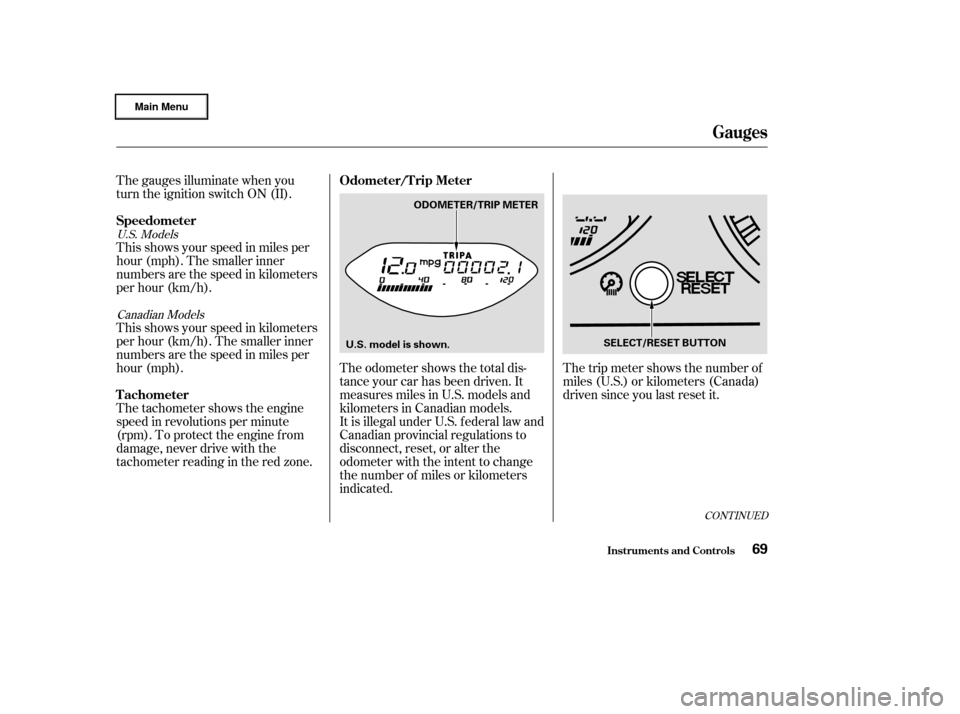
tachometerreadingintheredzone.The odometer shows the total dis-
tance your car has been driven. It
measures miles in U.S. models and
kilometers in Canadian models.
It is illegal under U.S. f ederal law and
Canadian provincial regulations to
disconnect, reset, or alter the
odometer with the intent to change
the number of miles or kilometers
indicated.The trip meter shows the number of
miles (U.S.) or kilometers (Canada)
driven since you last reset it.
U.S. Models
Canadian Models
CONT INUED
Inst rument s and Cont rols
Speedometer
T achometer Odometer/T rip Meter
Gauges
69
SELECT/RESET BUTTON
ODOMETER/TRIP METER
U.S. model is shown.
Page 73 of 317
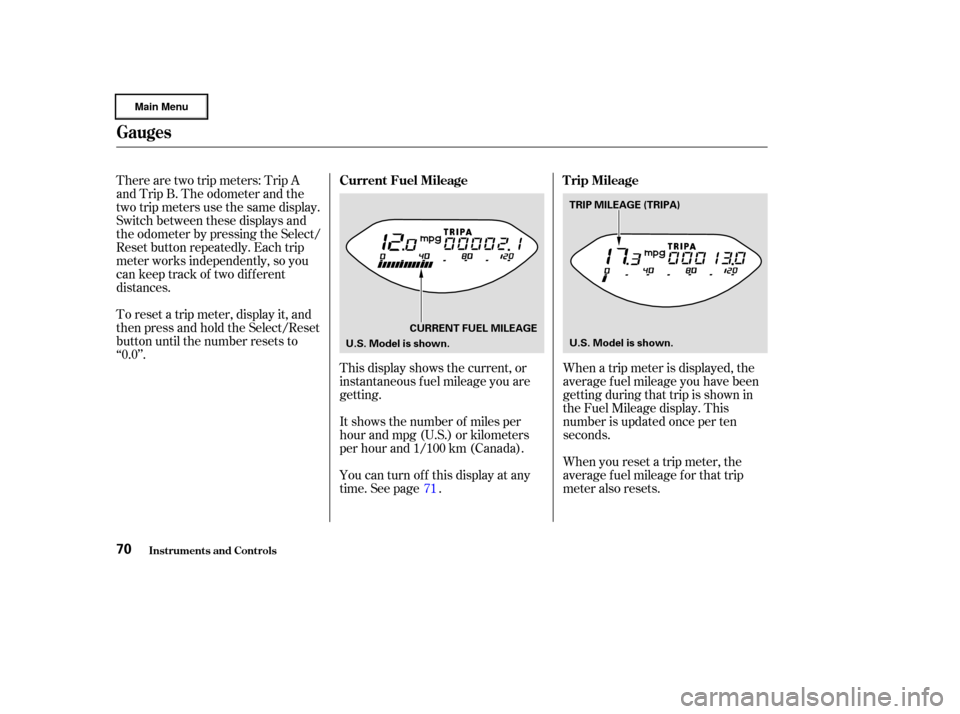
There are two trip meters: Trip A
and Trip B. The odometer and the
two trip meters use the same display.
Switch between these displays and
the odometer by pressing the Select/
Reset button repeatedly. Each trip
meter works independently, so you
can keep track of two dif f erent
distances.
To reset a trip meter, display it, and
then press and hold the Select/Reset
button until the number resets to
‘‘0.0’’.This display shows the current, or
instantaneous fuel mileage you are
getting.
It shows the number of miles per
hour and mpg (U.S.) or kilometers
per hour and 1/100 km (Canada).
You can turn off this display at any
time. See page .When you reset a trip meter, the
average fuel mileage for that trip
meter also resets. When a trip meter is displayed, the
average fuel mileage you have been
getting during that trip is shown in
the Fuel Mileage display. This
number is updated once per ten
seconds.
71
Inst rument s and Cont rols
Gauges
Current Fuel Mileage Trip Mileage
70
CURRENT FUEL MILEAGE
U.S. Model is shown. TRIP MILEAGE (TRIPA)
U.S. Model is shown.
Page 74 of 317
This shows the temperature of the
engine’s coolant. During normal
operation, the reading should be in
the middle of the gauge. In severe
driving conditions, such as very hot
weather or a long period of uphill
driving, the reading may reach near
the red mark. If it reaches the red
(Hot) mark, pull saf ely to the side of
the road. Turn to page for
instructions and precautions on
checking the engine’s cooling
system.
This shows how much f uel you have.
It is most accurate when the car is on
level ground. It may show slightly
more or less than the actual amount
whenyouaredrivingoncurvyor
hilly roads.
You can temporarily turn of f the
Current Fuel Mileage display.
To turn it off:
Turn the ignition switch to ON (II).
If the engine is running, make
sure the transmission is in Neutral
(manual) or Park (automatic) and
the parking brake is set.
Use the Select/Reset button to
select the odometer display.
Press and hold the Select/Reset
button f or about 10 to 15 seconds,
then release it. The Current Fuel
Mileage display will turn of f .
The display will turn back on when
you repeat the same procedure on
the step 3. 268
1.
2.
3.
Inst rument s and Cont rols
Temperature Gauge
Fuel Gauge
T urning Of f the Mileage Display
Gauges
71
Avoid driving with an extremely low
f uel level. Running out of f uel could
cause the engine to misf ire, damaging
the catalytic converter.
Page 80 of 317
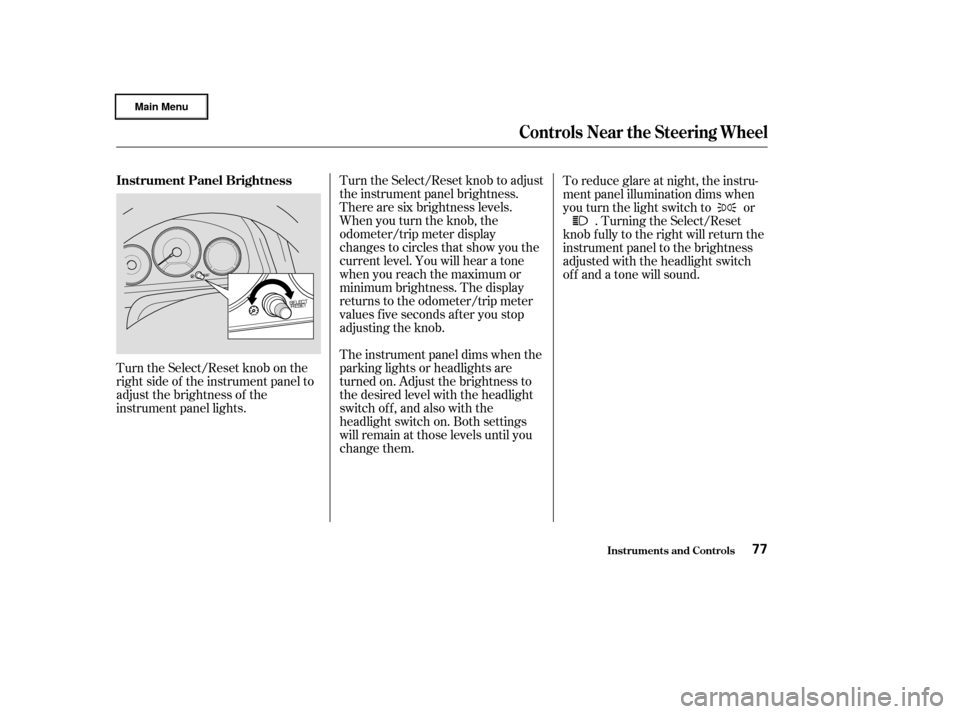
Turn the Select/Reset knob on the
right side of the instrument panel to
adjust the brightness of the
instrument panel lights.Turn the Select/Reset knob to adjust
the instrument panel brightness.
There are six brightness levels.
When you turn the knob, the
odometer/trip meter display
changes to circles that show you the
current level. You will hear a tone
when you reach the maximum or
minimum brightness. The display
returns to the odometer/trip meter
values f ive seconds af ter you stop
adjusting the knob.
The instrument panel dims when the
parking lights or headlights are
turned on. Adjust the brightness to
the desired level with the headlight
switch of f , and also with the
headlight switch on. Both settings
will remain at those levels until you
change them.To reduce glare at night, the instru-
ment panel illumination dims when
you turn the light switch to or
. Turning the Select/Reset
knob f ully to the right will return the
instrument panel to the brightness
adjusted with the headlight switch
of f and a tone will sound.
Controls Near the Steering Wheel
Inst rument s and Cont rols
Instrument Panel Brightness
77