Page 110 of 317

Heating and Cooling.............
(Automatic System) . 108
................
Automatic Operation . 110
.....................
Manual Operation .111
Sunlight Sensor/Temperature ...................................
Sensor .117
................................
Audio System .118
.................
Operating the Radio . 118
.................
Adjusting the Sound . 122
............
Audio System Lighting . 123
..............................
Digital Clock .123
....................
Radio Frequencies . 124
........................
Radio Reception .125
.........
Operating the CD Player . 127
.....
Operating the CD Changer . 129
.......
Protecting Compact Discs . 130
....
CD Player Error Indications . 131
CD Changer Error .............................
Indications .132
Operating the Cassette .....................................
Player .133
............
Tape Search Functions . 134
Caring f or the Cassette .....................................
Player .136
............................
Thef t Protection .137
...............................
Cruise Control .139
The heating and air conditioning
systems in your Honda provide a
comf ortable driving environment in
all weather conditions.
The standard audio system has
many f eatures. This section de-
scribes those f eatures and how to
use them. (If you selected an
optional audio system, ref er to the
operating instructions that came
with it.)
Your Honda has an anti-thef t audio
system that requires a code number
to enable it.
Comf ort and Convenience Features
Comf ort and Convenience Feat ures107
Page 121 of 317
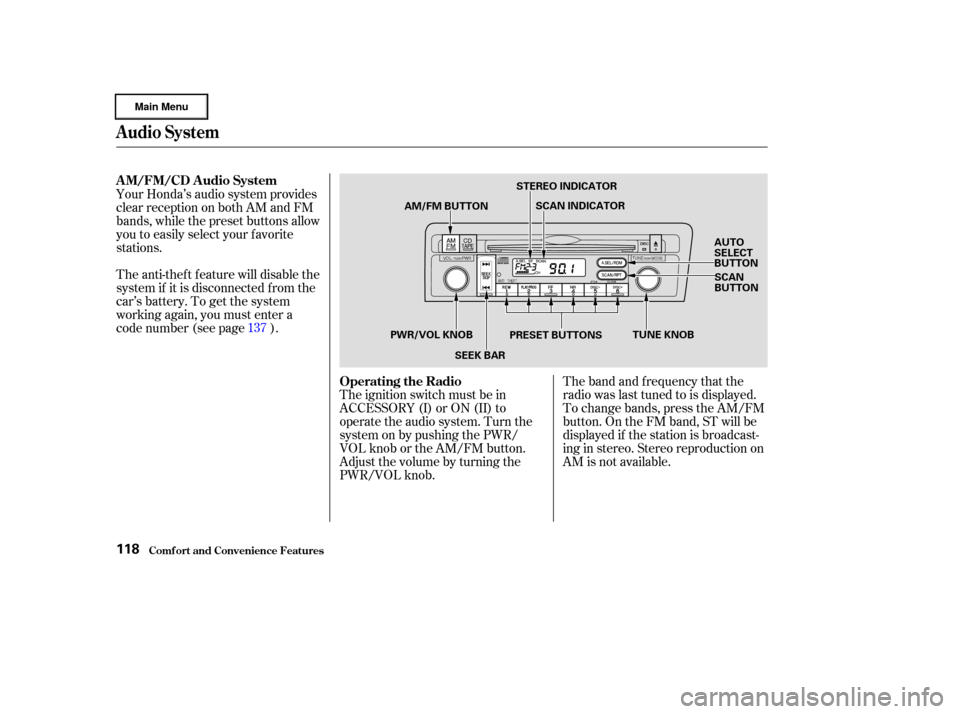
The band and f requency that the
radio was last tuned to is displayed.
To change bands, press the AM/FM
button. On the FM band, ST will be
displayed if the station is broadcast-
ing in stereo. Stereo reproduction on
AM is not available.
The ignition switch must be in
ACCESSORY (I) or ON (II) to
operate the audio system. Turn the
system on by pushing the PWR/
VOL knob or the AM/FM button.
Adjust the volume by turning the
PWR/VOL knob.
Your Honda’s audio system provides
clear reception on both AM and FM
bands, while the preset buttons allow
you to easily select your f avorite
stations.
The anti-thef t f eature will disable the
system if it is disconnected f rom the
car’s battery. To get the system
working again, you must enter a
code number (see page ).
137
Audio System
Comf ort and Convenience Feat ures
AM/FM/CD Audio System
Operating the Radio
118
AM/FM BUTTONSTEREO INDICATOR
SCAN INDICATOR
AUTO
SELECT
BUTTONSCAN
BUTTON
PRESET BUTTONS
SEEK BAR
PWR/VOL KNOB
TUNE KNOB
Page 122 of 317

�µ�µ�µ
CONT INUED
You can use any of f ive methods to
f ind radio stations on the selected
band: TUNE, SEEK, SCAN, AUTO
SELECT, and the Preset buttons.
Use the TUNE knob to
tune the radio to a desired f requency.
Turn the TUNE knob to the right to
tune to a higher f requency, or to the
lef t to tune to a lower f requency.
Turn the knob right or lef t until the
display reaches the desired
f requency. The SEEK f unction
searches the band for a station with
a strong signal. To activate it, press
theSEEKbaroneitherthe or side, then release it.
Depending on which side you press,
the system scans upward or down-
ward f rom the current f requency. It
stops when it finds a station with a
strong signal. The SCAN function
samples all the stations with strong
signals on the selected band. To
activate it, press the SCAN button,
then release it. You will see SCAN in
the display. The system will scan up
the band for a station with a strong
signal. When it f inds one, it will stop
and play that station for
approximately f ive seconds. If you do
nothing, the system will then scan
f or the next strong station and play
that f or f ive seconds. When it plays a
station that you want to continue
listening to, press the SCAN button
again.
Audio System
Comf ort and Convenience Feat ures
TUNE SEEK
SCA N
119
Page 123 of 317
�µ
Repeat steps 1 to 3 to store a total
of six stations on AM and twelve
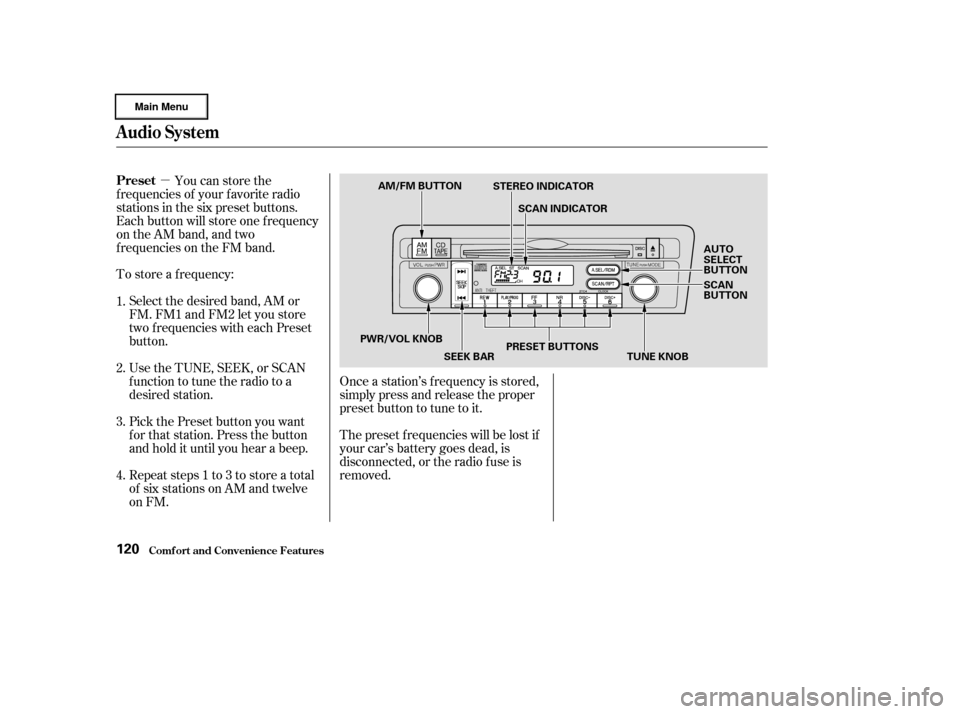
on FM. Pick the Preset button you want
for that station. Press the button
and hold it until you hear a beep. Select the desired band, AM or
FM. FM1 and FM2 let you store
two f requencies with each Preset
button.
To store a f requency:
Once a station’s f requency is stored,
simply press and release the proper
preset button to tune to it.
The preset f requencies will be lost if
your car’s battery goes dead, is
disconnected, or the radio f use is
removed.
You can store the
f requencies of your f avorite radio
stations in the six preset buttons.
Each button will store one f requency
on the AM band, and two
f requencies on the FM band.
UsetheTUNE,SEEK,orSCAN
function to tune the radio to a
desired station.
1.
2.
3.
4.
Audio System
Comf ort and Convenience Feat ures
Preset
120
AM/FM BUTTON
STEREO INDICATOR
SCAN INDICATOR
AUTO
SELECT
BUTTON
SCAN
BUTTON
TUNE KNOB
PRESET BUTTONS
SEEK BAR
PWR/VOL KNOB
Page 126 of 317
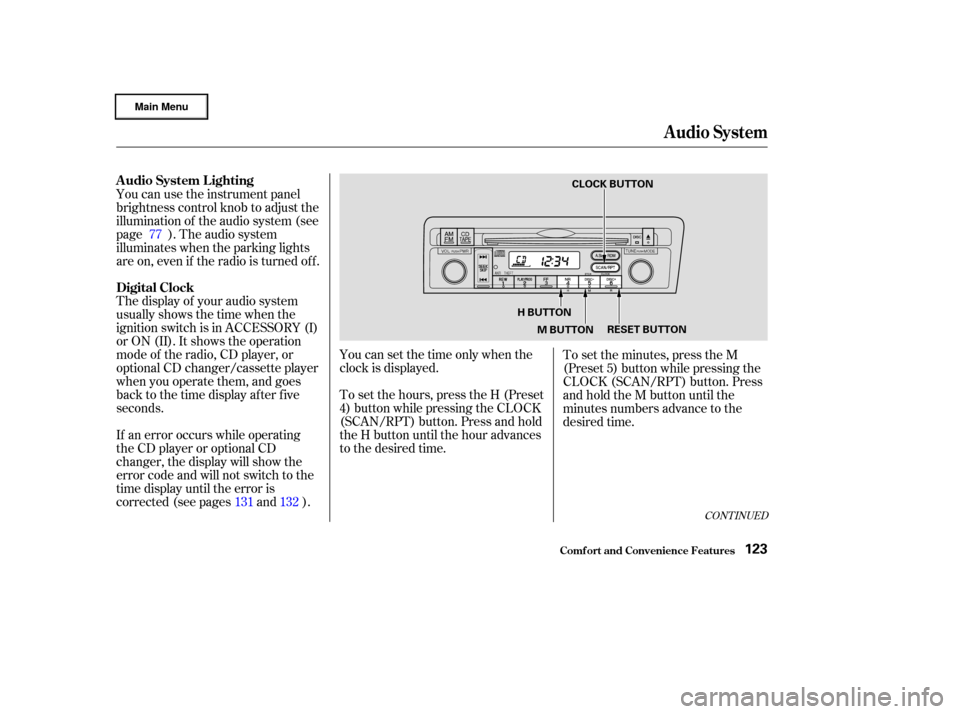
The display of your audio system
usually shows the time when the
ignition switch is in ACCESSORY (I)
or ON (II). It shows the operation
mode of the radio, CD player, or
optional CD changer/cassette player
when you operate them, and goes
back to the time display after five
seconds. You can use the instrument panel
brightness control knob to adjust the
illumination of the audio system (see
page ). The audio system
illuminates when the parking lights
are on, even if the radio is turned of f .
If an error occurs while operating
the CD player or optional CD
changer, the display will show the
error code and will not switch to the
time display until the error is
corrected (see pages and ).You can set the time only when the
clock is displayed.
To set the hours, press the H (Preset
4) button while pressing the CLOCK
(SCAN/RPT) button. Press and hold
the H button until the hour advances
to the desired time.
To set the minutes, press the M
(Preset 5) button while pressing the
CLOCK (SCAN/RPT) button. Press
andholdtheMbuttonuntilthe
minutes numbers advance to the
desired time.
77
131 132
CONT INUED
A udio System L ighting
Digital Clock
Audio System
Comf ort and Convenience Feat ures123
CLOCK BUTTON
H BUTTON M BUTTON RESET BUTTON
Page 127 of 317

Your Honda’s radio can receive the
complete AM and FM bands.
Those bands cover these f requen-
cies:
AM band:
530 to 1,710 kilohertz
FM band:
87.7 to 107.9 megahertz
Radio stations on the AM band are
assigned f requencies at least ten
kilohertz apart (530, 540, 550).
Stations on the FM band are
assigned f requencies at least 0.2
megahertz apart (87.9, 88.1, 88.3).Stations must use these exact
f requencies. It is f airly common f or
stations to round-of f the f requency in
their advertising, so your radio could
display a f requency of 100.9 even
though the announcer may identif y
the station as ‘‘FM101.’’
For example: 1:06 would RESET to 1:00.
1:52 would RESET to 2:00.
If your car’s battery is disconnected
or goes dead, the time setting will be
lost. To set the time again, f ollow the
setting procedure. You can quickly set the time to the
nearest hour. If the displayed time is
bef ore the half hour, the clock is set
back to the previous hour by
pressing and holding the CLOCK
(SCAN/RPT) button, then pressing
the R (Preset 6) button. If the
displayed time is af ter the half hour,
the clock is set forward to the
beginning of the next hour.
Audio System
Comf ort and Convenience Feat ures
Radio Frequencies
124
Page 128 of 317
CONT INUED
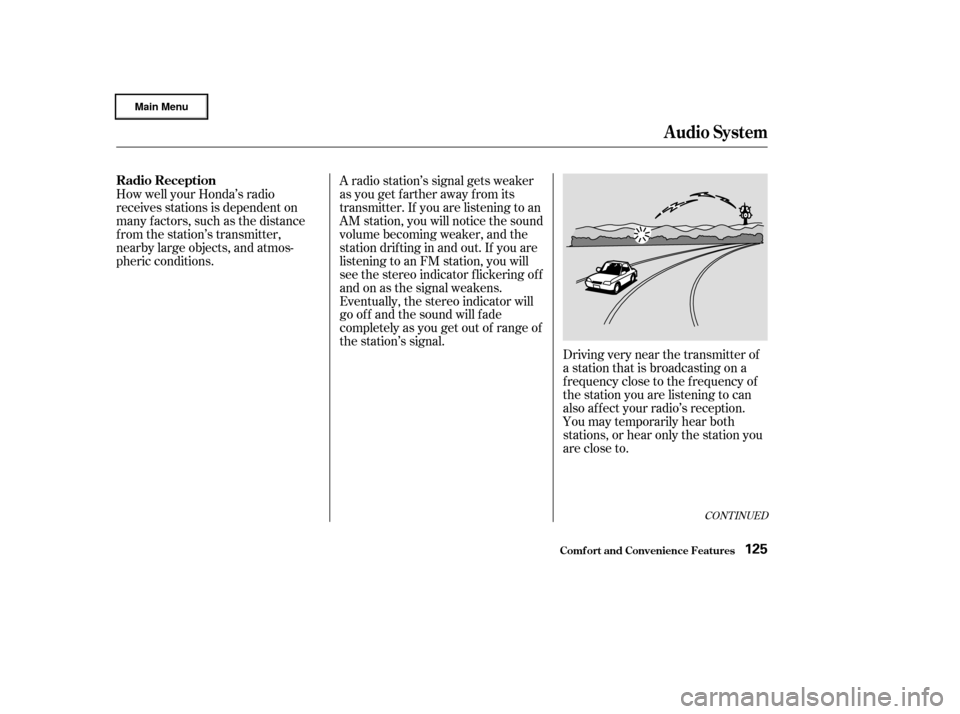
Driving very near the transmitter of
a station that is broadcasting on a
f requency close to the f requency of
the station you are listening to can
also af f ect your radio’s reception.
You may temporarily hear both
stations,orhearonlythestationyou
are close to.
A radio station’s signal gets weaker
as you get f arther away f rom its
transmitter. If you are listening to an
AM station, you will notice the sound
volume becoming weaker, and the
stationdriftinginandout.If youare
listening to an FM station, you will
see the stereo indicator f lickering of f
and on as the signal weakens.
Eventually, the stereo indicator will
go of f and the sound will f ade
completely as you get out of range of
the station’s signal.
How well your Honda’s radio
receives stations is dependent on
many f actors, such as the distance
from the station’s transmitter,
nearby large objects, and atmos-
pheric conditions.
Audio System
Comf ort and Convenience Feat ures
Radio Reception
125
Page 129 of 317
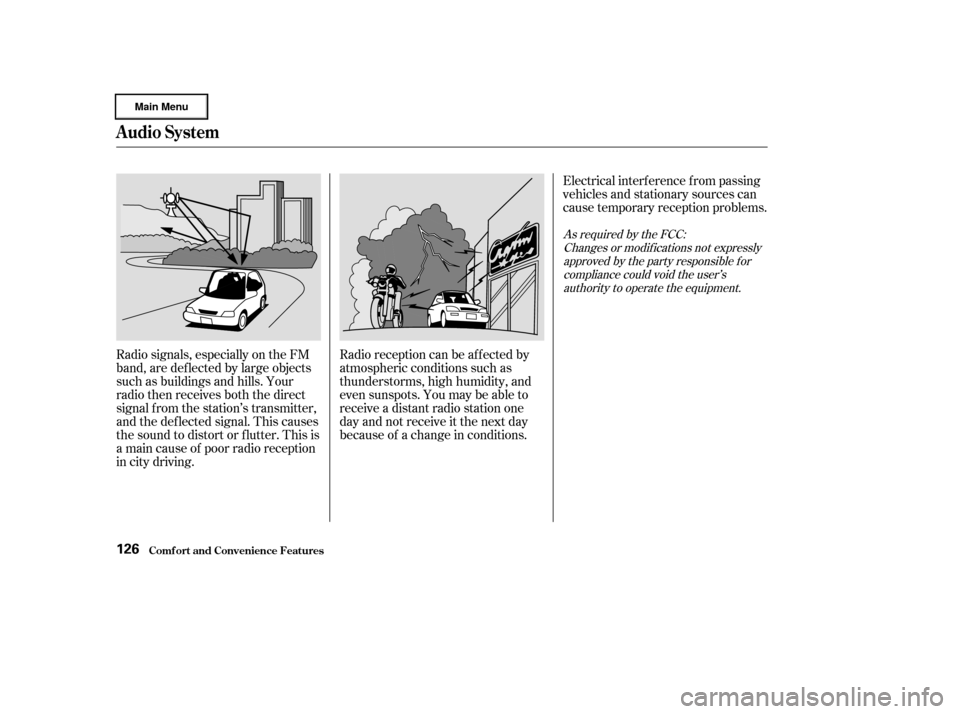
Radio signals, especially on the FM
band, are def lected by large objects
such as buildings and hills. Your
radio then receives both the direct
signal f rom the station’s transmitter,
and the def lected signal. This causes
the sound to distort or flutter. This is
a main cause of poor radio reception
in city driving.Radio reception can be af f ected by
atmospheric conditions such as
thunderstorms, high humidity, and
even sunspots. You may be able to
receive a distant radio station one
day and not receive it the next day
because of a change in conditions.Electrical interf erence f rom passing
vehicles and stationary sources can
cause temporary reception problems.
As required by the FCC:
Changes or modif ications not expresslyapproved by the party responsible f orcompliance could void the user’sauthority to operate the equipment.
Audio System
Comf ort and Convenience Feat ures126