Page 27 of 317
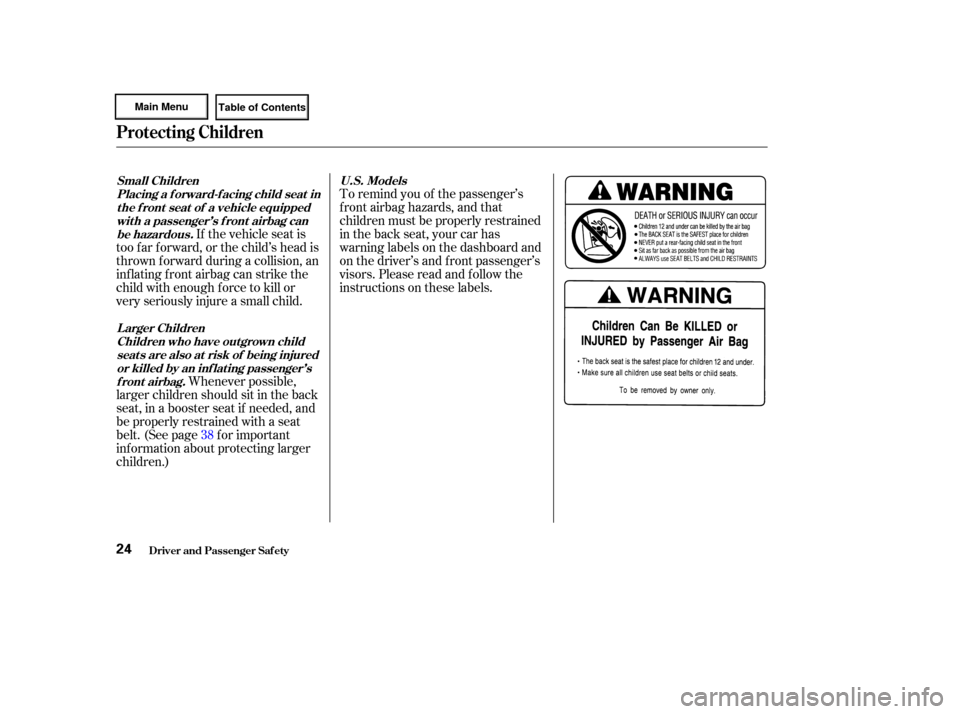
To remind you of the passenger’s
f ront airbag hazards, and that
children must be properly restrained
in the back seat, your car has
warninglabelsonthedashboardand
on the driver’s and f ront passenger’s
visors. Please read and f ollow the
instructions on these labels.
If the vehicle seat is
too far forward, or the child’s head is
thrown f orward during a collision, an
inflating front airbag can strike the
child with enough f orce to kill or
very seriously injure a small child.
Whenever possible,
larger children should sit in the back
seat, in a booster seat if needed, and
be properly restrained with a seat
belt. (See page f or important
inf ormation about protecting larger
children.) 38
U.S. Models
Small Children
Placing a f orward-f acing child seat int he f ront seat of a vehicle equippedwit h a passenger’s f ront airbag canbe hazardous.
Larger ChildrenChildren who have outgrown childseat s are also at risk of being injuredor killed by an inf lat ing passenger’sfront airbag.
Protecting Children
Driver and Passenger Saf ety24
Page 51 of 317

Your Supplemental Restraint System
(SRS) includes:Two f ront airbags. The driver’s
airbag is stored in the center of
the steering wheel; the f ront
passenger’sairbagisstoredinthe
dashboard. Both are marked ‘‘SRS
AIRBAG.’’ A sophisticated electronic system
that continually monitors and
records inf ormation about the
sensors, the control unit, the
airbag activators, and driver and
passenger seat belt use when the
ignition is ON (II).
Sensors that can detect a
moderate to severe frontal
collision. Automatic seat belt tensioners
(see page ). An indicator light on the
instrument panel that alerts you to
a possible problem with the
system (see page ).
Emergency backup power in case
your car’s electrical system is
disconnected in a crash.
If you ever have a moderate to
severe f rontal collision, the sensors
will detect the vehicle’s rapid
deceleration. If the rate of
deceleration is high enough, the
control unit will instantly inf late the
f ront airbags. Your vehicle is equipped with dual-
stage, dual-threshold airbags to help
reduce the chance of airbag-caused
injuries.
51
46
SRS Components
How Your Front A irbags Work
Additional Inf ormation About Your Airbags
Driver and Passenger Saf ety48
Page 58 of 317
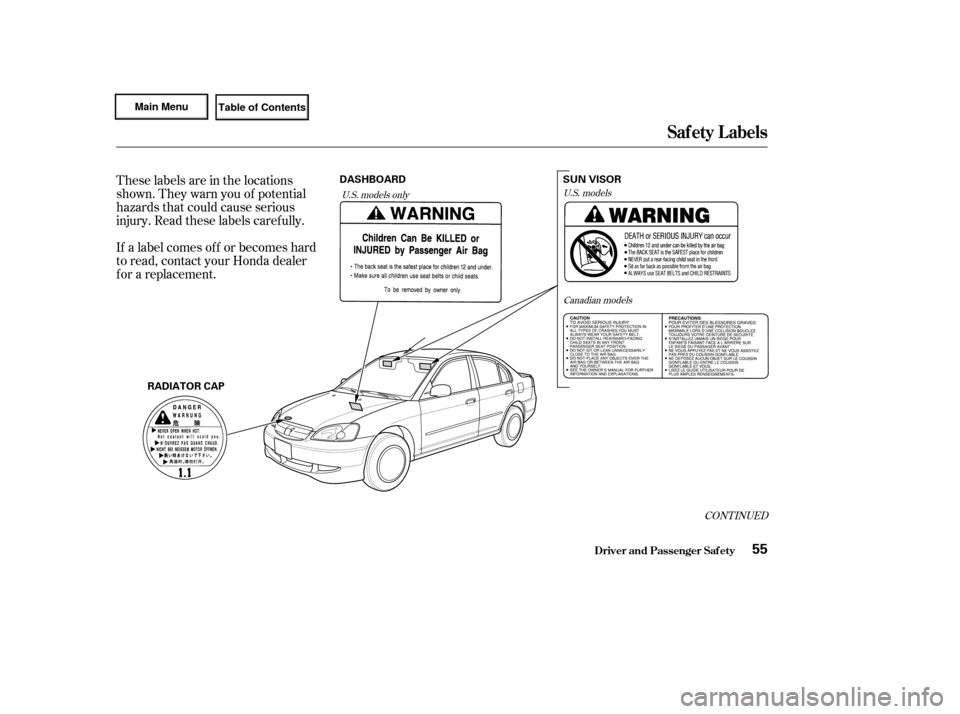
These labels are in the locations
shown. They warn you of potential
hazards that could cause serious
injury. Read these labels caref ully.
If a label comes of f or becomes hard
to read, contact your Honda dealer
f or a replacement.
CONT INUED
U.S. modelsCanadian models
U.S. models only
Saf ety L abels
Driver and Passenger Saf ety55
RADIATOR CAP SUN VISOR
DASHBOARD
Page 77 of 317
�Î�Î
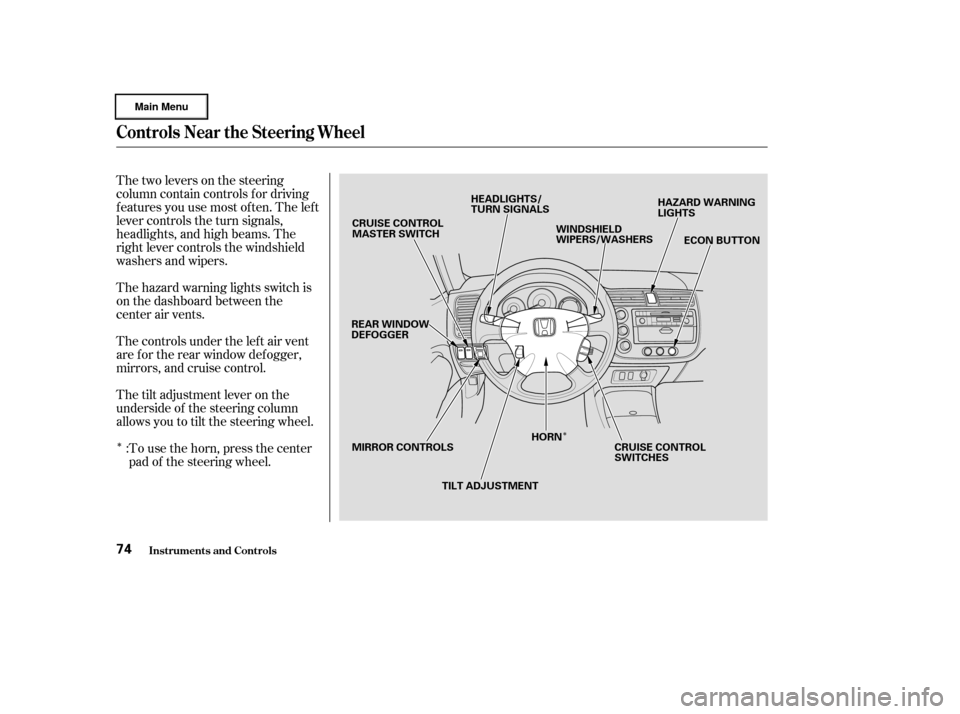
Thetwoleversonthesteering
column contain controls f or driving
f eatures you use most of ten. The lef t
lever controls the turn signals,
headlights, and high beams. The
right lever controls the windshield
washers and wipers.
The hazard warning lights switch is
on the dashboard between the
center air vents.
The controls under the lef t air vent
are f or the rear window def ogger,
mirrors, and cruise control.
The tilt adjustment lever on the
underside of the steering column
allows you to tilt the steering wheel.To use the horn, press the center
pad of the steering wheel.
:
Controls Near the Steering Wheel
Inst rument s and Cont rols74
CRUISE CONTROL
MASTER SWITCH
REAR WINDOW
DEFOGGER
MIRROR CONTROLS TILT ADJUSTMENTHORN
CRUISE CONTROL
SWITCHESECON BUTTON
HAZARD WARNING
LIGHTS
WINDSHIELD
WIPERS/WASHERS
HEADLIGHTS/
TURN SIGNALS
Page 102 of 317
Push the appropriate edge of the
adjustment switch to move the
mirrorright,left,up,ordown.
When you f inish, move the
selector switch to the center (off)
position. This turns of f the
adjustment switch so you can’t
move a mirror out of position by
accidentally bumping the switch.
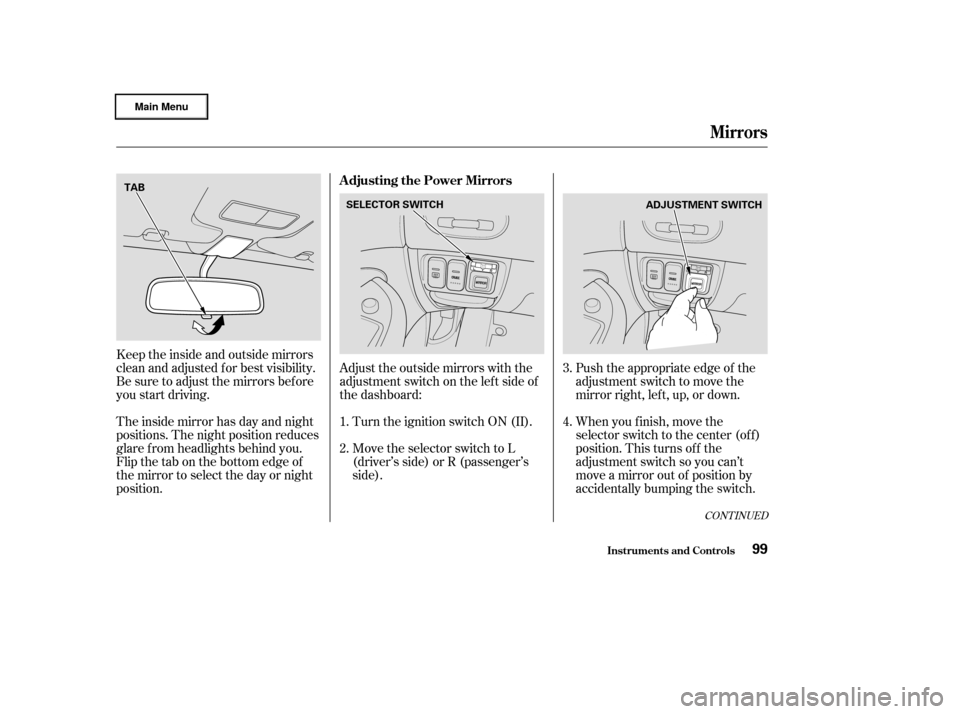
Keeptheinsideandoutsidemirrors
clean and adjusted f or best visibility.
Be sure to adjust the mirrors bef ore
you start driving.
The inside mirror has day and night
positions. The night position reduces
glare f rom headlights behind you.
Flip the tab on the bottom edge of
the mirror to select the day or night
position.
Adjust the outside mirrors with the
adjustment switch on the lef t side of
the dashboard:
Turn the ignition switch ON (II).
Move the selector switch to L
(driver’s side) or R (passenger’s
side). 3.
4.
1.
2.
CONT INUED
Adjusting the Power Mirrors
Mirrors
Inst rument s and Cont rols99
SELECTOR SWITCH
ADJUSTMENT SWITCH
TAB
Page 111 of 317
The heating and cooling system in
your Honda has f ull heating,
ventilation, and air conditioning
capabilities. In combination with the
air conditioning, the system regu-
lates the interior temperature you
select. The system also adjusts the
fanspeedandairflowdirection
automatically depending on the set
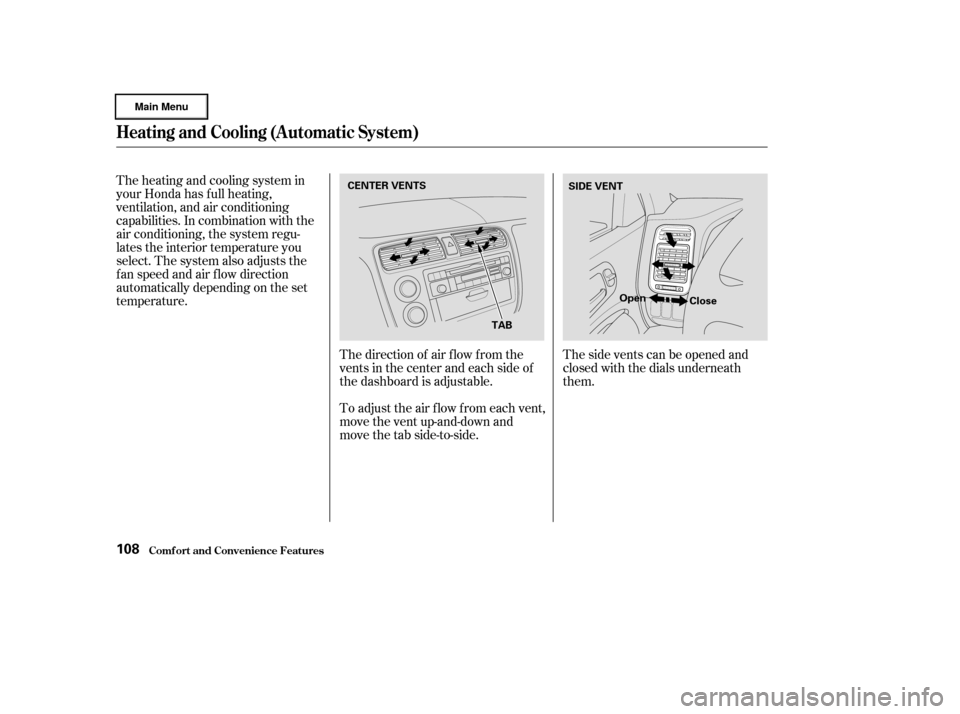
temperature.The direction of air f low f rom the
vents in the center and each side of
the dashboard is adjustable.
To adjust the air f low f rom each vent,
move the vent up-and-down and
move the tab side-to-side.Thesideventscanbeopenedand
closed with the dials underneath
them.
Heating and Cooling (Automatic System)
Comf ort and Convenience Feat ures108
CENTER VENTS
TABSIDE VENT
Open Close
Page 116 of 317

This button controls the source of
the air going into the system. When
the indicator in this button is lit, air
from the car’s interior is sent
through the system again (Recircula-
tion mode). When the indicator is off,
air is brought in f rom outside the car
(Fresh Air mode).
Use Recirculation mode to heat or
cool the interior more quickly, or to
keep out smoke and dust. Leaving
the system in the Recirculation mode
with the A/C off can cause the
windows to f og up. Switch to Fresh
Air mode as soon as the interior
reaches a comf ortable temperature
or the outside smoky, dusty con-
dition clears.You can manually select the f an
speed by turning the f an speed
control dial. Turning this dial
clockwise increases the f an speed,
which increases air flow.
When the dial is set to AUTO, the
system controls the f an speed
automatically.
When the f an speed control dial is
of f , the Auto Idle Stop works under
certain conditions (see pages
and ). Use the MODE control dial to select
the vents the air flows from. Some
air will f low f rom the dashboard
corner vents in all modes.
In AUTO mode, the system controls
the air f low direction automatically
between the dashboard vents and
the f loor vents.
163 171
CONT INUED
Heating and Cooling (Automatic System)
Comf ort and Convenience Feat ures
Recirculat ion But t on
Fan SpeedMode Cont rol Dial
113
Page 117 of 317
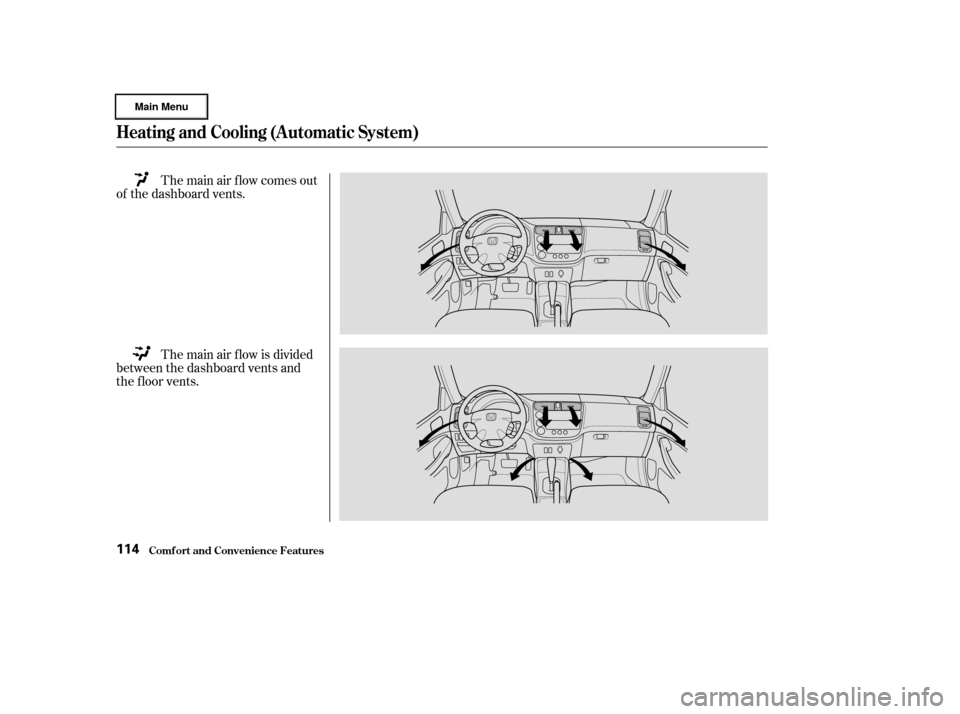
The main air flow comes out
of the dashboard vents.
The main air f low is divided
between the dashboard vents and
the f loor vents.
Heating and Cooling (Automatic System)
Comf ort and Convenience Feat ures114