2003 GMC SIERRA DENALI turn signal
[x] Cancel search: turn signalPage 131 of 428
Turn Signal On Chime
If your turn signal is left on for more than 3/4 of a mile
(1.2 km), a chime will sound at each flash of the
turn signal. To turn
off the chime, move the turn signal
lever to the
off position.
Headlamp High/Low Beam Changer
To change the headlamps from low to high beam, push
the lever toward the instrument panel.
To return the
low-beam headlamps, pull the multifunction lever toward
you. Then release it.
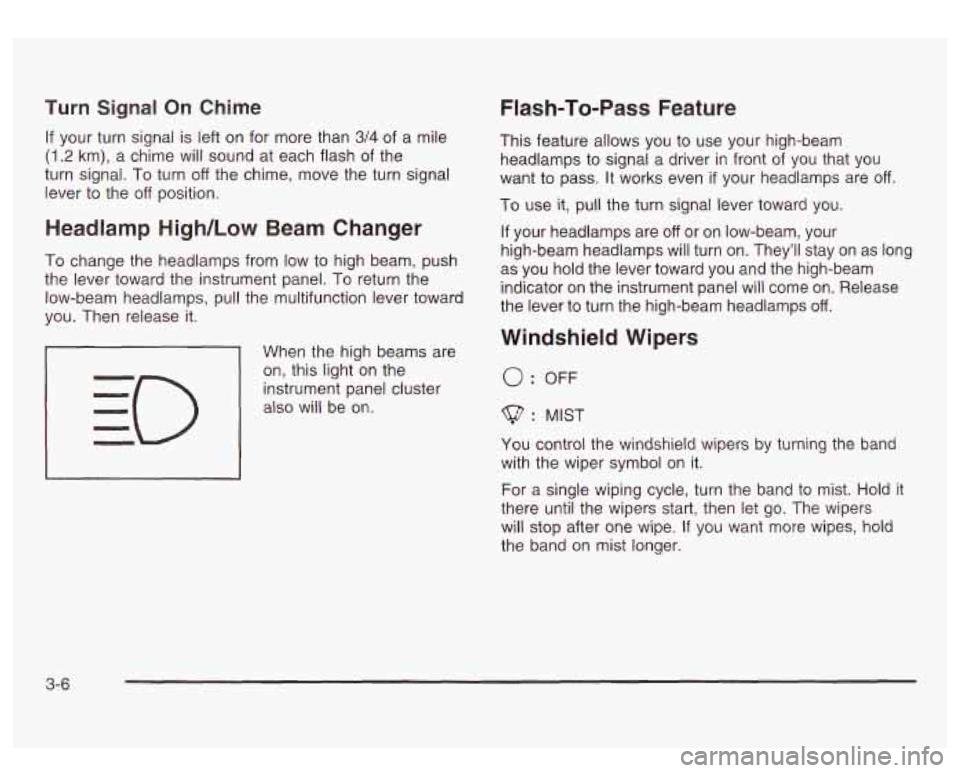
When the high beams are
on, this light on the
instrument panel cluster
also will be on.
I I
Flash-To-Pass Feature
This feature allows you to use your high-beam
headlamps to signal a driver in front
of you that you
want to pass. It works even
if your headlamps are off
To use it, pull the turn signal lever toward you.
If your headlamps are
off or on low-beam, your
high-beam headlamps will turn on. They’ll stay on as long
as you hold the lever toward you and the high-beam
indicator on the instrument panel will come on. Release
the lever
to turn the high-beam headlamps off.
Windshield Wipers
0: OFF
$? : MIST
You control the windshield wipers by turning the band
with the wiper symbol on it.
For a single wiping cycle, turn the band to mist.
Hold it
there until the wipers start, then let go. The wipers
will stop after one wipe.
If you want more wipes, hold
the band on mist longer.
3-6
Page 136 of 428
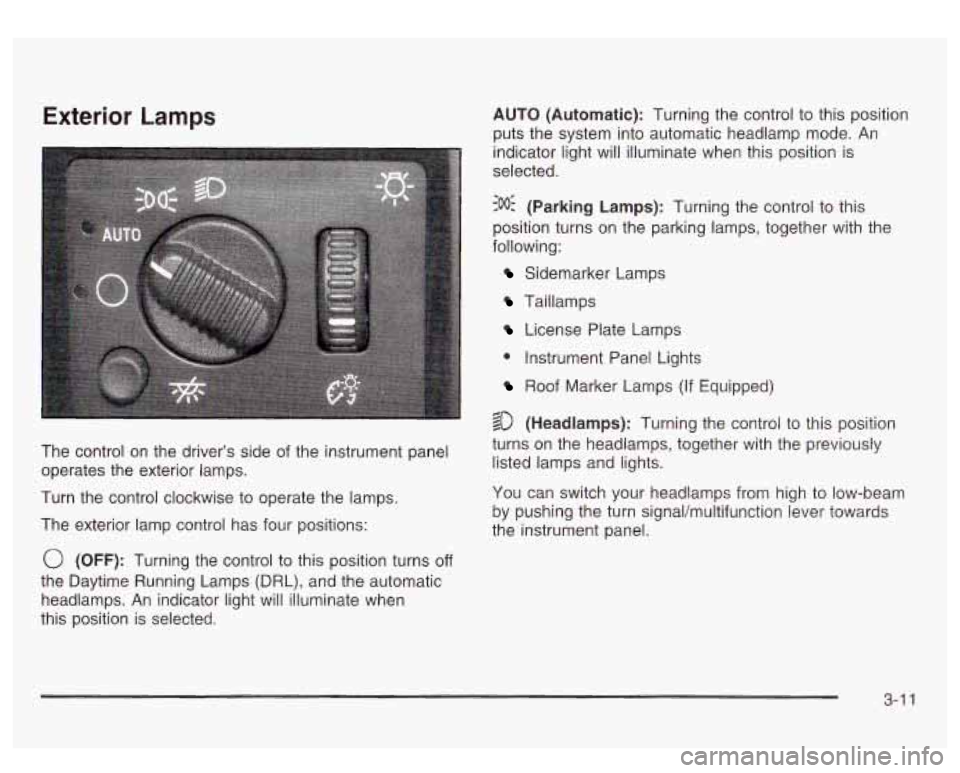
Exterior Lamps
The control on the driver’s side of the instrument panel
operates the exterior lamps.
Turn the control clockwise to operate the lamps.
The exterior lamp control has four positions:
0 (OFF): Turning the control to this position turns off
the Daytime Running Lamps (DRL), and the automatic
headlamps. An indicator light will illuminate when
this position is selected. AUTO
(Automatic): Turning the control to this position
puts the system into automatic headlamp mode.
An
indicator light will illuminate when this position is
selected.
:oO: (Parking Lamps): Turning the control to this
position turns on the parking lamps, together with the
following:
Sidemarker Lamps
Taillamps
License Plate Lamps
0 Instrument Panel Lights
Roof Marker Lamps (If Equipped)
$0 (Headlamps): Turning the control to this position
turns on the headlamps, together with the previously
listed lamps and lights.
You can switch your headlamps from high to low-beam
by pushing the turn signal/multifunction lever towards
the instrument panel.
3-1 1
Page 181 of 428
SERVICE 4WD
If a problem occurs with the four wheel drive system,
this message will appear on the DIC.
If this message
appears, stop as soon as possible and turn
off the
vehicle. Restart the vehicle and check for the message
on the DIC display. If the message is still displayed,
or appears again when you begin driving, the four wheel
drive system needs service.
SERVICE AIR SUSPENSION
If a problem occurs with the suspension system, this
message will appear
on the DIC. If this message
appears, stop as soon as possible and turn
off the
vehicle. Restart the vehicle and check for the message
on the DIC display. If the message is still displayed,
or appears again when you begin driving, the air
suspension system needs service.
TURN SIGNAL ON
If a turn signal is left on for 314 of a mile (1.2 km), this
message will appear on the display and you will
hear a chime. Move the turn signaVmultifunction lever to
the
off position. Pressing the select button will
acknowledge this message and clear it from the DIC
display.
CARGO LAMP ON
If the cargo lamp is on, this message will appear on the
DIC and you will hear a chime. Turn
off the vehicle
and check the liftgate. Restart the vehicle and check for
the message on the
DIC display. Pressing the select
button will acknowledge this message and clear it from
the DIC display.
3-56
Page 188 of 428
XMTM Radio Satellite Service (USA Only): XMTM is a
continental
U.S. based satellite radio service that
offers 100 coast to coast channels including music,
news, sports, talk and children’s programming. XMTM
provides digital quality audio and text information,
including song title and artist name. A service fee is
required in order to receive the XMTM service. For more
information, contact XMTM at www.xmradio.com or
call 1 -800-852-XMXM
(9696).
Digital Audio Broadcast (DAB) (Canada Only): DAB
is a Canadian land-based radio service that offers
digital quality audio and text information including song
title, artist name, traffic, weather, emergency
announcements and more. Digital Audio Broadcast
transmission services are currently available
in Toronto,
Montreal, Vancouver, Ottawa, and Windsor. In fringe
areas signals may be interrupted by buildings, trees and
other obstructions. Additional services will be added
in the future. For current DAB coverage and other
information consult the GM Canada website at
www.gmcanada.com, your dealer or call
1-800-263-3777.
Playing the Radio
PWR (Power): Press this knob to turn the system on
and off.
VOL (Volume): Turn this knob to increase or to
decrease volume.
AUTO VOL (Automatic Volume): Your audio system
monitors the noise inside your vehicle. To use automatic
volume, press the AUTO VOL button until AVOL
ON
appears on the display. Then, automatic volume
will automatically adjust the volume of your radio
so that
it always sounds the same to you. To turn the
automatic volume off, press the AUTO VOL button until
AVOL
OFF appears on the display.
3-63
Page 189 of 428
DlSP (Display): Push this knob to switch the display
between radio station frequency and time. Time display
is available with the ignition turned off.
For RDS, push this knob to change what appears on
the display while using RDS. The display options
are station name, RDS station frequency, PTY and the
name of the program
(if available).
For XMTM (USA only,
if your radio is equipped with
XMTM Satellite Radio Service), push this knob while in
XM mode to retrieve various pieces of information
related to the current song or channel. By pressing and
releasing this knob, you may retrieve four different
categories of information: Artist, Song Title, Category
or
PTY, Channel NumberKhannel Name.
For DAB (Canada only,
if your radio is equipped with
DAB), pushing this knob switches the display between
channel name and PTY name.
To change the default on the display, push this knob
until you see the display you want, then hold the knob
for two seconds. The radio will produce one beep
and selected display will now be the default.
Finding a Station
BAND: Press this button to switch between AM, FM,
FM2, or XM1, XM2 (USA only,
if your radio is equipped
with XMTM Satellite Radio Service) or DABl, DAB2
(Canada only,
if your radio is equipped with DAB). The
display will show your selection.
TUNE: Turn this knob to choose radio stations.
For DAB (Canada only,
if your radio is equipped with
DAB), the TUNE knob allows
you to navigate the
DAB frequency range. Turning this knob will tune up or
tune down the range. The radio will display the letter
L with a number next to it (1 through 23). Each L number
refers to a frequency and there can be multiple
stations contained in one frequency. It may also take a
few seconds, once you have tuned to a frequency,
for that frequency to gather all of the stations.
Depending on how many stations are within a frequency,
with every tune up or down, you may be tuning to
another station or to another frequency. The display will
show your selections.
4 SEEK b : Press the right or the left arrow to seek
to the next or to the previous station and stay there.
The radio will seek only to stations that are in the
selected band and only to those with a strong signal.
3-64
Page 190 of 428
4 SCAN b : Press and hold one of the arrows for
more than two seconds. The radio will produce
one beep. The radio will scan to a station, play for a few
seconds, then go on to the next station. SCAN will be
displayed. Press one of the arrows again to stop
scanning.
The radio will scan only to stations that are in the
selected band and only to those with a strong signal.
To scan preset stations, press and hold one
of the
arrows for more than four seconds. The radio will
produce two beeps. The radio will scan to the first preset
station, play for a few seconds, then go on to the next
preset station. PSCN will be displayed. Press one of the
arrows again or one of the pushbuttons to stop
scanning.
The radio will scan only to preset stations that are in the
selected band and only to those with a strong signal.
Setting Preset Stations
The six numbered pushbuttons let you return to your
favorite stations. You can set up to
30 stations (six AM,
six FMl and six FM2, six XMI and six XM2 (USA
only,
if your radio is equipped with the XM Satellite
Radio Service) or six DAB1 and six DAB2 (Canada only,
if your radio is equipped with DAB), by performing the
following steps:
1.
2.
3.
4.
5.
6.
Turn the radio on.
Press BAND to select AM, FM1 or FM2, or XMl.
XM2, or DAB1, DAB2.
Tune
in the desired station.
Press AUTO
EQ to select the equalization that best
suits the type of station you are listening to.
Press and hold one of the six numbered
pushbuttons. The radio will produce one beep.
Whenever you press that numbered pushbutton, the
station you set will return and the bass and treble
equalization that you selected will also be
automatically selected for that pushbutton.
Repeat the steps for each pushbutton.
3-65
Page 224 of 428
a
Check your mirrors, glance over your shoulder and
start your left lane change signal before moving out
of the right lane
to pass. When you are far enough
ahead of the passed vehicle to see its front in your
inside mirror, activate your right lane change signal
and move back into the right lane. (Remember that
if
your right outside mirror is convex, the vehicle you
just passed may seem
to be farther away from you
than it really is.)
Try not to pass more than one vehicle at a time on
two-lane roads. Reconsider before passing the next
vehicle.
Don’t overtake a slowly moving vehicle too rapidly.
Even though the brake lamps are not flashing, it may
be slowing down or starting to turn.
If you’re being passed, make
it easy for the following
driver to get ahead
of you. Perhaps you can ease a
little
to the right.
Loss of Control
Let’s review what driving experts say about what
happens when the three control systems (brakes,
steering and acceleration) don’t have enough friction
where the tires meet the road to do what the driver
has asked.
In any emergency, don’t give up. Keep trying
to steer
and constantly seek an escape route or area of
less danger.
Skidding
In a skid, a driver can lose control of the vehicle.
Defensive drivers avoid most skids by taking reasonable
care suited
to existing conditions, and by not
“overdriving” those conditions. But skids are always
possible.
The three types of skids correspond to your vehicle’s
three control systems. In the braking skid, your wheels
aren’t rolling. In the steering or cornering skid, too
much speed or steering
in a curve causes tires to slip
and lose cornering force. And in the acceleration
skid, too much throttle causes the driving wheels
to spin.
A cornering skid is best handled by easing your foot
off
the accelerator pedal.
If your vehicle starts to slide, ease your foot off the
accelerator pedal and quickly steer the way you want
the vehicle
to go. If you start steering quickly enough,
your vehicle may straighten out. Always be ready
for a second skid
if it occurs.
Of course, traction is reduced when water, snow, ice,
gravel or other material
is on the road. For safety, you’ll
want to slow down and adjust your driving
to these
conditions.
It is important to slow down on slippery
surfaces because stopping distance will be longer and
vehicle control more limited.
4-1 5
Page 229 of 428
Surface Obstacles: Unseen or hidden obstacles can
be hazardous. A rock, log, hole, rut or bump can startle
you
if you’re not prepared for them. Often these
obstacles are hidden by grass, bushes, snow or even
the rise and fall of the terrain itself. Here are some
things to consider:
Is the path ahead clear?
Will the surface texture change abruptly up ahead?
Does the travel take you uphill or downhill?
(There’s more discussion of these subjects later.)
Will you have to stop suddenly or change direction
quickly?
When you drive over obstacles or rough terrain, keep a
firm grip on the steering wheel. Ruts, toughs or other
surface features can jerk the wheel out of your hands
if
you’re not prepared.
When you drive over bumps, rocks, or other obstacles,
your wheels can leave the ground. If this happens,
even with one or two wheels, you can’t control
the vehicle as well or at all. Because you
will be on an unpaved surface, it’s
especially important to avoid sudden acceleration,
sudden turns or sudden braking.
In a way, off-road driving requires a different kind of
alertness from driving on paved roads and highways.
There are no road signs, posted speed limits or
signal lights. You have to use your own good judgment
about what is safe and what isn’t.
Drinking and driving can be very dangerous on any
road. And this is certainly true for off-road driving. At the
very time you need special alertness and driving
skills, your reflexes, perceptions and judgment can be
affected by even
a small amount of alcohol. You
could have a serious
- or even fatal - accident if you
drink and drive or ride with a driver who has been
drinking. See
Drunken Driving on page 4-2.
4-20