Page 39 of 240
15 seconds after the door is shut. If any other door has been opened
from the inside, the lamp will shut off immediately after the door is
closed.
Map lamps (if equipped)
The map lamps and controls are
located on the dome lamp. Press the
controls on either side of each map
lamp to activate the lamps.
Rear dome lamp
The dome lamp lights when:
•any door is opened (and switch is
in middle position).
•the instrument panel dimmer
switch is held up until the
courtesy lamps come on.
•any of the remote entry controls
are pressed and the ignition is OFF (and switch is in the middle
position).
With the ignition key in the ACC or ON position, the rear dome lamp can
be turned ON or OFF by sliding the control.
Rear courtesy/reading lamps (if equipped)
The courtesy lamp lights can be
turned on with rocker switch at any
time.
Lights
39
Page 40 of 240
BULBS
Replacing exterior bulbs
Check the operation of all the bulbs frequently.
Using the right bulbs
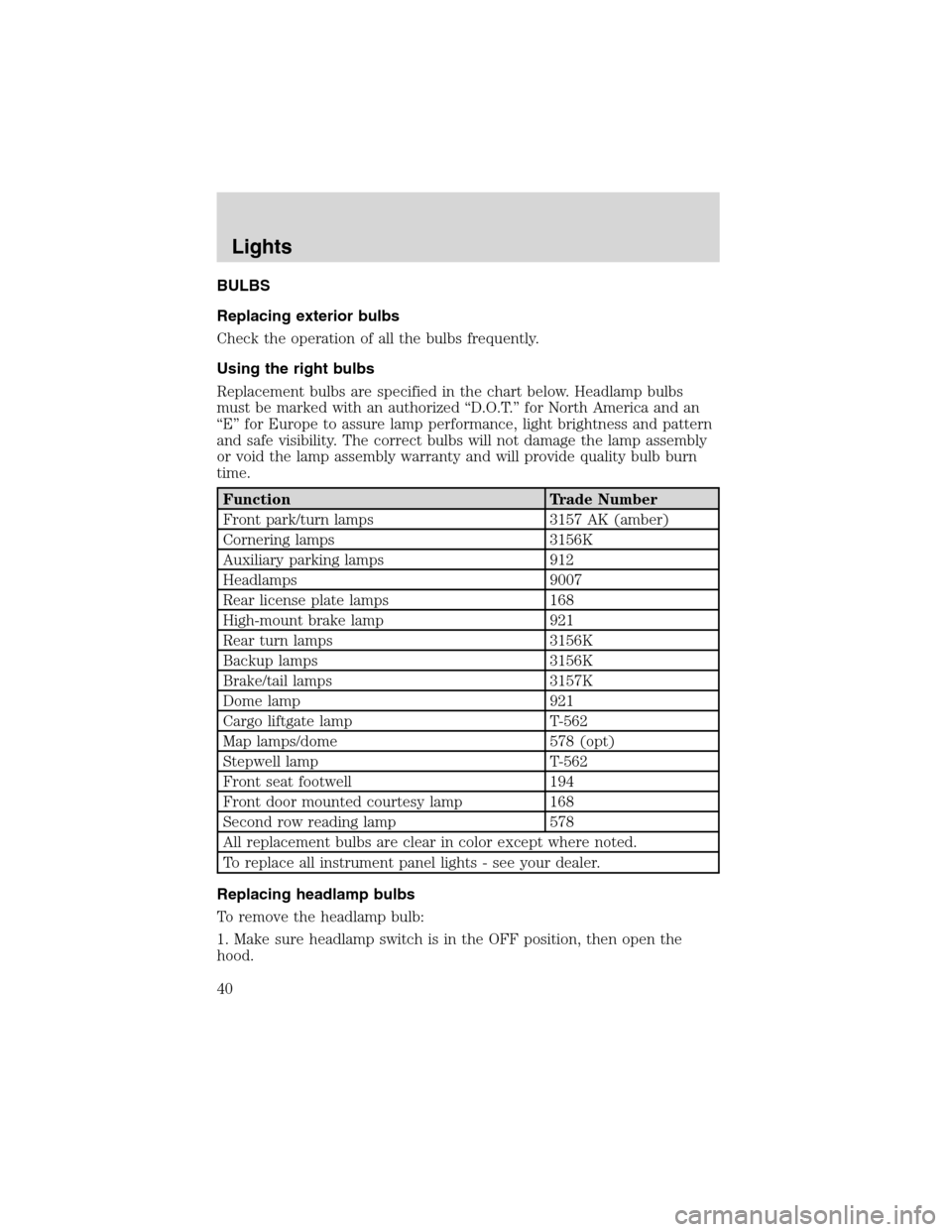
Replacement bulbs are specified in the chart below. Headlamp bulbs
must be marked with an authorized“D.O.T.”for North America and an
“E”for Europe to assure lamp performance, light brightness and pattern
and safe visibility. The correct bulbs will not damage the lamp assembly
or void the lamp assembly warranty and will provide quality bulb burn
time.
Function Trade Number
Front park/turn lamps 3157 AK (amber)
Cornering lamps 3156K
Auxiliary parking lamps 912
Headlamps 9007
Rear license plate lamps 168
High-mount brake lamp 921
Rear turn lamps 3156K
Backup lamps 3156K
Brake/tail lamps 3157K
Dome lamp 921
Cargo liftgate lamp T-562
Map lamps/dome 578 (opt)
Stepwell lamp T-562
Front seat footwell 194
Front door mounted courtesy lamp 168
Second row reading lamp 578
All replacement bulbs are clear in color except where noted.
To replace all instrument panel lights - see your dealer.
Replacing headlamp bulbs
To remove the headlamp bulb:
1. Make sure headlamp switch is in the OFF position, then open the
hood.
Lights
40
Page 41 of 240
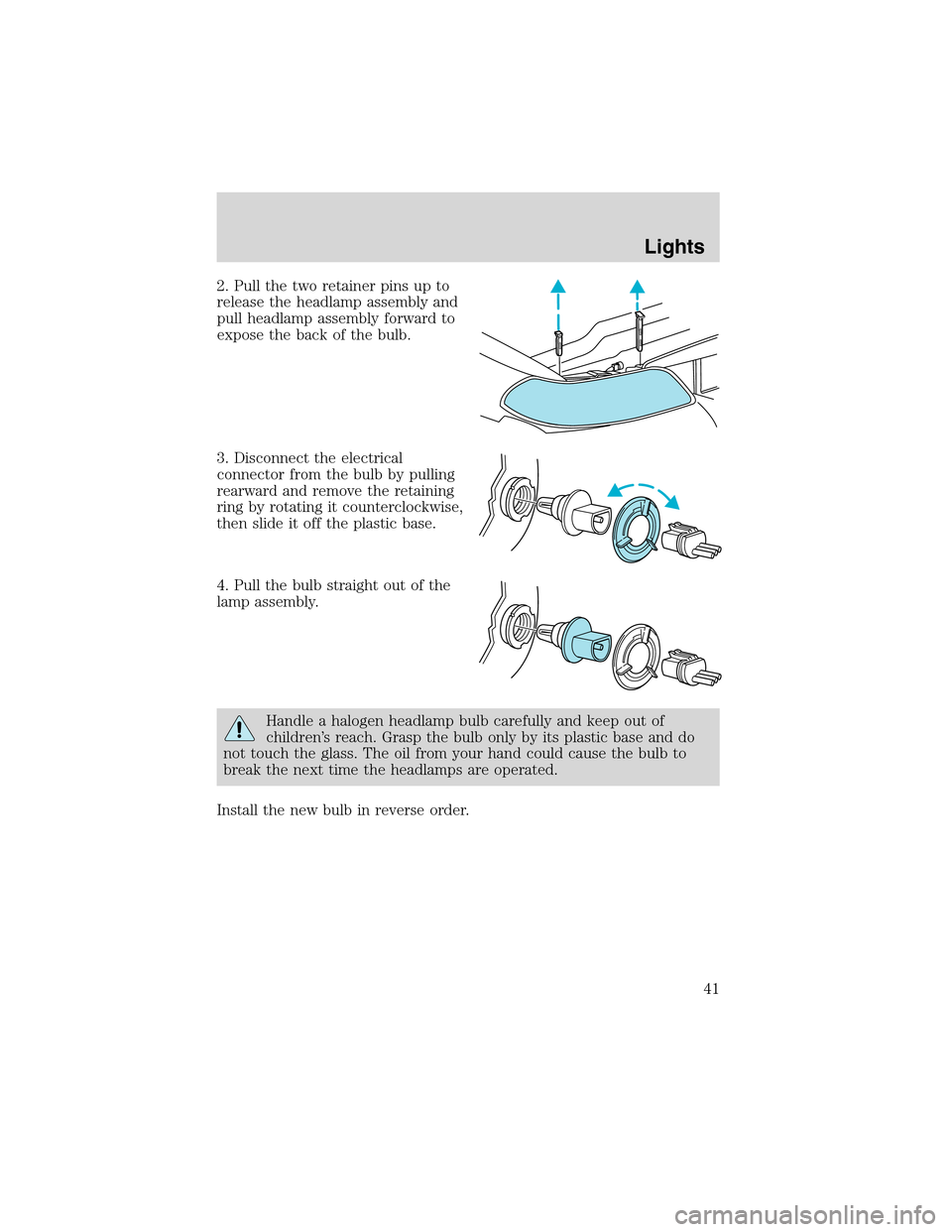
2. Pull the two retainer pins up to
release the headlamp assembly and
pull headlamp assembly forward to
expose the back of the bulb.
3. Disconnect the electrical
connector from the bulb by pulling
rearward and remove the retaining
ring by rotating it counterclockwise,
then slide it off the plastic base.
4. Pull the bulb straight out of the
lamp assembly.
Handle a halogen headlamp bulb carefully and keep out of
children’s reach. Grasp the bulb only by its plastic base and do
not touch the glass. The oil from your hand could cause the bulb to
break the next time the headlamps are operated.
Install the new bulb in reverse order.
Lights
41
Page 42 of 240
Replacing front parking/turn signal bulbs
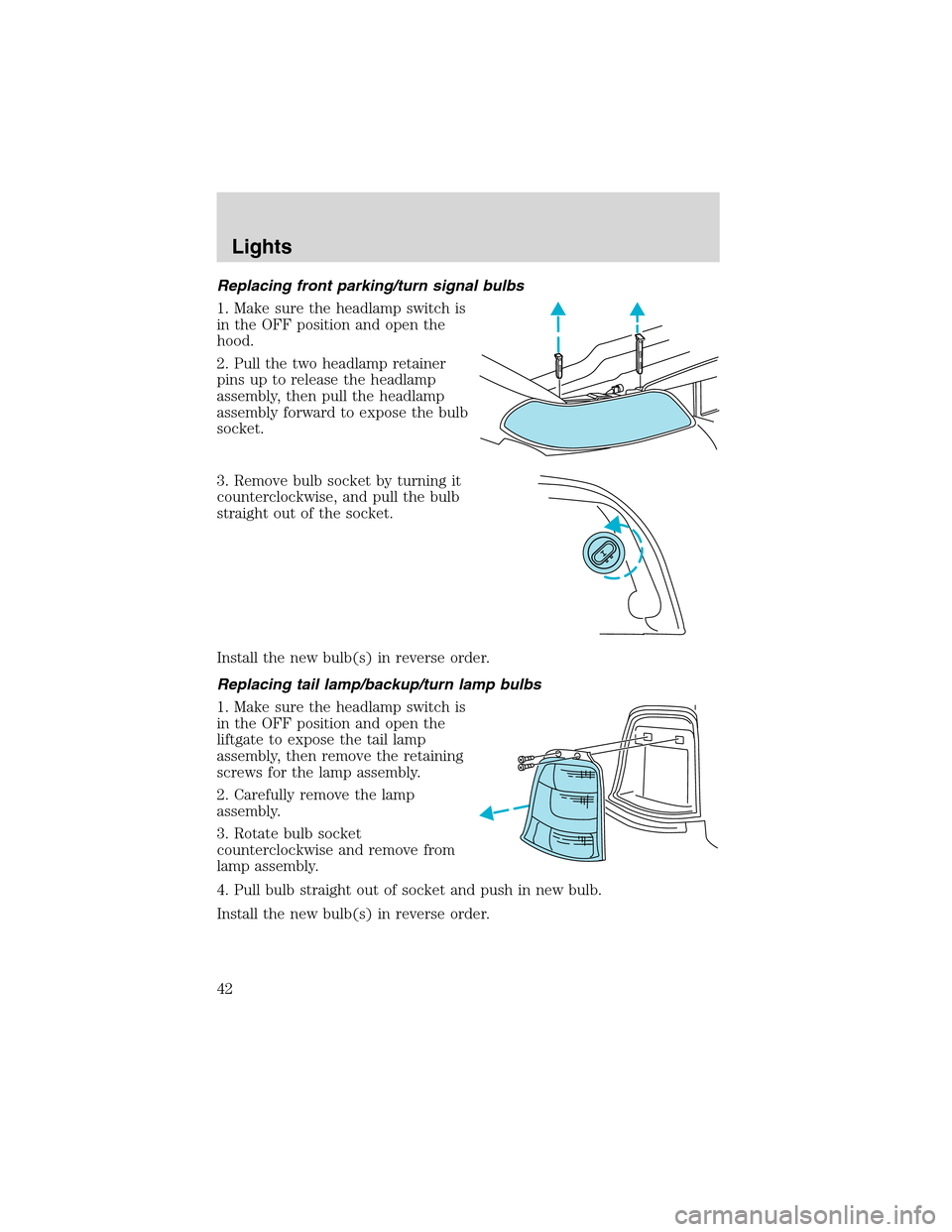
1. Make sure the headlamp switch is
in the OFF position and open the
hood.
2. Pull the two headlamp retainer
pins up to release the headlamp
assembly, then pull the headlamp
assembly forward to expose the bulb
socket.
3. Remove bulb socket by turning it
counterclockwise, and pull the bulb
straight out of the socket.
Install the new bulb(s) in reverse order.
Replacing tail lamp/backup/turn lamp bulbs
1. Make sure the headlamp switch is
in the OFF position and open the
liftgate to expose the tail lamp
assembly, then remove the retaining
screws for the lamp assembly.
2. Carefully remove the lamp
assembly.
3. Rotate bulb socket
counterclockwise and remove from
lamp assembly.
4. Pull bulb straight out of socket and push in new bulb.
Install the new bulb(s) in reverse order.
Lights
42
Page 43 of 240
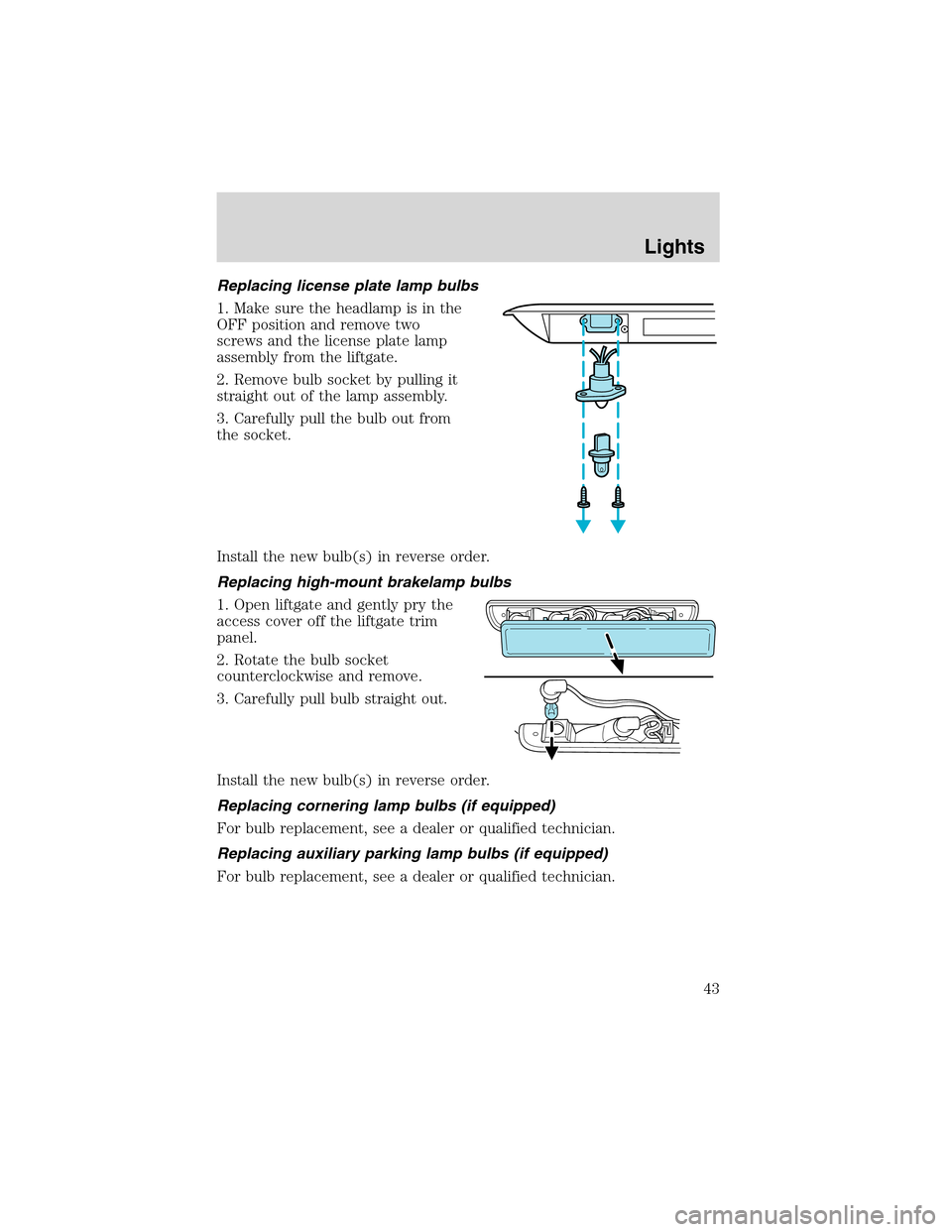
Replacing license plate lamp bulbs
1. Make sure the headlamp is in the
OFF position and remove two
screws and the license plate lamp
assembly from the liftgate.
2. Remove bulb socket by pulling it
straight out of the lamp assembly.
3. Carefully pull the bulb out from
the socket.
Install the new bulb(s) in reverse order.
Replacing high-mount brakelamp bulbs
1. Open liftgate and gently pry the
access cover off the liftgate trim
panel.
2. Rotate the bulb socket
counterclockwise and remove.
3. Carefully pull bulb straight out.
Install the new bulb(s) in reverse order.
Replacing cornering lamp bulbs (if equipped)
For bulb replacement, see a dealer or qualified technician.
Replacing auxiliary parking lamp bulbs (if equipped)
For bulb replacement, see a dealer or qualified technician.
Lights
43
Page 51 of 240
Power vent windows (if equipped)
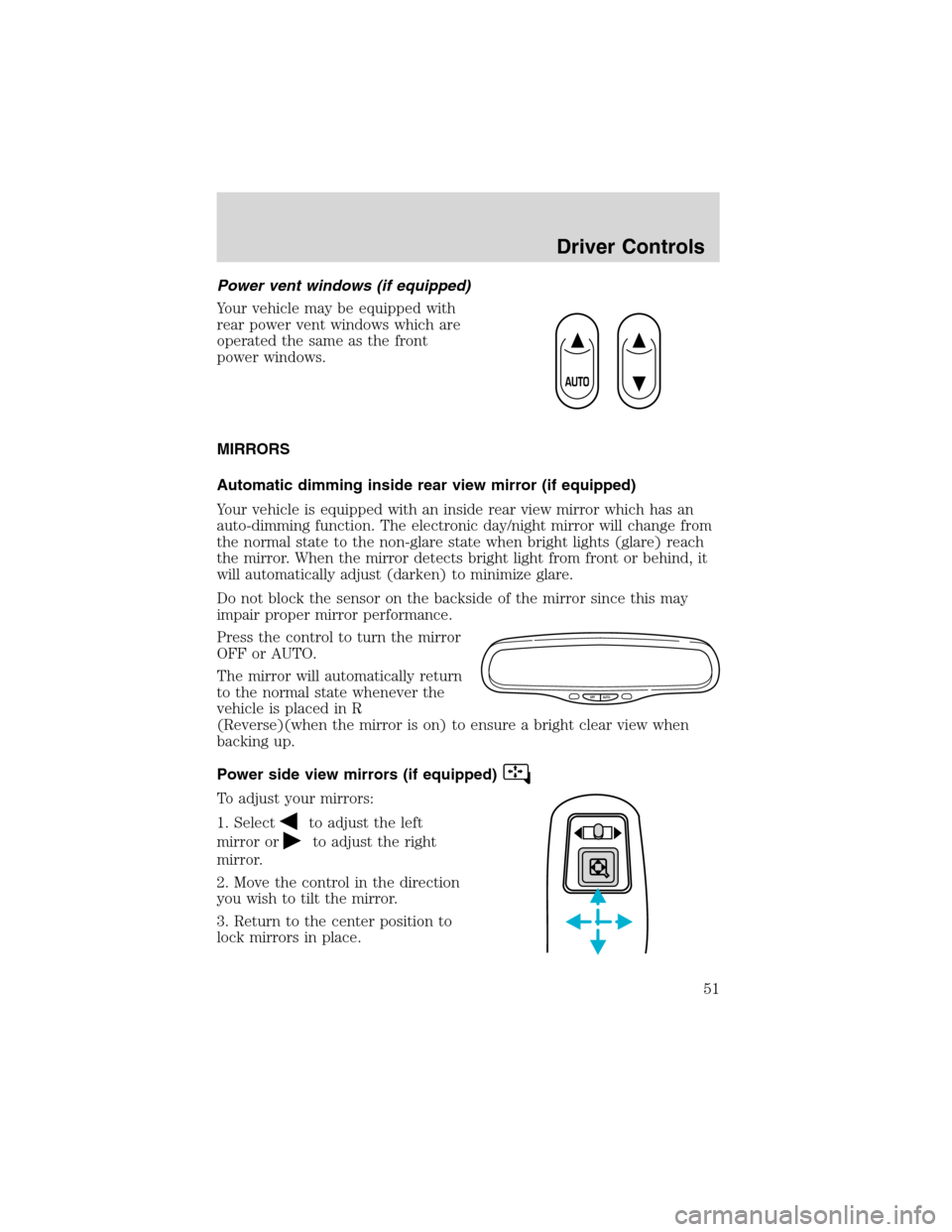
Your vehicle may be equipped with
rear power vent windows which are
operated the same as the front
power windows.
MIRRORS
Automatic dimming inside rear view mirror (if equipped)
Your vehicle is equipped with an inside rear view mirror which has an
auto-dimming function. The electronic day/night mirror will change from
the normal state to the non-glare state when bright lights (glare) reach
the mirror. When the mirror detects bright light from front or behind, it
will automatically adjust (darken) to minimize glare.
Do not block the sensor on the backside of the mirror since this may
impair proper mirror performance.
Press the control to turn the mirror
OFF or AUTO.
The mirror will automatically return
to the normal state whenever the
vehicle is placed in R
(Reverse)(when the mirror is on) to ensure a bright clear view when
backing up.
Power side view mirrors (if equipped)
To adjust your mirrors:
1. Select
to adjust the left
mirror or
to adjust the right
mirror.
2. Move the control in the direction
you wish to tilt the mirror.
3. Return to the center position to
lock mirrors in place.
OFF AUTO
Driver Controls
51
Page 67 of 240
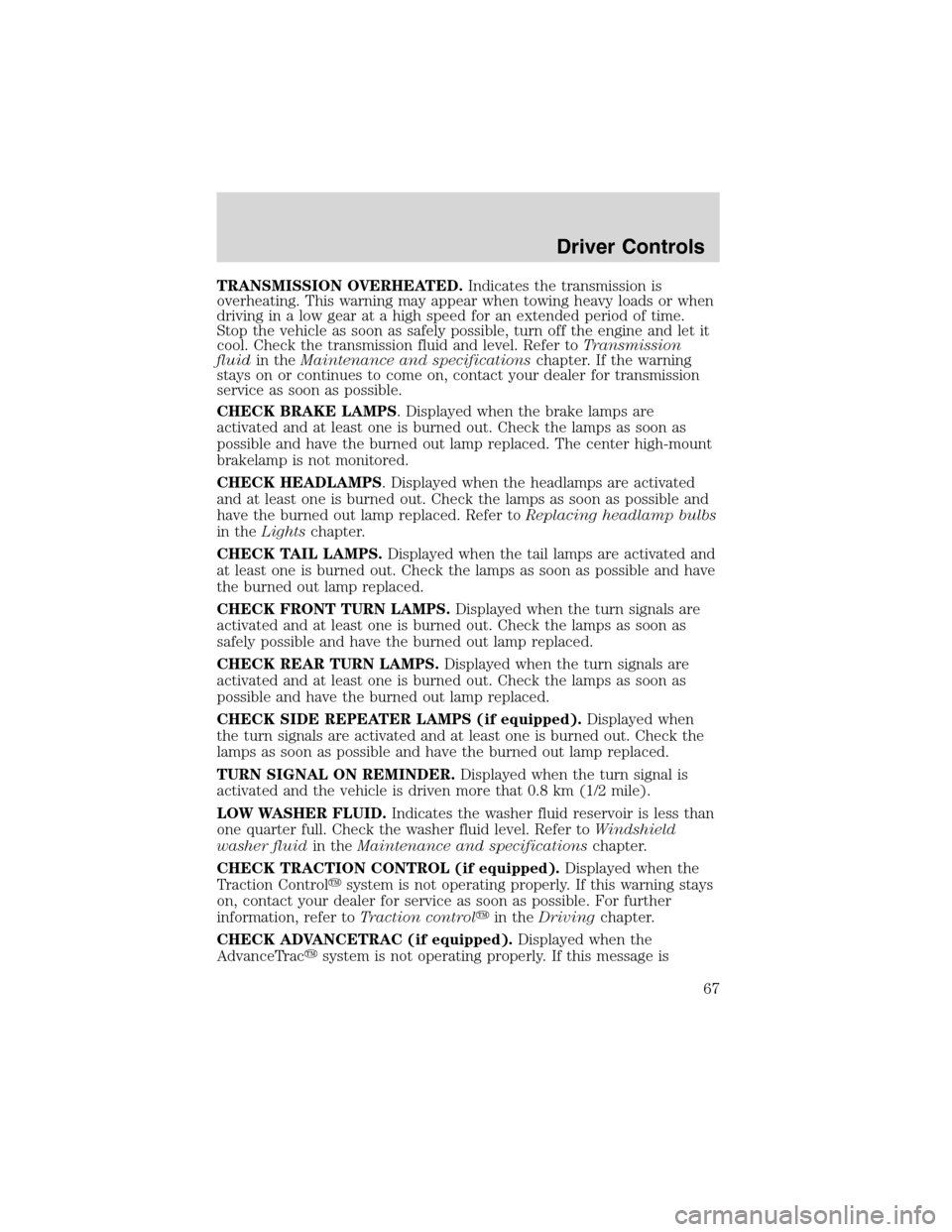
TRANSMISSION OVERHEATED.Indicates the transmission is
overheating. This warning may appear when towing heavy loads or when
driving in a low gear at a high speed for an extended period of time.
Stop the vehicle as soon as safely possible, turn off the engine and let it
cool. Check the transmission fluid and level. Refer toTransmission
fluidin theMaintenance and specificationschapter. If the warning
stays on or continues to come on, contact your dealer for transmission
service as soon as possible.
CHECK BRAKE LAMPS. Displayed when the brake lamps are
activated and at least one is burned out. Check the lamps as soon as
possible and have the burned out lamp replaced. The center high-mount
brakelamp is not monitored.
CHECK HEADLAMPS. Displayed when the headlamps are activated
and at least one is burned out. Check the lamps as soon as possible and
have the burned out lamp replaced. Refer toReplacing headlamp bulbs
in theLightschapter.
CHECK TAIL LAMPS.Displayed when the tail lamps are activated and
at least one is burned out. Check the lamps as soon as possible and have
the burned out lamp replaced.
CHECK FRONT TURN LAMPS.Displayed when the turn signals are
activated and at least one is burned out. Check the lamps as soon as
safely possible and have the burned out lamp replaced.
CHECK REAR TURN LAMPS.Displayed when the turn signals are
activated and at least one is burned out. Check the lamps as soon as
possible and have the burned out lamp replaced.
CHECK SIDE REPEATER LAMPS (if equipped).Displayed when
the turn signals are activated and at least one is burned out. Check the
lamps as soon as possible and have the burned out lamp replaced.
TURN SIGNAL ON REMINDER.Displayed when the turn signal is
activated and the vehicle is driven more that 0.8 km (1/2 mile).
LOW WASHER FLUID.Indicates the washer fluid reservoir is less than
one quarter full. Check the washer fluid level. Refer toWindshield
washer fluidin theMaintenance and specificationschapter.
CHECK TRACTION CONTROL (if equipped).Displayed when the
Traction Control�system is not operating properly. If this warning stays
on, contact your dealer for service as soon as possible. For further
information, refer toTraction control�in theDrivingchapter.
CHECK ADVANCETRAC (if equipped).Displayed when the
AdvanceTrac�system is not operating properly. If this message is
Driver Controls
67
Page 78 of 240
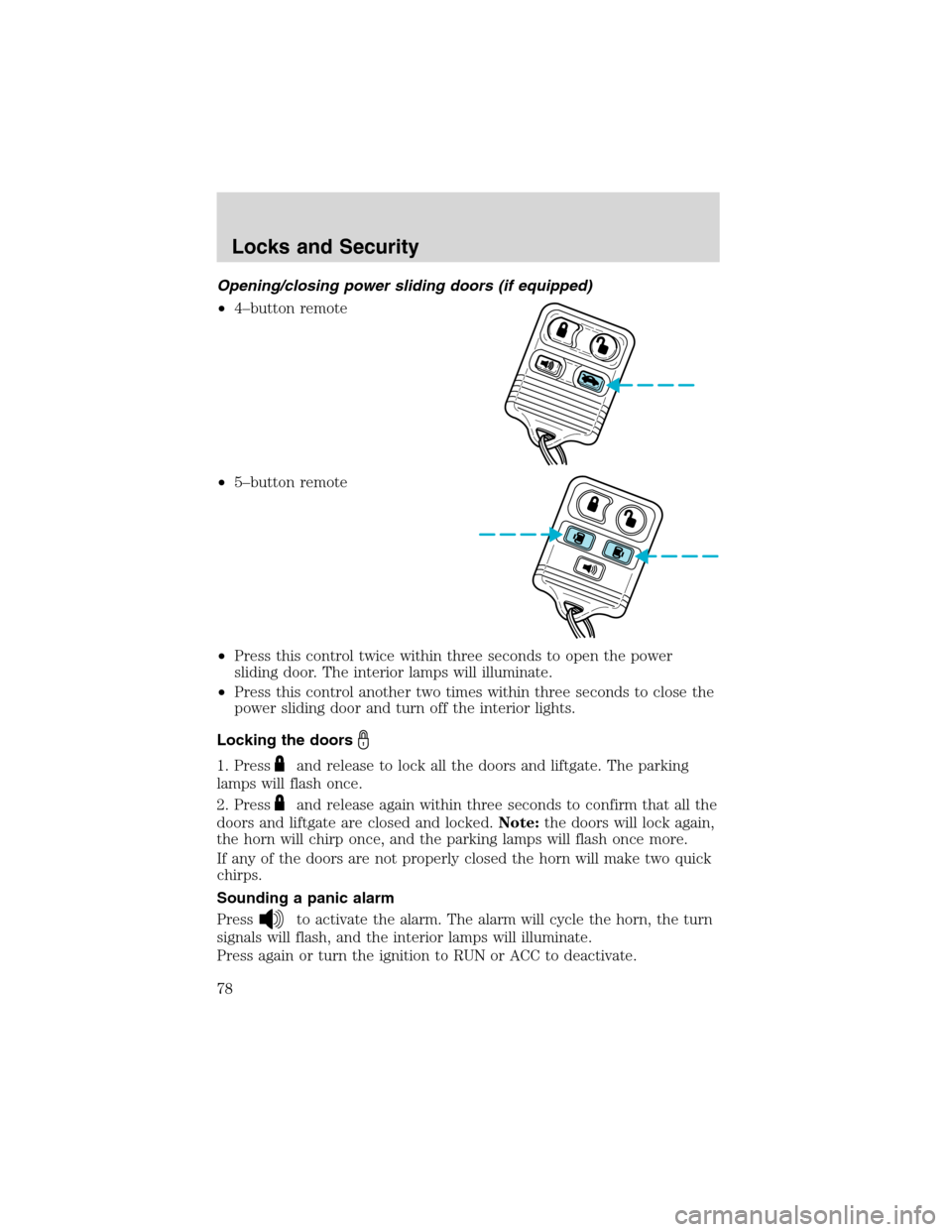
Opening/closing power sliding doors (if equipped)
•4–button remote
•5–button remote
•Press this control twice within three seconds to open the power
sliding door. The interior lamps will illuminate.
•Press this control another two times within three seconds to close the
power sliding door and turn off the interior lights.
Locking the doors
1. Pressand release to lock all the doors and liftgate. The parking
lamps will flash once.
2. Press
and release again within three seconds to confirm that all the
doors and liftgate are closed and locked.Note:the doors will lock again,
the horn will chirp once, and the parking lamps will flash once more.
If any of the doors are not properly closed the horn will make two quick
chirps.
Sounding a panic alarm
Press
to activate the alarm. The alarm will cycle the horn, the turn
signals will flash, and the interior lamps will illuminate.
Press again or turn the ignition to RUN or ACC to deactivate.
Locks and Security
78