Page 54 of 256
Magnetic or metallic objects placed in or on the vehicle mayalso affect
compass accuracy. Adjustments may need to be made to the zone and
calibration of the compass.
Compass zone adjustment
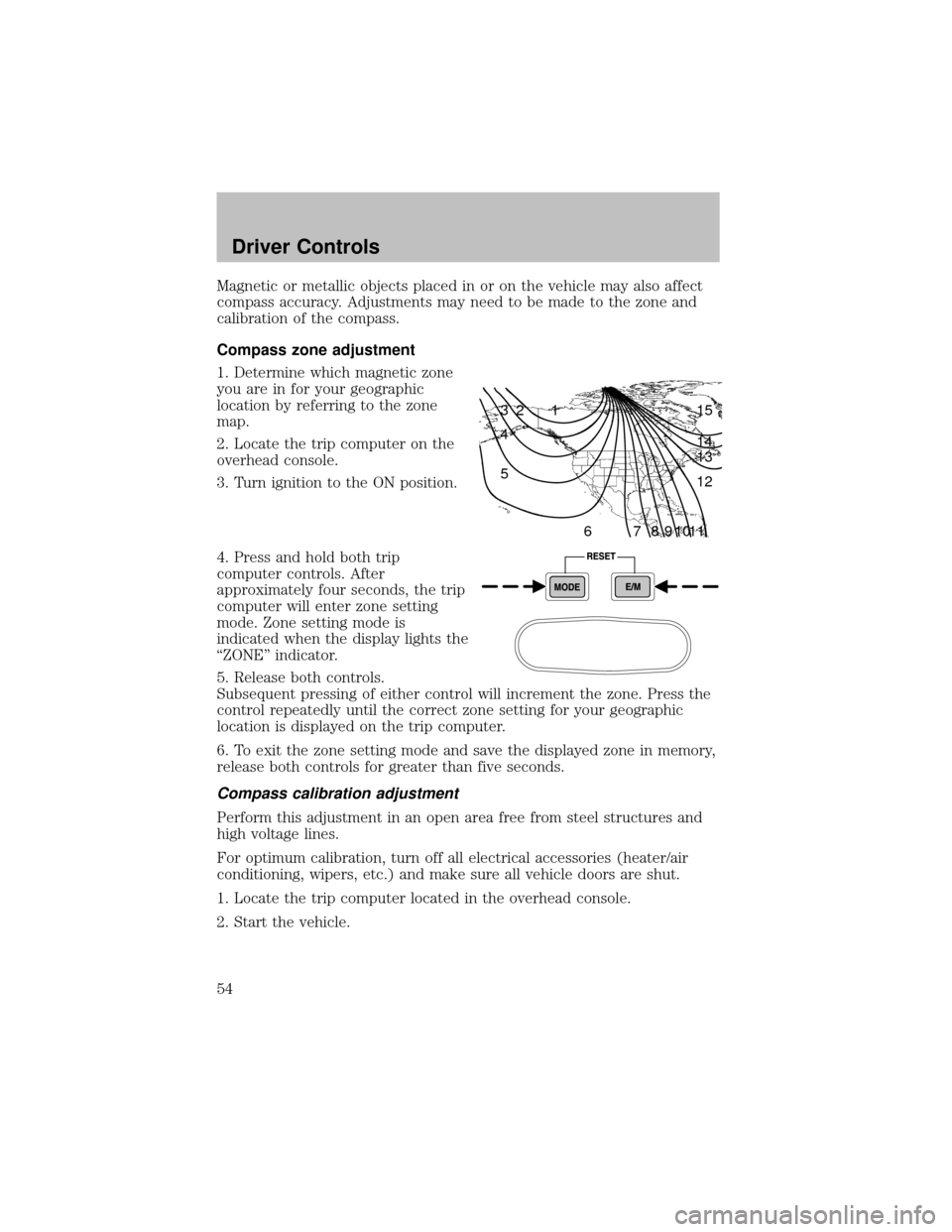
1. Determine which magnetic zone
you are in for your geographic
location byreferring to the zone
map.
2. Locate the trip computer on the
overhead console.
3. Turn ignition to the ON position.
4. Press and hold both trip
computer controls. After
approximatelyfour seconds, the trip
computer will enter zone setting
mode. Zone setting mode is
indicated when the displaylights the
“ZONE” indicator.
5. Release both controls.
Subsequent pressing of either control will increment the zone. Press the
control repeatedlyuntil the correct zone setting for your geographic
location is displayed on the trip computer.
6. To exit the zone setting mode and save the displayed zone in memory,
release both controls for greater than five seconds.
Compass calibration adjustment
Perform this adjustment in an open area free from steel structures and
high voltage lines.
For optimum calibration, turn off all electrical accessories (heater/air
conditioning, wipers, etc.) and make sure all vehicle doors are shut.
1. Locate the trip computer located in the overhead console.
2. Start the vehicle.
1 2 3
4
5
6 7 8 9 101112 13 14 15
Driver Controls
54
Page 55 of 256
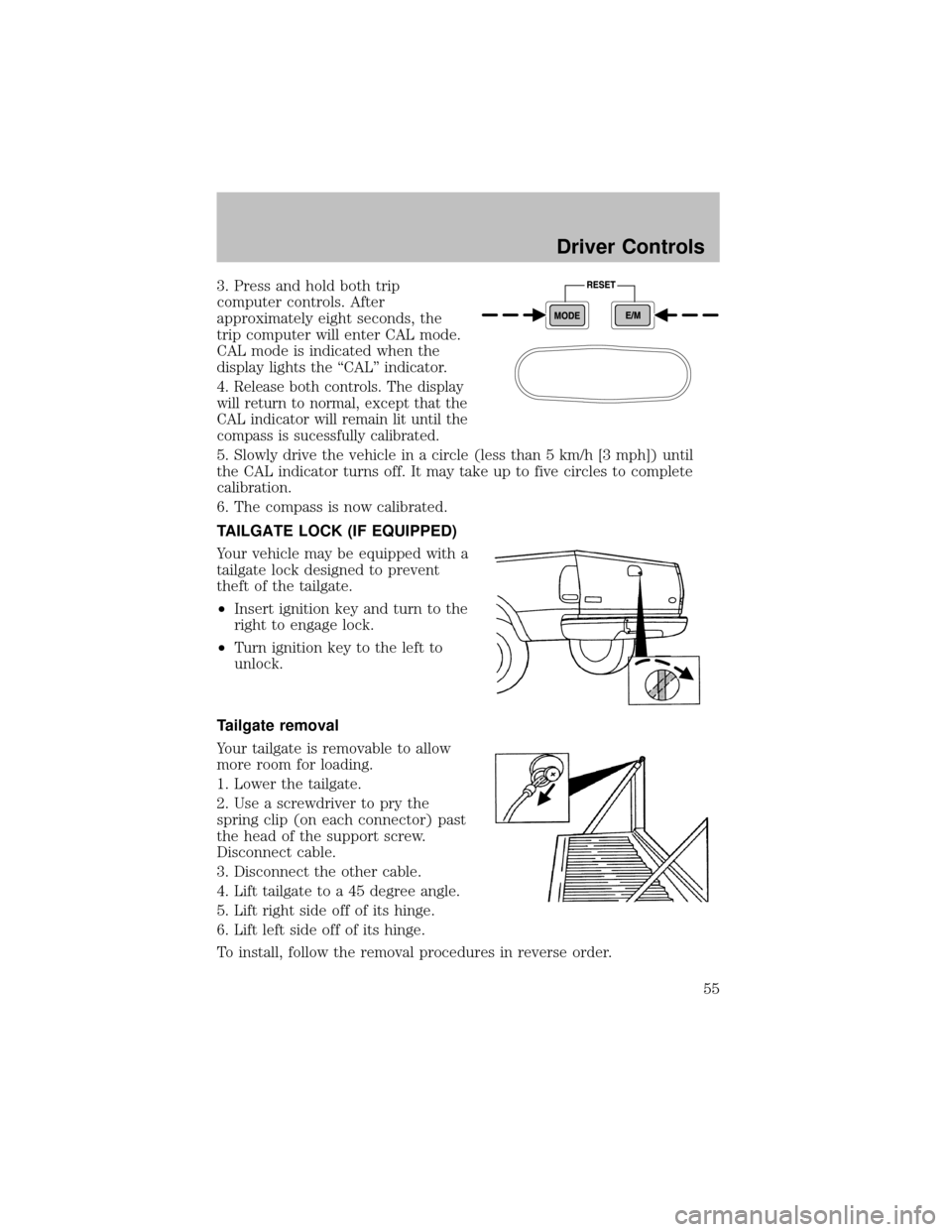
3. Press and hold both trip
computer controls. After
approximatelyeight seconds, the
trip computer will enter CAL mode.
CAL mode is indicated when the
displaylights the “CAL” indicator.
4.
Release both controls. The display
will return to normal, except that the
CAL indicator will remain lit until the
compass is sucessfullycalibrated.
5. Slowlydrive the vehicle in a circle (less than 5 km/h [3 mph]) until
the CAL indicator turns off. It maytake up to five circles to complete
calibration.
6. The compass is now calibrated.
TAILGATE LOCK (IF EQUIPPED)
Your vehicle maybe equipped with a
tailgate lock designed to prevent
theft of the tailgate.
•Insert ignition keyand turn to the
right to engage lock.
•Turn ignition keyto the left to
unlock.
Tailgate removal
Your tailgate is removable to allow
more room for loading.
1. Lower the tailgate.
2. Use a screwdriver to prythe
spring clip (on each connector) past
the head of the support screw.
Disconnect cable.
3. Disconnect the other cable.
4. Lift tailgate to a 45 degree angle.
5. Lift right side off of its hinge.
6. Lift left side off of its hinge.
To install, follow the removal procedures in reverse order.
Driver Controls
55
Page 209 of 256
in the United States) because it maycause these problems to become
more pronounced. If the problems persist, see your dealer or a qualified
service technician.
It should not be necessaryto add anyaftermarket products to your fuel
tank if you continue to use high quality fuel of the recommended octane
rating. Aftermarket products could cause damage to the fuel system.
Repairs to correct the effects of using an aftermarket product in your
fuel maynot be covered byyour warranty.
Manyof the world’s automakers
issued the World-wide Fuel Charter
that recommends gasoline
specifications to provide improved
performance and emission control
system protection for your vehicle.
Gasolines that meet the World-wide
Fuel Charter should be used when
available. Ask your fuel supplier
about gasolines that meet the
World-wide Fuel Charter. In Canada,
look for fuels that displaytheAuto Makers’ Choice�logo.
Cleaner air
Ford endorses the use of reformulated “cleaner-burning” gasolines to
improve air quality.
Running out of fuel
Avoid running out of fuel because this situation mayhave an adverse
affect on powertrain components.
If you have run out of fuel:
•You mayneed to cycle the ignition from OFF to ON several times after
refueling, to allow the fuel system to pump the fuel from the tank to
the engine.
•Your “Service Engine Soon” indicator maycome on. For more
information on the “Service Engine Soon” indicator, refer to the
Instrument clusterchapter.
Fuel Filter
For fuel filter replacement, see your dealer or a qualified service
technician. Refer to the scheduled maintenance guide for the appropriate
intervals for changing the fuel filter.
Maintenance and Specifications
209
Page 246 of 256
Travel equipment
Adjustable Towing System
Auto headlamp system with Daytime Running Lights (DRL)
Bed Tent
Box Aluminum Rack cargo storage systems (Trac Rac)
Daytime running lights (DRL)
Electrochromic inside mirror with compass
Electrochromic inside mirror with compass and temperature display
Fog lights
BatteryWarmer
Highwaysafetyand first aid kit
Off road lights
Pickup box rails
ROC2 hitch mounted bike courier
Running boards and tubular running bars
Running boards diamond plate
Seatback organizer
Speed control
Towing mirrors
Trailer hitch, Class IV
Trailer hitch bars and balls
Trailer hitch mounted bike carrier
Trailer hitch wiring adaptor
Trailer wiring harness
Trailgate table
Protection and appearance equipment
Air bag anti-theft locks
All weather vinyl floor mats
Bed mat
Bed hooks
Bed mats
Accessories
246