Page 2 of 200
Driving 94
Starting 94
Brakes 98
Transmission operation 100
Roadside Emergencies 121
Getting roadside assistance 121
Hazard flasher switch 122
Fuel pump shut-off switch 122
Fuses and relays 123
Changing tires 130
Jump starting 136
Wrecker towing 141
Customer Assistance 142
The dispute settlement board 145
Utilizing the mediation/arbitration 148
Getting assistance outside the U.S. and Canada 148
Ordering additional owner’s literature 149
Reporting safety defects (U.S. only) 151
Cleaning 152
Maintenance and Specifications 158
Hood 159
Engine compartment 160
Engine oil 161
Battery 163
Fuel information 170
Part numbers 184
Refill capacities 185
Lubricant specifications 187
2003 U207 Explorer Sport(u27)
Owners Guide (post-2002-fmt)
USA English(fus)
Table of Contents
2
Page 5 of 200
SAFETY AND ENVIRONMENT PROTECTION
Warning symbols in this guide
How can you reduce the risk of personal injury and prevent possible
damage to others, your vehicle and its equipment? In this guide, answers
to such questions are contained in comments highlighted by the warning
triangle symbol. These comments should be read and observed.
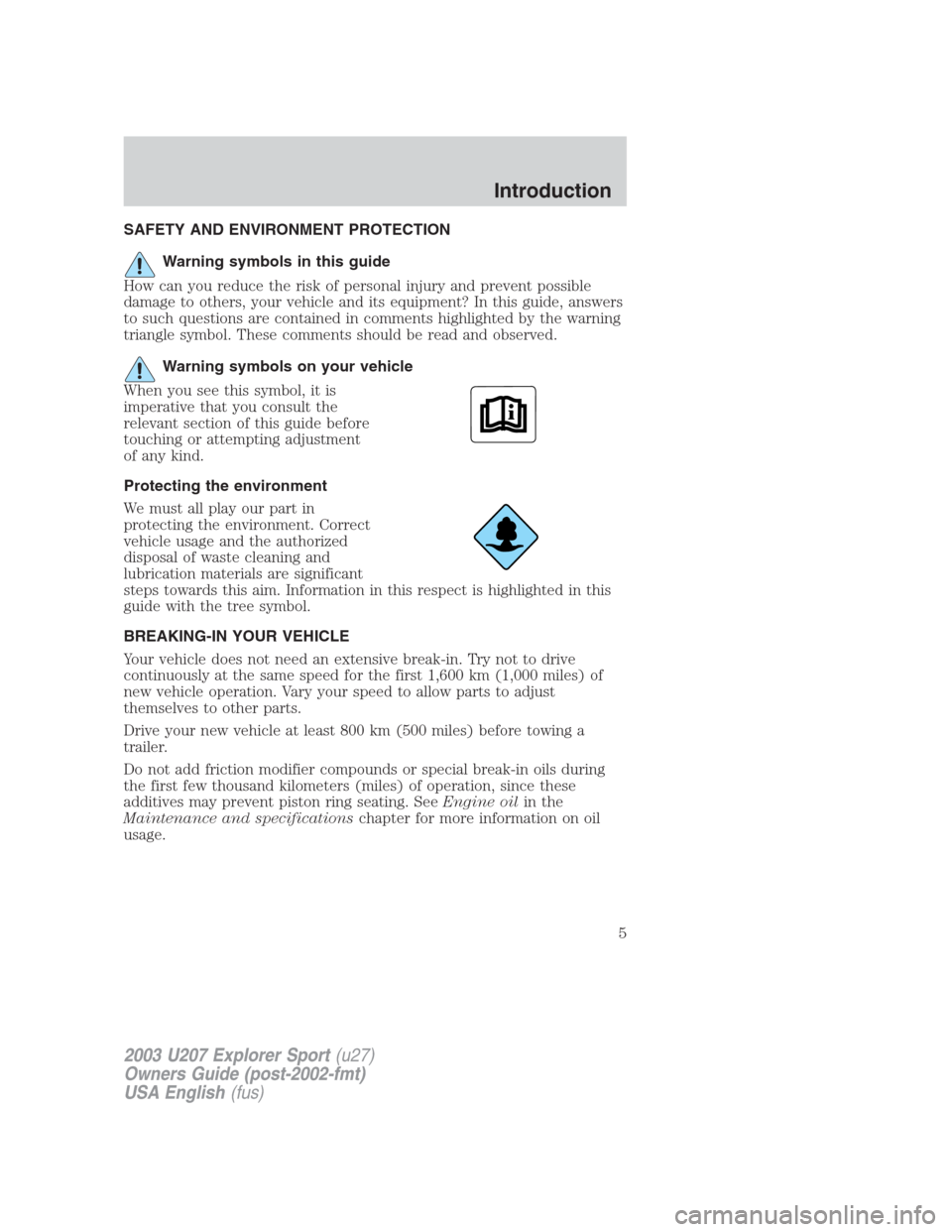
Warning symbols on your vehicle
When you see this symbol, it is
imperative that you consult the
relevant section of this guide before
touching or attempting adjustment
of any kind.
Protecting the environment
We must all play our part in
protecting the environment. Correct
vehicle usage and the authorized
disposal of waste cleaning and
lubrication materials are significant
steps towards this aim. Information in this respect is highlighted in this
guide with the tree symbol.
BREAKING-IN YOUR VEHICLE
Your vehicle does not need an extensive break-in. Try not to drive
continuously at the same speed for the first 1,600 km (1,000 miles) of
new vehicle operation. Vary your speed to allow parts to adjust
themselves to other parts.
Drive your new vehicle at least 800 km (500 miles) before towing a
trailer.
Do not add friction modifier compounds or special break-in oils during
the first few thousand kilometers (miles) of operation, since these
additives may prevent piston ring seating. SeeEngine oilin the
Maintenance and specificationschapter for more information on oil
usage.
2003 U207 Explorer Sport(u27)
Owners Guide (post-2002-fmt)
USA English(fus)
Introduction
5
Page 24 of 200
RADIO RECEPTION FACTORS
There are three factors that can affect radio reception:
•Distance/strength: The further you travel from an FM station, the
weaker the signal and the weaker the reception.
•Terrain: Hills, mountains, tall buildings, power lines, electric fences,
traffic lights and thunderstorms can interfere with your reception.
•Station overload: When you pass a broadcast tower, a stronger signal
may overtake a weaker one and play while the weak station frequency
is displayed.
CASSETTE/PLAYER CARE
Do:
•Use only cassettes that are 90 minutes long or less.
•Tighten very loose tapes by inserting a finger or pencil into the hole
and turning the hub.
•Remove loose labels before inserting tapes.
•Allow tapes which have been subjected to extreme heat, humidity or
cold to reach a moderate temperature before playing.
•Clean the cassette player head with a cassette cleaning cartridge after
10–12 hours of play to maintain good sound/operation.
Don’t:
•Expose tapes to direct sunlight, extreme humidity, heat or cold.
•Leave tapes in the cassette player for a long time when not being
played.
CD/CD PLAYER CARE
Do:
•Handle discs by their edges only. Never touch the playing surface.
•Inspect discs before playing. Clean only with an approved CD cleaner
and wipe from the center out.
Don’t:
•Expose discs to direct sunlight or heat sources for extended periods
of time.
•Insert more than one disc into each slot of the CD changer magazine.
•Clean using a circular motion.
2003 U207 Explorer Sport(u27)
Owners Guide (post-2002-fmt)
USA English(fus)
Entertainment Systems
24
Page 27 of 200
To aid in side window defogging/demisting in cold weather:
1. Select A/C
2. Modulate the temperature control to maintain comfort.
3. Set the fan speed to HI
4. Direct the outer instrument panel vents towards the side windows
To increase airflow to the outer instrument panel vents, close the vents
located in the middle of the instrument panel.
Do not place objects on top of the instrument panel as these
objects may become projectiles in a collision or sudden stop.
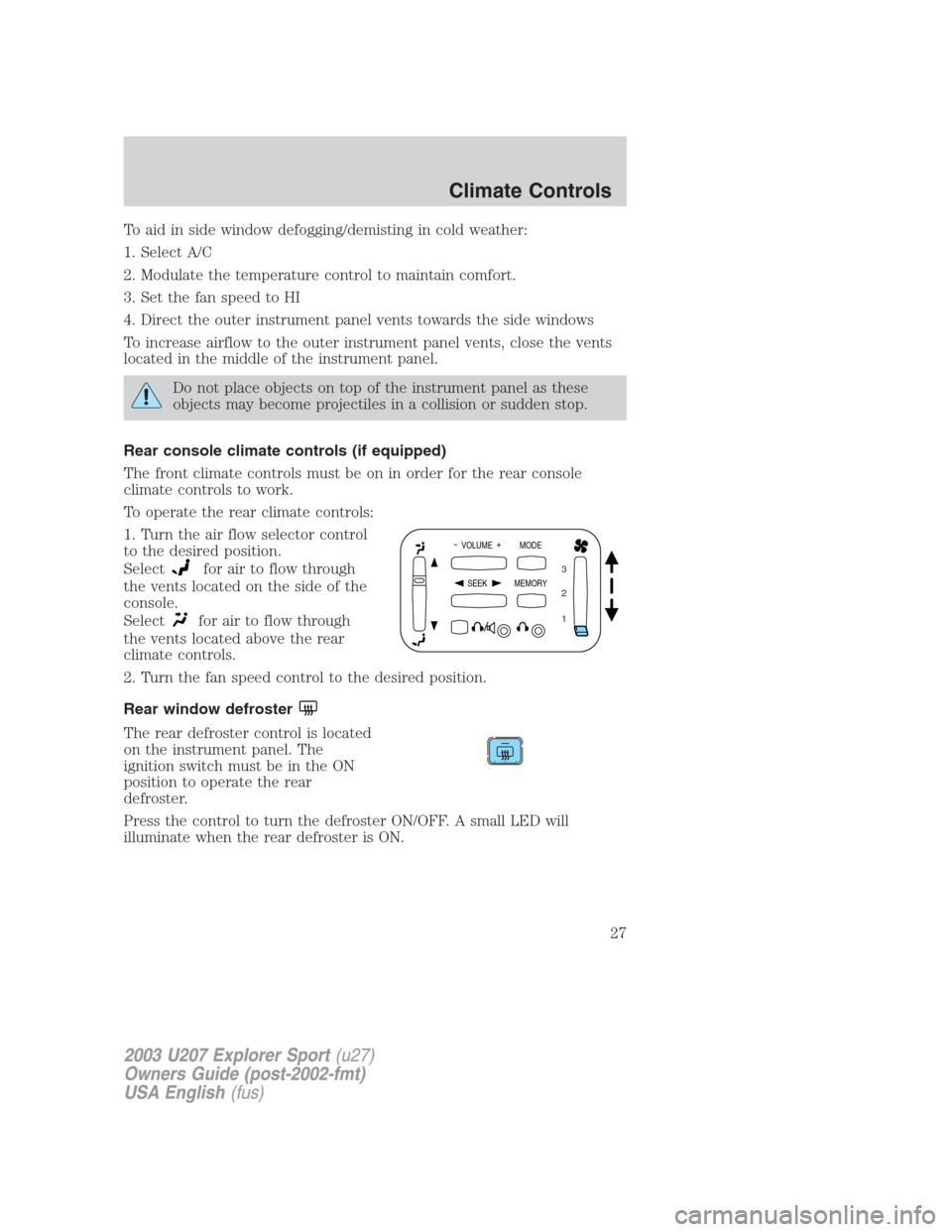
Rear console climate controls (if equipped)
The front climate controls must be on in order for the rear console
climate controls to work.
To operate the rear climate controls:
1. Turn the air flow selector control
to the desired position.
Select
for air to flow through
the vents located on the side of the
console.
Select
for air to flow through
the vents located above the rear
climate controls.
2. Turn the fan speed control to the desired position.
Rear window defroster
The rear defroster control is located
on the instrument panel. The
ignition switch must be in the ON
position to operate the rear
defroster.
Press the control to turn the defroster ON/OFF. A small LED will
illuminate when the rear defroster is ON.
- VOLUME +
MODE
SEEK MEMORY
1 2 3
2003 U207 Explorer Sport(u27)
Owners Guide (post-2002-fmt)
USA English(fus)
Climate Controls
27
Page 29 of 200
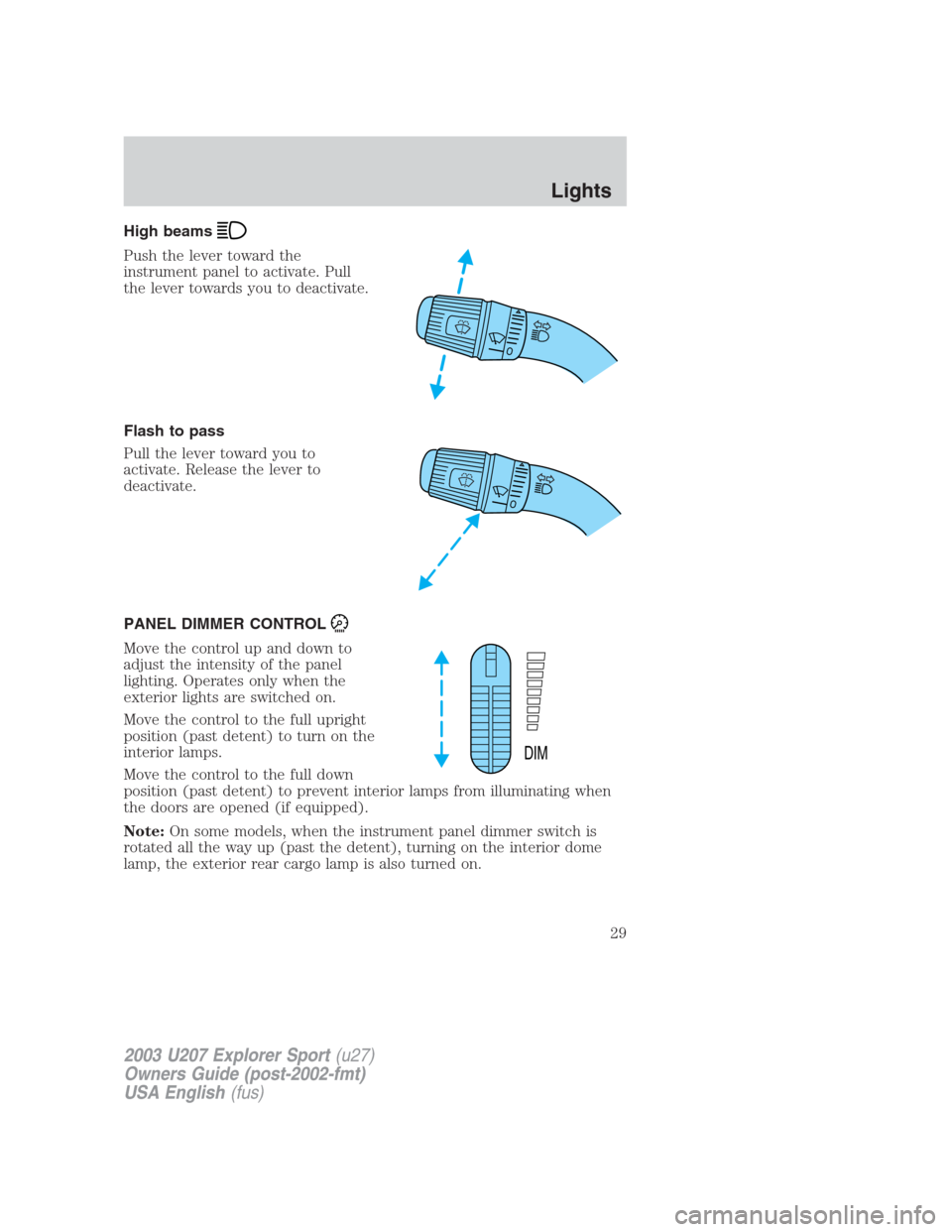
High beams
Push the lever toward the
instrument panel to activate. Pull
the lever towards you to deactivate.
Flash to pass
Pull the lever toward you to
activate. Release the lever to
deactivate.
PANEL DIMMER CONTROL
Move the control up and down to
adjust the intensity of the panel
lighting. Operates only when the
exterior lights are switched on.
Move the control to the full upright
position (past detent) to turn on the
interior lamps.
Move the control to the full down
position (past detent) to prevent interior lamps from illuminating when
the doors are opened (if equipped).
Note:On some models, when the instrument panel dimmer switch is
rotated all the way up (past the detent), turning on the interior dome
lamp, the exterior rear cargo lamp is also turned on.
DIM
2003 U207 Explorer Sport(u27)
Owners Guide (post-2002-fmt)
USA English(fus)
Lights
29
Page 37 of 200
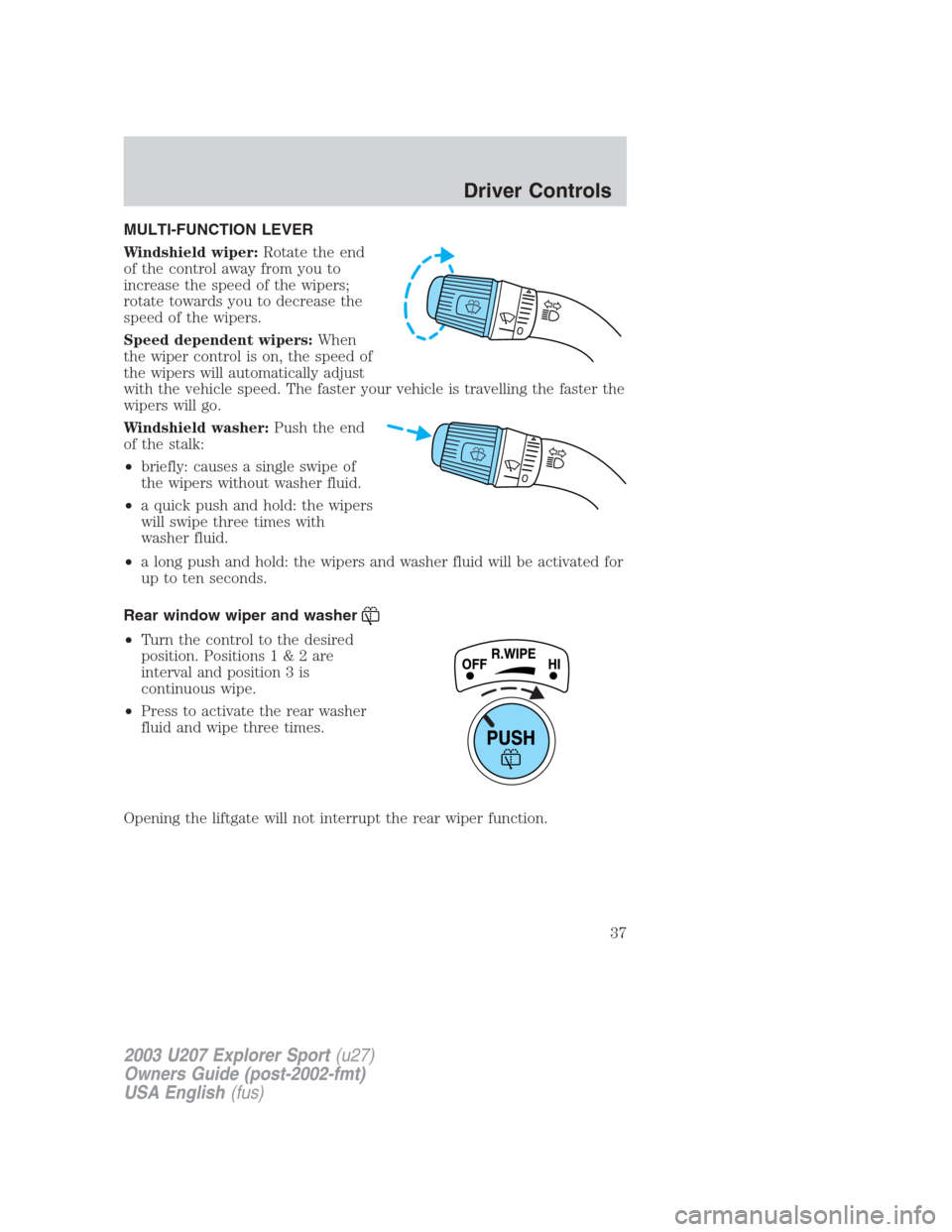
MULTI-FUNCTION LEVER
Windshield wiper:Rotate the end
of the control away from you to
increase the speed of the wipers;
rotate towards you to decrease the
speed of the wipers.
Speed dependent wipers:When
the wiper control is on, the speed of
the wipers will automatically adjust
with the vehicle speed. The faster your vehicle is travelling the faster the
wipers will go.
Windshield washer:Push the end
of the stalk:
•briefly: causes a single swipe of
the wipers without washer fluid.
•a quick push and hold: the wipers
will swipe three times with
washer fluid.
•a long push and hold: the wipers and washer fluid will be activated for
up to ten seconds.
Rear window wiper and washer
•Turn the control to the desired
position. Positions1&2are
interval and position 3 is
continuous wipe.
•Press to activate the rear washer
fluid and wipe three times.
Opening the liftgate will not interrupt the rear wiper function.
2003 U207 Explorer Sport(u27)
Owners Guide (post-2002-fmt)
USA English(fus)
Driver Controls
37
Page 38 of 200
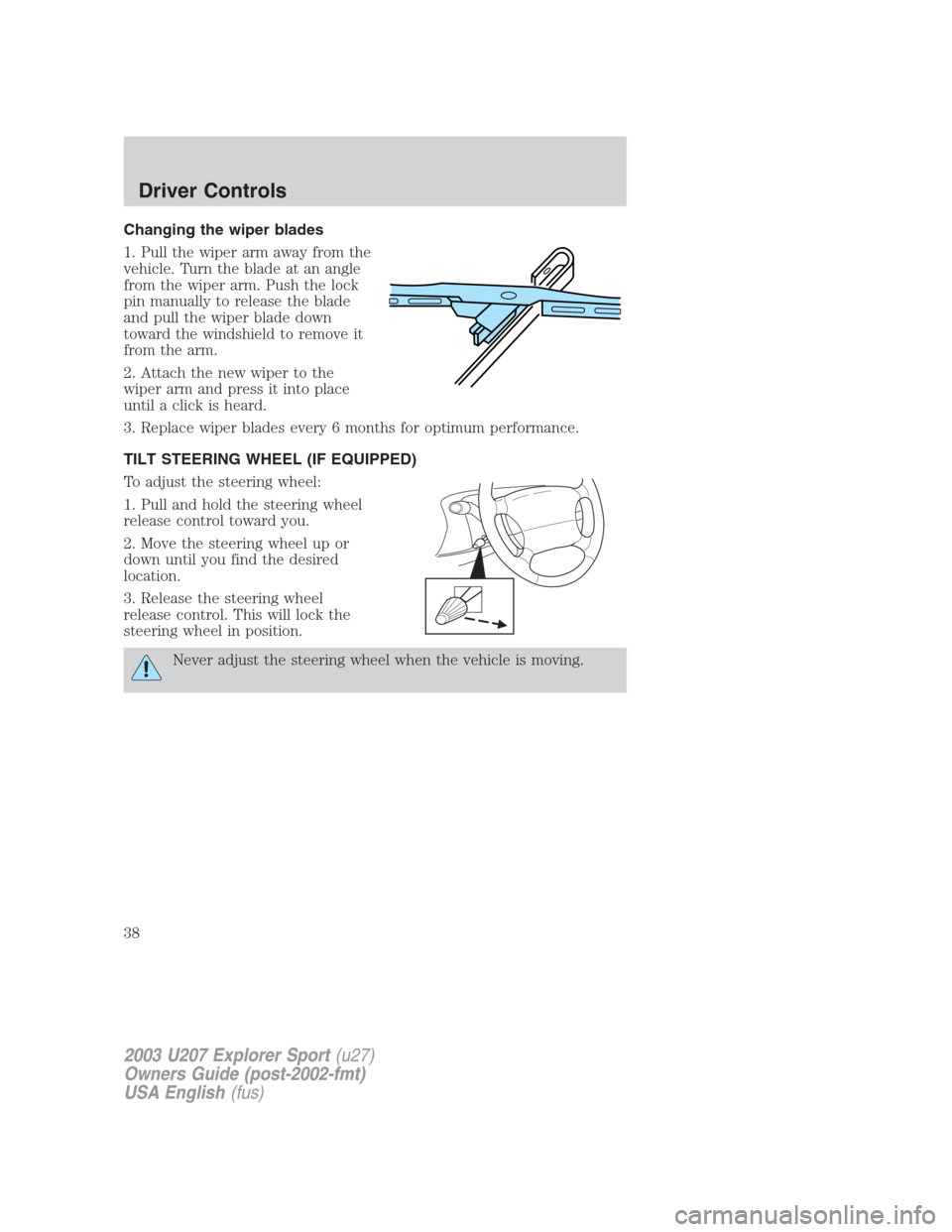
Changing the wiper blades
1. Pull the wiper arm away from the
vehicle. Turn the blade at an angle
from the wiper arm. Push the lock
pin manually to release the blade
and pull the wiper blade down
toward the windshield to remove it
from the arm.
2. Attach the new wiper to the
wiper arm and press it into place
until a click is heard.
3. Replace wiper blades every 6 months for optimum performance.
TILT STEERING WHEEL (IF EQUIPPED)
To adjust the steering wheel:
1. Pull and hold the steering wheel
release control toward you.
2. Move the steering wheel up or
down until you find the desired
location.
3. Release the steering wheel
release control. This will lock the
steering wheel in position.
Never adjust the steering wheel when the vehicle is moving.
2003 U207 Explorer Sport(u27)
Owners Guide (post-2002-fmt)
USA English(fus)
Driver Controls
38
Page 40 of 200
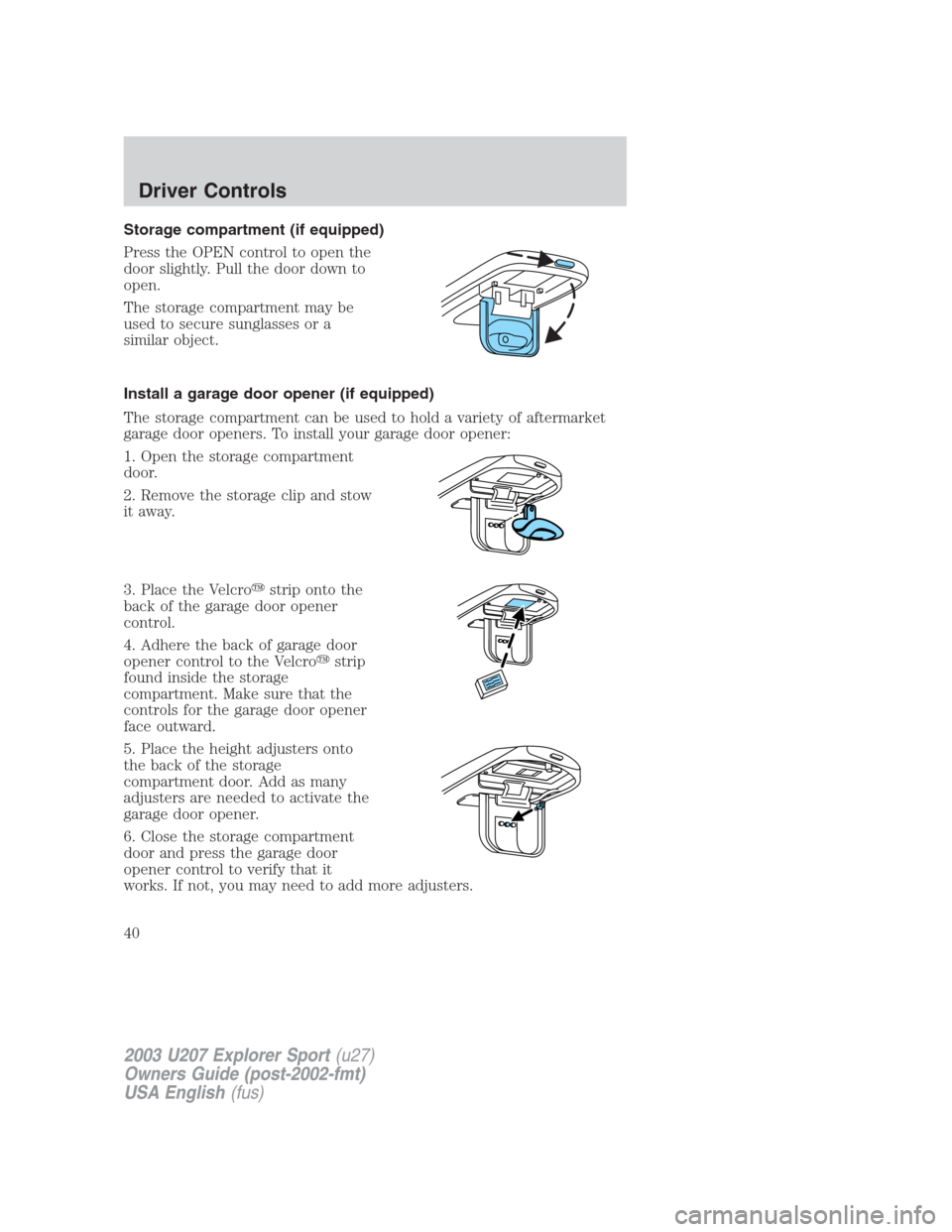
Storage compartment (if equipped)
Press the OPEN control to open the
door slightly. Pull the door down to
open.
The storage compartment may be
used to secure sunglasses or a
similar object.
Install a garage door opener (if equipped)
The storage compartment can be used to hold a variety of aftermarket
garage door openers. To install your garage door opener:
1. Open the storage compartment
door.
2. Remove the storage clip and stow
it away.
3. Place the Velcro�strip onto the
back of the garage door opener
control.
4. Adhere the back of garage door
opener control to the Velcro�strip
found inside the storage
compartment. Make sure that the
controls for the garage door opener
face outward.
5. Place the height adjusters onto
the back of the storage
compartment door. Add as many
adjusters are needed to activate the
garage door opener.
6. Close the storage compartment
door and press the garage door
opener control to verify that it
works. If not, you may need to add more adjusters.
2003 U207 Explorer Sport(u27)
Owners Guide (post-2002-fmt)
USA English(fus)
Driver Controls
40