Page 125 of 320
CENTER CONSOLE (IF EQUIPPED)
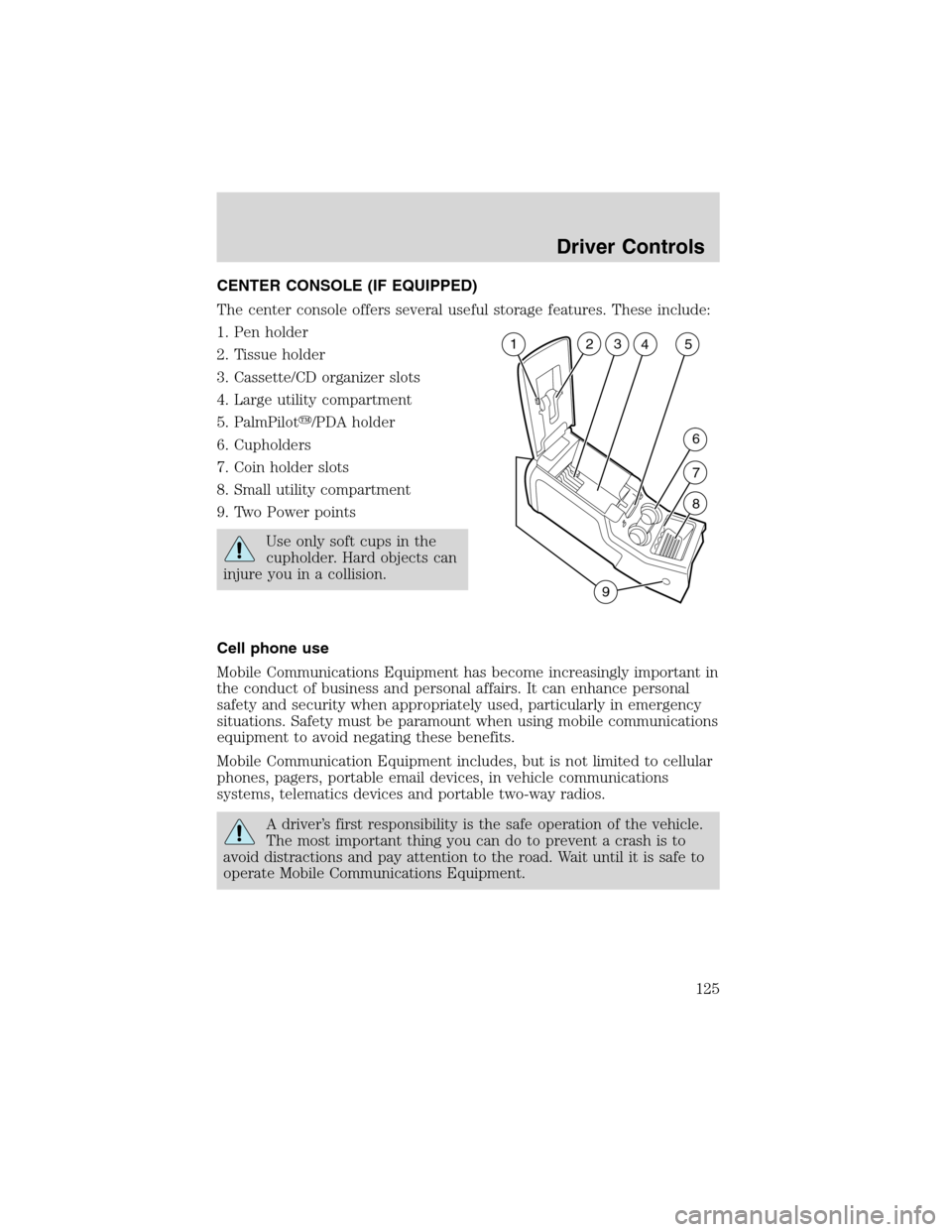
The center console offers several useful storage features. These include:
1. Pen holder
2. Tissue holder
3. Cassette/CD organizer slots
4. Large utility compartment
5. PalmPilot�/PDA holder
6. Cupholders
7. Coin holder slots
8. Small utility compartment
9. Two Power points
Use only soft cups in the
cupholder. Hard objects can
injure you in a collision.
Cell phone use
Mobile Communications Equipment has become increasingly important in
the conduct of business and personal affairs. It can enhance personal
safety and security when appropriately used, particularly in emergency
situations. Safety must be paramount when using mobile communications
equipment to avoid negating these benefits.
Mobile Communication Equipment includes, but is not limited to cellular
phones, pagers, portable email devices, in vehicle communications
systems, telematics devices and portable two-way radios.
A driver’s first responsibility is the safe operation of the vehicle.
The most important thing you can do to prevent a crash is to
avoid distractions and pay attention to the road. Wait until it is safe to
operate Mobile Communications Equipment.
23
5
6
7
8
94 1
Driver Controls
125
Page 127 of 320
LUGGAGE RACK
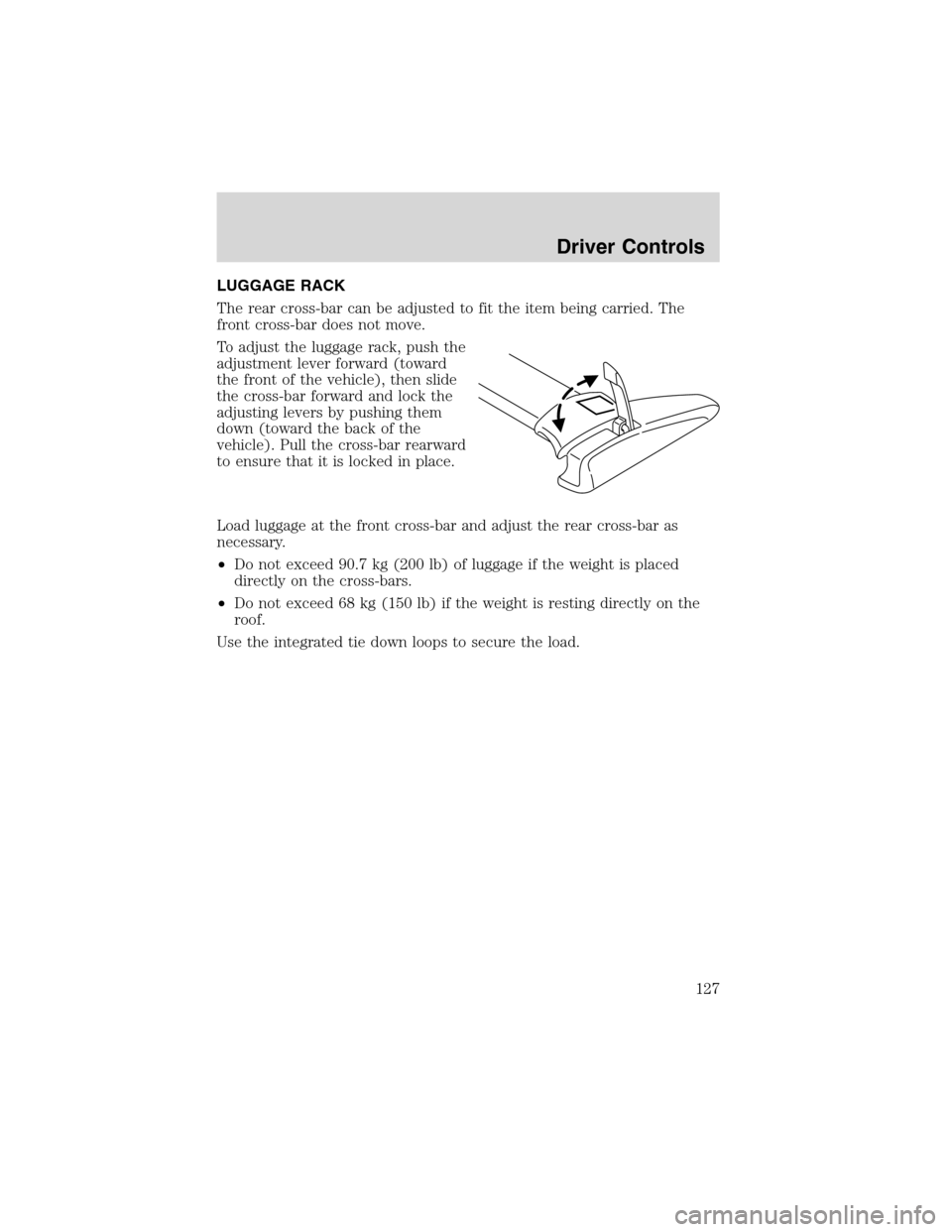
The rear cross-bar can be adjusted to fit the item being carried. The
front cross-bar does not move.
To adjust the luggage rack, push the
adjustment lever forward (toward
the front of the vehicle), then slide
the cross-bar forward and lock the
adjusting levers by pushing them
down (toward the back of the
vehicle). Pull the cross-bar rearward
to ensure that it is locked in place.
Load luggage at the front cross-bar and adjust the rear cross-bar as
necessary.
•Do not exceed 90.7 kg (200 lb) of luggage if the weight is placed
directly on the cross-bars.
•Do not exceed 68 kg (150 lb) if the weight is resting directly on the
roof.
Use the integrated tie down loops to secure the load.
Driver Controls
127
Page 128 of 320
KEYS
The key operates all locks on your vehicle. In case of loss, replacement
keys are available from your dealer.
You should always carry a second key with you in a safe place in case
you require it in an emergency.
Refer toSecuriLock�Passive Anti-Theft Systemfor more information.
POWER DOOR LOCKS
If the door does not unlock when the control is pressed, seeInterior
power door lock disable featurein theRemote entry sectionin this
chapter.
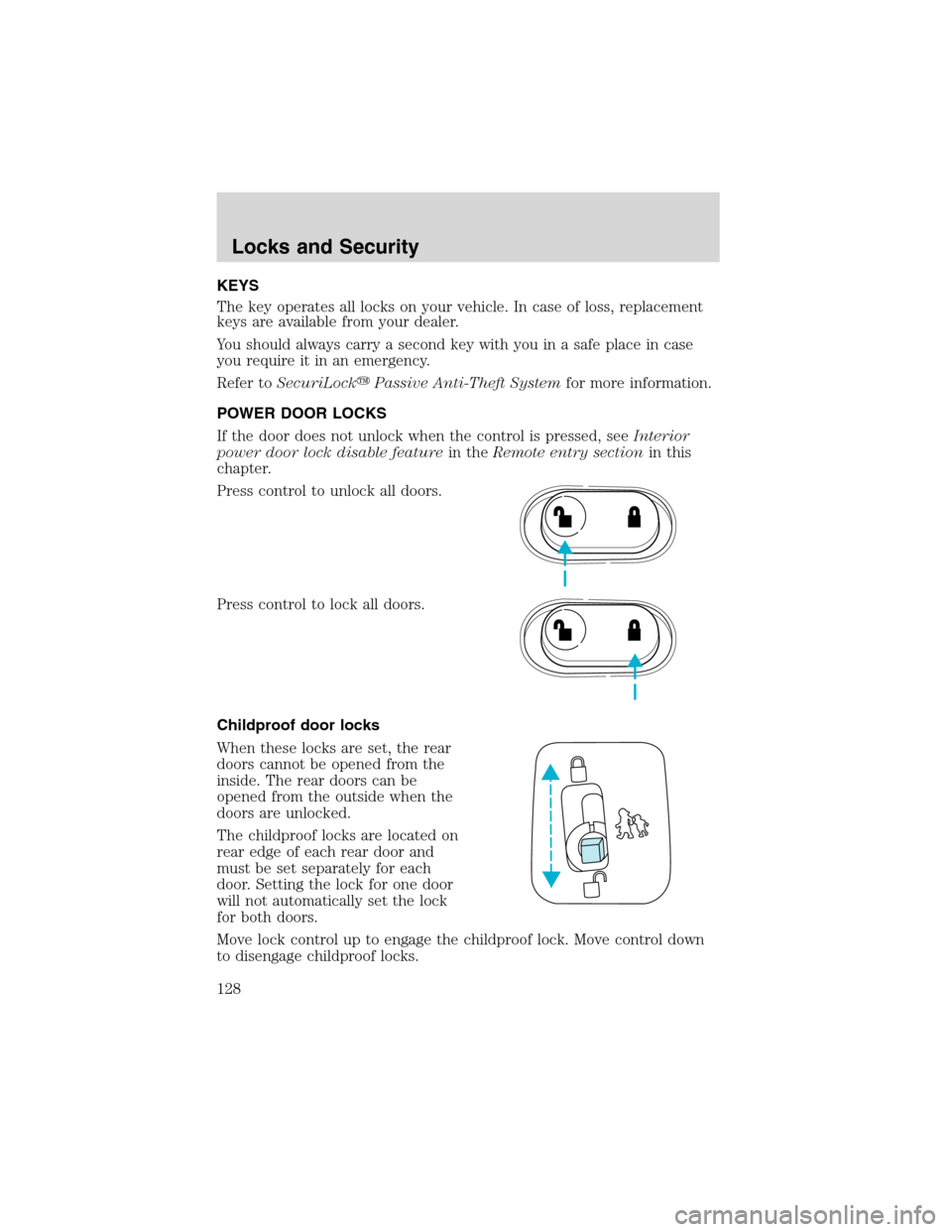
Press control to unlock all doors.
Press control to lock all doors.
Childproof door locks
When these locks are set, the rear
doors cannot be opened from the
inside. The rear doors can be
opened from the outside when the
doors are unlocked.
The childproof locks are located on
rear edge of each rear door and
must be set separately for each
door. Setting the lock for one door
will not automatically set the lock
for both doors.
Move lock control up to engage the childproof lock. Move control down
to disengage childproof locks.
Locks and Security
128
Page 129 of 320
REMOTE ENTRY SYSTEM
This device complies with part 15 of the FCC rules and with RS-210 of
Industry Canada. Operation is subject to the following two conditions:
(1) This device may not cause harmful interference, and (2) This device
must accept any interference received, including interference that may
cause undesired operation.
Changes or modifications not expressly approved by the party
responsible for compliance could void the user’s authority to
operate the equipment.
The remote entry system allows you to lock or unlock all vehicle doors
and liftgate and open the liftgate window without a key.
The remote entry lock/unlock feature operates in any ignition position.
The liftgate glass feature operates as long as the ignition is in the ON (3)
position and the vehicle’s speed is less than 5 km/h (3 mph). The panic
feature operates with the key in the OFF (1) and ACC (2) position.
If there is any potential remote keyless entry problem with your vehicle,
ensureALLremote entry transmitters are brought to the dealership, to
aid in troubleshooting.
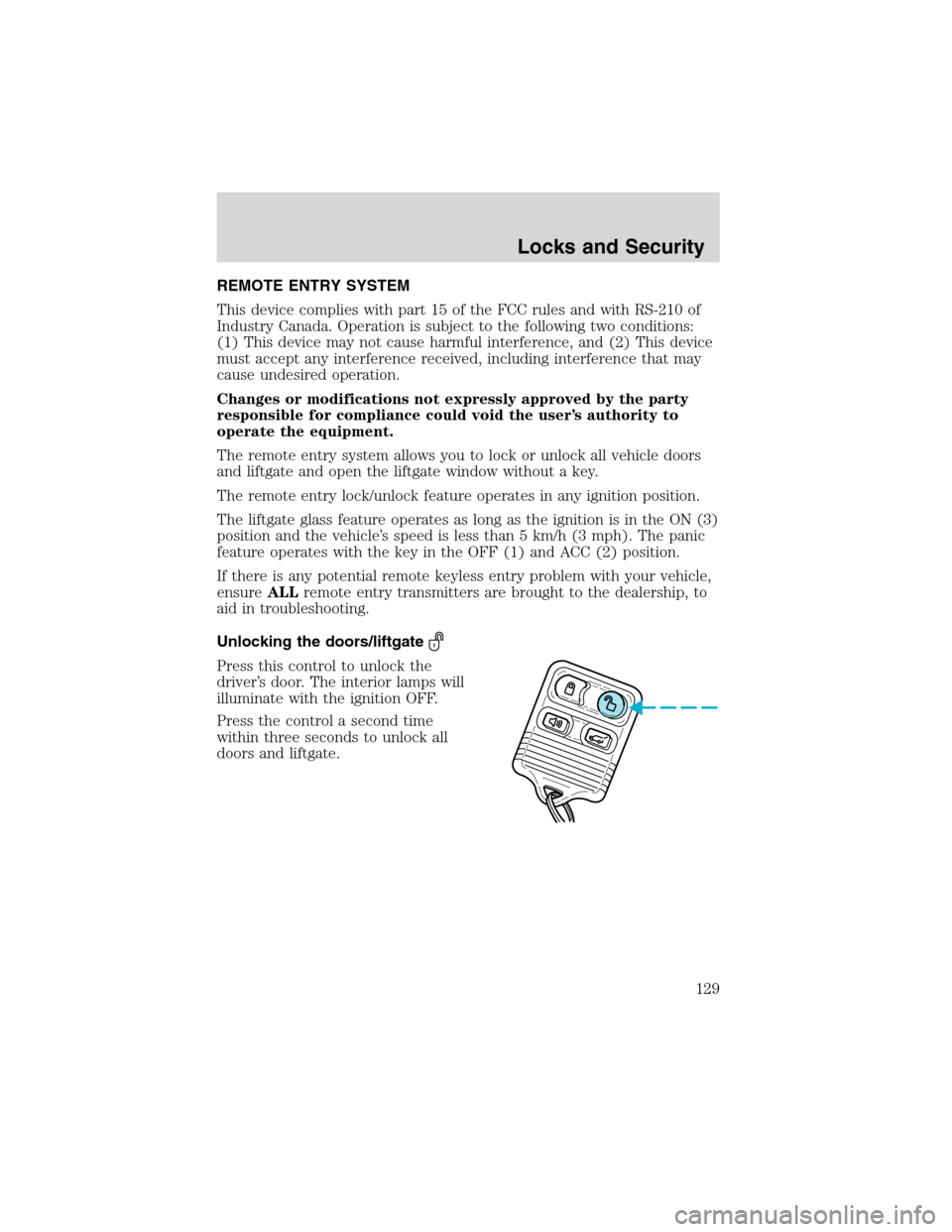
Unlocking the doors/liftgate
Press this control to unlock the
driver’s door. The interior lamps will
illuminate with the ignition OFF.
Press the control a second time
within three seconds to unlock all
doors and liftgate.
Locks and Security
129
Page 130 of 320
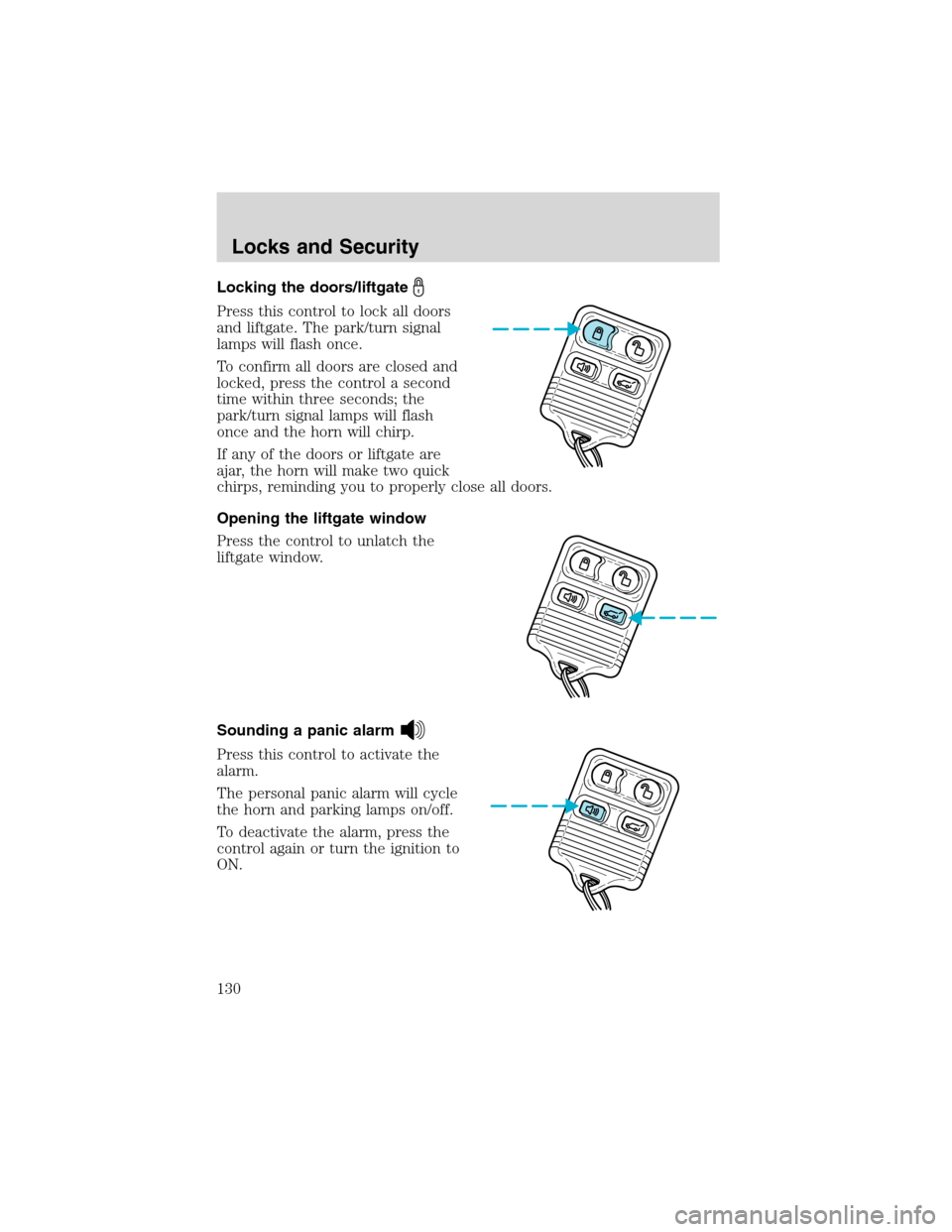
Locking the doors/liftgate
Press this control to lock all doors
and liftgate. The park/turn signal
lamps will flash once.
To confirm all doors are closed and
locked, press the control a second
time within three seconds; the
park/turn signal lamps will flash
once and the horn will chirp.
If any of the doors or liftgate are
ajar, the horn will make two quick
chirps, reminding you to properly close all doors.
Opening the liftgate window
Press the control to unlatch the
liftgate window.
Sounding a panic alarm
Press this control to activate the
alarm.
The personal panic alarm will cycle
the horn and parking lamps on/off.
To deactivate the alarm, press the
control again or turn the ignition to
ON.
Locks and Security
130
Page 131 of 320
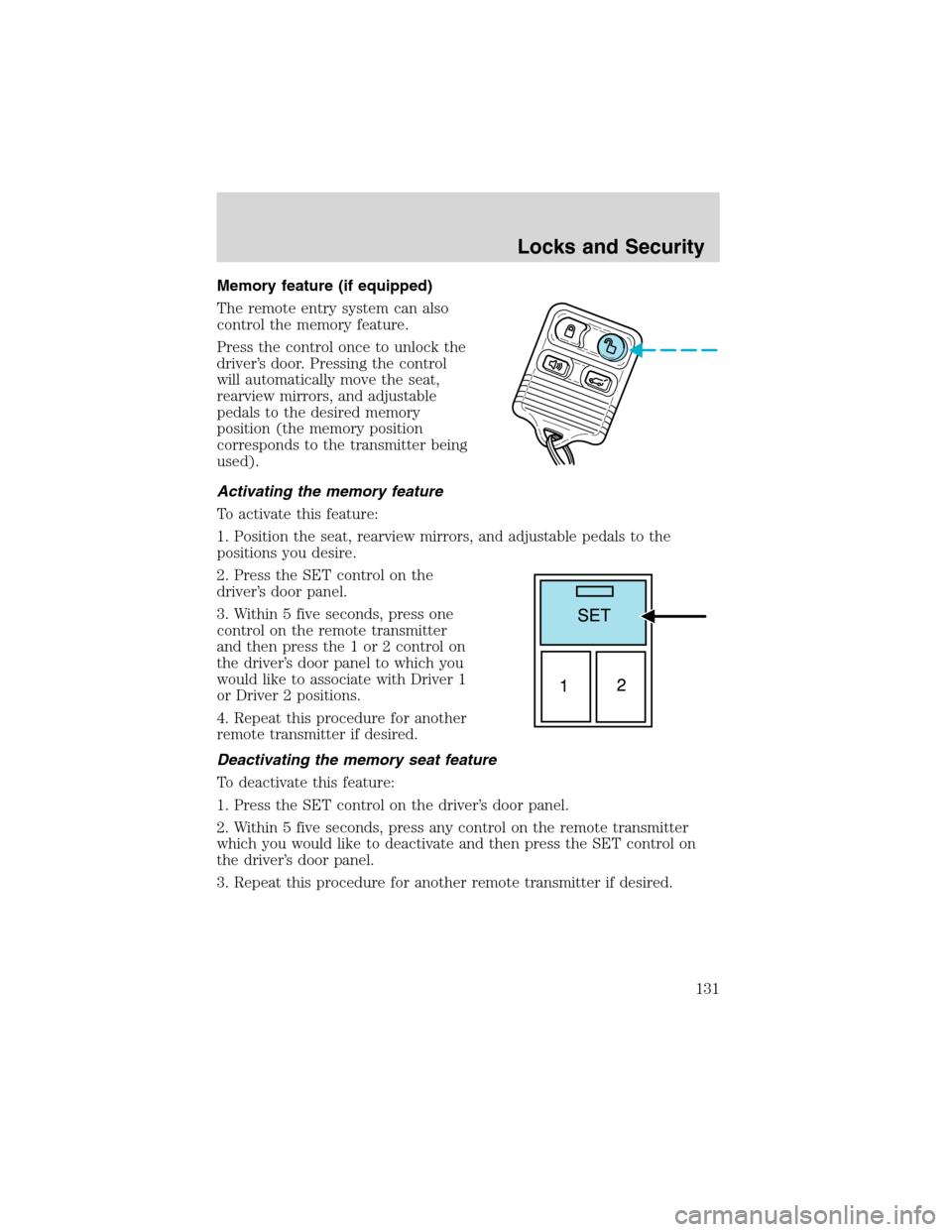
Memory feature (if equipped)
The remote entry system can also
control the memory feature.
Press the control once to unlock the
driver’s door. Pressing the control
will automatically move the seat,
rearview mirrors, and adjustable
pedals to the desired memory
position (the memory position
corresponds to the transmitter being
used).
Activating the memory feature
To activate this feature:
1. Position the seat, rearview mirrors, and adjustable pedals to the
positions you desire.
2. Press the SET control on the
driver’s door panel.
3. Within 5 five seconds, press one
control on the remote transmitter
and then press the 1 or 2 control on
the driver’s door panel to which you
would like to associate with Driver 1
or Driver 2 positions.
4. Repeat this procedure for another
remote transmitter if desired.
Deactivating the memory seat feature
To deactivate this feature:
1. Press the SET control on the driver’s door panel.
2. Within 5 five seconds, press any control on the remote transmitter
which you would like to deactivate and then press the SET control on
the driver’s door panel.
3. Repeat this procedure for another remote transmitter if desired.
Locks and Security
131
Page 132 of 320
Replacing the battery
The remote transmitter is powered by one coin type three-volt lithium
battery CR2032 or equivalent. Typical operating range will allow you to
be up to 10 meters (33 feet) away from your vehicle. A decrease in
operating range can be caused by the following factors:
•Weather conditions
•Nearby radio towers
•Structures around the vehicle
•Other vehicles parked next to the vehicle
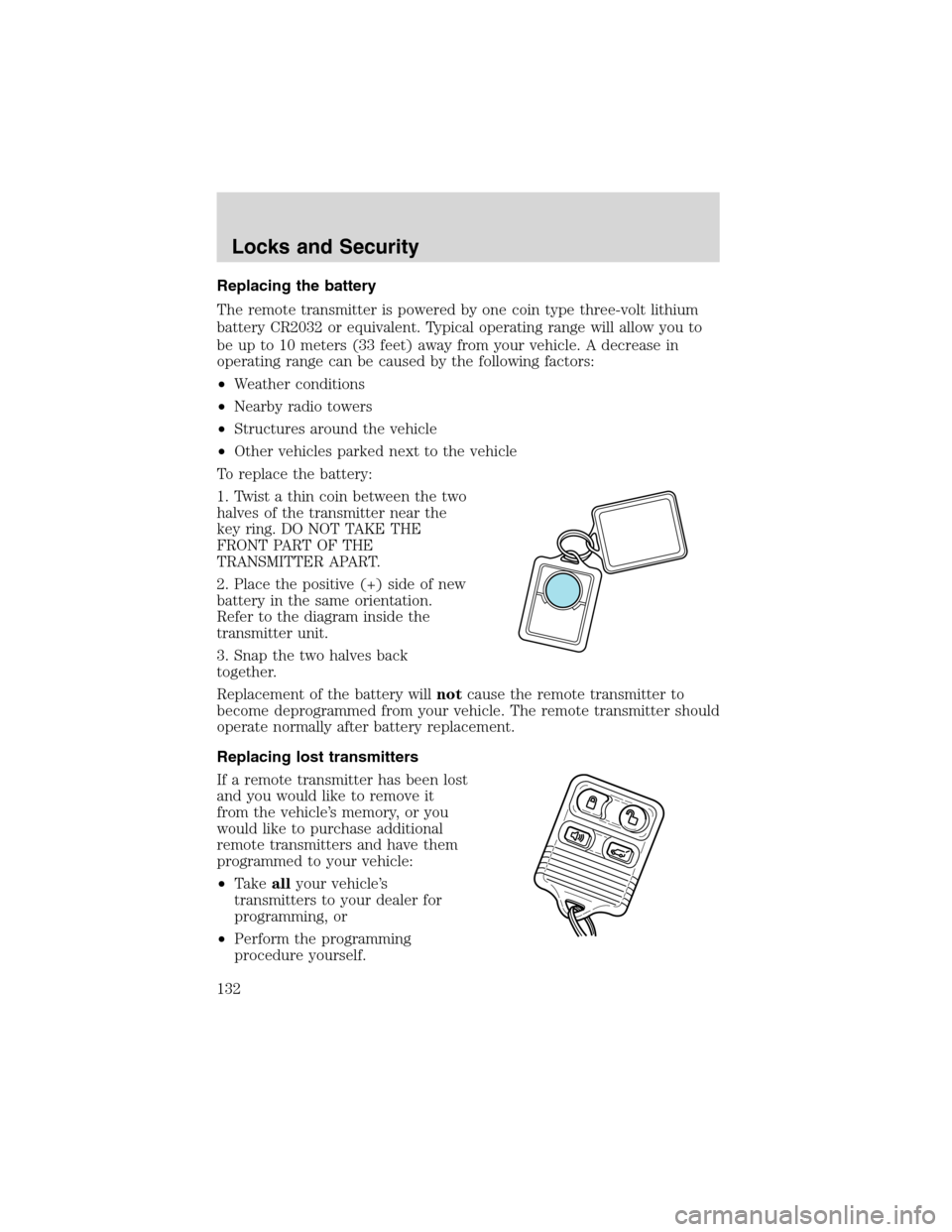
To replace the battery:
1. Twist a thin coin between the two
halves of the transmitter near the
key ring. DO NOT TAKE THE
FRONT PART OF THE
TRANSMITTER APART.
2. Place the positive (+) side of new
battery in the same orientation.
Refer to the diagram inside the
transmitter unit.
3. Snap the two halves back
together.
Replacement of the battery willnotcause the remote transmitter to
become deprogrammed from your vehicle. The remote transmitter should
operate normally after battery replacement.
Replacing lost transmitters
If a remote transmitter has been lost
and you would like to remove it
from the vehicle’s memory, or you
would like to purchase additional
remote transmitters and have them
programmed to your vehicle:
•Takeallyour vehicle’s
transmitters to your dealer for
programming, or
•Perform the programming
procedure yourself.
Locks and Security
132
Page 133 of 320
Programming remote transmitters
It is necessary to haveall(maximum of four—original and/or new) of
your remote transmitters available prior to beginning this procedure.
To program the transmitters yourself:
•Unlock all the doors.
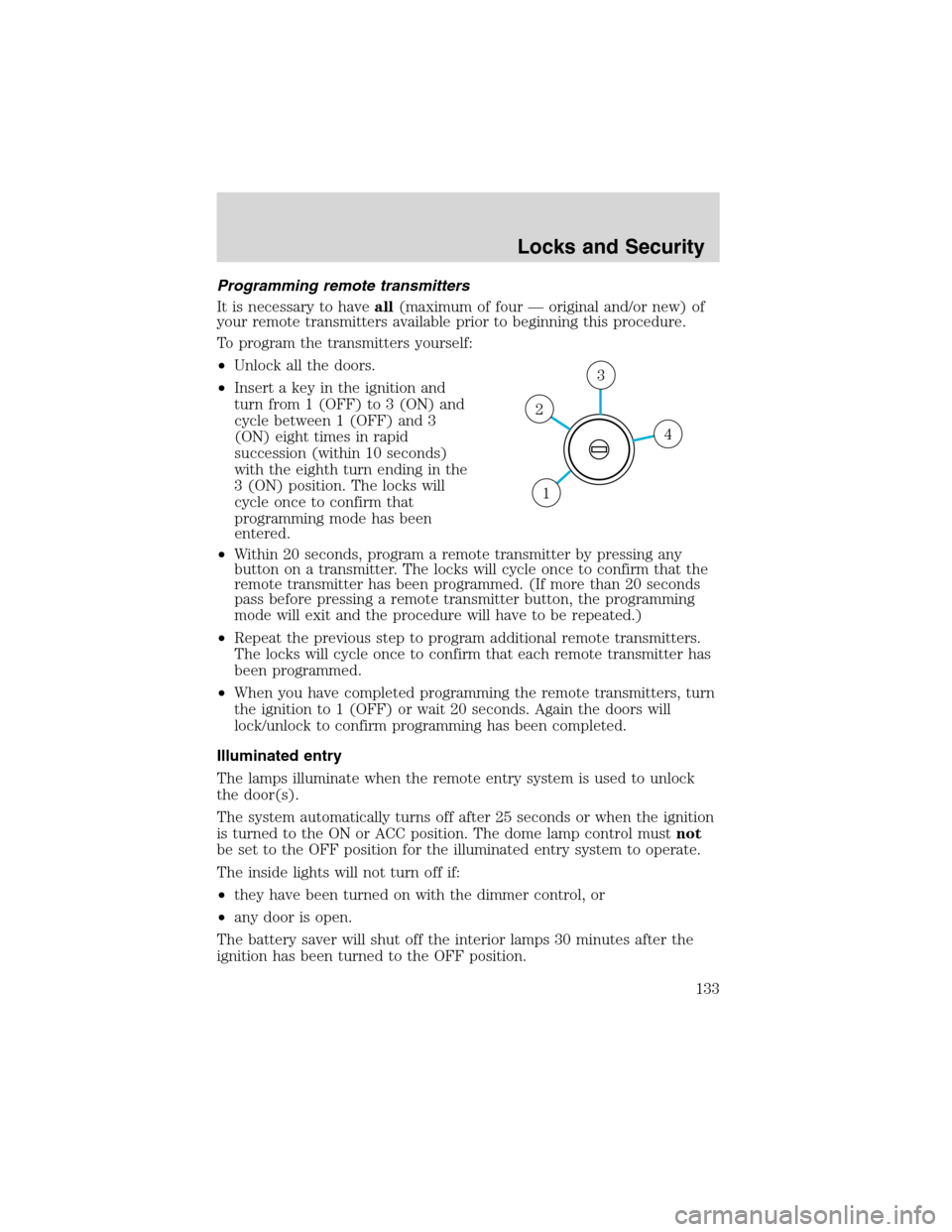
•Insert a key in the ignition and
turn from 1 (OFF) to 3 (ON) and
cycle between 1 (OFF) and 3
(ON) eight times in rapid
succession (within 10 seconds)
with the eighth turn ending in the
3 (ON) position. The locks will
cycle once to confirm that
programming mode has been
entered.
•Within 20 seconds, program a remote transmitter by pressing any
button on a transmitter. The locks will cycle once to confirm that the
remote transmitter has been programmed. (If more than 20 seconds
pass before pressing a remote transmitter button, the programming
mode will exit and the procedure will have to be repeated.)
•Repeat the previous step to program additional remote transmitters.
The locks will cycle once to confirm that each remote transmitter has
been programmed.
•When you have completed programming the remote transmitters, turn
the ignition to 1 (OFF) or wait 20 seconds. Again the doors will
lock/unlock to confirm programming has been completed.
Illuminated entry
The lamps illuminate when the remote entry system is used to unlock
the door(s).
The system automatically turns off after 25 seconds or when the ignition
is turned to the ON or ACC position. The dome lamp control mustnot
be set to the OFF position for the illuminated entry system to operate.
The inside lights will not turn off if:
•they have been turned on with the dimmer control, or
•any door is open.
The battery saver will shut off the interior lamps 30 minutes after the
ignition has been turned to the OFF position.
4
3
2
1
Locks and Security
133