Page 151 of 486

Torque Lock
If you are parking on a hill and you don't shift your
transaxle into PARK (P) properly, the weight of
the vehicle may put too much force on the parking pawl
in the transaxle. You may ®nd it difficult to pull the
shift lever out of PARK (P). This is called ªtorque lock.º
To prevent torque lock, set the parking brake and
then shift into PARK (P) properly before you leave the
driver's seat. To ®nd out how, see
Shifting Into Park (P)
on page 2-39.
When you are ready to drive, move the shift lever out of
PARK (P)
beforeyou release the parking brake.
If torque lock does occur, you may need to have another
vehicle push yours a little uphill to take some of the
pressure from the parking pawl in the transaxle, so you
can pull the shift lever out of PARK (P).
Shifting Out of Park (P)
Your vehicle has an automatic transaxle shift lock
control system. You have to fullyapplyyour regular
brakesbeforeyou can shift from PARK (P), when
the ignition is in RUN.
As you step on the brake pedal, while in PARK (P), you
may hear a click from the solenoid of the system.
This ensures that the system is operating properly. See
Automatic Transaxle Operation on page 2-34.
If you cannot shift out of PARK (P), ease pressure on
the shift lever by pushing the shift lever all the way into
PARK (P) as you maintain brake application. Then
try to move the shift lever into the gear you want. If you
ever hold the brake pedal down but still can't shift
out of PARK (P), try this:
1. Turn the ignition key to OFF.
2. Apply and hold the brake until the end of Step 4.
3. Shift to NEUTRAL (N).
4. Start the engine and then shift to the drive gear
you want.
5. Have the vehicle ®xed as soon as you can.
2-41
Page 154 of 486
Mirrors
Manual Rearview Mirror
To reduce glare from lights behind you, pull the lever
toward you (to the night position). To return the mirror to
the day position, push the lever away from you.
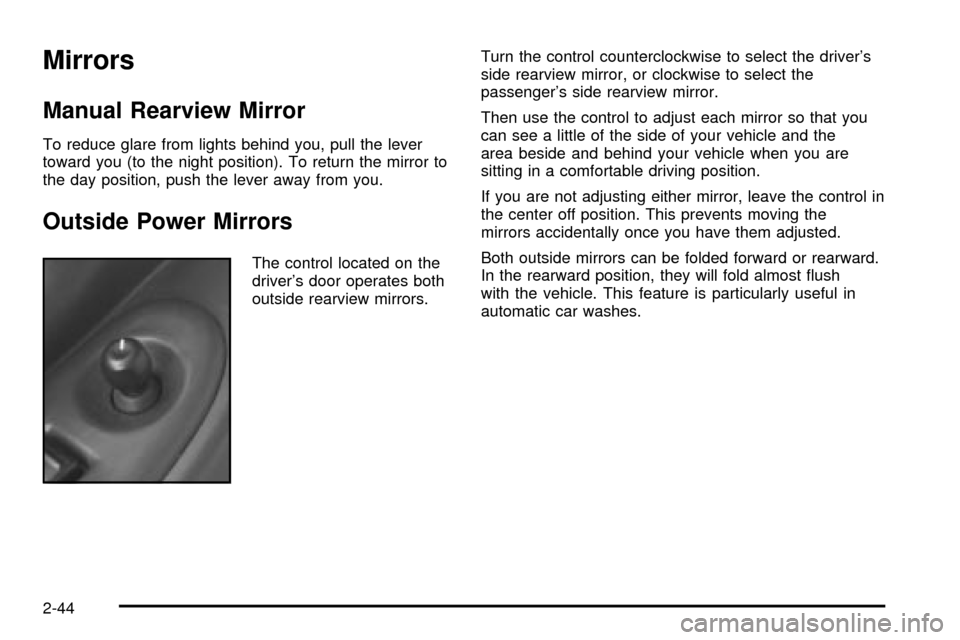
Outside Power Mirrors
The control located on the
driver's door operates both
outside rearview mirrors.Turn the control counterclockwise to select the driver's
side rearview mirror, or clockwise to select the
passenger's side rearview mirror.
Then use the control to adjust each mirror so that you
can see a little of the side of your vehicle and the
area beside and behind your vehicle when you are
sitting in a comfortable driving position.
If you are not adjusting either mirror, leave the control in
the center off position. This prevents moving the
mirrors accidentally once you have them adjusted.
Both outside mirrors can be folded forward or rearward.
In the rearward position, they will fold almost ¯ush
with the vehicle. This feature is particularly useful in
automatic car washes.
2-44
Page 156 of 486

OnStaržServices
One of the following plans is normally included for a
speci®c duration with each vehicle equipped with
OnStar
ž. You can upgrade or extend your OnStarž
service plan to meet your needs.
Safe and Sound Plan
·
Automatic Noti®cation of Air Bag Deployment
·Emergency Services
·Roadside Assistance
·Stolen Vehicle Assistance
·AccidentAssist
·Remote Door Unlock
·Remote Diagnostics
·Online Concierge
Directions and Connections Plan
·
All Safe and Sound Plan services
·Route Support
·RideAssist
·Information and Convenience Services
Luxury and Leisure Plan
·
All Directions and Connections Plan services
·Personal Concierge
OnStaržPersonal Calling
With OnStaržPersonal Calling, you have a safer way to
stay connected while driving. It's a hands-free wireless
phone that's integrated into your vehicle. You can place
calls nationwide using voice-activated dialing with no
contracts and no additional roaming charges. To ®nd out
more about OnStar
žPersonal Calling, refer to the
OnStaržuser's guide in your vehicle's glove box, or call
OnStaržat 1-888-4-ONSTAR (1-888-466-7827).
OnStaržVirtual Advisor
With OnStaržVirtual Advisor you can listen to the news,
entertainment and informative topics, such as traffic
and weather reports. You are able to listen and reply to
your e-mail through your vehicle's speakers.
2-46
Page 157 of 486
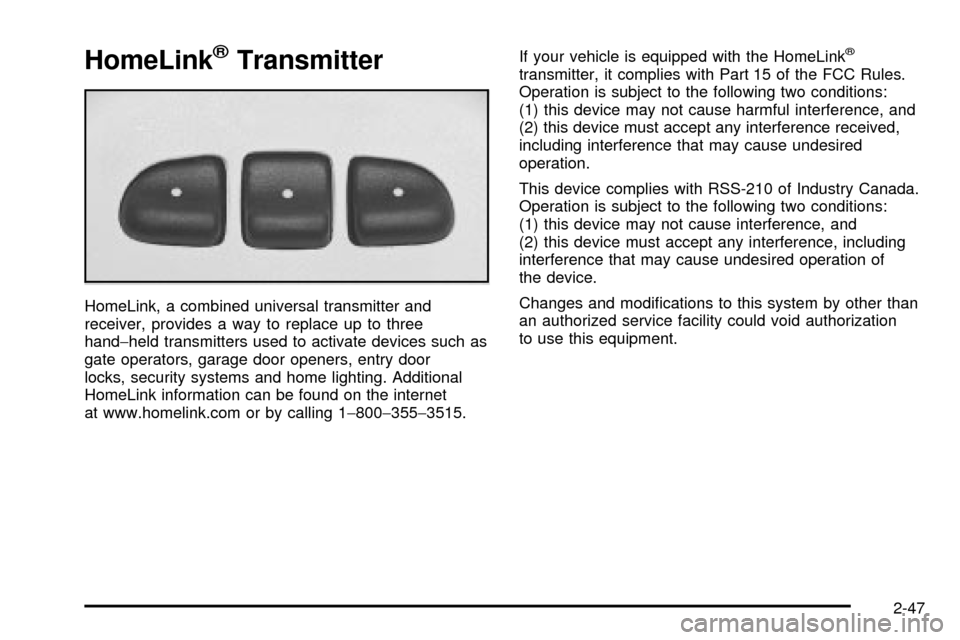
HomeLinkžTransmitter
HomeLink, a combined universal transmitter and
receiver, provides a way to replace up to three
hand-held transmitters used to activate devices such as
gate operators, garage door openers, entry door
locks, security systems and home lighting. Additional
HomeLink information can be found on the internet
at www.homelink.com or by calling 1-800-355-3515.If your vehicle is equipped with the HomeLink
ž
transmitter, it complies with Part 15 of the FCC Rules.
Operation is subject to the following two conditions:
(1) this device may not cause harmful interference, and
(2) this device must accept any interference received,
including interference that may cause undesired
operation.
This device complies with RSS-210 of Industry Canada.
Operation is subject to the following two conditions:
(1) this device may not cause interference, and
(2) this device must accept any interference, including
interference that may cause undesired operation of
the device.
Changes and modi®cations to this system by other than
an authorized service facility could void authorization
to use this equipment.
2-47
Page 166 of 486
Notice:Loading cargo on the luggage carrier that
weighs more than 150 lbs. (68 kg) or hangs over the
rear or sides of the vehicle may damage your
vehicle. Load cargo so that it rests on the slats as
far forward as possible and against the side
rails, making sure to fasten it securely.
When you carry cargo on the luggage carrier of a
proper size and weight, put it on the slats, as far forward
as you can. Then slide the crossrail up against the
rear of the load, to help keep it from moving. You can
then tie it down.Don't exceed the maximum vehicle capacity when
loading your vehicle. For more information on vehicle
capacity and loading, see
Loading Your Vehicle on
page 4-34.
To prevent damage or loss of cargo as you're driving,
check now and then to make sure the luggage
carrier and cargo are still securely fastened.
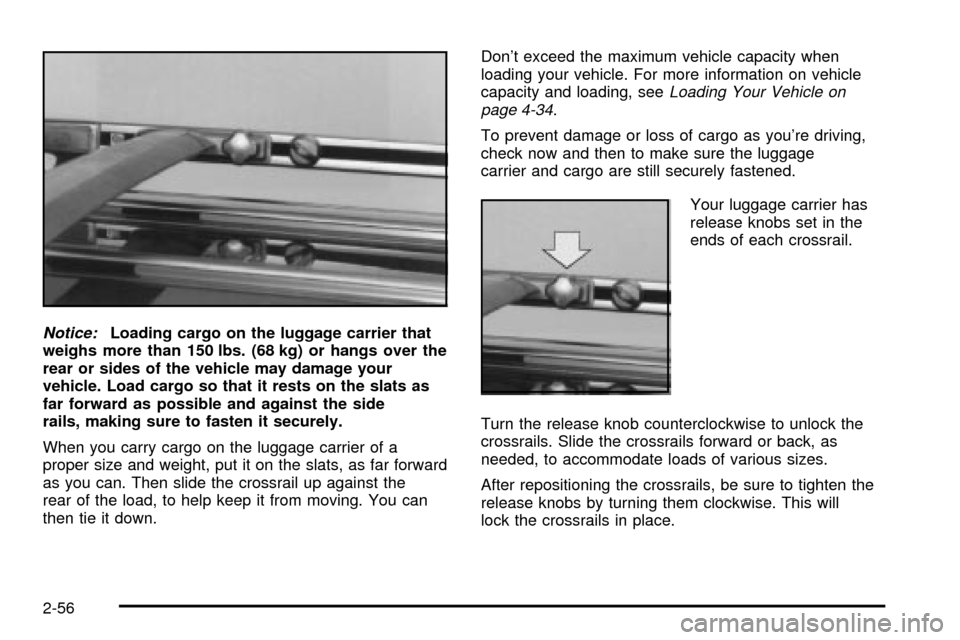
Your luggage carrier has
release knobs set in the
ends of each crossrail.
Turn the release knob counterclockwise to unlock the
crossrails. Slide the crossrails forward or back, as
needed, to accommodate loads of various sizes.
After repositioning the crossrails, be sure to tighten the
release knobs by turning them clockwise. This will
lock the crossrails in place.
2-56
Page 169 of 486
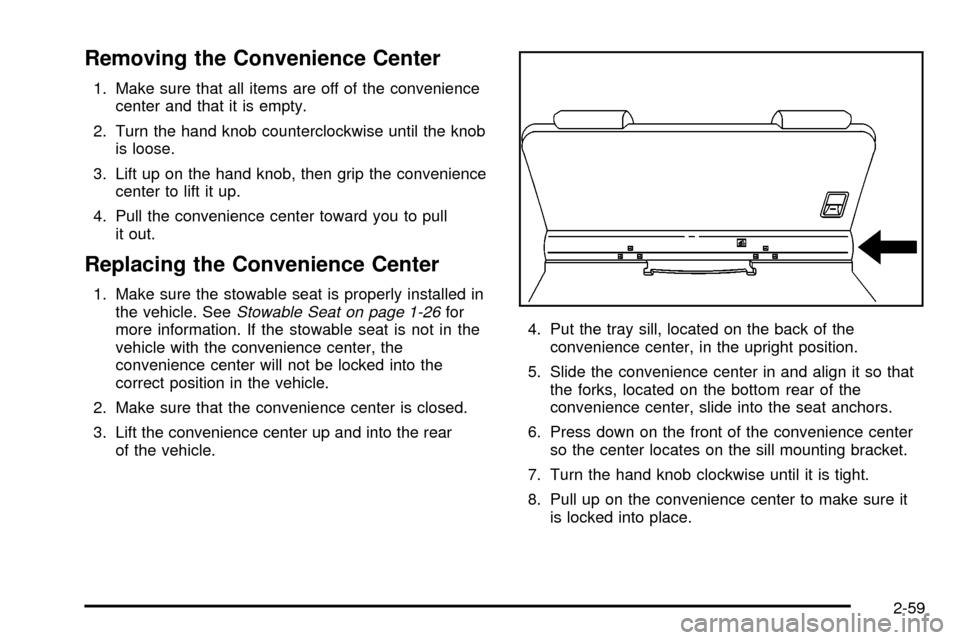
Removing the Convenience Center
1. Make sure that all items are off of the convenience
center and that it is empty.
2. Turn the hand knob counterclockwise until the knob
is loose.
3. Lift up on the hand knob, then grip the convenience
center to lift it up.
4. Pull the convenience center toward you to pull
it out.
Replacing the Convenience Center
1. Make sure the stowable seat is properly installed in
the vehicle. SeeStowable Seat on page 1-26for
more information. If the stowable seat is not in the
vehicle with the convenience center, the
convenience center will not be locked into the
correct position in the vehicle.
2. Make sure that the convenience center is closed.
3. Lift the convenience center up and into the rear
of the vehicle.4. Put the tray sill, located on the back of the
convenience center, in the upright position.
5. Slide the convenience center in and align it so that
the forks, located on the bottom rear of the
convenience center, slide into the seat anchors.
6. Press down on the front of the convenience center
so the center locates on the sill mounting bracket.
7. Turn the hand knob clockwise until it is tight.
8. Pull up on the convenience center to make sure it
is locked into place.
2-59
Page 171 of 486
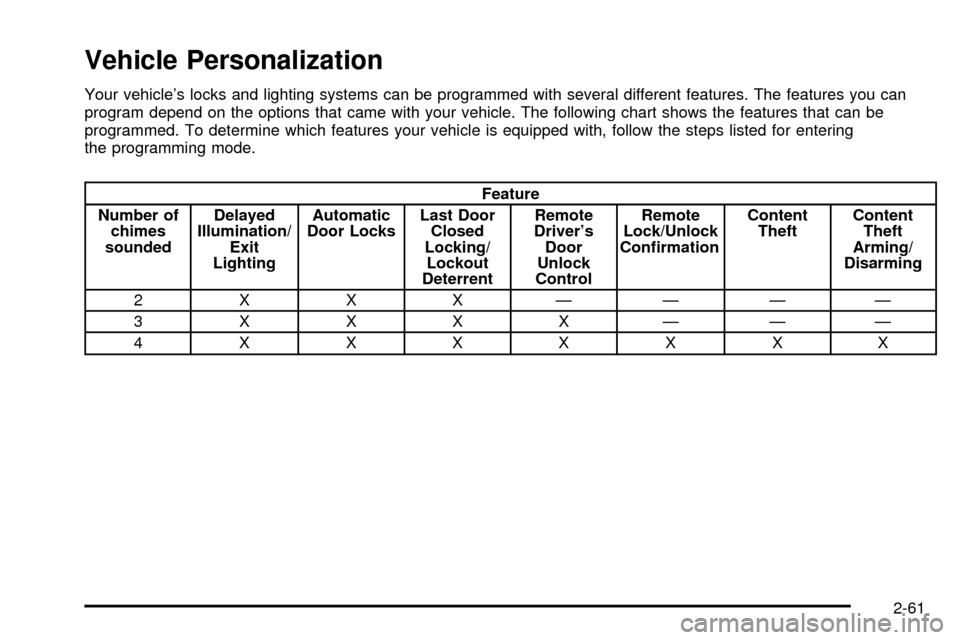
Vehicle Personalization
Your vehicle's locks and lighting systems can be programmed with several different features. The features you can
program depend on the options that came with your vehicle. The following chart shows the features that can be
programmed. To determine which features your vehicle is equipped with, follow the steps listed for entering
the programming mode.
Feature
Number of
chimes
soundedDelayed
Illumination/
Exit
LightingAutomatic
Door LocksLast Door
Closed
Locking/
Lockout
DeterrentRemote
Driver's
Door
Unlock
ControlRemote
Lock/Unlock
Con®rmationContent
TheftContent
Theft
Arming/
Disarming
2 X X X ÐÐÐÐ
3XXXXÐÐÐ
4XXXXXXX
2-61
Page 172 of 486

Entering Programming Mode
To program features, your vehicle must be in the
programming mode. Follow these steps:
1. The content theft-deterrent system must be
disarmed. See
Content Theft-Deterrent on
page 2-27.
2. Remove the BCM PRGRM fuse from the instrument
panel fuse block, located to the right of the glove
box. See
Fuses and Circuit Breakers on page 5-96.
3. Close the driver's door.
4. Turn the ignition key to ACCESSORY.
5. Count the number of chimes you hear. You will
hear two to four chimes depending on the features
your vehicle is equipped with. Refer to the chart
shown previously.
You can now program your choices.
To exit the programming mode, follow the steps listed
under
Exiting Programming Mode on page 2-70.
Delayed Illumination and Exit
Lighting
This feature allows you to customize the interior lamps
when entering and exiting the vehicle.
Programmable Modes
Mode 1:Both Features Off (The interior lamps will turn
on or off at the same instant that a door is opened or
closed.)
Mode 2:Delayed Illumination Only (The interior lamps
will stay on for about 25 seconds after all the doors
and liftgate are closed, or until you lock the doors.)
Mode 3:Exit Lighting Only (The interior lamps will come
on whenever you remove the key from the ignition
and stay on for about 25 seconds, or until you lock
the doors.)
Mode 4:Both Features On (This combines
Modes 2 and 3.)
2-62