Page 72 of 556
{CAUTION:
Anyone who is up against, or very close to,
any air bag when it in¯ates can be seriously
injured or killed. Air bags plus lap-shoulder
belts offer the best protection for adults, but
not for young children and infants. Neither
thevehicle's safety belt system nor its air bag
system is designed for them. Young children
and infants need the protection that a child
restraint system can provide. Always secure
children properly in your vehicle. To read how,
see
Older Children on page 1-31andInfants
and Young Children on page 1-34
.
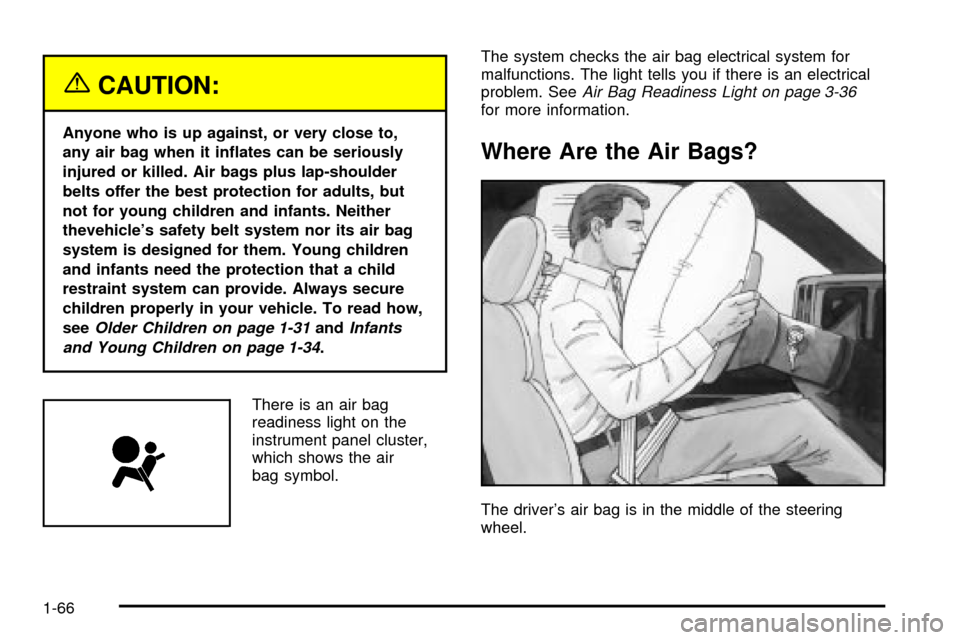
There is an air bag
readiness light on the
instrument panel cluster,
which shows the air
bag symbol.The system checks the air bag electrical system for
malfunctions. The light tells you if there is an electrical
problem. See
Air Bag Readiness Light on page 3-36for more information.
Where Are the Air Bags?
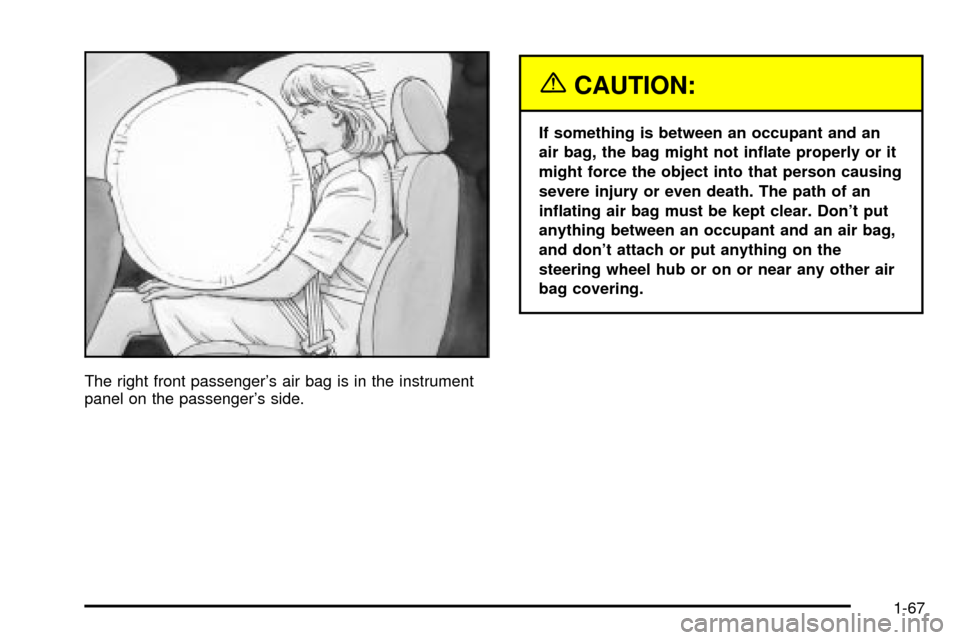
The driver's air bag is in the middle of the steering
wheel.
1-66
Page 73 of 556
The right front passenger's air bag is in the instrument
panel on the passenger's side.
{CAUTION:
If something is between an occupant and an
air bag, the bag might not in¯ate properly or it
might force the object into that person causing
severe injury or even death. The path of an
in¯ating air bag must be kept clear. Don't put
anything between an occupant and an air bag,
and don't attach or put anything on the
steering wheel hub or on or near any other air
bag covering.
1-67
Page 75 of 556

Seat Position Sensors
Vehicle's with dual stage air bags are also equipped
with special sensors which enable the sensing system to
monitor the position of both the driver and passenger
front seats. The seat position sensor provides
information which is used to determine if the air bags
should deploy at a reduced level or at full deployment.
Single Stage Air Bags
If your vehicle has frontal air bags with single stage
deployment and your vehicle goes straight into a wall
that does not move or deform, the threshold level
is about 13 to 16 mph (20 to 25 km/h). The threshold
level can vary, however, with speci®c vehicle design, so
that it can be somewhat above or below this range.
If your vehicle strikes something that will move or
deform, such as a parked car, the threshold level will be
higher. The air bag is not designed to in¯ate in
rollovers, rear impacts, or in many side impacts because
in¯ation would not help the occupant.
What Makes an Air Bag In¯ate?
In an impact of sufficient severity, the air bag sensing
system detects that the vehicle is in a crash. The
sensing system triggers a release of gas from the
in¯ator, which in¯ates the air bag. The in¯ator, air bag,
and related hardware are all part of the air bag
modules inside the steering wheel and in the instrument
panel in front of the right front passenger.
How Does an Air Bag Restrain?
In moderate to severe frontal or near-frontal collisions,
even belted occupants can contact the steering wheel or
the instrument panel. Air bags supplement the
protection provided by safety belts. Air bags distribute
the force of the impact more evenly over the occupant's
upper body, stopping the occupant more gradually.
But air bags would not help you in many types of
collisions, including rollovers, rear impacts and many
side impacts, primarily because an occupant's motion is
not toward those air bags. Air bags should never be
regarded as anything more than a supplement to safety
belts, and then only in moderate to severe frontal or
near-frontal collisions.
1-69
Page 76 of 556

What Will You See After an Air Bag
In¯ates?
After an air bag in¯ates, it quickly de¯ates, so quickly
that some people may not even realize the air bag
in¯ated. Some components of the air bag module ± the
steering wheel hub for the driver's air bag, or the
instrument panel for the right front passenger's bag ±
will be hot for a short time. The parts of the bag
that come into contact with you may be warm, but not
too hot to touch. There will be some smoke and
dust coming from the vents in the de¯ated air bags. Air
bag in¯ation does not prevent the driver from seeing
or being able to steer the vehicle, nor does it stop
people from leaving the vehicle.
{CAUTION:
When an air bag in¯ates, there is dust in the
air. This dust could cause breathing problems
for people with a history of asthma or other
breathing trouble. To avoid this, everyone in
the vehicle should get out as soon as it is safe
to do so. If you have breathing problems but
can't get out of the vehicle after an air bag
in¯ates, then get fresh air by opening a
window or a door. If you experience breathing
problems following an air bag deployment, you
should seek medical attention.
In many crashes severe enough to in¯ate the air bag,
windshields are broken by vehicle deformation. Additional
windshield breakage may also occur from the right front
passenger air bag.
·Air bags are designed to in¯ate only once. After they
in¯ate, you will need some new parts for your air bag
system. If you do not get them, the air bag system
will not be there to help protect you in another crash.
A new system will include air bag modules and
possibly other parts. The service manual for your
vehicle covers the need to replace other parts.
1-70
Page 77 of 556
·Your vehicle is equipped with electronic frontal
sensors which help the sensing system distinguish
between a moderate and a more severe frontal
impact. Your vehicle is also equipped with a crash
sensing and diagnostic module, which records
information about the frontal air bag system. The
module records information about the readiness of
the system and when the system commands air bag
in¯ation. It records the status of the driver's safety
belt usage in a crash in which the air bag deploys or
a crash in which the air bag nearly deploys. The
module also records speed, engine rpm, brake and
throttle data.
·Let only quali®ed technicians work on your air bag
systems. Improper service can mean that an air bag
system will not work properly. See your dealer for
service.
Notice:If you damage the covering for the driver's
or the right front passenger's air bag, the bag
may not work properly. You may have to replace the
air bag module in the steering wheel or both the
air bag module and the instrument panel for
the right front passenger's air bag. Do not open or
break the air bag coverings.
Air Bag Off Switch
Regular Cab and Extended Cab Models
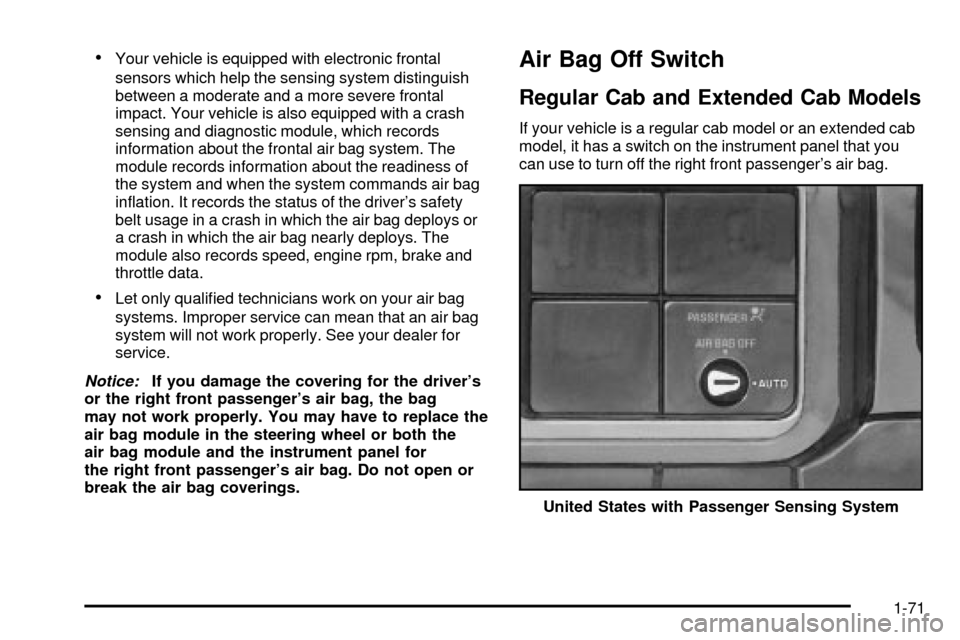
If your vehicle is a regular cab model or an extended cab
model, it has a switch on the instrument panel that you
can use to turn off the right front passenger's air bag.
United States with Passenger Sensing System
1-71
Page 109 of 556
{CAUTION:
On manual transmission vehicles, turning the
key to LOCK will lock the steering column and
result in a loss of ability to steer the vehicle.
This could cause a collision. If you need to
turn the engine off while the vehicle is moving,
turn the key only to OFF. Don't press the key
release button while the vehicle is moving.
Notice:If your key seems stuck in LOCK and you
can't turn it, be sure you are using the correct key; if
so, is it all the way in? Turn the key only with
your hand. Using a tool to force it could break the
key or the ignition switch. If none of these works,
then your vehicle needs service.
C (RUN):This is the position for driving.
D (START):This position starts your engine.
Key Release Button (Manual
Transmission)
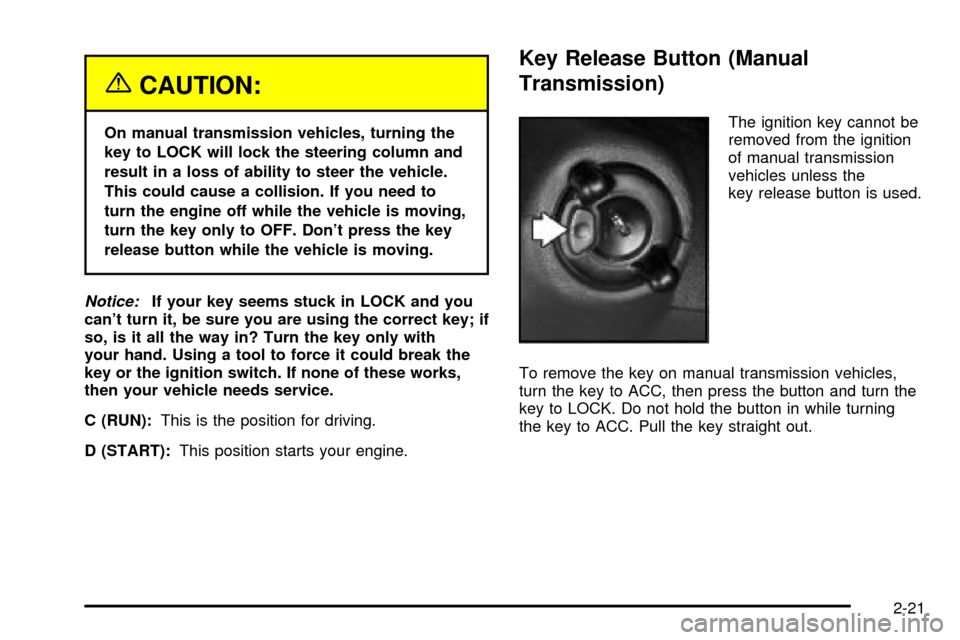
The ignition key cannot be
removed from the ignition
of manual transmission
vehicles unless the
key release button is used.
To remove the key on manual transmission vehicles,
turn the key to ACC, then press the button and turn the
key to LOCK. Do not hold the button in while turning
the key to ACC. Pull the key straight out.
2-21
Page 112 of 556
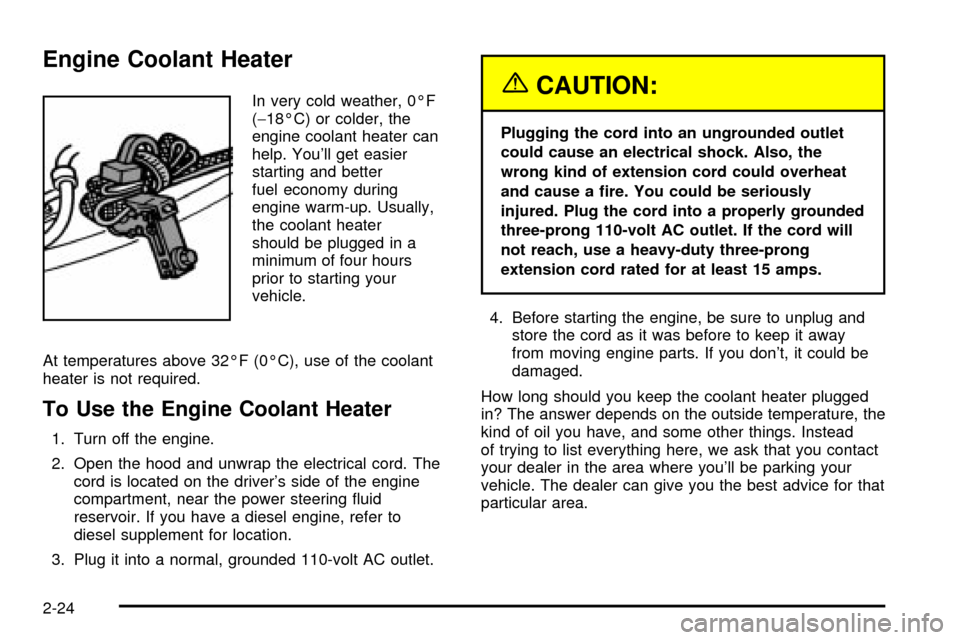
Engine Coolant Heater
In very cold weather, 0ÉF
(-18ÉC) or colder, the
engine coolant heater can
help. You'll get easier
starting and better
fuel economy during
engine warm-up. Usually,
the coolant heater
should be plugged in a
minimum of four hours
prior to starting your
vehicle.
At temperatures above 32ÉF (0ÉC), use of the coolant
heater is not required.
To Use the Engine Coolant Heater
1. Turn off the engine.
2. Open the hood and unwrap the electrical cord. The
cord is located on the driver's side of the engine
compartment, near the power steering ¯uid
reservoir. If you have a diesel engine, refer to
diesel supplement for location.
3. Plug it into a normal, grounded 110-volt AC outlet.
{CAUTION:
Plugging the cord into an ungrounded outlet
could cause an electrical shock. Also, the
wrong kind of extension cord could overheat
and cause a ®re. You could be seriously
injured. Plug the cord into a properly grounded
three-prong 110-volt AC outlet. If the cord will
not reach, use a heavy-duty three-prong
extension cord rated for at least 15 amps.
4. Before starting the engine, be sure to unplug and
store the cord as it was before to keep it away
from moving engine parts. If you don't, it could be
damaged.
How long should you keep the coolant heater plugged
in? The answer depends on the outside temperature, the
kind of oil you have, and some other things. Instead
of trying to list everything here, we ask that you contact
your dealer in the area where you'll be parking your
vehicle. The dealer can give you the best advice for that
particular area.
2-24
Page 152 of 556
OnStaržSteering Wheel Controls
g
: If your vehicle is
equipped with the steering
wheel control buttons
you can use them
to interact with the OnStar
ž
system.
See the OnStar
žmanual provided with your vehicle for
more information.
Storage Areas
Your vehicle includes a number of storage
compartments for storage of often-used items.
Some vehicles have storage areas in the instrument
panel. Use these spaces for items such as gloves
or small books.
Some models have a storage pocket on each of the
front doors.
Some vehicles have a storage area behind the seat.
Glove Box
To open your glove box, pull the lever upward and pull
the door downward.
Cupholder(s)
Your vehicle may have cupholders located in the front
console, or in the fold-down armrest.
2-64