2003 CHEVROLET SILVERADO service
[x] Cancel search: servicePage 93 of 556

·Check the distance. You may be too far from your
vehicle. You may need to stand closer during
rainy or snowy weather.
·Check the location. Other vehicles or objects may
be blocking the signal. Take a few steps to the
left or right, hold the transmitter higher, and
try again.
·Check to determine if battery replacement or
resynchronization is necessary. See ªBattery
Replacementº and ªResynchronizationº under
ªRemote Keyless Entry System Operationº following
this section.
·If you are still having trouble, see your dealer or a
quali®ed technician for service.
Remote Keyless Entry System
Operation
If your vehicle has this feature, you can lock and unlock
your doors from about 3 feet (1 m) up to 30 feet (9 m)
away using the remote keyless entry transmitter supplied
with your vehicle.
UNLOCK:Pressing this button once will unlock the
driver's door. The parking lamps will ¯ash and the interior
lights will come on. The ground illumination lamps will
come on. Pressing UNLOCK again within three seconds
will cause the remaining doors to unlock. The parkinglamps will ¯ash and the interior lights will come on.
LOCK:Pressing this button once will lock all of the
doors. Wait one second, then press LOCK again and the
horn will chirp.
Operating the keyless entry transmitter may interact with
the theft-deterrent system. See
Content Theft-Deterrent
on page 2-18.
Remote Alarm
When the panic button with the horn symbol on the
keyless entry transmitter is pressed, the horn will sound
and the headlamps and taillamps will ¯ash for up to
30 seconds. This can be turned off by pressing the panic
button again, waiting for 30 seconds, or starting the
vehicle.
Matching Transmitter(s) to Your
Vehicle
Each remote keyless entry transmitter is coded to prevent
another transmitter from unlocking your vehicle. If a
transmitter is lost or stolen, a replacement can be
purchased through your dealer. Remember to bring any
remaining transmitters with you when you go to your
dealer. When the dealer matches the replacement
transmitter to your vehicle, any remaining transmitters
must also be matched. Once your dealer has coded the
2-5
Page 95 of 556
Resynchronization
Resynchronization may be necessary due to the
security method used by this system. The transmitter
does not send the same signal twice to the receiver. The
receiver will not respond to a signal that has been
sent previously. This prevents anyone from recording
and playing back the signal from the transmitter.
To resynchronize your transmitter, stand close to your
vehicle and press and hold the LOCK and UNLOCK
buttons on the transmitter at the same time for 15
seconds. The door locks should cycle to con®rm
synchronization. If the locks do not cycle, see your
dealer for service.
Doors and Locks
Door Locks
{CAUTION:
Unlocked doors can be dangerous.
·Passengers Ð especially children Ð can
easily open the doors and fall out of a
moving vehicle. When a door is locked, the
handle will not open it. You increase the
chance of being thrown out of the vehicle
in a crash if the doors are not locked. So,
wear safety belts properly and lock the
doors whenever you drive.
·Young children who get into unlocked
vehicles may be unable to get out. A child
can be overcome by extreme heat and can
suffer permanent injuries or even death
from heat stroke. Always lock your vehicle
whenever you leave it.
·Outsiders can easily enter through an
unlocked door when you slow down or
stop your vehicle. Locking your doors can
help prevent this from happening.
2-7
Page 107 of 556

If you set off the alarm by accident, unlock any door
with the key. You can also turn off the alarm by pressing
UNLOCK on the remote keyless entry transmitter or
by placing the key in the ignition and turning it to
START.
Testing the Alarm
The alarm can be tested by following these steps:
1. From inside the vehicle, lower the driver's window
and open the driver's door.
2. Activate the system by locking the doors with the
power door lock switch while the door is open, or
with the remote keyless entry transmitter.
3. Get out of the vehicle, close the door and wait for
the security light to go out.
4. Then reach in through the window, unlock the door
with the manual door lock and open the door. This
should set off the alarm.
If the alarm does not sound when it should but the
vehicle's headlamps ¯ash, check to see if the horn
works. The horn fuse may be blown. To replace
the fuse, see
Fuses and Circuit Breakers on page 5-110.
If the alarm does not sound or the vehicle's headlamps
do not ¯ash, the vehicle should be serviced by an
authorized service center.
Passlockž
Your vehicle is equipped with the
Passlockžtheft-deterrent system.
Passlock
žis a passive theft-deterrent system.
Passlockženables fuel if the ignition lock cylinder is
turned with a valid key. If a correct key is not used or the
ignition lock cylinder is tampered with, fuel is disabled.
If the engine stalls and the security light ¯ashes,
wait until the light stops ¯ashing before trying to restart
the engine. Remember to release the key from
START as soon as the engine starts.
If the engine is running and the security light comes on,
you will be able to restart the engine if you turn the
engine off. However, your Passlock
žsystem is
not working properly and must be serviced by your
dealer. Your vehicle is not protected by Passlock
žat this
time. You may also want to check the fuse (see
Fuses and Circuit Breakers on page 5-110.) See your
dealer for service.
In an emergency, call the GM Roadside Assistance
Center. See
Roadside Assistance Program on page 7-5under Customer Assistance Information.
2-19
Page 109 of 556
{CAUTION:
On manual transmission vehicles, turning the
key to LOCK will lock the steering column and
result in a loss of ability to steer the vehicle.
This could cause a collision. If you need to
turn the engine off while the vehicle is moving,
turn the key only to OFF. Don't press the key
release button while the vehicle is moving.
Notice:If your key seems stuck in LOCK and you
can't turn it, be sure you are using the correct key; if
so, is it all the way in? Turn the key only with
your hand. Using a tool to force it could break the
key or the ignition switch. If none of these works,
then your vehicle needs service.
C (RUN):This is the position for driving.
D (START):This position starts your engine.
Key Release Button (Manual
Transmission)
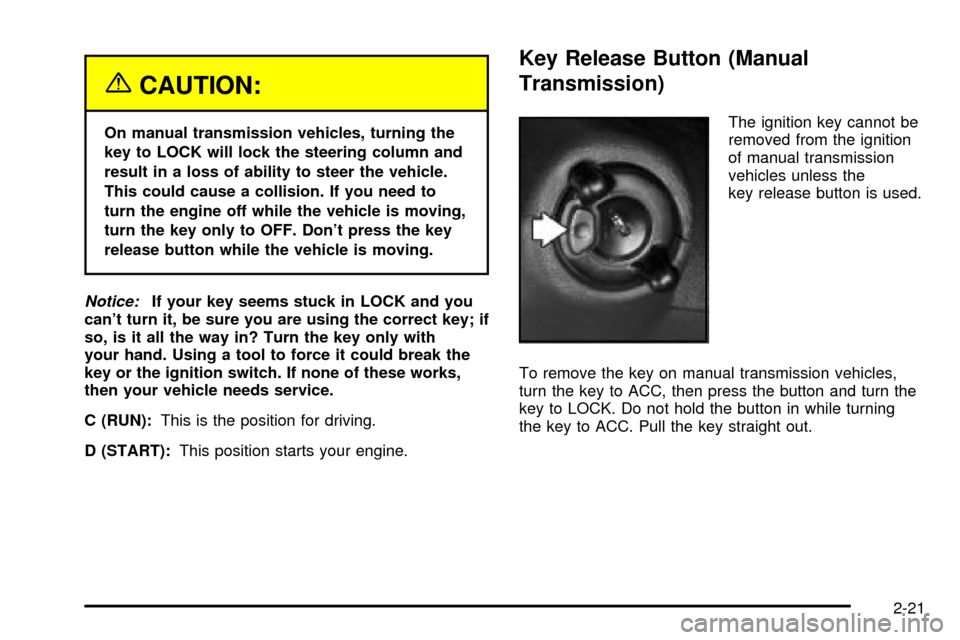
The ignition key cannot be
removed from the ignition
of manual transmission
vehicles unless the
key release button is used.
To remove the key on manual transmission vehicles,
turn the key to ACC, then press the button and turn the
key to LOCK. Do not hold the button in while turning
the key to ACC. Pull the key straight out.
2-21
Page 126 of 556

G(4HI):Use 4HI when you need extra traction, such
a on snowy or icy roads or in most off-road situations.
This setting also engages your front axle to help
drive your vehicle. This is the best setting to use when
plowing snow.
g(4LO):This setting also engages your front axle
and delivers extra torque. You may never need 4LO. It
sends maximum power to all four wheels. You might
choose 4LO if you are driving off-road in deep
sand, deep mud, deep snow and climbing or descending
steep hills.
{CAUTION:
Shifting the transfer case to NEUTRAL can
cause your vehicle to roll even if the
transmission is in PARK (P). You or someone
else could be seriously injured. Be sure to set
the parking brake before placing the transfer
case in NEUTRAL. See ªParking Brakeº in the
Index.NEUTRAL:Shift the vehicle's transfer case to
NEUTRAL only when towing your vehicle. See
Recreational Vehicle Towing on page 4-55orTowing
Your Vehicle on page 4-55for more information.
Indicator lights in the switches show which setting your
transfer case is in. The indicator lights will come on
brie¯y when you turn on the ignition and one will stay on.
If the lights do not come on, you should take your
vehicle to your dealer for service. An indicator light will
¯ash while the transfer case is being shifted. It will
remain illuminated when the shift is complete. If
for some reason the transfer case cannot make a
requested shift, it will return to the last chosen setting.
If the SERVICE 4WD light stays on, you should take
your vehicle to your dealer for service. See
Service on
page 5-3for further information.
Shifting into 4HI or AUTO 4WD
Press and release the 4HI or AUTO 4WD switch. This
can be done at any speed (except when shifting
from 4LO), and the indicator light will ¯ash while shifting.
It will remain illuminated when the shift is completed.
2-38
Page 130 of 556

g(4LO):This setting also engages your front axle to
give you extra traction. You may never need 4LO. It
sends the maximum power to all four wheels. You might
choose 4LO if you were driving off-road in sand, mud
or deep snow and climbing or descending steep hills.
Indicator lights in the switches show you which
setting you are in. The indicator lights will come on
brie¯y when you turn on the ignition and the last chosen
setting will stay on. If the lights do not come on, you
should take your vehicle in for service. An indicator light
will ¯ash while shifting. It will remain illuminated when
the shift is completed. If for some reason the transfer
cannot make a requested shift, it will return to the
last chosen setting.
{CAUTION:
Shifting the transfer case to NEUTRAL can
cause your vehicle to roll even if the
transmission is in PARK (P). You or someone
else could be seriously injured. Be sure to set
the parking brake before placing the transfer
case in NEUTRAL. See ªParking Brakeº in the
Index.NEUTRAL:Shift the vehicle's transfer case to
NEUTRAL only when towing your vehicle. See
Recreational Vehicle Towing on page 4-55orTowing
Your Vehicle on page 4-55for more information.
Shifting from 2HI to 4HI
Press and release the 4HI switch. This can be done at
any speed, and the front axle will lock automatically
with some delay.
Shifting from 4HI to 2HI
Press and release the 2HI switch. This can be done at
any speed, and the front axle will unlock automatically
with some delay.
Shifting from 2HI or 4HI to 4LO
To shift from 2HI or 4HI to 4LO, the vehicle must be
stopped or moving less than 3 mph (4.8 km/h) with the
transmission in NEUTRAL (N). The preferred method
for shifting into 4LO is to have your vehicle moving 1 to
2 mph (1.6 to 3.2 km/h). Press and release the 4LO
switch. You must wait for the 4LO indicator light to stop
¯ashing and remain illuminated before shifting your
transmission into gear.
2-42
Page 150 of 556
Outside Convex Mirror
Your passenger's side mirror is convex. A convex
mirror's surface is curved so you can see more from the
driver's seat.
{CAUTION:
A convex mirror can make things (like other
vehicles) look farther away than they really are.
If you cut too sharply into the right lane, you
could hit a vehicle on your right. Check your
inside mirror or glance over your shoulder
before changing lanes.
Outside Heated Mirrors
The outside rearview mirrors with this option have a
defrost mode.
To turn on the defrost feature, press the rear window
defogger button. See ªRear Window Defoggerº
under
Dual Automatic Climate Control System on
page 3-25for further information.
OnStaržSystem
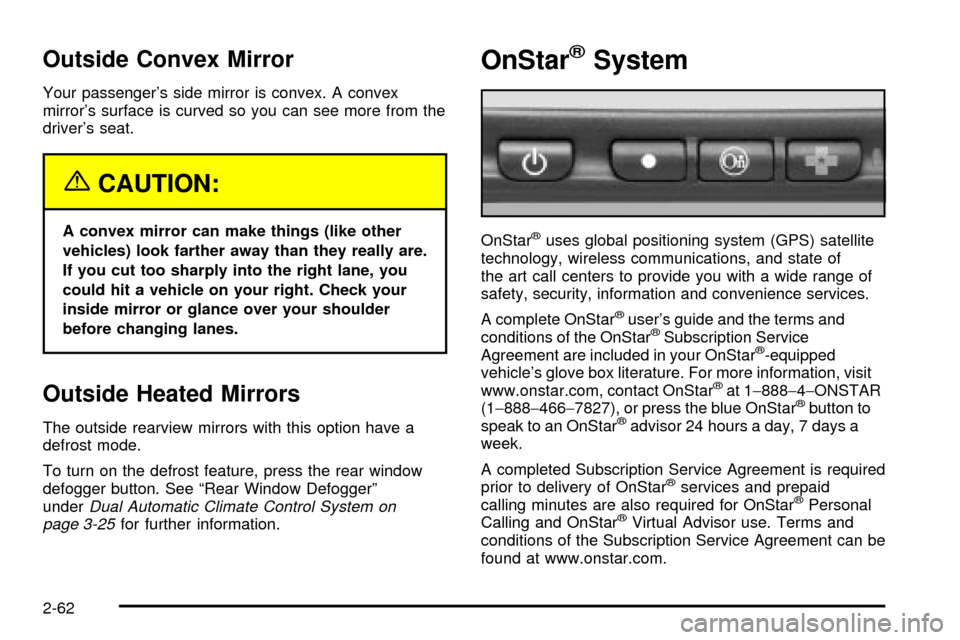
OnStaržuses global positioning system (GPS) satellite
technology, wireless communications, and state of
the art call centers to provide you with a wide range of
safety, security, information and convenience services.
A complete OnStar
žuser's guide and the terms and
conditions of the OnStaržSubscription Service
Agreement are included in your OnStarž-equipped
vehicle's glove box literature. For more information, visit
www.onstar.com, contact OnStar
žat 1-888-4-ONSTAR
(1-888-466-7827), or press the blue OnStaržbutton to
speak to an OnStaržadvisor 24 hours a day, 7 days a
week.
A completed Subscription Service Agreement is required
prior to delivery of OnStar
žservices and prepaid
calling minutes are also required for OnStaržPersonal
Calling and OnStaržVirtual Advisor use. Terms and
conditions of the Subscription Service Agreement can be
found at www.onstar.com.
2-62
Page 151 of 556

OnStaržServices
One of the following plans is normally included for a
speci®c duration with each vehicle equipped with
OnStar
ž. You can upgrade or extend your OnStarž
service plan to meet your needs.
Safe and Sound Plan
·
Automatic Noti®cation of Air Bag Deployment
·Emergency Services
·Roadside Assistance
·Stolen Vehicle Assistance
·AccidentAssist
·Remote Door Unlock
·Remote Diagnostics
·Online Concierge
Directions and Connections Plan
·
All Safe and Sound Plan services
·Route Support
·RideAssist
·Information and Convenience Services
Luxury and Leisure Plan
·
All Directions and Connections Plan services
·Personal Concierge
OnStaržPersonal Calling
With OnStaržPersonal Calling, you have a safer way to
stay connected while driving. It's a hands-free wireless
phone that's integrated into your vehicle. You can place
calls nationwide using voice-activated dialing with no
contracts and no additional roaming charges. To ®nd out
more about OnStar
žPersonal Calling, refer to the
OnStaržowner's guide in your vehicle's glove box, or
call OnStaržat 1-888-4-ONSTAR (1-888-466-7827).
OnStaržVirtual Advisor
With OnStaržVirtual Advisor you can listen to your
favorite news, entertainment and information topics,
such as traffic and weather reports, stock quotes
and sports scores. You listen to your e-mail through
your vehicle's speakers, and reply with your hands on
the wheel and your eyes on the road.
2-63