Page 94 of 408

THIRD (3):This position is also used for normal driving,
but it offers more power and lower fuel economy than
AUTOMATIC OVERDRIVE (
X).
Here are some times you might choose THIRD (3)
instead of AUTOMATIC OVERDRIVE (
X):
·When driving on hilly, winding roads.
·When towing a trailer, so there is less shifting
between gears.
·When going down a steep hill.
·When driving in non-highway scenarios (i.e. city
streets, etc.).
SECOND (2):This position gives you more power but
lower fuel economy than THIRD (3). You can use
SECOND (2) on hills. It can help control your speed as
you go down steep mountain roads, but then you
would also want to use your brakes off and on.
Notice:Don't drive in SECOND (2) for more than 25
miles (40 km), or at speeds over 55 mph (90 km/h),
or you can damage your transaxle. Use THIRD (3) or
AUTOMATIC OVERDRIVE (D) as much as possible.
Don't shift into SECOND (2) unless you are going
slower than 65 mph (105 km/h) or you can damage
your engine.FIRST (1):This position gives you even more power,
but lower fuel economy than SECOND (2). You can use
it on very steep hills, or in deep snow or mud. If the
shift lever is in FIRST (1), the transaxle won't shift into
®rst gear until the vehicle is going slowly enough.
Notice:If your front wheels won't turn, don't try to
drive. This might happen if you were stuck in
very deep sand or mud or were up against a solid
object. You could damage your transaxle. Also,
if you stop when going uphill, don't hold your
vehicle there with only the accelerator pedal. This
could overheat and damage the transaxle. Use your
brakes to hold your vehicle in position on a hill.
2-26
Page 123 of 408

Instrument Panel Overview...............................3-4
Hazard Warning Flashers................................3-6
Other Warning Devices...................................3-6
Horn.............................................................3-7
Tilt Wheel.....................................................3-7
Turn Signal/Multifunction Lever.........................3-7
Exterior Lamps.............................................3-14
Interior Lamps..............................................3-17
Accessory Power Outlets...............................3-19
Auxiliary Power Connection
(Power Drop)............................................3-20
Ashtrays and Cigarette Lighter........................3-21
Climate Controls............................................3-22
Dual Climate Control System..........................3-22
Outlet Adjustment.........................................3-25
Passenger Compartment Air Filter...................3-26
Warning Lights, Gages and Indicators.............3-28
Instrument Panel Cluster................................3-29
Speedometer and Odometer...........................3-31
Tachometer.................................................3-32
Safety Belt Reminder Light.............................3-32
Air Bag Readiness Light................................3-33
Brake System Warning Light..........................3-34Anti-Lock Brake System Warning Light.............3-35
Traction Control System (TCS) Warning Light . . .3-35
Engine Coolant Temperature Gage..................3-36
Malfunction Indicator Lamp.............................3-37
Cruise Control Light......................................3-39
Fuel Gage...................................................3-40
Message Center.............................................3-40
Service Traction System Warning Message......3-41
Traction Active Message................................3-41
Battery Warning Message..............................3-42
Hot Coolant Temperature Warning Message.....3-42
Low Oil Pressure Message............................3-43
Low Engine Oil Level Message.......................3-43
Change Engine Oil Message..........................3-44
Low Tire Message........................................3-44
Door Ajar Warning Message...........................3-45
Trunk Ajar Warning Message.........................3-45
Security Message.........................................3-46
Low Washer Fluid Warning Message...............3-46
Low Fuel Warning Message...........................3-47
Low Brake Fluid Warning Message.................3-47
Service Vehicle Soon Message.......................3-48
Highbeam Out Warning Message....................3-48
Section 3 Instrument Panel
3-1
Page 124 of 408

Driver Information Center (DIC).......................3-49
Trip Computer................................................3-52
Audio System(s).............................................3-53
Setting the Time...........................................3-53
Radio with Cassette......................................3-54
Radio with CD..............................................3-64
Radio with Cassette and CD..........................3-75
Theft-Deterrent Feature..................................3-89Audio Steering Wheel Controls.......................3-90
Understanding Radio Reception......................3-91
Care of Your Cassette Tape Player.................3-91
Care of Your CDs.........................................3-92
Care of Your CD Player................................3-92
Backglass Antenna.......................................3-93
XMŸ Satellite Radio Antenna System (United
States Only).............................................3-94
Vehicle Customization Settings.......................3-94
Chime Level Adjustment................................3-94
Section 3 Instrument Panel
3-2
Page 127 of 408

The main components of your instrument panel are
listed here:
A. Instrument Panel Fuse Block. See
Fuses and Circuit
Breakers on page 5-95.
B. Traction Control On/Off Button (If Equipped). See
Traction Control System (TCS) (3800 V6 Engine) on
page 4-9.
C. Multifunction Lever. See
Turn Signal/Multifunction
Lever on page 3-7.
D. Audio Steering Wheel Controls (Option). See
Audio
Steering Wheel Controls on page 3-90.
E. Hazard Warning Flasher Button. See
Hazard
Warning Flashers on page 3-6.
F. Audio System. See
Audio System(s) on page 3-53.
G. Air Vent. See
Outlet Adjustment on page 3-25.
H. Exterior Lamps Control. See
Exterior Lamps
on page 3-14.I. Remote Trunk Release Button. See ªRemote Trunk
Rleaseº under
Trunk on page 2-10.
J. Tilt Steering Wheel Lever. See
Tilt Wheel on
page 3-7.
K. Hood Release. See
Hood Release on page 5-10.
L. Steering Wheel Cruise Control (If Equipped).
See ªCruise Controlº under
Turn Signal/Multifunction
Lever on page 3-7.
M. Ignition Switch. See ªIgnition Positionsº under
New
Vehicle Break-In on page 2-18.
N. Center Console Shift Lever (If Equipped). See
ªConsole Shift Leverº under
Parking Brake on
page 2-27.
O. Climate Controls. See
Dual Climate Control System
on page 3-22.
P. Glove Box. See
Glove Box on page 2-43.
3-5
Page 128 of 408
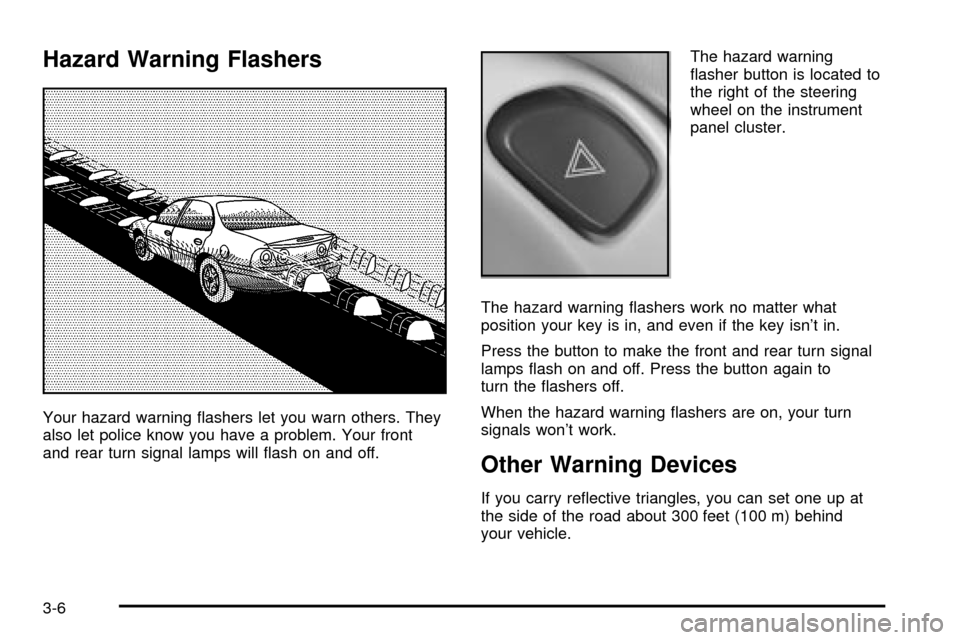
Hazard Warning Flashers
Your hazard warning ¯ashers let you warn others. They
also let police know you have a problem. Your front
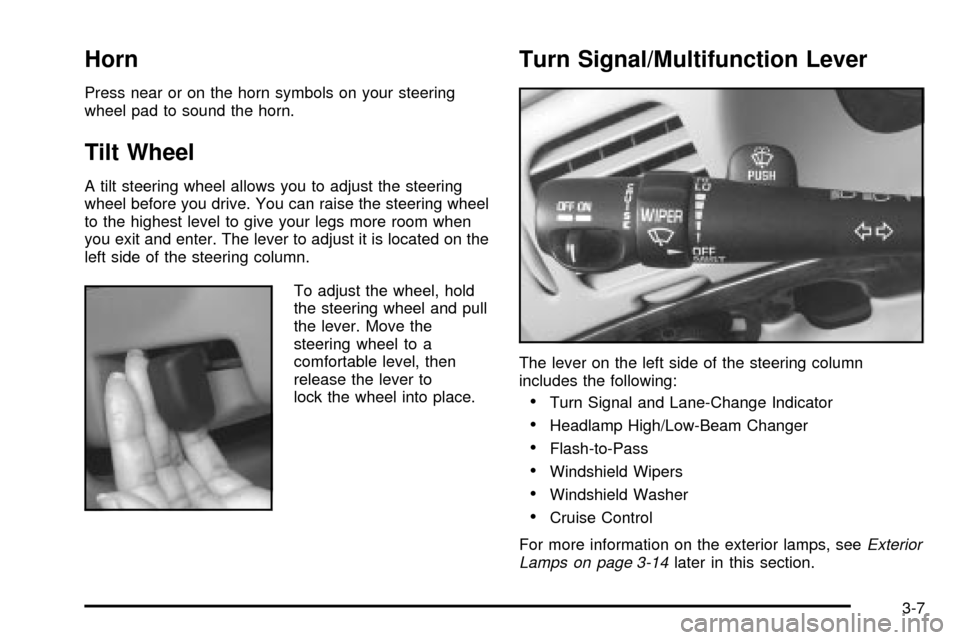
and rear turn signal lamps will ¯ash on and off.The hazard warning
¯asher button is located to
the right of the steering
wheel on the instrument
panel cluster.
The hazard warning ¯ashers work no matter what
position your key is in, and even if the key isn't in.
Press the button to make the front and rear turn signal
lamps ¯ash on and off. Press the button again to
turn the ¯ashers off.
When the hazard warning ¯ashers are on, your turn
signals won't work.
Other Warning Devices
If you carry re¯ective triangles, you can set one up at
the side of the road about 300 feet (100 m) behind
your vehicle.
3-6
Page 129 of 408
Horn
Press near or on the horn symbols on your steering
wheel pad to sound the horn.
Tilt Wheel
A tilt steering wheel allows you to adjust the steering
wheel before you drive. You can raise the steering wheel
to the highest level to give your legs more room when
you exit and enter. The lever to adjust it is located on the
left side of the steering column.
To adjust the wheel, hold
the steering wheel and pull
the lever. Move the
steering wheel to a
comfortable level, then
release the lever to
lock the wheel into place.
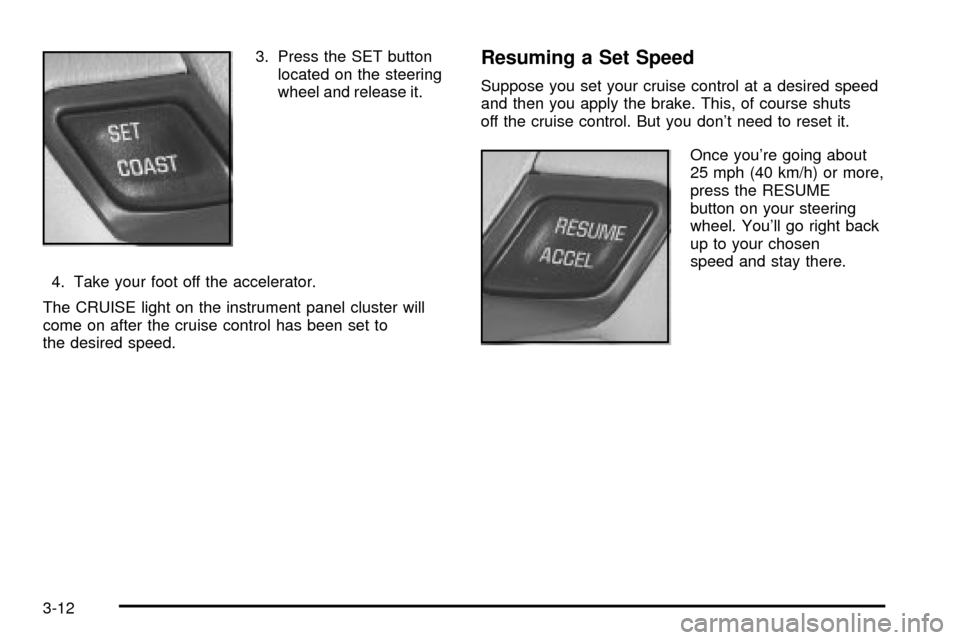
Turn Signal/Multifunction Lever
The lever on the left side of the steering column
includes the following:
·Turn Signal and Lane-Change Indicator
·Headlamp High/Low-Beam Changer
·Flash-to-Pass
·Windshield Wipers
·Windshield Washer
·Cruise Control
For more information on the exterior lamps, see
Exterior
Lamps on page 3-14later in this section.
3-7
Page 133 of 408
Cruise Control
With cruise control, you can maintain a speed of about
25 mph (40 km/h) or more without keeping your foot
on the accelerator. This can really help on long
trips. Cruise control does not work at speeds below
about 25 mph (40 km/h).
When you apply your brakes, the cruise control
shuts off.
{CAUTION:
·Cruise control can be dangerous where
you can't drive safely at a steady speed.
So, don't use your cruise control on
winding roads or in heavy traffic.
·Cruise control can be dangerous on
slippery roads. On such roads, fast
changes in tire traction can cause
needless wheel spinning, and you could
lose control. Don't use cruise control on
slippery roads.If your vehicle is in cruise control when the traction
control system (option) begins to limit wheel spin, the
cruise control will automatically disengage. See
Traction
Control System (TCS) (3800 V6 Engine) on page 4-9.
When road conditions allow you to safely use it
again, you may turn the cruise control back on.
Setting Cruise Control
The cruise control ON/OFF switch is located at the end
of the multifunction lever.
{CAUTION:
If you leave your cruise control on when you're
not using cruise, you might hit a button and go
into cruise when you don't want to. You could
be startled and even lose control. Keep the
cruise control switch off until you want to use
cruise control.
1. Slide the cruise control ON lever on the turn signal
lever to the right to turn it on.
2. Get up to the speed you want.
3-11
Page 134 of 408
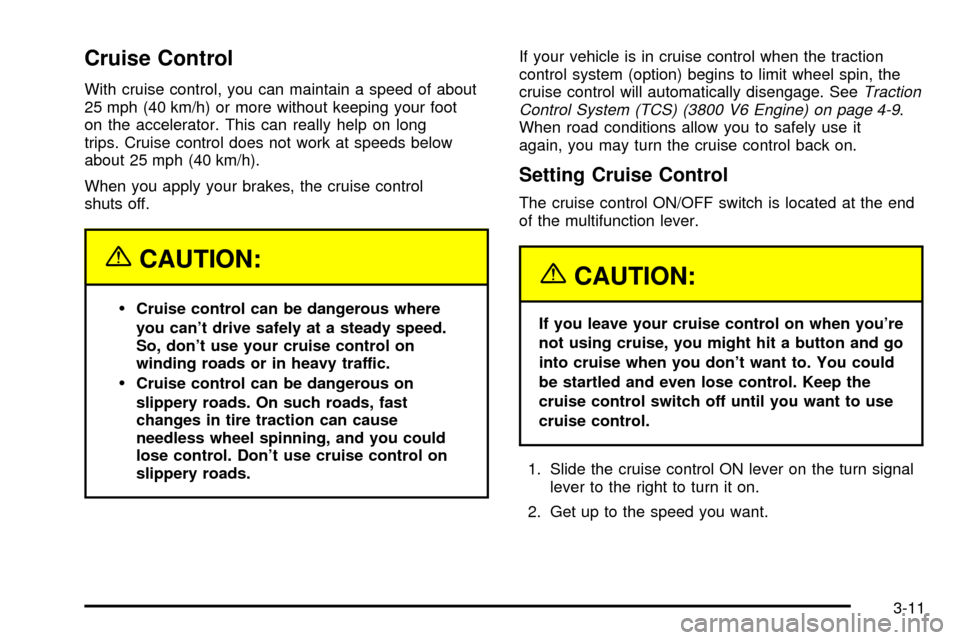
3. Press the SET button
located on the steering
wheel and release it.
4. Take your foot off the accelerator.
The CRUISE light on the instrument panel cluster will
come on after the cruise control has been set to
the desired speed.Resuming a Set Speed
Suppose you set your cruise control at a desired speed
and then you apply the brake. This, of course shuts
off the cruise control. But you don't need to reset it.
Once you're going about
25 mph (40 km/h) or more,
press the RESUME
button on your steering
wheel. You'll go right back
up to your chosen
speed and stay there.
3-12