Page 308 of 386
Checking Brake Fluid
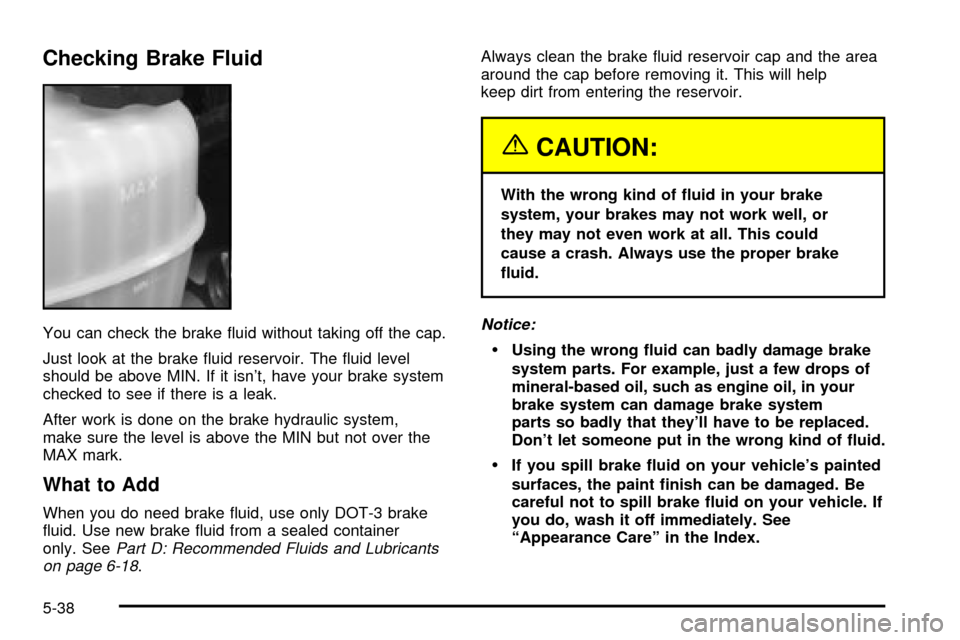
You can check the brake ¯uid without taking off the cap.
Just look at the brake ¯uid reservoir. The ¯uid level
should be above MIN. If it isn't, have your brake system
checked to see if there is a leak.
After work is done on the brake hydraulic system,
make sure the level is above the MIN but not over the
MAX mark.
What to Add
When you do need brake ¯uid, use only DOT-3 brake
¯uid. Use new brake ¯uid from a sealed container
only. See
Part D: Recommended Fluids and Lubricants
on page 6-18.Always clean the brake ¯uid reservoir cap and the area
around the cap before removing it. This will help
keep dirt from entering the reservoir.
{CAUTION:
With the wrong kind of ¯uid in your brake
system, your brakes may not work well, or
they may not even work at all. This could
cause a crash. Always use the proper brake
¯uid.
Notice:
·Using the wrong ¯uid can badly damage brake
system parts. For example, just a few drops of
mineral-based oil, such as engine oil, in your
brake system can damage brake system
parts so badly that they'll have to be replaced.
Don't let someone put in the wrong kind of ¯uid.
·If you spill brake ¯uid on your vehicle's painted
surfaces, the paint ®nish can be damaged. Be
careful not to spill brake ¯uid on your vehicle. If
you do, wash it off immediately. See
ªAppearance Careº in the Index.
5-38
Page 310 of 386
Replacing Brake System Parts
The braking system on a vehicle is complex. Its many
parts have to be of top quality and work well together if
the vehicle is to have really good braking. Your
vehicle was designed and tested with top-quality GM
brake parts. When you replace parts of your braking
system Ð for example, when your brake linings
wear down and you need new ones put in Ð be sure
you get new approved GM replacement parts. If
you don't, your brakes may no longer work properly. For
example, if someone puts in brake linings that are
wrong for your vehicle, the balance between your front
and rear brakes can change Ð for the worse. The
braking performance you've come to expect can change
in many other ways if someone puts in the wrong
replacement brake parts.
Battery
Your new vehicle comes with a maintenance free
ACDelcožbattery. When it's time for a new battery, get
one that has the replacement number shown on the
original battery's label. We recommend an ACDelco
ž
battery. SeeEngine Compartment Overview on
page 5-12for battery location.
Warning:Battery posts, terminals and related
accessories contain lead and lead compounds,
chemicals known to the State of California to cause
cancer and reproductive harm. Wash hands after
handling.
Vehicle Storage
If you're not going to drive your vehicle for 25 days
or more, remove the black, negative (-) cable from the
battery. This will help keep your battery from
running down.
{CAUTION:
Batteries have acid that can burn you and gas
that can explode. You can be badly hurt if you
aren't careful. See ªJump Startingº next for
tips on working around a battery without
getting hurt.
Contact your dealer to learn how to prepare your
vehicle for longer storage periods.
Also, for your audio system, see
Theft-Deterrent
Feature (Non-RDS Radios) on page 3-73orTheft-Deterrent Feature (RDS Radios) on page 3-73.
5-40
Page 312 of 386
4. Open the hoods and locate the positive (+) and
negative (-) terminal locations of the other vehicle.
Your vehicle has a remote positive (+) jump
starting terminal and a remote negative (-) jump
starting terminal. You should always use these
remote terminals instead of the terminals on the
battery.
The remote positive (+) terminal is located behind a
red plastic cover near the engine accessory drive
bracket on the driver's side below the alternator. To
uncover the remote positive (+) terminal, open
the red plastic cover.
The remote negative (-) terminal is located on the
engine drive bracket on all V8 engines and it is
marked ªGND.º
On V6 engines the remote negative (-) terminal is
located on a tab attached to the engine accessory
drive bracket where it is marked ªGND.º
{CAUTION:
Using a match near a battery can cause battery
gas to explode. People have been hurt doing
this, and some have been blinded. Use a
¯ashlight if you need more light.
Be sure the battery has enough water. You
don't need to add water to the ACDelco
ž
battery installed in your new vehicle. But if a
battery has ®ller caps, be sure the right
amount of ¯uid is there. If it is low, add water
to take care of that ®rst. If you don't, explosive
gas could be present.
Battery ¯uid contains acid that can burn you.
Don't get it on you. If you accidentally get it in
your eyes or on your skin, ¯ush the place with
water and get medical help immediately.
5-42
Page 313 of 386
{CAUTION:
Fans or other moving engine parts can injure
you badly. Keep your hands away from moving
parts once the engine is running.
5. Check that the jumper cables don't have loose or
missing insulation. If they do, you could get a
shock. The vehicles could be damaged, too.
Before you connect the cables, here are some
basic things you should know. Positive (+) will go to
positive (+) or to a remote positive (+) terminal if
the vehicle has one. Negative (-) will go to a heavy,
unpainted metal engine part or to a remote
negative (-) terminal if the vehicle has one.
Don't connect positive (+) to negative (-) or you will
get a short that would damage the battery and
maybe other parts, too. And don't connect
the negative (-) cable to the negative (-) terminal
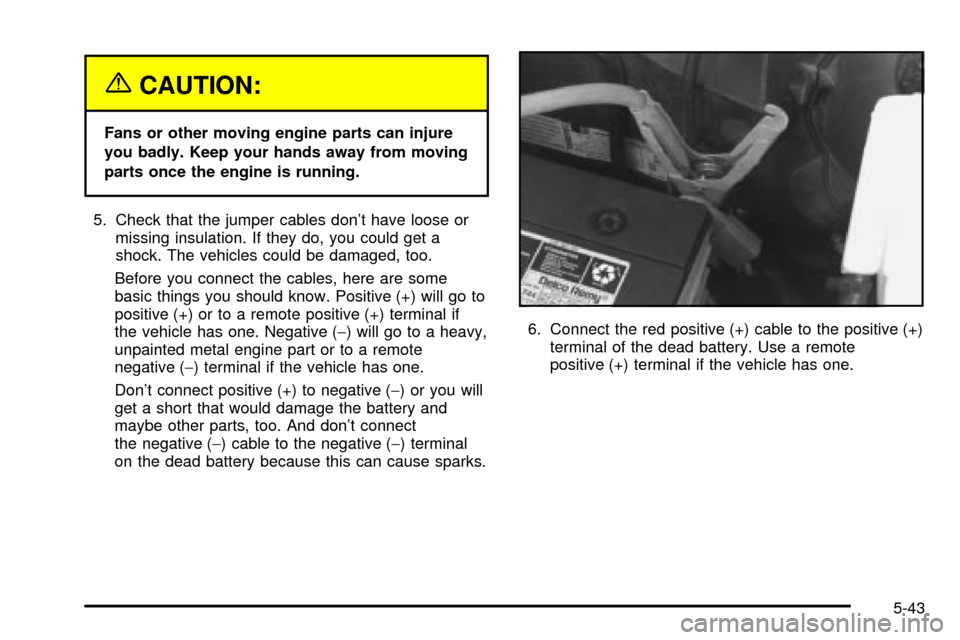
on the dead battery because this can cause sparks.6. Connect the red positive (+) cable to the positive (+)
terminal of the dead battery. Use a remote
positive (+) terminal if the vehicle has one.
5-43
Page 314 of 386
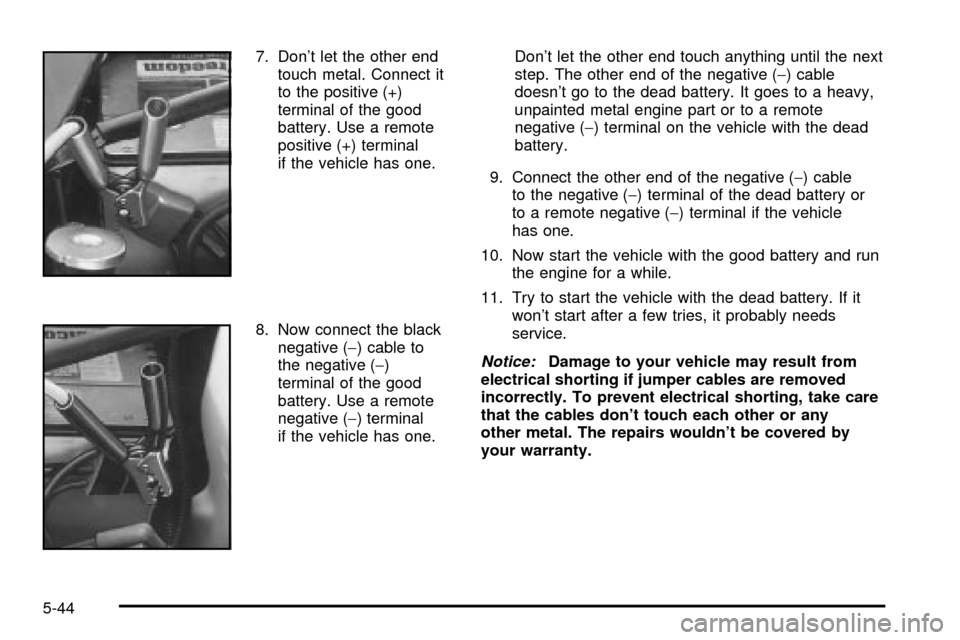
7. Don't let the other end
touch metal. Connect it
to the positive (+)
terminal of the good
battery. Use a remote
positive (+) terminal
if the vehicle has one.
8. Now connect the black
negative (-) cable to
the negative (-)
terminal of the good
battery. Use a remote
negative (-) terminal
if the vehicle has one.Don't let the other end touch anything until the next
step. The other end of the negative (-) cable
doesn't go to the dead battery. It goes to a heavy,
unpainted metal engine part or to a remote
negative (-) terminal on the vehicle with the dead
battery.
9. Connect the other end of the negative (-) cable
to the negative (-) terminal of the dead battery or
to a remote negative (-) terminal if the vehicle
has one.
10. Now start the vehicle with the good battery and run
the engine for a while.
11. Try to start the vehicle with the dead battery. If it
won't start after a few tries, it probably needs
service.
Notice:Damage to your vehicle may result from
electrical shorting if jumper cables are removed
incorrectly. To prevent electrical shorting, take care
that the cables don't touch each other or any
other metal. The repairs wouldn't be covered by
your warranty.
5-44
Page 315 of 386
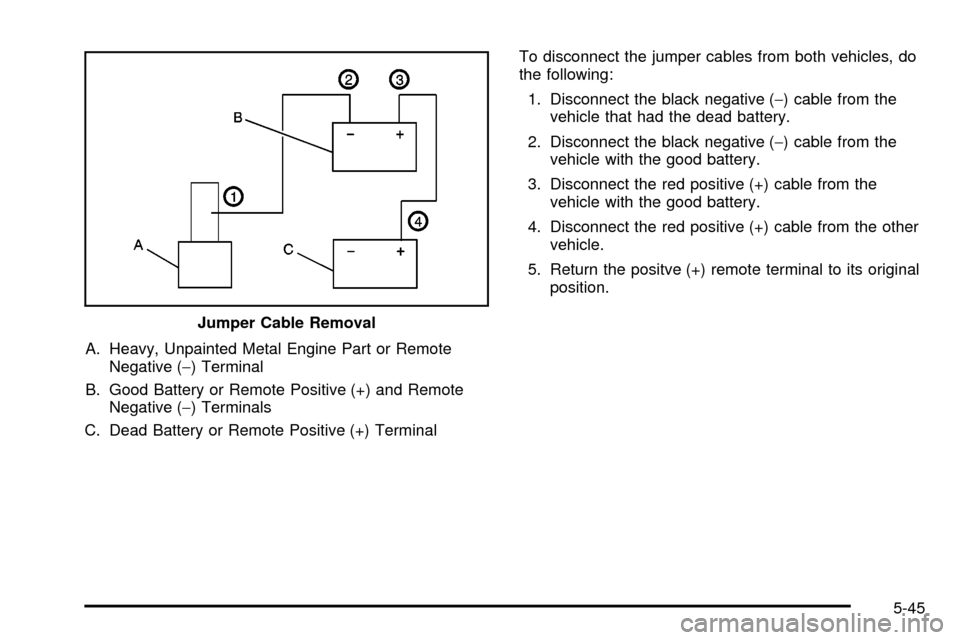
A. Heavy, Unpainted Metal Engine Part or Remote
Negative (-) Terminal
B. Good Battery or Remote Positive (+) and Remote
Negative (-) Terminals
C. Dead Battery or Remote Positive (+) TerminalTo disconnect the jumper cables from both vehicles, do
the following:
1. Disconnect the black negative (-) cable from the
vehicle that had the dead battery.
2. Disconnect the black negative (-) cable from the
vehicle with the good battery.
3. Disconnect the red positive (+) cable from the
vehicle with the good battery.
4. Disconnect the red positive (+) cable from the other
vehicle.
5. Return the positve (+) remote terminal to its original
position.
Jumper Cable Removal
5-45
Page 319 of 386

Noise Control System
Tampering with Noise Control
System Prohibited
The following information relates to compliance with
federal noise emission standards for vehicles with
a Gross Vehicle Weight Rating (GVWR) of more than
10,000 lbs (4 536 kg). The Maintenance Schedule
provides information on maintaining the noise control
system to minimize degradation of the noise emission
control system during the life of your vehicle. The noise
control system warranty is given in your warranty
booklet.
These standards apply only to vehicles sold in the
United States.
Federal law prohibits the following acts or the causing
thereof:
1. The removal or rendering inoperative by any
person, other than for purposes of maintenance,
repair or replacement, of any device or element of
design incorporated into any new vehicle for
the purpose of noise control, prior to its sale or
delivery to the ultimate purchaser or while it is in
use; or
2. The use of the vehicle after such device or element
of design has been removed or rendered inoperative
by any person.Among those acts presumed to constitute tampering are
the acts listed below.
Insulation:
·
Removal of the noise shields or any underhood
insulation.
Engine:
·
Removal or rendering engine speed governor
(if equipped) inoperative so as to allow engine
speed to exceed manufacturer speci®cations.
Fan and Drive:
·
Removal of fan clutch (if equipped) or rendering
clutch inoperative.
·Removal of the fan shroud (if equipped).
Air Intake:
·
Removal of the air cleaner silencer.
·Modi®cation of the air cleaner.
Exhaust:
·
Removal of the muffler and/or resonator.
·Removal of the exhaust pipes and exhaust pipe
clamps.
5-49
Page 335 of 386
Changing a Flat Tire
If a tire goes ¯at, avoid further tire and wheel damage
by driving slowly to a level place. Turn on your
hazard warning ¯ashers.
{CAUTION:
Changing a tire can cause an injury. The
vehicle can slip off the jack and roll over you
or other people. You and they could be badly
injured. Find a level place to change your tire.
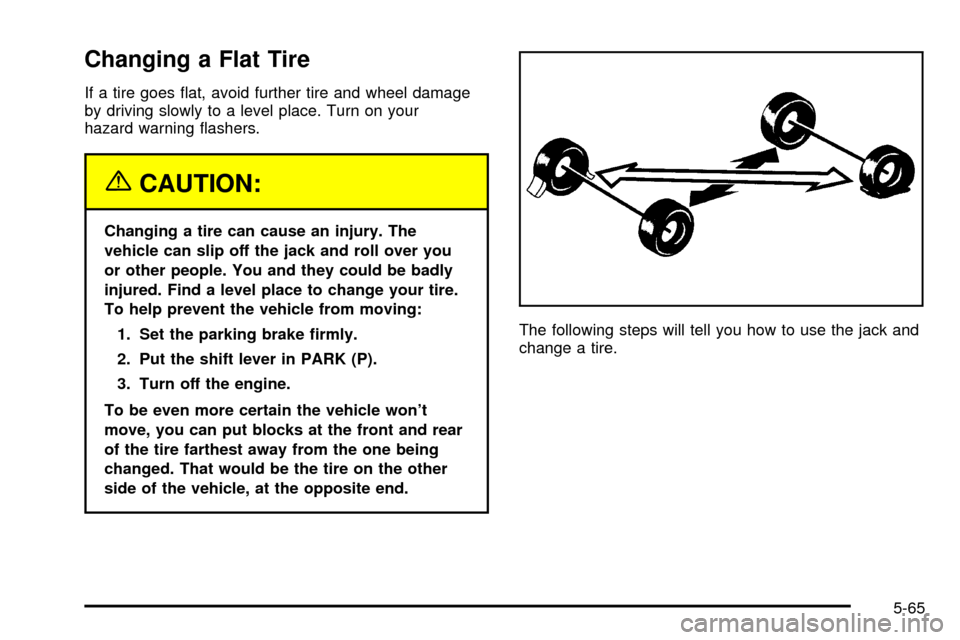
To help prevent the vehicle from moving:
1. Set the parking brake ®rmly.
2. Put the shift lever in PARK (P).
3. Turn off the engine.
To be even more certain the vehicle won't
move, you can put blocks at the front and rear
of the tire farthest away from the one being
changed. That would be the tire on the other
side of the vehicle, at the opposite end.The following steps will tell you how to use the jack and
change a tire.
5-65